Week- 6 - Solid meshing
Aim:- For the given Rear view mirror component, check for the geometrical errors and mesh the Surfaces with the given 2D element Quality criterias .
Objective:- To take check the geometrical quality of the given model. Correct the geometry , doing the mesh generation and performing volume mesh.
Quality Criteria:-
|
S.No |
Quality Criteria |
Value |
|
1 |
Target/Average length |
1 |
|
2 |
Minimum Length |
0.5 |
|
3 |
Maximum Length |
2 |
Procedure:-
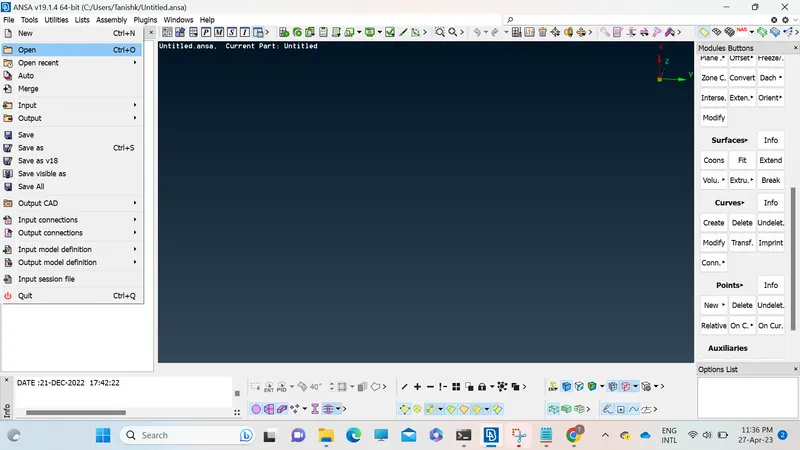
1. Open the giving model in Ansa software using open tab in file menu.
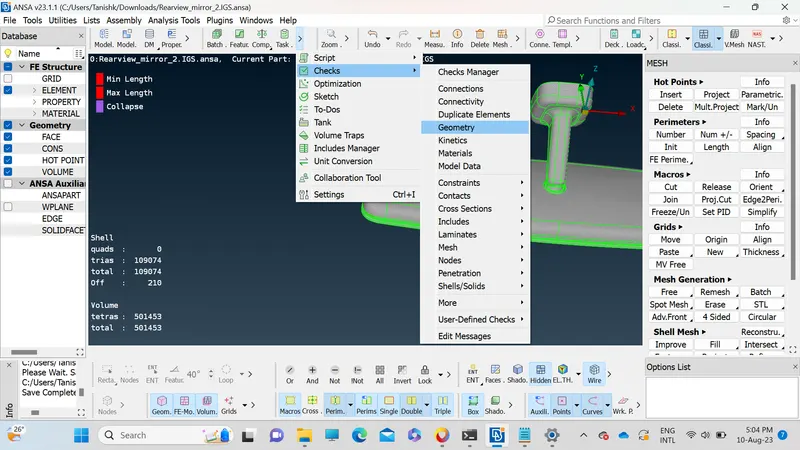
2. Do the check geometry on the given model using checks tab for checking if there is any geometrical issues in the model.
3. After checking the geometry fix the issues if any otherwise move on to the next step.
4. In classic mesh tab set the perimeter and macros lenght to 1 for chechking the quality of the geometry.
5. Press fn+ f11 to open the Quality parameter tab.
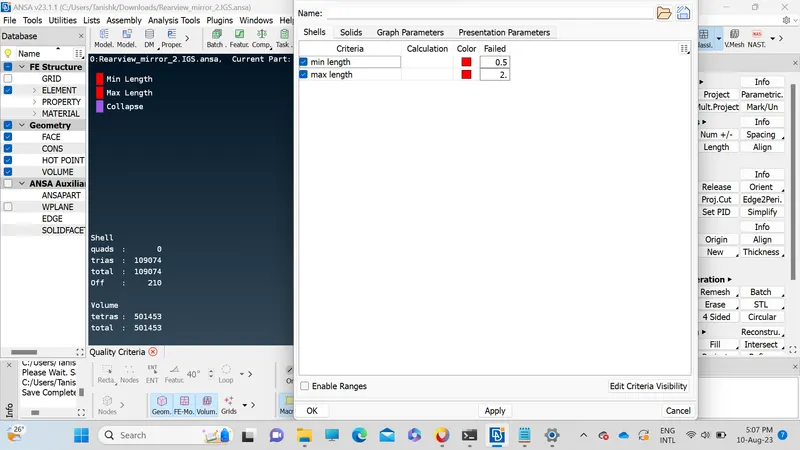
Set the quality criteria for the given model.
6. Open mesh parameters to set the target length to 1 mm and set type of mesh to ortho tria.
7. In classic mesh select spot mesh and start the meshing from complex parts first and after that move on to the easy parts.
8. After completeing the mesh for entire model go to the volume mesh.
9. Define the new model and do the volume mesh.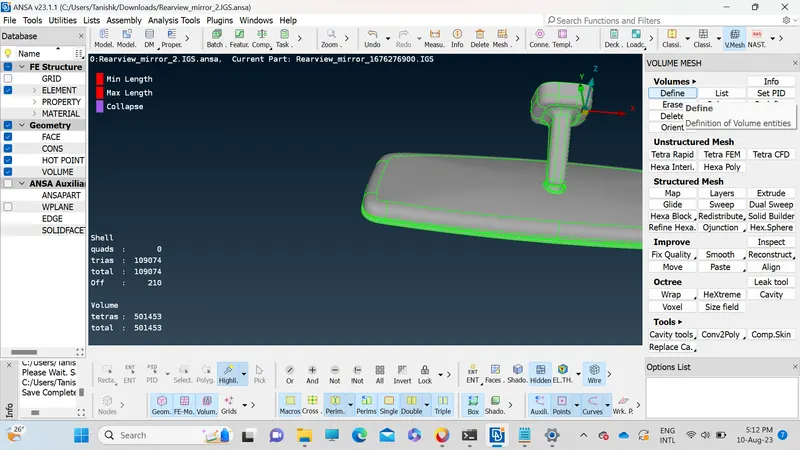
10. We can use Tetra Rapid or Tetra FEM for voulme meshing. For this model we have done the meshing using Tetra FEM.
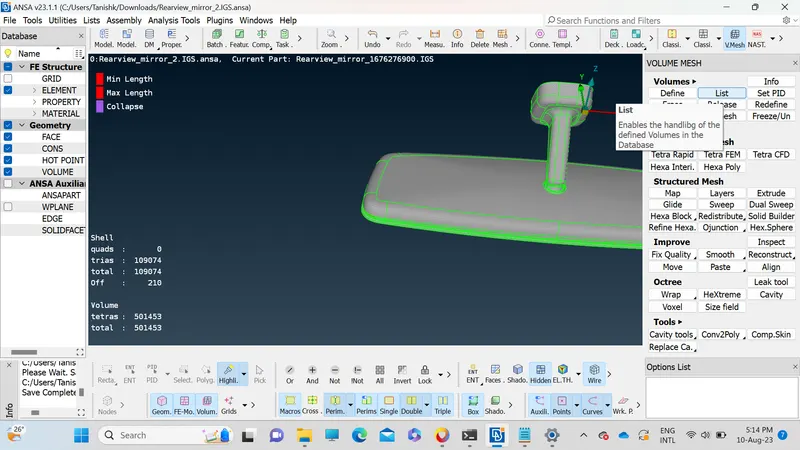
11. After doing the volume mesh aging go to the quality criteria. In quality criteria in solids add Tet collapse and enable that criteria. Set the value for 0.2.
12. If there are any quakity failure for Tet Collapse rectify it.
Conclusion:- Successfully completed geometrical errors and mesh the Surfaces with the given 2D element Quality criterias For the given Rear view mirror component.