Week 6-Meshing of Hood Challenge
Aim / Objective :
To extract midsurface of Hood component
And to mesh with the given quality parameteres
To get a good mesh flow throught the component
Component : Hood
Quality parameters :
S.N Quality Criteria Value
1 Aspect Ratio 5
2 Skewness 45
3 Warping 15
4 Taper 0.5
5 Min. Length 2 Units
6 Max. Length 8 Units
7 Min angle Quad 45
8 Max angle Quad 135
9 Min angle Tria 20
10 Max angle Tria 120
10 Tria % 10
Procedure :
Steps 1
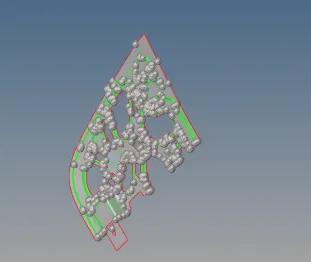
Open Hyperworks import the geometry
Under Geometry use the autoclean option to clean
check for thickness of the component f4 distance is measured
Then take the midsurface from the parent geometry
Use the midsurface option under geometry extraction process to skin offset
Steps 2
The quality parameters are given in preference element criteria setting
washer split was created on the region with holes
The geometry is clean up for proper mesh flow and lines are added for meshing
Meshing is done on complicated areas By using automesh surf and region is selected
Under automesh elements selected for remeshing for failing elements
Splits are made using geometry quick edit split surf node for easy mesh and toggle lines
Steps 3
Splits are made using geometry quick edit split surf node for easy mesh and toggle lines
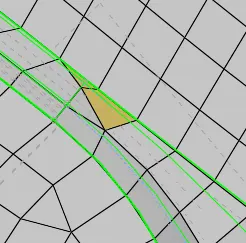
Tools edges elements displayed delete edges find edges are used improper aligned mesh
Then these mesh elements are selected and meshed again for proper alignment
Under tools edges tolerance 0.1 given preview equilance and equilance option use to clean nodes
Replace with nodes to move the trias for proper mesh flow
The above steps are repeated throughout the geometry where its required
Steps 4
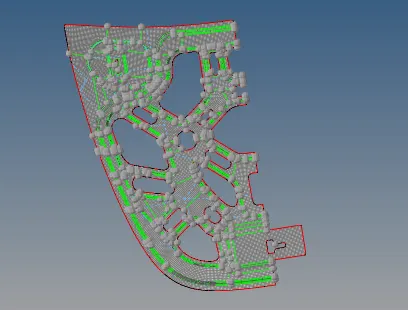
In some regions the warpage issues were there under complicated regions
Translate options under tool is used one node is selected to move and then remaining three on plane
It was done on the most complicated areas to clear the quality
Someplaces under 2D edit element was used to split warpage to trias on complicated areas
Under 2D quality index used to split and compine trias for proper mesh flow
Step 5
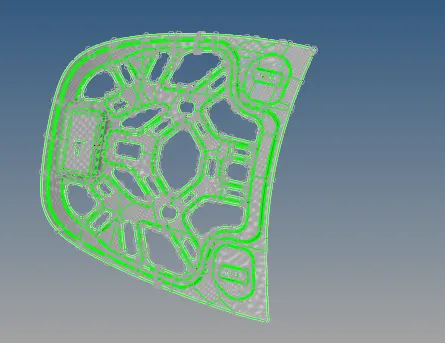
The one half of the component is meshed and other half is reflected
Under Tools reflect is selected and the nodes without latches
Once the other half reflected the nodes are replace if alignment issues
Thickness assigned to the hood component
Learning outcomes :
Geomtry cleanup was done for the hood
Reflect option was used to save time
Proper meshflow was obtained on component as per quality criteria
Use of different tools like edges equivalence delete edges was used
Result :
Thus the hood midsurface is extracted and meshed as per quality criteria and the file attached for reference