Week 6-Meshing of Hood Challenge
Objective:
To assign the given values for quality criteria and mesh the component given thickness.
PROCEDURE:
- In Hypermesh, To mesh and hood model open- import solver desk- import geometry- file type(step)- select files- hood.
- In Hood model there are totally five components, we need to mid-surface each components seperately and then mesh.
- To open midsurface go to Geometry - midsurface.
- To create a 1d element we need to use midsurface option to seperate the two layers between the solid model.
- Then click on the model to create a midsurface and extract the solid elements surface and the needed surface.
- Delete the solid layer element leaving the midsurface .
- Next we have to check the quality of the hypermesh. [ex: edges, normal, dependency etc.].
- All the midsurface for each component are done seperately.
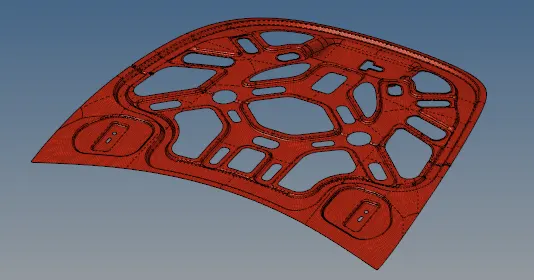
a) inner body
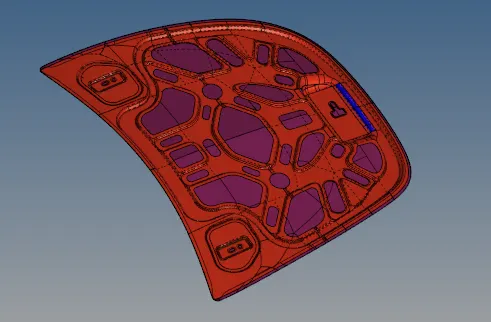
b) hood
Conclusion:
- Thus quality criteria and meshshing for each component with assigned thickness is done.