Week 6 - Creating connection for Rear door
Aim :
To obtain rear door connection of an automobile with different types of connection methods.
Procedure :
1. Import the model to ANSA.
2. Set PID for each element as shown in Fig 1.1 & 1.2
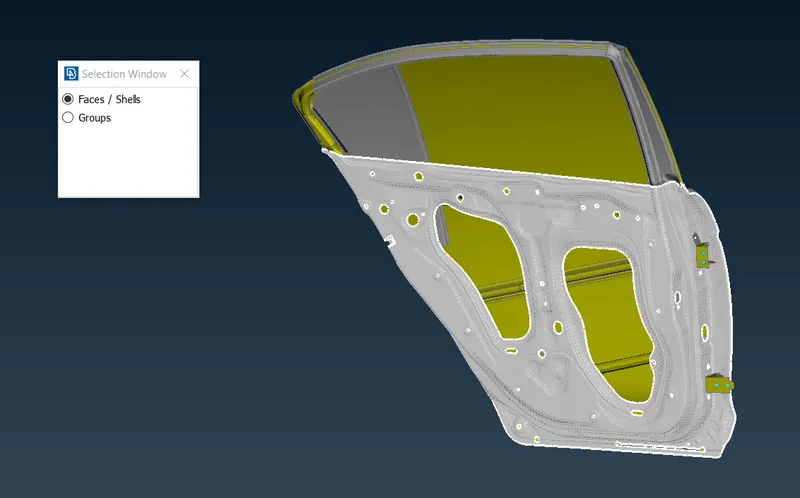
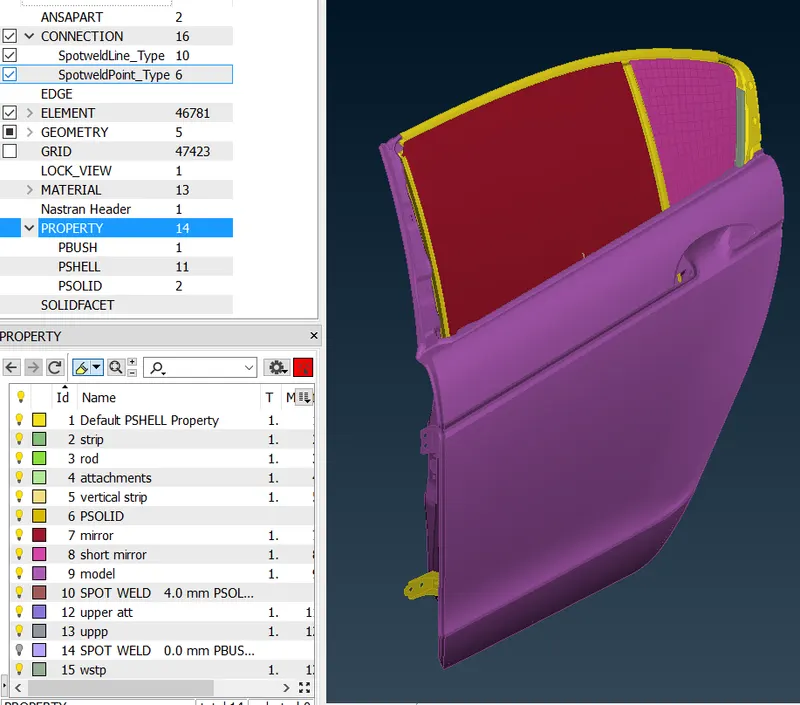
Fig : 1.1 Fig 1.2
3. Wherever Bolts are used, create a COG point and convert to bolt. Using Connection Manager connect the elements.
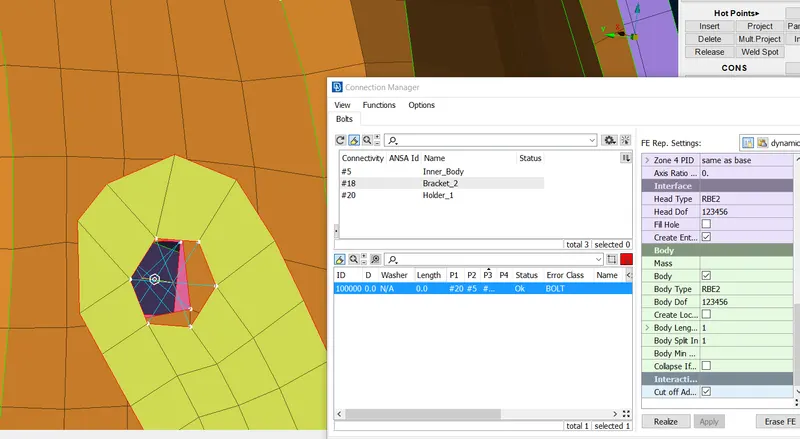
Fig : 2
4. At the hinge portion, create RBE2 with 2 nodes and remove degree of freedom for Z-axis rotation (i.e., maintain 12345 only)
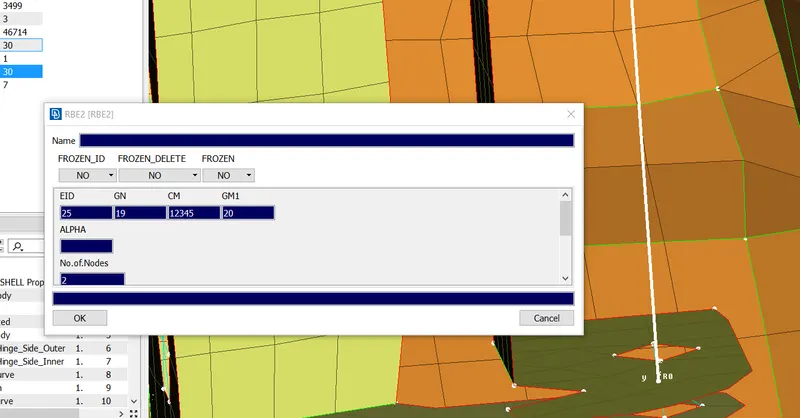
Fig : 3
5. Elements connecting with weld needs to be connected with a Spot Weld point. Create a 3D point using COG option and convert to Spot Weld point.
Using connection manager create a spot weld with RBE3-HEXA-RBE3.
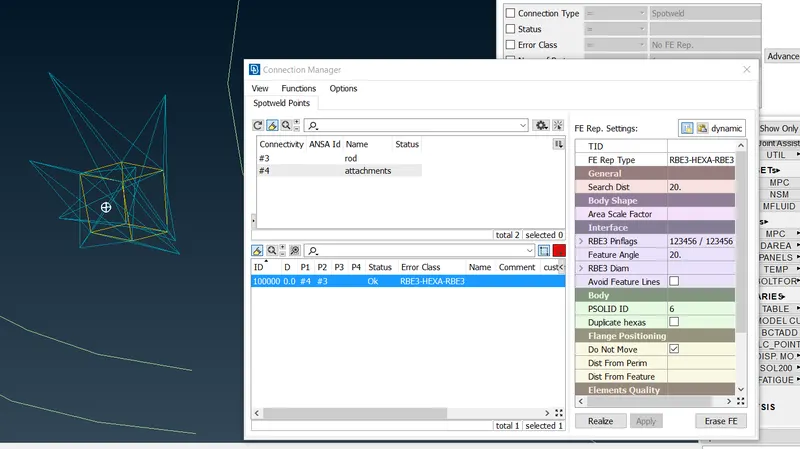
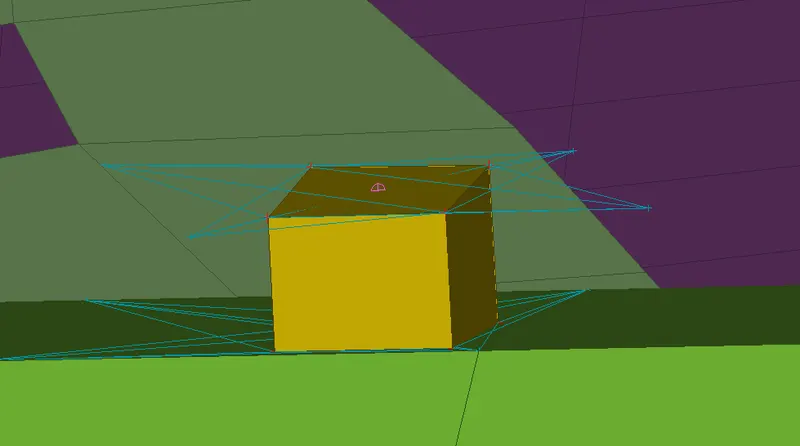
Fig : 4.1 Fig : 4.2
6. Create many nodes RBE2 for handle and apply CONMi>CONM2>NODES at COG point. Apply mass in Tonnes (1e-4).
+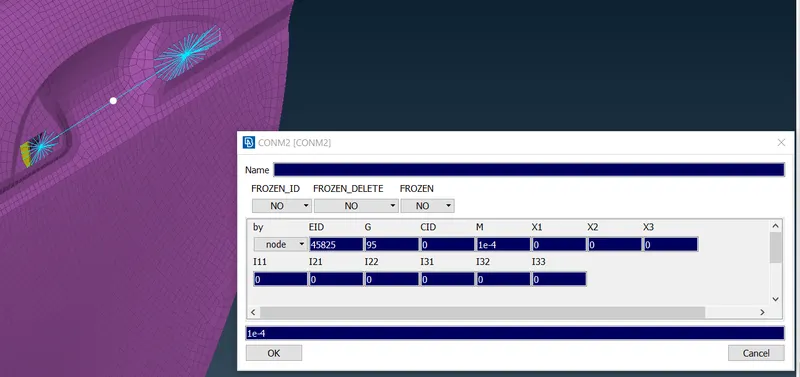
Fig : 5
7. Windows need to be connected with C-Bush. Create curves around the perimeter of the glass. Convert the curves into spot lines (Fig : 6.1).
Using connection manager, select RBE3-CBUSH-RBE3 to represent the connection of window (Fig : 6.2).
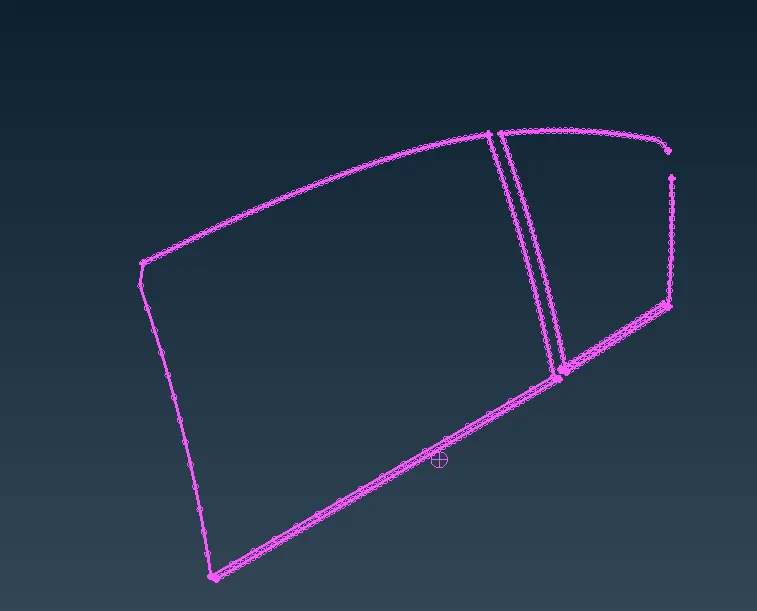
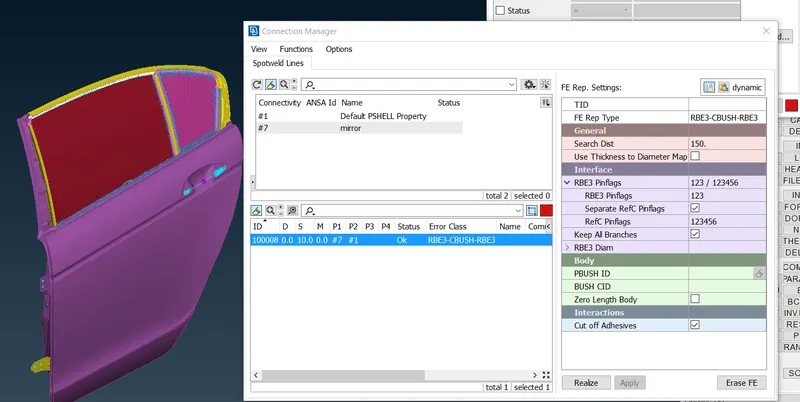
Fig : 6.1 Fig : 6.2
8. Complete C-Bush connections for all the sides as shown in the fig below.
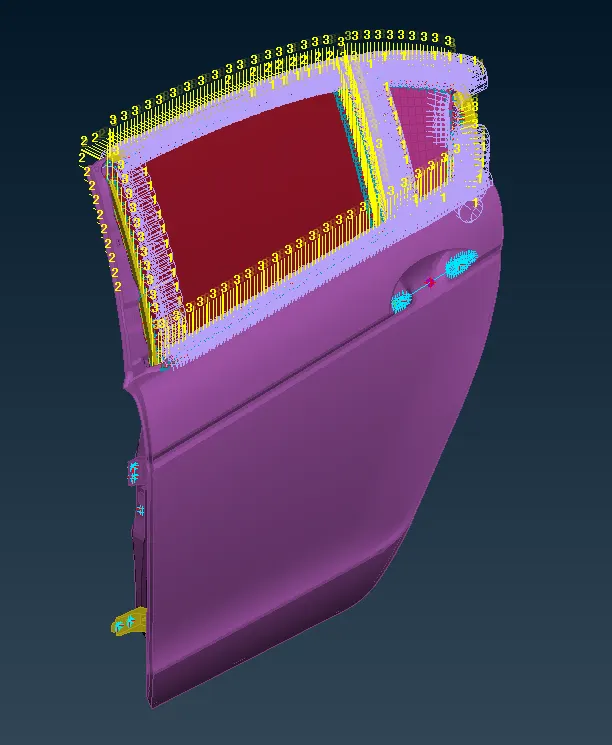
Fig : 7
Learning :
- Concept of Connection.
- Types of Connections (Bolt, Weld, C-Bush, CON mass, etc.)
- Degree of freedom for hinge connections.
- NASTRAN Module.
Outcome :
Rear door connections are completed using Bolt, Spot Weld & C-Bush connection options.
C-bush is applied for window connections for soft bending and shock absorption.