Week 6 - Creating connection for Rear door
Q1:-
Apply suitable PID and creating connectionn for the given rear door model.
ANS:-
AIm:-
Applying suitable PID and creating connectionn for the given rear door model.
procedure:-
1. setting pid for each elements.
2. deploying connection listed below
i. bolt connection.
ii. spot line connection
iii. RBE2 connection.
iv. CBUSH connection.
v. applying mass to nodes
vi. changing orientation of the CBUSH elements.
1. setting pid for each elements.
setting PID for different components, using commands TOPO---SET PID---FACES/SHELLS.
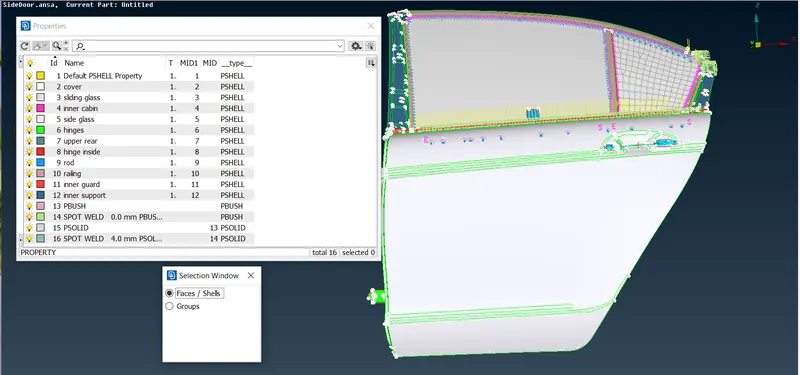
2. deploying connection listed below
i. bolt connection.
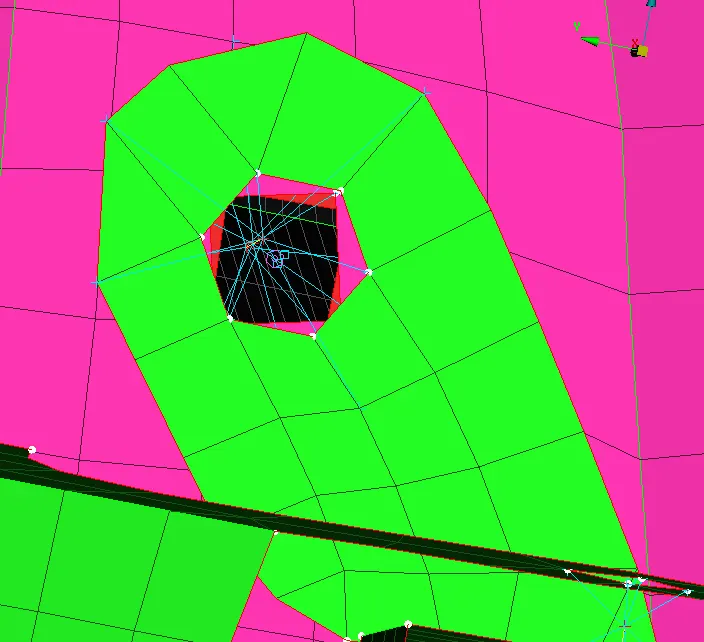
BOLT CONNECTION deployed on the hinges of the door as shown in figure.
first creating COG of any one of path which is inline,
convert 3D POINT TO BOLT
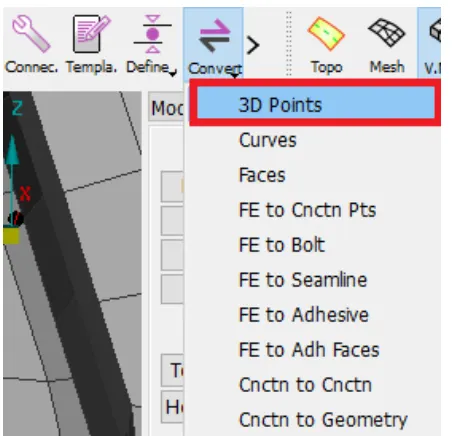
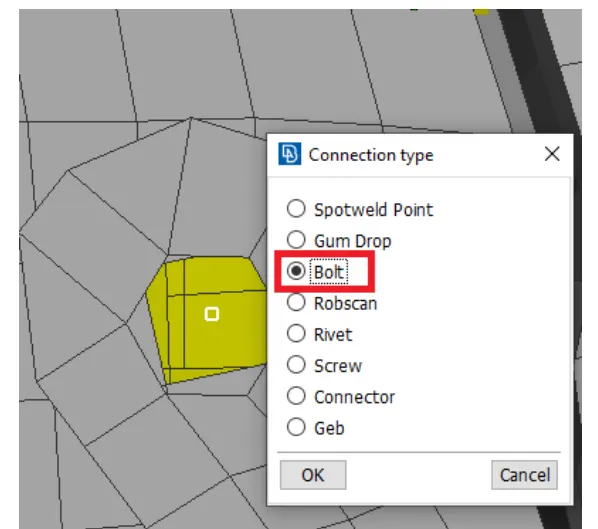
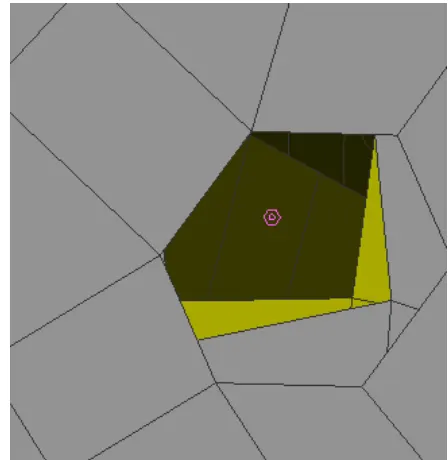
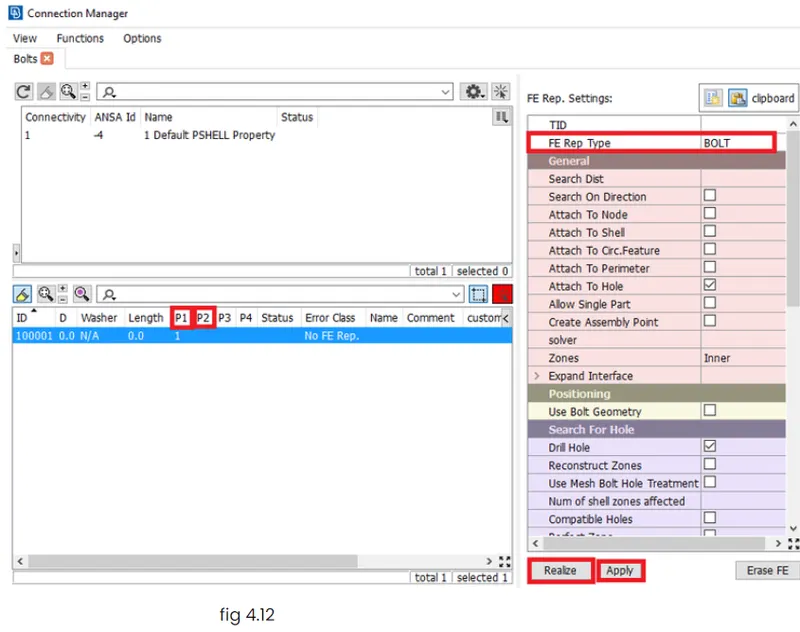
FROM CONNECTION MANAGER ASIGNING P1 P2 AND FE TYPE AS BOLT WILL GET BOLT CONNECTION
WE WILL SEE THIS AFTER DEPLOYING BOLT CONNECTION.
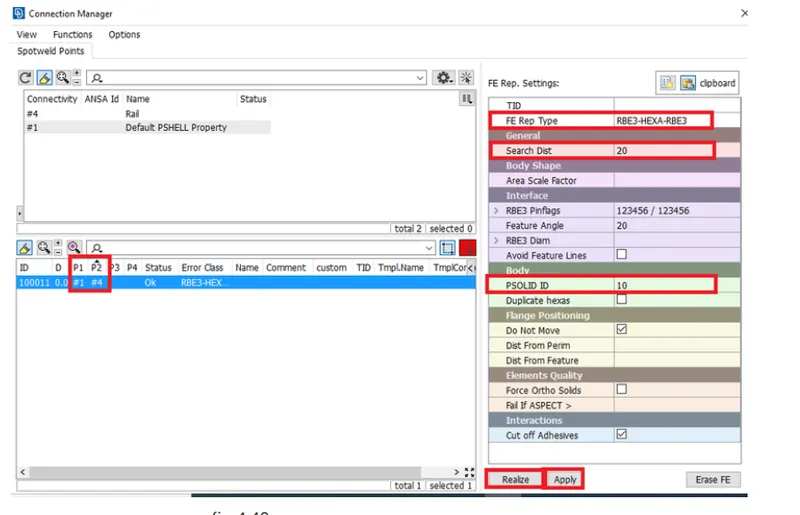
ii. spot weld connection
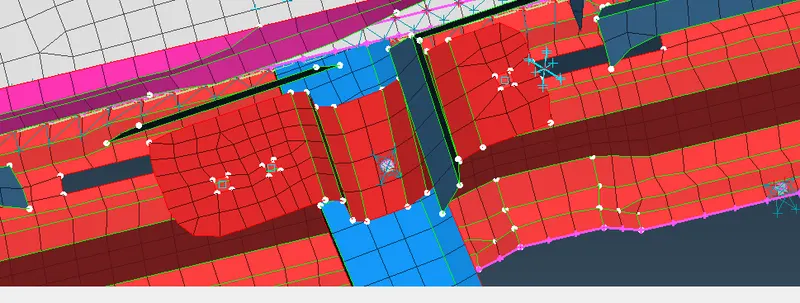
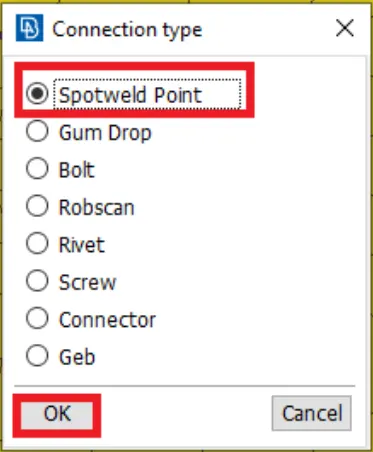
In some regions where the parts overlaped with each other with the minimal space between them are joined using spot weld option. In order to represent the joint. So for creating a spot weld connection, the COG point is required. And
es of the element is selected by choosing the "on COG" option as shown in fig,
iii. RBE2 connection.
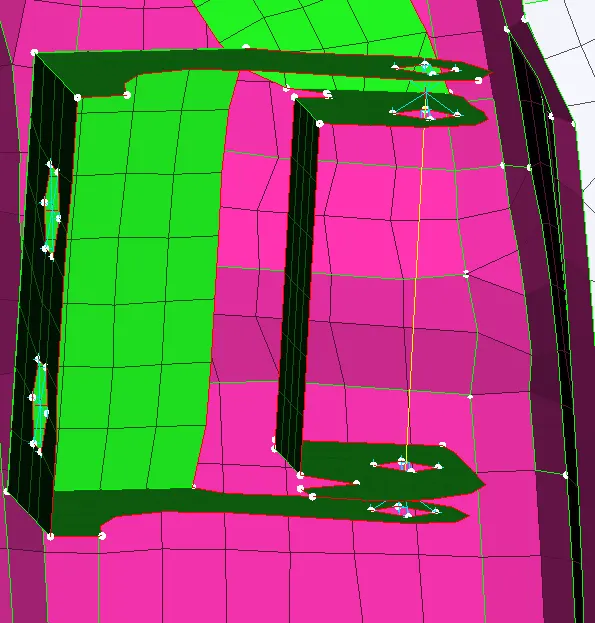
THIS CONNECTION IS DONE BYE CLUSTOR CONNECTION AND BOTH CLUSTOR JOINT IS CONNECTIED WITH TWO NODES OPTION IN RBE2
iv. CBUSH connection.
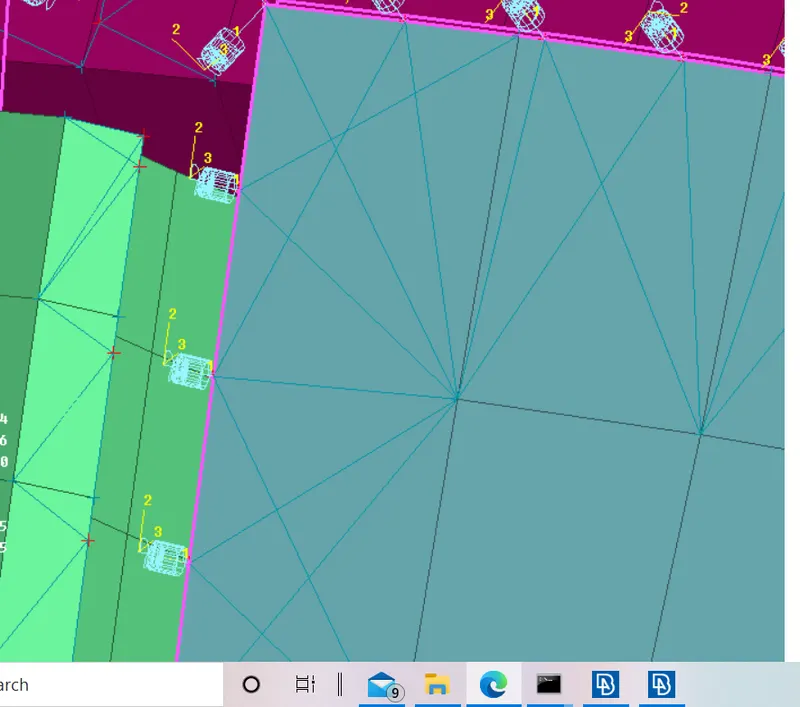
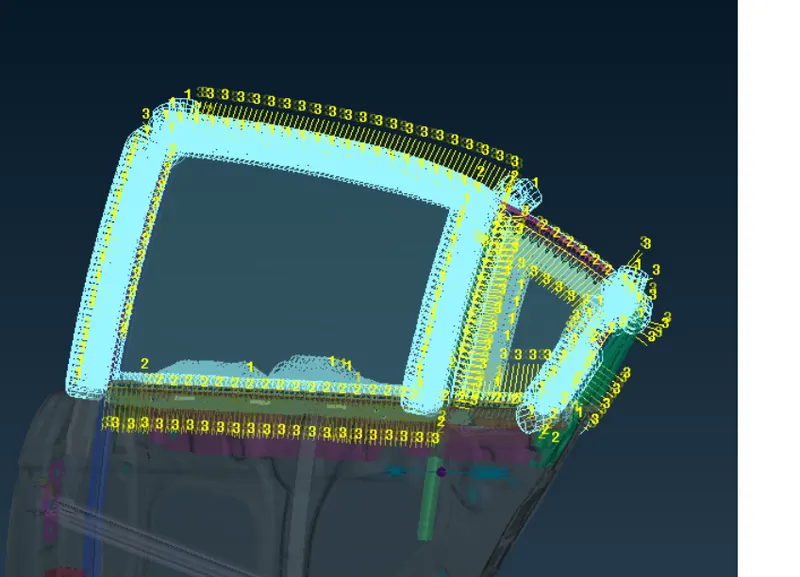
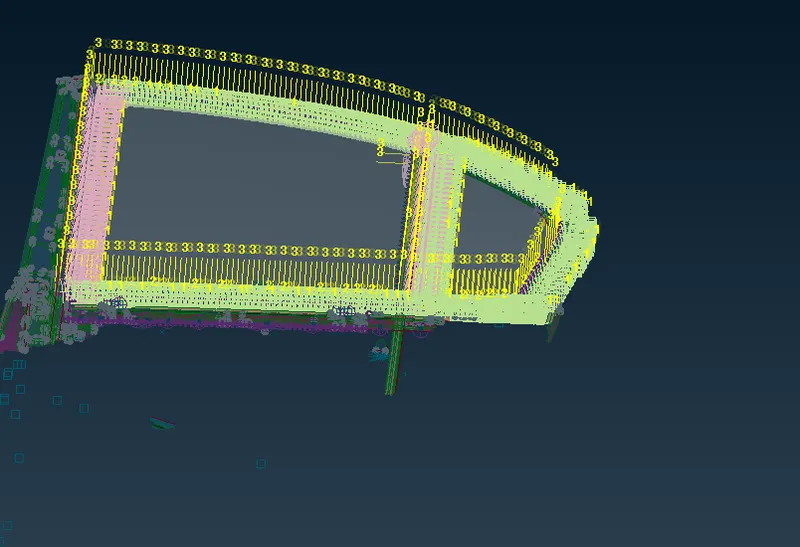
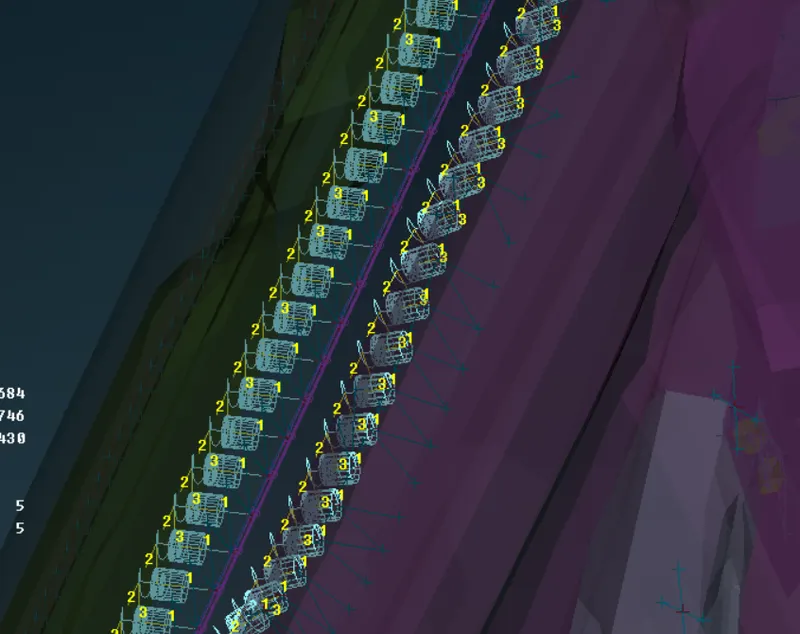
C-BUSH connection is generally used to connect the door panel with Glass, generally it represents the weather strip of the door that also serve as guide to mirror and support the mirror and also it prevents from the dust entering into the Cabin of the vehicle, also we say that it is a type of seal that doesn't allow the dust and other things comes under the cabin of the car,
In FE model to connect the glass, as we know glass is very brittle in nature, so we can't connect it with any rigid elements, we need damping element to create on the both side of the glass, so for connection we using C-BUSH element C-BUSH is generally a spring element which will having a damping coefficient, it will have stiffness along in all three directions
• To create C-Bush element, firstly we have to create a spot weld line on which we have to deploy a Bush
connection, for that firstly we have to create a curve by using FE2curve option.
v. applying mass to nodes
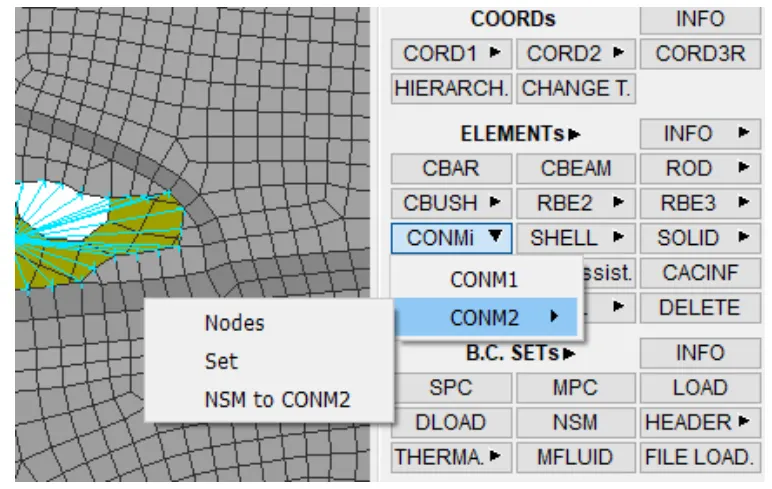
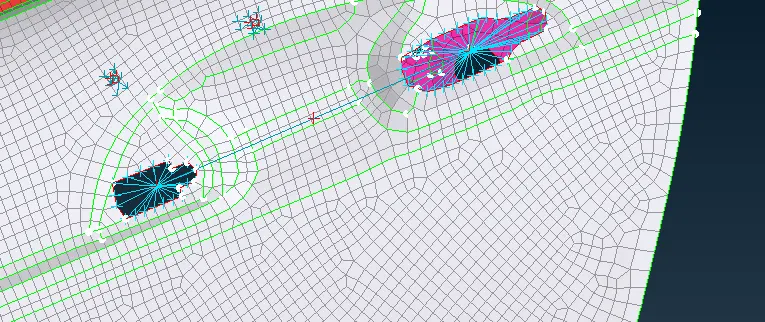
Then to represent the weight of the door handle, as in case of real world scenario. The mass can be assigned by using the "CONMI" ---> CONM2---> Nodes. In NASTRAN deck module
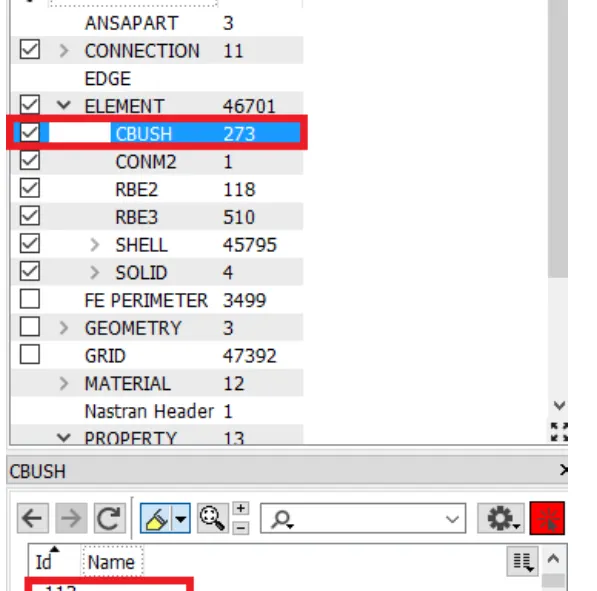
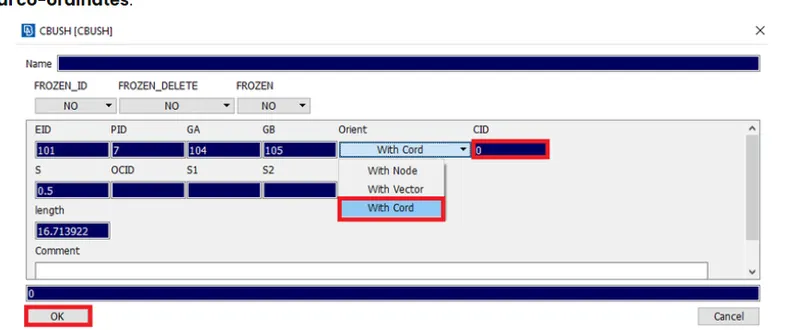
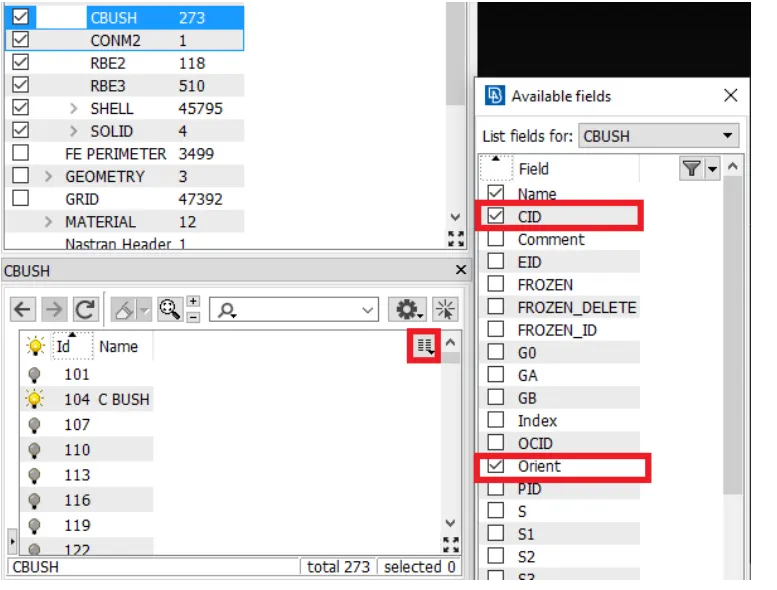
vi. changing orientation of the CBUSH elements.
Conclusion:
Deployed the necesscary connections for the given meshed rear door model.
Learning outcomes:
By performing this challenge, the following aspect can be learned:
• Deploying connections using rigid (RBE2) elements in ANSA.
• Deploying connections using Bolt joints in ANSA.
• Deploying connections using CBUSH elements in ANSA.
• Applying the mass to a node(At the door handle).
• Assigning the Degrees of freedom for the created elements.
• Changing the orientations of CBUSH elements.