Week 6
1. Title – Connections in Rear Door of a Car.
2. Objective –
- To make bolt and seam weld connection between parts of front door.
- To make C busing between door and glass.
3. Procedure –
ANSA is an advanced multidisciplinary CAE pre-processing tool that provides all the necessary functionality for full-model build up, from CAD data to ready-to-run solver input file, in a single integrated environment for numerous analysis codes. ANSA can have many features like it can produce quality model with complexities in very low time, it has capabilities to interoperate between models built for different solvers etc. In this study we are going to deploy connection between parts of rear door of a car and see how connection representation varies according to type of connection. Mostly, Door connection will deploy with seal welding, bolts and C Bushing. We are going to see, how to change degrees of freedom of some parts, because by default a part will be constraints in all six degrees of freedom but some hinges will permit rotation so we need to aware about that also. The step to deploy connections as follows –
1. First import the model. NASTRAN file have .nas extension so use import option from file menu.
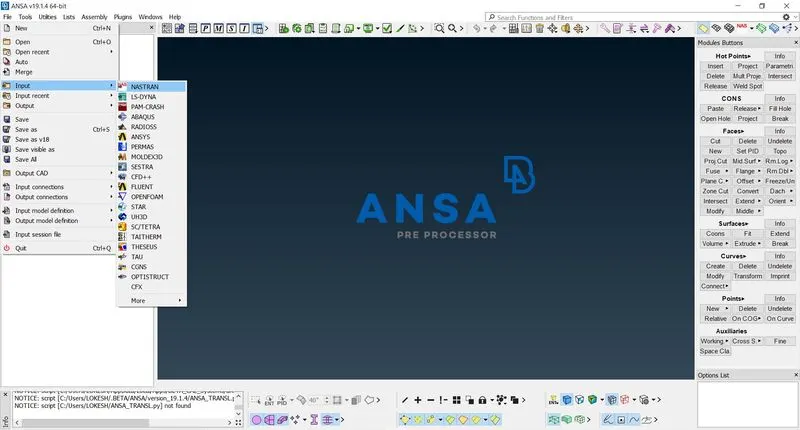
Fig. Importing Model
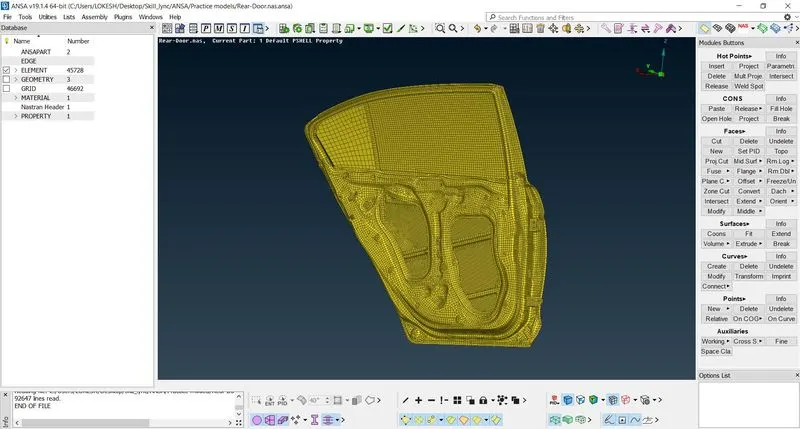
Fig. Imported Model
2. Bolt connection can be made in two way, in manual way we need to make washer zone using zone cut and then we need to select master node and slave nodes. But in automatic method there is no need to make washer zone.
3. Bolt and seam weld is going to represented by a spider web made of master node and slave nodes. Bolt stem can be represented by a con. Some connections are needed to present with mass also like door handle.
4. Start with door hinges. The car body and door are connected with hinges with a hinge pin inserted in a hinge hole. Hinge pin is represented by a bolt. For it make a centre of gravity point in the hole using option on COG in points.
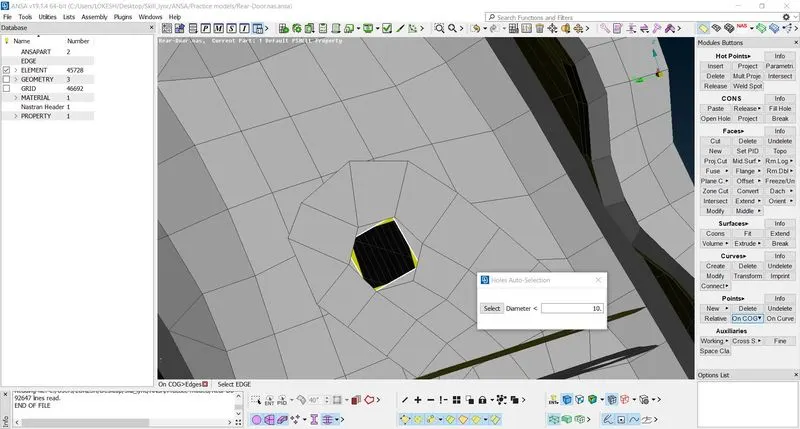
Fig. - C.O.G. Creation
5. Now convert this point into a bolt like representation using connection entities.
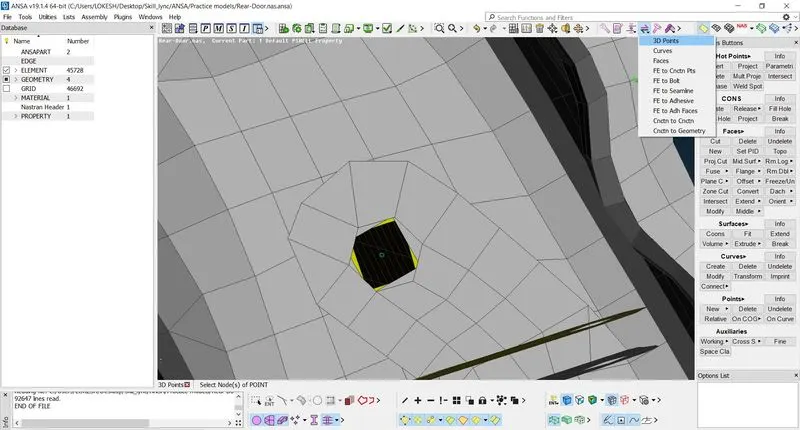
Fig. C.o.G. to Bolt Entity
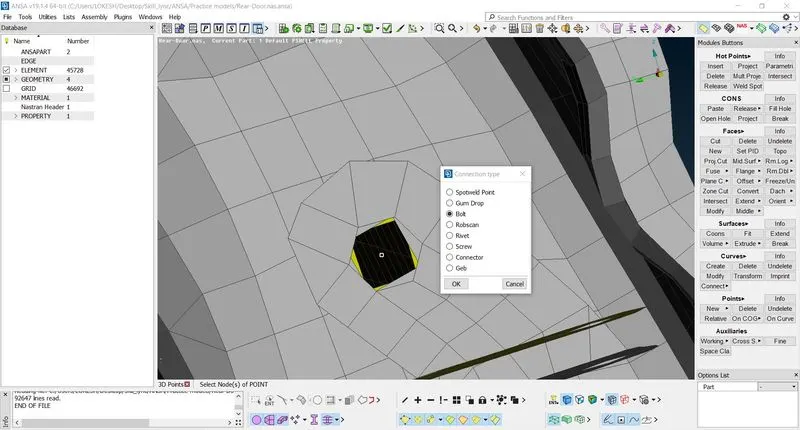
Fig. Bolt Entity
6. Open connection manager and select bolt entity. Here P represents part right click on it and press F1 key to select part, which is connected with bolt.
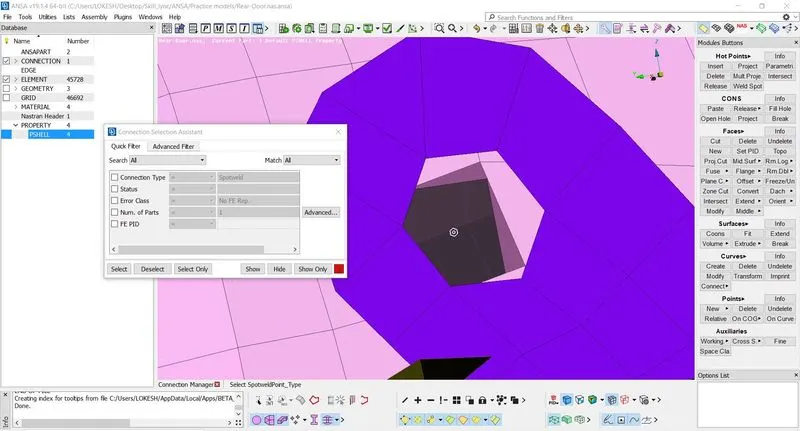
Fig. Connection Manager
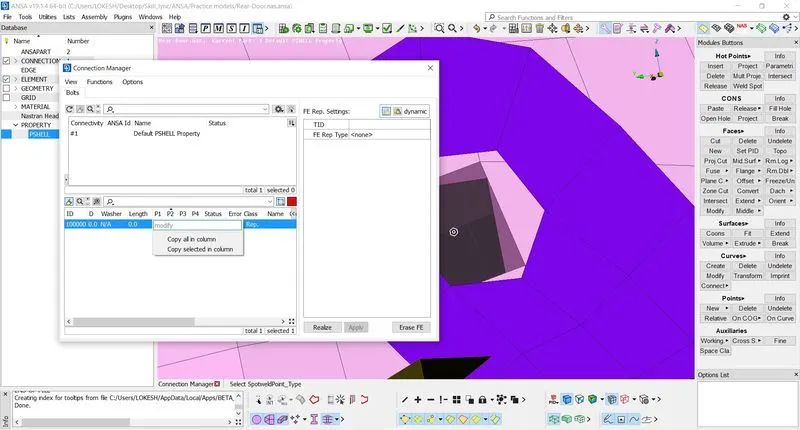
Fig. Selecting Parts
7. Select second part and choose bolt as FE representation. Maximum number of parts will be four.
8. In FE representation setting Body Dof represents degree of freedom of door. Dof is represented with number 123456. Here first three are translation degrees and last three are rational degrees with respective to three axes. In our case, door is going to rotate about z axis, so we have to remove number 6 from body Dof.
9. Now click on option apply and realize to make connection. Here, yellow line is representing bolt stem.
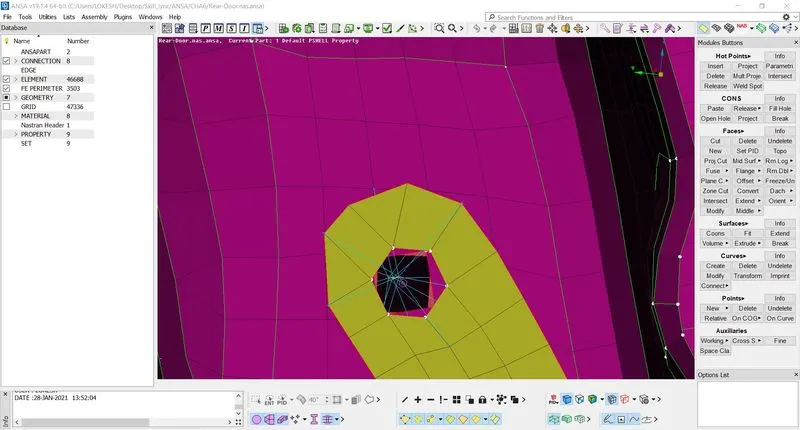
Fig. Hinge Pin Connection
10. Similar connection can be made at lower hinge of the door.
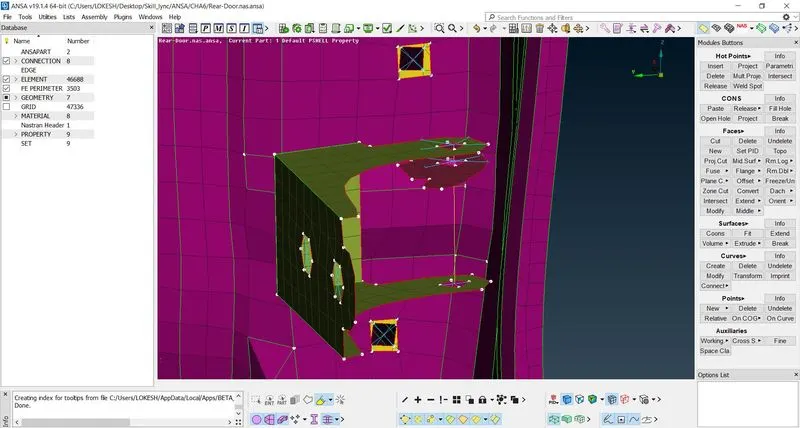
Fig. Lower Hinge Connections
11. Now, come to C bushing connections. C bushing holds the glass in place with door. Use option Fe2curve in perimeter so create a curve from Fe glass boundary.
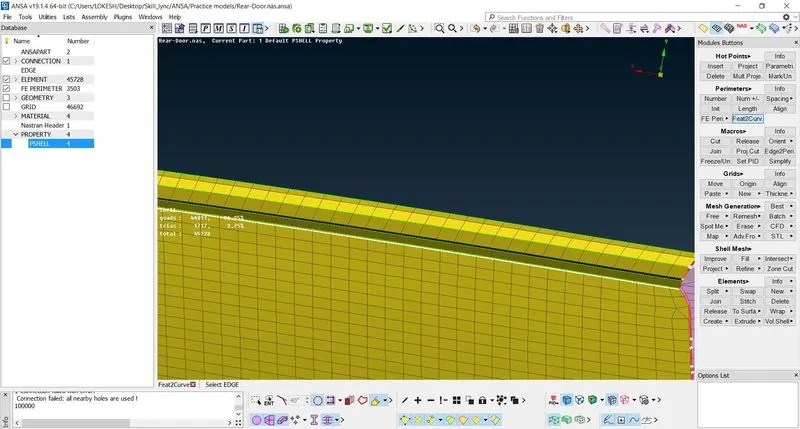
Fig. Creating FE to Curve
12. Select the curve and convert it into spot weld entity. Go to connection manager and select it.
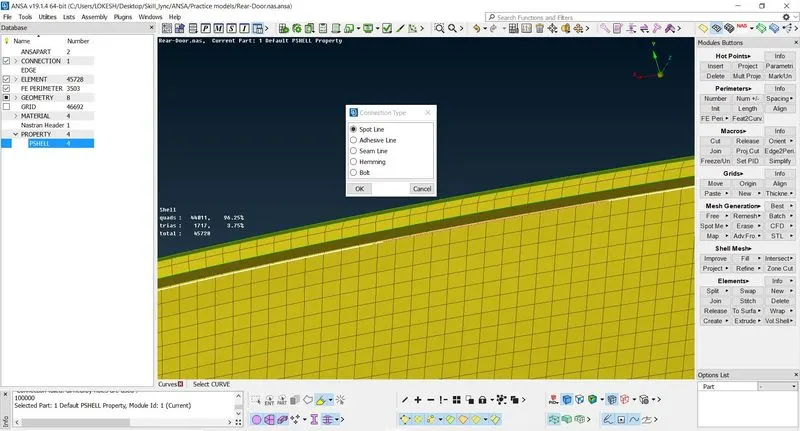
Fig. Spot Line Creation
13. Choose connection RBE3-CBUSH and select glass and other part and click on apply. After clicking on realize C bush connection can be seen.
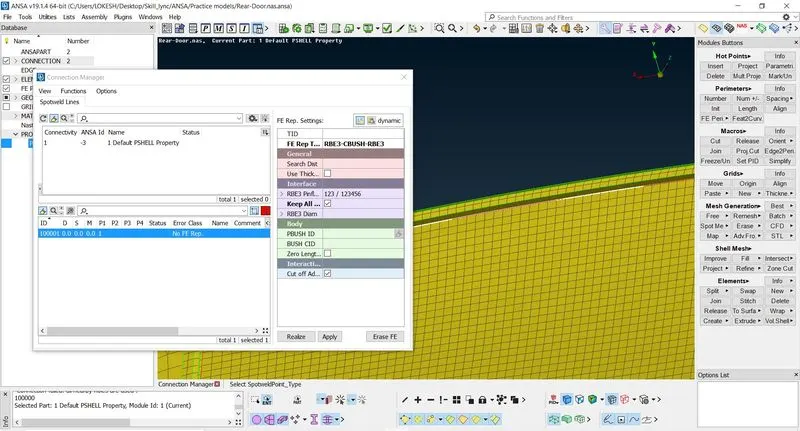
Fig. Connection Manager
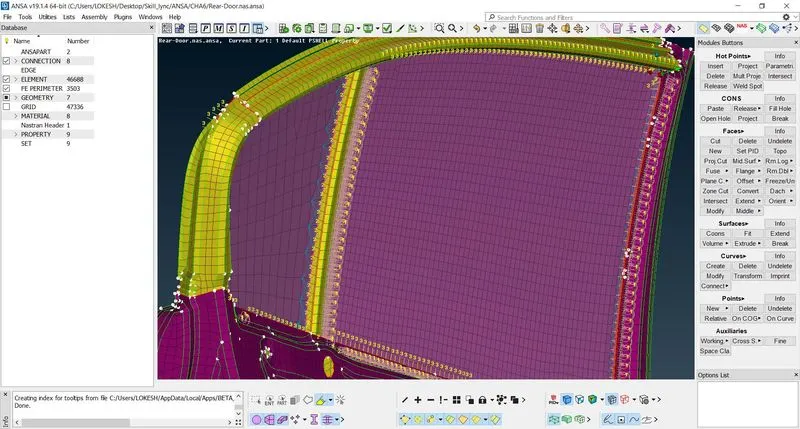
Fig. C-Bushing
14. Now com to door handle. Click on RBE2 and select nodes to make connection. Connect two webs with a con, which represents handle.
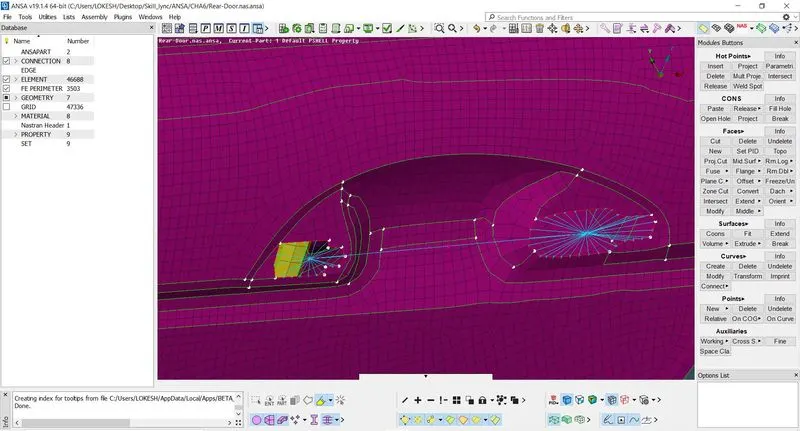
Fig. Door Handle Representation
15. If we want to put effect of handle then we need to give mass to it. Open the properties of con which represents handle and put value of mass in tons.
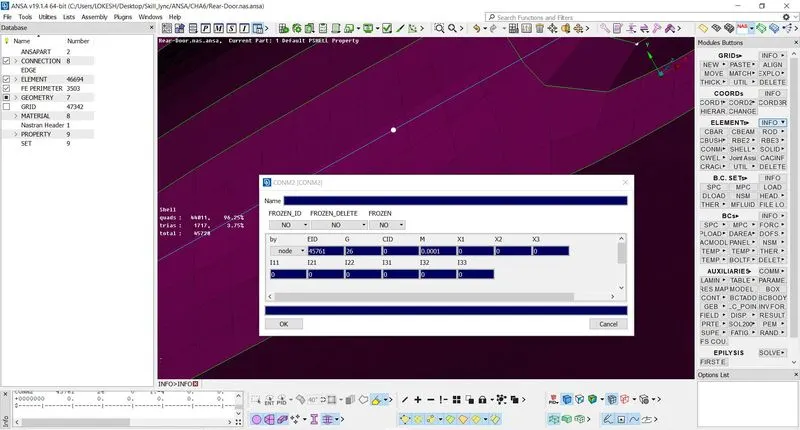
Fig. Assigning Mass to Handle
4. Conclusion –
ANSA is one of the leading preprocessor for CAE programs. It prepares model for many solvers like PMA-CRASH, RADIOSS, ANSYS etc. to prepare model for simulation we need to follow a procedure. After meshing connection deploy is very important to realize effect of joints and welds in simulation. ANSA provides many options to deploy connection like spot weld, seam weld, bolts, bolt beam, adhesive line etc. In this study we understood how to deploy connection and their effects. We used spot welding, bolt and c-bush connections. That is done to achieve real system simulation.