1D Connections on Rear Door on ANSA
Objective: To deploy different types of 1D connection at specific areas on the Rear Door of a vehicle.
Introduction:
- In product integration stage in “FEA”, connections play a very important role. After meshing all the parts and components of a product or model, they are integrated by deploying suitable connections between them before moving to the further analyzing stage of “CAE”.
- The connections to deploy are depended on the manufacturing process that would be used or the process which would be ideal for joining the final physical product. If the product has to be joined using welding, different types of weld connections are used. If it is to be bolted or riveted, those relevant connections are used.
- There are different types of 1D elements that are used as connections like, RBE2, RBE3, spotweld, bolts, CBUSH, CBAR, spring, CBEAM, etc. RBE2 is considered as a rigid, non-deformable connection. Though it may not represent the actual connection to be used, it is widely used in the industry as it gives better results. In this, the slave nodes and master nodes have to be selected to define the connection.
- The only difference between an RBE2 and RBE3 connection is, in the RBE2 connection, the slave nodes form the spider and the master node forms the central node, while in the RBE3 connection, the master nodes form the spider and the slave node forms the central node.
- The load is always applied on the master node while the slave node is depended on the master node. The loads, stresses or deformation of the slave nodes are according to the load applied on the master node.
- For this challenge, different connections like RBE2, spotwelds, bolts, CBUSH, etc are used.
Procedure:
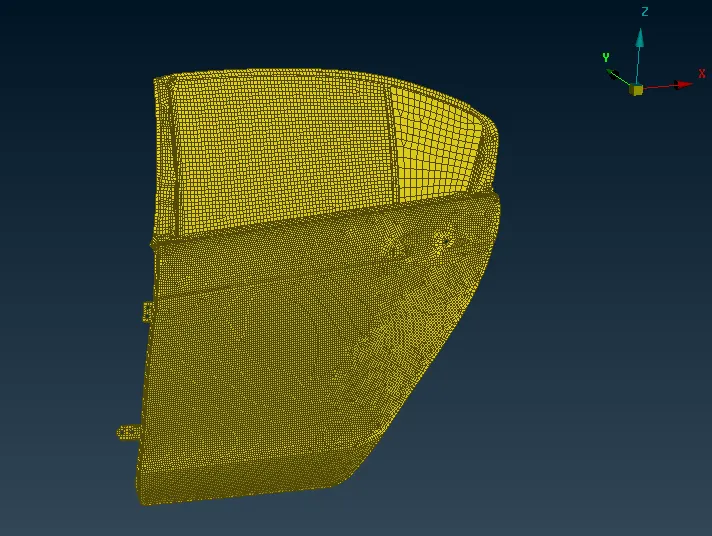
- The image below shows the main REAR DOOR part as provided in the challenge. The model was provided in ‘.nas’ format which was imported in “ANSA” from ‘file>imput>nastran’.
- After importing, the model was observed for the possible locations where the connection can be deployed. The types of connections that could be used on the model were also decided. The door hinges are always attached to the door using bolts. Hence, a bolt connection had to be deployed in that area.
- Bolt connection is done by 2 methods. One method is to created two RBE2 spider elements on the two parts and then connect these two RBE2 spiders with a body (or another RBE2 element) to represent it as the stem of the bolt. The second method is to create an Auto connection for bolt by using 3D points. Here the second method is followed.
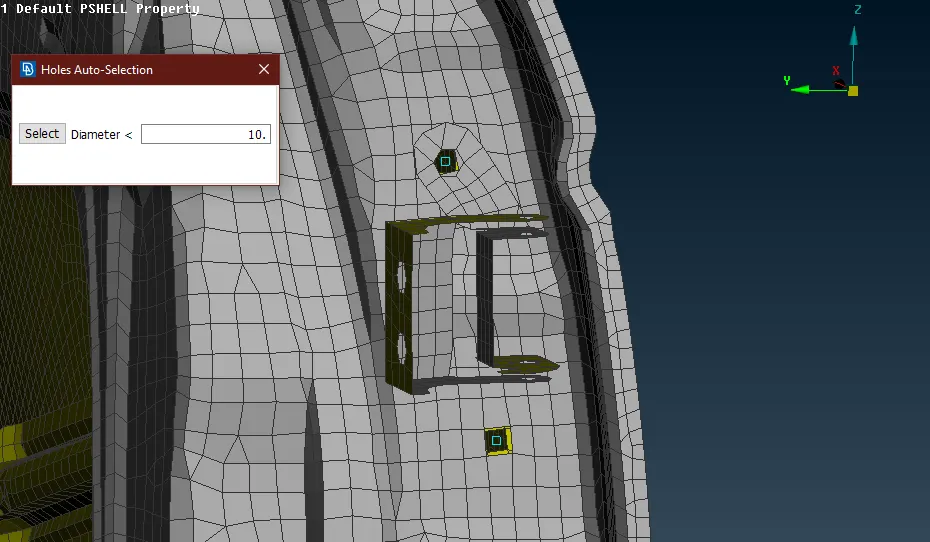
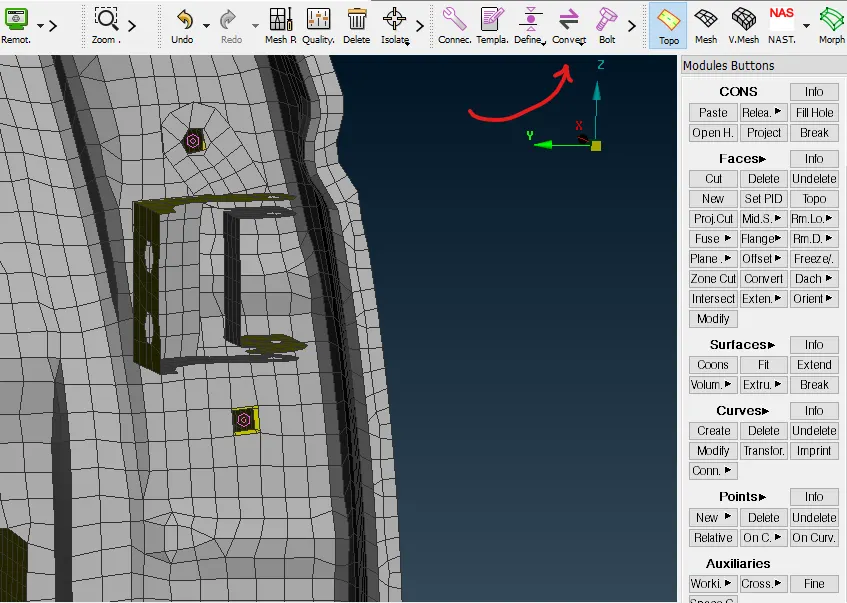
- 3D points were created using the hole at the location where a bolt had to be deployed. Then these 3D bolts were converted into ‘Bolts’ from the ‘convert manager’ from the toolbar above the working screen, as shown in the image below.
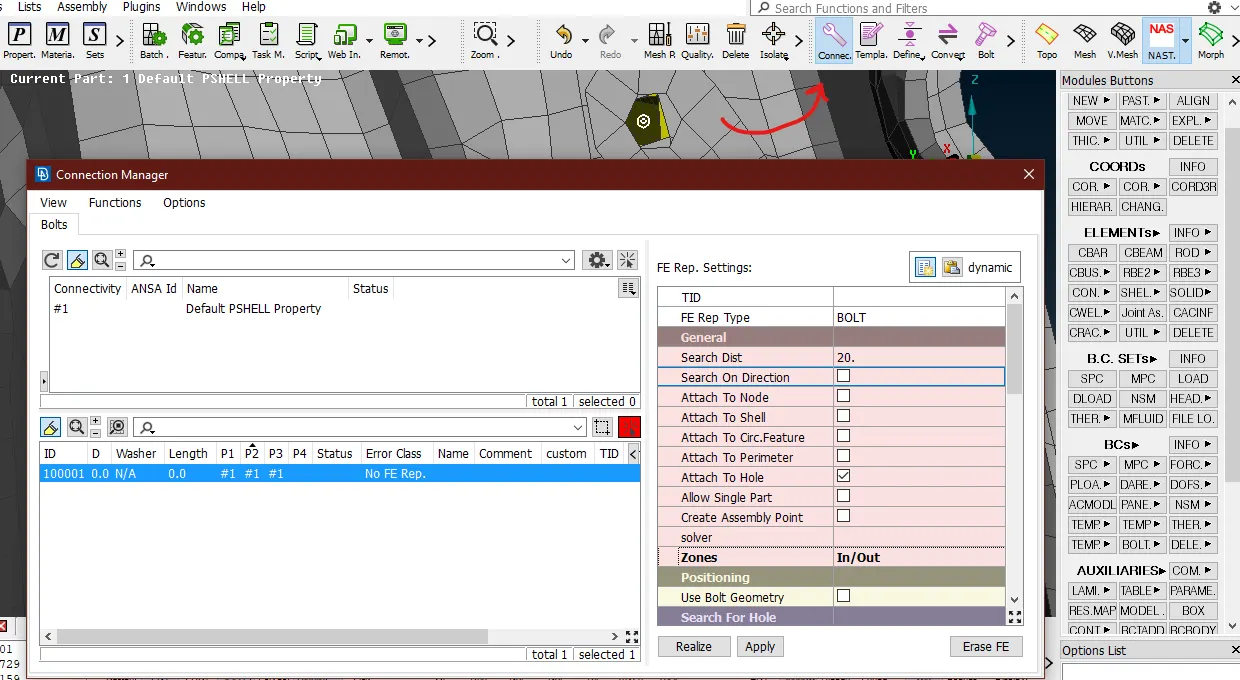
- After converting the 3D points as bolts representation, bolt connection was specified and realized from the ‘connections manager’ from the toolbar. Since there are 3 different layers/parts to be connected by one single bolt, all the three parts were specified in P1, P2, and P3.
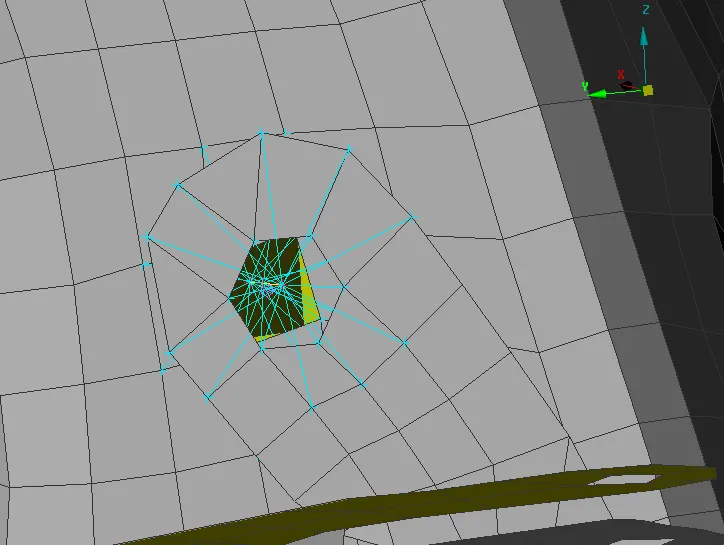
- In the ‘FE Rep Type’, ‘Bolt’ option was selected. The ‘search distance’ to search the nearest parts to be connected was set as 20mm. In the ‘zones’ option, ‘In/Out’ was used. This specified the connection of the spider to the nodes. By clicking ‘realize’ and ‘apply’, a bolt connection was created as shown below. As seen, three different spiders were created for three parts which were joined by an rbe2 element as the stem of the bolt.
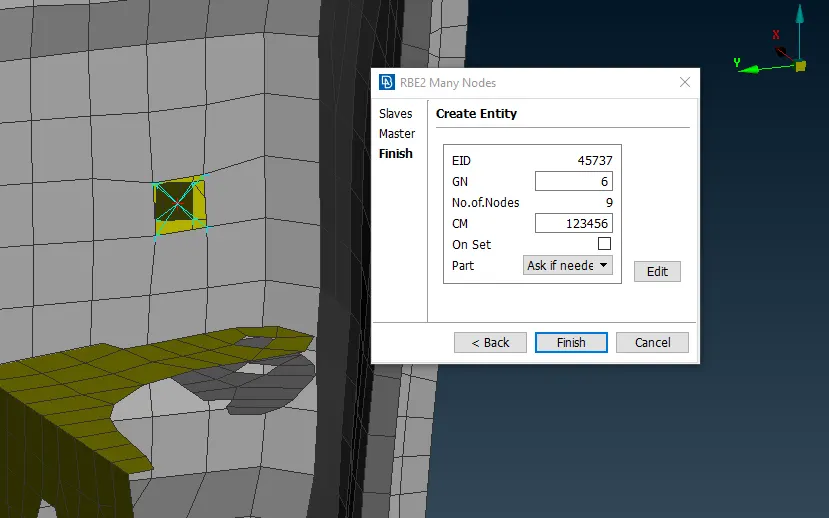
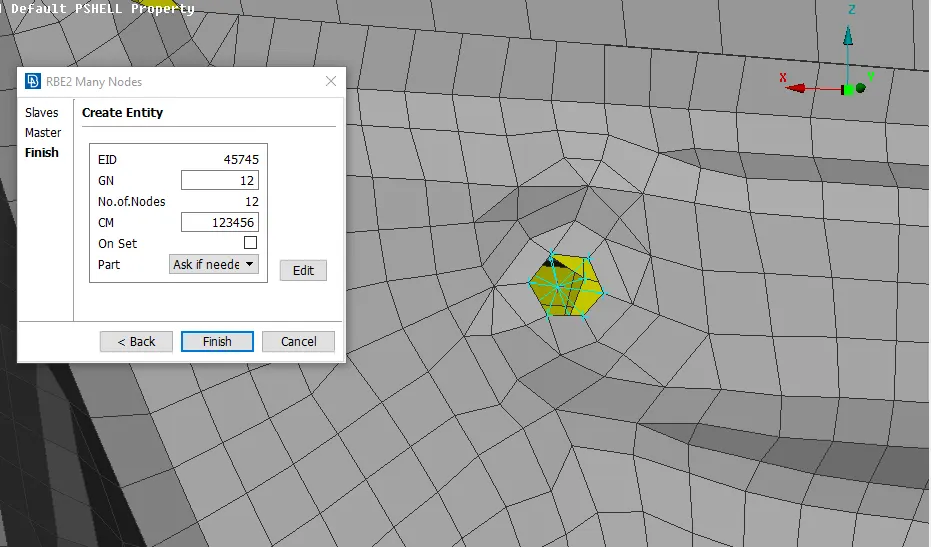
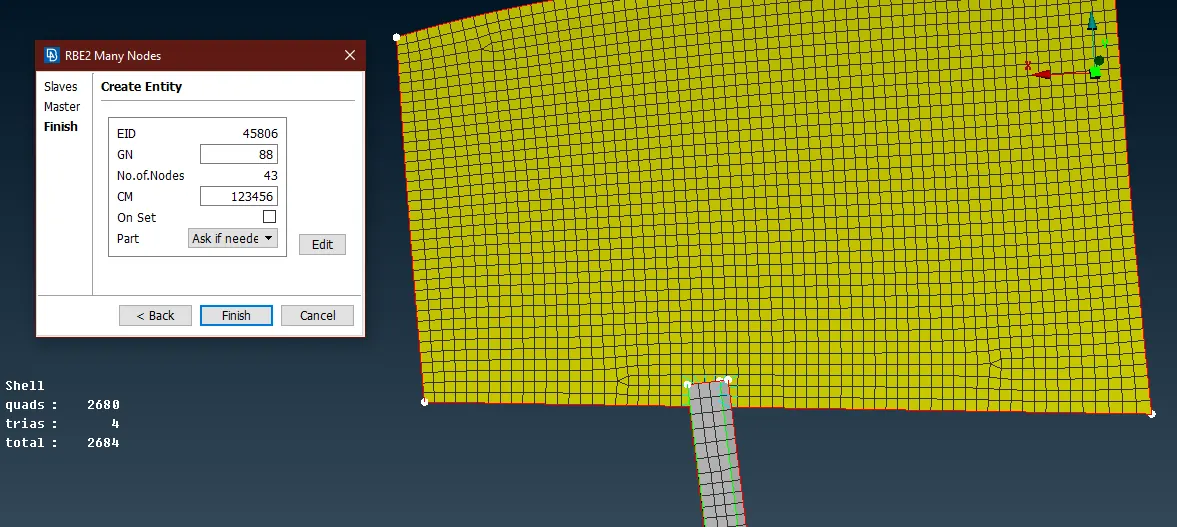
- Similarly, on the other side of the hinge, an RBE2 connection was created from ‘nastran deck>elements>RBE2>many nodes’ by selecting the nodes using the ‘loop’ option, and all the DOFs constrained as shown in the image below.
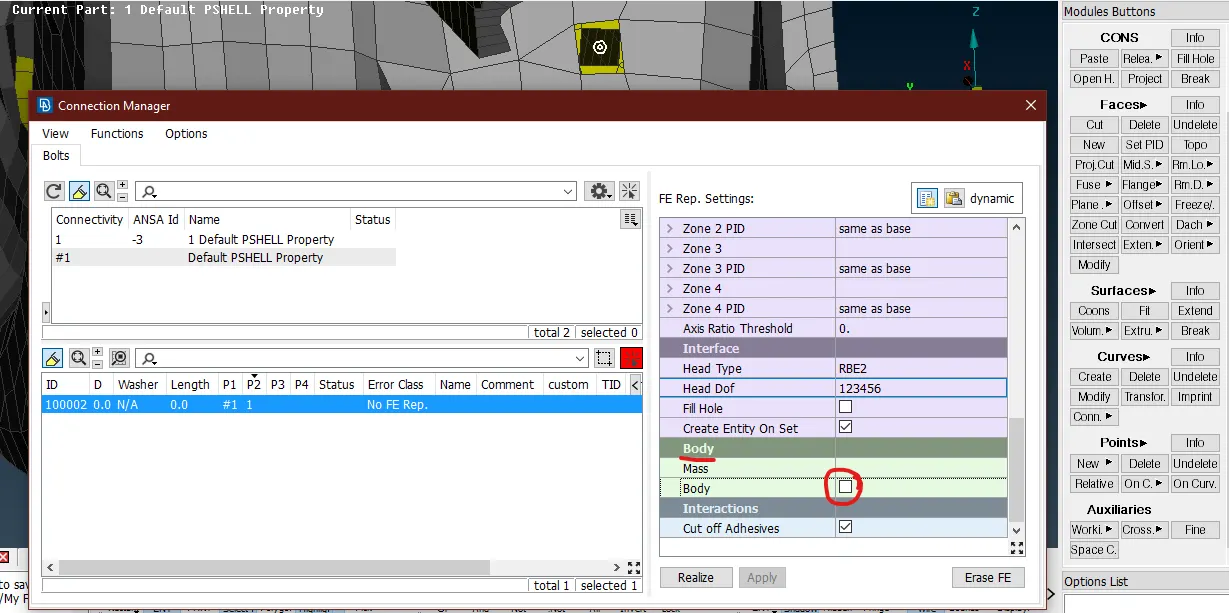
- Later, connections were deployed at the actual hinge part where the bolt is connected. For the upper hinge, the two surfaces were connected by converting a 3D point into bolt (auto bolt connection) like the previous operations. But in this case, the bolt was created without the body or the stem. The ‘body’ option in the ‘connections manager’ was unticked as shown below.
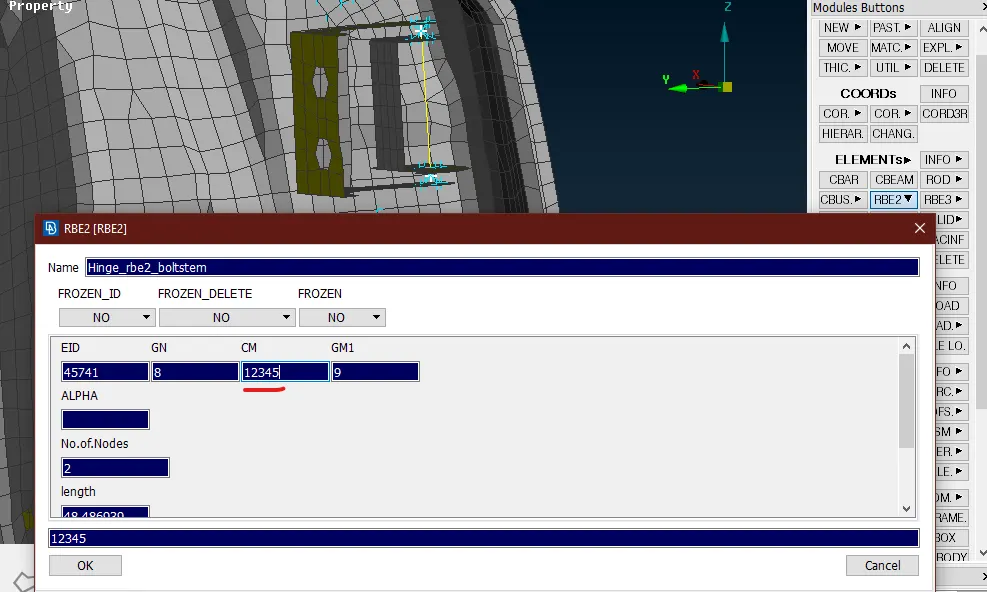
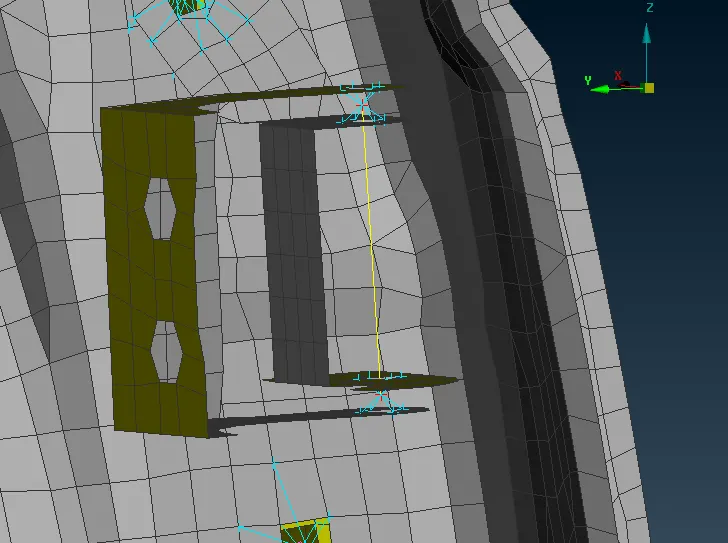
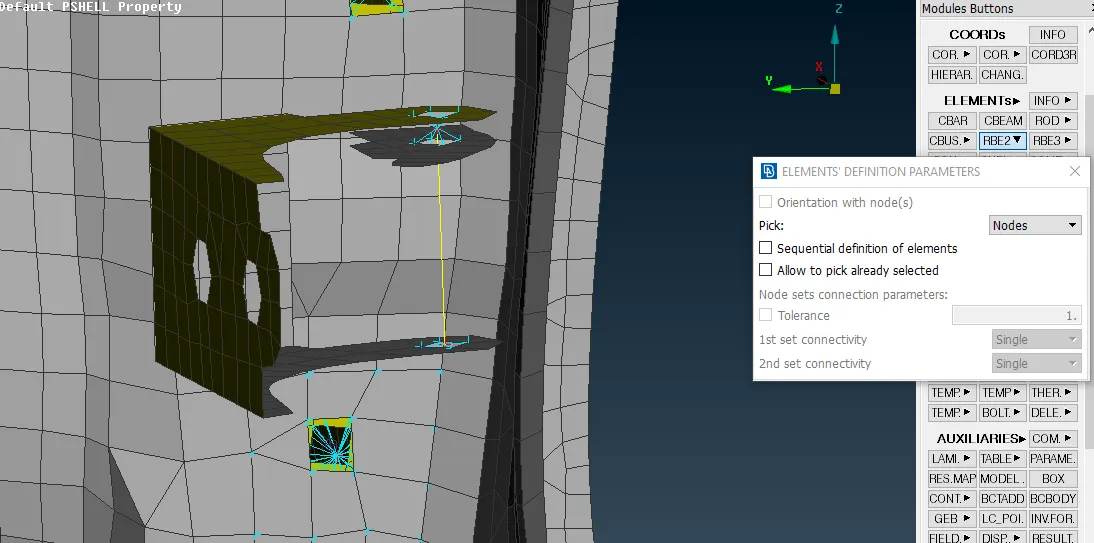
- The same process was done for the lower portion of the same hinge. A connection representing a stem of the bolt had to be deployed between the master nodes of these two connections. For this, a two noded RBE2 element was created in between. Since the door opening motion had to be permitted, the Z-axis was not constrained. For this, in the ‘CM’ i.e. the co-ordinates system, the 6th DOF of rotation was removed as seen in the image below.
- The connection was created as seen in the image below. While the second image shows the connection for the lower hinge.
- A connection was also deployed to connect the inner panel of the door to the outer panel. For this a hole was created in the CAD model itself. Hence, an RBE2 element was created directly in between those two surfaces.
- There is a cross-member present in the door in order to add stiffness to that door. This member is spot welded to the frame of the door. Hence, it was necessary to deploy a spot weld in that area. In “ANSA”, a spot weld is usually depicted by a 3D hexa element.
- For this, a 3D point was created from the ‘on COG’ option from the ‘points’ tab in the ‘topo’ mode. This point was converted into ‘spotweld’ from the ‘convert’ and then realized from the ‘connections manager’. In the connections manager, the ‘FE Rep Type’ was selected as ‘RBE3-HEXA-RBE3’ since an hexa element is created.
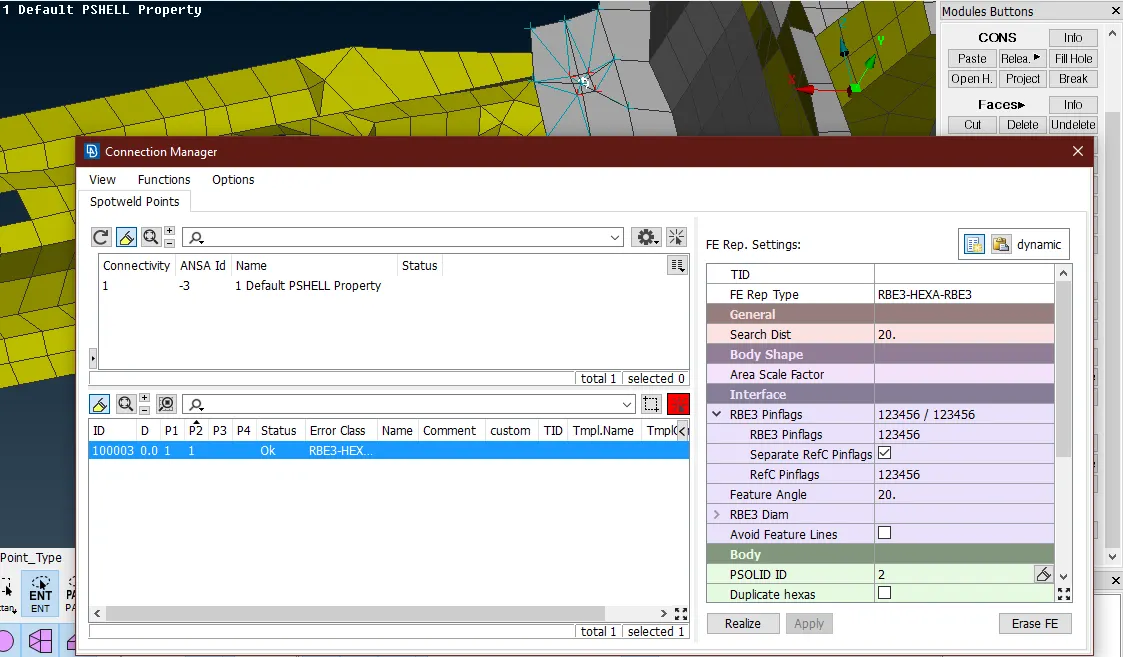
- Upon realizing the connection, an 3D hexa element was created at that point along with the RBE3 element spider with the nearby nodes as shown below.
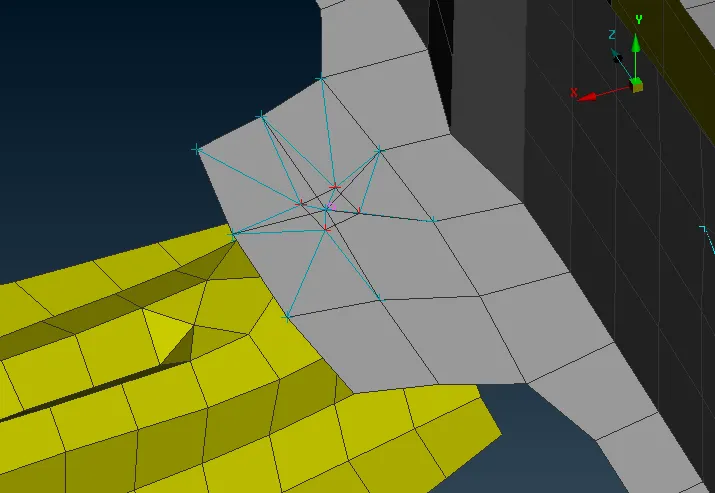
- While modeling a vehicle or its door for a crash or durability test, a door handle is never modeled. It is represented only with the help of rigid connections and a mass is added on its COG since it does not have much effect on the results.
- Therefore, RBE2 connections were created at the door handle location and were joined using another ‘many node’ RBE2 element as in the image.
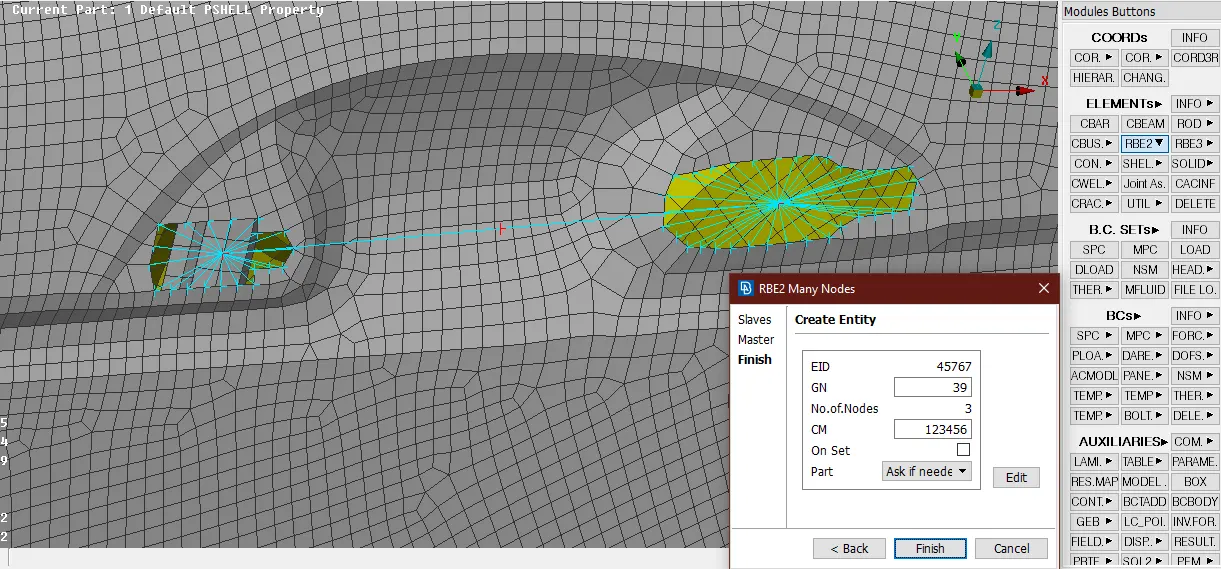
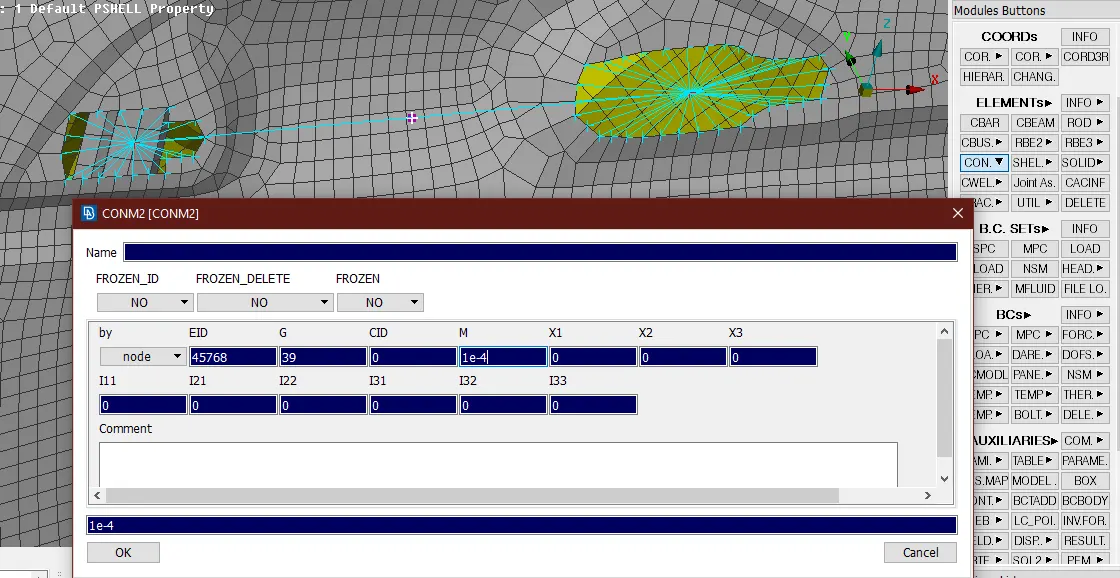
- The RBE2 element connecting the two spiders has its COG in the middle of it. On that COG point, a ‘conmass’ of approximately 100gm had to be added. For this purpose, ‘conmi’ option was selected from the ‘elements’ in the ‘nastran’ deck.
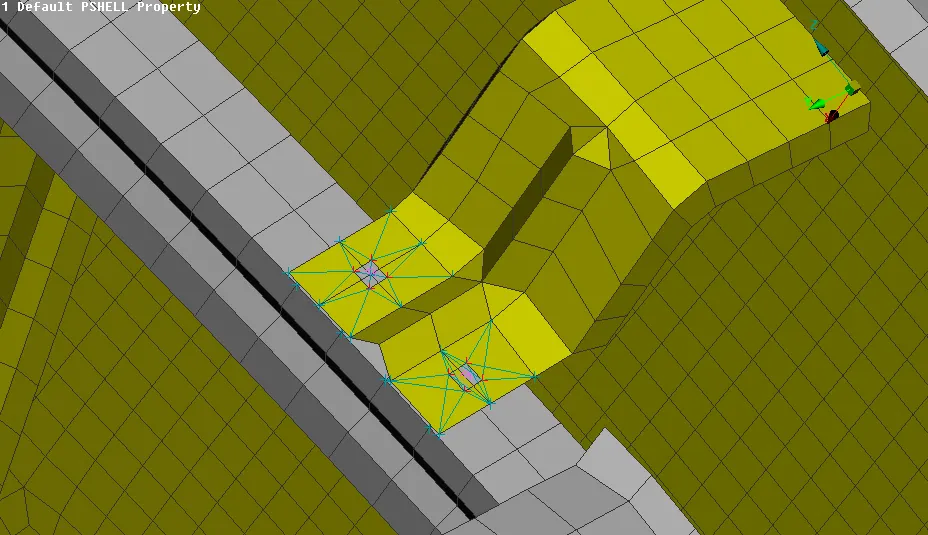
- There were some other areas where there was a requirement of spotweld elements. In these locations, spotweld ‘RBE3-HEXA-RBE3’ elements were created similar to the previous operations.
- There is a sliding mechanism present in the door, connected to the window through a connecting arm which controls the up and down movement of the window either through electronic motor or by physical means. In this model, the arm was extended upto certain height to connect to the window.
- The extension was done through the ‘MV Free’ option in the ‘mesh>grid’ in upward direction, and the mesh was reconstructed. A RBE2 connection was created to connect the arm and the window just to restrict the excess movement.
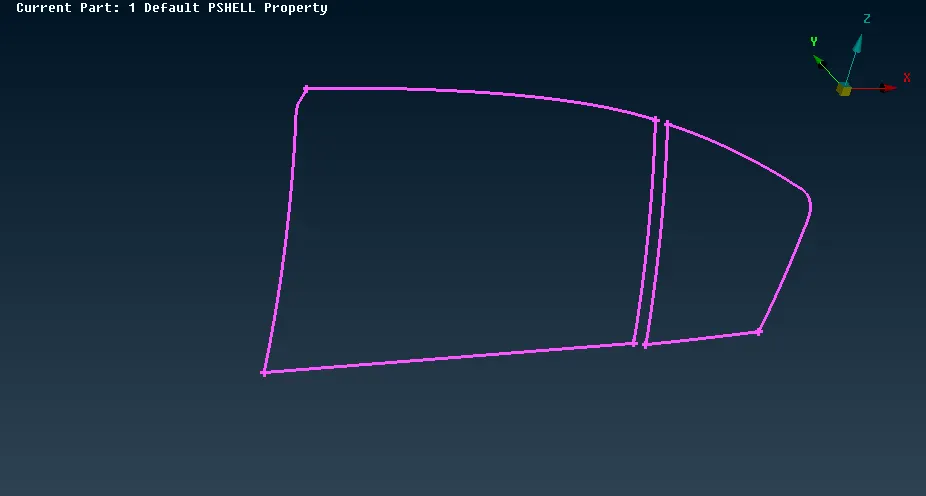
- A connection is also required at the locations where the window translates i.e. at the frame which is holding the window. Here since there is motion of the window, a CBUSH has to be created at such instances.
- For this purpose, the outline of both the windows was extracted with the help of ‘feat2curve’ option from the ‘perimeter’ tab in the mesh module. These curves were converted into ‘spotwelds’ from the ‘convert’ option as seen in the image.
- From the ‘connections manager’, all these curves were selected one-by-one and in the ‘FE Rep Type’, ‘RBE3-CBUSH-RBE3’ element was selected, parts were specified and the ‘spacing’ was set as 10 and a PBUSH ID was created as a property for it.
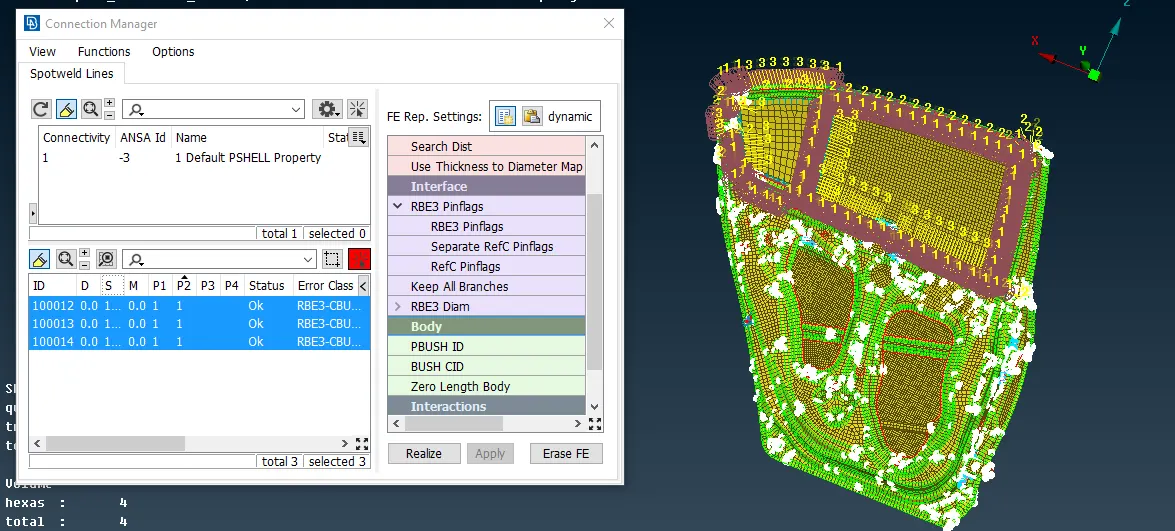
- This created CBUSH elements as seen above but the direction of their vectors was different. According to the guidelines related to crash analysis, all these vectors should have either a global co-ordinate system or a separate coordinate system. In this case, global system was followed.
- For changing the coordinate system i.e. the orientation, all the cbush elements were modified; an orientation was added along with CID with the ID as 0 for global system which aligned all the elements according to the global system.
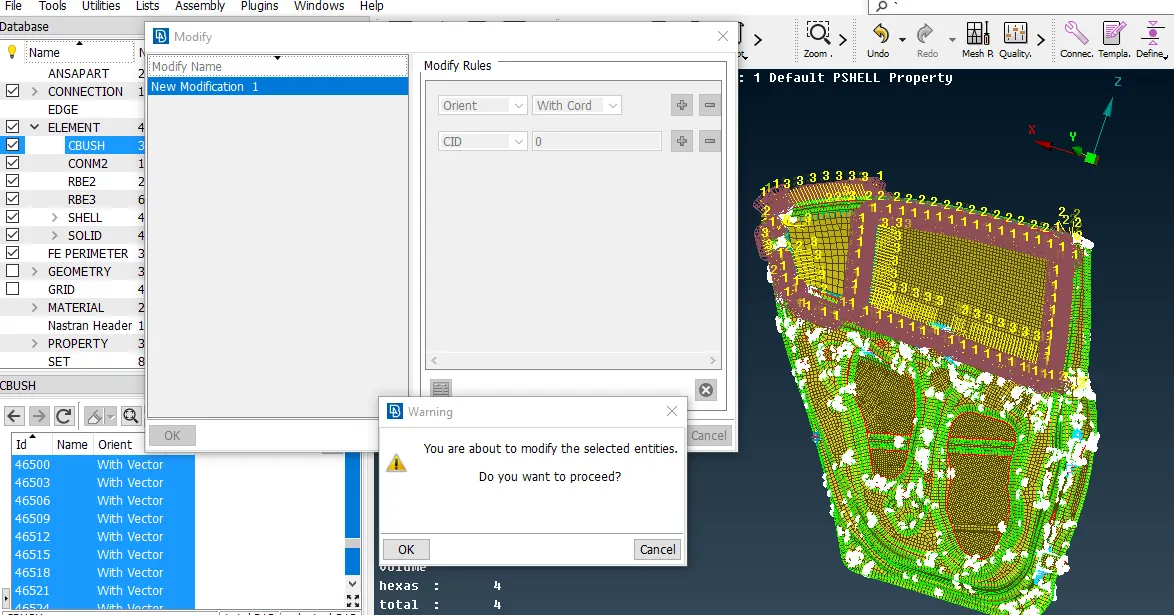
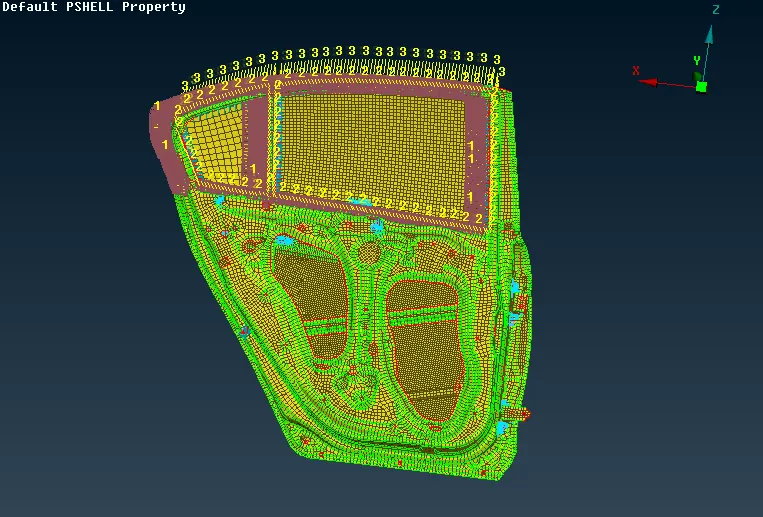
- The image below shows the orientation and the final connections in the model.
Results and Conclusion:
- In this challenge, various connections were understood along with their importance. They are generally decided according to the manufacturing process for actual model.
- Several connections like RBE2, spotwelds, bolts, etc were deployed at various locations successfully.
- Along with this, a conmass was also added at the COG of the door handle to represent the actual mass of the handle.
GDrive link: Rear Door Connections