Week 5 Sphere pressing on a plate
Objective: Perform the analysis to simulate a sphere pressing on a plate. Use Structural steel for both sphere and plate but the material of the plate must be Non-Linear. Press the sphere onto the plate 4mm downwards and retract it. The plastic deformation must be captured by you. Attach appropriate images and make a detailed report.
Procedure:
- Import and Check Geometry:
- Materials:
- Contacts:
- Symmtery:
- Analysis Settings and Boundary Condition:
- Solutions:
- Conclusion:
For the given challange we will start the Static Structural Analysis:
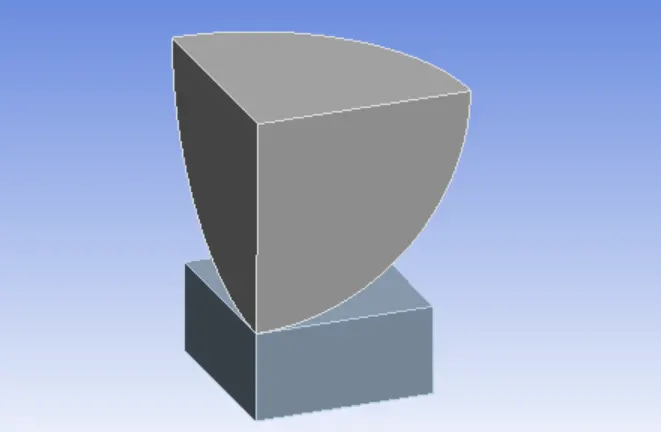
We will only use portion of the sphere and the plate, as tge figure is Symmetric we will use only part of it tin order to reduce the time erquirex for the analsys and result computation.
- Import and Check Geometry: We will import the geometry and check the same in Spaceclaim, below image shows the same:
- Materials: For ths challange we will use two materials, that are Structural Steel and Structural Steel Non-LInear. We will apply the Strutural Steel to the sphere and strutural Steel Non-Linear to the plate.
Structural Steel: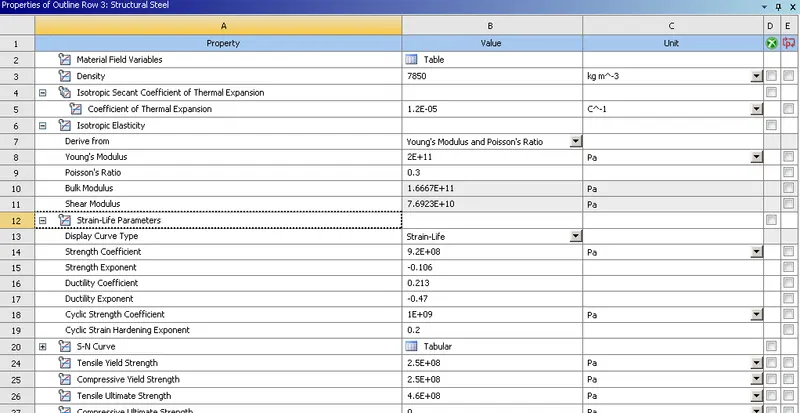
Structural Steel Non-Linear: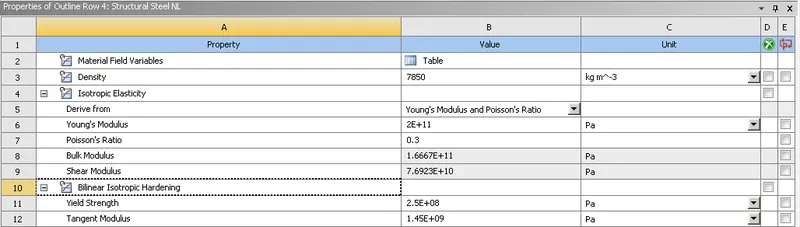
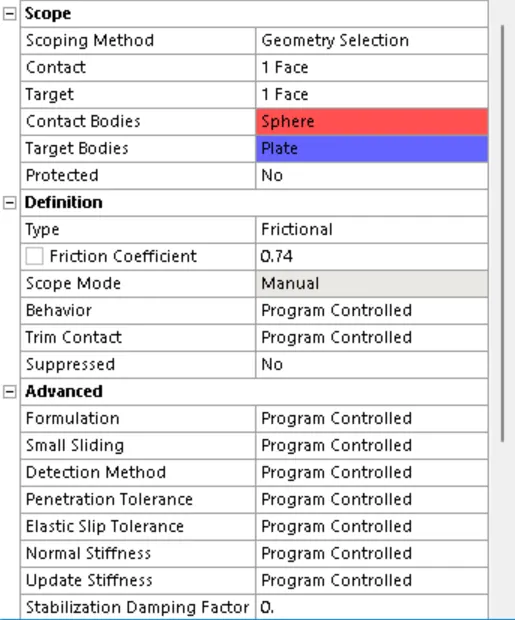
- Contacts: We will delete the contacts already generated and created a new contact. We will create a Manual Contat, with Frictional Type. For Co-Efficient of Friction we will visit Roymech Useful Tribology table to find the co-efficieny of friction between two Steel Surfaces, here we have used 0.74 as co-effient of friction. We will use the sphere surface as Contact adn Plate surface as target, below image shows the same:
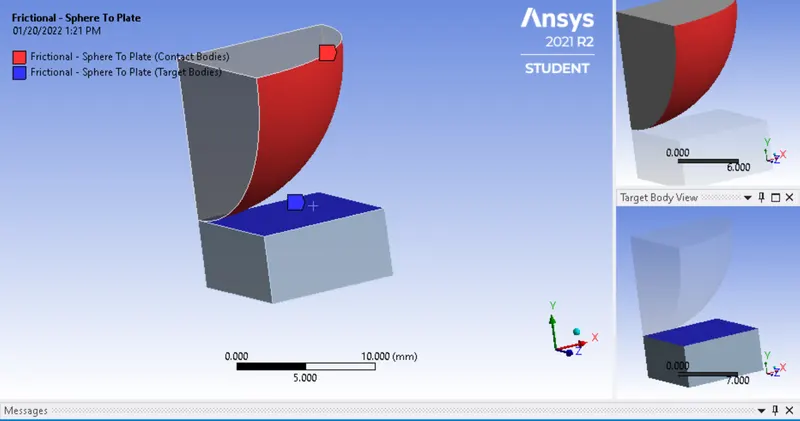
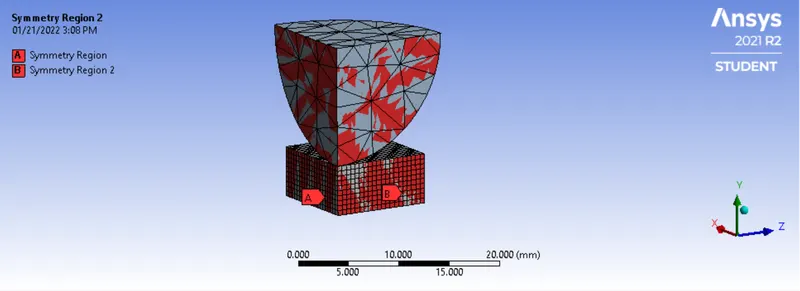
- Symmtery: Since we ahave worked with partial model, in order to define it as Symmetric model we will use the Symetric Feature tool, here we will selet the faces along the X-Acis, which have symmmteric normal to Z-axis, similalry the faces along Z will have Symmteric Normal as X axis. The below image shows the same:
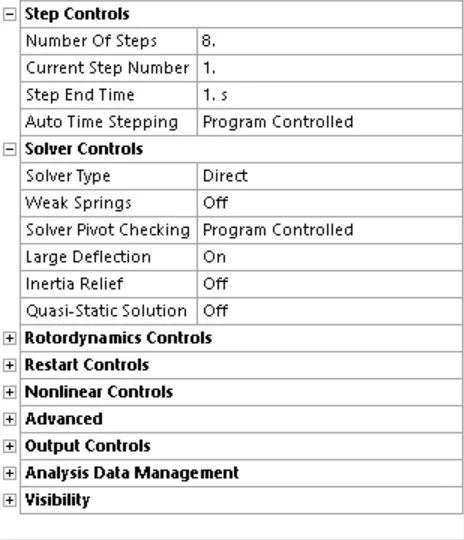
- Analysis Settings and Boundary Condition: In order to complet the solution we have runned the similation for 8 steps as lesser steps was giving error, we will use the solver type as direct and turn or large deflection. Other features we wll keep as Program Controlled.
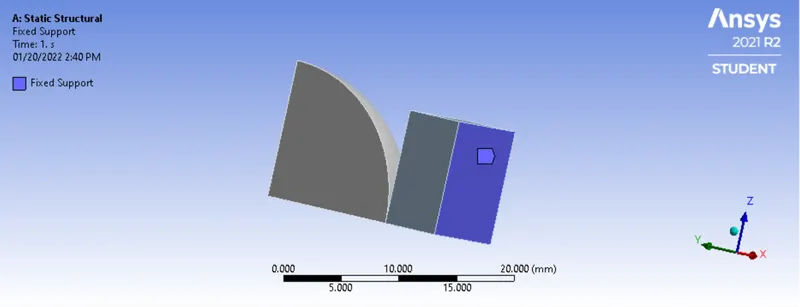
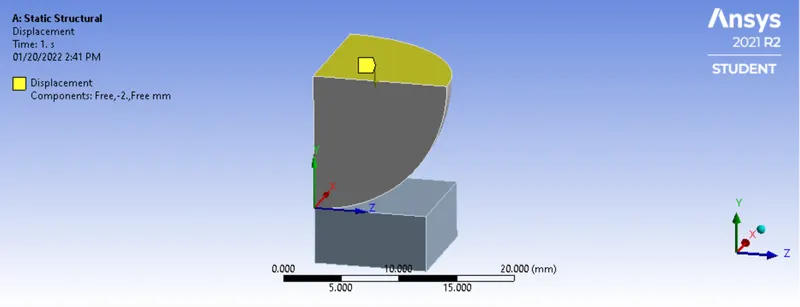
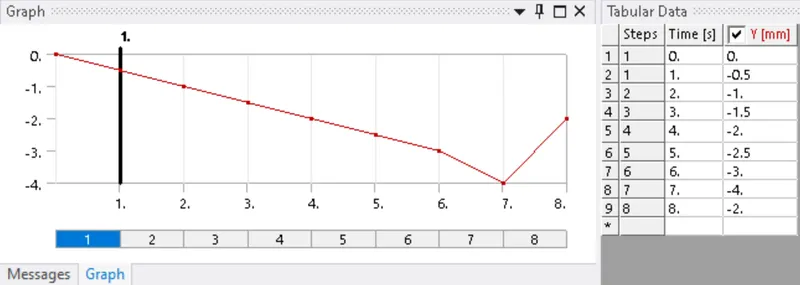
Boundary Condition: First we will fix the plate using the bottom face, hence it does not slip during the analysis. Next we will give the displacement to the sphere into the plate, as per requirement, we have to move the sphere 4mm. Here we have divided the dsplacement in 8 steps and where the displacement for each step is 0.5mm and is retracted by 2mm in the final step, below image shows the same:
Fixed Support:
Displacement:
- Solutions:
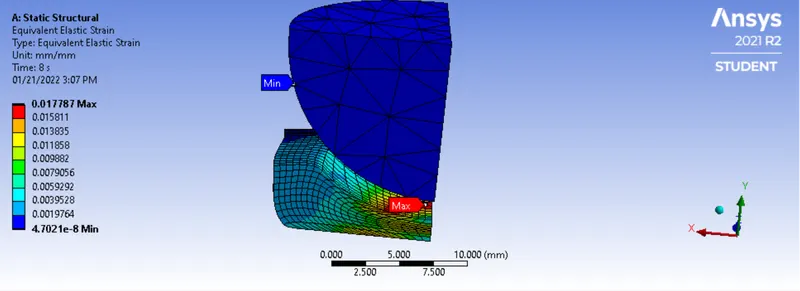
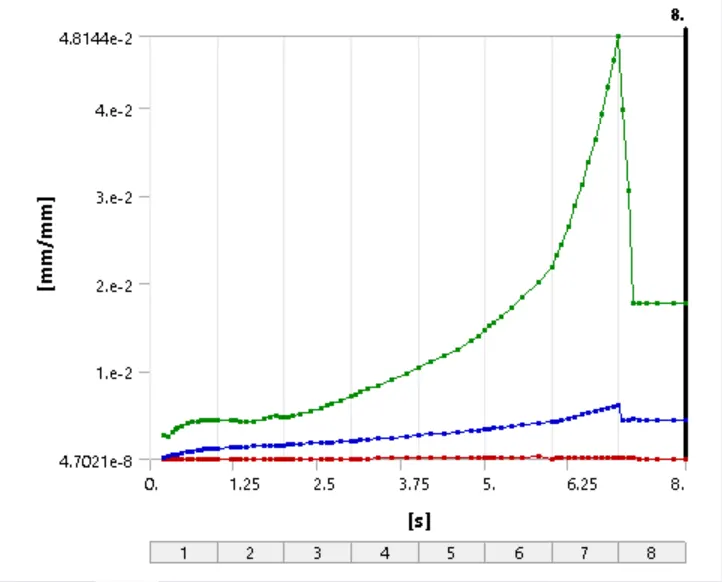
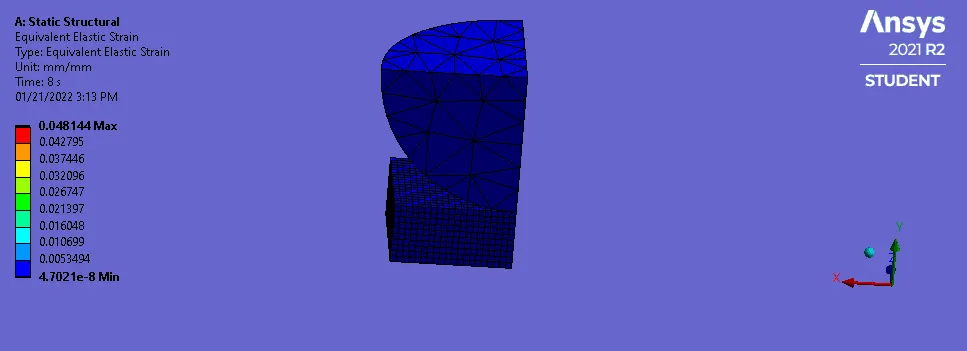
Equivalent Elastic Strain:
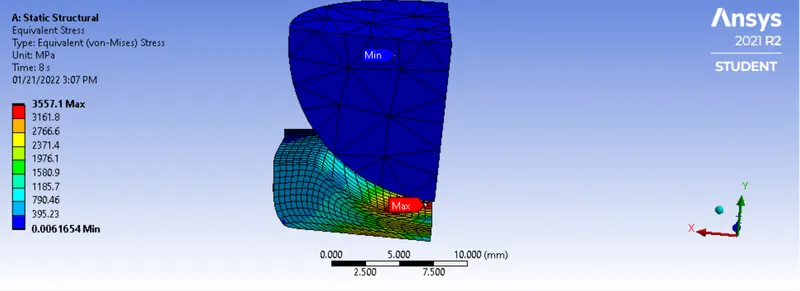
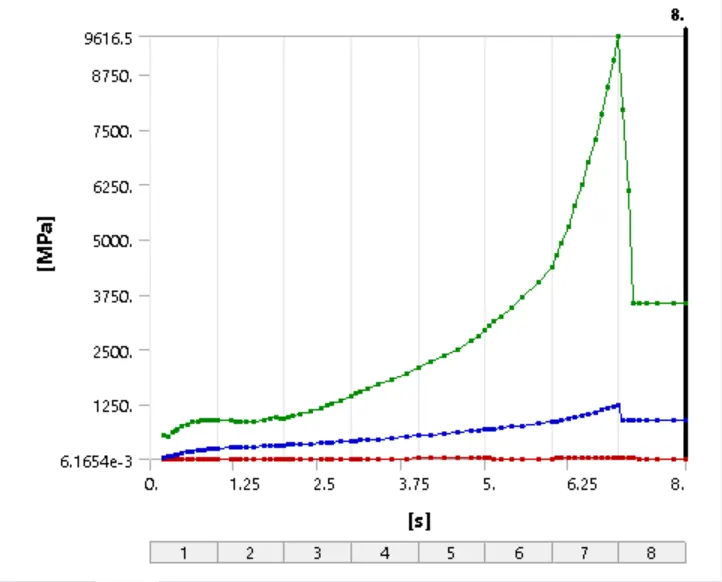
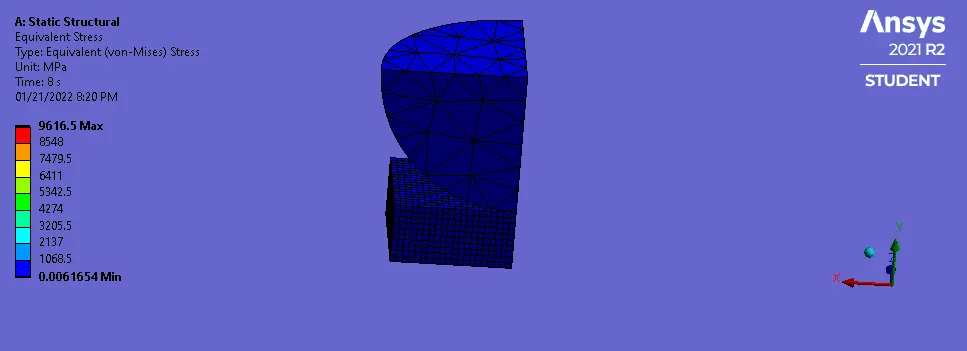
Equivalent Stress:
Directional Deformation in Y-Direction:
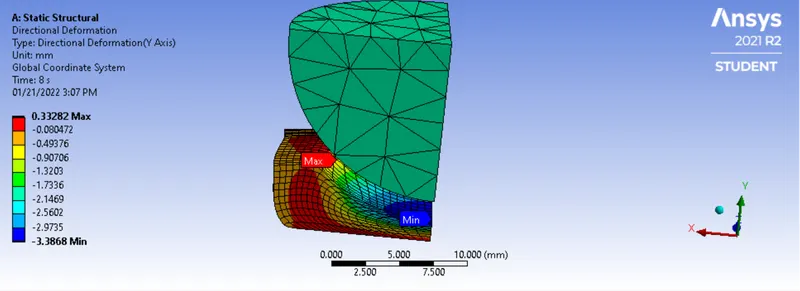
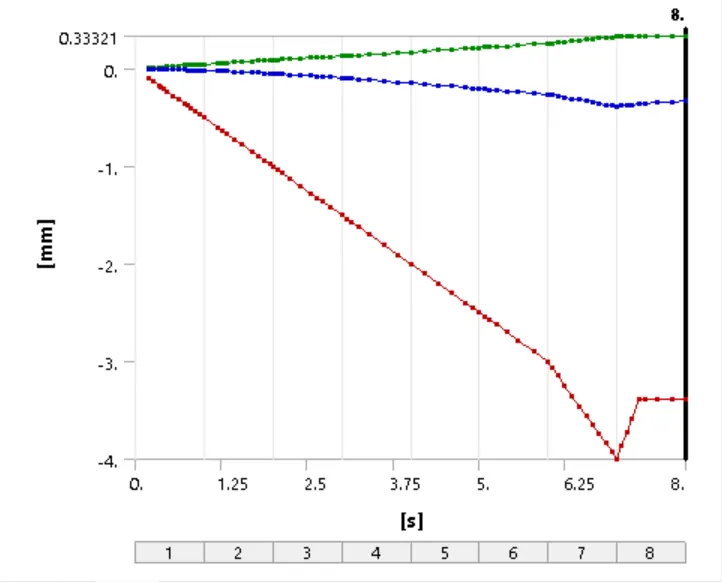
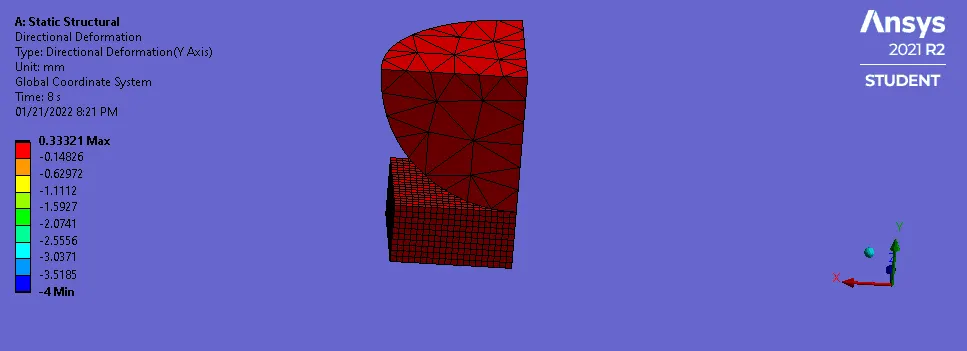
- Conclusion: Hereby, the simulatin of sphere pressing into plate was successfully completed, and based on results obtained we can say that the Plastic Deformationw as successfully captured, as the material did not see any retraction after the load was removed.