Week 5 Sphere pressing on a plate
OBJECTIVES :-
To find out plastic deformation in structural steel plate while it pressed with sphere
PROCEDURE:-
- open the ANSYS WORKBENCH R2
- select the static structural analysis
- select stuctural steel from list of non linear general materials in engineering data
- import geometry
- rename its part appropriately
- select structural steel for sphere and non linear structural steel for plate
- right click model insert symmetry
- right click on symmetry insert symmetry regirface on twice ,select its scope and axis for each of them
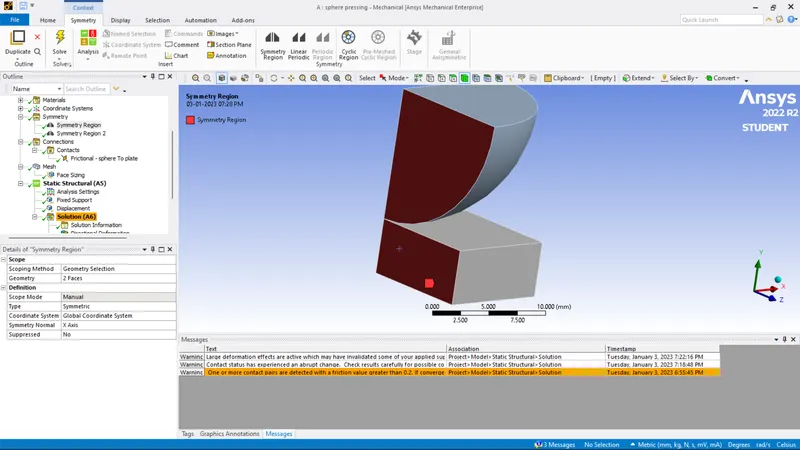
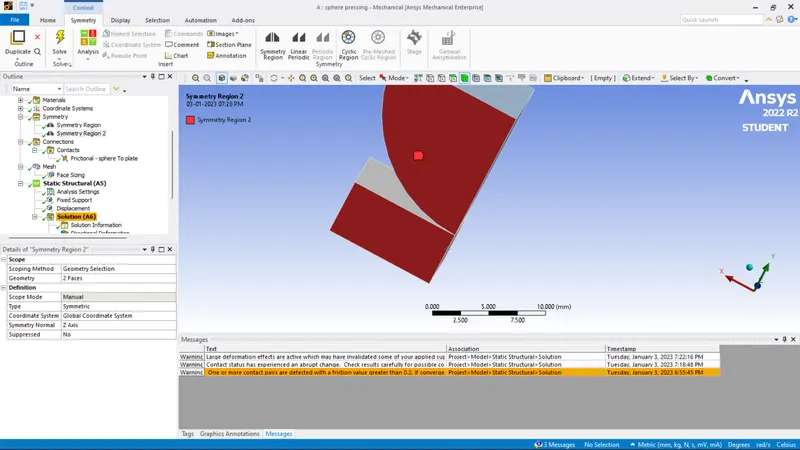
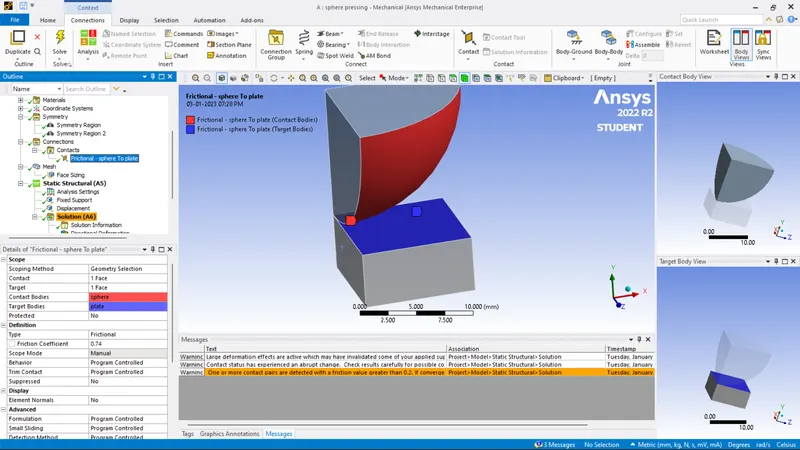
- delete dafult contact in connection and insert manual contact region ,select sphere outer surfacse as contact and plate suraface as target
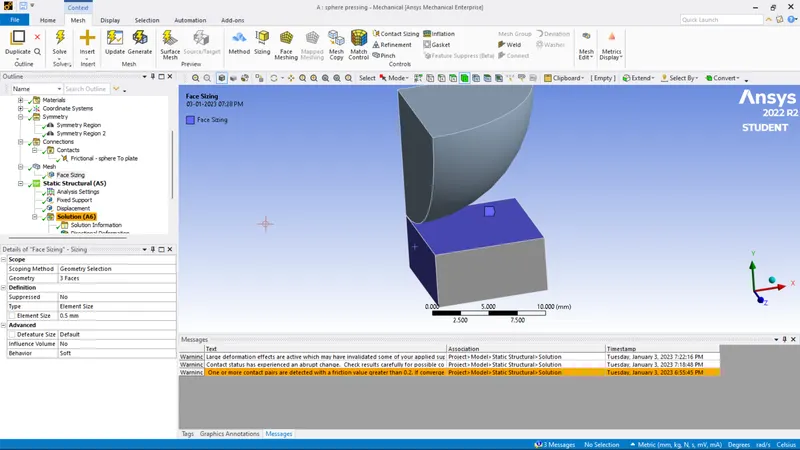
- insert mesh sizing in mesh section and select plate surface and sides as its scope ,input element size as .5 mm
- in analysis settings , input number of step as 4 and keep large deflection ON
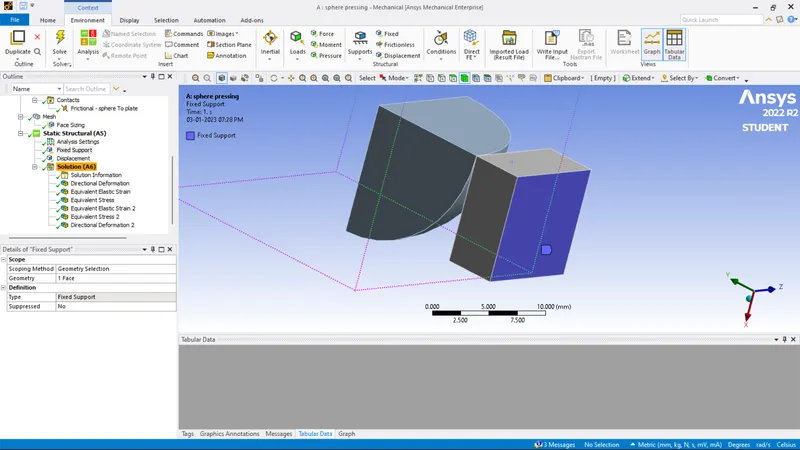
- insert fixed support and select bottom face plate as its scope
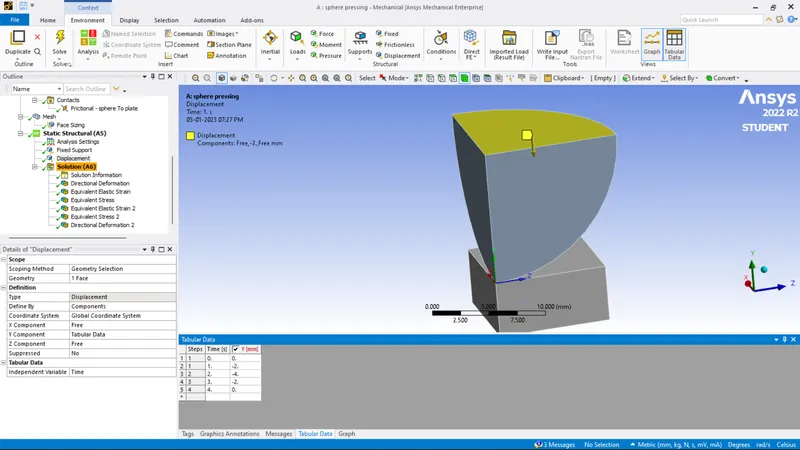
- insert displacement ,select upper surafce of sphere as its scope , input displacement of 4 mm in y axis through tabular data
- in solution section insert directional deformation ,equivalent stress and equivalent stress
- select its scope appropriately
- run the solve
RESULT :-
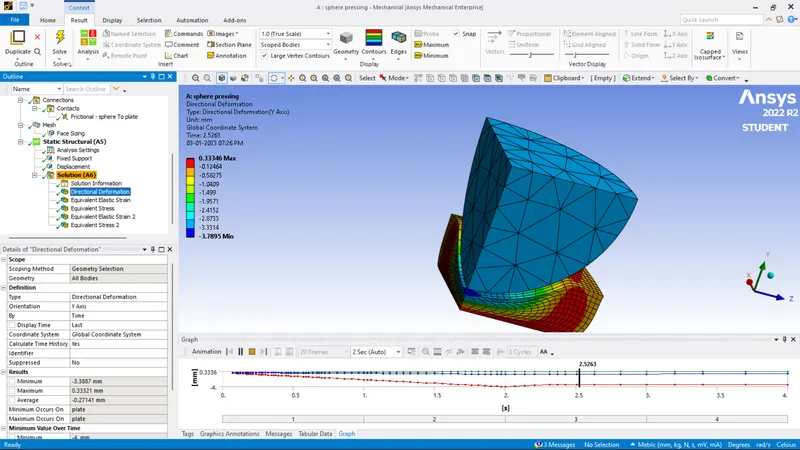
DIRECTIONAL DEFORMATION IN Y AXIS :-
EQUIVALENT STRESS IN PLATE :-
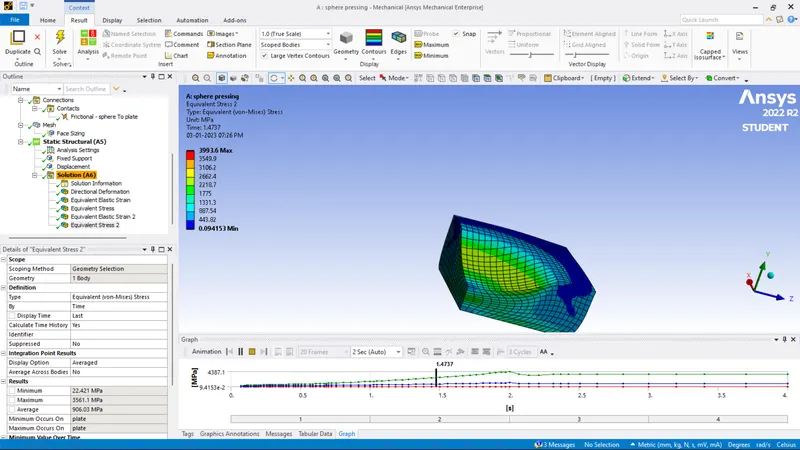
EQUIVALENT STRESS IN WHOLE PART :-
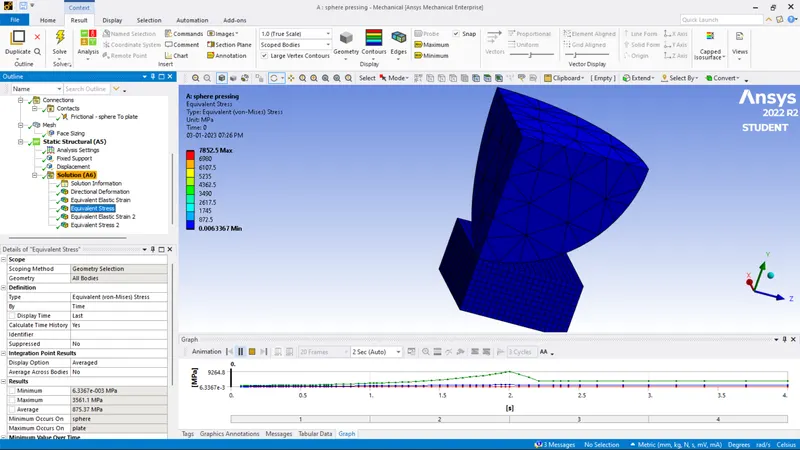
EQUIVALENT SRAIN IN SPHERE:-
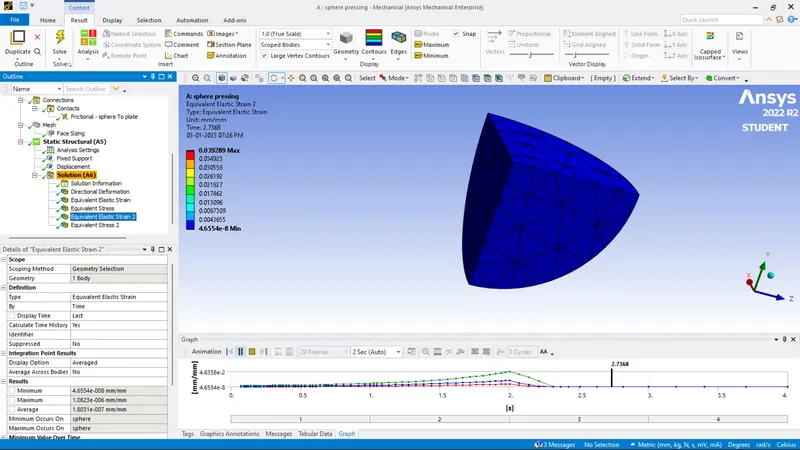
EQUIVALENT STRAIN IN WHOLE PART :-
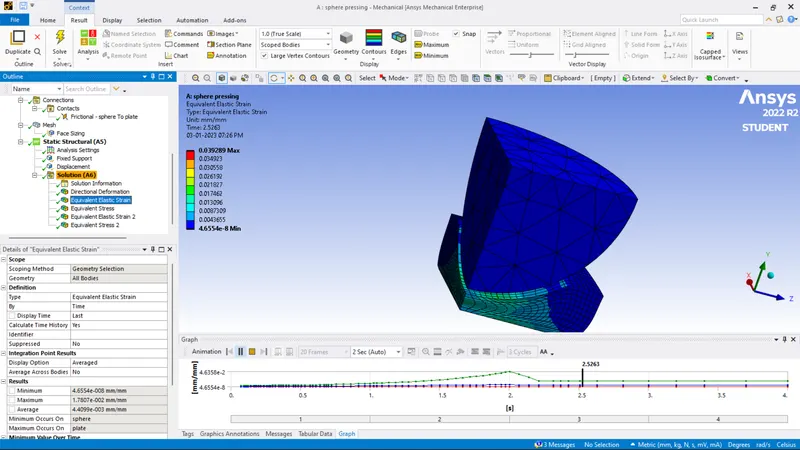
TABULATION :-
| MATERIAL | DEFORMATION IN Y AXIS (mm) | STRESS IN PLATE(MPa) | STRESS IN WHOLE PART(MPa) | STRAIN IN SPHERE (mm/mm) |
| strucural steel non linear material for plate | 0.33346 | 3993.6 | 7852.5 | 0.039289 |
CONCLUSION :-
- Plastic deformation in plate is 0.33346 mm
- equivalent stressin plate is 3993.6 MPa
- equivalent stress in whole part is 7852.5 MPa
- equivalent strain in sphere is 0.039289 mm/mm