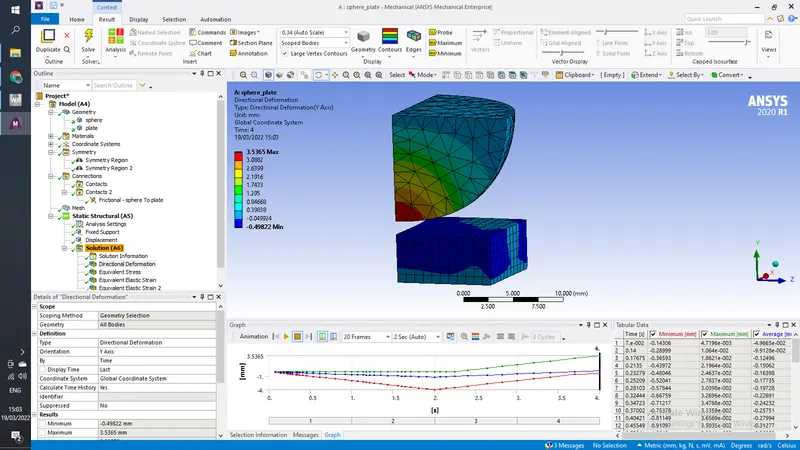
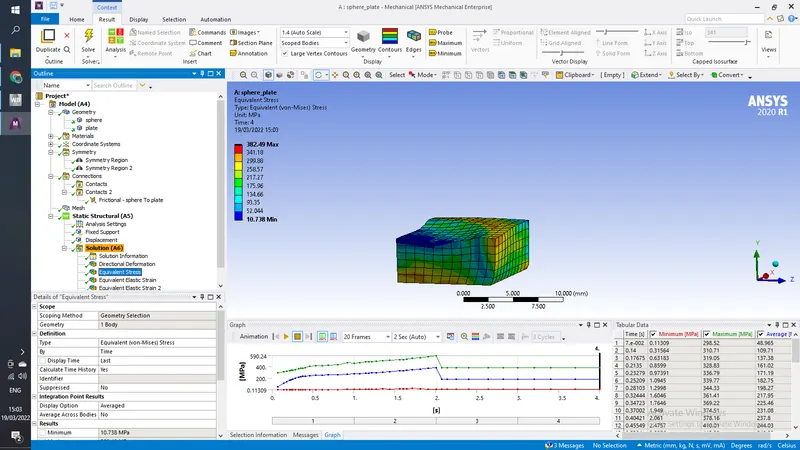
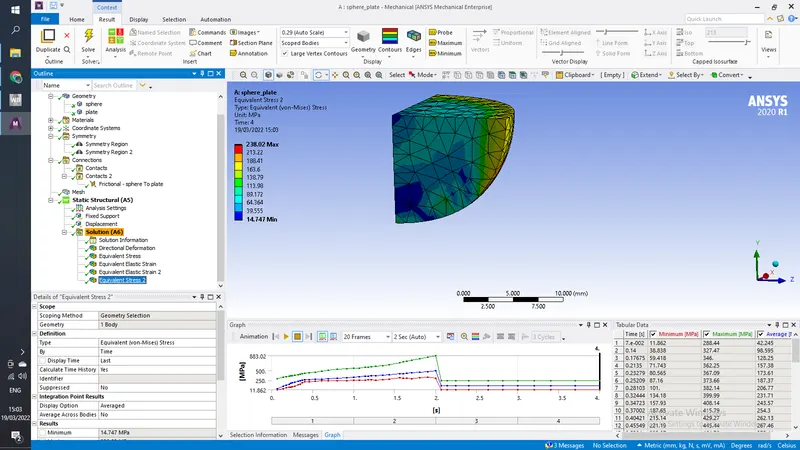
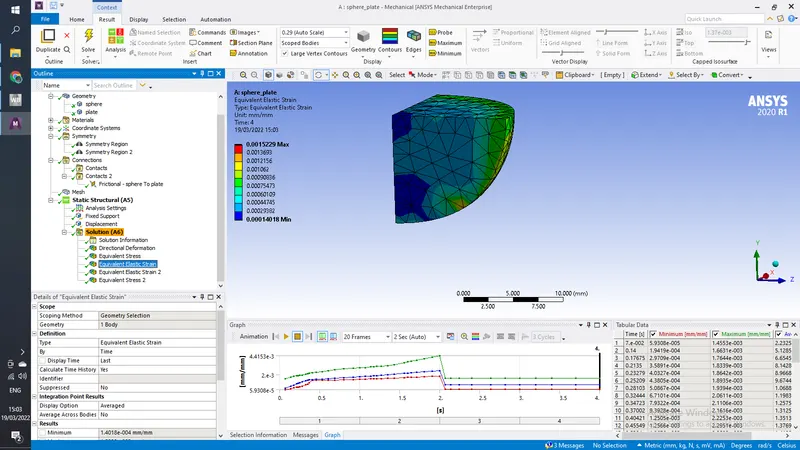
Week 5 Sphere pressing on a plate
Aim-
For this challenge, perform the analysis to simulate a sphere pressing on a plate.
Use Structural steel for both sphere and plate but the material of the plate must be Non Linear.
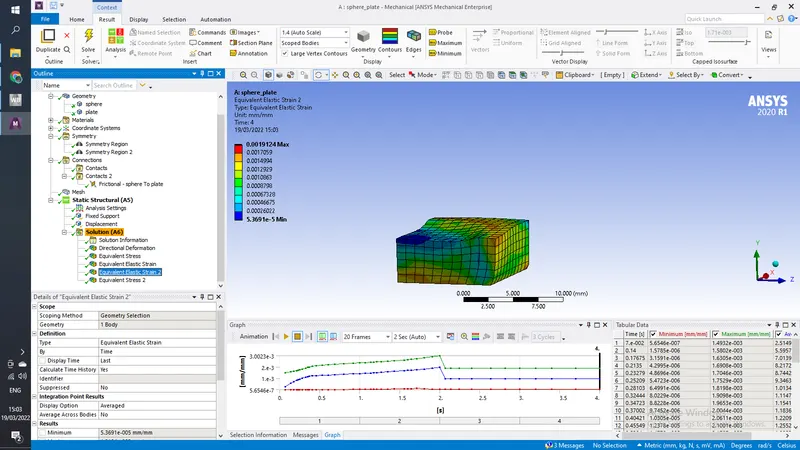
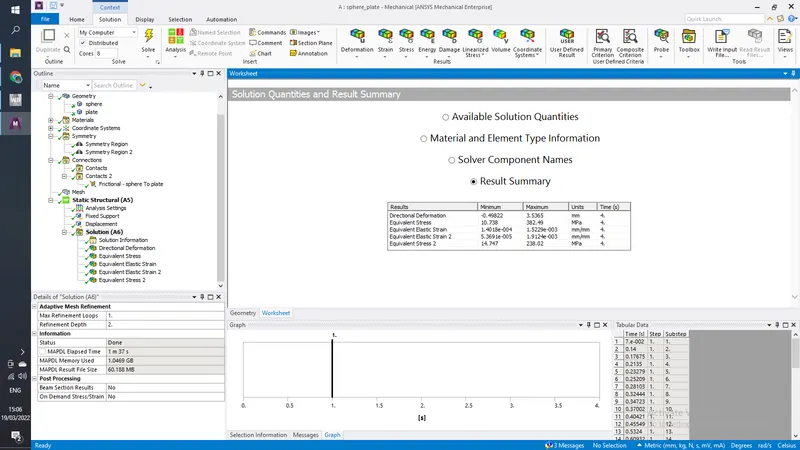
Press the sphere onto plate 4mm downwards and retract it. The plastic deformation must be captured by you. Attach appropriate images and make a detailed report.
Procedure-
1) Open Engineering data and import Structural Steel NL form general Non- Linear materials and close
2) right click on geometry>>import the model the double click on geometry to open space claim or design modeler, look for any abnormality in model, if everything is correct close the geometry
3)Open Mechanical APDL and rename the parts as sphere and plate
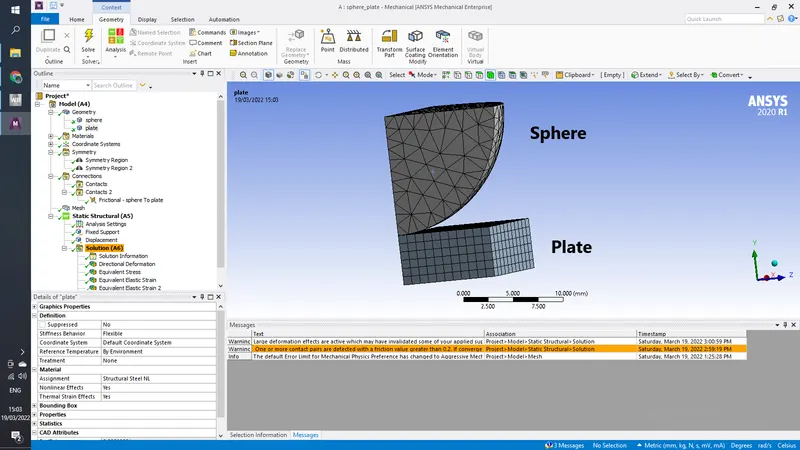
add Structural Steel NL to both Sphere And Plate
now Add Symmetry regions along X and Z direction
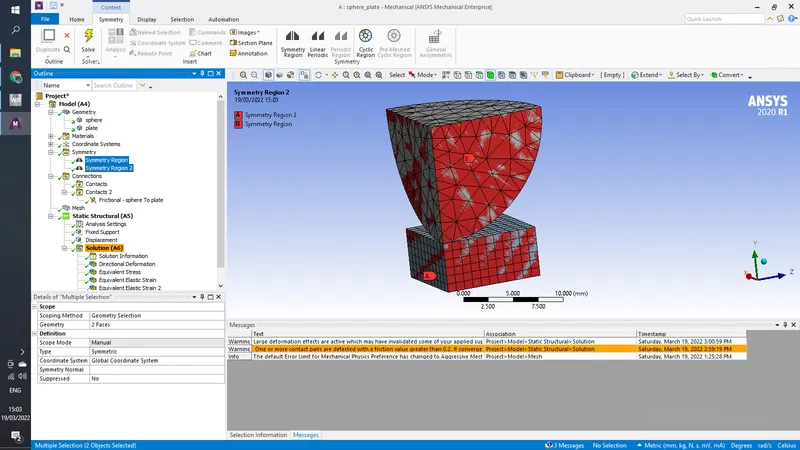
Delete the exisiting contact regions and create a frictional contact between sphere and plate with frictional coefficient as 0.74 (from Roymech table)
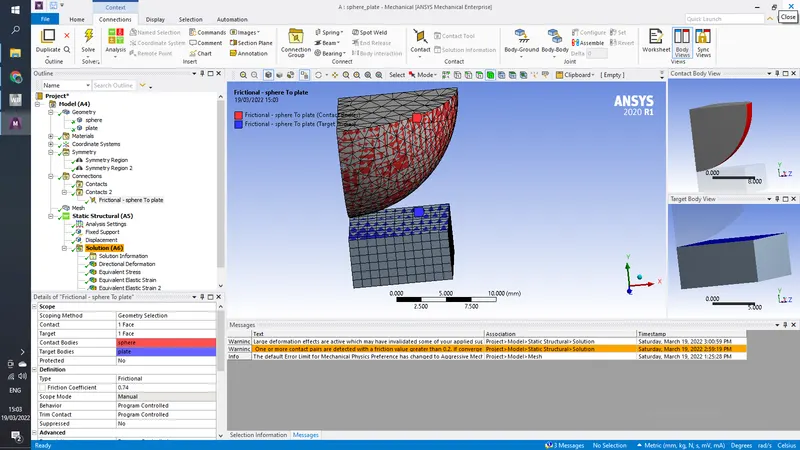
Generate default mesh
in analysis setting add 4 steps and turn on large deflection
no add dispalacement to sphere in tabular form
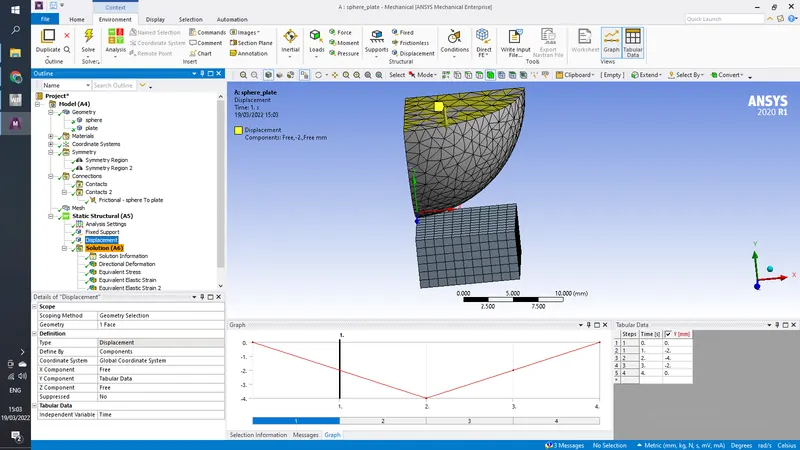
add fixed supoport to the bottom of the plate
4) In Solution add total deformation, stress for both sphere and plate, strain for both