Week- 5 - Solid meshing
AIM : To achieve the good quality volume mesh (trias & Ortho trias) of the given rear view mirror component by using ANSA tool, the procedure consists of Geometry cleanup and checkup , surface meshing and 3D volume meshing by constraining the following parameters as quality parameters,
S.No Quality Criteria Value
1 Target/Average length 1
2 Minimum Length 0.5
3 Maximum Length 2
4 Collapse 0.2
PROCEDURE:
A.TOPO CLEANUP
- Import the given Plastic Cap Model into the Ansa, carefully study and understand the model.
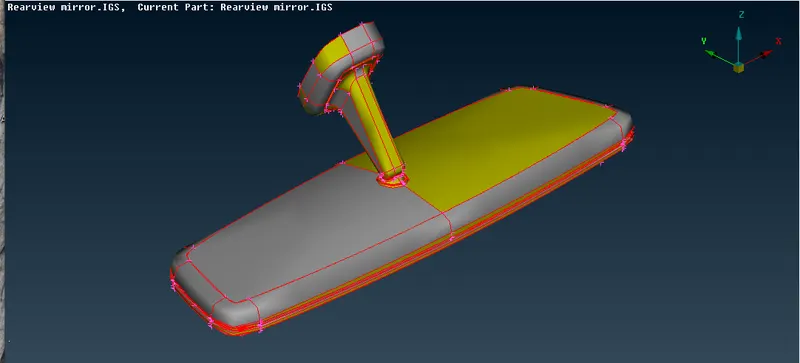
- Give the Topo command to entire Model assign the property index for each individual components /feature by selecting the faces and utilizing the Commands storage lock, OR, INOT , neighbour all.
- Now check for the Geometry checkup which is available Tools --> Check --> Geometry for Sharp edges, Unchecked Faces, Triple Cones, Cracks, Single Cones(which are missed in Topo during selection and neglect the outer perimeter single cones) , Needle faces, Overlap Faces.
- Fix the errors automatically by the FIX option. If any errors are not fix during the automatic, fix them manually especially triple cones by using the commands release, INOT, OR, neighbor all, Cut etc. which is useful to resolve the errors.
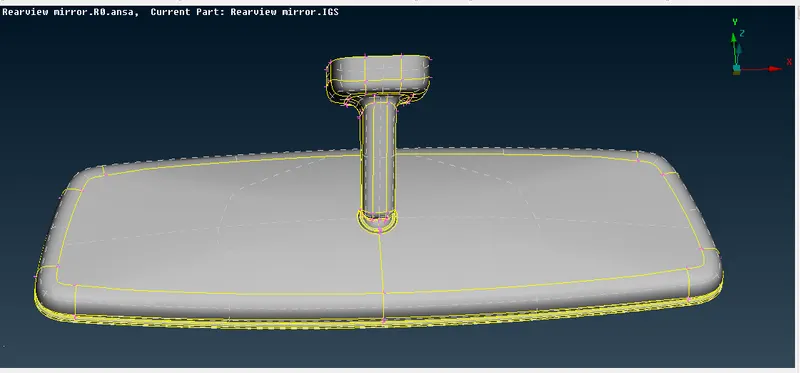
- Repeat the point no. 3 & 4 for all the individually property components which are stored in property index.
B. 2D MESHING
- Enter the input quality constraints of mesh as given aim in the command (Utilities ->Quality Criteria) especially Max. & Min. length respectively.
- Enter the input quality constraints of mesh as given aim in the command (Utilities -> Mesh Parameters ) especially target length, Mesh as trias respectively.
- Mesh the given all the curved and hole surfaces by selecting the features separately and mesh by using command (Mesh -> Mesh Generation -> Spot mesh -> Ortho Trias).
- Mesh the given all the flat surfaces by selecting the features separately and mesh by using command (Mesh -> Mesh Generation -> Spot mesh -> Trias).
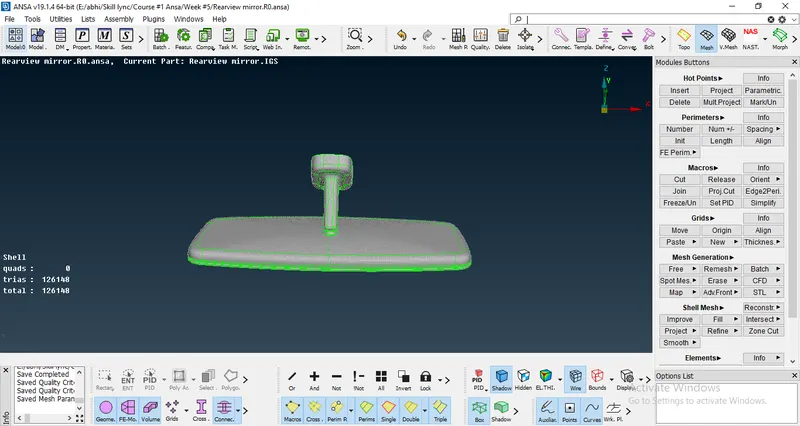
- Use the command (Mesh -> Shell Mesh -> Reconstruction) to get the fine mesh without any errors.
- If any errors (OFF elements) Refine the Mesh by using the Commands (Grids move ,Swap, Paste, Split, join, etc) to get the refine mesh.
B. 3D ( Volume) MESHING
- Go to the volume deck , assign and define the volume property index for all the features individual.
- Enter the input quality criteria of collpase in solid mesh (Utilities ->Quality Criteria -> Collapse).
- Mesh the all volumes each individually by using Tetra Rapid or Tetra FEM algorithm.
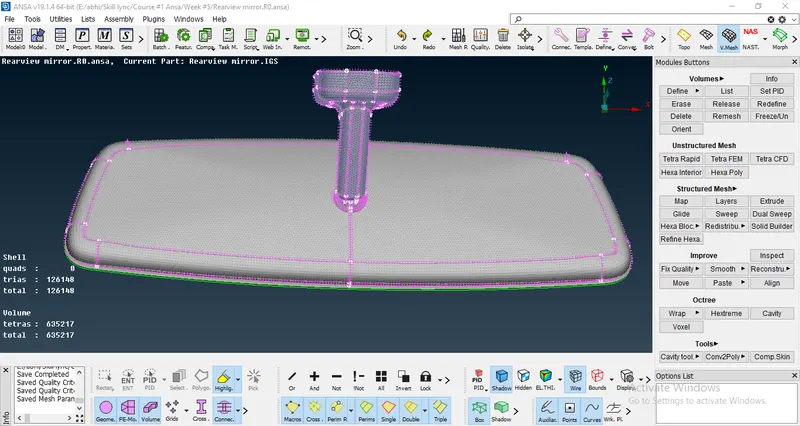
- Check the collpase criteria if any OFF elements. Resolve all the off elements by using the MV Free.
Learning Outcomes :
- A Clear understanding on Volume meshing and Ansa tool.
- Methodology on working on Tetra & Ortho Tetra.
Result & Conclusion:
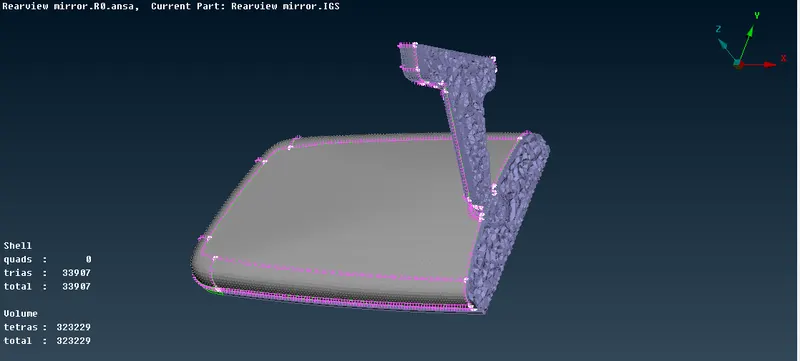
Attached Ansa file consists of final mesh and images are attached here.