Week- 5 - Solid meshing
Aim-
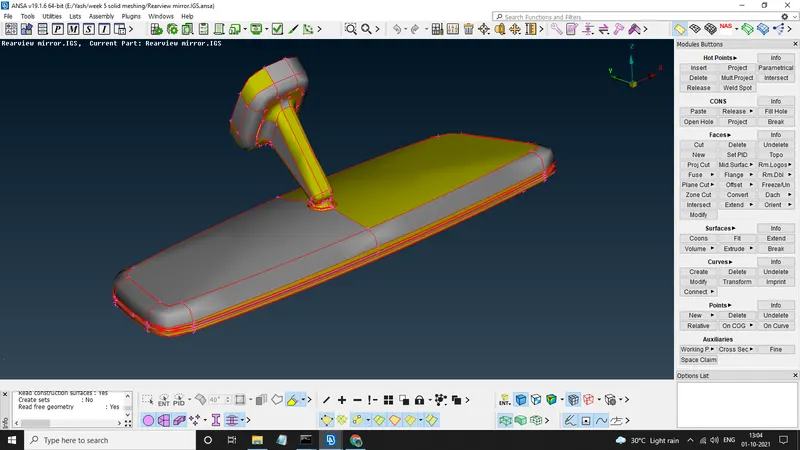
For the given Rear view mirror component, check for the geometrical errors and mesh the Surfaces with the given 2D element Quality criterias given below. (File Link- https://drive.google.com/file/d/1Dco2cKjuVRIKQd1TQiprJHJzC4105Tar/view?usp=sharing)
Given Data-
Quality Criteria
|
S.No |
Quality Criteria |
Value |
|
1 |
Target/Average length |
1 |
|
2 |
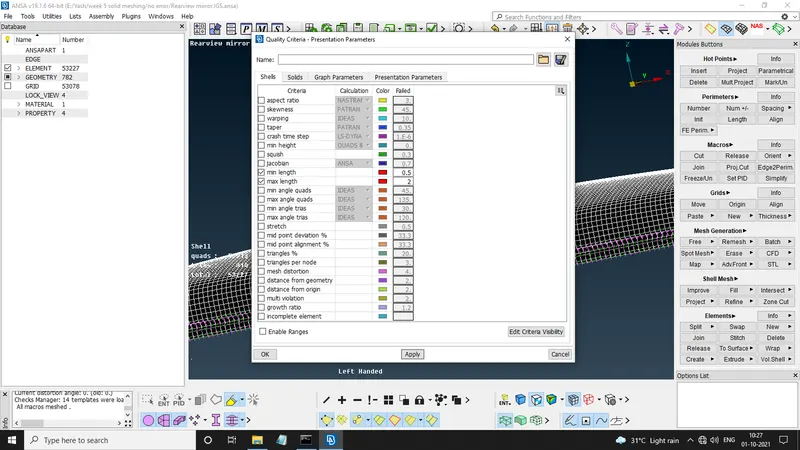
Minimum Length |
0.5 |
|
3 |
Maximum Length |
2 |
for volumetric meshing
|
S.No |
Quality Criteria |
Value |
|
1 |
Tet collapse |
0.2 |
CAD File-
Procedure-
1) Importing the CAD file And Doing A Quick TOPO on it & Giving it length perimeters
2) Performing Geometry Check
3) Geometry Cleanup
4) Giving Quality Criterias
5) Meshing The Surfaces using Tiria & OrthoTria
6) Checking the Quality Criteria And Resolving OFF Elements
7) Defining The Volumetric Perameters
8) Giving The Unstructured Tetra FEM/Tetra Rapid Mesh
9) Checking For Tet Collapse
10) Seperating The Volume, Geometry And FE From Each other
1) Importing the CAD file And Doing A Quick TOPO on it & Giving it length perimeters
First of all we import CAD File to ANSA Workbench, Give it a FACES>>TOPO & PERIMETERS>>LENGTH.
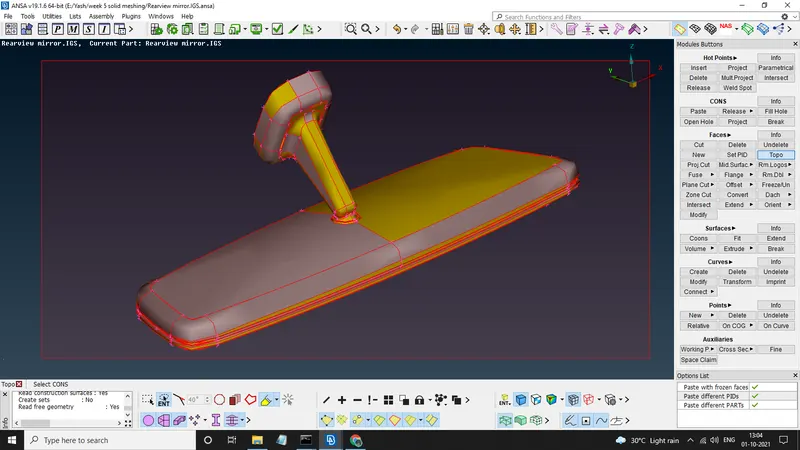
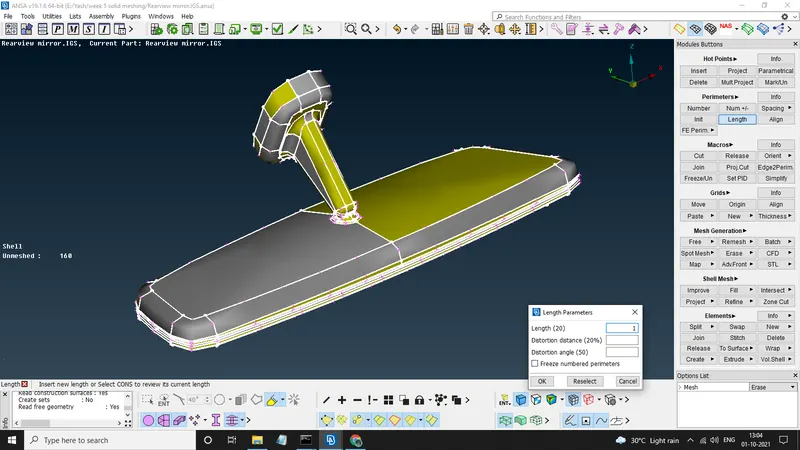
By doing this we stitch all the surfaces together and give them a common perimeter lenth for further mesh generation.
2) Performing Geometry Check
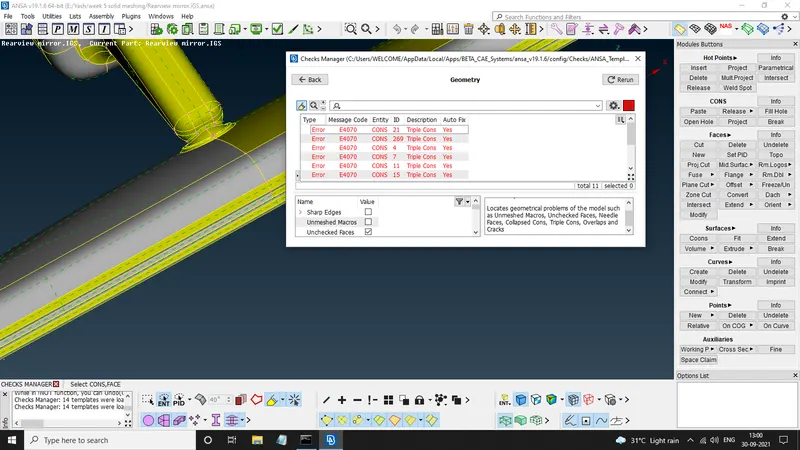
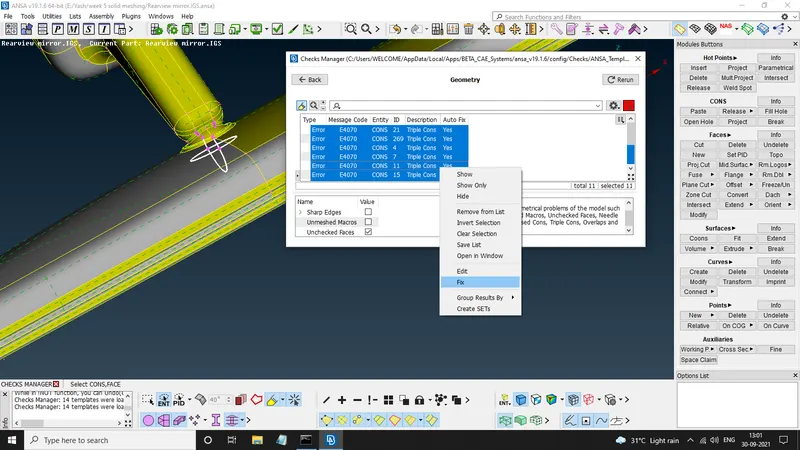
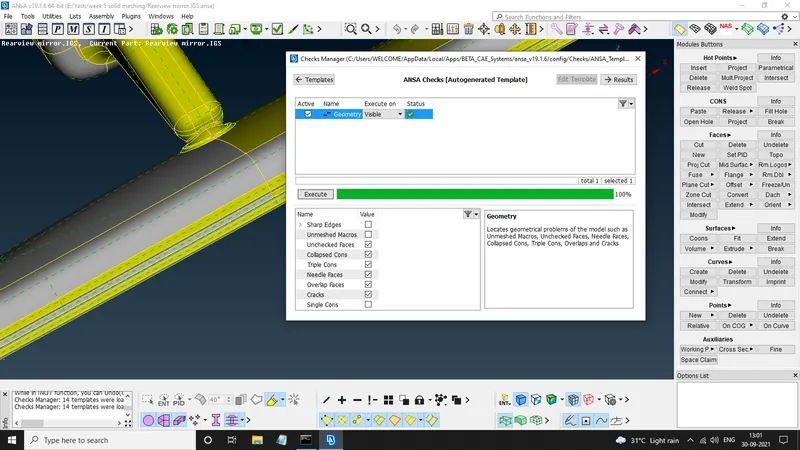
Here we perform geometry check by CHECK MANAGER>>GEOMETRY to see if there are any geometrical errors present
if there is any then most of them can be fixed by selecting all of them and right click on them and select FIX, In some cases there might be some errors that can't be fixed automatically so we have to fix them manually
3) Geometry Cleanup
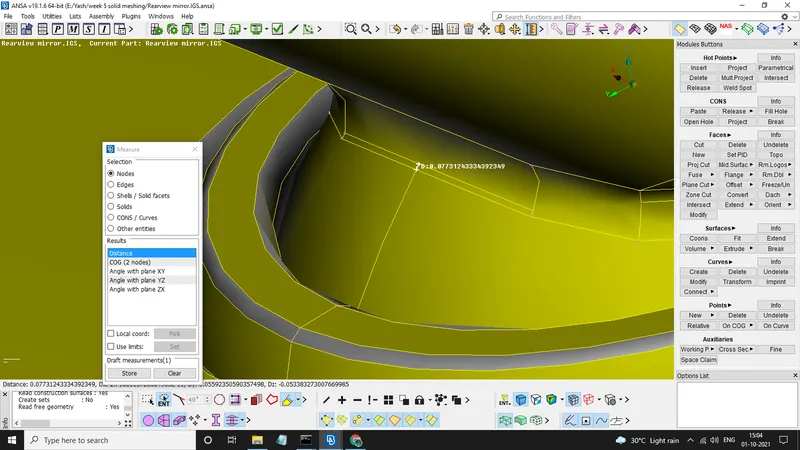
now as we know that our target length is 1mm and minimum length is 0.5mm so we have to check for featurs that won't fit in this criteria and manupulate them so that they won't give error in mesh generation.
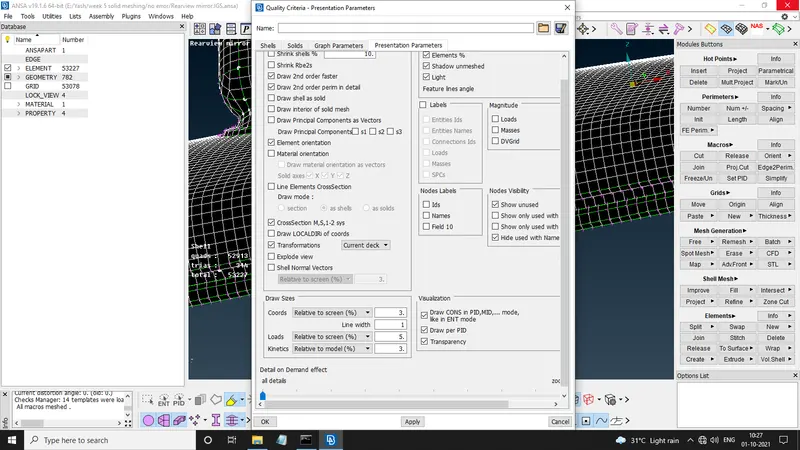
4) Giving Quality Criterias
Now we will assign the given Quality Criteria to the geometry
5) Meshing The Surfaces using Tiria & OrthoTria
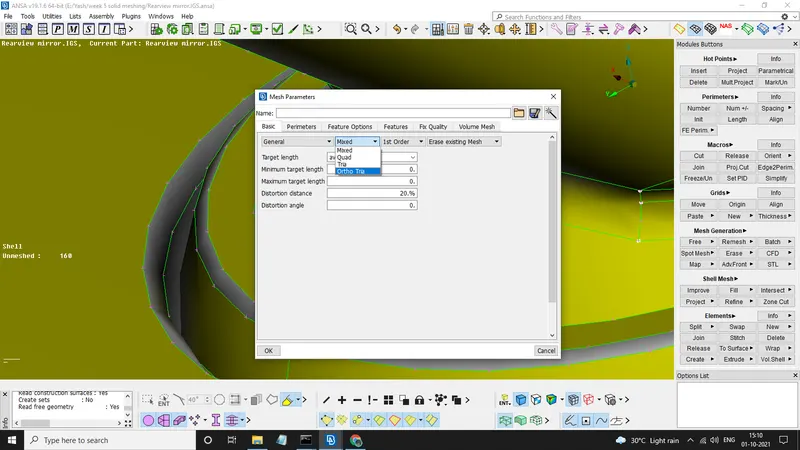
Here we first give mesh perimeter where we specify the type of mesh that we want, for this perticular case its the OrthoTria And TRIA .
Now we Start meshing by using MESH GENERATION>>SPOT MESH/ERASE , SHELL MESH>>SMOOTH/RECONSTRUCT, GRIDS>>MV FREE/SURF/HOLE, MACROS>>CUT
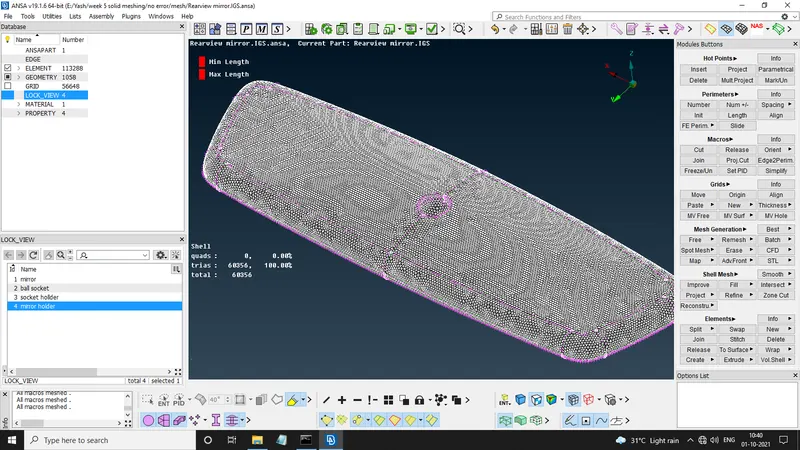
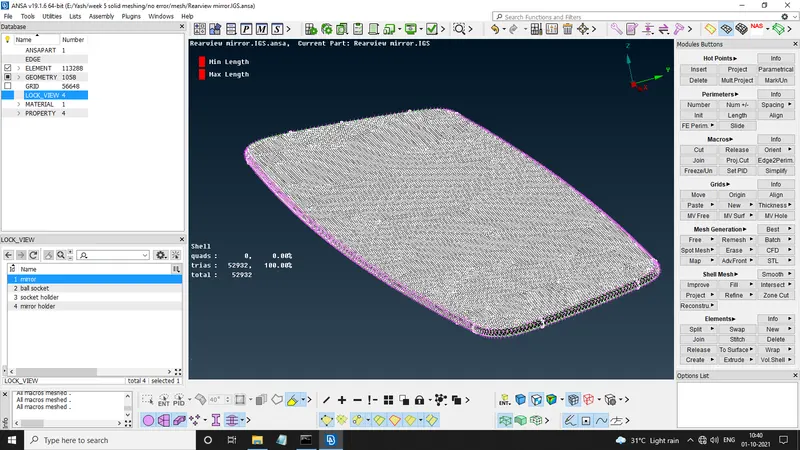
ON curved faces we use ORTHOTRIA because these give more accuracy then normal trias and the maintain the shape of fillets and curves, and on plane surfaces we use TRIAS only because orthotrias need more computational time.
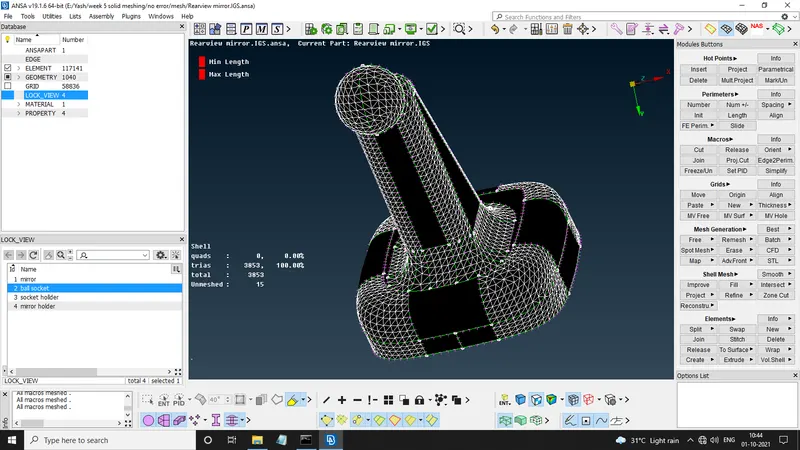
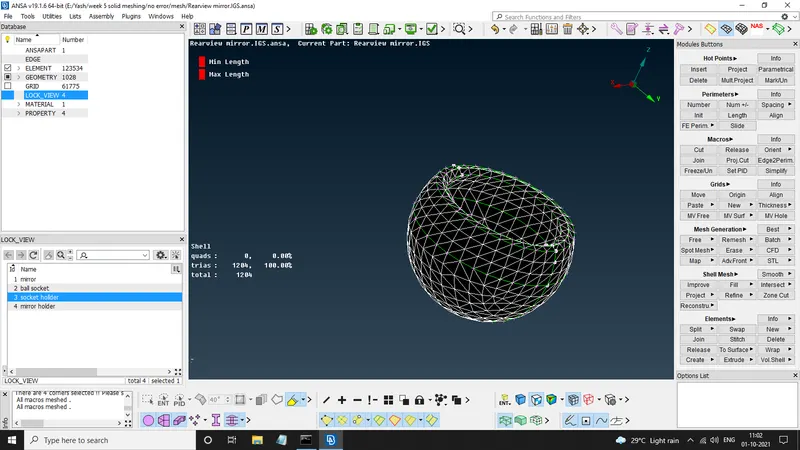
in last 2 images the selected surfaces were only orthotrias.
6) Checking the Quality Criteria And Resolving OFF Elements
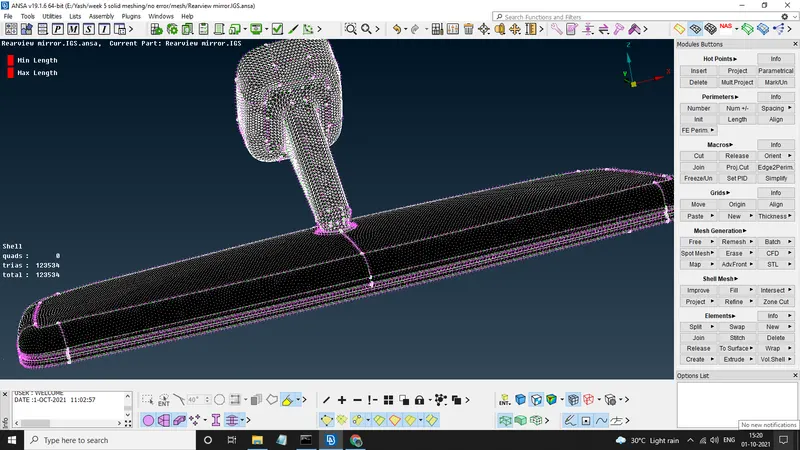
now we will check the geometry for any OFF ELEMENTS and of there are any present then we will resovle them
7) Defining The Volumetric Perameters
now we will give volume to the generated mesh by going to VOLUME MESH>>VOLUMES>>DEFINE
here create a new PSOLID and assign it to the geometry.
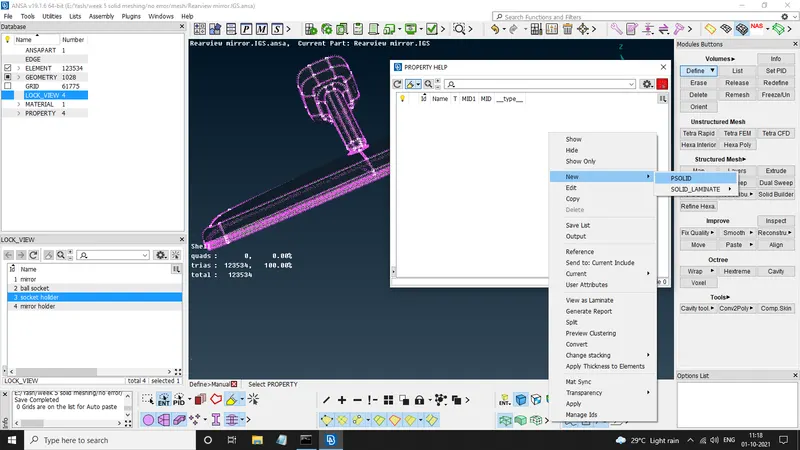
now give solid quality criterias
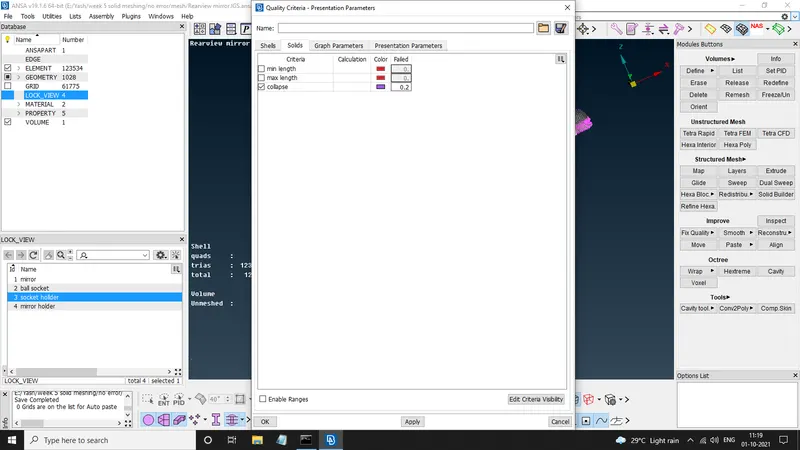
8) Giving The Unstructured Tetra FEM/Tetra Rapid Mesh
go to LISTS>>RIGHT CLICK>>REMESH>>TETRA RAPID
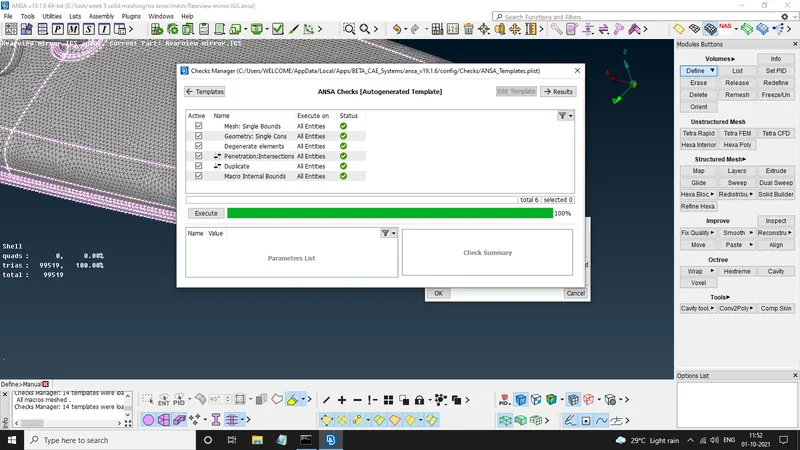
AND our mesh is generated
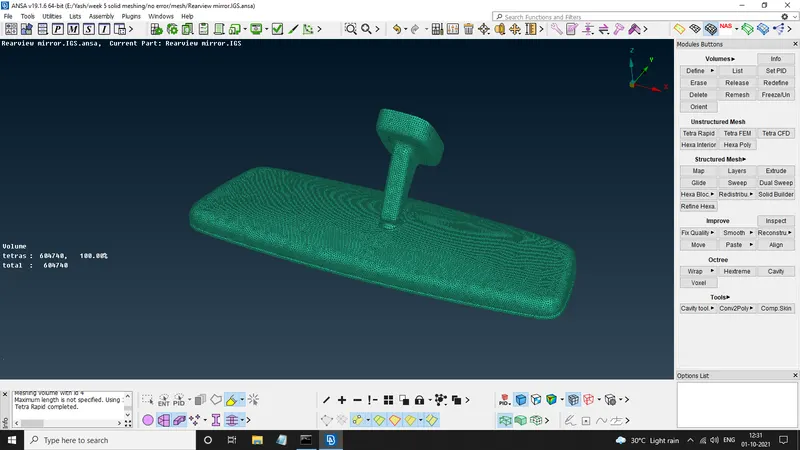
9) Checking For Tet Collapse
now go to hidden mode to see if any collapse is present.
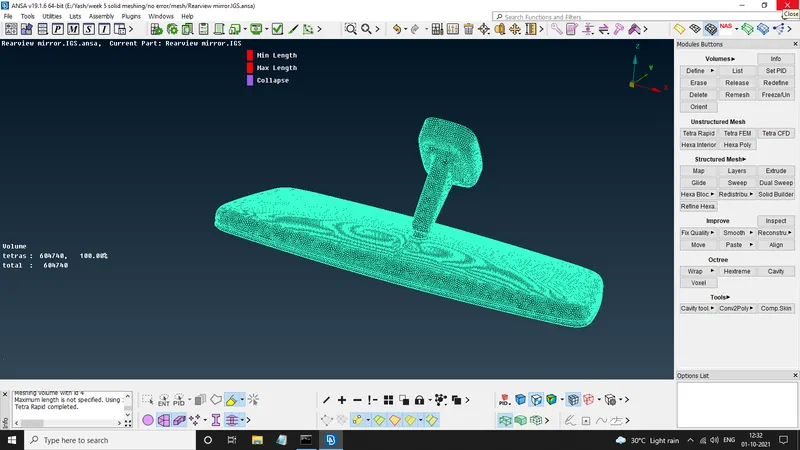
our FE is free of any OFF ELEMENT.
10) Seperating The Volume, Geometry And FE From Each other
Now our FE is still connected to the CAD and the generated volume is an individual entity so we need to release the volume First by switching off the FE AND CAD and applying VOLUME>>RELEASE on volume only, now our FE is a volumetric entity.
Conclusion-
Shell mesh and volumetric mesh are generated, FE succesfully seperated from CAD.
LINK TO .ansa file
https://drive.google.com/file/d/1Dco2cKjuVRIKQd1TQiprJHJzC4105Tar/view?usp=sharing