Week 5 Challenge : Surface wrap on Automotive Assembly
Aim/Objective :
- To do surface wrap over assembled parts (engine,transmission and gear box) . Target length for Wrap = 3mm
- To Assemblet Engine, Transmission and Gear Box together with Merge Option in ANSA.
What is Surface Wrap?
The surface wrap is used to create a watertight surface mesh which replicates the exact geometry of model. the surface wrap is used to perform the external flow analysis which do not require any internal components. The accuracy of surface wrap depends on the element size of mesh, smaller the element size better is the feature capturing of small and intricate parts. For generating smaller sized mesh, the time reqired is also high. So a proper balance between selection of mesh element size and computational time becomes critical.
Methodology
- All three models like Engine, Transmission, Gear Box model are imported and are checked one by one for any unwanted surfaces present and if any single cons are present. Topo cleanup is done by deleting such unwanted surfaces like extra ring like structure protruding from geometry, extra edges on surface.
- After clean-up the models are
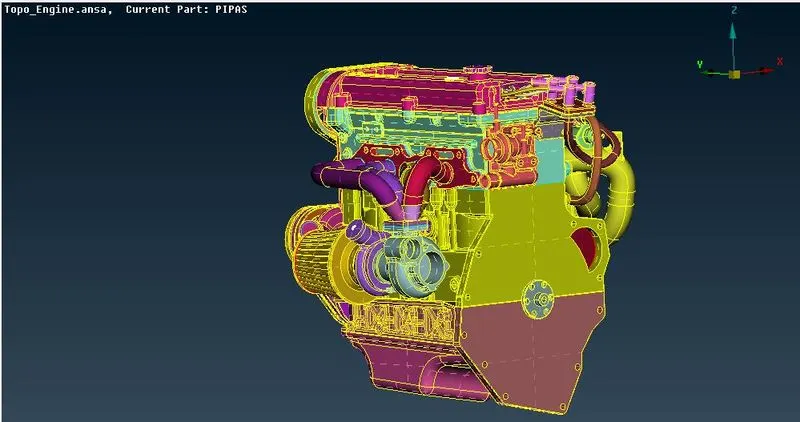
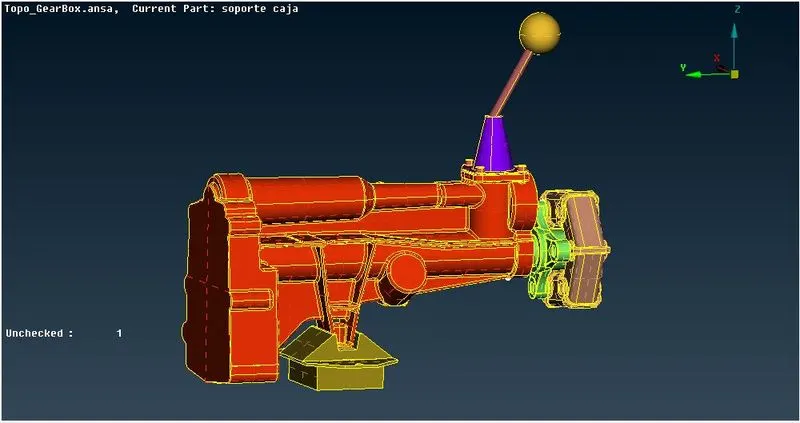
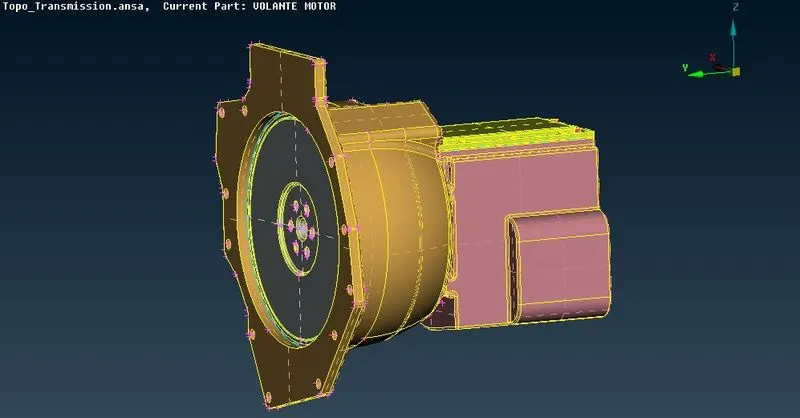
- Then the geometry need to be closed i.e holes need to be filled by using New-Coons/Fitted. The open holes results in surface distortion during wrapping the model. The final topo cleaned model are as shown in figure
-
Merging
Steps for merging-
- Suppose you are having engine geometry present in your ANSA GUI and you want to merge other geometries in same GUI.
- Go to files, click on merge a dialogue box will appear where your other geometries are saves in you PC.
- Select geometry you want to merge then another dialogue box will appear as shown below , dont change anything and click on ok. Your merging process starts.
-
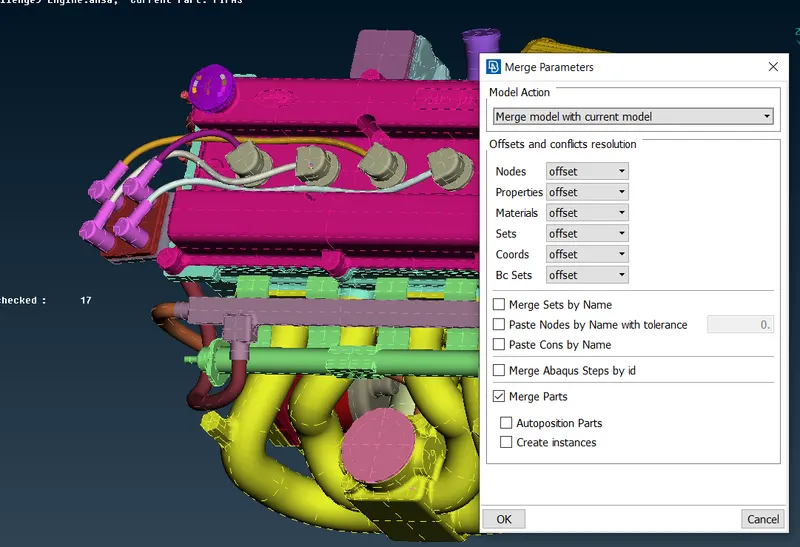
- Repeat same process for other geometry also and merge it with other two geometries.
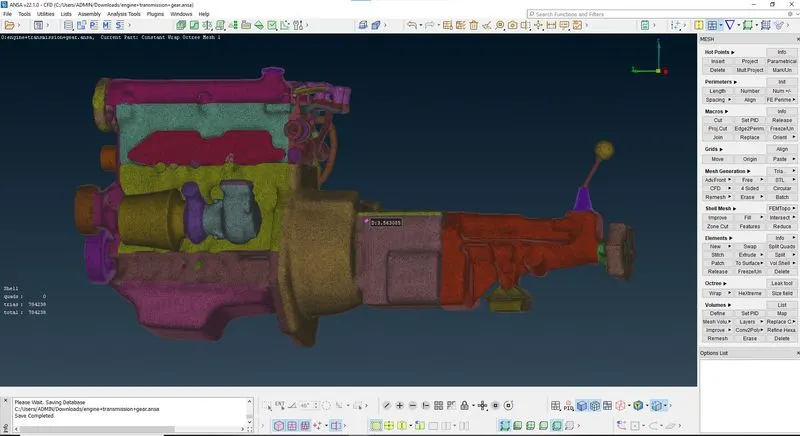
- The all three models are to be merged by using, Files-Merge. The final merged model is as shown in figure below
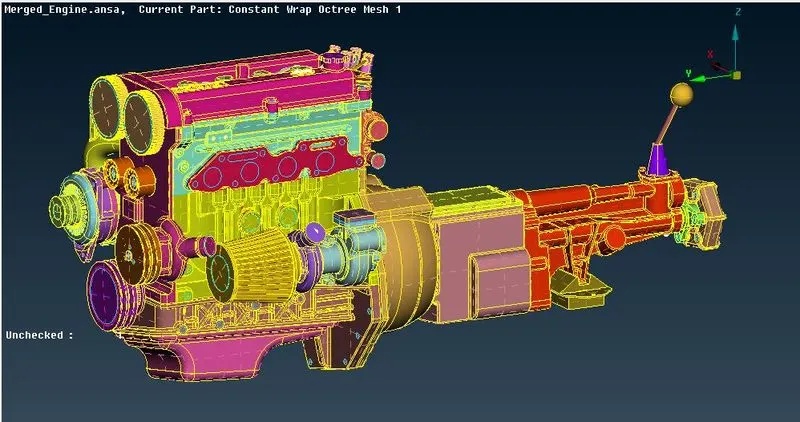
- Select the compress option and compress the entire file. It will remove the PIDs which are not assigned. So the number of PIDs is reduced
- Surface Wraping
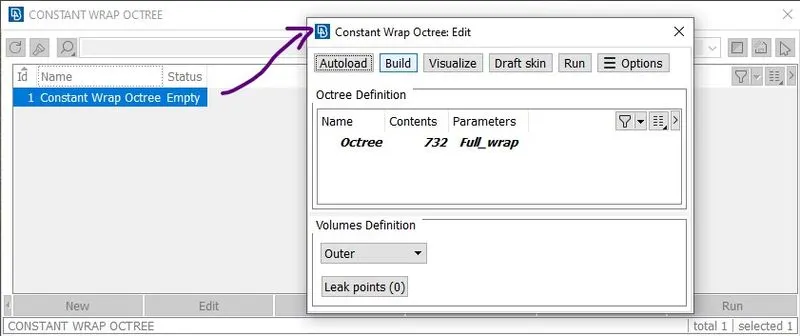
Go to surface mesh deck. In the elements, select wrap. Select constant length. A new pop up window is just opened. Double click on empty. An edit window is opened. Double click on untitled. Give the name.
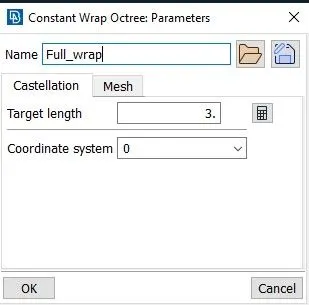
Set target length as 3mm. Click on mesh. Set the options as mentioned in video. Click ok. In the previous window, double click on contents column. Select all PIDs. Click ok And then click RUN.
- Go to Classic Mesh --> Element ---> Wrap ---> Constant Length.
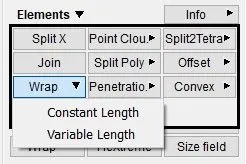
- Double click on 'Constant wrap Octree'.
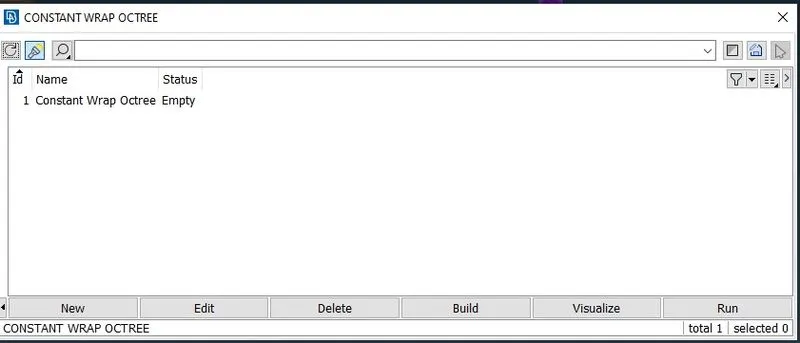
- Double click on 'parameters'.
- Castellation - Give target length 3mm
- Enable Nodes out of structures.
- Enable Assign properties from structure.
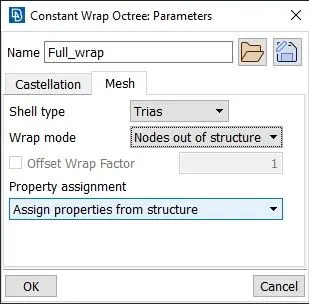
- Provide Any name like 'Full-Wrap' and click on 'OK'
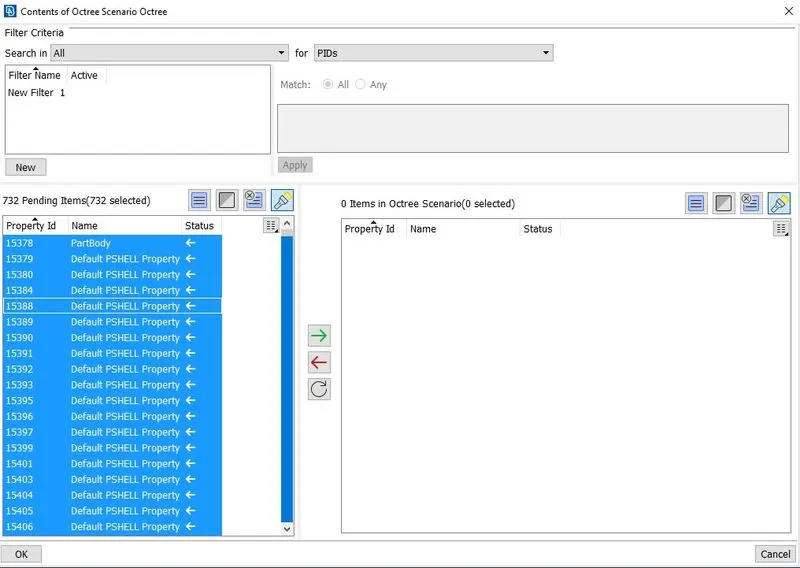
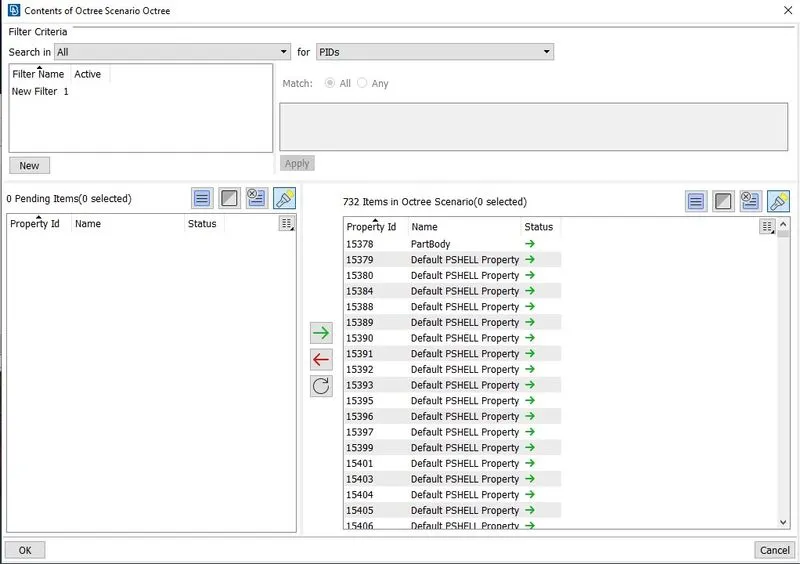
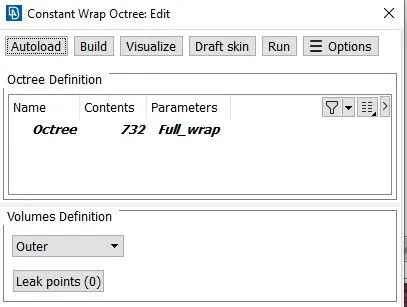
- Then select Run and surface wrap will take place. An final surface wrappede model (with 3mm target length) is shown in Figure below