WIDGET FOR NORMALS
WIDGET FOR NORMALS
OBJECTIVE:
To create a TCL command which should get elements from user and reverse its normal. And to create widget for Show/Hide normal for elements.
PROCEDURE:
REVRESE ELEMENTS:
- Initially cleared all previous selections.
- Selecting all (Displayed) elements and create mark.
- Then command to show its normal.
- Get elements from user to reverse.
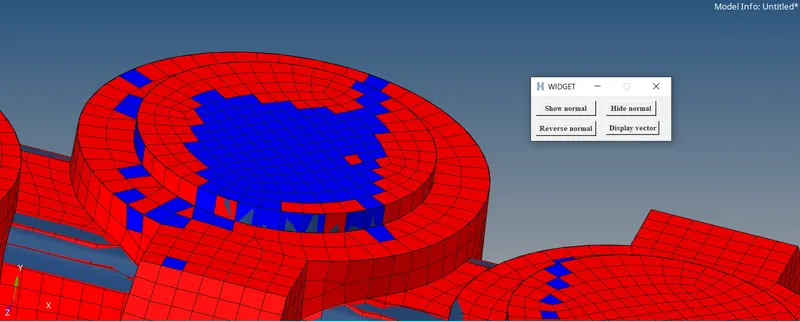
- Inputted elements normal directions are reversed.
- Again, each elements direction showed.
WIDGET:
A small window which will show or hide normal for elements.
- Show button will mark every element and show normal.
- Hide button will mark each element and hide normal.
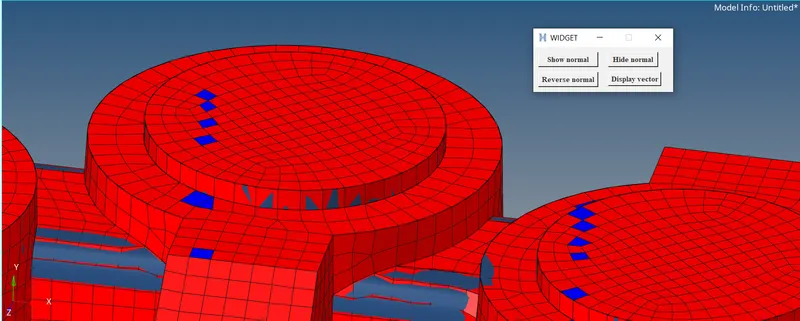
- Initially wudget shows color representation of normal.
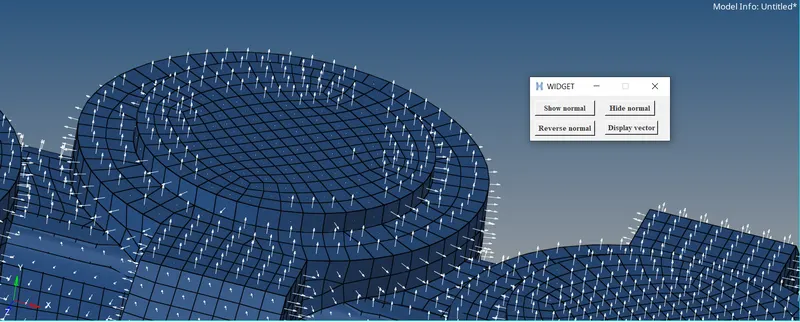
- If Vector box clicked, it will shows vector representation for normal.
- Size box will set length to vector.
TCL COMMANDS
#Window
set new .window
catch {destroy $new}
toplevel $new -class TopClass

#Window Dimention and Name
wm title $new "WIDGET"
wm geometry $new 280x90+500+200
wm resizable $new 0 0

#Initial values
*clearmark elements 1
*setnormalsdisplaytype 1
set val 1

#Procedure
proc Reverse {} {
*createmark elements 1 "displayed"
set elms1 [hm_getmark elements 1]
if {$elms1 >1} {*normalsdisplay elements 1}
*createmarkpanel elements 1 "Select elements to reverse normals"
set elms [hm_getmark elements 1]
if {$elms >0} {*normalsreverse elements 1}

*createmark elements 1 "displayed"
*normalsdisplay elements 1
}
#Buttons
button $new.03 -text "Display vector" -font {times 9 bold} -command {*setnormalsdisplaytype 0;*createmark elems 1 "displayed";*normalsdisplay elements 1 3};	place $new.03 -x 150 -y 50
button $new.00 -text "Show normal" -font {times 9 bold} -command {*setnormalsdisplaytype 1;*createmark elems 1 "displayed";*normalsdisplay elements 1 };	place $new.00 -x 10 -y 10 -width 120 -height 30
button $new.01 -text "Hide normal" -font {times 9 bold} -command {*createmark elems 1 "displayed";*normalsoff};	place $new.01 -x 150 -y 10 -width 100 -height 30
button $new.02 -text "Reverse normal" -font {times 9 bold} -command {Reverse};	place $new.02 -x 10 -y 50 -width 120 -height 30
TCL COMMAND AND EXPLANATIONS.
*createmark -Create mark or select entities
*createmarkpanel -Open panel which get entities id from users
*setnormalsdisplaytype -Choose color or vector representation for normal.
*normalsdisplay -Display normal.
*normalsreverse -Reverse normal.
*normalsoff -Return to regular view from normal.
button -Display button and excute command while pressed.
SAMPLE IMAGES:
1.Show color representation of normals.
2.Reverse normals
3.Vector representaion
RESULTS:
TCL program was assigned to a keyboard preference to act as shortcut. Final program checked and uploaded.