Tcl macro for aligning the element normals
OBJECTIVE
PART 1 :- Using the tk coding create two buttons which will do element reverse operation and the other one willswitch off the normal.
PART 2 :- And we assign each of these procedures to different buttons in the keyboard.
TCL CODE EXPLANATION
*clearmarkall 1
*setnormalsdisplaytype 1
*createmark elements 1 "displayed"
*normalsdisplay elements 1
*clearmarkall 1
*createmarkpanel elements 1 " Select the elements for which the normals to be reversed "
set ele [ hm_getmark elements 1 ]

if { $ele == {} } { puts " No element selected "

*normalsoff} else {

set a .window
catch { destroy $a }
toplevel $a -class toplevel
wm title $a " Normals "
wm geometry $a 300x300+10+10 ; update
wm resizable $a 0 0
wm deiconify $a

proc normalreverse {} {

*normalsreverse elements 1
*createmark elements 1 "displayed"
*normalsdisplay elements 1
}


proc normaloff {} {
*createmark elements 1 "displayed"
*normalsdisplay elements 1
*normalsoff
}

button $a.01 -text " reverse normal " -command { normalreverse }; 		place $a.01 -x 50 -y 100
button $a.02 -text " normals off " -command { normaloff }; 				place $a.02 -x 200 -y 100

}

*normalsoff
*clearmarkall 1 :- This is to clear off everything saved in mark number 1
*setnormalsdisplaytype 1 :- this is to set the normal display as vector or colour. Since we use 0 it will show the colour display instead of vector display and if we use 1 then we will get the vector display.
*createmark elements 1 "displayed" :- This will save all the displayed elements into a mark with ID 1. We can use "all" to save every elements including the hided elements into the mark.
*normalsdisplay elements 1 :- This will show the normals of the elements in mark id 1
*createmarkpanel elements 1 " Select the elements for which the normals to be reversed " :- This will ask user to select elements using the Graphics window showing message " Select the elements for which the normals to be reversed" .
set ele [ hm_getmark elements 1 ] :- Whatever elements selected by the user will be set into a varible ele using this.
if { $ele == {} } { puts " No element selected "
*normalsoff} else {
set a .window
catch { destroy $a }
toplevel $a -class toplevel
wm title $a " Normals "
wm geometry $a 300x300+10+10 ; update
wm resizable $a 0 0
wm deiconify $a
First we need to set what if all the elements having normlas perfectly alligned ,then the user will not selected any elements.So in such case we need to explicitly tell what to do.So we use "if" statement so we set if null set for $ele then display the message " No element selected" . And *normalsoff will set the normal displayed off.
And if elements need to be selected then ele variable will not be a empty set .So in such case we write what to do in else statement.
So in else statement we need to create a window with the normals as title , 300x300 widthx height dimensions, and not resizable. And the deiconify will set the window as the current window.
proc normalreverse {} {
*normalsreverse elements 1
*createmark elements 1 "displayed"
*normalsdisplay elements 1
}
We need to create the procedure to call using the button widget . So we create the procedure normalreverse with no inputs required . And inside the procedurte the actions needs to done is
*normalsreverse elements 1 :- This will reverse the elements in mark id 1 which are selected by the user.
Then we need the software to show the elements even after reversing the normals of the selected elements. So we again create a mark with the displayed elements and then set it to show the normal display of the displayed elements.So that we type in the code
*createmark elements 1 "displayed"
*normalsdisplay elements 1
Then again another procedure is created to execute the switching off the normal display action.the code for that is as folows : -
proc normaloff {} {
*createmark elements 1 "displayed"
*normalsdisplay elements 1
*normalsoff
}
button $a.01 -text " reverse normal " -command { normalreverse }; place $a.01 -x 50 -y 100
This code is for creating a button inside the window with window name as " a " and button pathanme as .01 .The text needed to be displayed on the button will be " reverse normal " .And the command needed to be executed is normal reverse procedure
And the place command to place the button on the window.
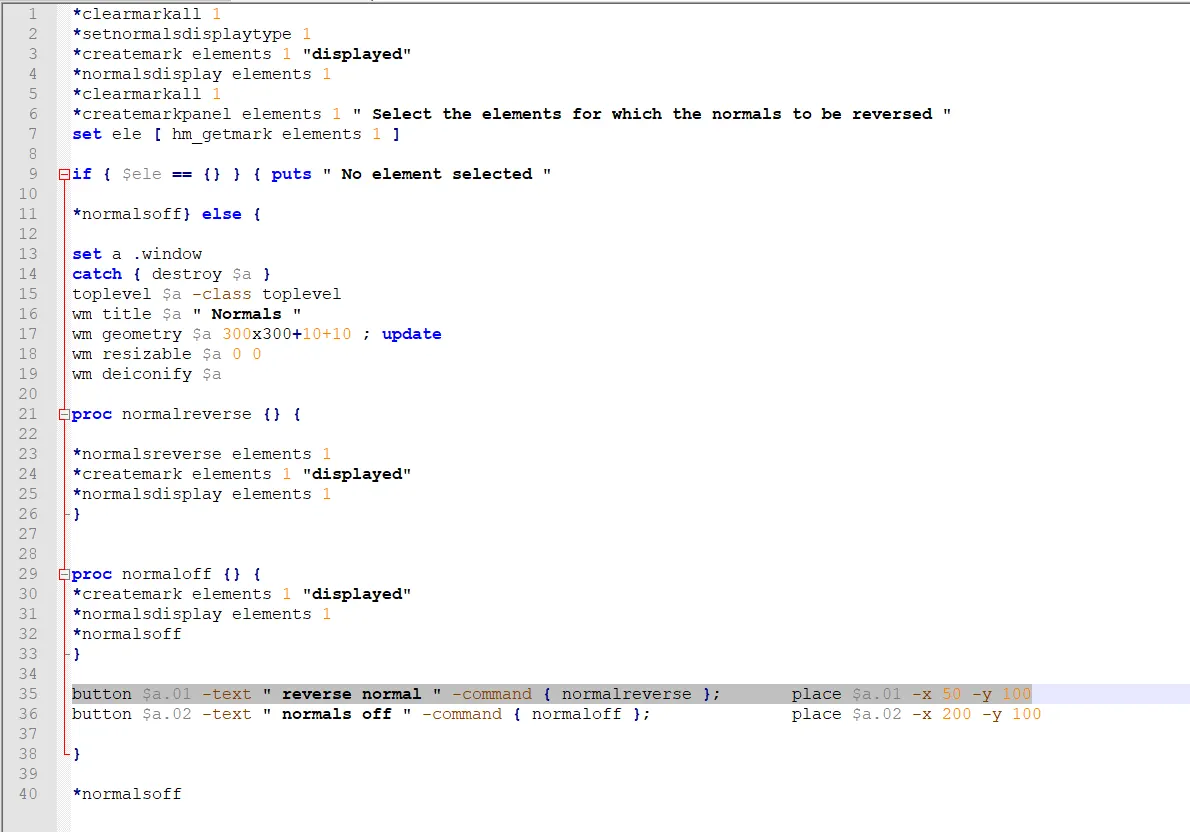
Code in the Notepad++
PART 2
With some changes in the code above we can set the commands executed by the buttons
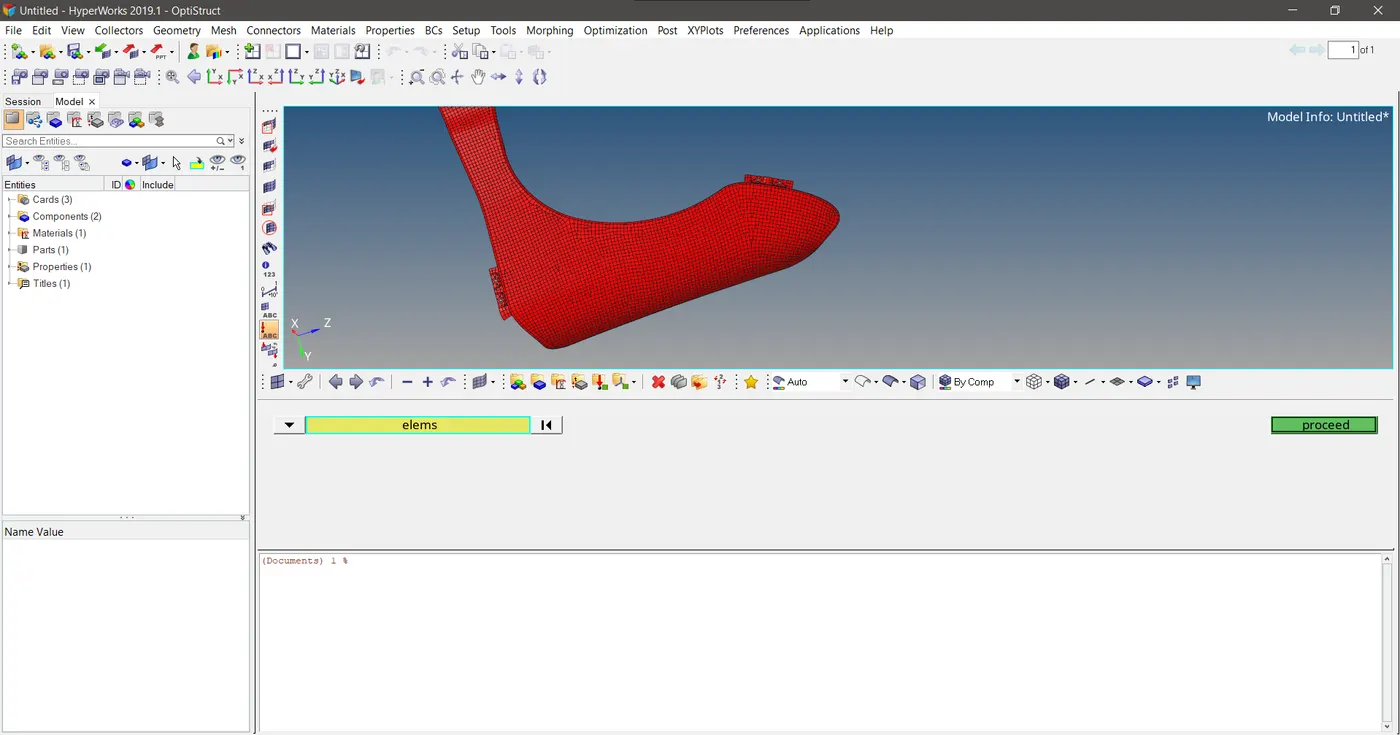
Graphics panel asks for the selection of elements by the user
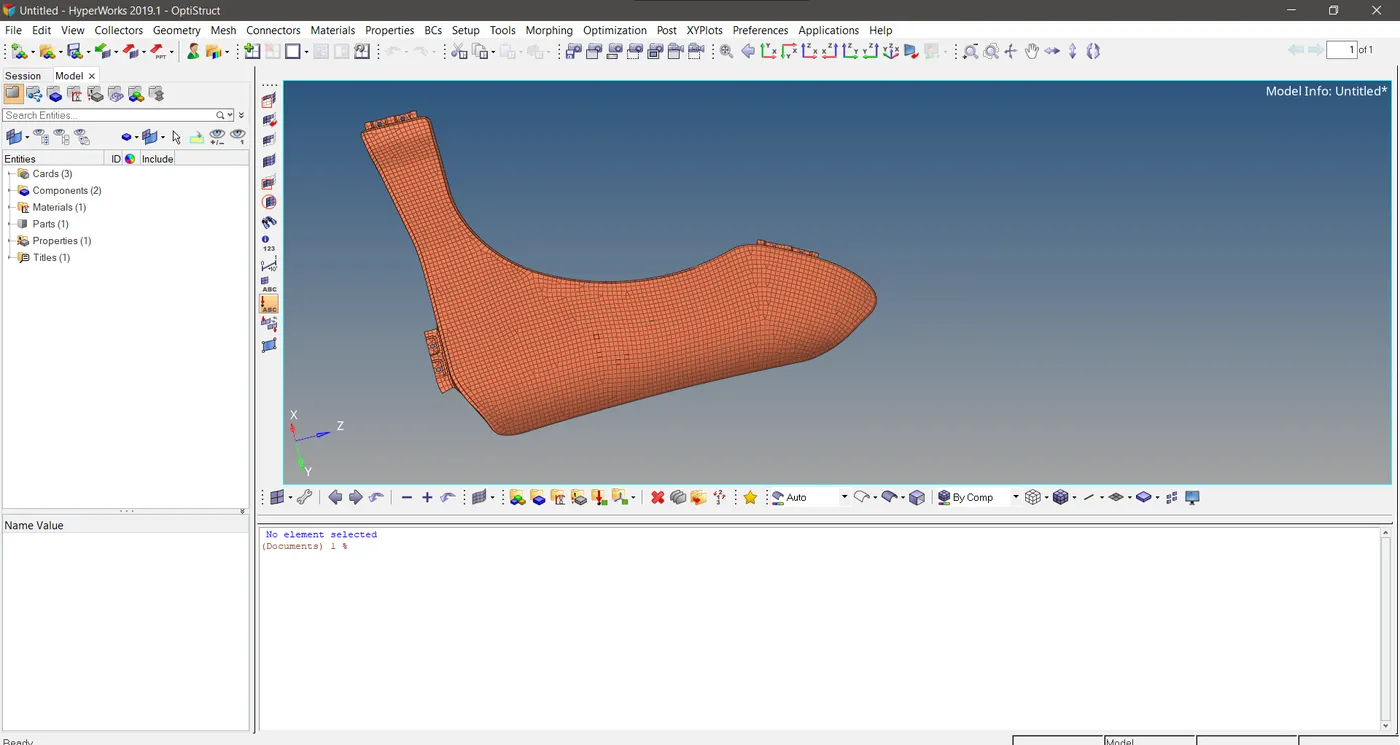
Output as No element selected when no element is selected
*clearmarkall 1
*setnormalsdisplaytype 1
*createmark elements 1 "displayed"
*normalsdisplay elements 1
*clearmarkall 1
*createmarkpanel elements 1 " Select the elements for which the normals to be reversed "
set ele [ hm_getmark elements 1 ]

if { $ele == {} } { puts " No element selected "

*normalsoff} else {
*normalsreverse elements 1
*createmark elements 1 "displayed"
*normalsdisplay elements 1
}
This code will be saved as a tcl file and assign to any keyboard button so that we can call it to reverse the normal of the elements.
Similarly we need to switch of the normals display.For that we set the code *normalsoff as another tcl file and assign it to the other keyboard button .So we can call that button to switch off the normals display.
Conclusion
Since manually changing the normals of elements when there is a large number of elements need normal reverssal is a cumbersome process .Everytime when try to change the normal by selecting the elements the normal display gets switches off everytime . This process gets easier when we automized it using the tcl commands.So that we see the normal display everytime until we finished reversing the normals of evry elements.And we can switch off the element normal display at anytime we want.