Week 5 Bending of iPhone
Objective :
To perform the simulation of the given Iphone Bending to obtain the results as required.
Procedure :
Setting up the simulation
To set up the simulation, first we need to import all the required material cards such as Polyethylene, Aluminium Alloy NL, Structural Steel and Glass
The below materials can be found in the General materials library.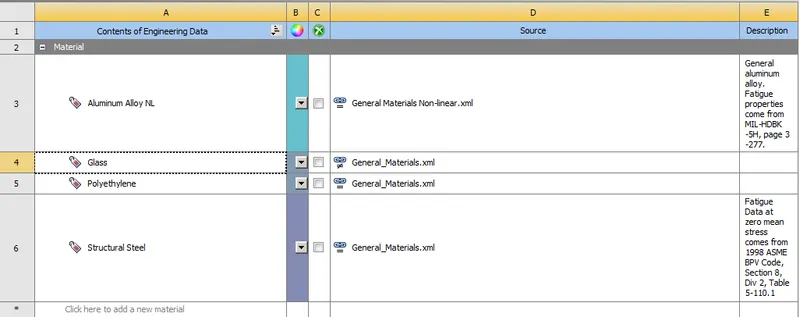
For Glass we duplicate polyethylene material and edit a few parameters as shown below for Young's Modulus, Poisson's Ratio, Tensile Yield Strength, Compressive Yield Strength, Tensile Ultimate Strength as shown below.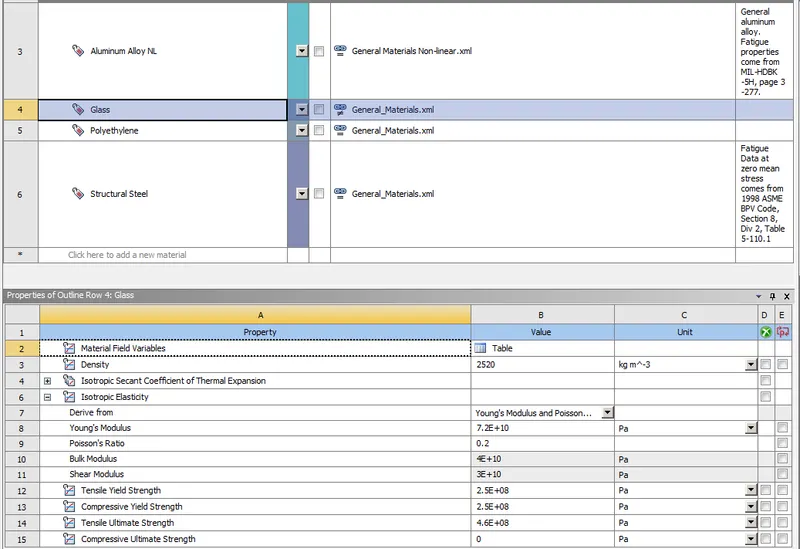
Importing geometry :
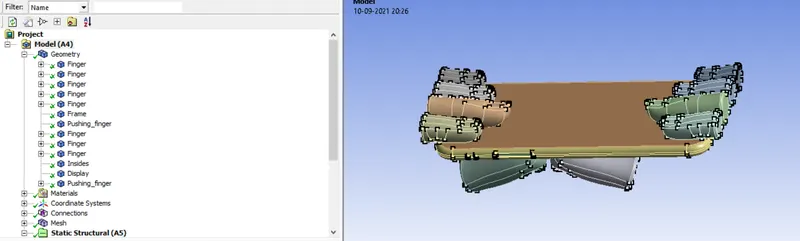
Next we import the geometry of the Iphone and Fingers and rename the components as shown below
Fingers on the Front side
Pushing Fingers on the back-side of the phone
Frame
Display
Insides
Material defintion :
Frame - Aluminium Alloy NL
Display - Glass
Insides - Polyethylene
Fingers - Structural Steel
The Fingers and 1 pushing finger is given the stiffness behaviour as rigid.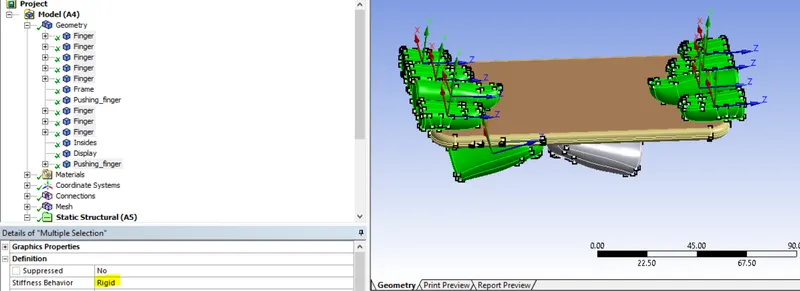
Then we will open Ansys mechanical to set up the rest of the simulation.
Contacts : To set up the contact we go to connections-->contacts and open the contact card.
We will create the following contacts of 6 types
1)Between Display and Fingers (Frictionless)
2)Between Frame and Fingers (Frictionless)
3)Between Frame and Pushing Fingers (Frictionless)
4)Between Display and Frame (Bonded)
5)Between Display to Insides (Frictionless)
6)Between Frame and Insides (Frictionless)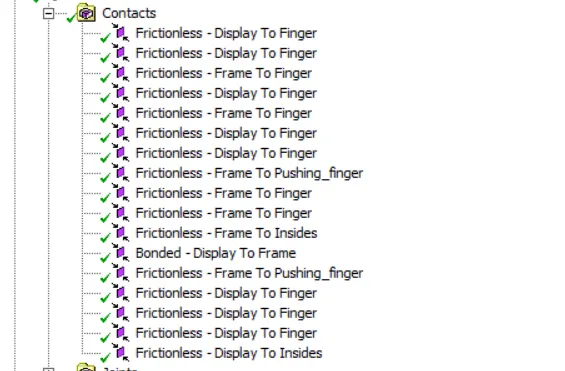
Joints : Next we create the joints to facilitate movement of the pushing finger and fixed position of the other fingers.
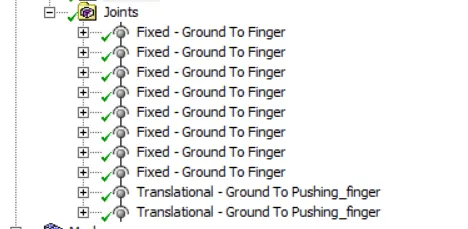
The fingers are made fixed joints of body-ground type
The pushing fingers are translational joints of body-ground type
Next we mesh the components.
A body sizing of 4mm is applied on the back face of the frame and the finger surface in contact with the frame.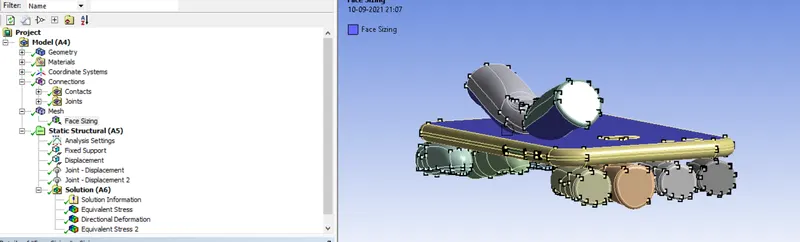
Analysis Settings :
Next we go to analysis settings to set up the kinematics of the simulation
The analysis is run for 8 steps using the following conditions. All the steps are chosen and the following criteria are entered as shown below.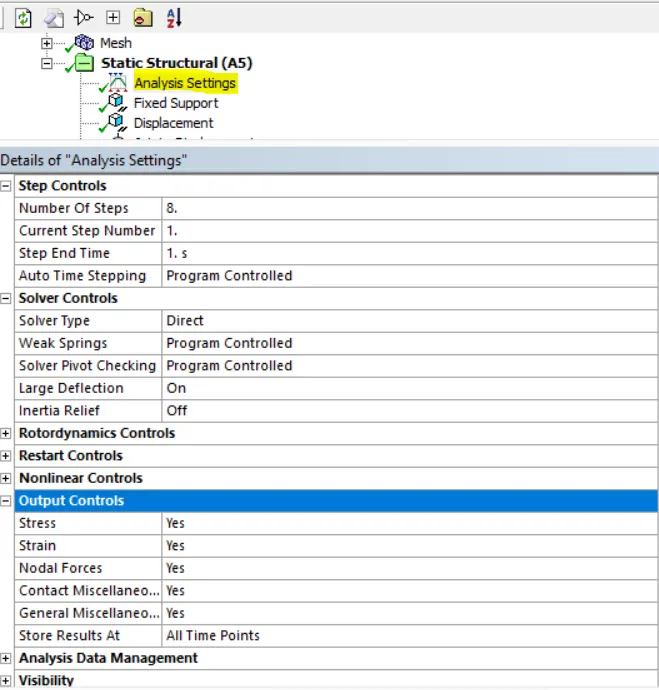
Supports : Fixed supports are applied to the edge faces of the insides of the iphone as shown below.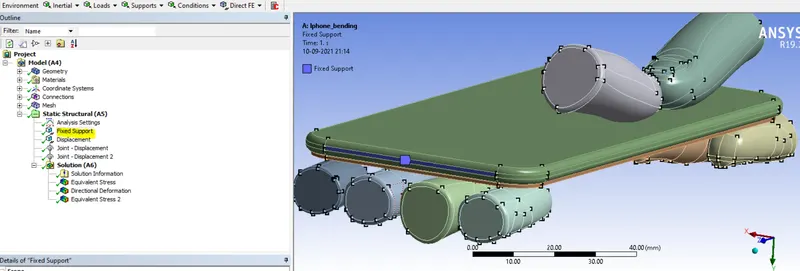
Displacement : Next a dsiplacement is applied on the edge surfaces of the frame of the iphone as shown. 0 mm displacement is applied in x & z axes and it is kept free in the y-axis. The displacement data is input in tabular format as shown below.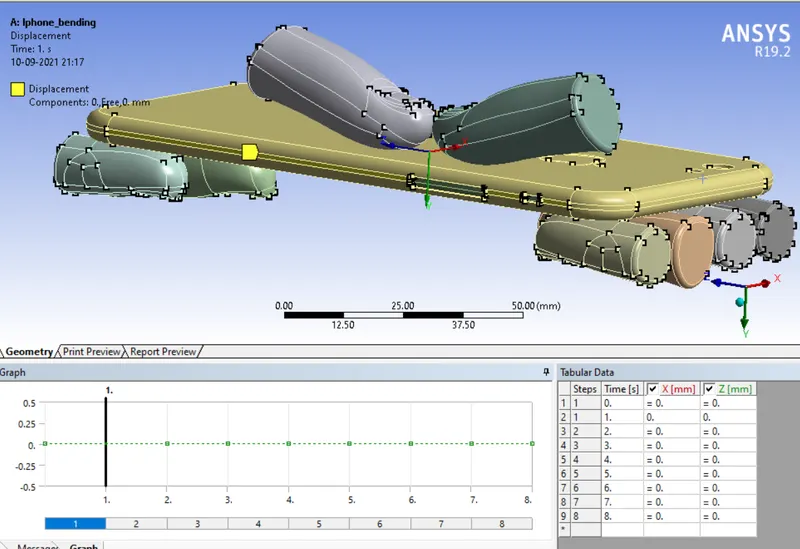
Joint Loads : The joint loads are applied on both the pushing fingers for displacement as shown below.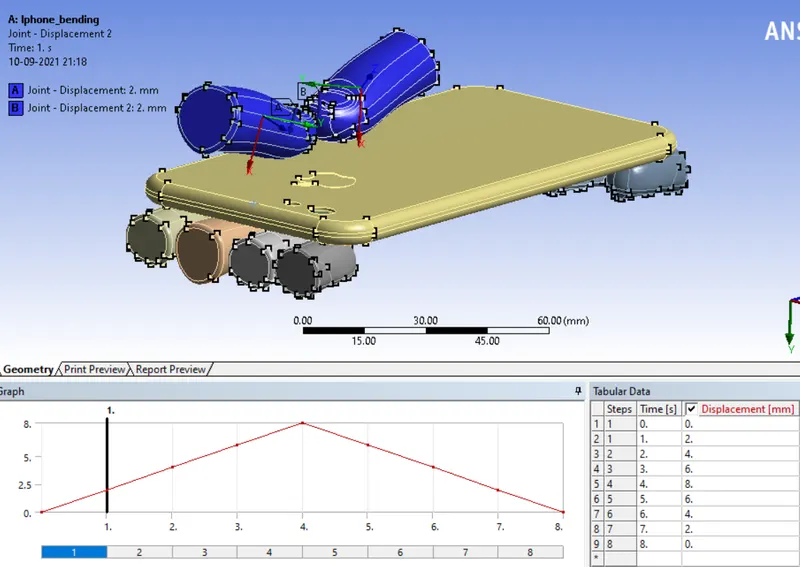
The displacement is provided from 0-8mm and 8-0mm as shown above to the pushing fingers.
Output Parameters : The following parameters are selected for output from the simulation.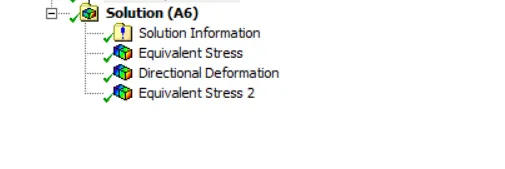
The equivalent stress (for case and all bodies separately) directional deformation are selected as output parameters.
2 case scenarios are analysed for this simulation, both have differeing positions of the pushing fingers as shown below :
Case 1:
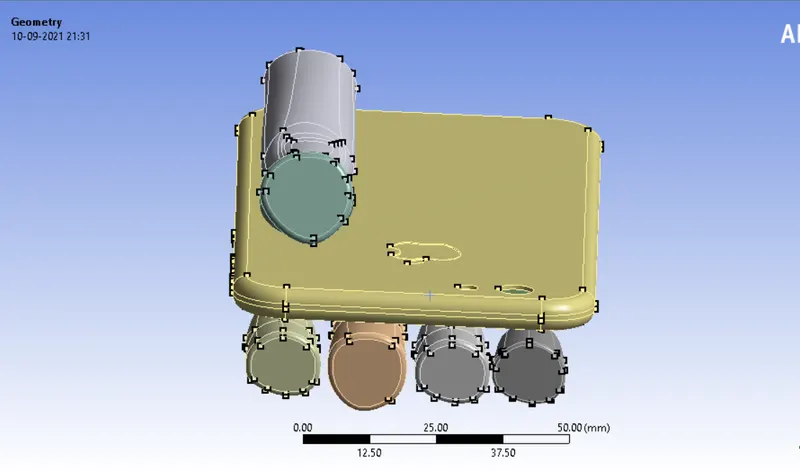
Case 2: 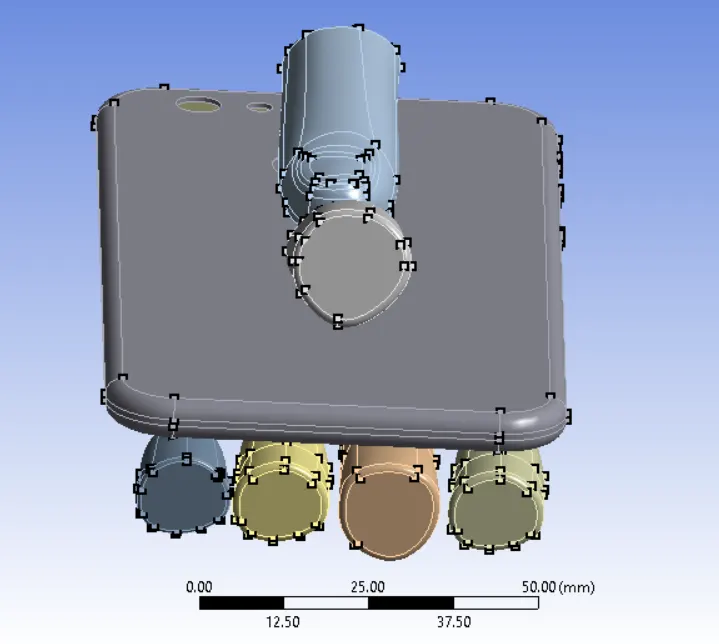
S-N curve is inputted for aluminium alloy NL as shown below for case 2.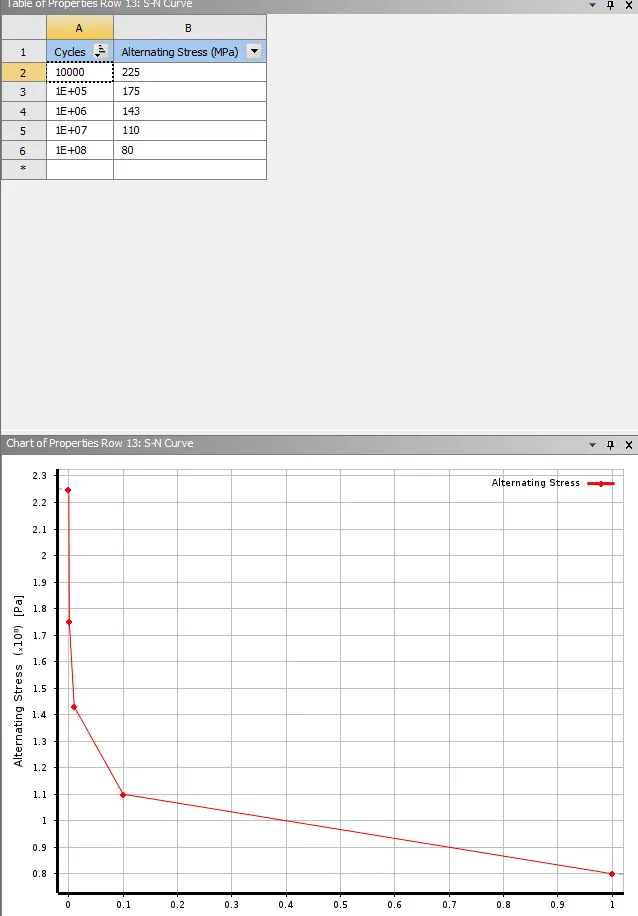
Running the simulation :
Next we run the simulation. The simulation takes about 15 minutes to run as we can see from the runtime below.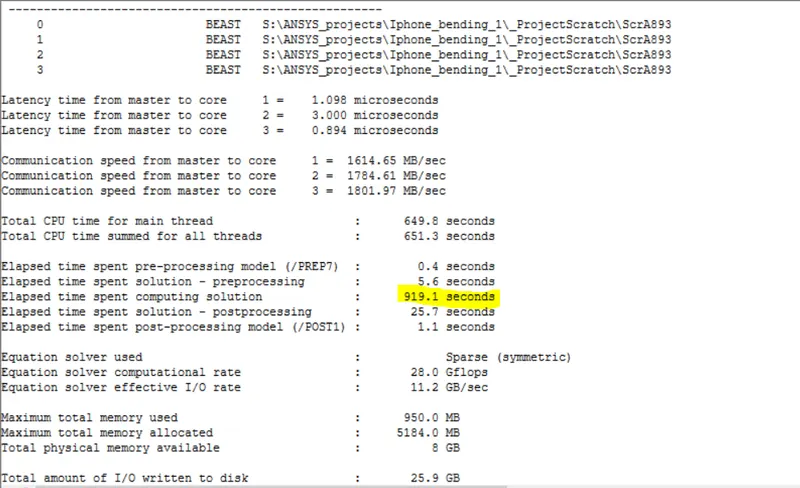
Post-processing :
Directional Deformation :
Case 1)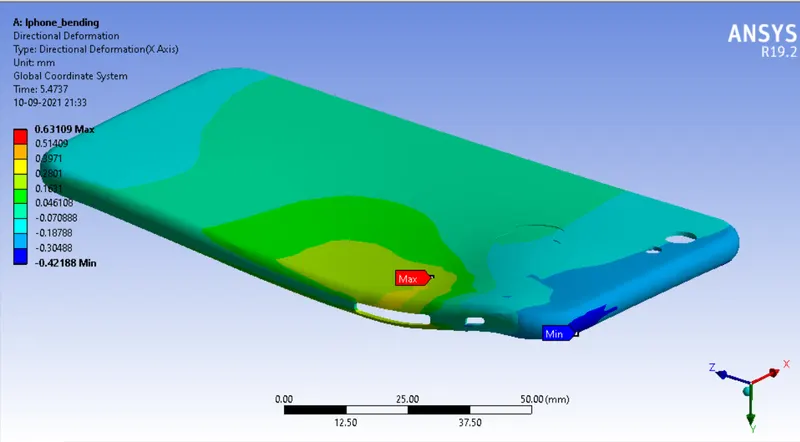
A maximum directional deformation in the y-axis is 0.631 mm.
Case 2: 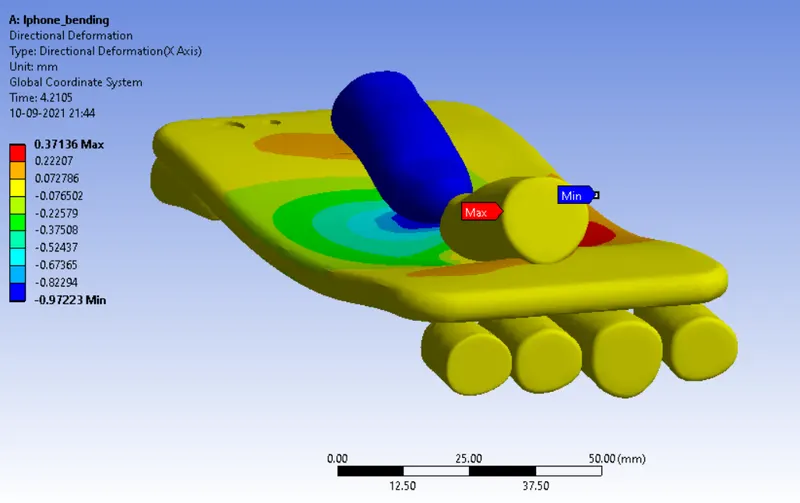
A maximum directional deformation in the y-axis is 0.371 mm on the frame of the phone.
Equivalent Stress :
Case 1: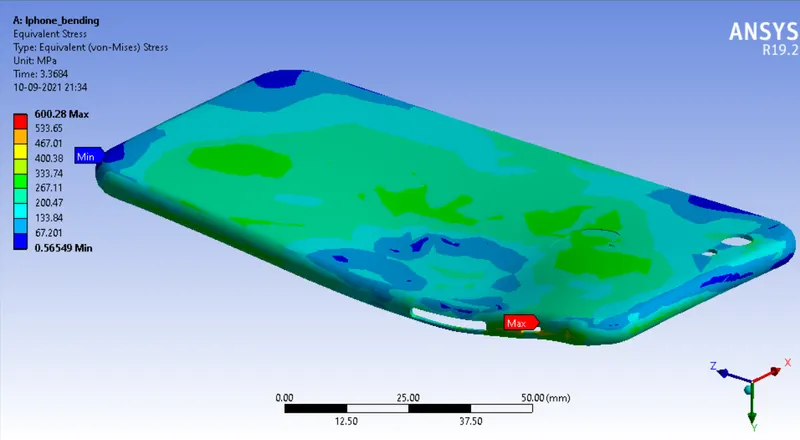
A peak stress of 600.28 Mpa is obtained on the aluminium frame as shown above.
Case 2: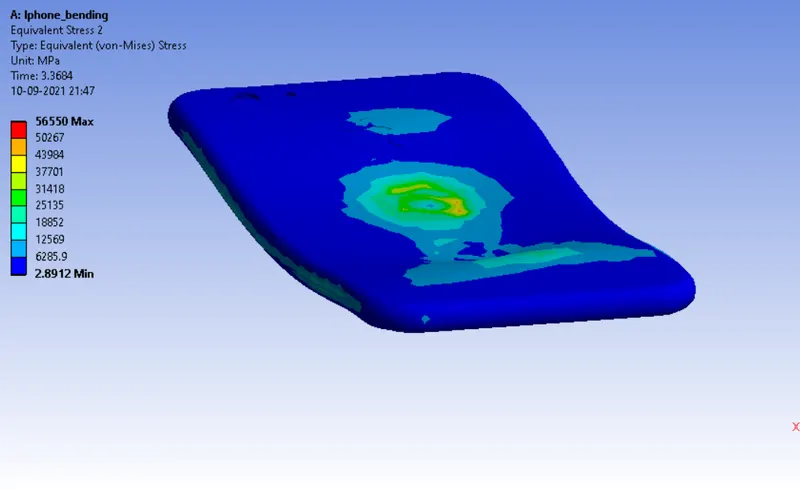
A peak stress of 56550 Mpa is obtained on the aluminium frame as shown above.
Life :
The peak number of cycles of 10e6 has been observed for majority portion of the top surface of the aluminium frame.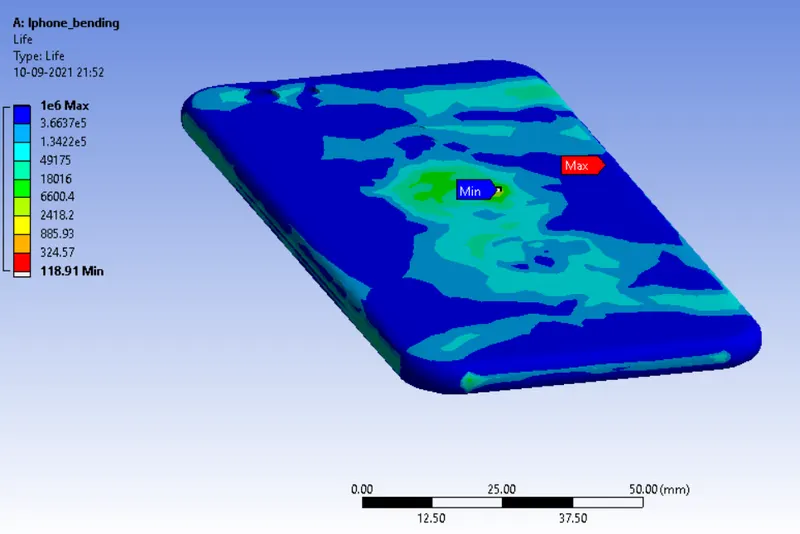
Minimum number of cycles of 118.91 occurs on some regions of the frame as shown above.
Factor of Safety :
A peak factor of safety of 15 occurs on the inner side of the frame.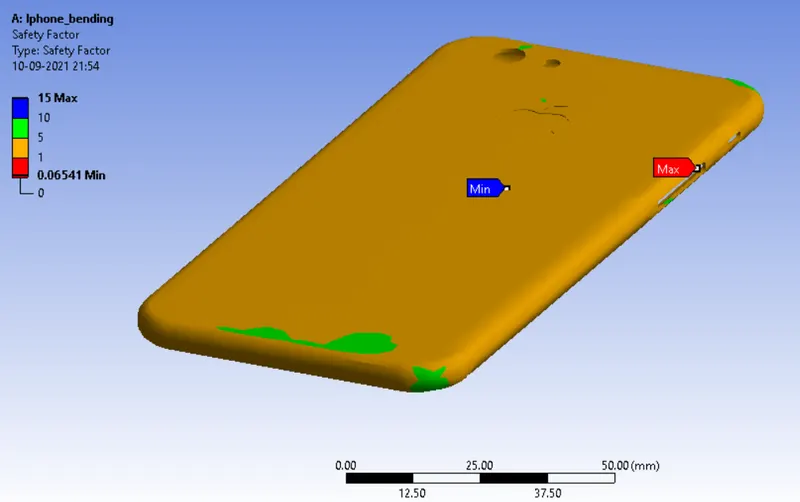
The lowest factor of safety of 1 occurs on the top surface of the aluminium frame.
Conclusion :
The stress experienced by the frame is more when the pushing fingers are in a central location as in case 2, whereas the strain is lesser in case 2 as the phone deflects lesser when pressure is applied on the centre of the iphone.
Hence the iphone bending simulation has been performed successfully and the desired output has been obtained.
Result : The files are attached in the given link below :
IphoneBending_SIM