3D Tetra Meshing of a Rearview Mirror
Objective: To check for the geometrical errors and mesh the ‘Rearview Mirror’ model with the given quality criteria, use tetra elements to model the component and there should not be kinks and dips on the surface of the component. The quality criteria are given below:
|
S.No |
Quality Criteria |
Value |
|
1 |
Target/Average length |
1 |
|
2 |
Minimum Length |
0.5 |
|
3 |
Maximum Length |
2 |
|
4 |
Tetcolapse |
0.2 |
Introduction:
- Volume meshing is used to mesh models which are having thicknesses greater than or equal to 5mm. And it is only used for closed volumes. There are two types of volume mesh: Structured and Unstructured mesh.
- Structured mesh follows a specific structure according to that of the surface shell mesh. The structured mesh consists of hexagonal (hexa) elements, Penta elements, and wedge elements. While the unstructured mesh does not follow a specific kind of structure and it depends on the growth rate of the elements. The unstructured mesh consists only of tetra elements.
- In order to do a 3D (volume) meshing, a shell mesh has to be created on the surface of the model which later has to be converted into the 3D mesh.
- For this model, tetra mesh has to be followed. Tetra mesh is one of the simplest meshes which is done for less complicated parts and requires less amount of time as compared to the other types of volume mesh.
- To generate a tetra mesh, only tria elements are created in the shell meshing. There are two main types of tetra meshes: Tetra Rapid and Tetra FEM.
- One of the most important aspects of the tetra meshing is the ‘tet collapse’. In the ‘tet collapse’ height of the tetra, the element is measured from all the 4 nodes to their opposite face and then each of them is divided by the square root of the opposite face’s area. The minimum of the resulting values is then normalized by dividing it by 1.24.
Procedure:
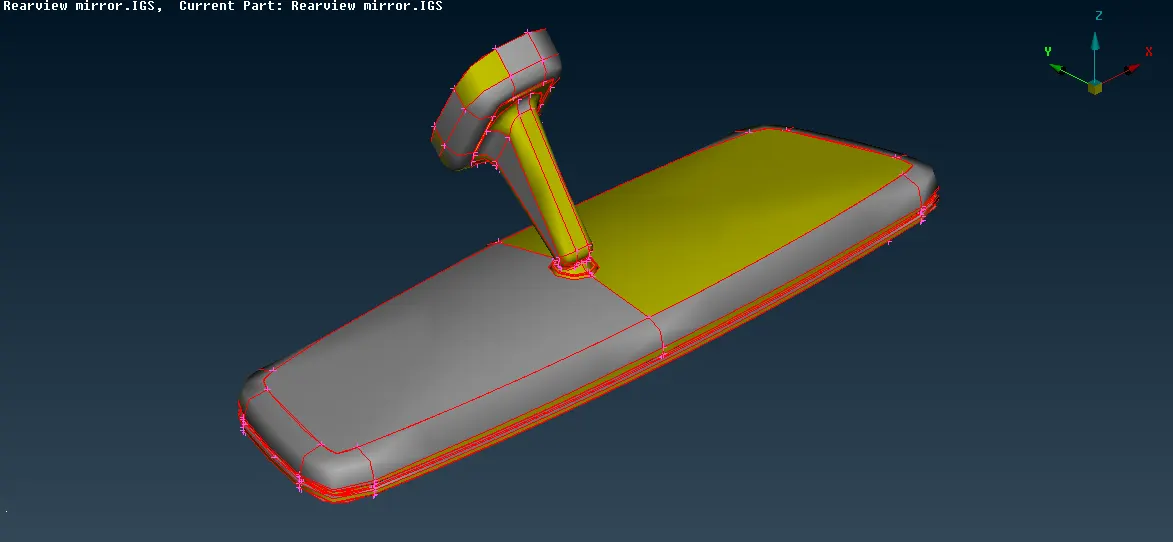
- The model was imported and was observed for any surface defects. Later, the ‘topo’ command was applied to the model to ensure the connectivity and to avoid single CONs. Along with this; the length of the perimeters was changed according to the mesh requirements. The image below shows the main part imported as it was.
- The model was then checked for any geometrical errors. All the errors like unnecessary triple CONs, needle faces, etc. were eliminated using the ‘auto fix’ option, which made it feasible to proceed further for meshing.
- To proceed with the meshing operation, the target length was set as 1mm and the element type was set as ‘ortho tria’ in the mesh parameters. Along with this, the quality criteria were also mentioned in the quality parameters.
- The model was meshed into two parts. The first part was the arm and the ball joint while the second part was the mirror. The ‘!NOT’ command was used to separate both parts.
- Using the ‘spot mesh’ option, curves surfaces and other critical areas were meshed with the mesh type set as ‘ortho tria’. The use of ‘ortho tria’ elements in curved and critical surfaces ensures better accuracy of the results. Also, the ortho tria elements follow a good pattern which results in a better mesh flow.
- Simultaneously, the mesh quality was also checked in the ‘hidden’ mode. All the failing elements were cleared either by using the ‘reconstruct’ option or the ‘fix quality’ option. After meshing all the critical areas, the flat surfaces were meshed by changing the element type from ‘ortho tria’ to normal ‘tria’.
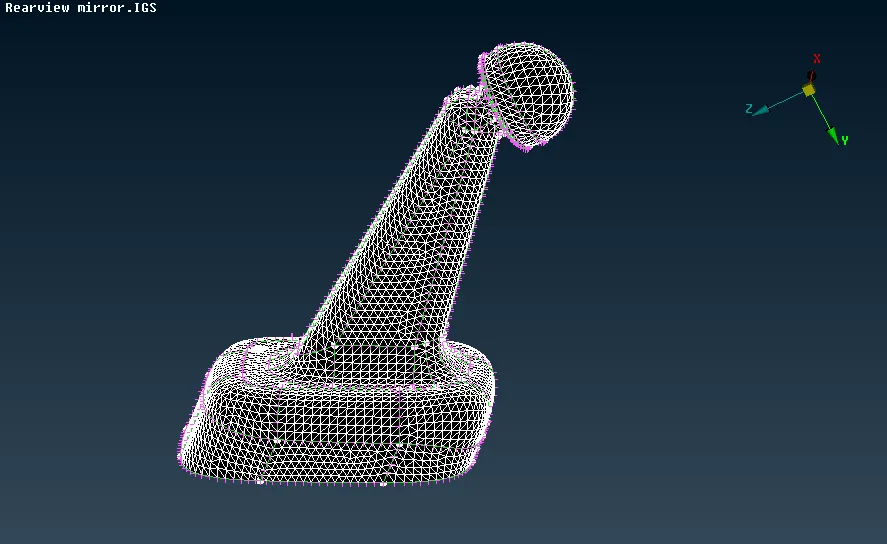
- The mesh was reconstructed to ensure a good mesh pattern and 0 failing elements. The image below shows the finalized mesh for the arm component.
- Later, the mirror component had to be meshed. Following the same procedure, all the critical areas were meshed using the ‘ortho tria’ elements.
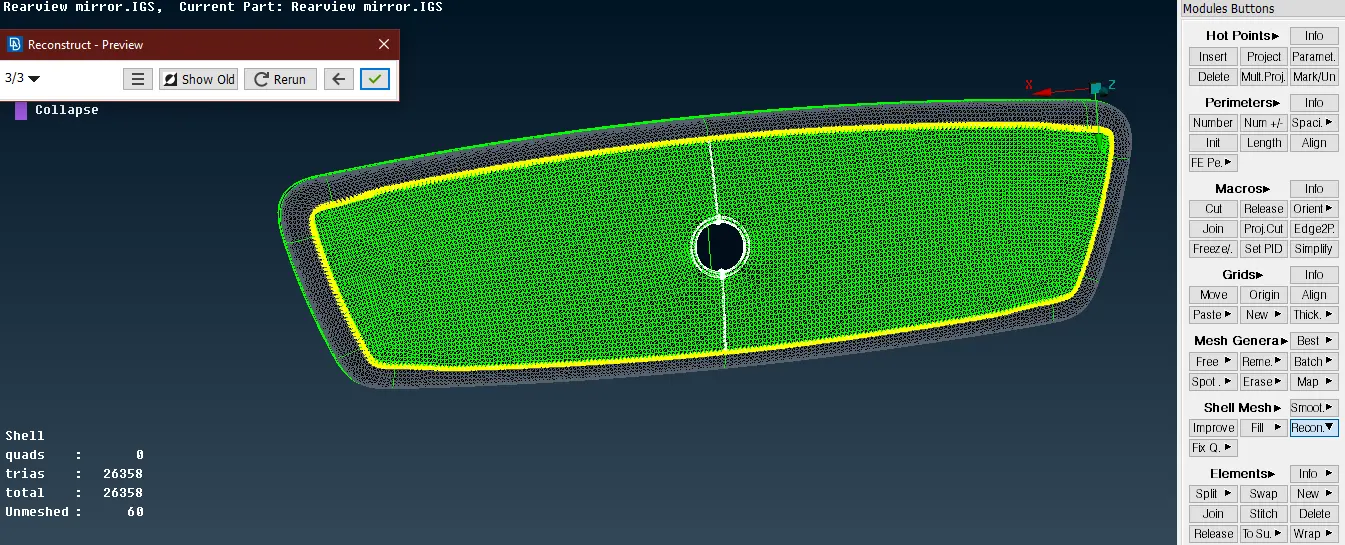
- After meshing all the critical areas, the unmeshed surfaces were shown, and those were meshed with the normal ‘tria’ elements. The quality was then checked in the ‘hidden’ mode and the mesh was reconstructed where the elements were failing. The image below shows the reconstruction of the mesh.
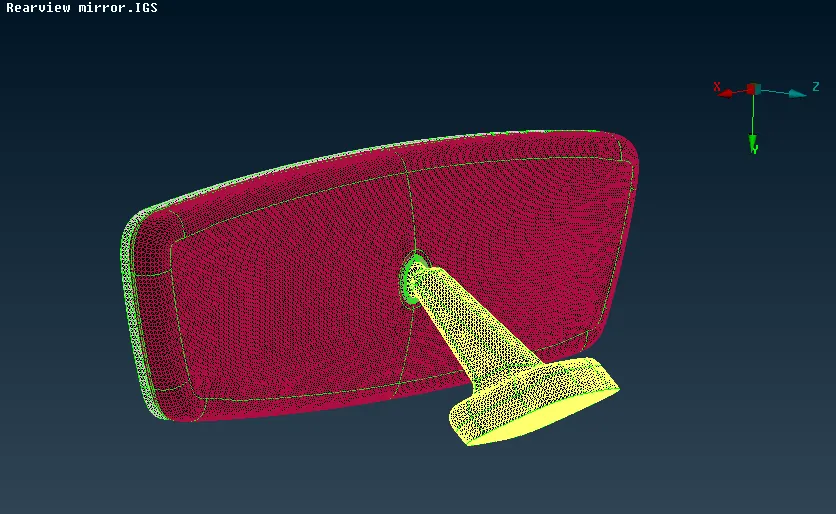
- Both the components were shown and after observing the mesh, it was finalized. The image below shows the final mesh of both the components.
- For volumetric meshing, the ‘volume mesh’ mode was used. But to convert the 2D shell mesh into a 3D volume mesh, the model had to be defined as a volume. This was done using the ‘define’ option. “ANSA” automatically identified 4 different volumes in the model, and 4 different PSOLID property cards were created for those volumes as shown below.
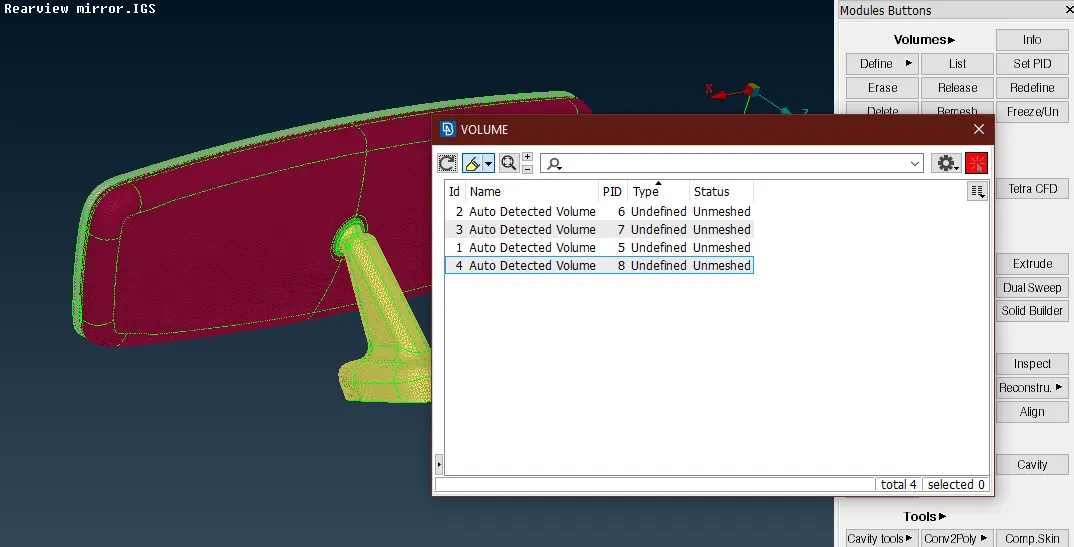
- The ‘type’ and the ‘status’ of the volumes were shown as ‘undefined’ and ‘unmeshed’ respectively. Before going for the 3D meshing, the geometry of the model was checked in the ‘checks manager’. There was an intersection error in the mirror component which was cleared using the ‘auto-fix’ command.
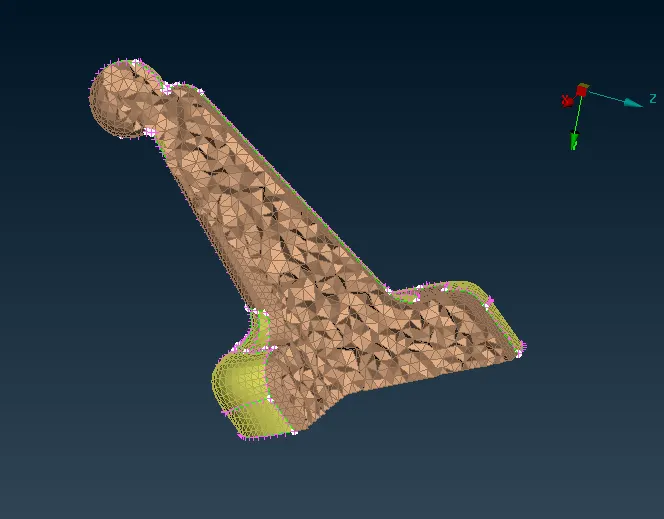
- The meshing was done for each volume separately. The 2D mesh was converted into 3D solids using the ‘tetra rapid’ option. The volume was selected and a volume mesh was generated in the component. The image below shows the 3Dmesh generated for the arm component.
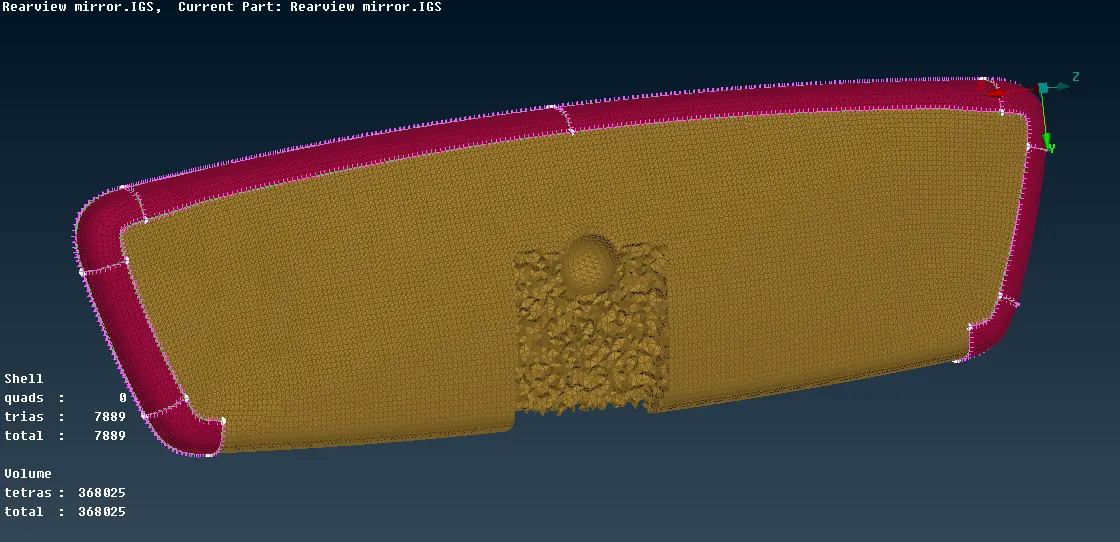
- Similarly, the solids were generated for the ball joint, and the mirror component. After generating the mesh, the model was checked for the ‘tet collapse’ of 0.2. None of the elements were found failing for the tet collapse. The image below shows the 3D mesh for the mirror component.
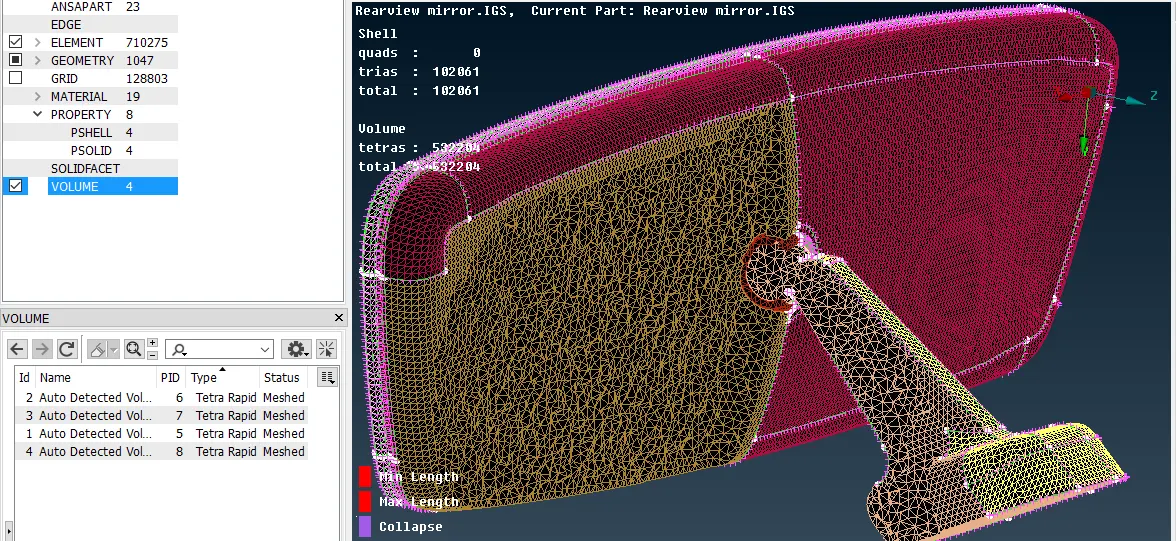
- After ensuring that all the elements were satisfying the quality criteria, the mesh was finalized for all the components. The image below shows the finalized mesh for the model.
Learning Outcomes and Conclusion:
- In this challenge, the ‘tetra’ meshing which is a very important method of solid or volume meshing any component was learned and practiced. Along with this, the ‘hexa’ meshing which is used for some critical components like door hinges, steering wheel, frame mounting bush mechanism, etc.
- Tetra meshing is also the simplest type of volume or 3D meshing which does not follow any specific structure, which is used for components having thicknesses greater than 5mm. The tetra mesh is generated by converting tria elements into tetra elements.
- There are two types of tria elements: Ortho tria and normal tria. The ‘ortho tria’ or orthogonal triangular elements are right-angled tria elements that follow a pattern overall. Whereas, the normal trias are abrupt and do not follow any pattern. The ortho tria elements require more processing time as compared to the normal tria elements and hence they are used only in the critical areas.
- Along with this, the ‘spot mesh’ option was also used to mesh the surfaces. Options like ‘batch meshing’ were also learned which can mesh the whole component in one go.
"FEA" "CAE"
GDrive link for model: Rearview Mirror model