Week 5
TETRAMESHING OF REARVIEW MIRROR
ANSA consists of two modes for generation of solid elements. The unstructured mesh creation algorithms like tetras and hexa interior mesh and the structured mesh algorithms like Map, Extrude, Layers, HexBlock etc.
AIM: -
1. Check for geometrical errors and mesh the model with shell elements.
2. Define the volume and convert the shell elements to solid elements.
3. The tetramesh should clear the mentioned tet collapse and the features in the model should be captured properly with good mesh flow.
PROCEDURE: -
- Open the Rearview_Mirror.IGS file by File>Open.
- Importing CAD geometry will arise problems when the automatic topology process fails to recognize the neighboring conditions, due to improper selection of tolerance values and inaccurate geometry. Select the Tools> Checks>Geometry function. Execute the geometry check on visible faces and ensure that the status is OK.
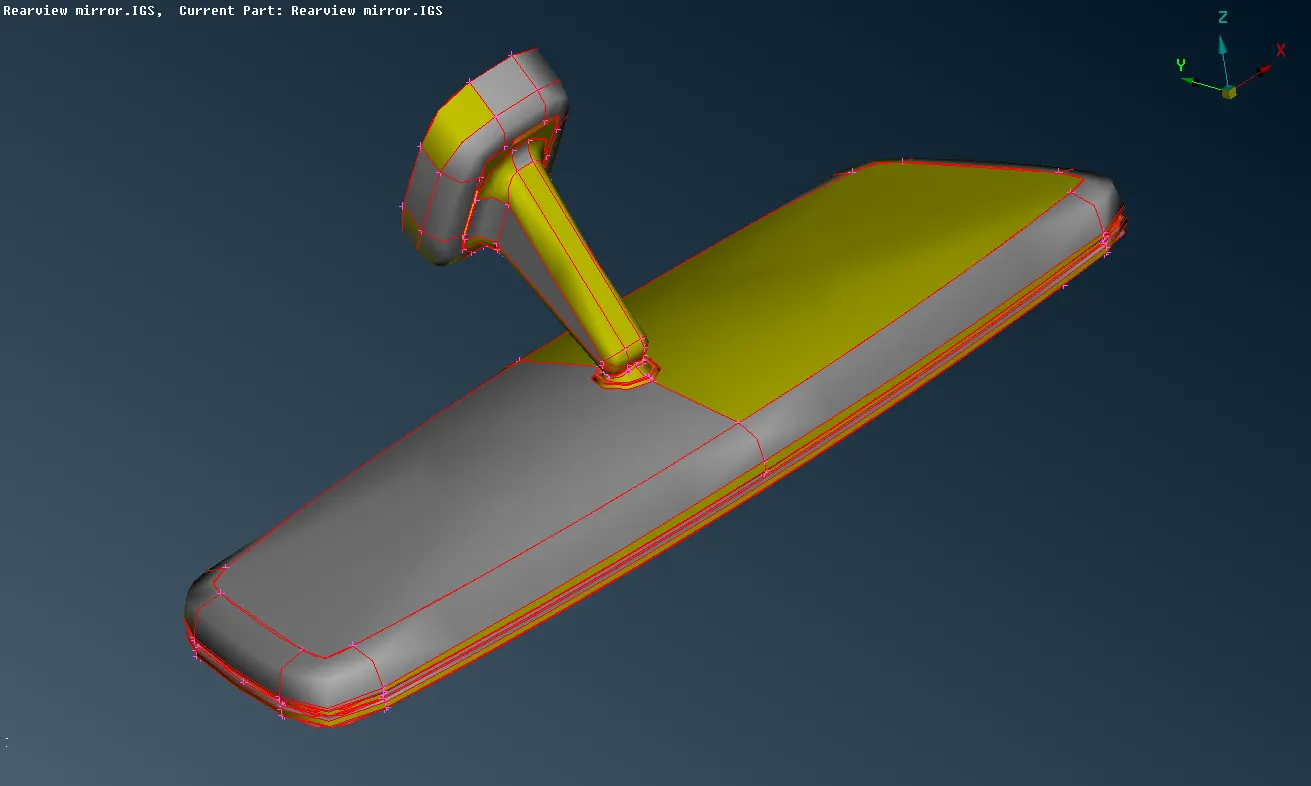
fig: Initial geometry of rearview mirror
- Topo>Faces>Topo option can be used to join the surfaces.
- Not-closed perimeters on the edge of a Face, or openings between two Faces, may be treated as boundary irregularities, and removed using the Faces>Cut function.
- The Hot Points>Release function releases all pasted hot points. All cons connected to the related hot points are released too. Select the unnecessary hot points and go to Hot Points>Delete function to delete the hot points.
- Activate the Faces>New function and select the COONS mode.Select the free red CONS that form the boundaries, and confirm with the middle mouse button.
- The Mesh>Perimeters>Length
function can be used to assign proper element length on Perimeters and macros.
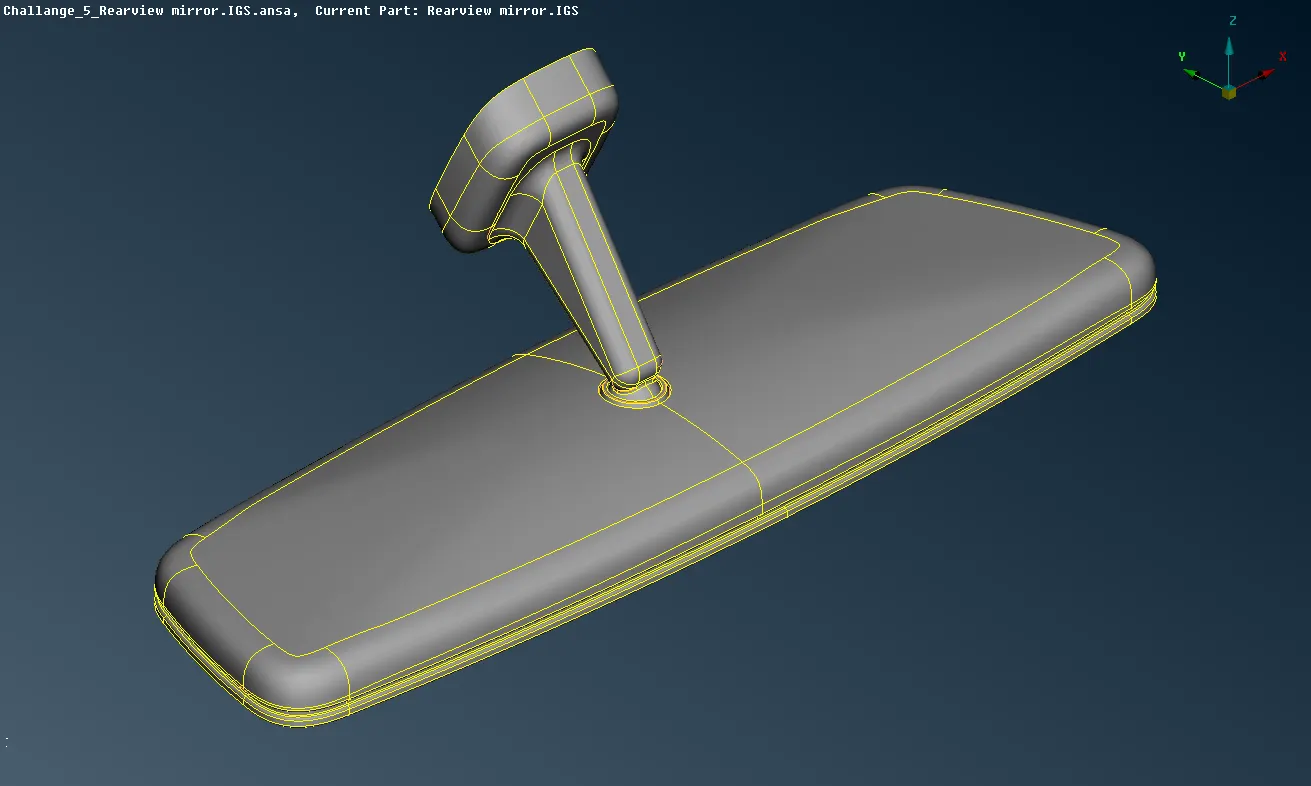
fig: model after geometry cleanup
- The generation and control of the shell mesh of the bounding macro areas of the volume prior to volume meshing is recommended as it ensures the generation of high quality solid elements.
- The Mesh>Mesh Generation>Spot Mesh algorithm generates more elements than the free algorithm and brings better results to macro areas that have weld or connecting spots on them. In the options list select element type as ortho tria for curved surfaces for better feature capturing and trias for flat surfaces.
- Reconstruct is a powerful algorithm for optimizing the overall quality and flow of the mesh.
- Activate the Shell Mesh>Smooth function. Smoothing can be performed on selected shell elements of macro areas. Smoothing also includes the Fix Quality functionality.
- For the definition of closed volumes, the Volumes>Define>Auto detect function of the V.MESH menu is used. ANSA calculates and then the Volumes List window opens with the detected volumes. The volumes are sorted in the list by size.
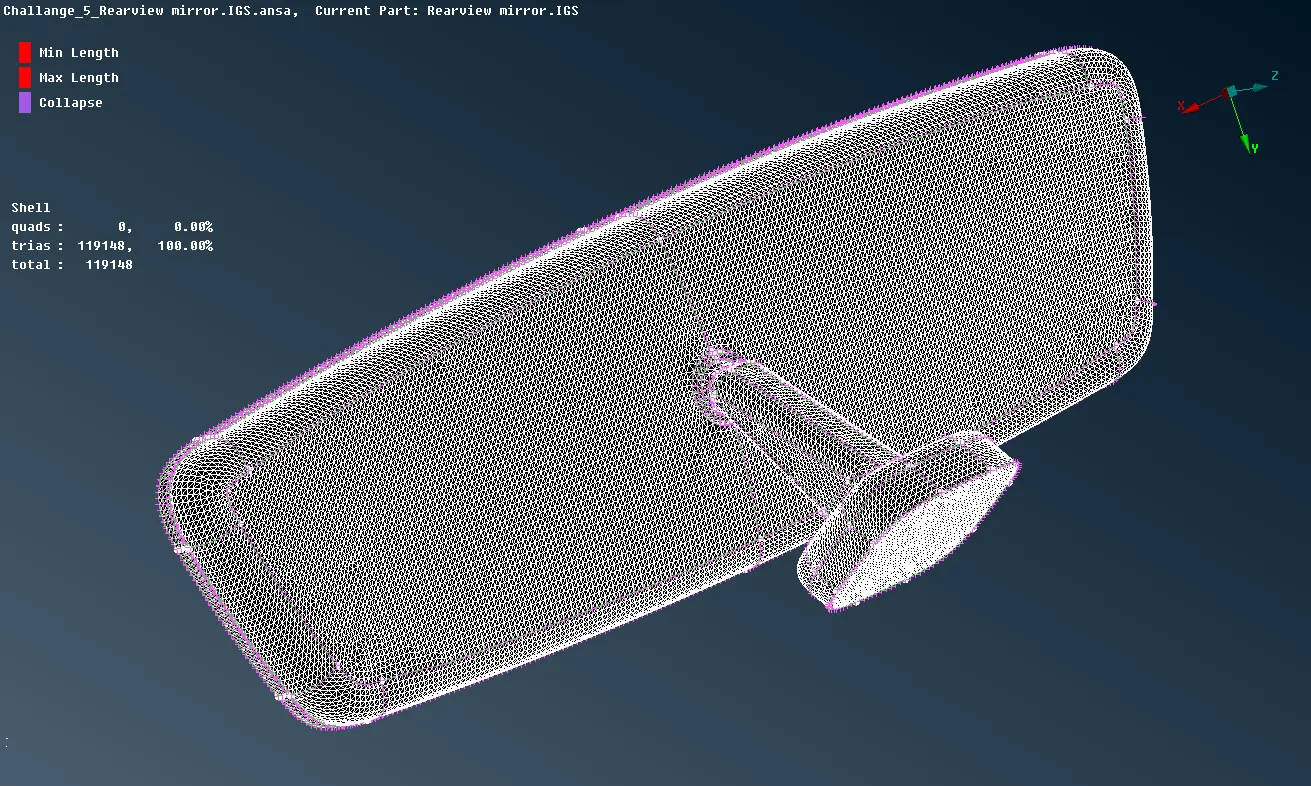
fig: macros are meshed with shell elements
- Depending on the way that solid mesh is created, the volume meshing algorithms can be divided to unstructured and structured mesh.The available mesh generation algorithms are found under V.Mesh> Unstructured Mesh/Structured Mesh.
- Tetra RAPID is most suited for geometries of thick volumes or large domains with significant variation in length of the surface mesh . Such geometries are mainly found in CFD applications.
- The Tetra FEM algorithm is most suited for geometries of thin to moderately thick volumes and nearly uniform surface element length. Such cases are most met in Structural Applications.
- We can also click right mouse button in the list menu and select Tetra FEM to mesh the detected volumes.
- Performing Quality checks for a tet colapse value of 0.2 and fix the failing elements by V.Mesh>Improve>Fix Quality.
- Save the file from File>Save.
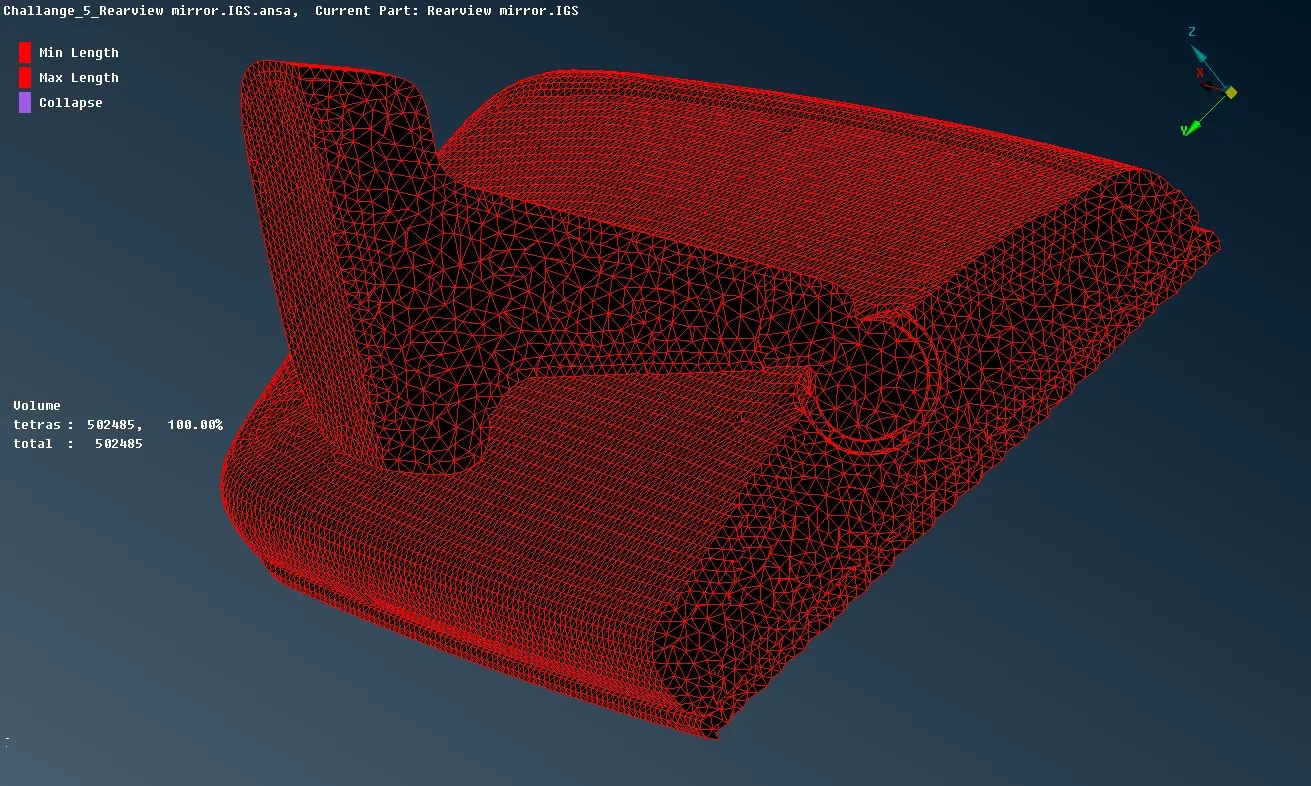
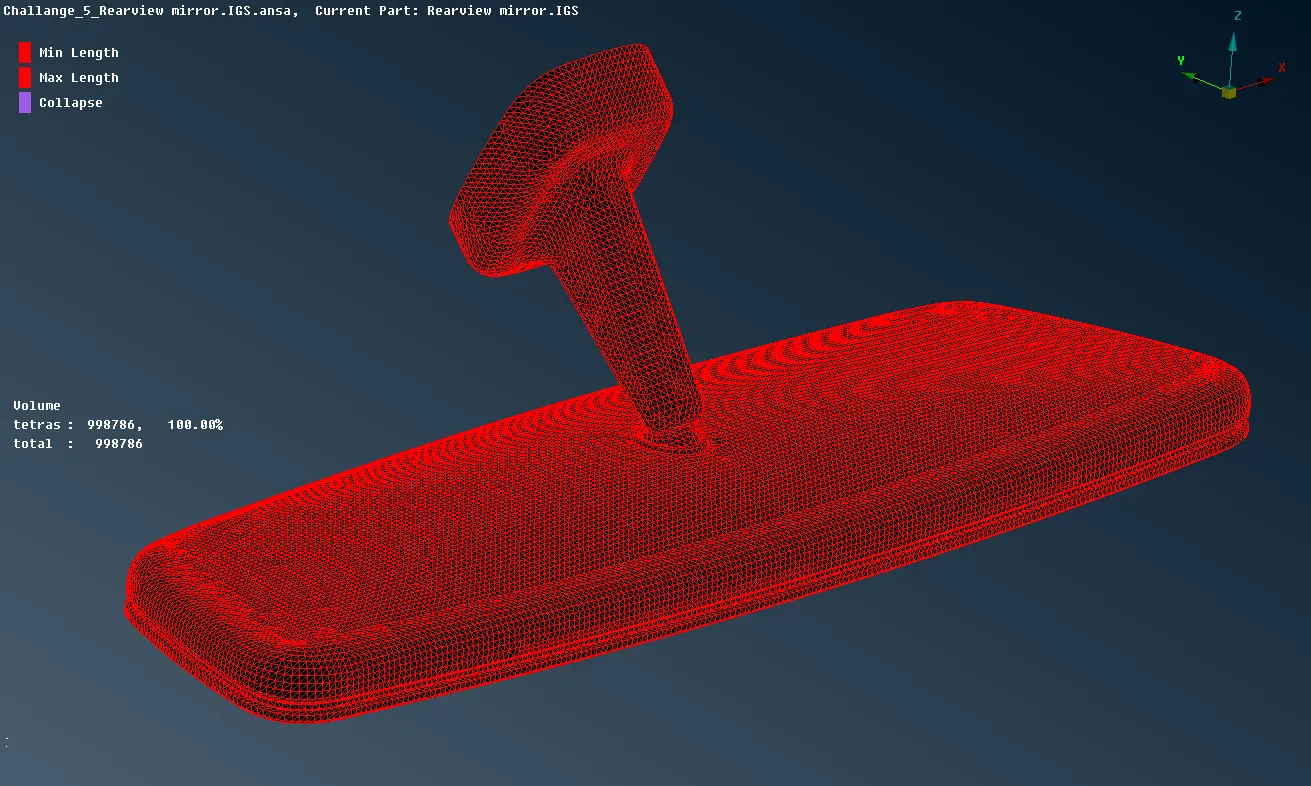
fig: meshed with Tetra FEM algorithm
CONCLUSION: -
- Topology cleanup is carried out on the model and macros are meshed with shell elments. The shell elements are coverted into solid(tetra) elements.
- The rearview mirror is meshed with Tetra FEM algorithm and all the elements are passing for the mentioned tet collapse value.
LEARNING OUTCOME: -
- Overview of VOLUME MESH deck.
- Understanding about how to do Tetra meshing and also how to solve for Tet Collapse.