REAR VIEW MIRROR
(1)AIM:To get a volume mesh from the given model also extract the FEA model from the CAD model.
(2)PROCEDURE:Now starts from the beginning firstly go to the mesh mode in peremeters option called length make a box change both MACROS as well PEREMETER from 20mm to 1mm to get the precise and accurate result.Then go to the topo and perform topo to whole model to get neighbouring cons stitched together.Finally go to the geometric checkup there we got some errors in the form stated below.
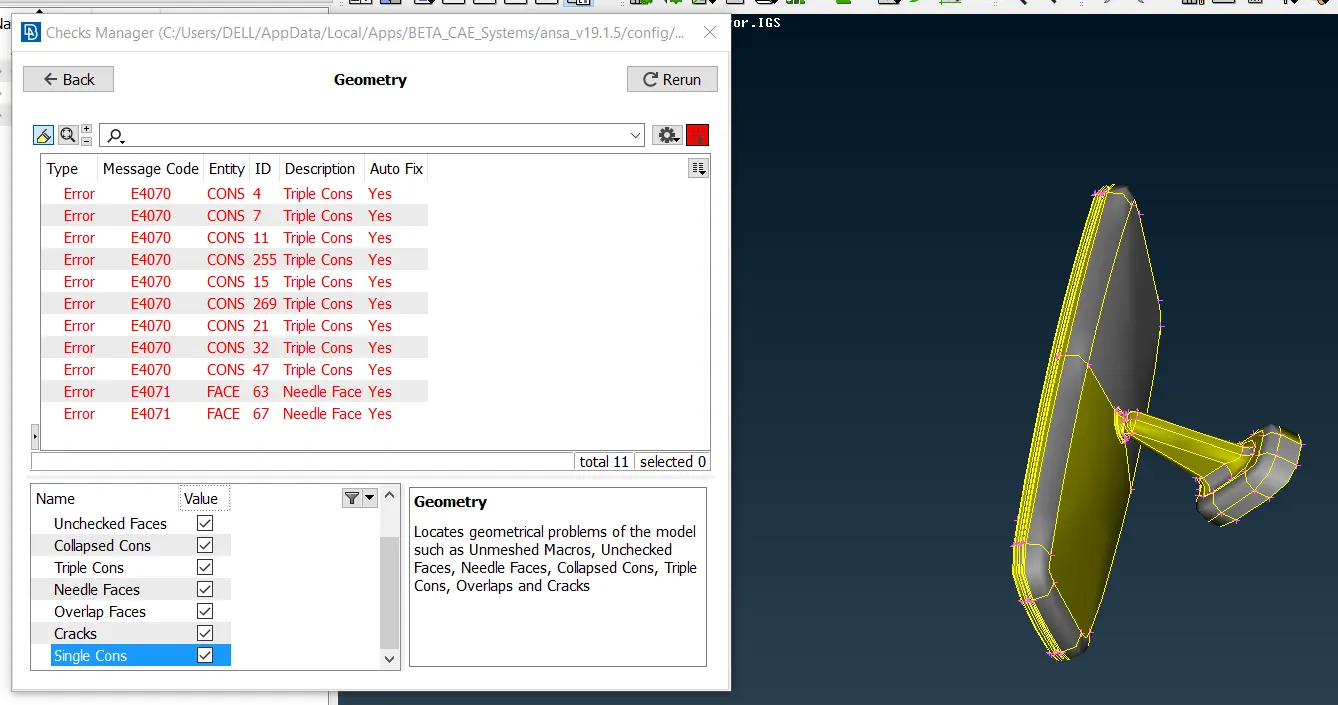
we have the image showing error and the model has been performed a topo in it.
To get rid off this error (i) In needle face we have to just go to face option (topo mode)and choose delete one by one the extra needle faces after doing such things we might have an another error called collapsed cons to get rid off that we have to go to it and show only try to perform topo in it or else if its not working then we should go for a manual paste option.
(ii)Now to remove a triple cons from the model we have to release the cons showing triple cons and in hot points we have to choose delete and make a box and deleting it unnecessary hot points and again try to do a topo in it we will have a double cons and our geometry gets cleaned.
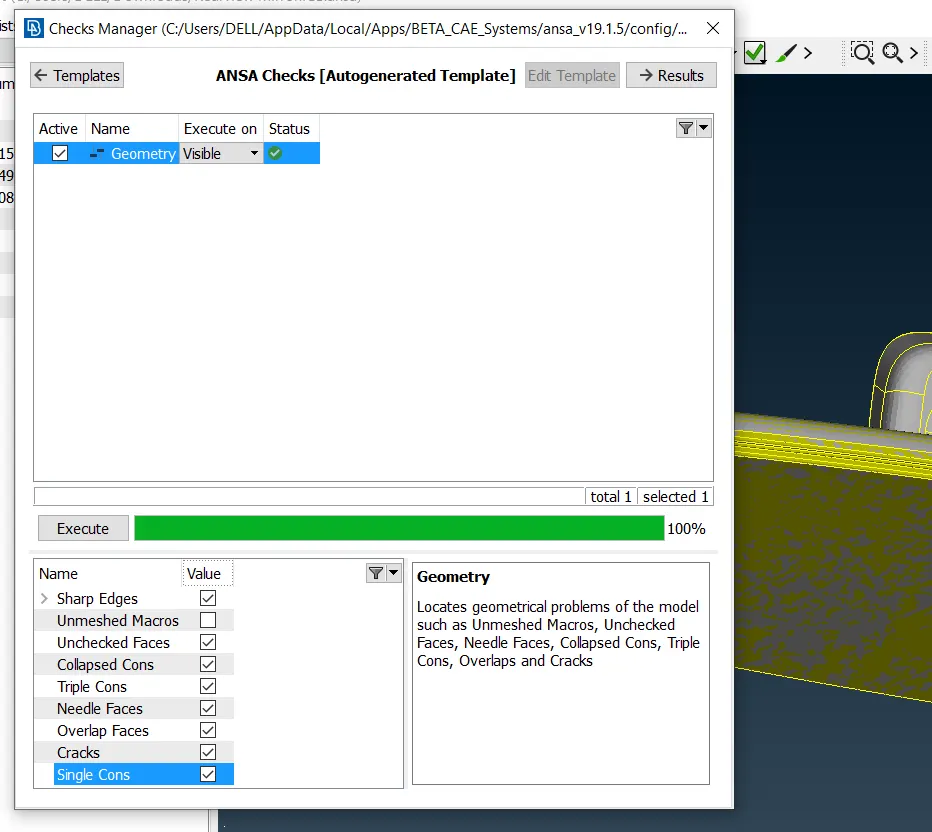
Now in order to get the volume mesh in the given component we actually don't required to take a mid surfacing rather then we just move to the shell mesh and choose trias for the flat surfaces and ortho trias for the curve region.
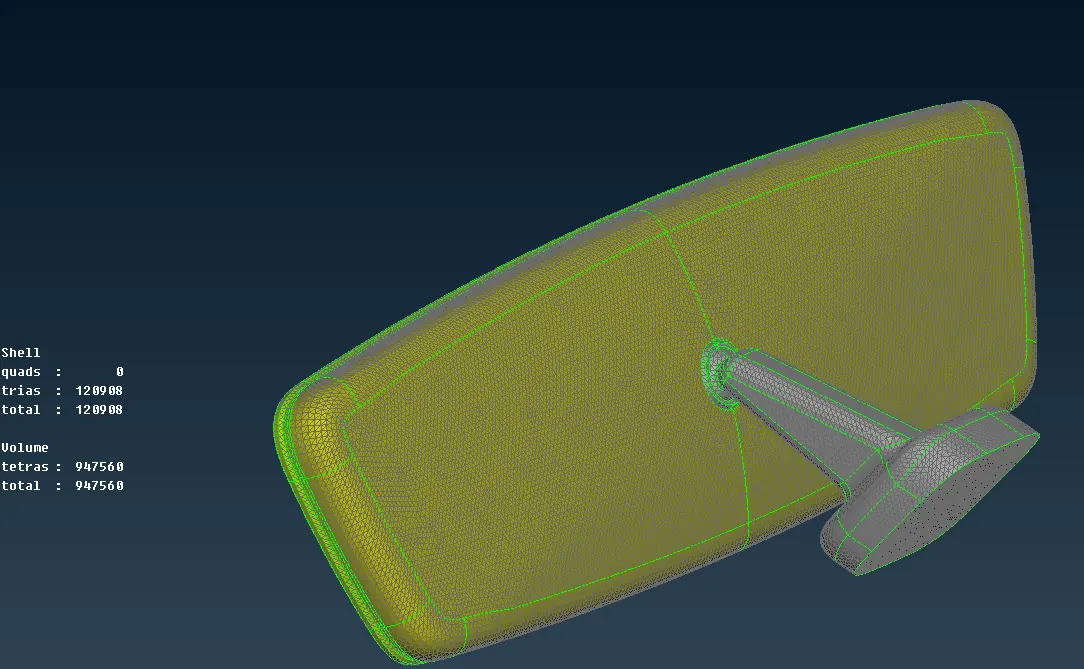
It seems to have a around 120908 tiras are present in it before shell meshing we have to assign a quality parameter and meshing parameter which is given to us:
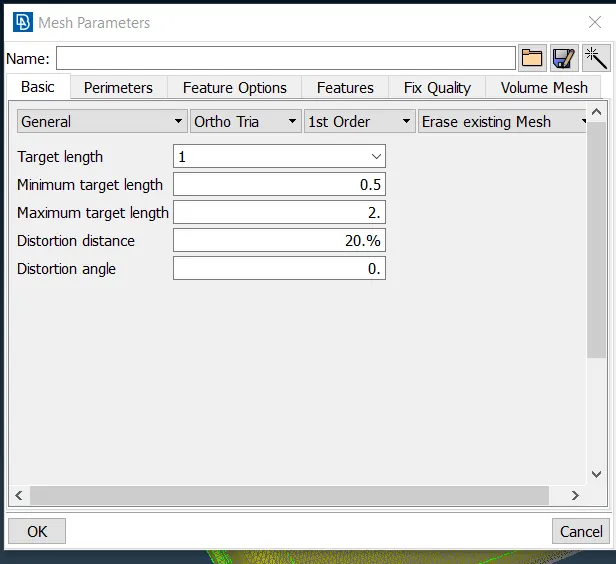
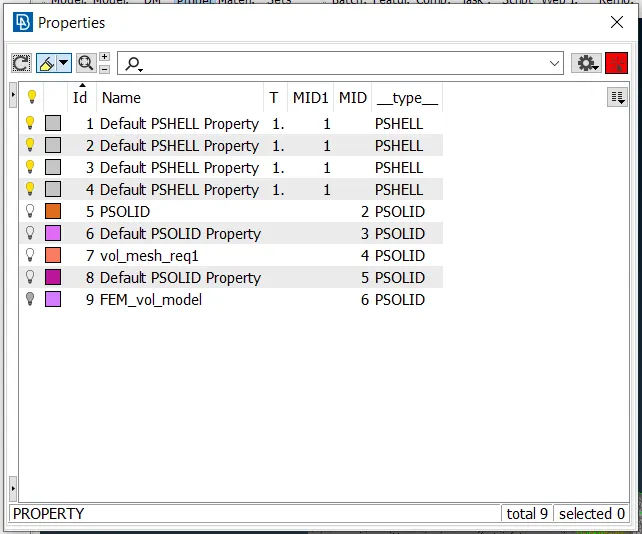
Now completion of shell mesh leads to move ahead for volume unstructured mesh.For that firstly we have to assign/define manually a different volumes in volume mesh mode, in this model we have 4 volume which has been defined separately because in this case we have 4 different PIDS by default to which we have to define volumes of it.In volume(volume mesh mode) called LIST we can see all the defined volumes.
(a)PIDs image:
(b) Volume_list:
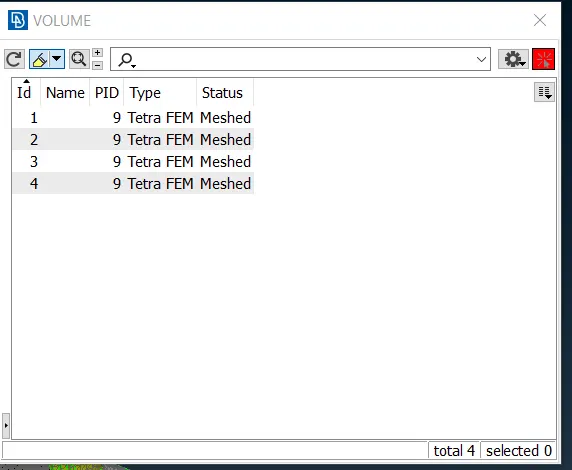
Since it is showing tetra FEM meshed because it has got meshed ,if someone would have noticed it before meshing it would have shown Tetra unmeshed.Before that after assigning the list we have to perform unstructured meshing in this 4 volume separately we have 2 options which could be used TETRA FEM AND TETRA FEM,here it has been used TETRA FEM .Now lets understand via images what makes a difference in the model with or without volume mesh.
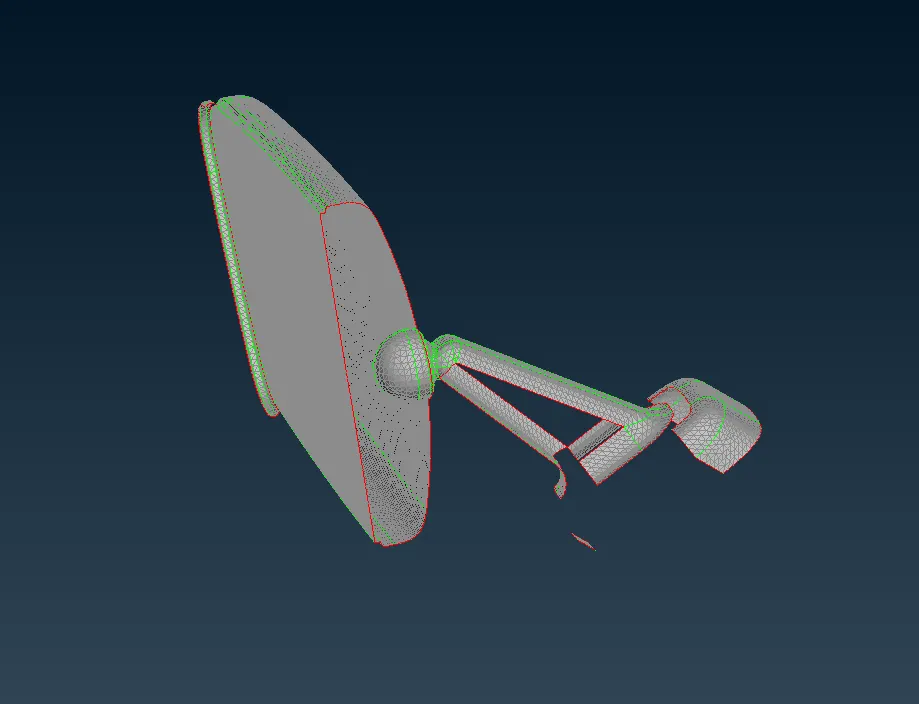
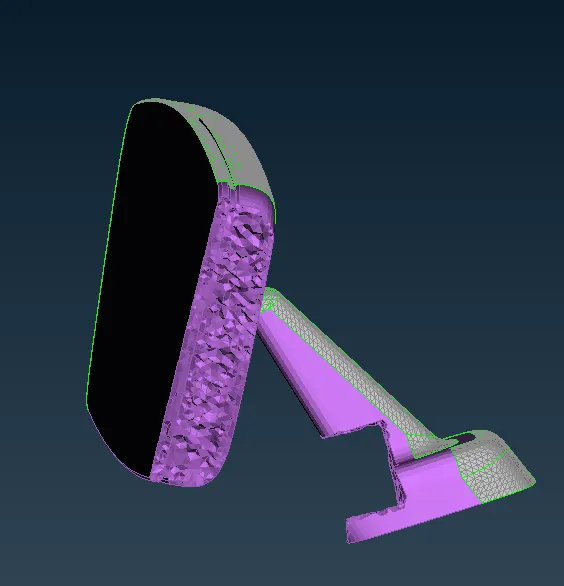
Its cleared us many things like without volume mesh model is completely having a voids from inside and with volume mesh it is showing uneveness from inside and voidless too.
Now we have to remove the FE model from the volume model we just do a release option in volume mesh volume part will totally gets diminished and FEM is formed now we just go to the NASTRAN option in order to release the grids in the FE model,this leads to release the elements which is being pasted through a single nodes but it doesn't mean that nodes get released only pasted elements get released ,now to regain the volume we have to remesh the all 4 volume once again with a quality given above ,tet collapse can easily being removed from move freee option in GRIDS in mesh mode .Finally the complete view of volume and FE model together.Collapse is taken to be a .2
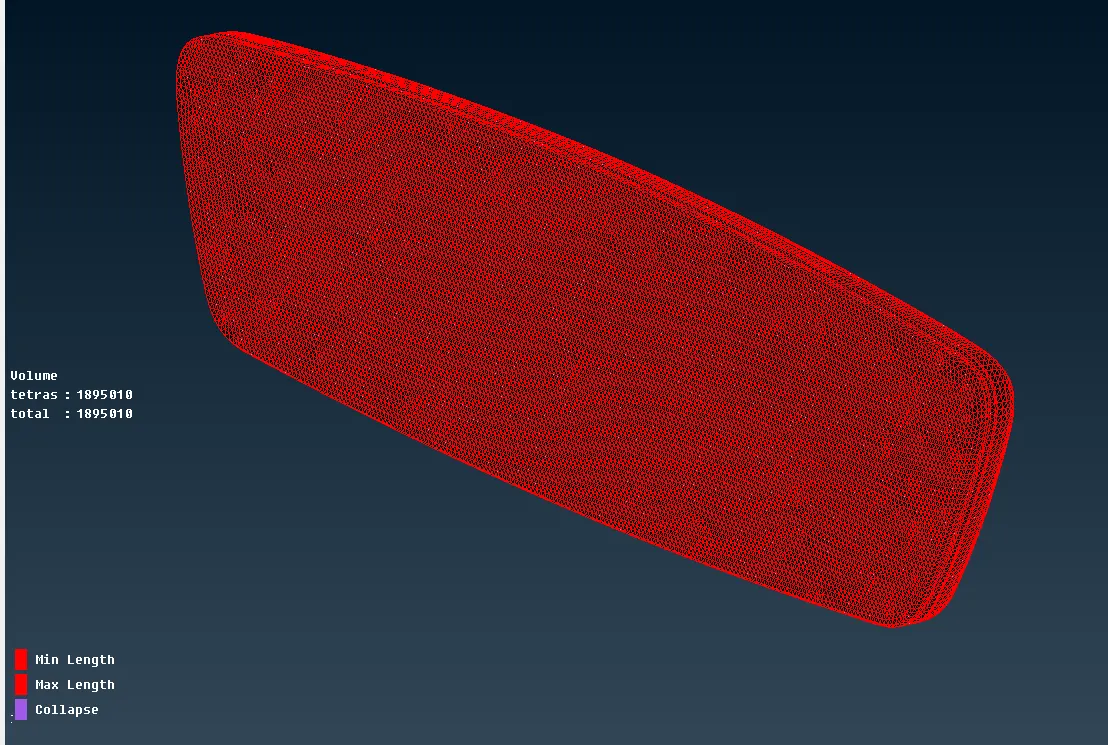
Now the FE model seggregates from the volume model is :
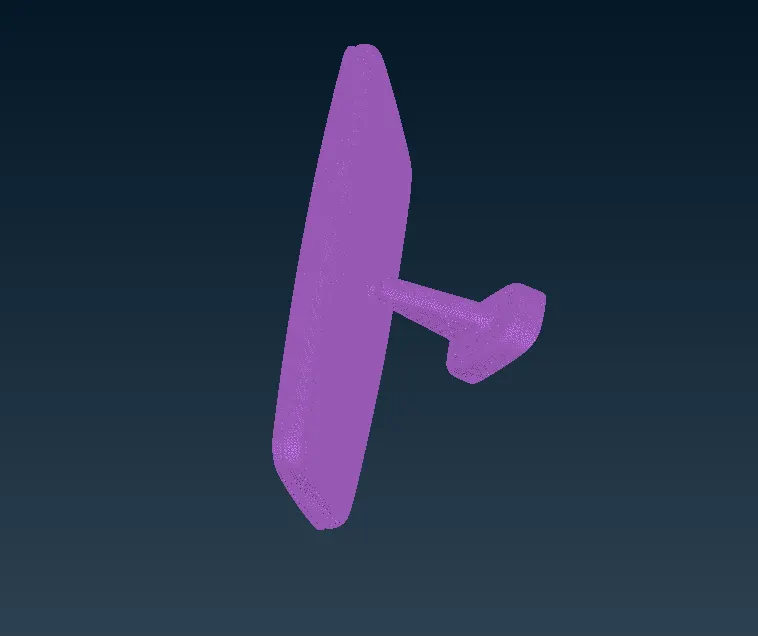
CONCLUSION:(1) From this its being cleared to mesh a shell to 3D volume mesh of unstructured along with how to clear tat collapse.
(2)Also gain the knowledge about TETRA RAPID and TETRA FEM which can be,tetra rapid has maximum growth rate the generation moves towards the interior of the volume while in tetra fem creates a tetrahedral mesh inside initially having a pyramids element.
https://drive.google.com/file/d/1QQdNAy8y6M-UgvubDP-j_1VeqcsDvlWy/view?usp=sharing