Week - 4 - Crash Box Simulation
To perform a crash test for a crash box.
Objective: 1. To create a rigid wall with *Rigidwall
2. Crash box material: Steel- 1.2mm
3.Initial velocity: 50kmph
4. unit system: gm-mm-ms
5. To run another simulation with a new thickness of 1.5mm
Output requirements:
1.Output( d3plot, glstat, sleout, rcforc)
2. Cross sectional force generated in the middle of the crash box
3. Xstrain ad Y strain
4. plot of energies
Procedure
1. Import the crash box key file. Create entity>> create node and Segment.
2. Create entity>> rigidwall>> select the edge node and create a wall at a distance of 260.
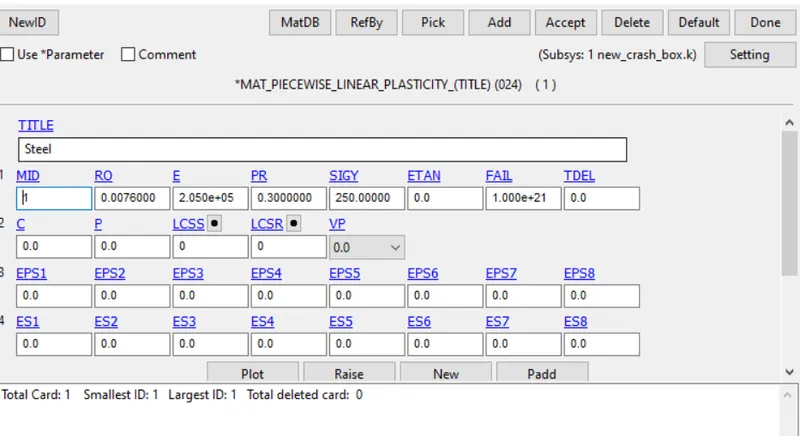
3. Create material >> add>> MAT 24
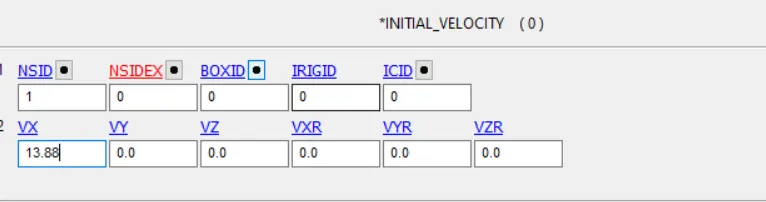
4. Go to Initial Velocity >> convert 50kmph to mm/ms >> define vs =13.88mm/ms>> accept >> done
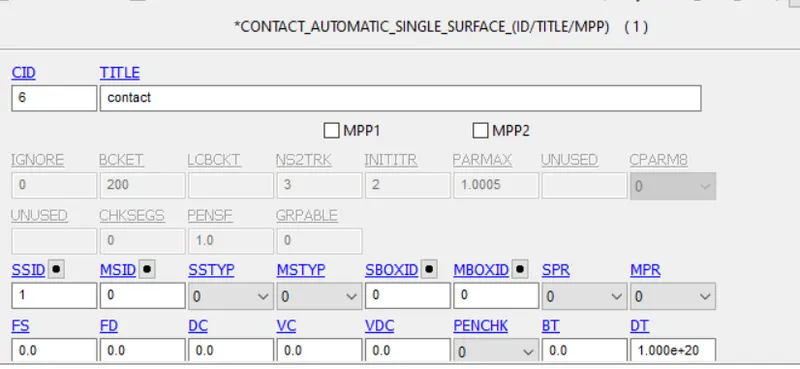
5. defining contact
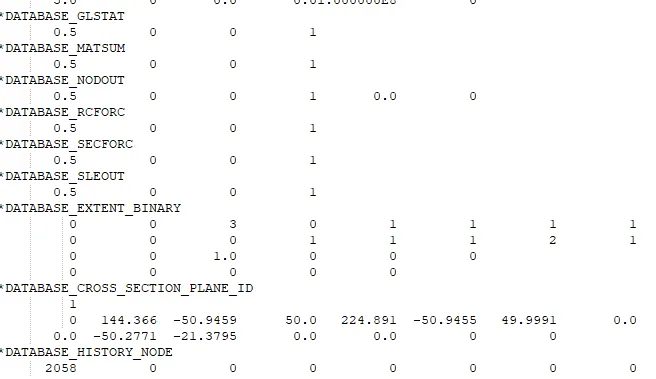
7. Defining database. select all the outputs which all are required
8. Outputs
Energy plots
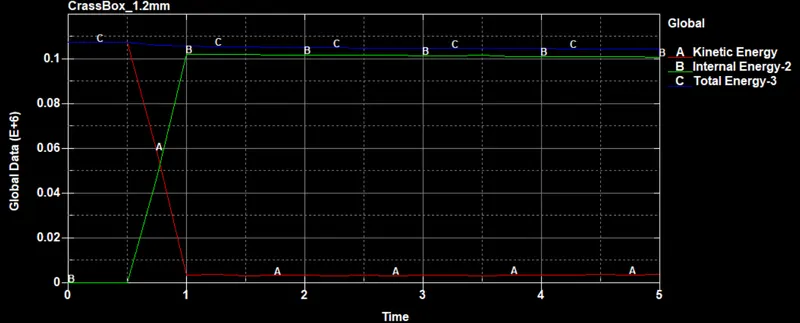
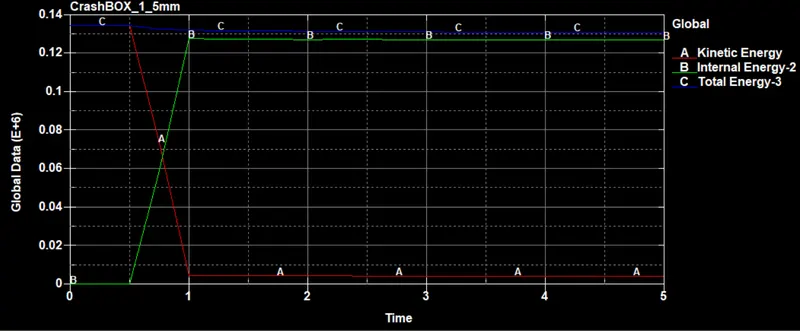
From the energy plots, we can see that internal energy in both cases increases at 0.5ms sec, the box when hits the rigid wall and kinetic energy decreases. The values of the energy is slightly high in case2 that is box with 1.5 mm.
Velocity plot
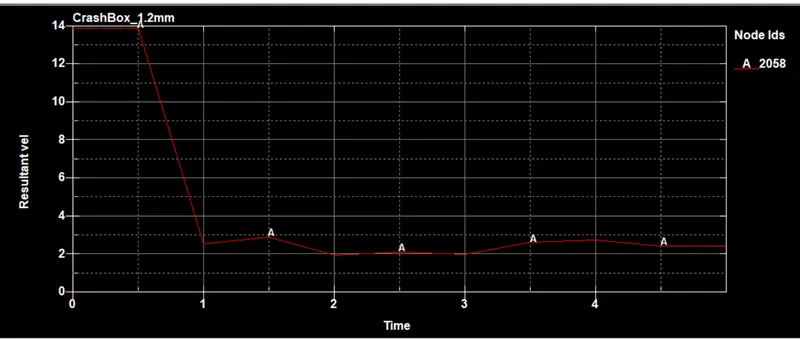
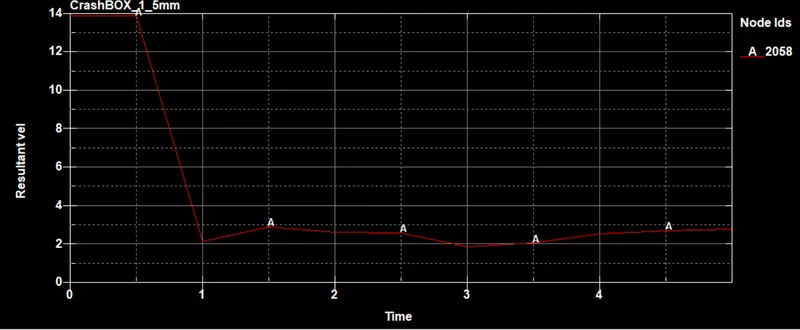
The velocity plot for both cases is the same before the impact and after the impact. The velocity gradients in both cases changes after the impact.
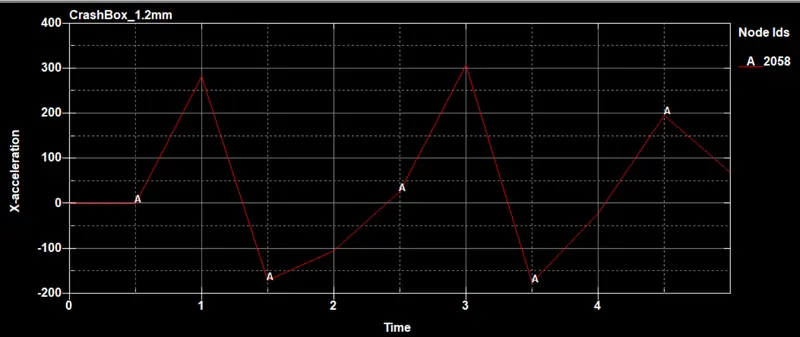
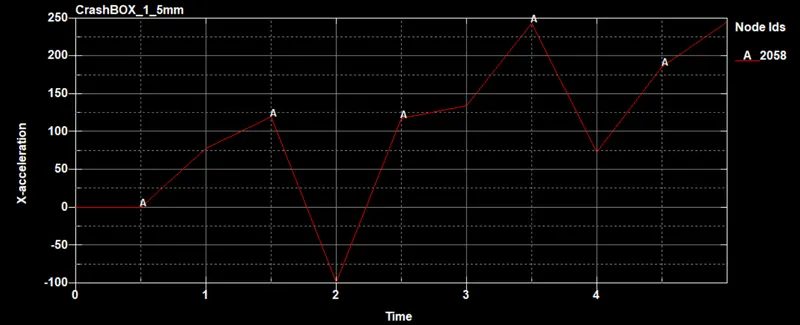
Acceleration plot
There is no change in acceleration till 0.5ms and then its increases due to the impact with rigid wall. we see there is some variation between both cases.
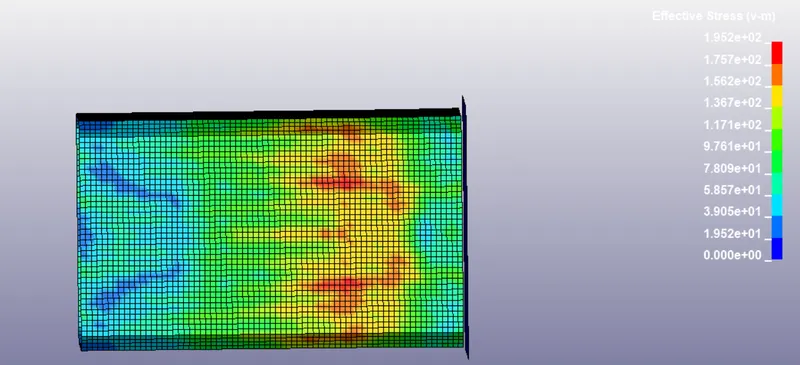
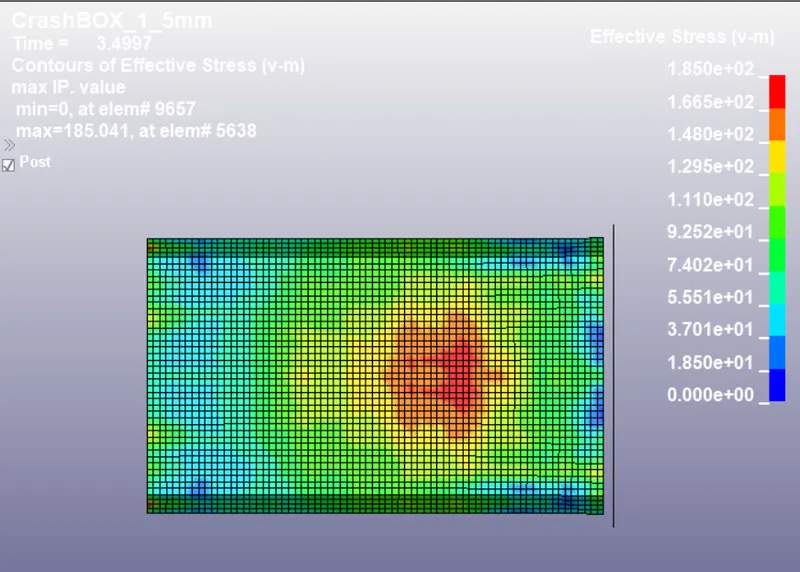
Stress = Von mises
crash box_1_2mm
Strain
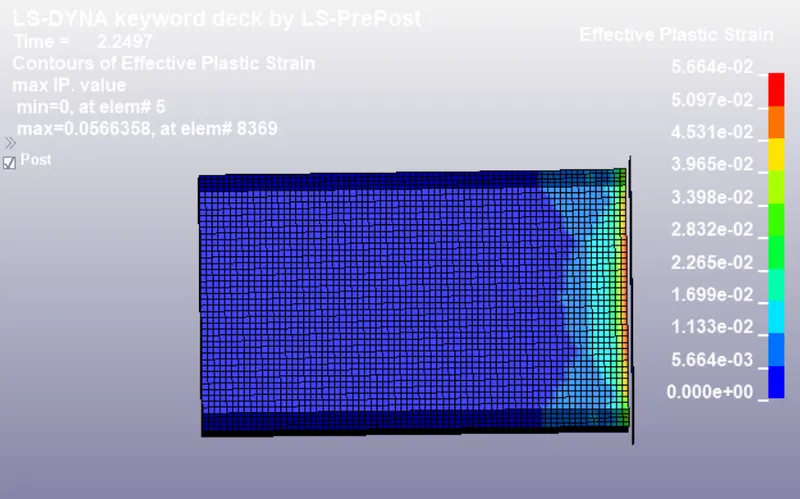
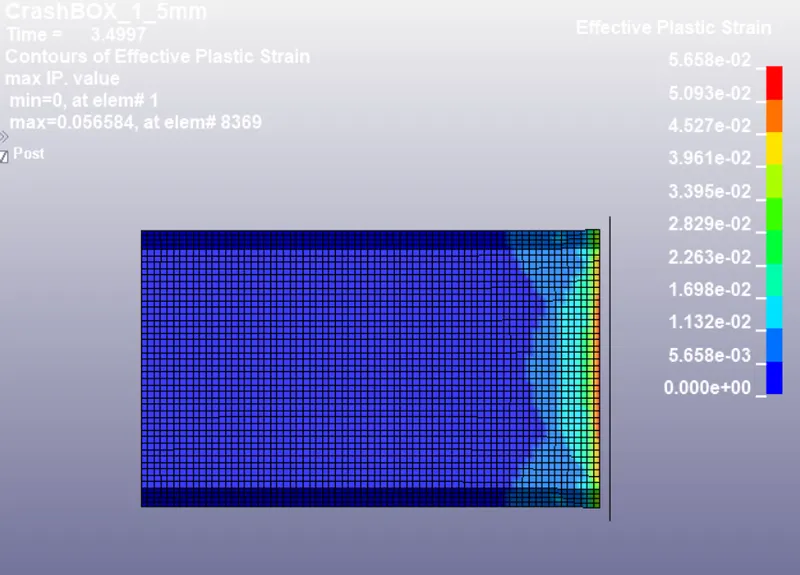
From the effective strain plot, the maximum strains are at the crash box edges where it comes with the contact with the rigid wall.
Xstrain
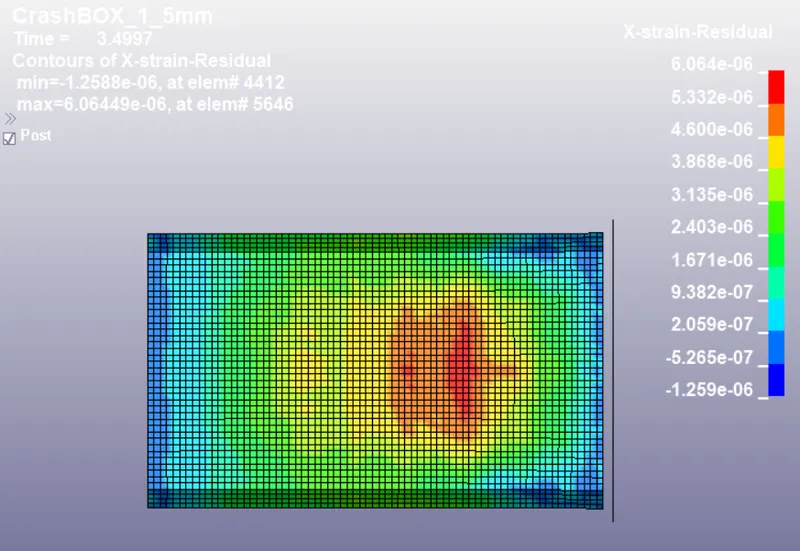
The elastic strain along x-axis is slightly higher in the case of 1.5mm thick crash box than 1.2mm thick crash box.
t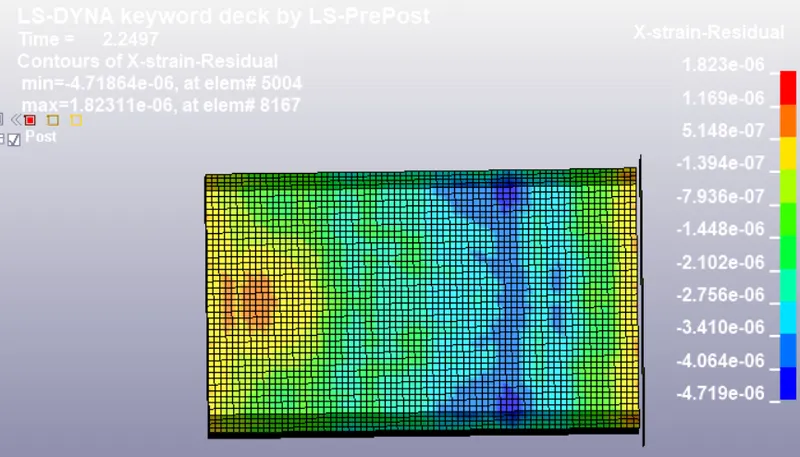
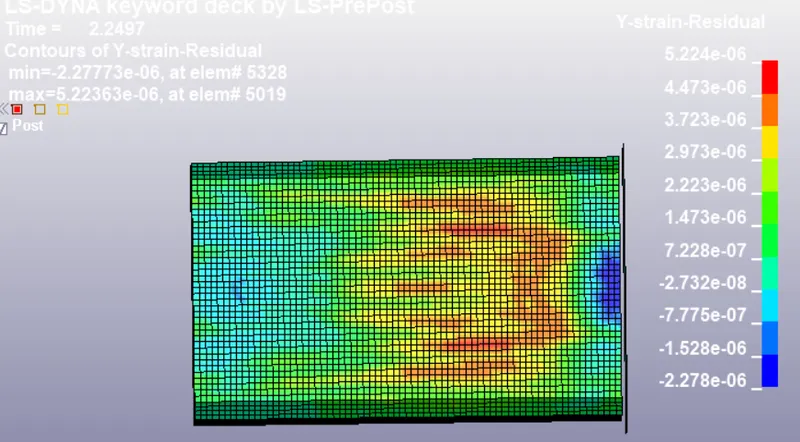
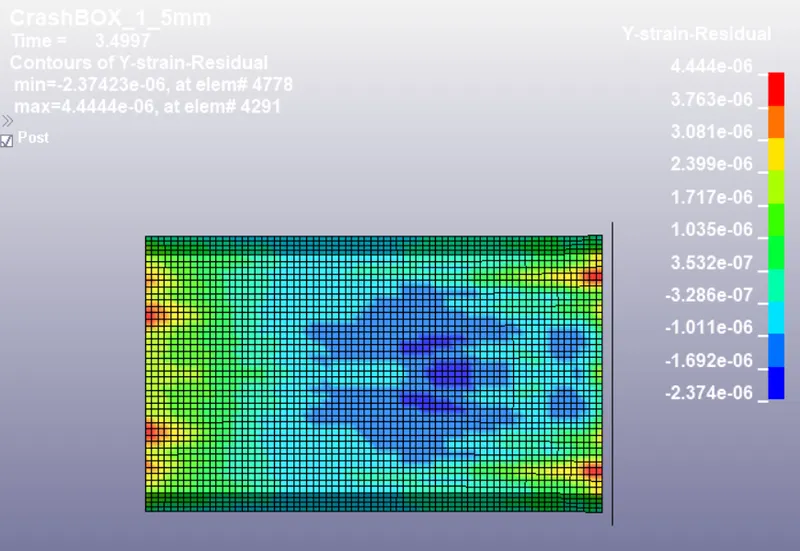
Ystrain
The elastic strain along Y-axis is slightly higher in the case of 1.5mm thick crash box than 1.2mm thick crash box.
Conclusion
The case was provided to compare the corresponding outputs. The results were discussed and compared accordingly as given in the problem statement.