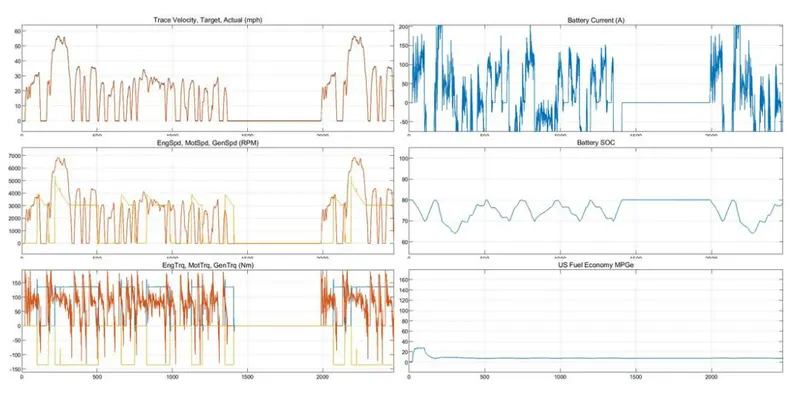
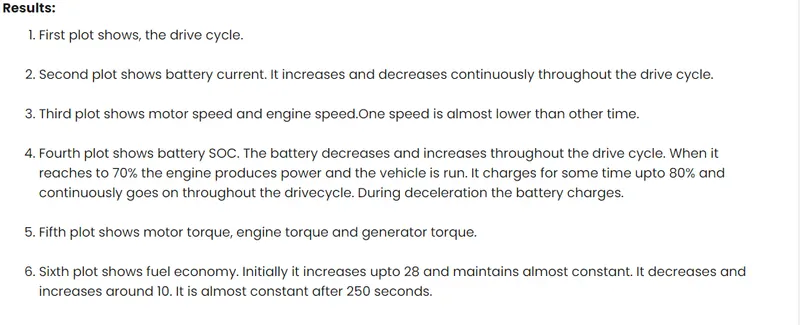
Week-4 Challenge WOT Condition Part-2
- What is the difference between mapped and dynamic model of engine, motor and generator? How can you change model type?
Mapped model of engine- model uses a set of steady state lookup tables to characterize engine performance.
The tables provide overall engine characteristics , including actual torque , fuel flow rate , BSFC, and engine - out exhaust emissions.it is used for static analysis.
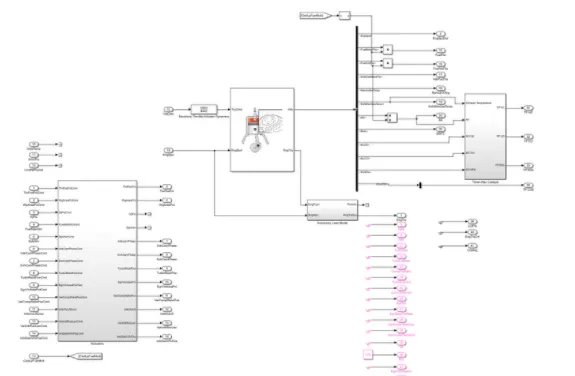
Dynamic model of engine - this model decomposes the engine behavior into engine characteristics that are separated into lower- level components. by combining components in this way , the models capture the dynamic effects. it is used for analyze the impact of individual engine componenets on the overall performance....
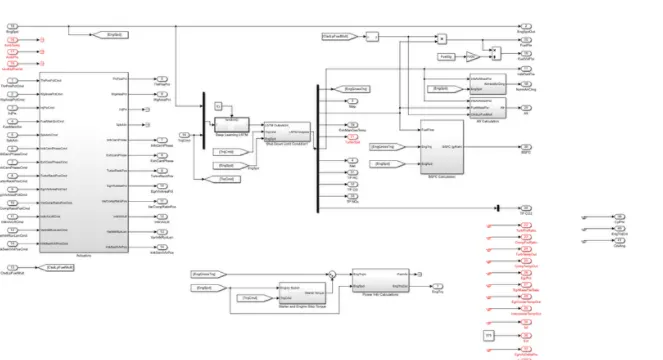
How can you change model type ----
- first open 'Ev Referance application' in powertarin Blockset
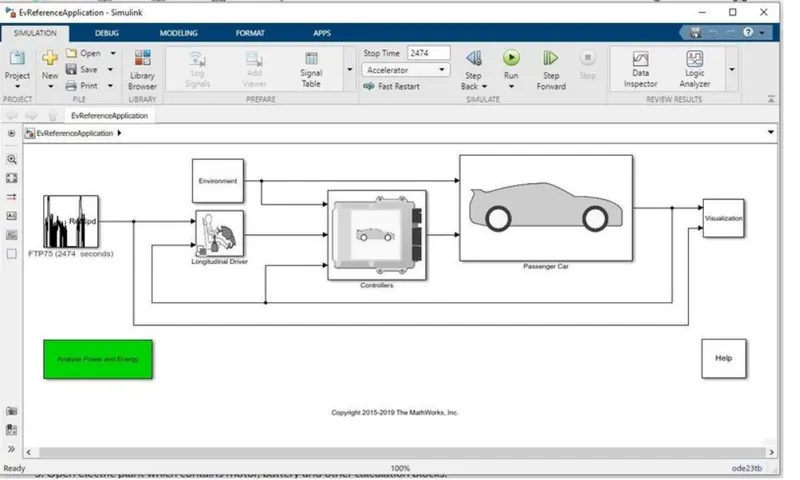
for result open visualiztion
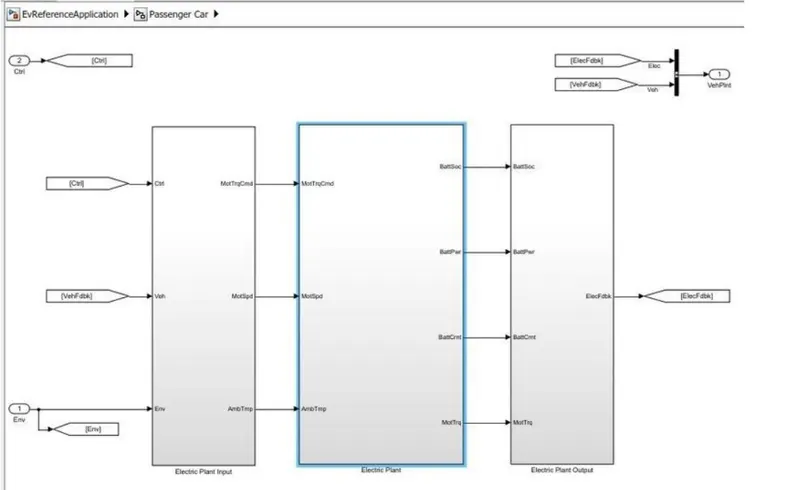
- now open passenger car block and click the electric plant block
- then select the MotGenEvMapped block-
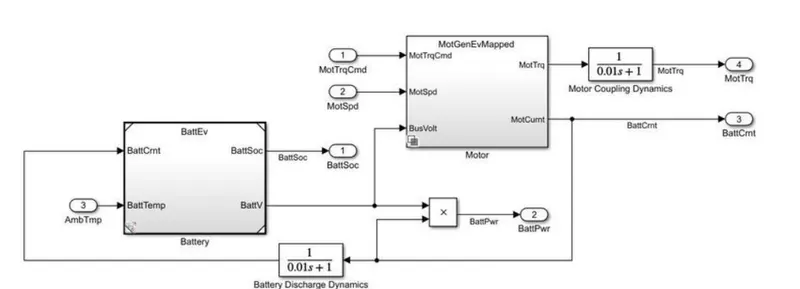
- then u will see by default mapped motor is slected -
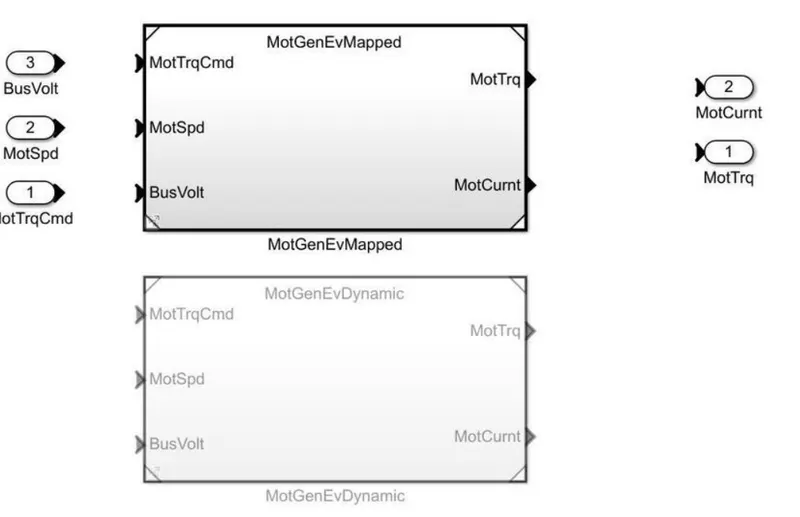
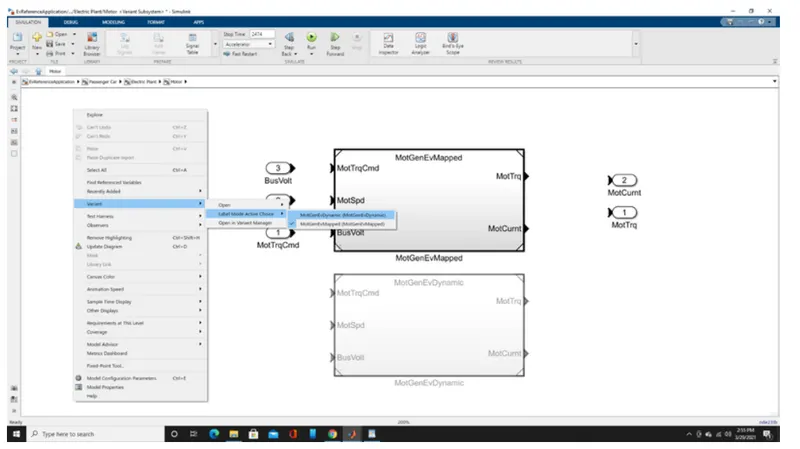
- Now for changing mappedd to dynamic blockset , right click on the screen and select variant . then select labbel
- mode Active choice and select MotGenEvDynamic.
How does the model calculate miles per gallon? Which factors are considered to model fuel flow?
MPG stands for miles per gallon and is used to show how far your car can travel for every gallon (or 4.55 litres) of fuel it uses. For example, if you own a car that returns 50mpg and its fuel tank only has one gallon of petrol or diesel in it, you’ll drive 50 miles before the car runs out of fuel.
How to Calculate Miles per Gallon Formula Template
Miles Driven / Gallons Used = Miles-per-Gallon (MPG)
Example
- You drove 100 miles and used 5 gallons of gas.
- Your intuitive answer would be 20 miles-per-gallon. Your intuitive answer would be correct.
- 100 miles traveled, divided by 5 gallons of gas used, gives you 20 miles per gallon.
100/5 = 20 mpg.
In the model , is visualization . there is a chart of performance calculation inside it, it will calculate the miles per gallon inside it is the simulink logic-
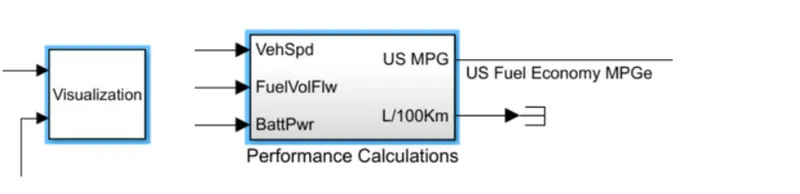
blocks used for calculation
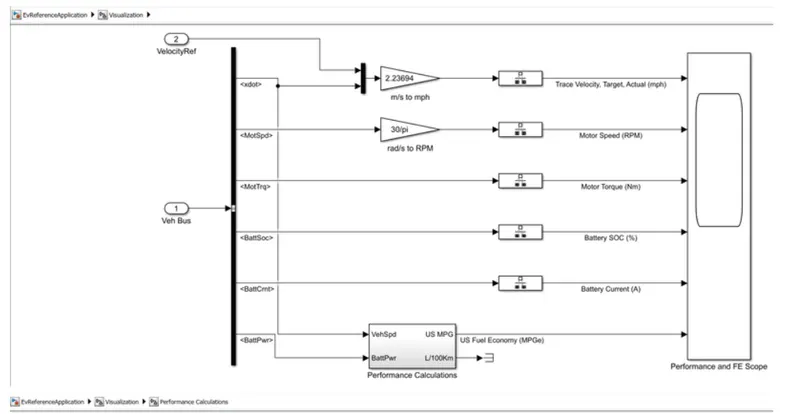
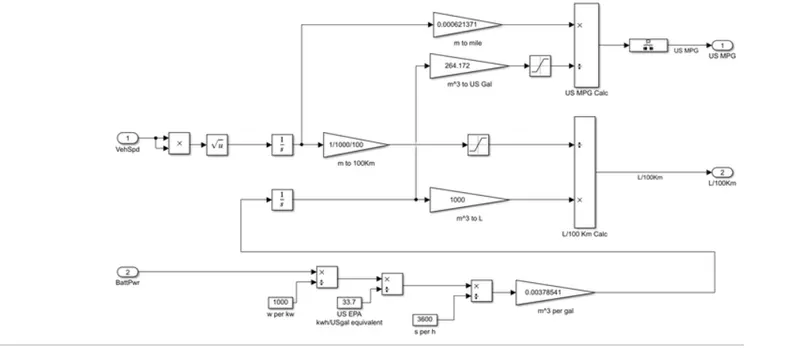
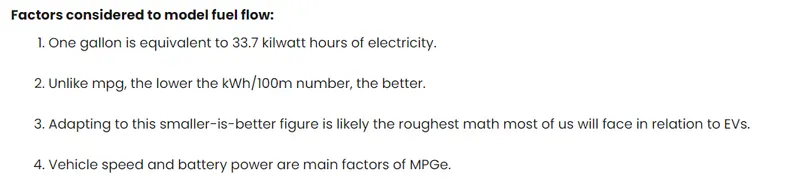
Factors considered to model fuel flow:
- One galoon is equal to 33.7 kilowatt hours of electricity.
- unlike mpg the lower the kwh /100m number the better.
- Adapting to this smaller is better figure is likely the roughest math most of us will face in relaation to EVs
- Vechile speed and battery power are main factors of MPGe.
3.Run the HEV ReferenceApplication with WOT drive cycle. Change the grade and wind velocity in the environment block. Comment on the results.
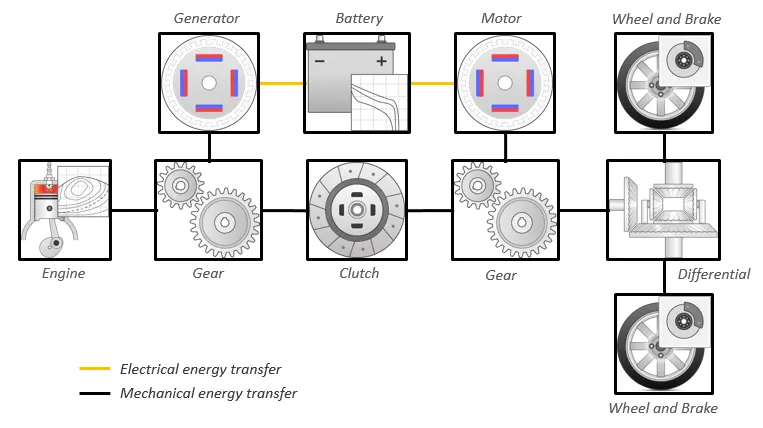
The hybrid electric vehicle reference application represents a full multimode hybrid electric vehicle (HEV) model with an internal combustion engine, transmission, battery, motor, generator, and associated powertrain control algorithms. Use the reference application for powertrain matching analysis and component selection, control and diagnostic algorithm design, and hardware-in-the-loop (HIL) testing. To create and open a working copy of the hybrid electric vehicle reference application project, enter
By default, the HEV multimode reference application is configured with:
-
Mapped motor and generator
-
1.5–L spark-ignition (SI) dynamic engine
This diagram shows the powertrain configuration.
Elucidation-
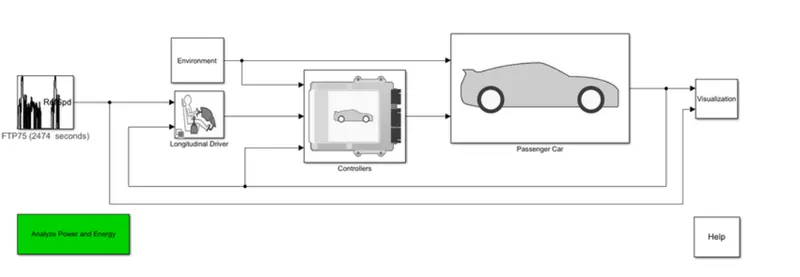
firstly , open HEV Reference application, it contains various subsystems like environment , logitudinal driver , passenger car, visualisation etc.
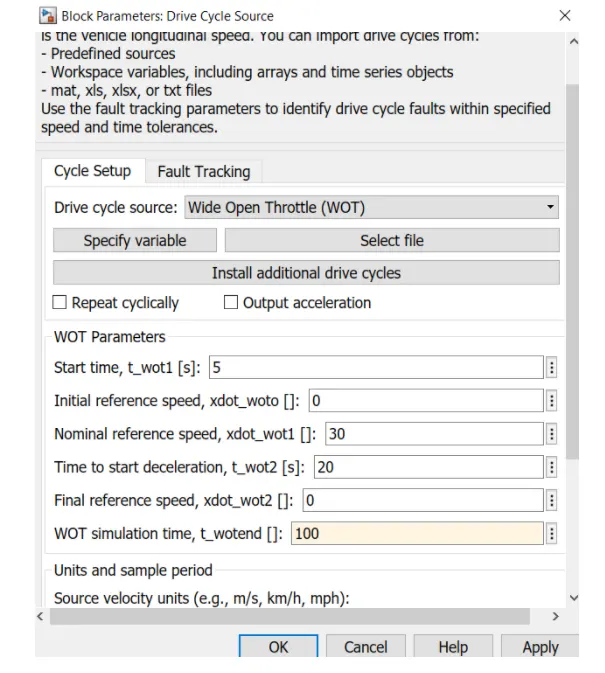
by default it is FTP75 drivecycle with 2474 seconds . Change it to the WOT Drive cycle with WOT simulation time as 100 seconds.
Now , run the application with 100 seconds.
Model-
Results-
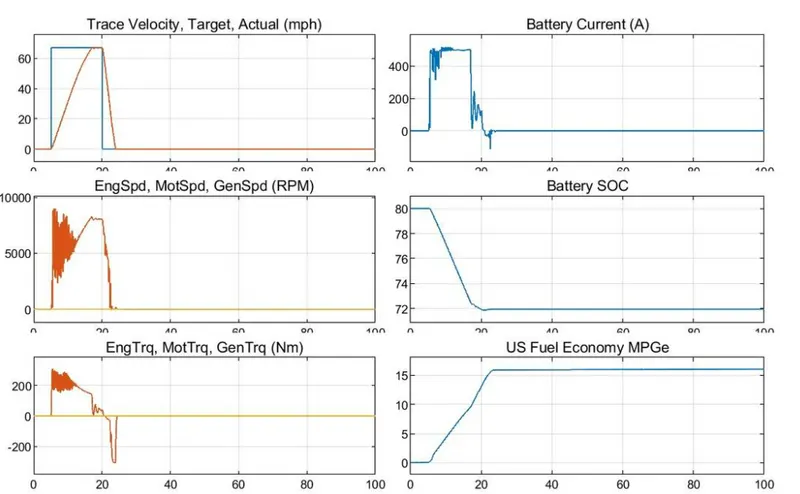
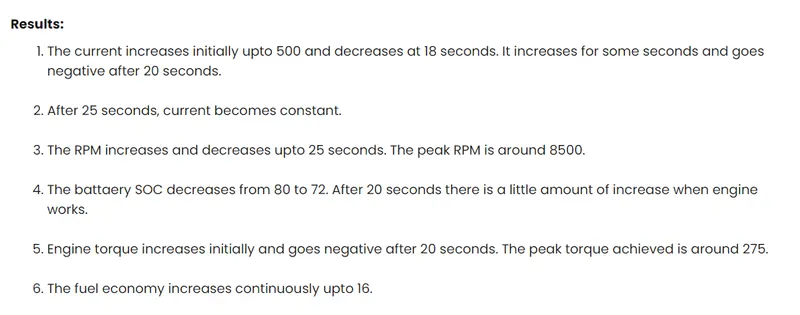
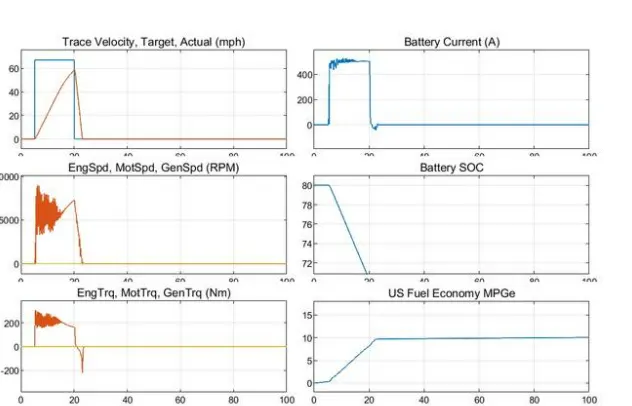
the grade and wind velocity in the environment block.
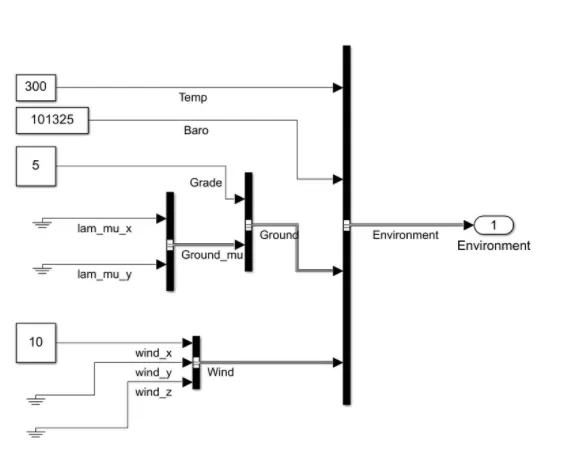
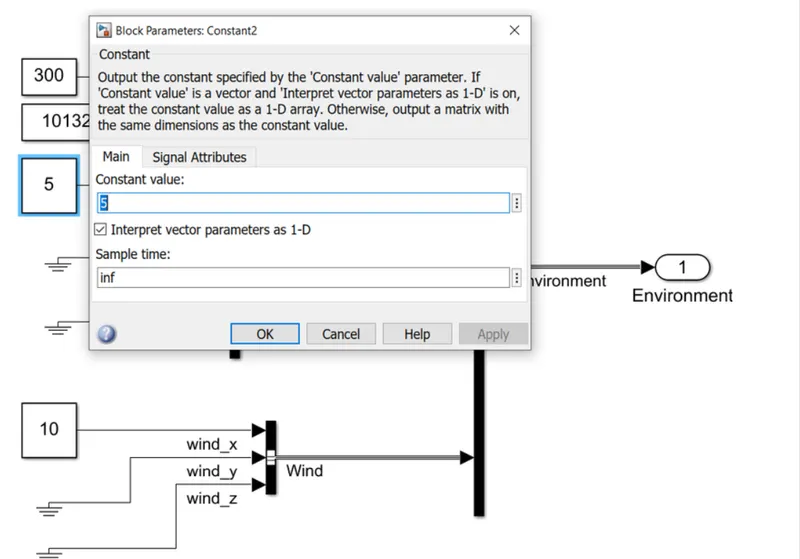
now open environment block in the HEV refference system and then change the garde as 5 and velocity as 10
RESULTS-
4.Keeping all other parameters same, compare the simulated results of hybrid and pure electric powertrains.
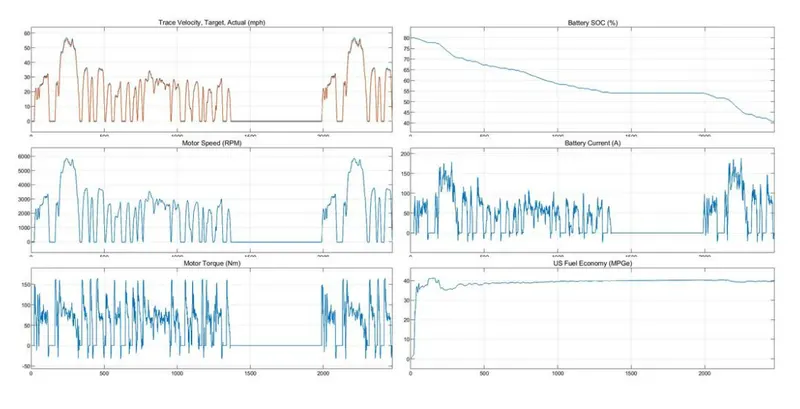
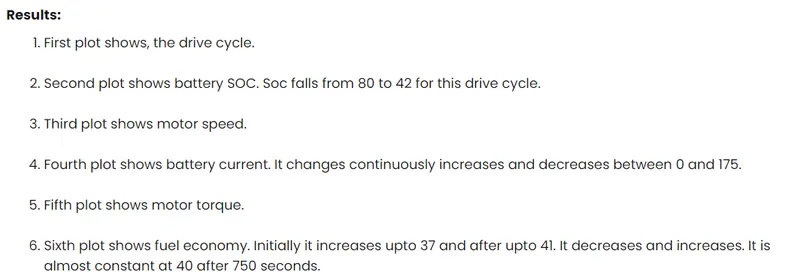
EV Reference Application-
HEV Reference application-
- Open HEVReference Application
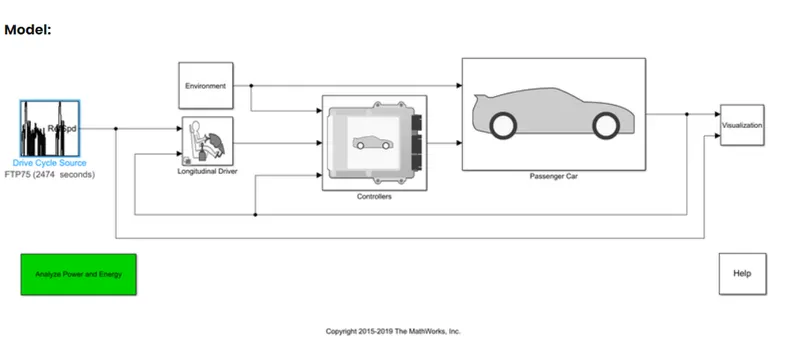
- it consists of drive cycle , environment, logitudinal driver , controller, passenger car and visuals subsystem.
- open the environment subsystem and change grade as 5 and wind velocity as10.
- Run the simulation with 2474 seconds.