Week 4 Challenge : CFD Meshing for BMW car
Aim
- For the given model, check and solve all geometrical errors on half portion and assign appropriate PIDs. Perform meshing with the given target length and element Quality criteria. After meshing the half model, Do symmetry to the other side.
- Create a Wind Tunnel on the BMW with respect to the required parameters and perform surface mesh on it.
Theory
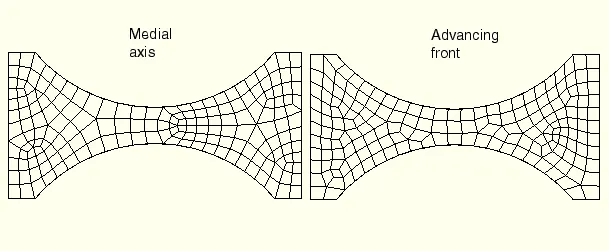
Advanced Front Meshing Technique
The mesh is constructed by progressively adding mesh elements staring at the boundaries. This iteration results in the propagation of a front which is the border(internal boundary) between the meshed and the unmeshed region. The difficulty with this method lies in the merging of the advancing front. Inserting one new point adds a new triangular/tetrahedral mesh element. The location of this point is crucial and is determined by the following criteria.
- The quality of the resulting element.
- The control space gives the desired mesh spacing.
- Neighborhood constraints like other parts of the boundary/front.
- The point must be inside of the domain.
Wind Tunnel
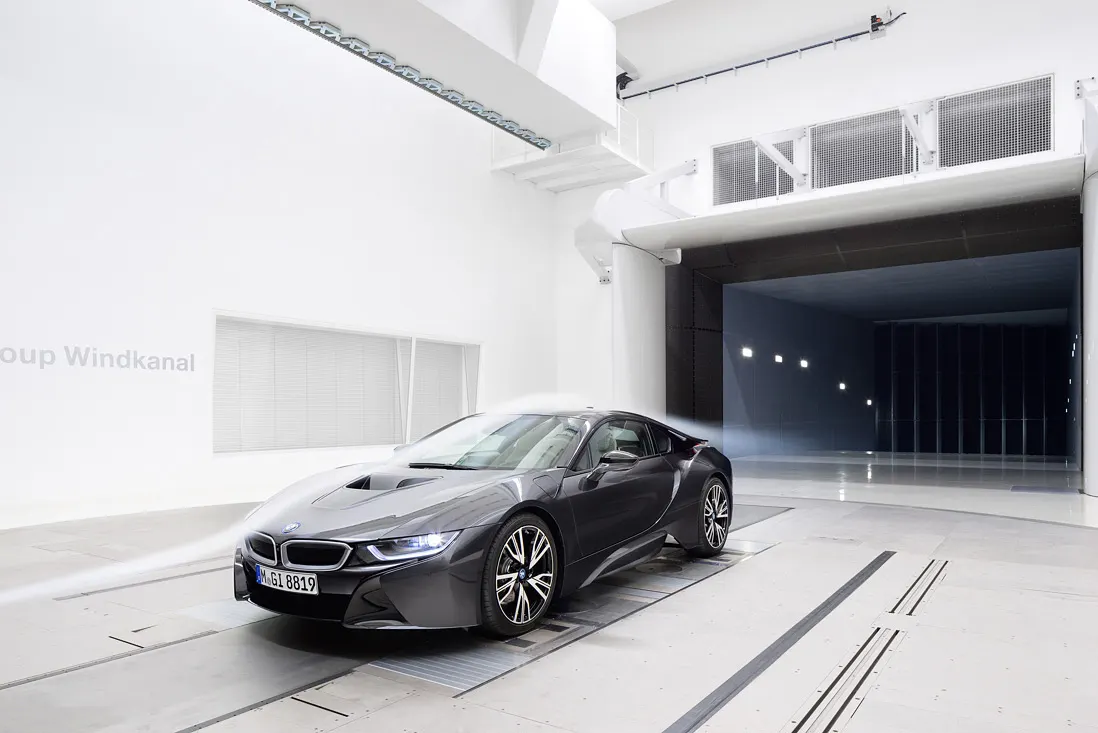
They are machines where an object is held stationary inside a tube, and the air is blown around it to study the interaction between the object and the moving air They are used to test the aerodynamic effects of aircraft, rockets, cars and buildings.
There are many different kinds of wind tunnels. They are typically classified by the range of speeds that are achieved in the test section:
- Low-speed wind tunnel
- High-speed wind tunnel
- Subsonic and transonic wind tunnel
- Supersonic wind tunnel
- Ultrasonic wind tunnel
- High enthalpy wind tunnel
For Automotive there are two categories of wind tunnels:
- External flow tunnels are used to study the external flow through the chassis
- Climatic tunnels are used to evaluate the performance of door systems, braking systems, etc. under various climatic conditions. Most of the leading automobile manufacturers have their own climatic wind tunnels.
- Wunibald Kamm built the first full-scale wind tunnel for motor vehicles.
- For external flow tunnels, various systems are used to compensate for the effect of the boundary layer on the road surface, including systems of moving belts under each wheel and the body of the car(5 or 7 belt systems) or one large belt under the entire car, or other methods of boundary layer control such as scoops or perforations to suck it away.
Procedure
There are a few steps in order to follow on after the other to solve this challenge:
Topology Clean Up
- Have a look at the car. We can see that it is a symmetrical body except for the logo. So delete the right half of the body deselecting the logo. We see a number of single coons, Triple coons, Overlapping faces, Unwanted hot points, Improper surfaces, Needle faces, Collapsed coons, Penetration surfaces, convex coons and concave coons.
- So our aim is to remove these geometrical errors on the half portion of the model first. Keep the puter surface of the body in grey color through which the fluid flow takes place whereas the inner surface in yellow where no fluid flow takes place.
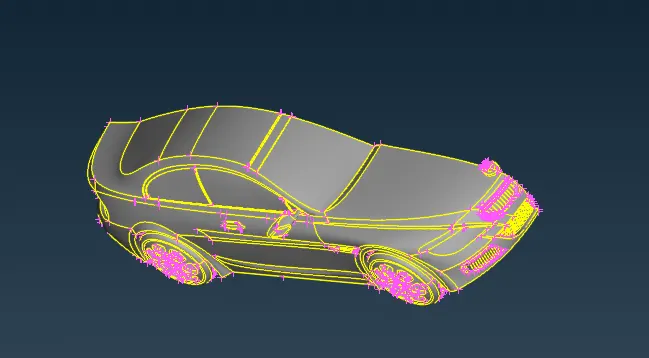
- Remove the unwanted inner portion on the inner parts of the BMW and keep the outer surfaces as it is and thereby modifying the outer surfaces to create a proper quality surface. For that purpose assign the appropriate PIDs to them.
- Use the various kinds of methods in order to delete an improper surface or coon, create new coons, by means of the cut command under faces, Release command under hot points to remove unwanted hot points, remove collapsed coons (white color dots) by clean geometry command under hot points and for proper projection of coons on the surface use project command under coons.
- In order to create a surface even though a surface is removed from there use the coons2curves command under curves so that a reference curve is created along the original curve line where a new face needs to be created.
- Use fine command under auxiliaries in order to modify a shape-edged coons to a clean curve coon. In order to delete unwanted surfaces that intersect with each other use the intersect command under faces and thereby remove the very few unwanted surfaces over the required one.
- Use the paste command under coons to remove 2 single coons or multiple single coons to convert them to double coons for good quality.
Checks Manager
https://drive.google.com/file/d/1iDhAdZ3i23ZijbHrBJsi2gscaWNgZKUy/view?usp=sharing