CREATING 1D ELEMENTS ON COMPONENT
CREATING 1D ELEMENTS ON COMPONENT
OBJECTIVE:
To create 1D elements of a different cross-section in a components.
- Box -Cross-section (Rod).
- I - Cross-section (Beam).
- Cross – Cross-section (Bar).
PROCEDURE:
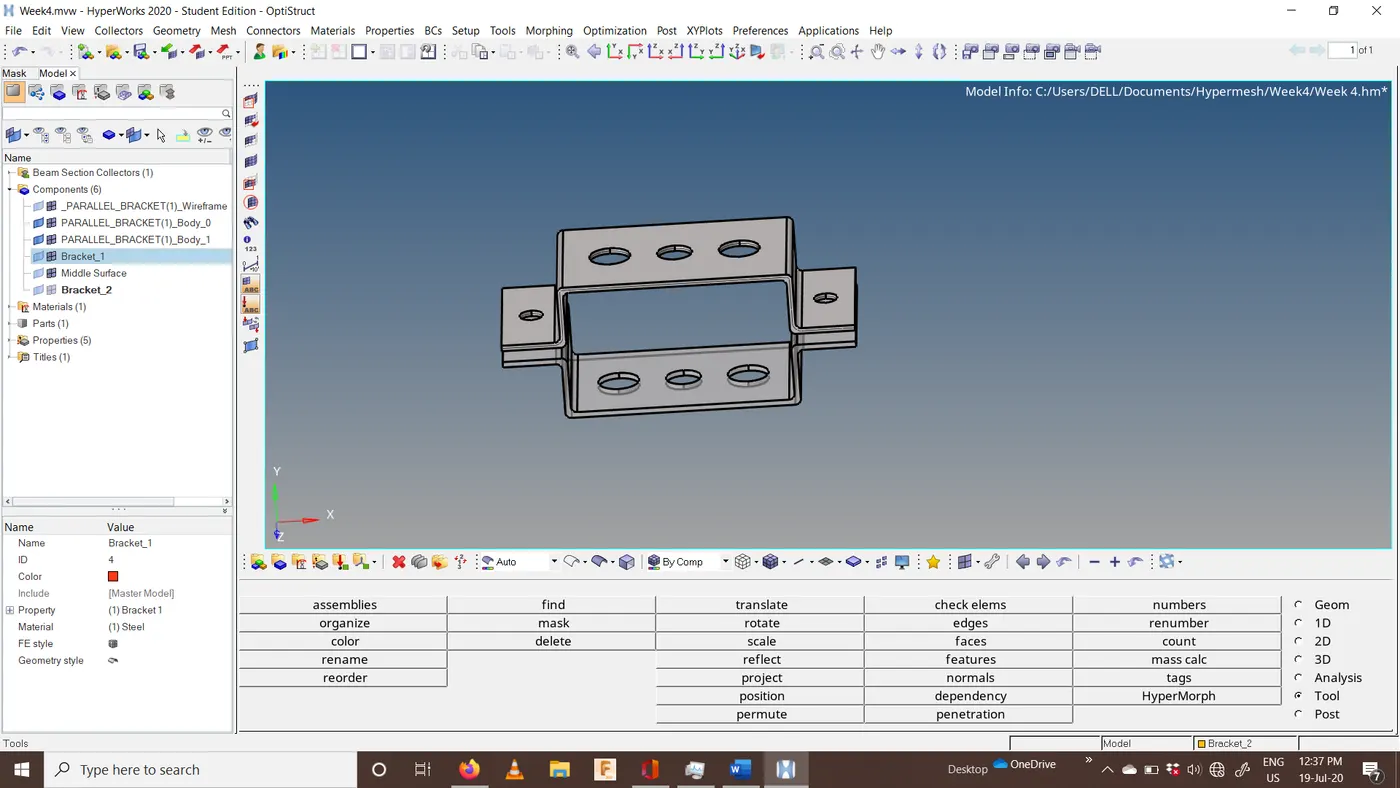
- Import component in the hyper mesh.
Pic:1
- CREATING MID SURFACE:
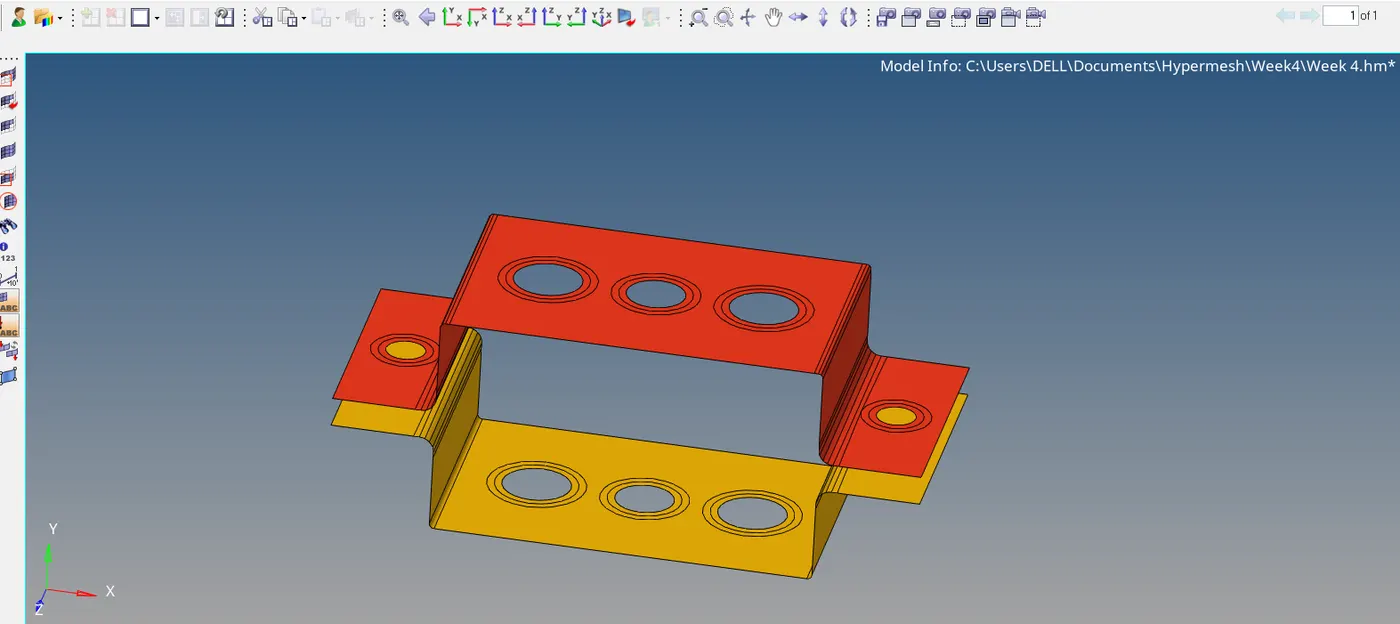
The mid surface is a 2D representation of 3D components. Mid surface for a component created by option ‘mid surface’.
Auto mid-Surface is a created option called skin offset. This option will select 2 sides of the component and create a surface at an equal distance from 2 sides.
Pic:2
- CREATING 2D MESH:
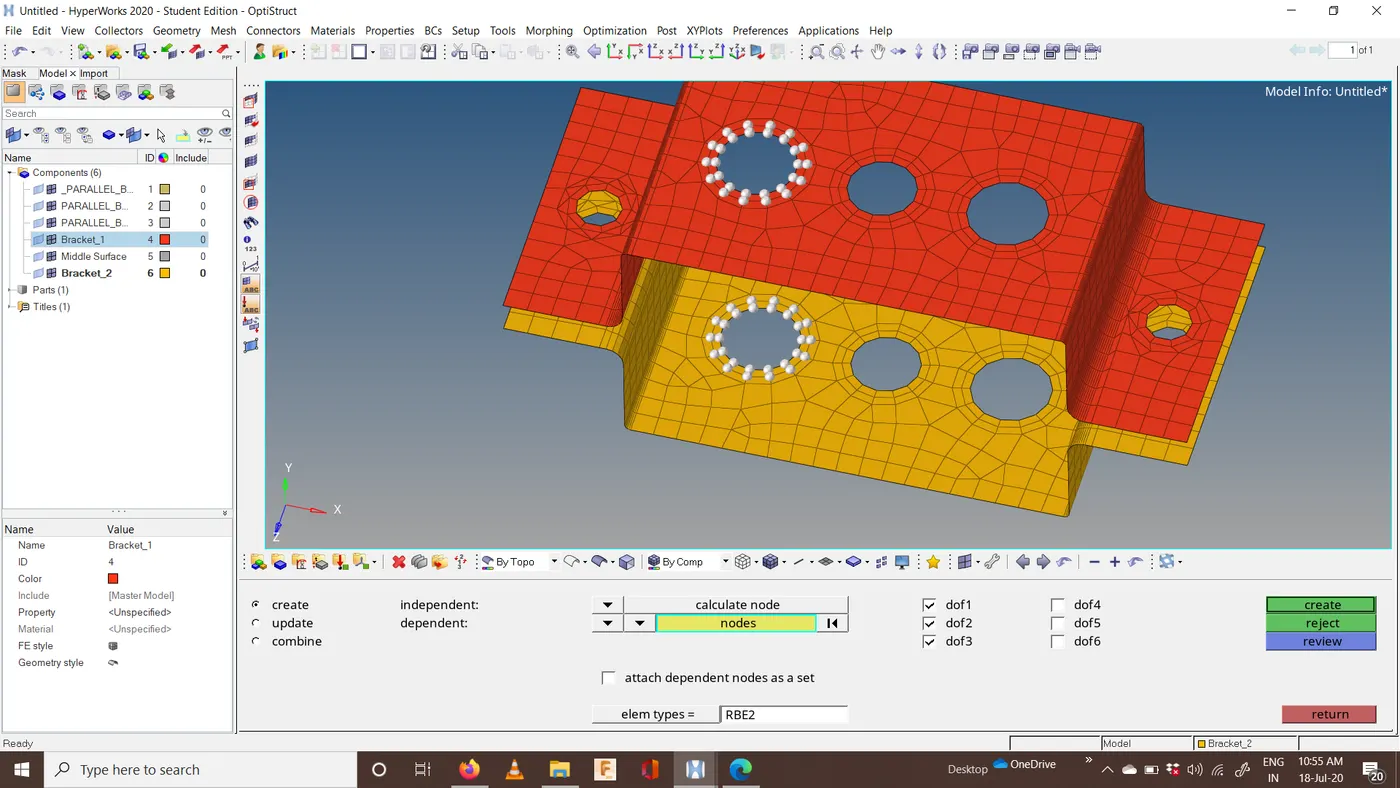
Before creating mesh washer split offset created at holes and curves for a better quality of elements.2D mesh for these mid surface created using automesh with elements size as 10.
- CREATING MATERIALS:
Using this option material properties are created in Hyper mesh. For this create a new material file in the TAB menu. Edit values of the Poison ratio, Young’s modulus, and density.
Pic:3
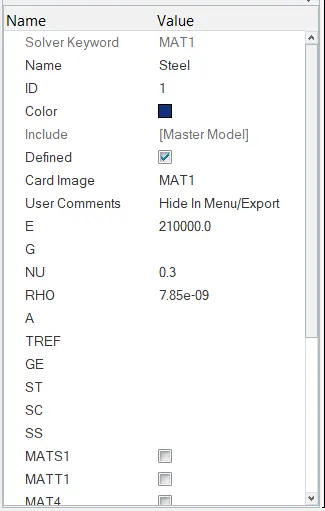
- CREATING PROPERTIES:
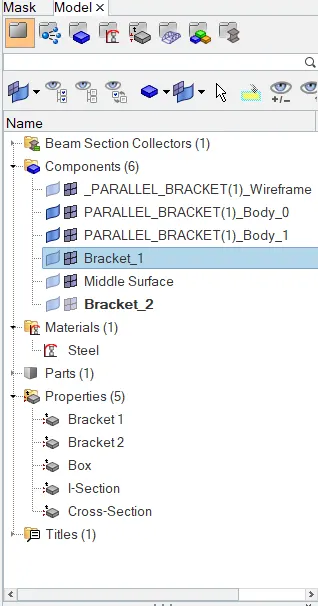
Properties option assigns thickness and element type for a component or surface. For this create a new property in the TAB menu. Enter the value of thickness and select card image which represents element type.
For surfaces, PSHELL is used and for other elements like Rod, Beam, Bar concurrent elements are created.
Pic:4
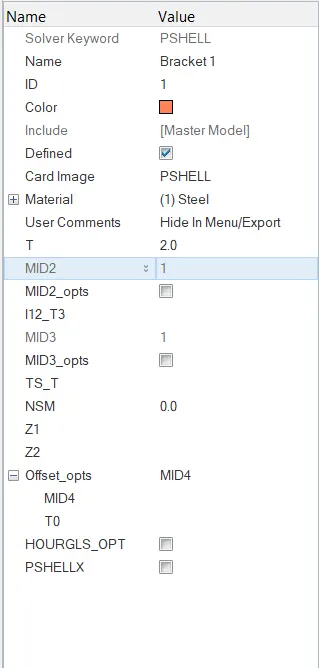
After creating properties for 1D links, using the ‘Hyper beam’ cross-section for links is created.
Pic:5
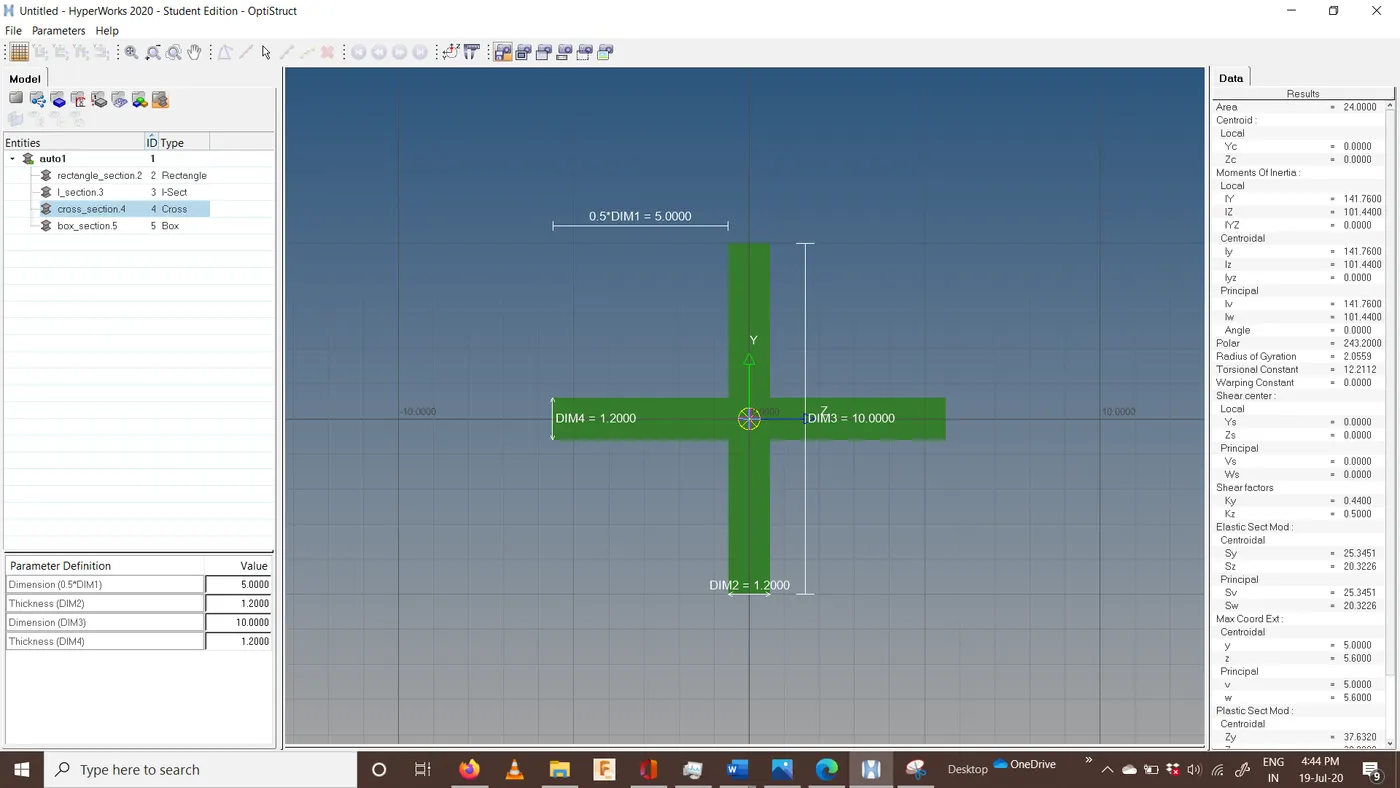
- CREATING LINKS:
In hyper mesh, there are several links that are available. On that here, rbe2(rigid) and rbe3 links are created at the center of the holes.
RBE2 (Rigid): Infinite stiffness and load distribution are equal along the path.
RBE3: Stiffness according to material and load distribution gradually reduced from the center to end.
Pic:6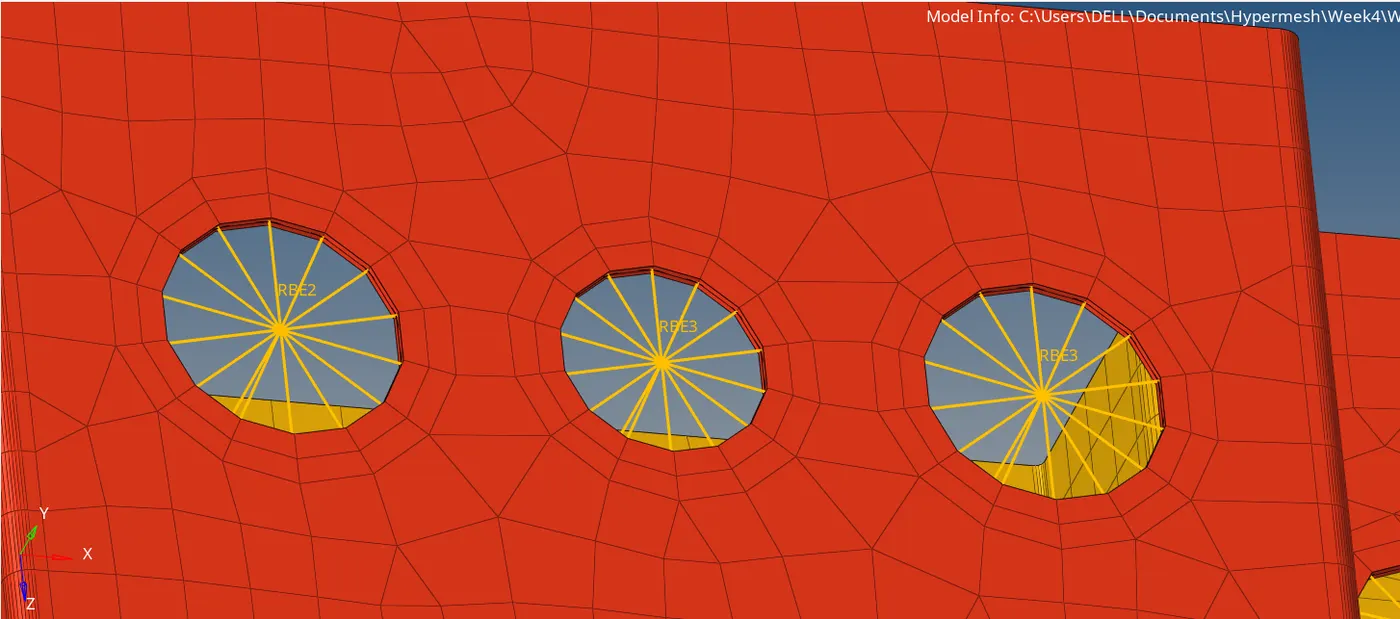
- CREATING ELEMENTS FOR 1D COMPONENTS:
1D elements are created between 2 links. Then these elements are assigned to respective properties created previously. The nature of the elements is selected in elem type.
Pic:7
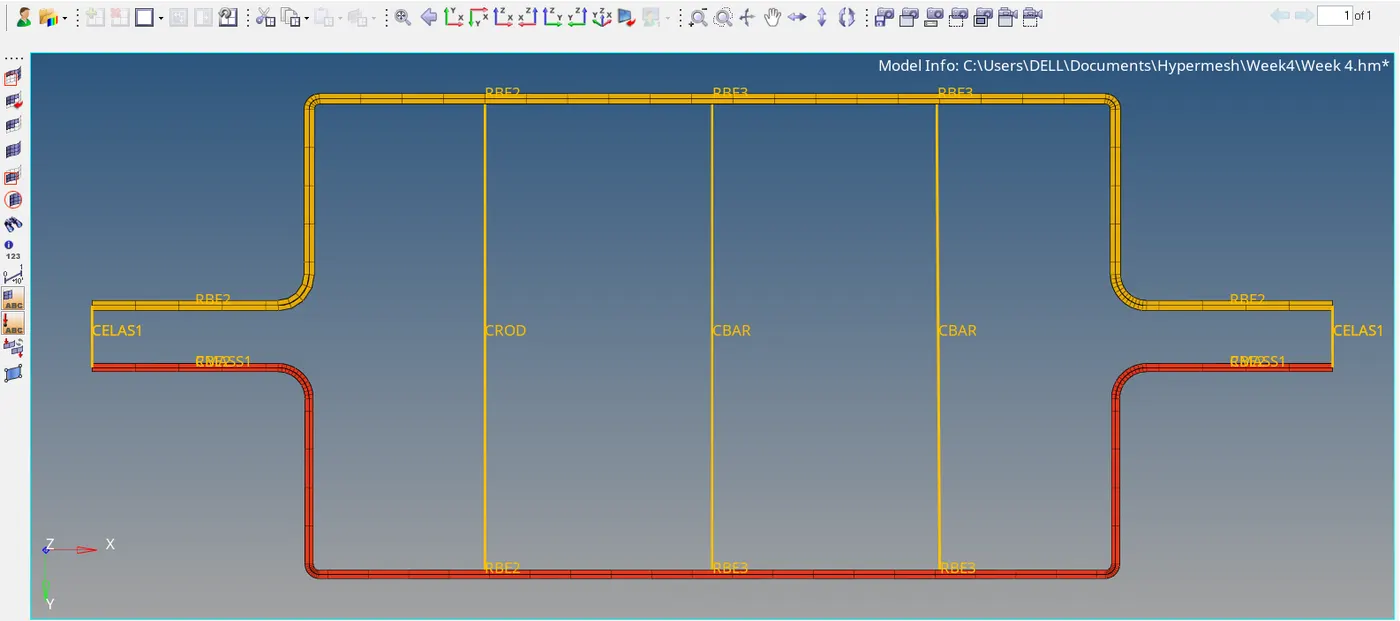
- CREATING MASS AND SPRING ELEMENTS:
Mass is created by using option mass. The magnitude of mass is entered in tab.
Spring elements is created by selecting 2 corner elements.
Pic:8
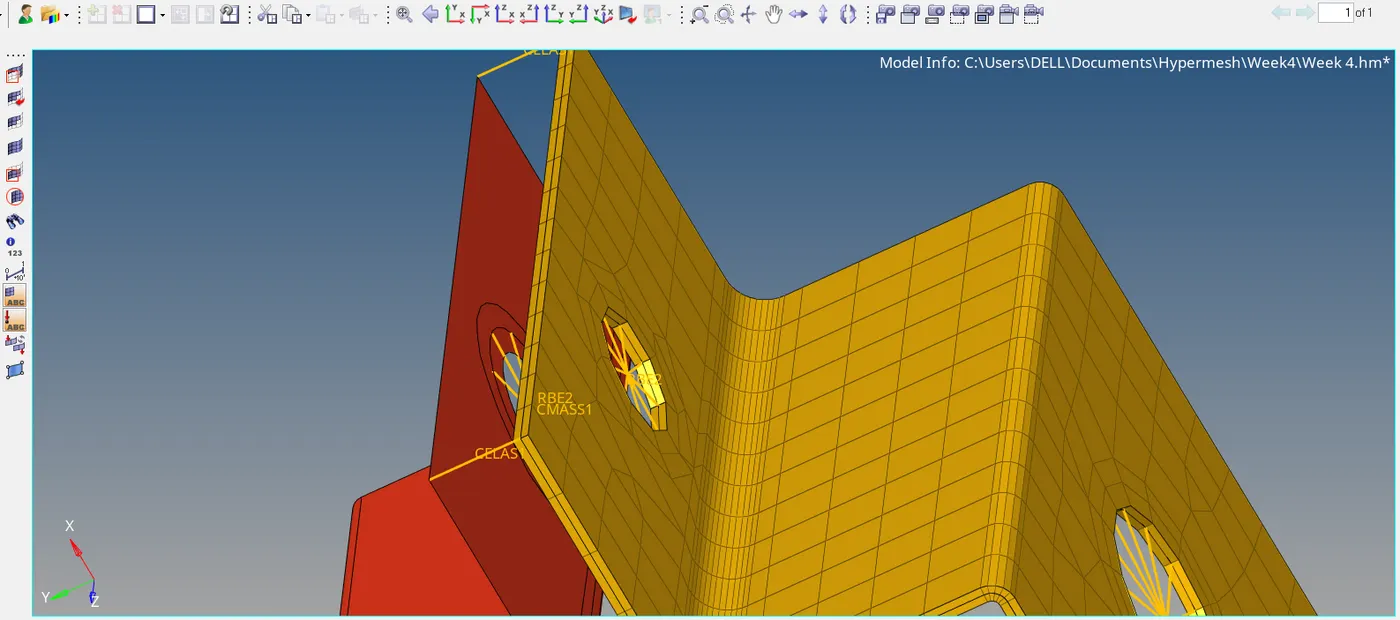
CONCLUSION:
Here given components is meshed and 1D elements with different cross-section are created and connected with links.