MANUAL MID SURFACING-PLASTIC TRIMS AND CAST PARTS
MANUAL MID SURFACING-PLASTIC TRIMS AND CAST PARTS
Aim
- Open and check the bottle geometry and perform geometry cleanup.
- Manual mid-surfacing of geometry using different techniques or by implementing various ways.
- Defining the quality criteria for the mesh generation.
- Meshing using best and batch mesh button in ANSA.
- Assign individual surfaces its thickness.
- Clear all the joins from the mesh by keeping it as it is and release it from geometry.
Objectives
- Open the bottle cap model in ANSA and perform topology and assign proper orientation to the geometry.
- Perform geometry cleanup and create mid-surfacing of all the parts.
- Defeature all the connections of mid surfaces to generate proper mesh flow.
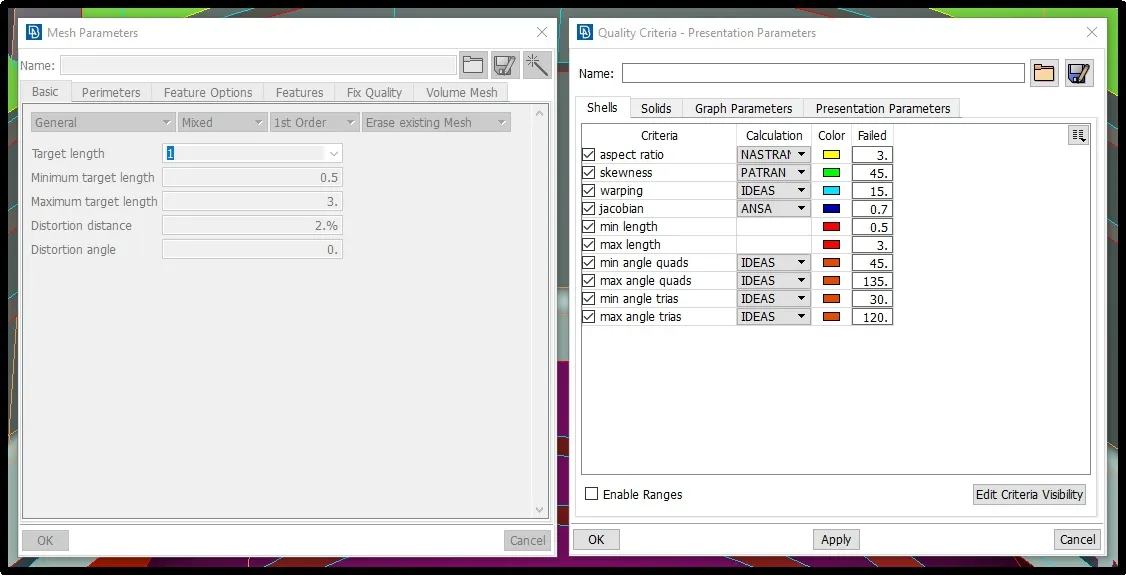
- Assign expected quality criteria in order to maintain mesh quality. Also provide average length of mesh elements with minimum and maximum length.
- Generate mesh using best and batch mesh command and reconstruct it to reduce number of tria elements. Then smooth it using smooth button.
- Give proper thickness to each mid-surface in element property section.
- check mesh if there any elements not fitting under our quality criteria and correct it using split and join element button.
- Finally, clear all the joins from the geometry by keeping same element structure and release all the element from geometry.
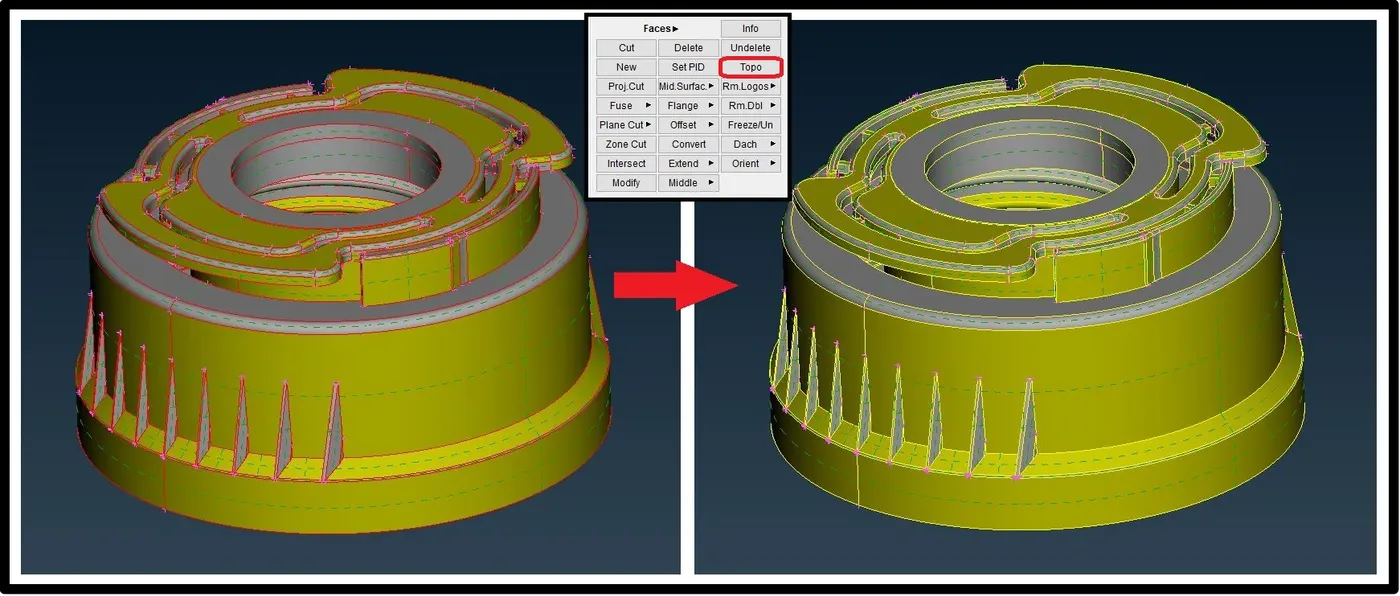
Lets start with importing the geometry in ANSA using open button in file menu and perform topology to join all the faces as shown blow.
Orientation
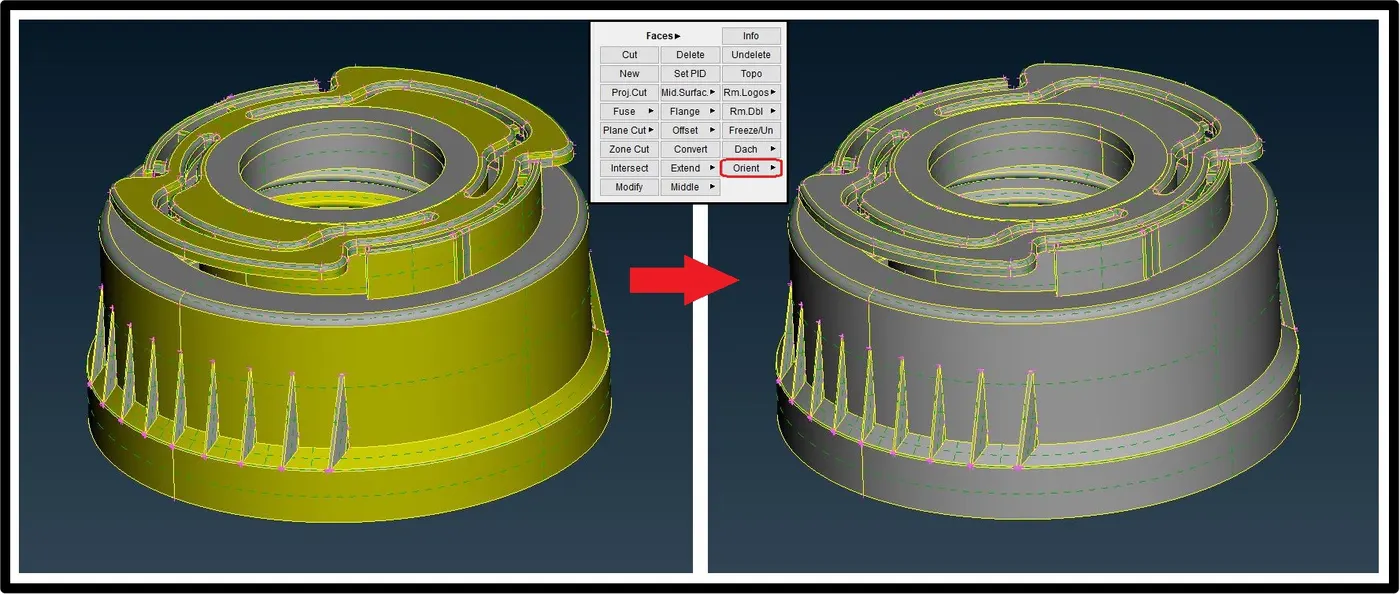
After topology, we can see some part of the geometry is of yellow colour and some are gray this mean geometry is not properly oriented so by using orient button in topo option we can orient it properly.
Geometry cleanup
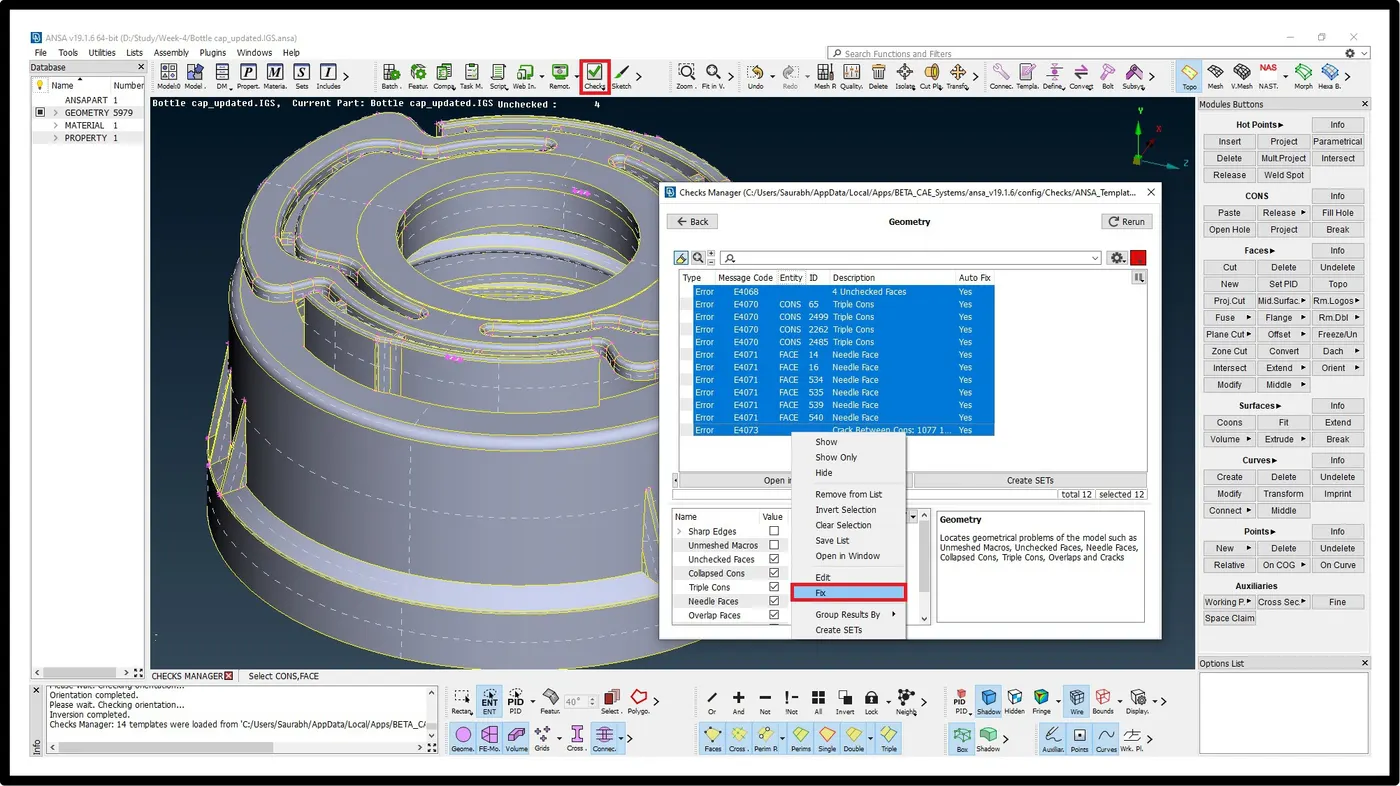
Next part is to preform geometry cleanup to remove unwanted surface, cons from geometry for smooth transition of mesh from each faces.
Manual Mid-surfacing
Now, we can extract mid surface from faces of the geometry one by one according to different thickness of individual section we will assign thickness to its property. In order to extract surface we can use manually we can use various method like offset, middle (single or multi) from faces option, we can also create middle curve by using middle button in curve section and then after create surface using those curves.
Even after extracting mid-surface job is not fully done because we have to join all the surface to each other in a bid to maintain connectivity between all the faces. To do that we will use ‘New’ button fron the faces to create new faces, Extend option to extend the faces upto next face, curves to create new faces.
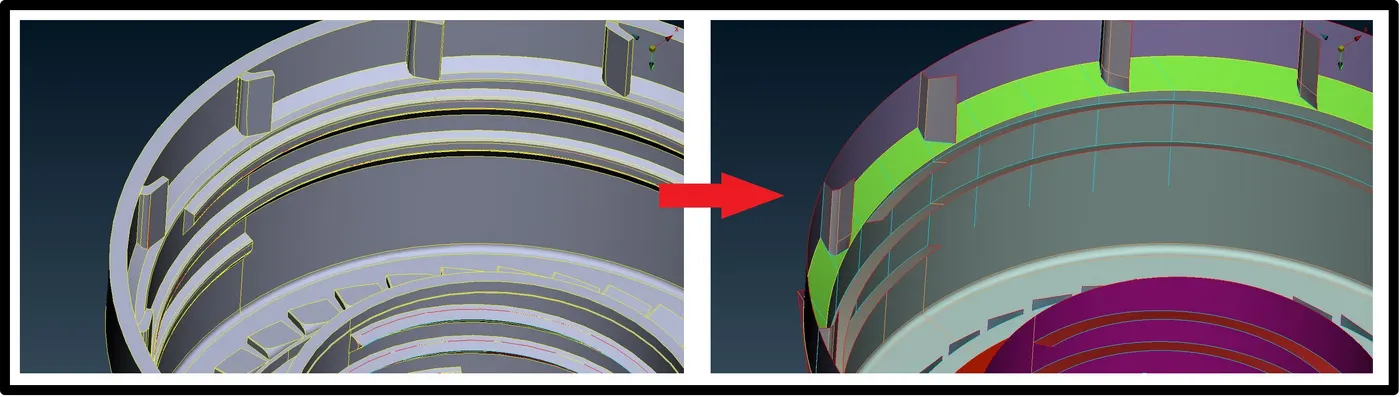
In below figure, mid-surfaces is generated using middle option from faces command and then shaped it by removing joints and curve option the extended to the next surface for attachment with next surface using extend command. Same features is present in geometry on other side so this type of symmetrical part we can use transformation feature to save time.
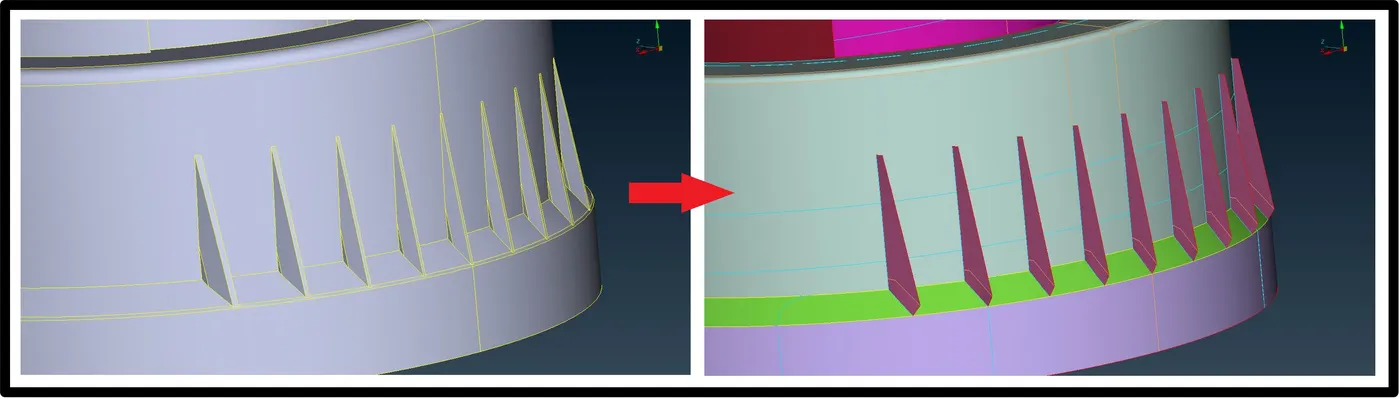
Same trick we will use to extract other mid surface too, and fro repeated faces we will use transformation features such as rotate, symmetry, translate.
Quality criteria
Till this point so far we have extracted all the mid surfaces and out next step is to defeature such part that can disturb our quality criteria or ruin or mesh flow and then we will set our mesh quality.
Meshing
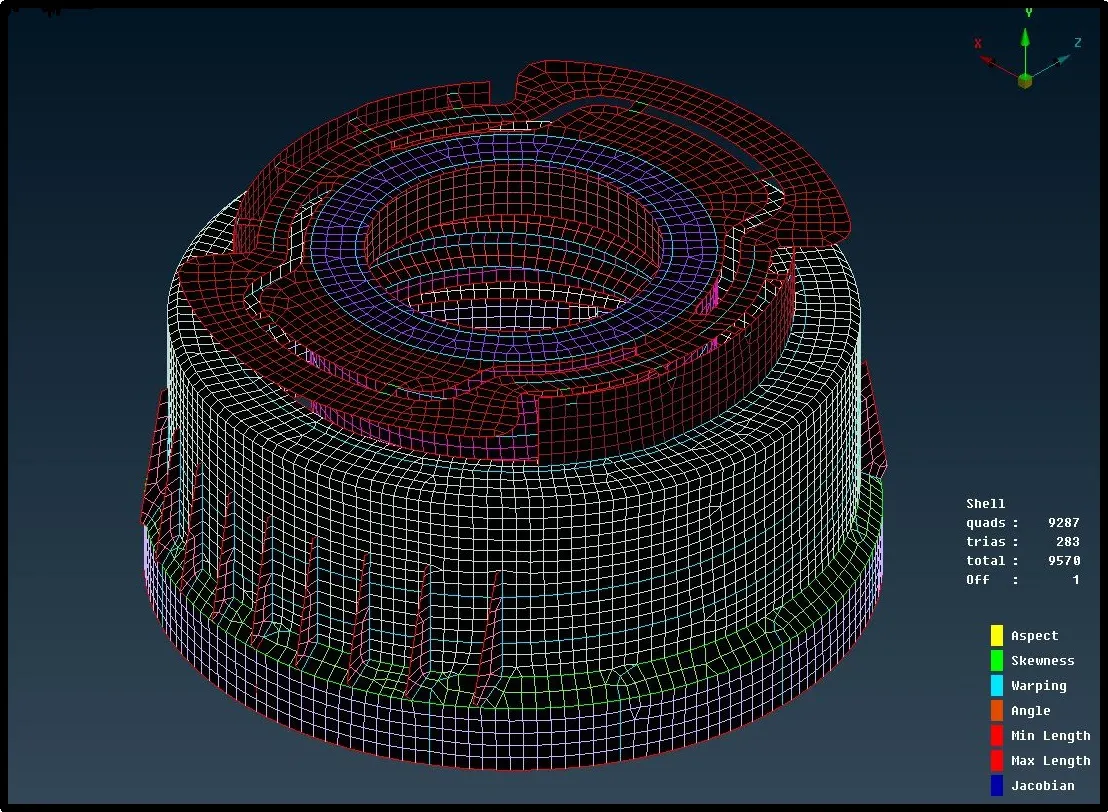
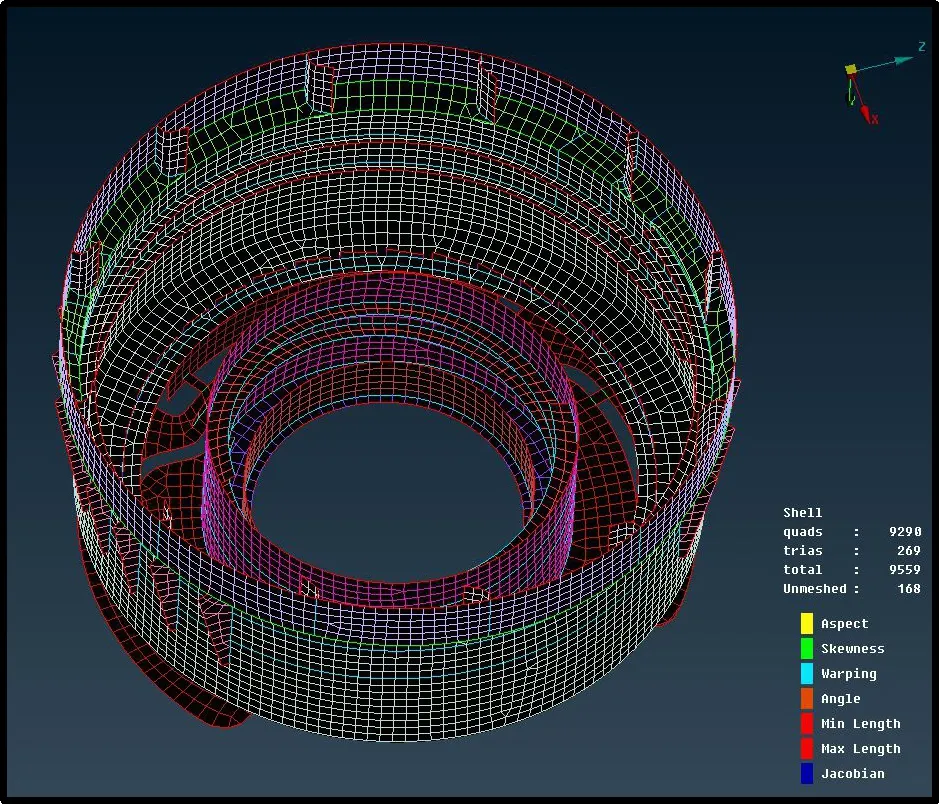
Now, we can mesh our extracted surfaces using best and batch mesh button, in a bid to rearrange and remove tria elements we will use reconstruct button and select the button that we have to rearrange. Latter we are going to smooth it. We are going to follow above procedure one by one for each surface.
Releasing mesh and Assigning Thickness
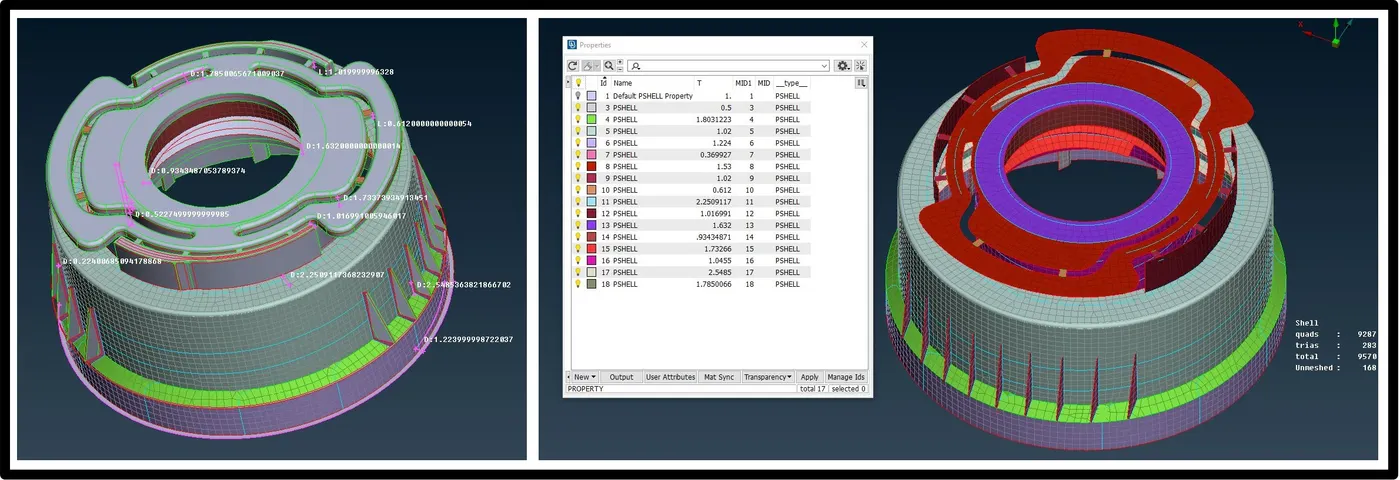
After meshing, delete all the joins that created for mesh flow by keeping the mesh structure as it is and then extract the element form the geometry by using release option. And final task is to assign thickness to each surfaces In their property section by measuring the thickness of individual section using measure tool in ANSA.
Conclusion
- Understood the various way to extract the mid-surface and edit the geometry form topo panel in ANSA.
- Studied the concept of manual mid-surfacing on plastic and casting component to simplify the geometry.
- Learned to assign different thickness to the various surface in 2D geometry section.