Week - 4
Q 1. Implement control logic of a “washing machine” using Stateflow as per given sequence:
- If the power supply is available, the system gets activated
- If the Water supply is not available, stop the process & indicate through LED
- Soaking time should be 200s followed by Washing time of 100s.
- Then rinsing happens for next 20s & dryer runs for 50s
After all the processes have completed turn on the finished LED.
ANS:-
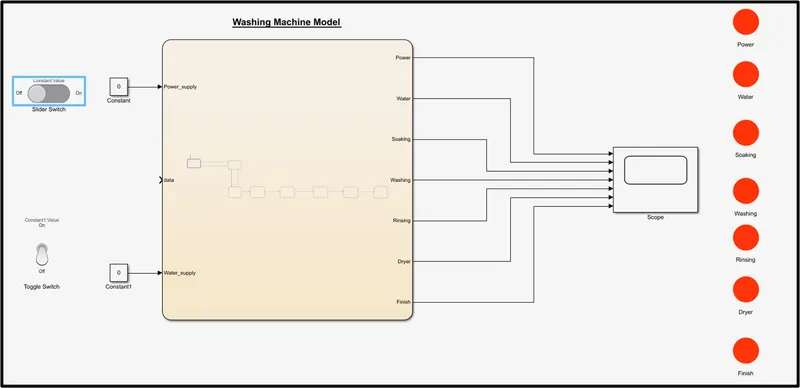
- Step 1: If the power source = 0 (slider switch on OFF position), power supply is not available & system will not be activated.
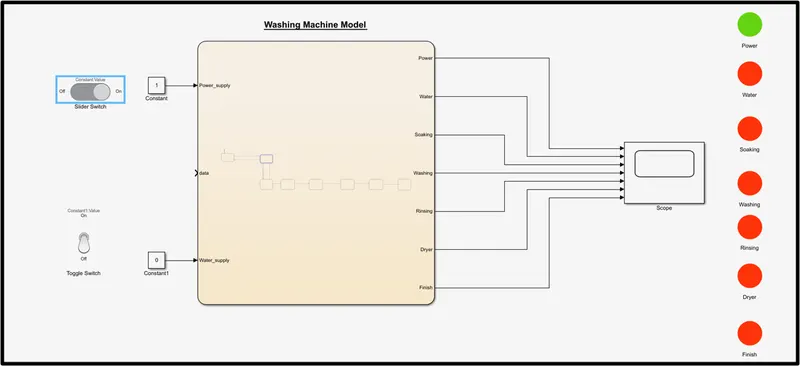
- Step 2: If the power source = 1 (slider switch on ON position) & water source = 0 (toggle switch on OFF position), then the power supply will turn ON & water supply will not be available. So, system will not be activated.
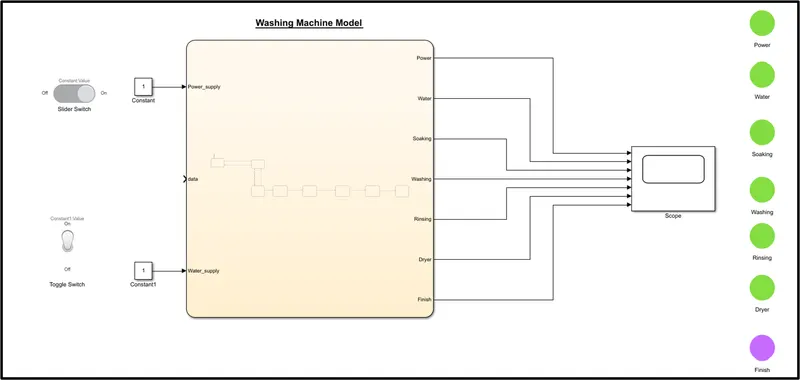
- Step 3: If the power source = 1 (slider switch on ON position) & water source = 1 (toggle switch on ON position), then the power supply will turn ON & water supply will be available. So, system will not activated.After all process completed, end lamp will turn ON.
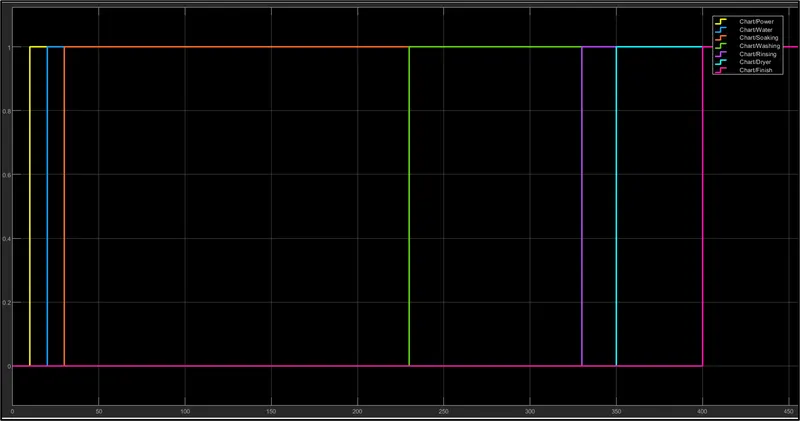
- The power supply ON at t=10s.
- The Water supply ON at t=20s.
- Soaking start at t=30s & stop at t=230s.
- Washing start at t=230s & stop at t=330s.
- Rinsing start at t=330s & stop at t=350s.
- Drying start at t=350s & stop at t=400s.
- Then finish the work.
Refer the below graph-
Q 2. Make a Simulink chart for the “Gear shift” logic as per below conditions:
Speed Range(kmph) Gear
0 to 15 1
16 to 25 2
26 to 40 3
41 to 60 4
Above 61 5
Give speed input while the simulation is running & display the gear number.
ANS:-
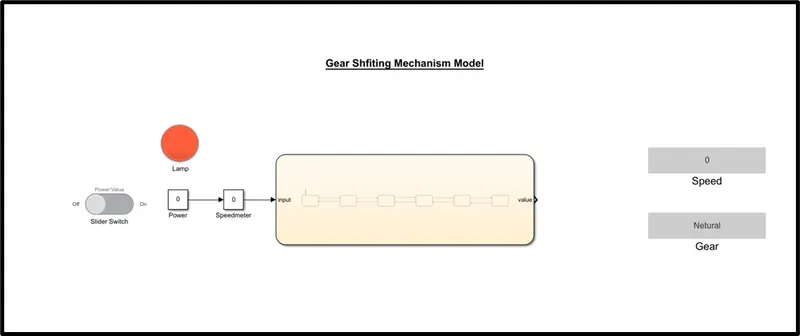
- Step 1: If the constant Power = 0 (slider switch on OFF position), then the power will turn OFF, and the Lamp indicates the Red Colour and Gear shifting mechanism will not be activated.
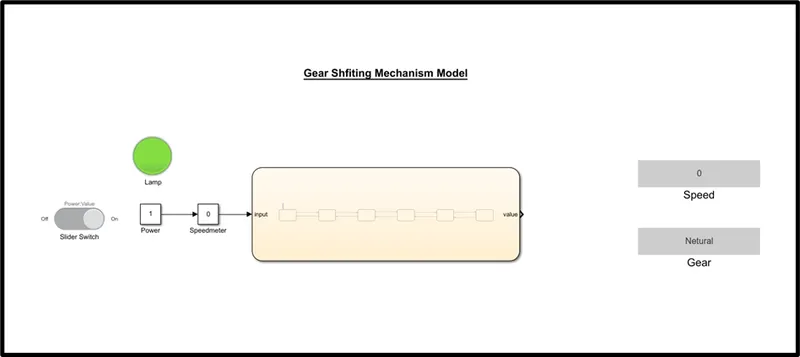
- Step 2: If the constant Power = 1 (slider switch on ON position), then the power will turn ON, and the Lamp indicates Green Colour and Gear shifting mechanism will be activated.
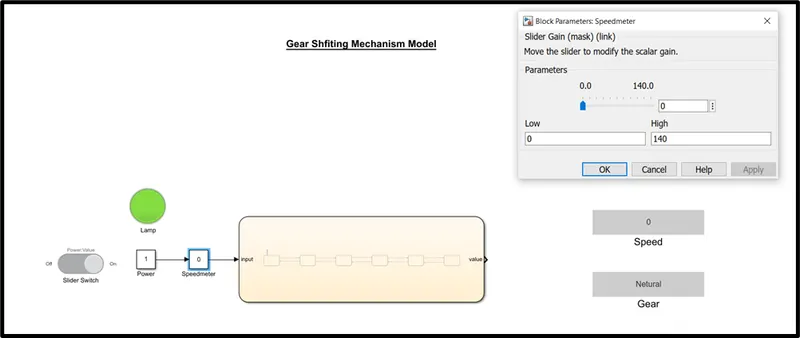
- Step 3: By varying the speed (Parameter) in the speedometer(Slider Gain), gear position will change according to the given condition. Giving Speed - 0 km/hr in Speedometer, the Gear Display displays "Neutral", at Speed = 30 km/hr, the Gear Display displays "Gear3" while at speed = 110 Km/hr, the Gear Display displays "Gear5".
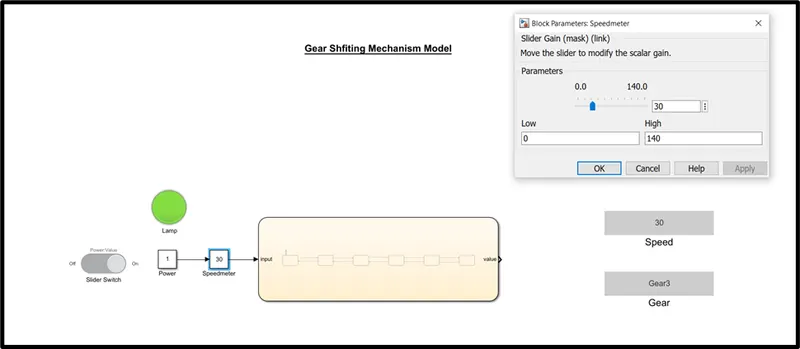
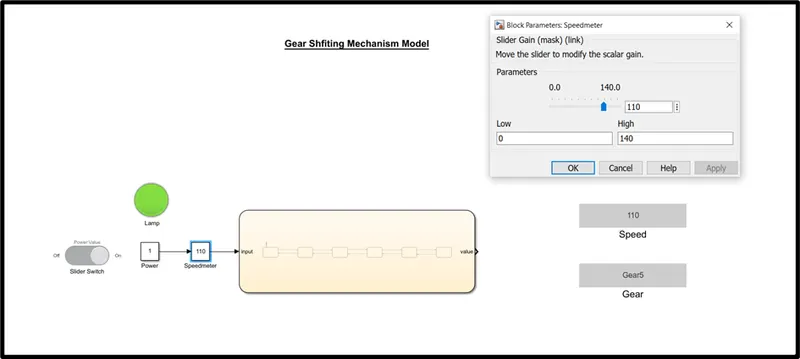
Likewise, changing the speed in the speedometer according to the given condition, Gear position will change.