Week 4 - 2D Meshing for Sheet Metal
OBJECTIVE :
My objective is to find and eliminate geometrical errors following up generating mid surface of the CCB CAD model and mesh it with the given 2D element Quality criteria.
CCB CAD MODEL IMAGE : Here is the initial CCB CAD Model image.
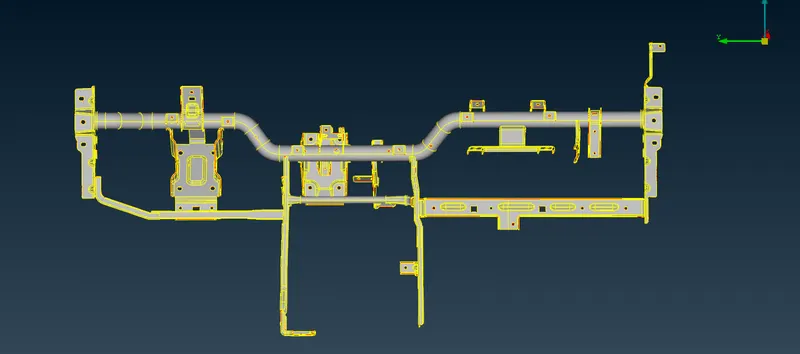
PROCEDURE :
- Performed Topology from TOPO Module to the whole cad model, to connect the cons to double cons.
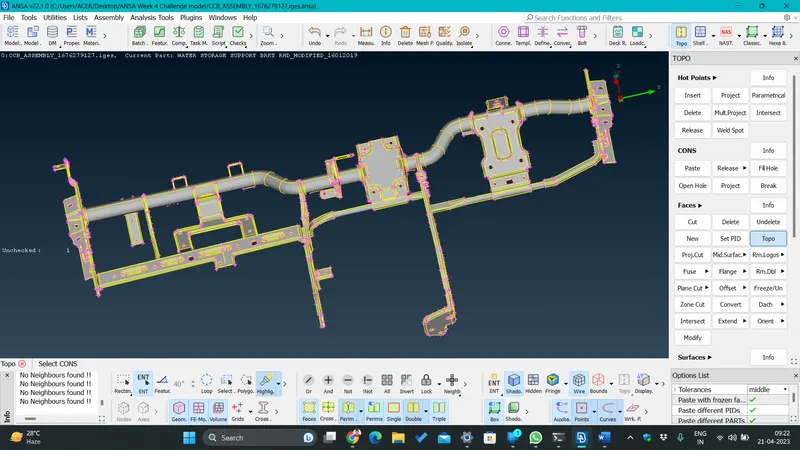
- Steps (TOPO_Module Tab>Topo from faces option>select all and hit middle click to apply).
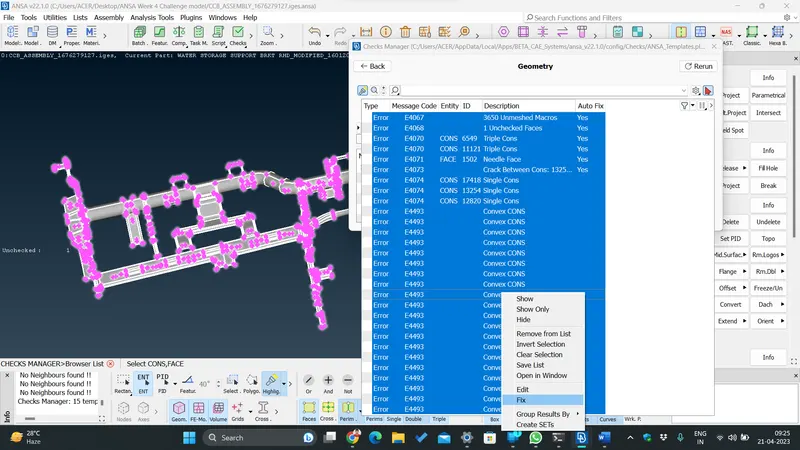
- Performed Geometry Checks to find any errors in the CAD Model including triple cons, cracks,needle face,new face,etc
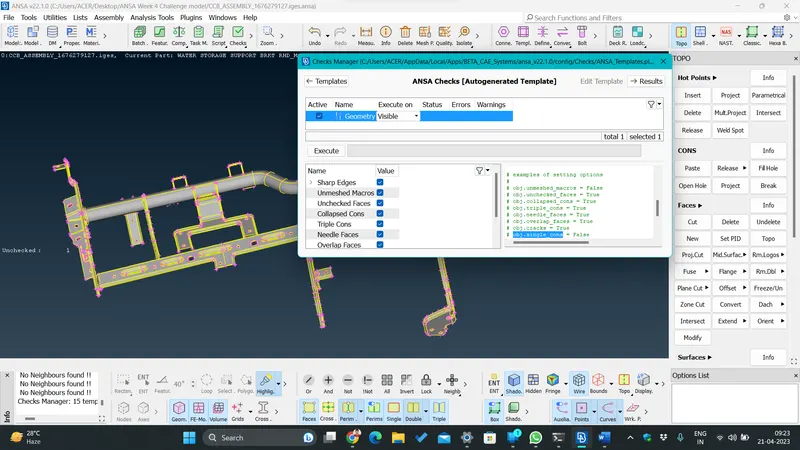
- Steps ( Checks_Tools Tab>Geometry). 58 errors were found in total.Steps ( Checks_Tools Tab>Geometry). 70 errors were found in total.
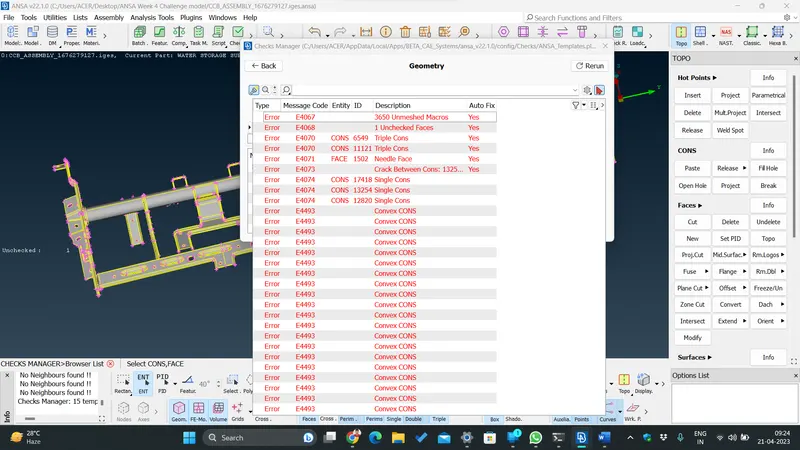
- The Geometric errors were eliminated by selecting all the errors at once and selecting fix by right click.The remaing errors were cleared manually by using the commands, Cons_release,Faces_delete/new,Hotpoints_delete and performing topology.
- Created Automatic Mid Surface for the Model.
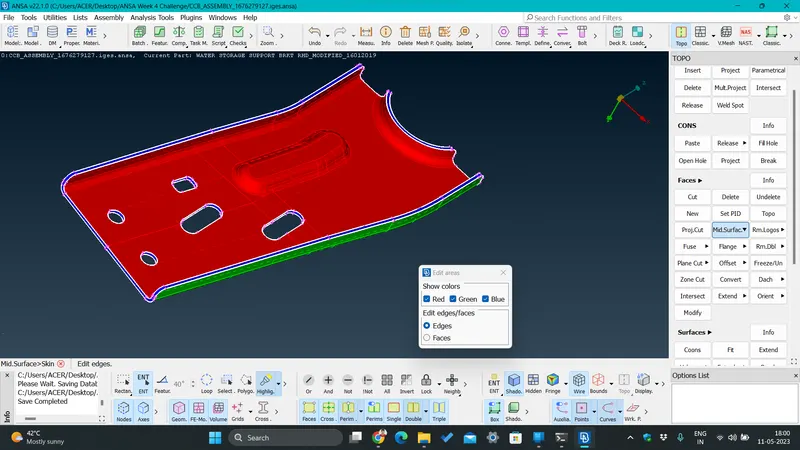
- Steps (Under TOPO Module_Faces tab_Select Mid surface>Skin>apply thickness direction>ok), Apply Topology.
- Assigned new PIDs for the new generated mid surface of every parts by providing thickness.
- For setting up Quality Criteria and Mesh Parameters.
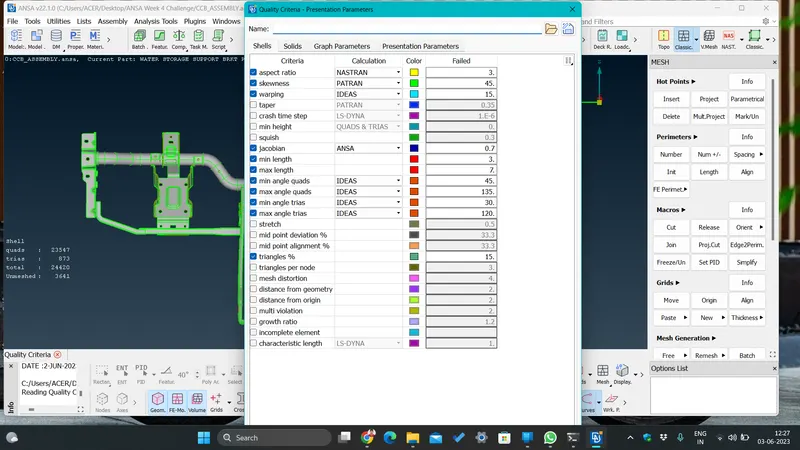
- Steps (Quality Criteria_Utilities tab>enter the values provided click apply and ok). Select Mesh parameters from the same tab.
MESHING and its Modifications :
- Hot Points distance was setup from Classic Mesh module_perimeters tab_length, both perimeters and macros were set to 5mm for the mid surface.
- Mark the Smaller Holes with Mark/Unmark button under Hot point tab in Classic mesh on the mid surface model.
- Divided the contours with rectangular section from macro tab cut option, under classic mesh module.
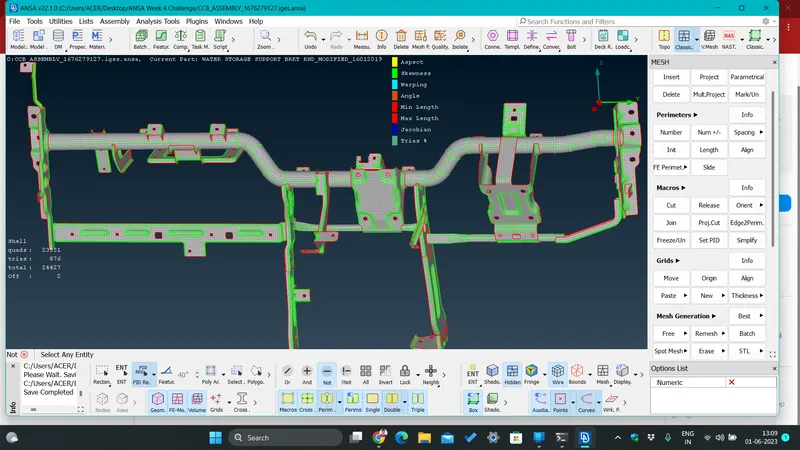
- Applied best mesh option under mesh generation tab, Reconstructed the mesh flow from shell mesh tab. Applied smooth option for better mesh flow.
- Selected Hidden option from Drawing style tabto see the passing and failing quality parameters.
- Eliminated some of the Tria elements from various tools and commands like_Collapse,Grid_paste,Elements_split,join,snap,etc.
- Applied smooth command after every mesh generation command to achieve proper mesh flow in the selected macro areas everytime.
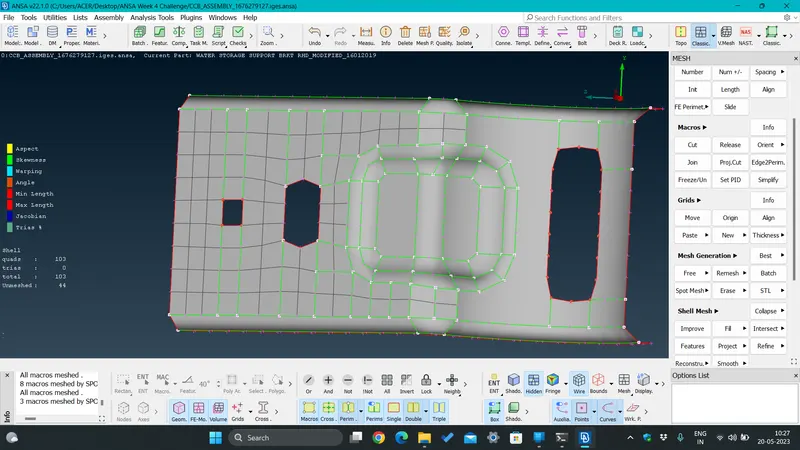
RESULT :
Successfully generated net mesh flow in the mid surface model.
CONCLUSION :
I would conclude my project by thanking all my mentors for guiding me and teaching me about the best techniques to encounter all my difficulties during making the project.
I learnt many important commands, techniques and best practice methods.