Week 3 - 2D meshing for Sheet metal
OBJECTIVE :
My objective is to generate a mid surface of the Hood model after clearing up geometic errors and topology following up the good mesh flow in the model.
PROCEDURE :
- Perform Topology to the whole cad model, to connect the cons to double cons.
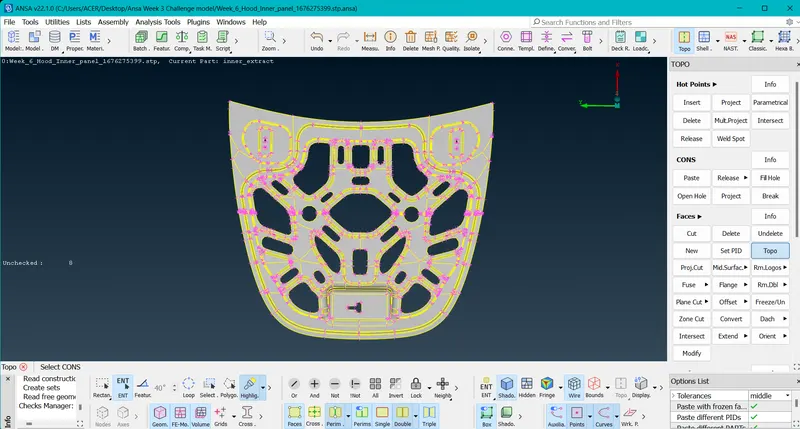
- Steps (TOPO_Module Tab>Topo from faces option>select all and hit middle click to apply).
- Perform Geometry Checks to find any errors in the CAD Model including triple cons, cracks,needle face,new face,etc.
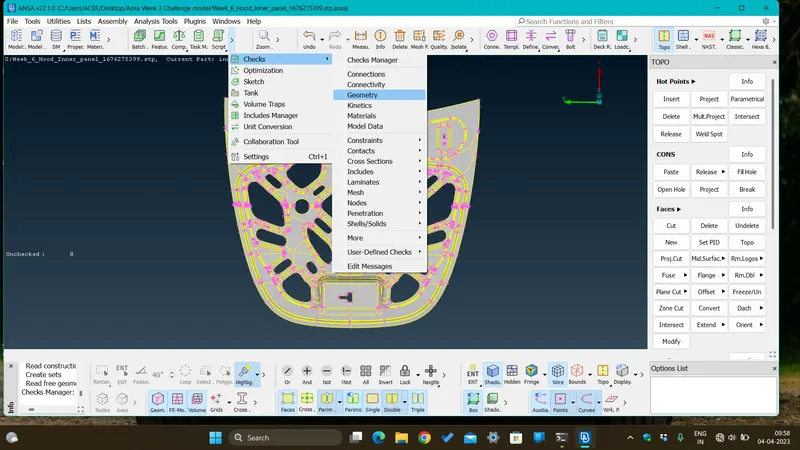
- Steps ( Checks_Tools Tab>Geometry). 70 errors were found in total.
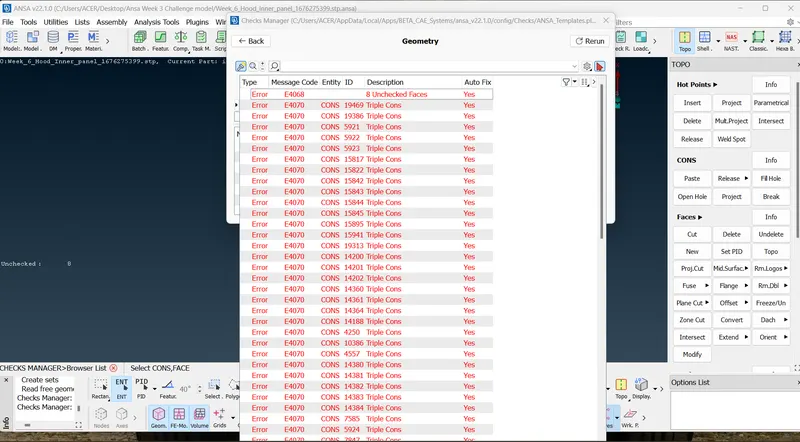
- The Geometric errors were eliminated by selecting all the errors at once and selecting fix by right click.The remaing errors were cleared manually by using the commands, Cons_release,Faces_delete/new,Hotpoints_delete and performing topology.
- Created Automatic Mid Surface from the Model.
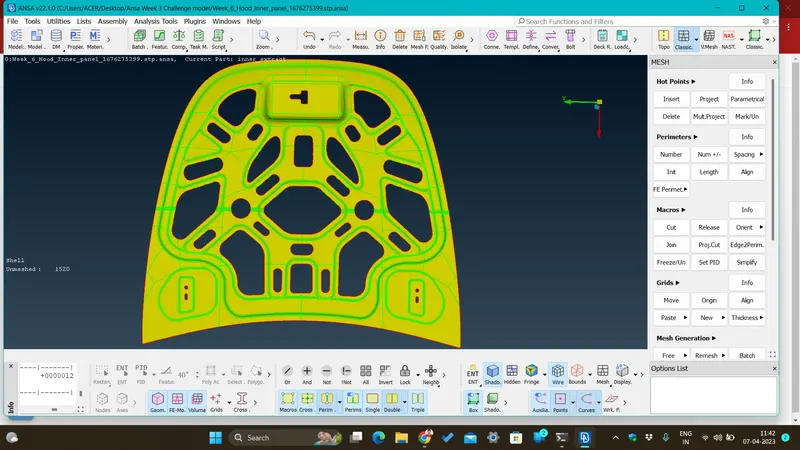
- Steps (Under TOPO Module_Faces tab_Select Mid surface>Skin>apply thickness direction>ok), Apply Topology.
- Assigned a new PID for the new generated mid surface Product by providing thickness.
- For setting up Quality Criteria and Mesh Parameters.
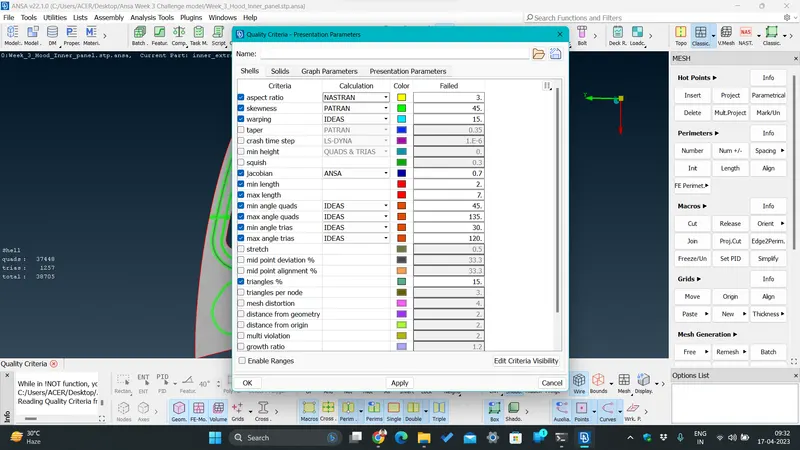
- Steps (Quality Criteria_Utilities tab>enter the values provided click apply and ok). Select Mesh parameters from the same tab.
- Hot Points distance was setup from Classic Mesh module_perimeters tab_length, both perimeters and macros were set to 5mm for the mid surface.
- Mark the Smaller Holes with Mark/Unmark button under Hot point tab in Classic mesh on the mid surface model.
- Divided the contours with rectangular section from macro tab cut option, under classic mesh module.
- Applied best mesh option under mesh generation tab, Reconstructed the mesh flow from shell mesh tab. Applied smooth option for better mesh flow.
- Selected Hidden option from Drawing style tabto see the passing and failing quality parameters.
- Eliminated some of the Tria elements from various tools and commands like_Collapse,Grid_paste,Elements_split,join,snap,etc.
- Applied smooth command after every mesh generation command to achieve proper mesh flow in the selected macro areas everytime.
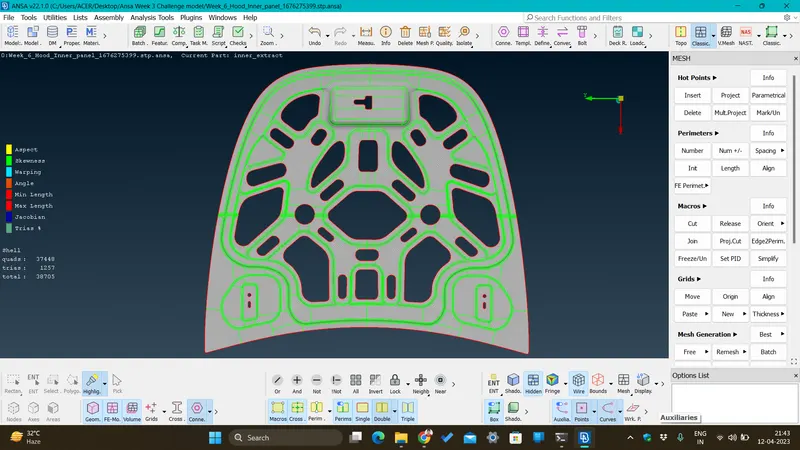
RESULT :
Successfully generated net mesh flow in the mid surface model.
CONCLUSION :
I would conclude my project by thanking all my mentors for guiding me and teaching me about the best techniques to encounter all my difficulties during making the project. I learnt many important commands, techniques and best practice methods.