Week - 4 - 2D meshing for Plastic components
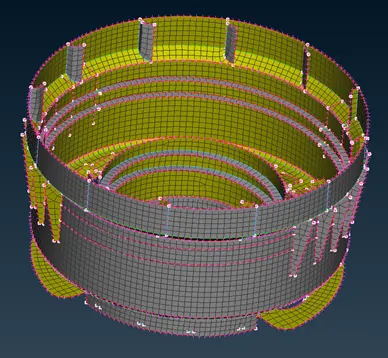
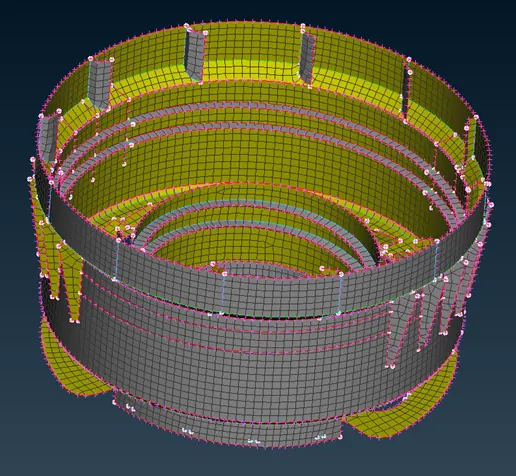
Extraction Midsurfaces and Meshing of Plastic Bottle Cap Model Using ANSA Preprocessor
AIM:
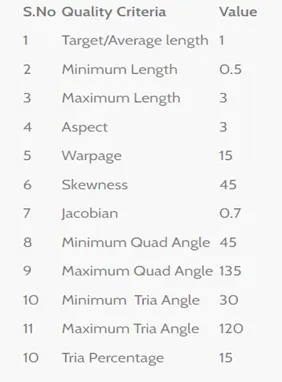
Objective of project is to take midsurface of all components after checking geometrical errors and mesh the midsurface of plastic bottle cap using given quality criteria.
LITERATURE:
Finite Element of Analysis
Finite element analysis (FEA) is the process of simulating the behavior of a part or assembly under given conditions so that it can be assessed using the finite element method (FEM).
Discretization And Its importance
Mesh generation is the practice of creating a mesh, a subdivision of a continuous geometric space into discrete geometric and topological cells. The objective is to create a mesh that accurately capture the input domain geometry with high quality (well-shaped) cells and without so many cells as to make subsequent calculation intractable. As a result, midsurfaces are taken in to account with finite thickness in order to mimic as a solid body.
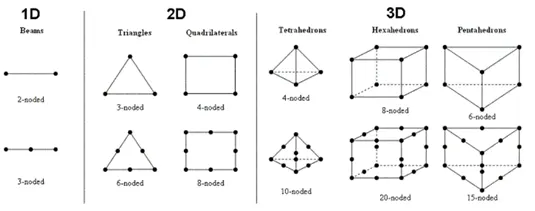
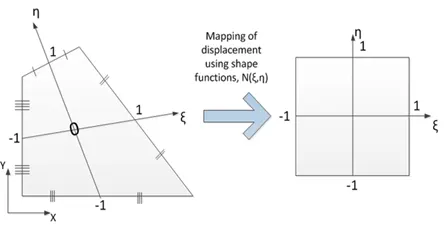
Finite Element Shape
There are three types of elements in discretization method which are given below:
Quality Criteria
Generally, there are four criteria to evaluate the qualities of the solid mesh, which are aspect ratio, skewness, orthogonality, and smoothness. Aspect ratio is the most important criteria to evaluate the qualities of each individual element. On the other hand, skewness, orthogonality, and smoothness, show the quality prediction for two adjacent elements sharing the same inner face.
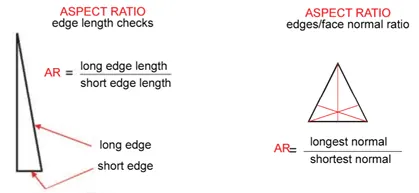
- Aspect Ratio: Aspect ratio is the measure of a mesh element's deviation from having all sides of equal length. A high aspect ratio occurs with long, thin elements. Entering an overly large value for the Minimum Element Size mesh control may cause the mesh generator to create solid elements with high aspect ratios.
- Jacobian Ratio: It seems that the Jacobian ratio is defined as the ratio between the maximum and minimum Jacobian determinant in an element [1, 2]. And, that a value between 0.33333 and 1 is good-enough [3]. Nevertheless, for linear elements, the Jacobian is constant and thus the same over each element.
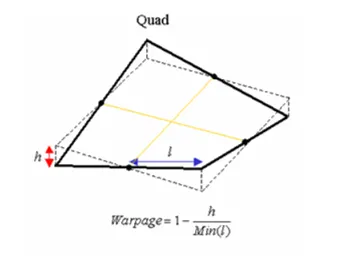
- Warpage: Ideally all the nodes of quadrilateral element should lie on the same plane but at curvature and complicated geometry profile it is no possible. “Measure of out of planeness of a quadrilateral is warping factor or warping angle. Warping calculation for triangular element is not applicable, since three points define a plane, this check only applies to quad
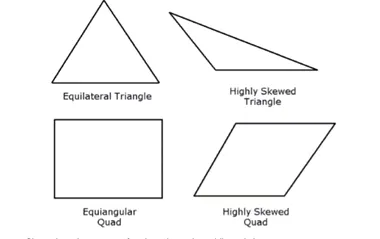
- Skewness: Skewness directly shows how many the mesh structure is close to its ideal shape or form. The examples below show this situation for skewness value
Problem Statement:
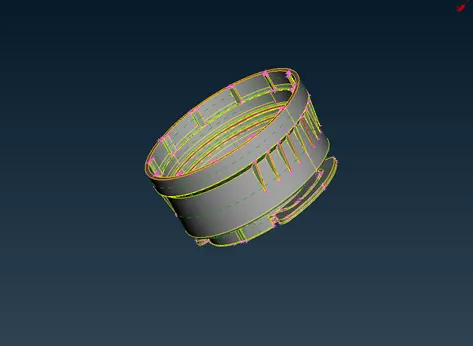
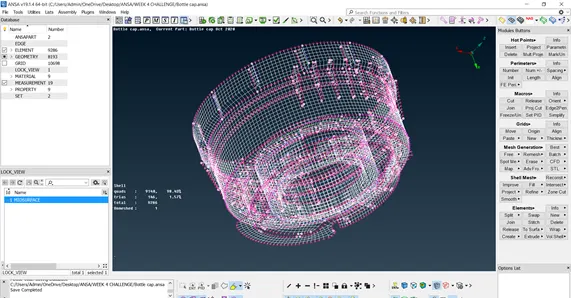
In the given Plastic Bottle Cap model, we are going to take mid surfaces for all the component after checking the geometrical errors and mesh the mid surfaces with given quality criteria in the Beta CAE ANSA v19.1.6 Software.
PROCEDURE:
Lock Store:
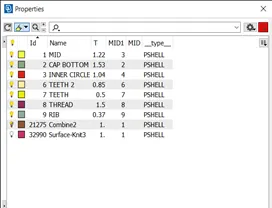
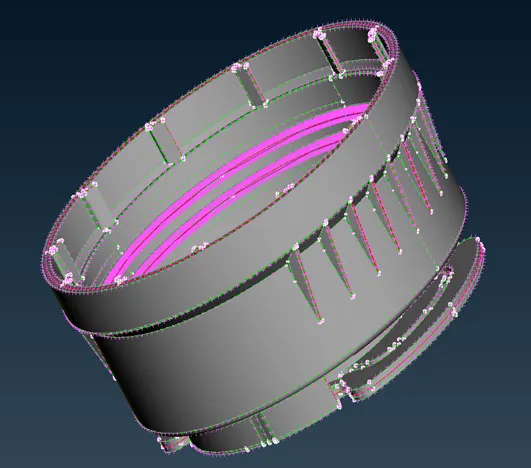
Firstly, I tried to separate different midsurface part and store their lock respectively. There are 7 different part of plastic bottle cap according to their thickness as a result I store 5 different component using Boolean operation.
Geometry Cleanup:
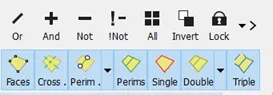
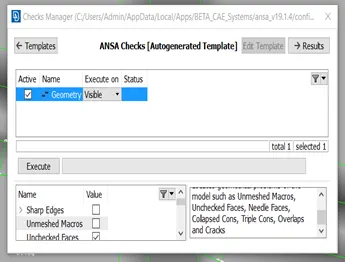
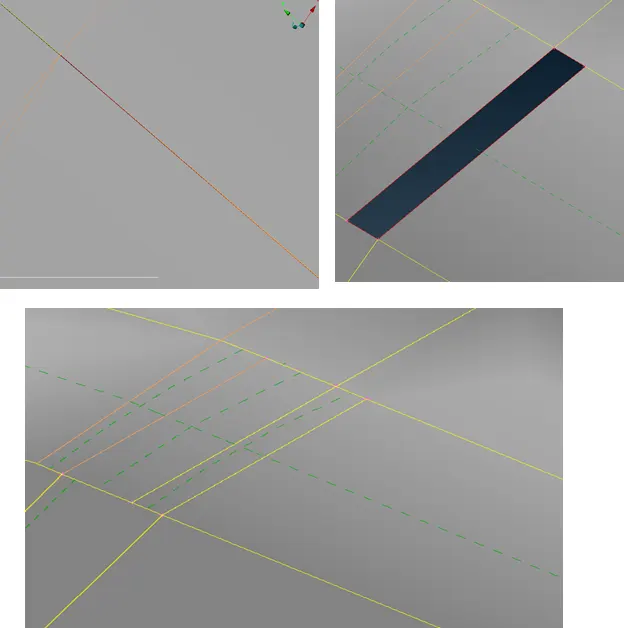
In the main file, I check geometry using check tool and try to repair some needle face. There were some unchecked faces which was later removed by using cleanup tool. Faces, Cons and hot point panel was used to do topology cleanup.

Go to check Panel > Geometry (template) and then execute command to see topology error. Most of error will be easily fixed by ANSA preprocessor but some need manual editing.
Midsurface:
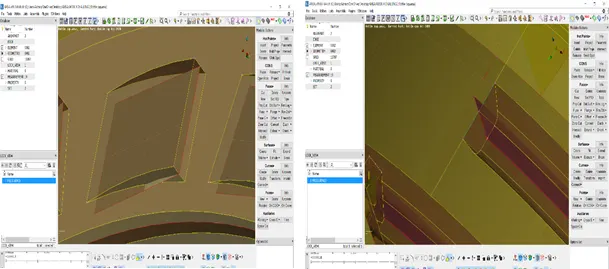
I generated midsurface of plastic bottle cap part individually according to their thickness using offset and middle command in face. But it generated lots of geometry flaw such as triple cons which was later removed. I have used fine and orient command to improve resolution and orientation of my cad file respectively. After successfully acquired midsurface, I assign new PID to them with appropriate thickness.
Meshing: There are 3 parts in meshing process:
Meshing preprocessing
- Firstly assign 1 mm size to whole midsurface using perimeter> length command
- Orient hole and other geometry parallel to each other in order to get one way mesh flow. In order to orient in one way, you need to use perimeter> slide command
- Assign even no of perimeter to each hole using perimeter> number command.
- Divide midsurface in small area using project cut and simply cut command from macro panel.
Meshing
- Use mesh generation>best tool > select from meshing panel to generate mesh in selected face.
- Use shell mesh >reconstruction tool form shell mesh panel to create smooth mesh flow.

Quality Meshing
- In order to generate smooth mesh flow, use swap, split, paste command from element panel to eliminate tria from mesh or separate it from each other.
- Try to avoid quad rotating element in the mesh flow.
- Try your best to avoid tria in the corner or near hole.
- Tria need to be pulled at boundry line in order to remvoe it using split or paste command
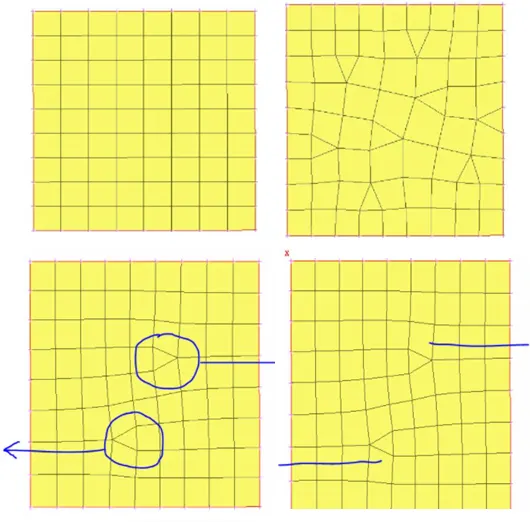
- Once smooth meshing is generated, use quality tool to check mesh quality and try to correct it using reconstruct and smooth tool.
- Once meshing is done, remove green line using join command.
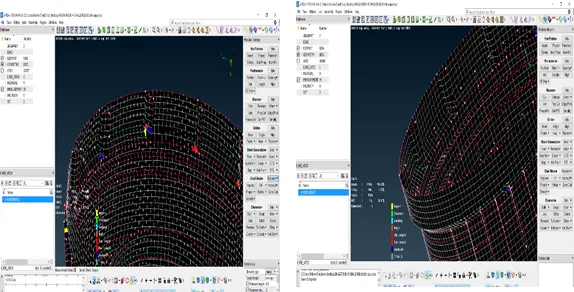
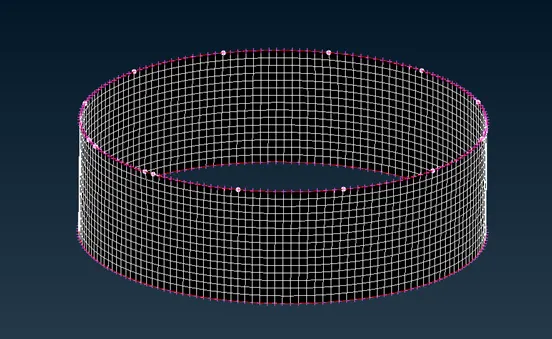
- At end, release FE mesh from CAD using release command from element.
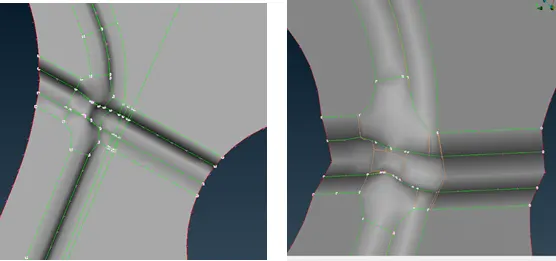
- Defeaturing: I used release command to suppress green line in order to avoid bad mesh quality in non-uniform geometry. Use command for defeaturing. Macro > release
Learning Outcome:
In this project, we learned about geometric error and topology cleanup. Develop perspective to see problem and how to approach it. We learned about midsurface and importance of PID for each midsurface. I learned about meshing of teeth and thread. Mainly, I learned about defeaturing technique which help in developing mesh in the corner without failing quality criteria. At last, but not least, I increased my speed in topology cleanup and meshing.
Conclusion:
- ANSA help in geometric cleanup and help in reducing CAD flaw generated during modeling.
- ANSA help in fast and high-quality modeling of complex geometries
- ANSA has highly automated process and model set up tool in one environment which quickly solve small geometric error without user help.
- ANSA is user friendly which help user to customize his ANSA GUI as needed.
- ANSA is one of the best meshing software which allow person to select individual CAD part and mesh according. Overall, it significantly reduces modeling time while increasing quality.