Week - 4 - 2D meshing for Plastic components
ANSA ANALYSIS REPORT OF FLOOR PANEL OF A CAR
OBJECTIVE
To create a 2D mesh for the B surface panel of a car using the following steps
· Initially understand the given component and its purpose.
· Cleanup the geometry using tools checks options and fix the topology errors too.
· Generate the mid surface by choosing the best option.
· Create the mesh on the mid surface and clear the Quality errors
· Apply the thickness to the mid surface and submit the model.
CHALLENGE MODEL PROVIDED: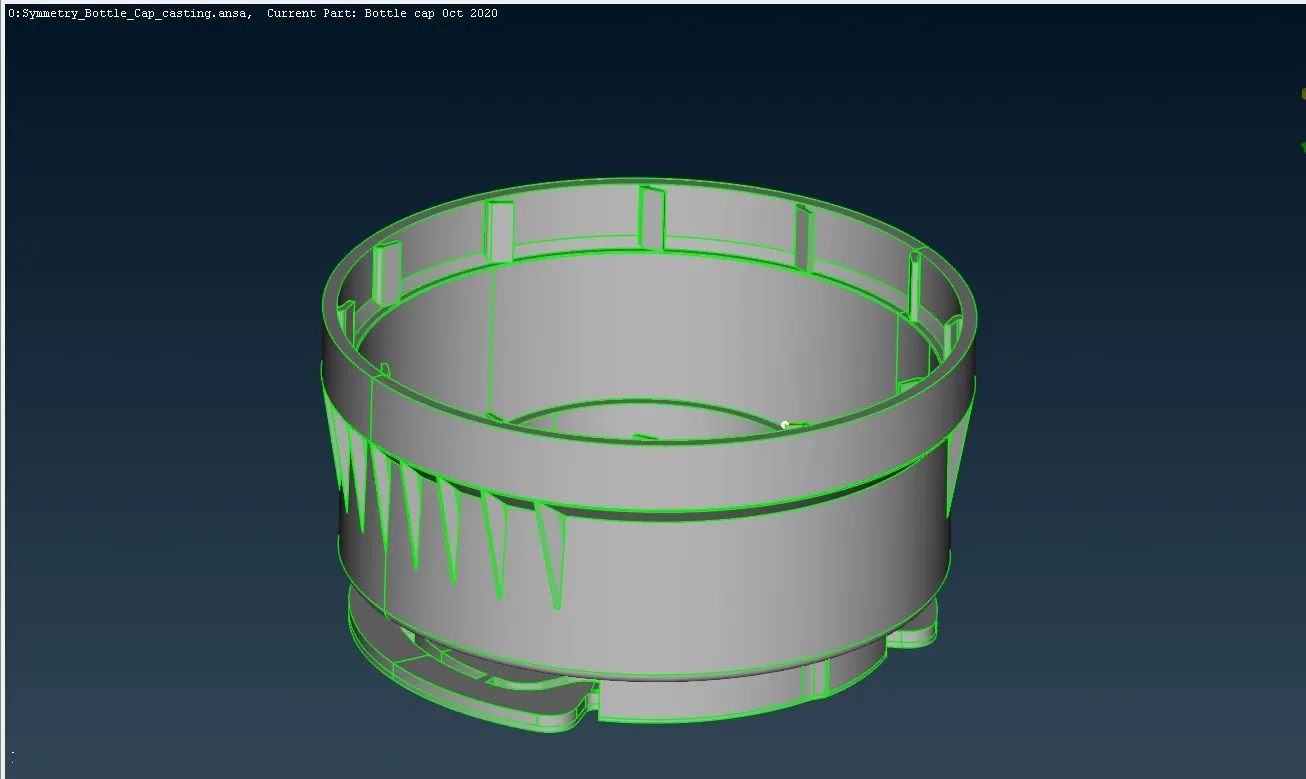
PROCEDURE:
VISUAL INSPECTIONS AND GEOMETRY CLEANUP:
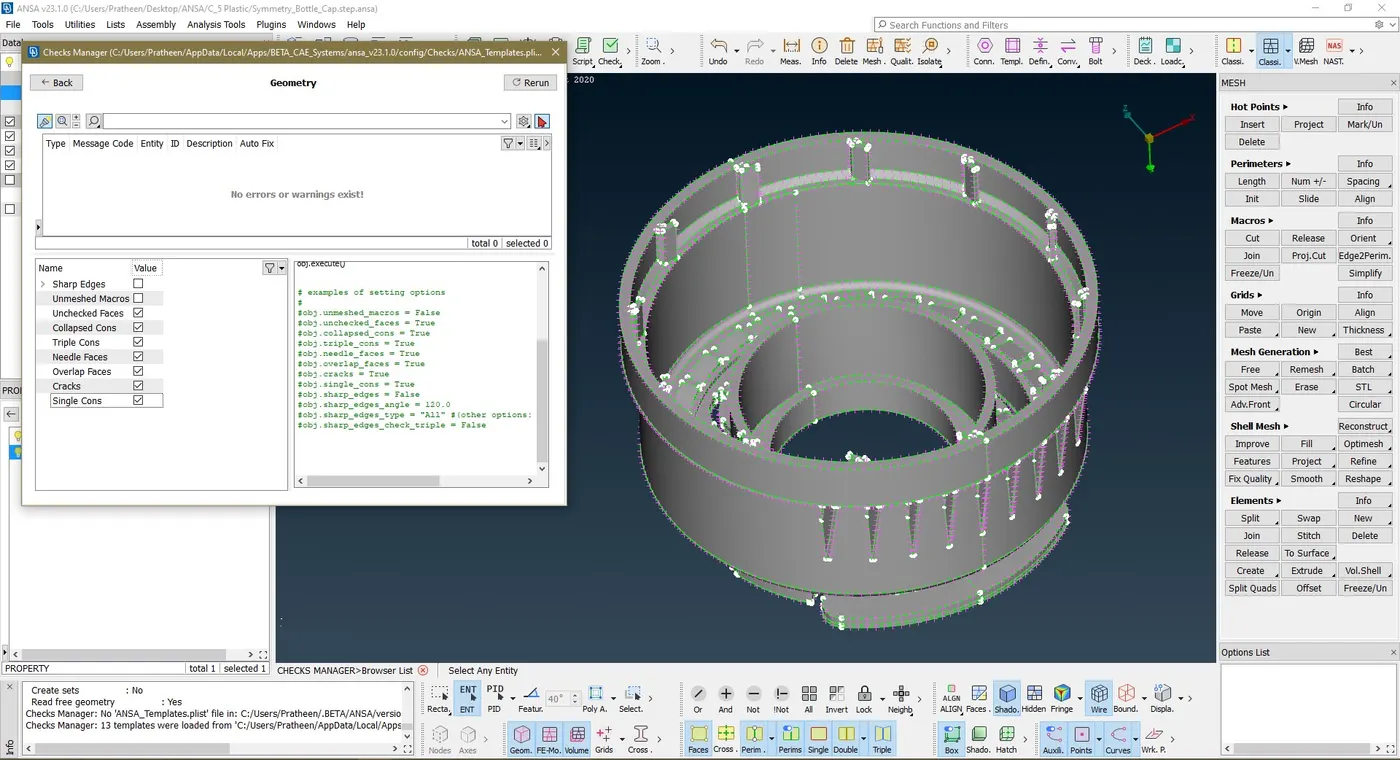
- Perform a visual check of the provided model for any geometry errors like missed or hollow faces, overleaping surfaces and collapsed surfaces.
- Using Tools -> checks option, check for sharp edges, unchecked faces, overlapped faces, triple cons, collapsed cons, single cons, needle faces.
- Fix all the error automatically with fix option.
- Sometimes have to fix the errors manually using topo, release, and edit surface options
MID SURAFACING AND MESHING:
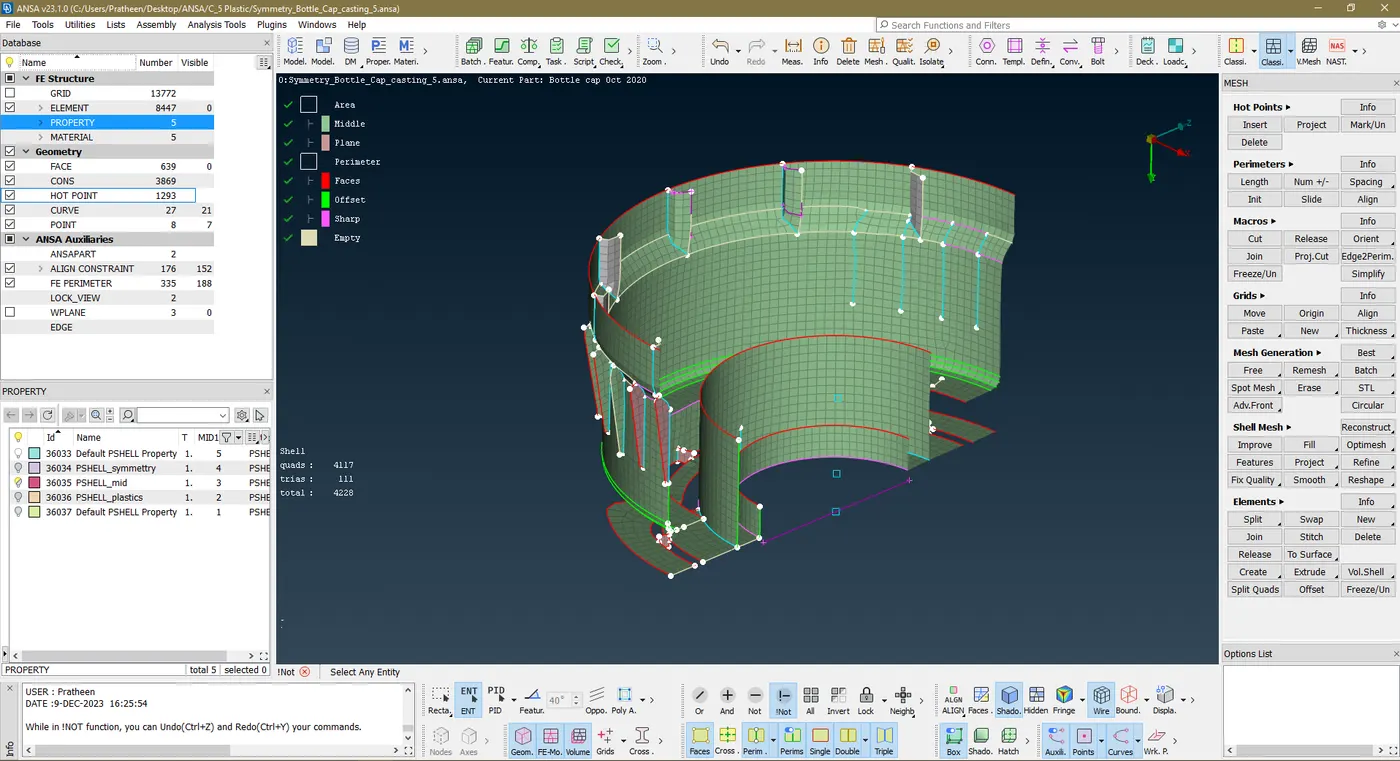
- Since this is a plastic component with different thickness, I used auto mid surfacing.
- The work part is divided in to half since the part is symmetric.
- Using Faces-> Mid surface -> casting option to create an auto middle surface mesh.
- Using Faces-> Mid surface -> Align manger to correct the distorted grids.
- Reason: since the geometry has many different thickness surface auto mid surface used to reduce the process time.
- The off elements are cleared using options like Shell mesh -> smooth, move grid manually.
- Reduce unnecessary tria elements and opposite tria and avoid tria elements touching each other.
- Use split, swap, join elements for manual quality error corrections.
- Fix the quality errors using reconstruct option under shell mesh.
SYMMETTRIC OPTION:
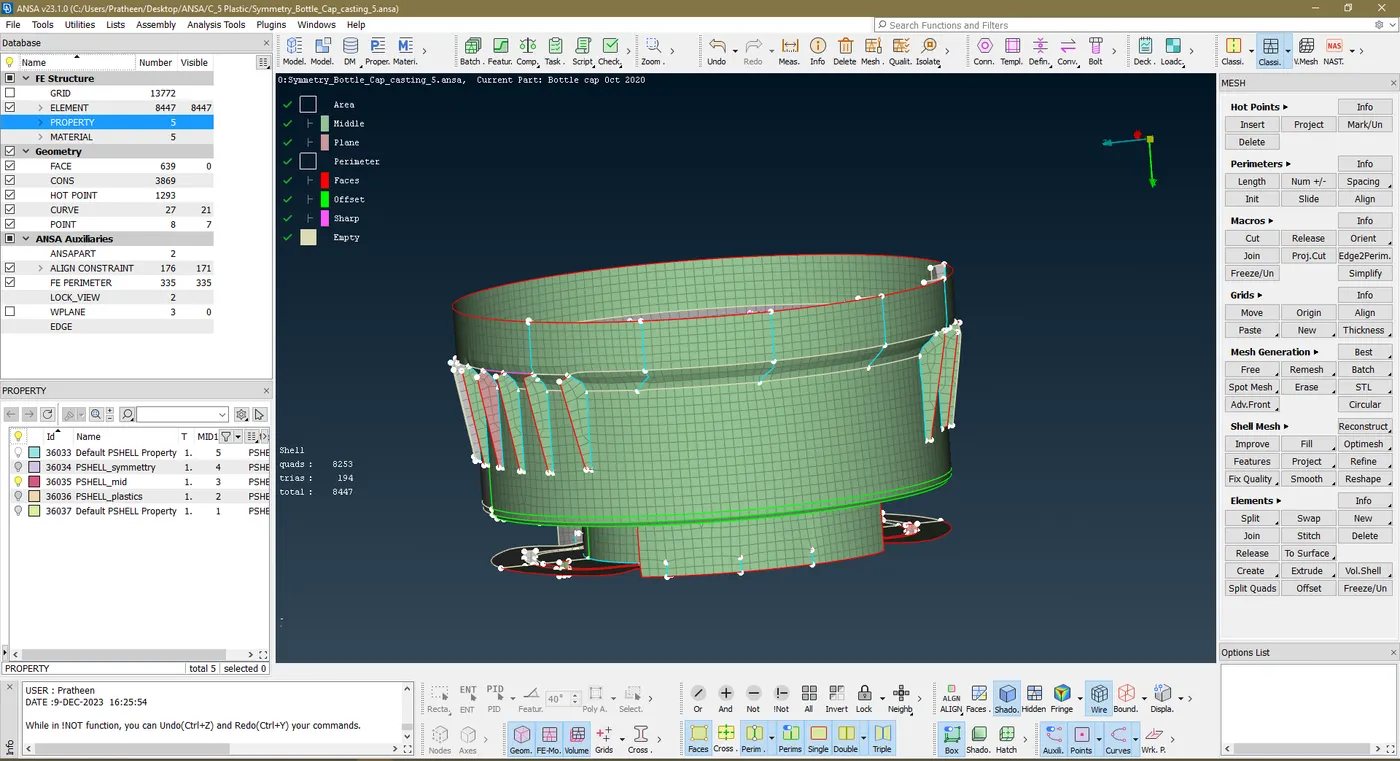
- Utilities -> Transform -> copy and the dialogue box opens
- Select the entities and in symmetry tab, Select the mirror 3-point plane and duplicate the other half.
RESULT:
Mid surface mesh is generated for the given plastic component using various options available in ANSA. Performed topological clean up. Mesh flow is achieved using Reconstruct, smooth, fix quality, split, swap, join, move options in mesh. Applied Quality criteria and achieved that in the meshed model. Thus pre-processing of is done successfully in ANSA.