Week - 4 - 2D meshing for Plastic components
QUESTION -:
OBJECTIVE
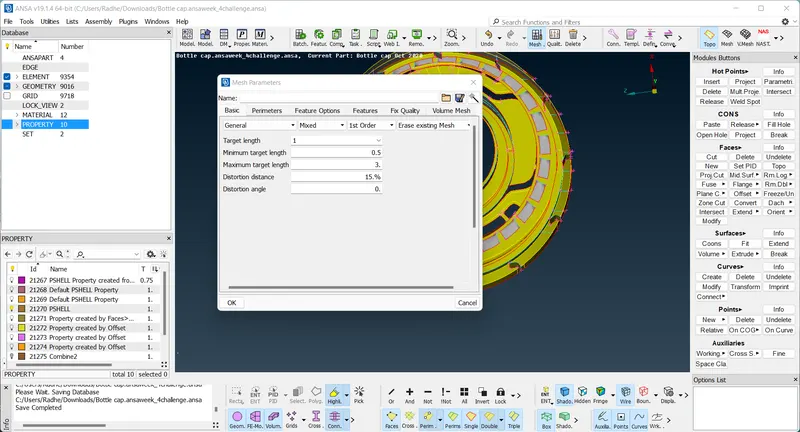
To extract the manual midsurface of the given bottle cap, mesh the component using the given quality parameters and assign thickness.
S.No
Quality Criteria
Value
1
Target/Average length
1
2
Minimum Length
0.5
3
Maximum Length
3
4
Aspect
3
5
Warpage
15
6
Skewness
45
7
Jacobian
0.7
8
Minimum Quad Angle
45
9
Maximum Quad Angle
135
10
Minimum Tria Angle
30
11
Maximum Tria Angle
120
10
Tria Percentage
15
MODEL -:
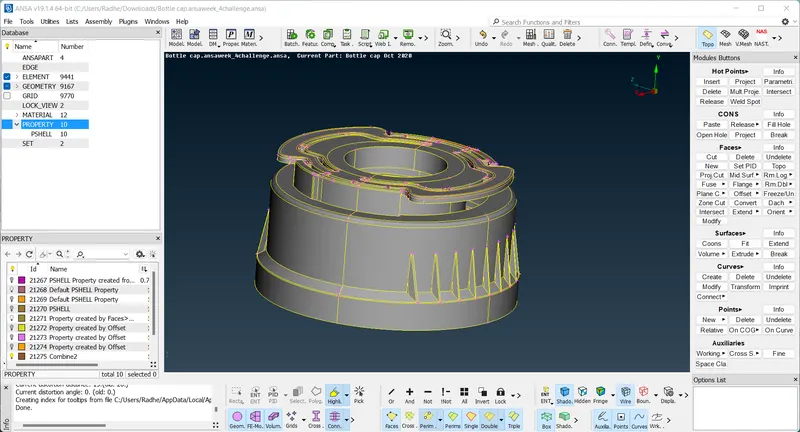
1. Firstly, before we begin any kind of work on the model, we can go ahead and carry out the geometry cleanup. That is done via Checks > Geometry where we can execute checks of certain defects that can be selected from the menu and the algorithm looks for said defects. After detection, we can select all the defects and right-click > fix to fix them.
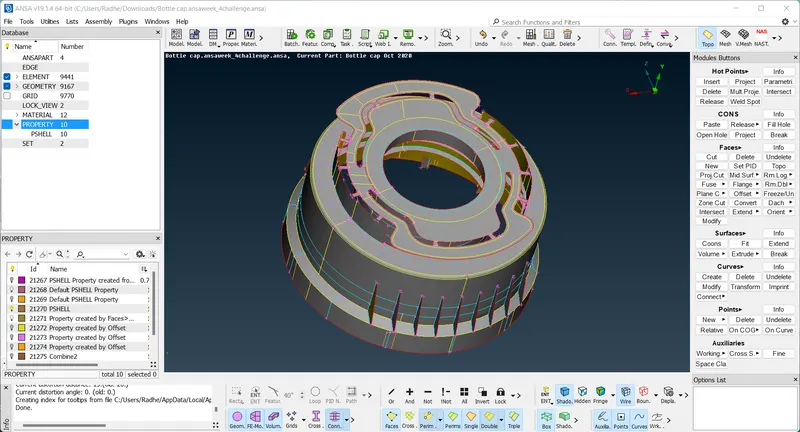
2. After that, we can go ahead and change the cons resolution by accessing the mesh module and selecting 'length' in the perimeter section. We will then need to select the whole model and assign a 1 mm length. This improves the resolution of the model as a whole and at the same time, cater to the target element length requirement for meshing, which we will be doing later.
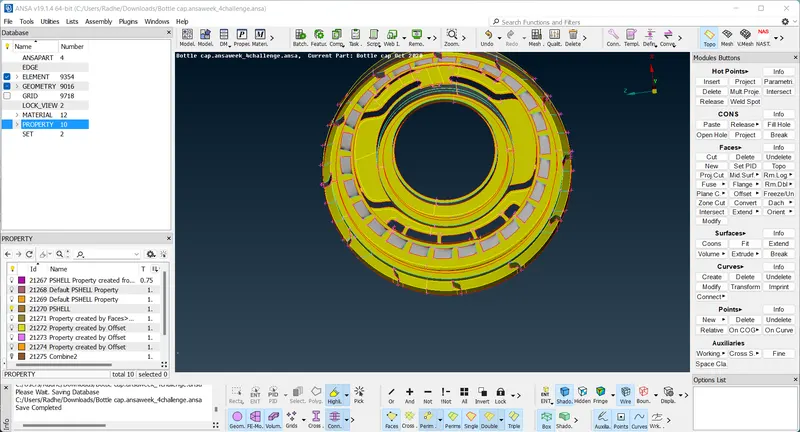
3.Now that we have prepared ourselves to work on the model, we can go ahead and generate the midsurfaces. There are multiple ways to do this. We shall be using the 'middle' and the 'offset' tools for this challenge. The middle tool is especially useful for generating midsurfaces for the various ribs in this model. It can be accessed by going to Faces > Middle. After that, we just need to select either side of the rib and that generates the middle surface.
4. After extracting all the midsurfaces, we can go ahead and extend them to each other to join them with their adjacent counterparts. That is done by using the Faces > Extend tool and selecting 'target'. This option helps extend edges of surfaces to target faces.
In the following case, the adjacent midsurfaces are extended to a common region using Faces > Extend > Pairs option. Both edges are selected here.
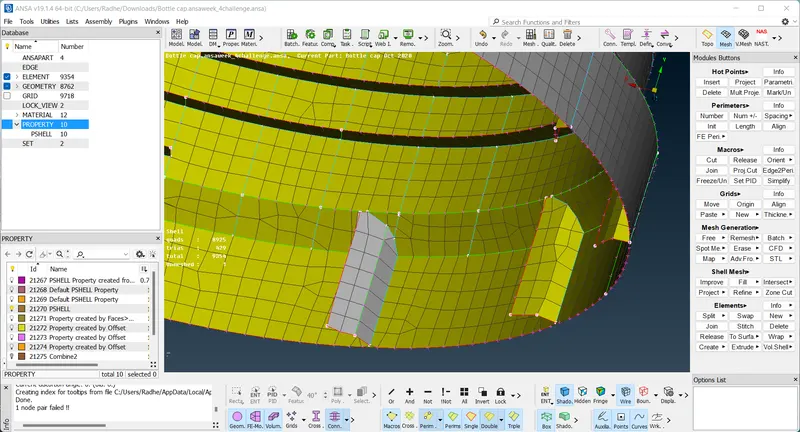
5. In other regions such as the following, excess surfaces require deletion. The intersect tool makes it easy for us as it does the job of both extending surfaces to each other and deleting regions that aren't required. The algorithm asks us to select the surfaces that need to be intersected, creates the cuts and it then asks us which surfaces are to be deleted. Intersect tool can be accessed via Faces > Intersect.
6.We can then start meshing the entire component (using Mesh Generation > Best from the Mesh module) starting from one region and spreading out. It is ideal to start from a region with more single cons surrounding it. One of the outer ribs, for example. Since most surfaces have straight cuts, the mesh is less likely to have a large number of trias.
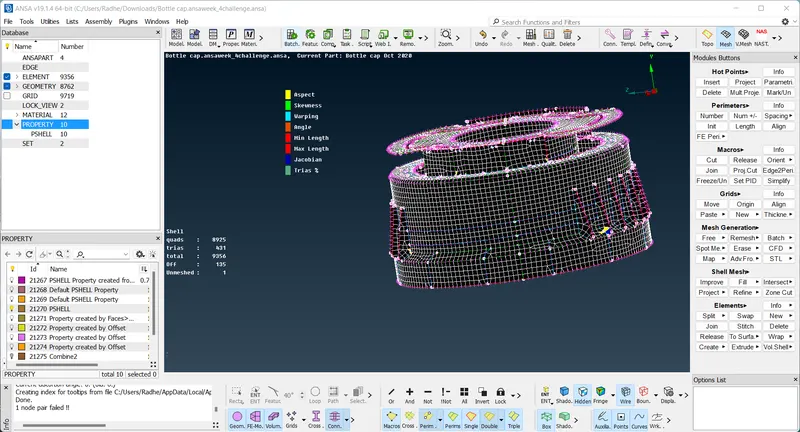
7.After extending, some modifications needed to be carried out in the teeth region. Some teeth were extended/reduced in size to coincide with a triple con formed as a result of a midsurface on the other end of the surface. This was done to prevent minimal length failure.
We can extend by creating a surface as seen here (using curves):
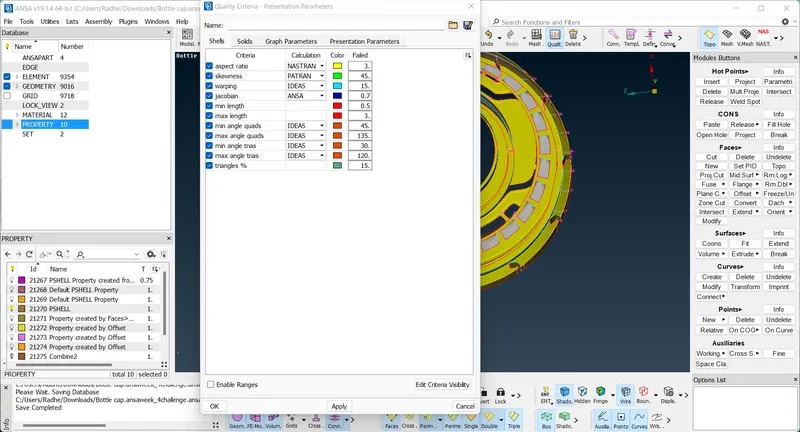
QUALITY CRITERIA -:
Learning tools -:
1. Learnt to make use of the middle tool - a third alternative to midsurface creation.
2. Also learnt the transform > rotate option, to form copies of the same surface around an axis.
3. Was able to familiarize with the intersect, extend and project tools which were required for this component.
4. Also learnt to make use of curves to generate surfaces, be it through manually created curves as well as curves generated with the help of cons.
CONCLUSION -:
The given bottle cap component was meshed as per required quality criteria, after having carried out topology cleanup and generated midsurfaces for each of its surfaces and thickness was assigned to each of them.