Week 4-1D Element Creation Challenge
AIM :
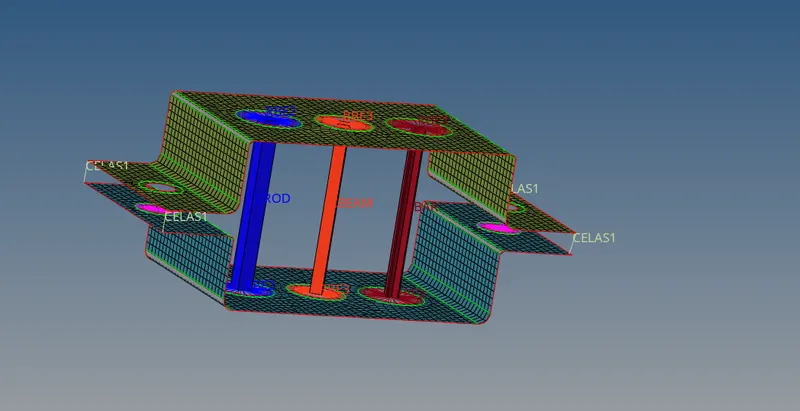
Mesh the Given component with the Size of 5 Units. Create 1D elements on the following component with given cross-section and DOF
a. Rod element:- Translational DOF should be Constrained with RBE2 link
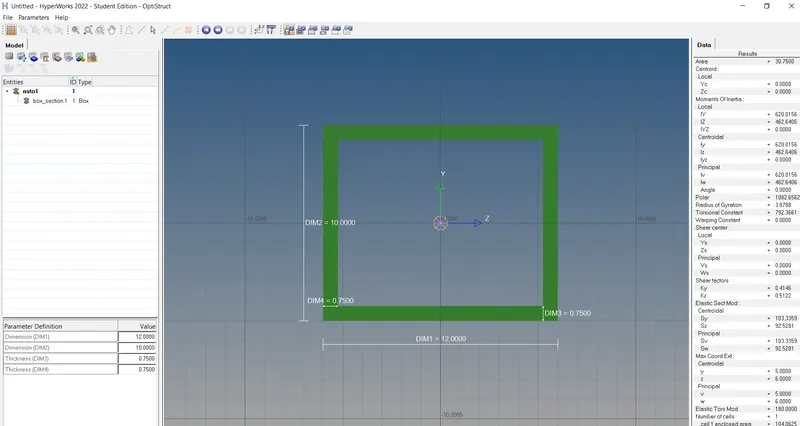
Cross-Section: BOX- Dimension a= 12 mm
dimension b=10 mm
Thickness t= 0.75 mm
b. Beam element:- All DOF should be constrained with RBE3 link
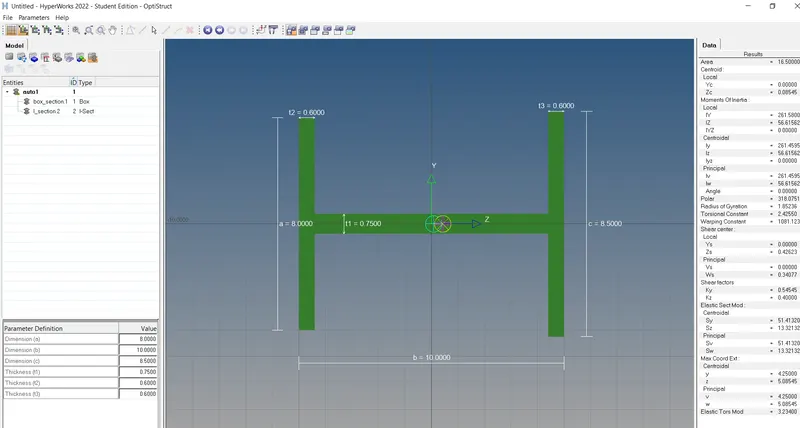
Cross-Section: I Section- Dimension a= 8 mm
Dimension b= 10 mm
Dimension c= 8.5 mm
Thickness t1= 0.75 mm
Thickness t2= .6 mm
Thickness t3= .6 mm
c. Bar element:- Constrain only x and y DOFs With RBE3 link
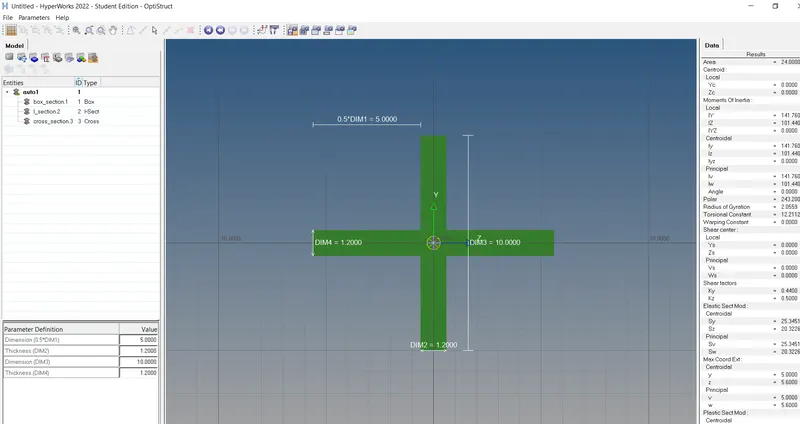
Cross-section: X section- Dimension DIM1= 5 mm
Thickness DIM2= 1.2 mm
Dimension DIM3= 10 mm
Thickness DIM4= 1.2mm
d. & e. Apply the mass of magnitude 10 with the RBE2 link
f. Join the two components with Spring elements
PROCEDURE :
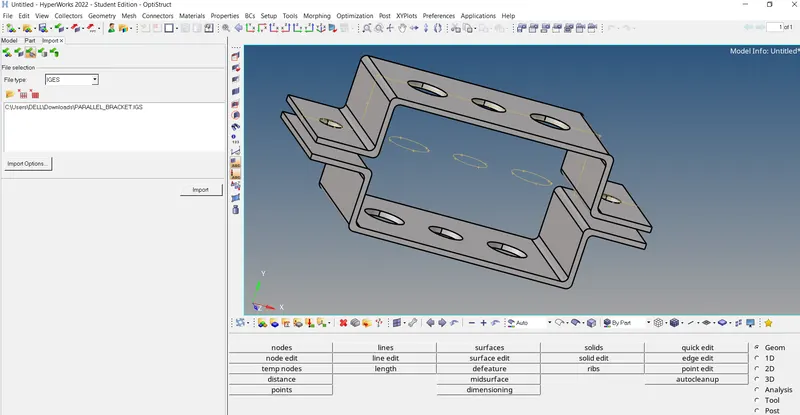
- Import the cad model in hypermesh software
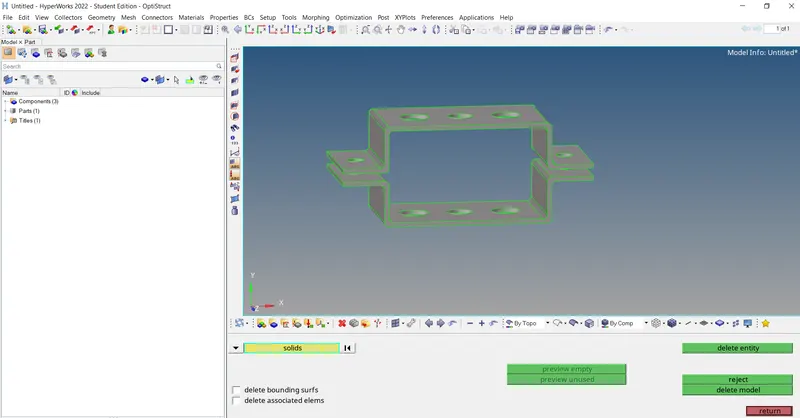
- After import the model check the if any lines are present in my model delete the lines and solid surface are also delete
- And now go to extract the midsurface
- They are two ways of extract the midsurface auto and manually
- Iam using manual method geomentry, surface edit, offset
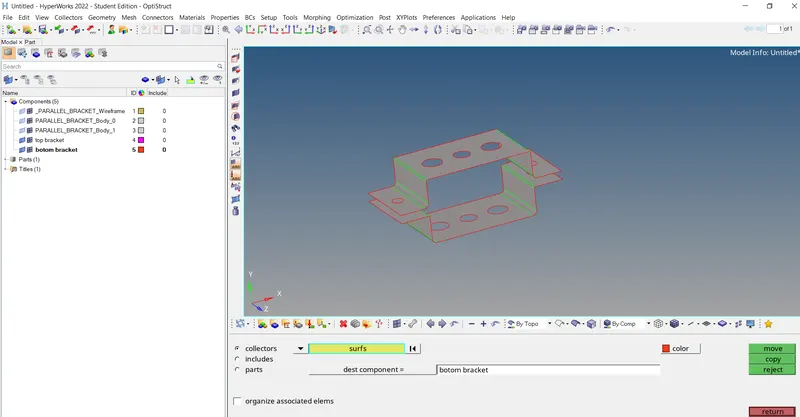
- Create two independent midsurfaces. If they are to be in the same component, then transfer the midsurface. Go to tools organize, select surface, give destination, Move.
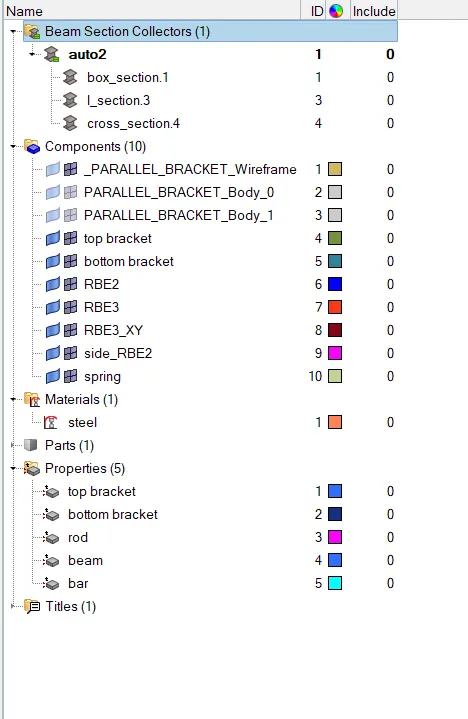
- Assign property to the misurface, also assign the material
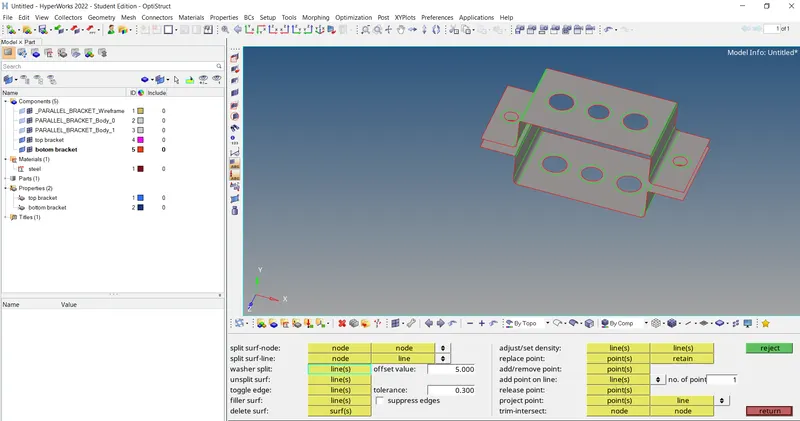
- Give washer's split to the holes and 2D mesh the midsurface. Equate the nodes with the washer's split.
- And now mesh the component, element size of 5
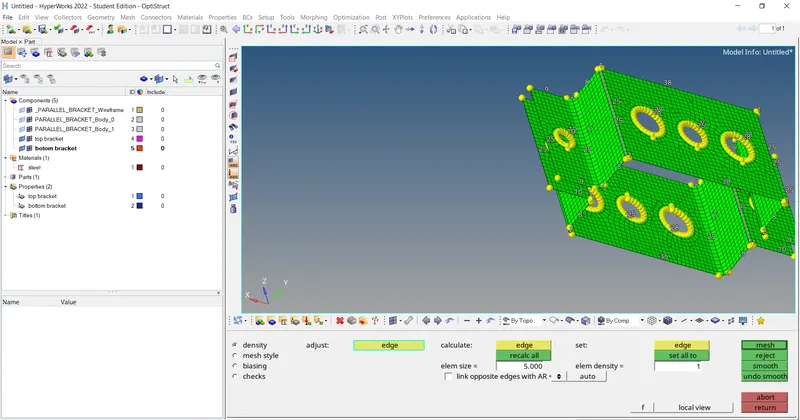
- Before creating the 1d elements first creat the 'RBE' links in hole washer areas
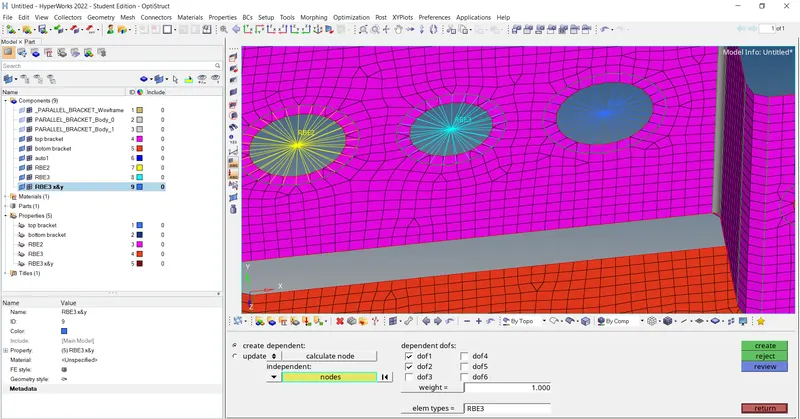
- 'A' hole area creating the Translational DOF Constrained with RBE2 link
- 'B' hole area All DOF constrained with RBE3 link
- 'C' hole area Constrain x and y DOFs With RBE3 link
- Now assign the cross sections
- Rod - Cross-Section: BOX
- Beam - Cross-Section: I Section
- Bar - Cross-section: X section
- Open hyper beam view and create the cross section type and give values are diamension and thichness of the cross section
- After exit the hyper beam view now create the 1d elements
- Apply the mass of magnitude 10 with the RBE2 link in D & E
- joined the two components are using spring elements
- Indudially assing the 1d element properities
CONCLUSION:
The mesh & creation of 1D element has been successfully achieved as per the given inputs.