Week 4-1D Element Creation Challenge
Week 4- 1D elements.
Create 1D elements on the following component with given cross-section and DOF
Object: To deploy the mesh and Create 1D elements on the following component with given cross-section and DOF.
Procedure:
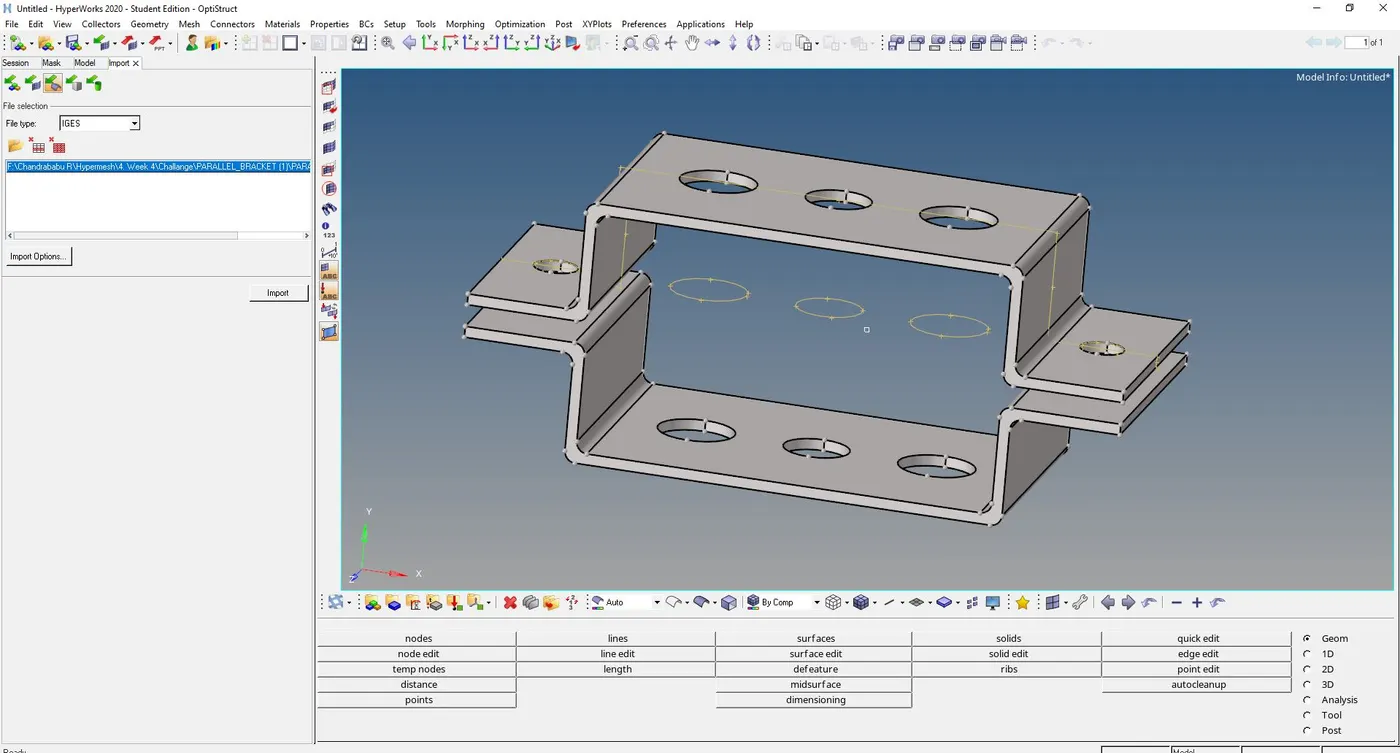
Import the given IGS file in to the Hypermesh from model import option shown in the fig1.01
1. MidSurface Extraction
2. Assigning Property
3. Meshing
4. Creating RBE2 and RBE3
5. Creation Hyperbeam
1. MidSurface Extraction: For the given component extract the midsurface from the given slide which is a sheet of 5mm thickness.
for extraction of mid surface Auto midsurface (Geo>midsurface>Automidsurface) and select the surface, click extract so that it will create midsurface. We can change the type selection by Extraction option shown in the fig.1.1. and fig1.2 show the mid surface of given Comp.
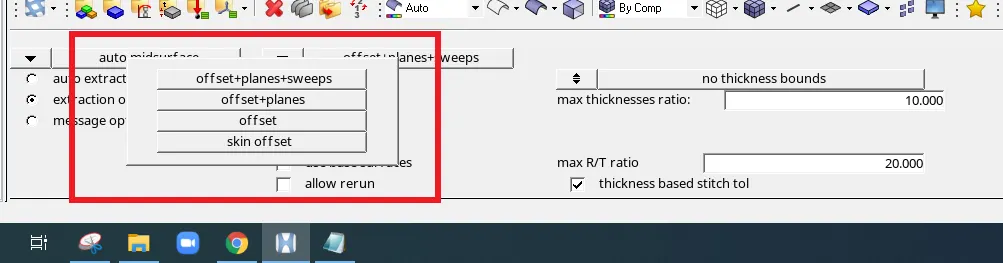
Fig.1.1: Extraction Options
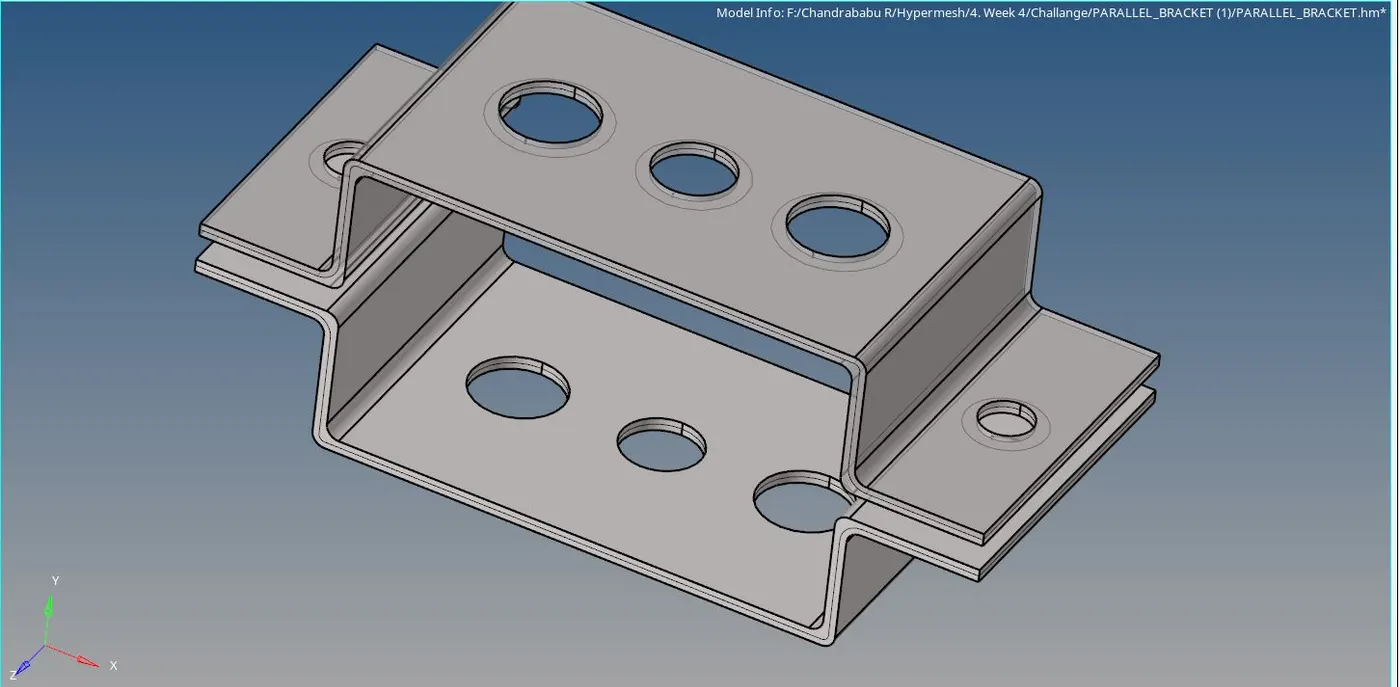
Fig.1.2: Mid Surface
2. Assigning Property: Whatever extracted surface is in a single component. so that organization is required as per the thickness. to do that use the tool Organize (tool>organize) select the type and Dest Component and click on move. similarly for any type of the entity can move Show in the fig2.1.
Create the washer zoon by using Geom>Quick Edit>Washer split by selecting edges. we can see that washer splits in the fig2.1
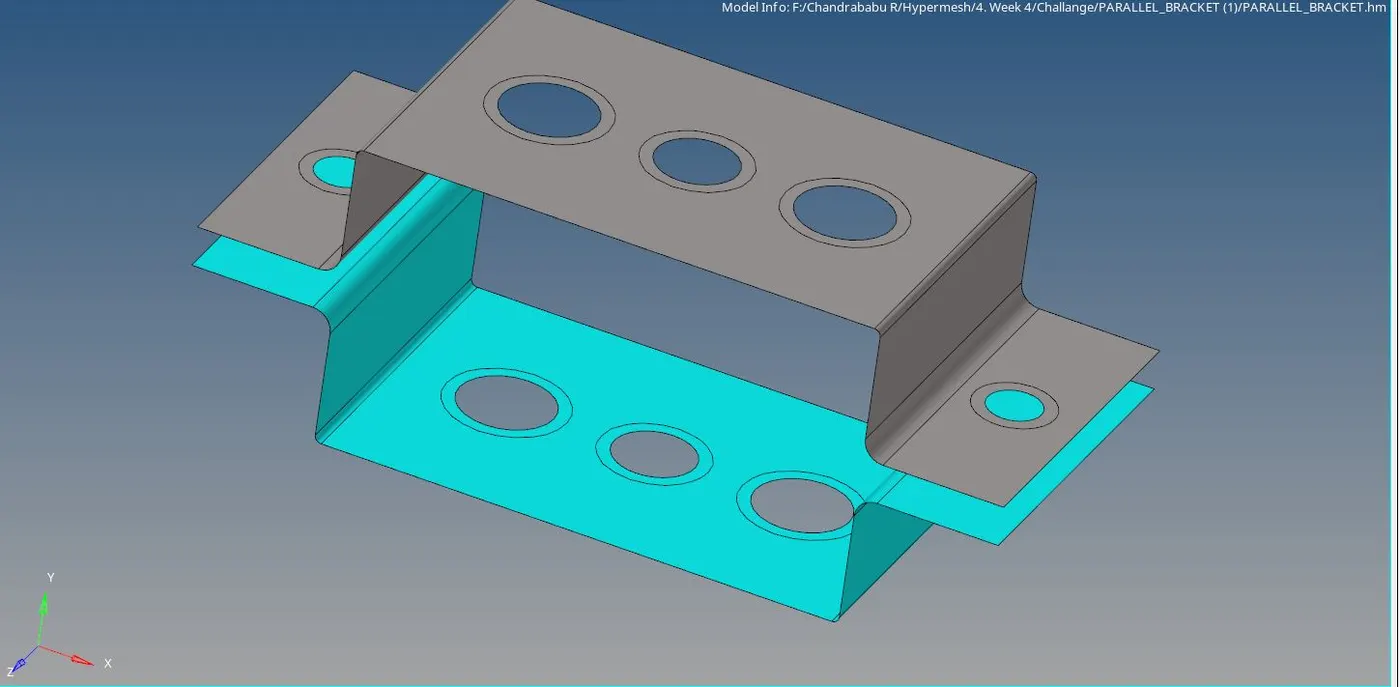
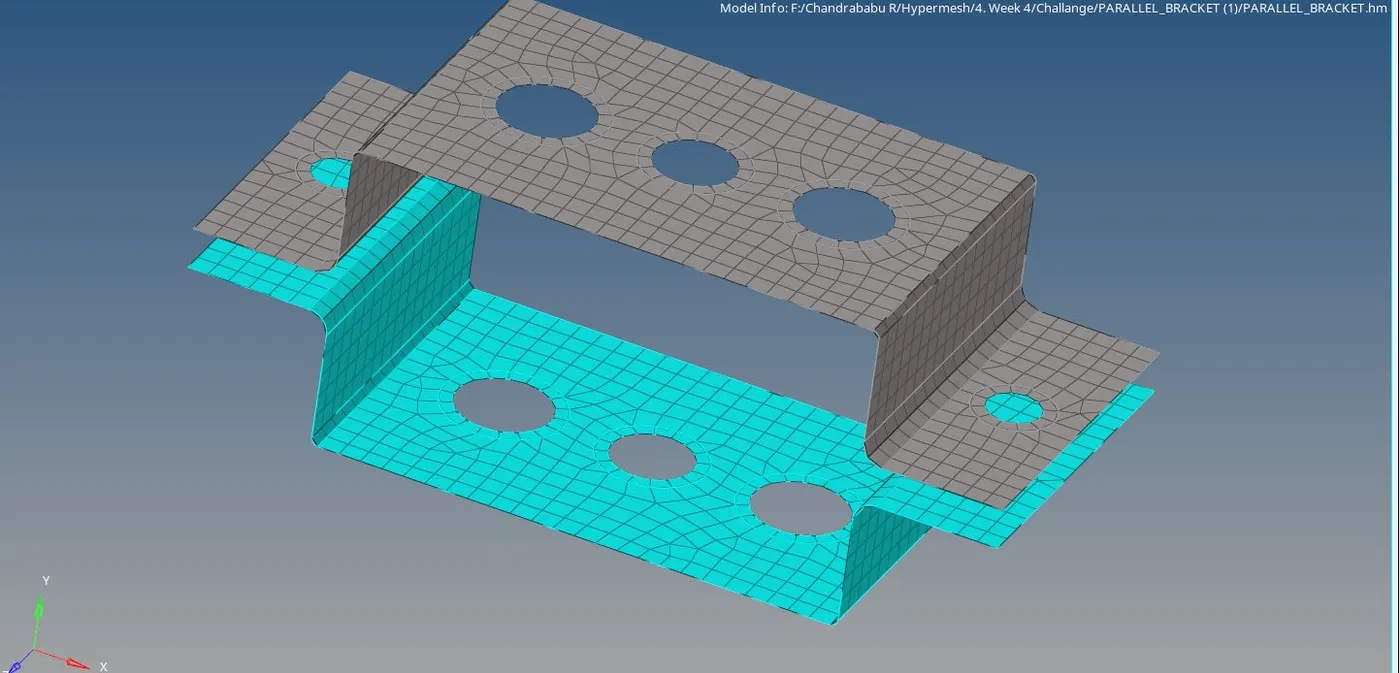
3. Meshing: Here 2D meshing done by Automesh (2D>Automesh)
Select the surface (Shift+Left mouse button And Drag) and give the element size, Click mesh the following fig3.1 shows mesh elements
4. Creating RBE2 and RBE3 And joining:
RBE2: is the 1D element with infinite stiffness also called Rigid element
Create RBE2 by Regids(1D>Rigids). For the location we can select as a noe or multiple nodes with degree of freedom shown in the fig 4.1

RBE3: RBE3's are interpolation constraint elements, where the motion of a dependent node is defined as the weighted average of the motions of a group of independent nodes. The dependent degrees of freedom and weighting factors can be specified or automatically calculated based on the geometry.
Join all respective nodes of RBE2 and RBE3 as per memstion cross section with locations for Bar and Beam we can use bar (1D>bar), inside we have defined the type of element from CBAR, CBEAM.
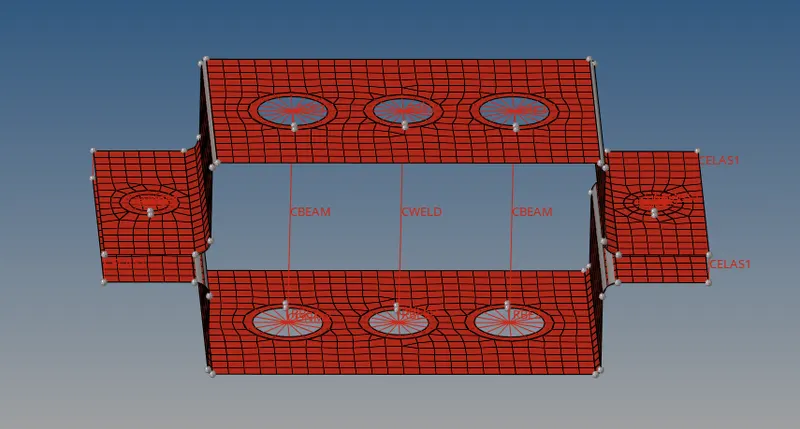
cross-section and DOF:
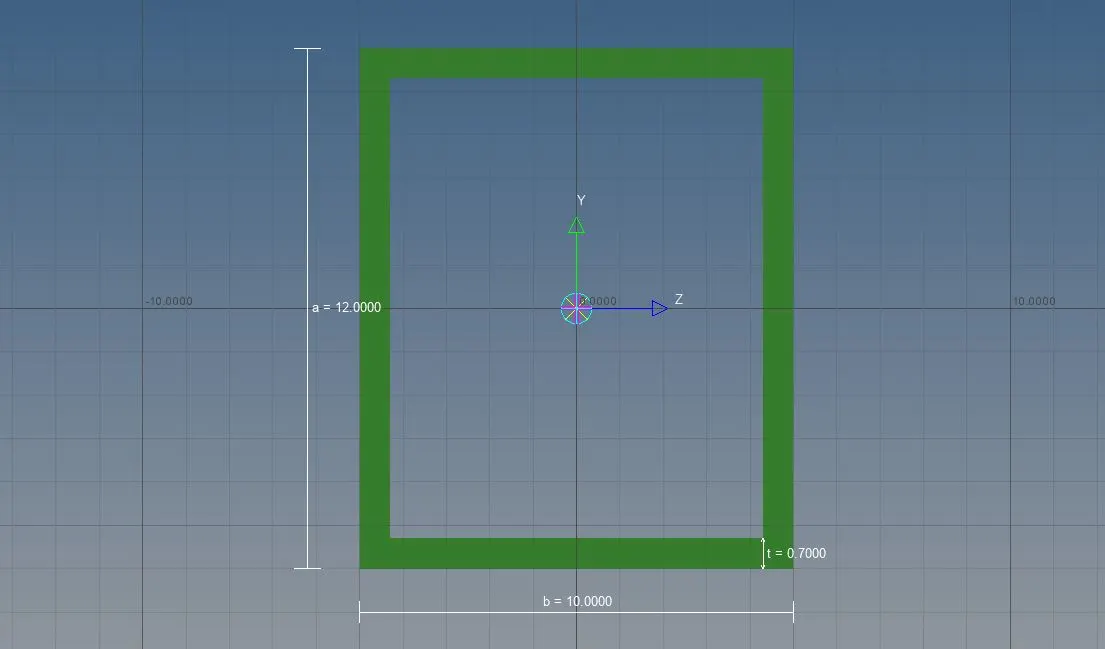
a. Rod element:- with only translational DOF and RBE2 link
Cross-Section: BOX- Dimension a= 12 mm
dimension b=10 mm
Thickness t= 0.75 mm
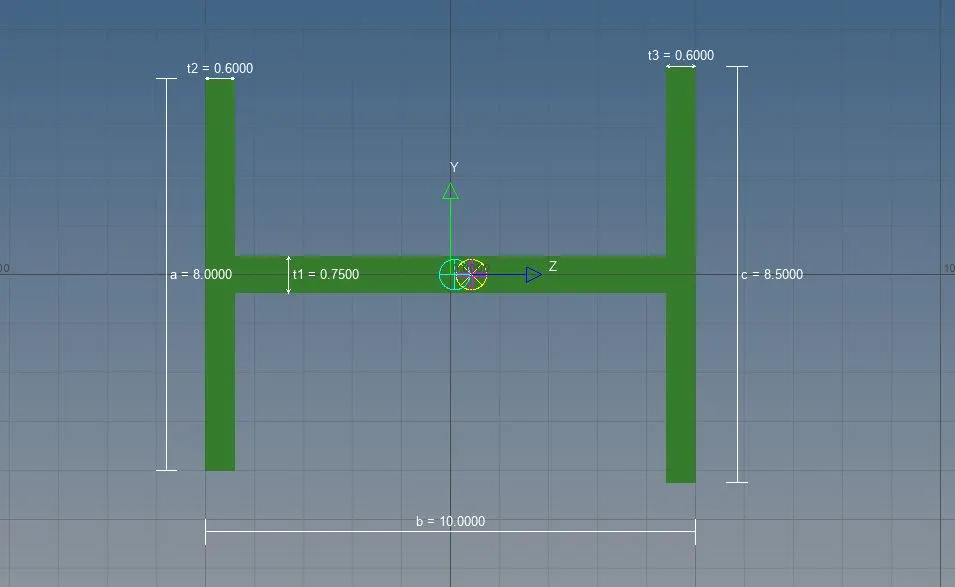
b. Beam element:- with all DOF and RBE3 link
Cross-Section: I Section- Dimension a= 8 mm
Dimension b= 10 mm
Dimension c= 8.5 mm
Thickness t1= 0.75 mm
Thickness t2= .6 mm
Thickness t3= .6 mm
c. Bar element:- with only x and y DOFs With RBE3 link
Cross-section: CROSS section- Dimension DIM1= 5 mm
Thickness DIM2= 1.2 mm
Dimension DIM3= 10 mm
Thickness DIM4= 1.2mm
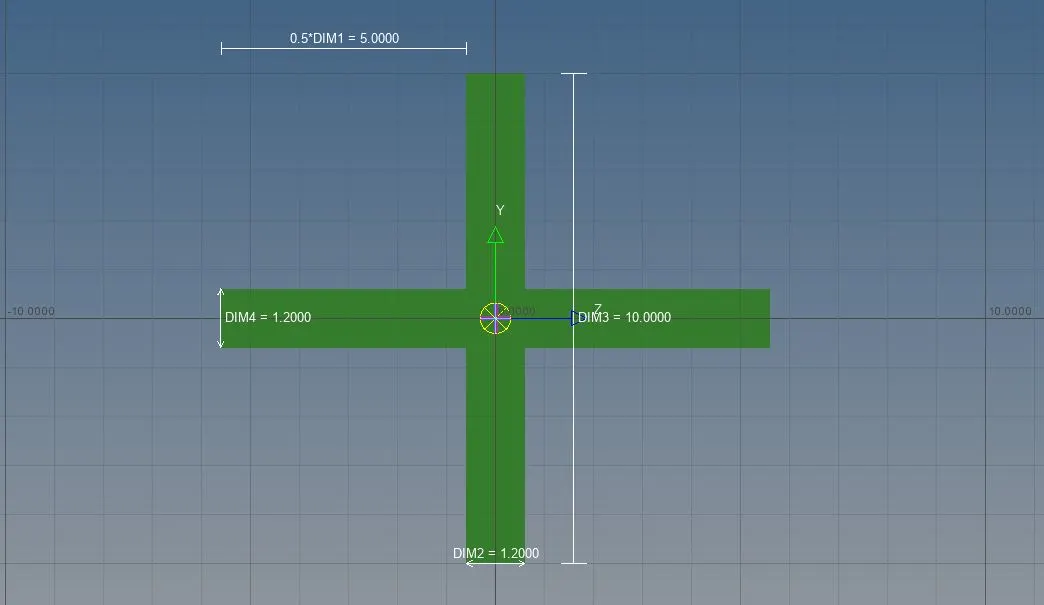
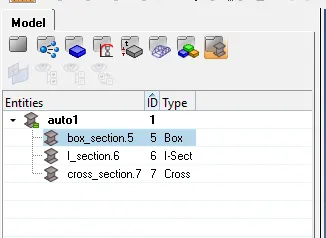
create different properties for Beam,bar and rod and assign sections respectively shown in the fig below.
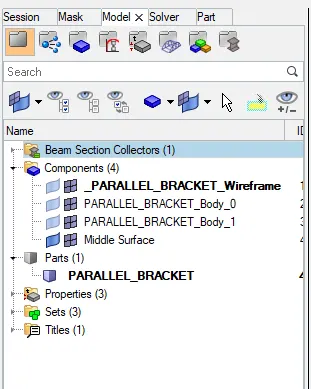
Final output