Week 4-1D Element Creation Challenge
Importing the geometry
from the given link i downloaded the IGES file and uploaded in the hyperworks using the optistruck
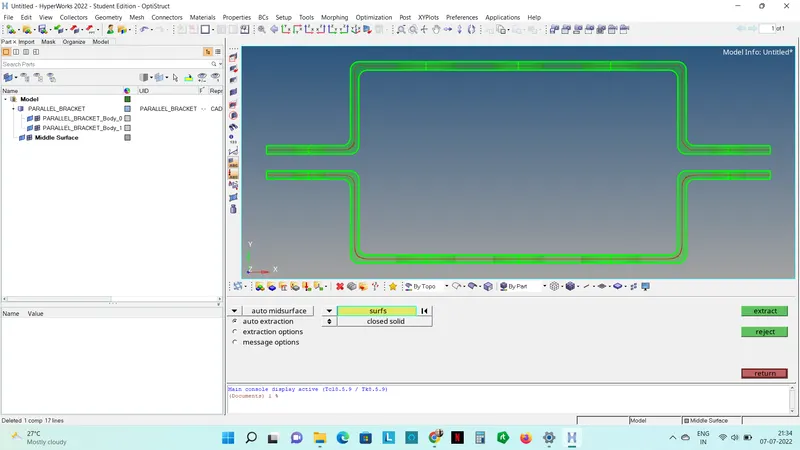
creating the mid surfaces
step1
using the geometry and the midsurface selecting the upper surface and the below surface i created the midsurfaces as shown in the diagram as added the midsurface for the both the top and bottom faces
top component as the bracket_1
bottom component as the bracket_2
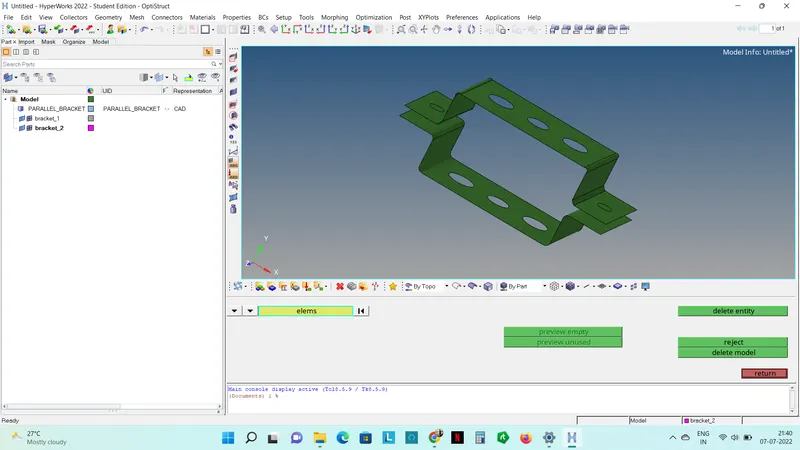
step 2:- merging the bracket_2 to the bracket_1
Meshing the component
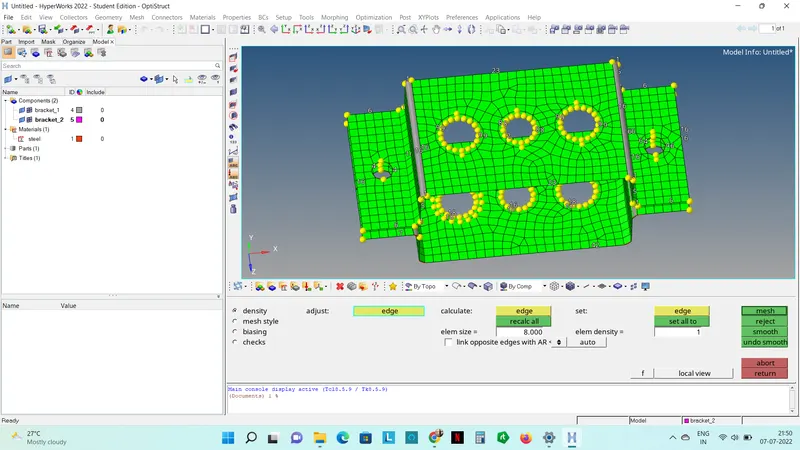
Step 1:- To mesh the given component, we need to create washer splits near the hole region for a smooth mesh. Washer split offset we selected is 5mm.
Step 2:- Generate the mesh with element size as 5mm with mixed element type.
IV. Create Material
We select steel as the material for this component.
and the asign to the bracket_1 from the model to the propertie bracket_1
similary asign the bracket_2 to the properties bracket_2
adding the pshell to the card image abd material as steel
for the both the brackets
V. Creating the properties
We created the properties for the respective component also creating rod, beam bar& mass properties with assigning the Card ID and material.
| Serial Nos. | Property name | Card ID |
| 1 | Bracket_1 | PSHELL |
| 2 | Bracket_2 | PSHELL |
| 3 | Bar | PBAR |
| 4 | Rod | PROD |
| 5 | Beam | PBEAM |
| 6 | Mass | PMASS |
VI. Create the 1D Elements
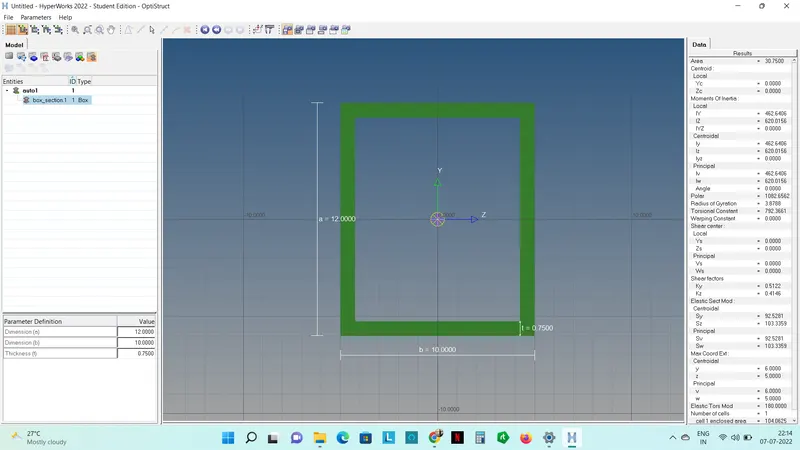
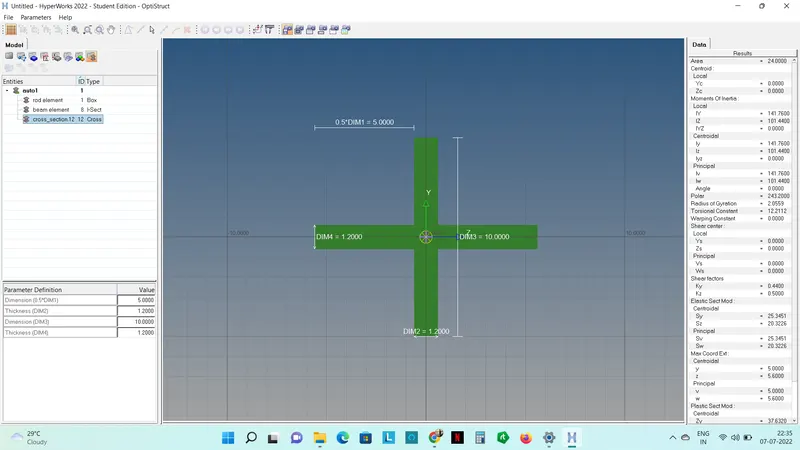
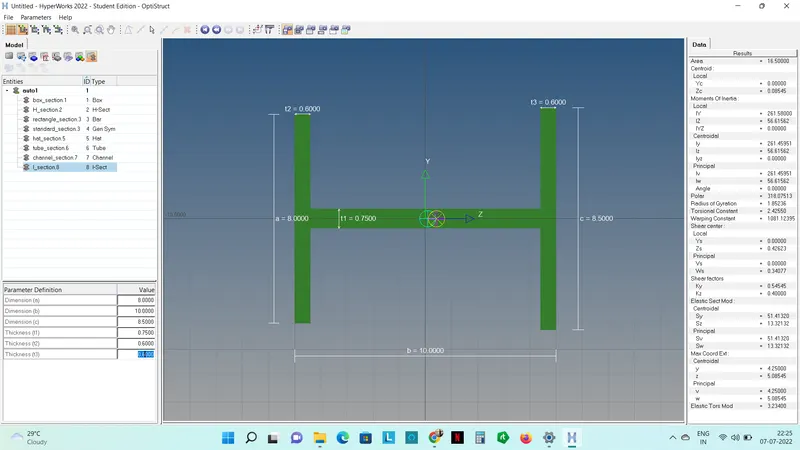
To create the 1D element, we need to go the hyper beam tool and select the respective cross-section for creating the 1D element and give the assigned dimension to the geometry as mentioned in the specification.
VII. Create the rigid at points a,b,c & d
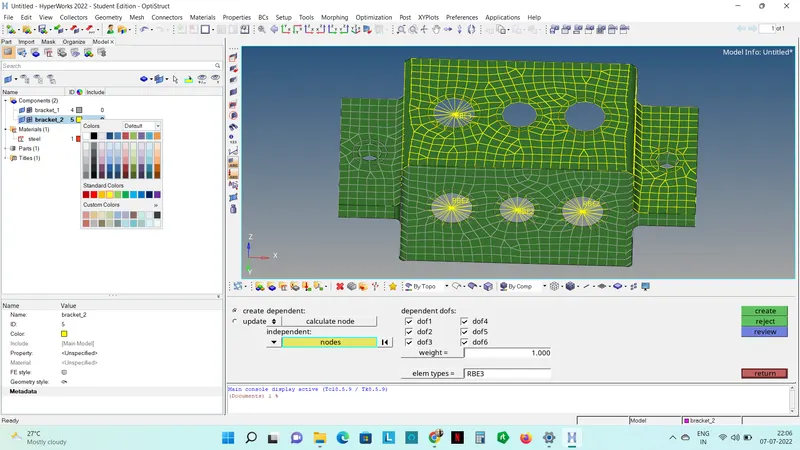
Create the RBE2 and RBE3 at the respective holes with the given DOF.
VIII. Create the 1D element on the rigid
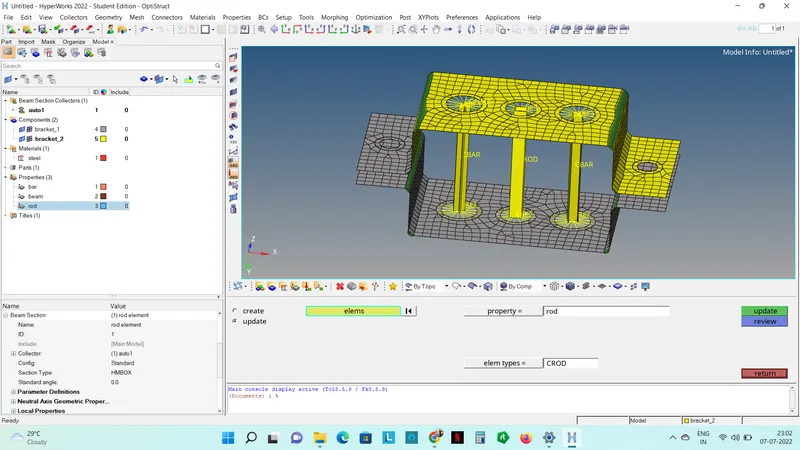
Step 1:- Creating the rod, bar and beam 1D elements at the respective node points.
Step 2:- Update the 1D element with respect to their property.
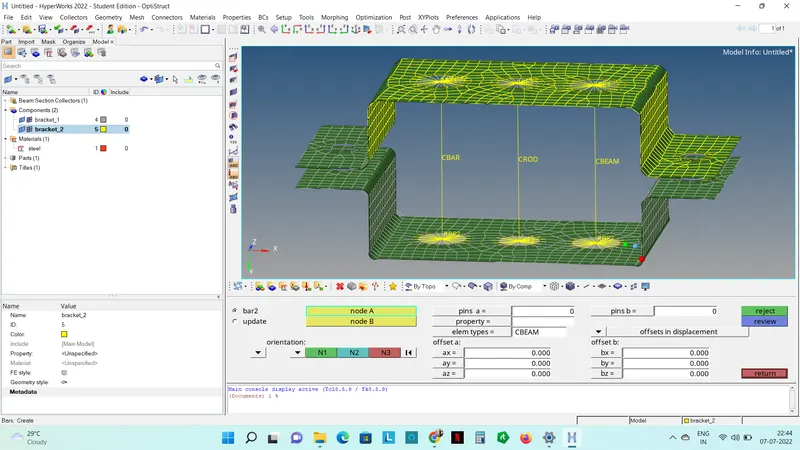
Step 3:- Create the mass at node a and spring between 2 brackets.
2-D element detailed representation:
Conclusion
- Extracted the mid-surface for the given component and Created a Mesh on the mid-surface
- Deployed suitable 1D Element ( RBE2, RBE3, ROD, BAR, BEAM , MASS, SPRING etc ) to the respective places.
- Assigned Cross-section and property to the 1D elements
- Created Solid representations of 1D Element.