Week 4-1D Element Creation Challenge
Aim :-
Mesh the Given component with the Size of 5 Units. Create 1D elements on the following component with given cross-section and DOF
a. Rod element:- Translational DOF should be Constrained with RBE2 link
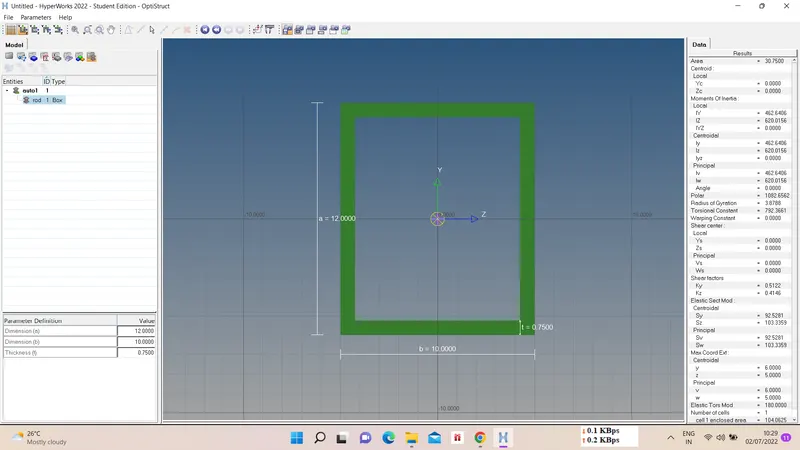
Cross-Section: BOX- Dimension a= 12 mm
dimension b=10 mm
Thickness t= 0.75 mm
b. Beam element:- All DOF should be constrained with RBE3 link
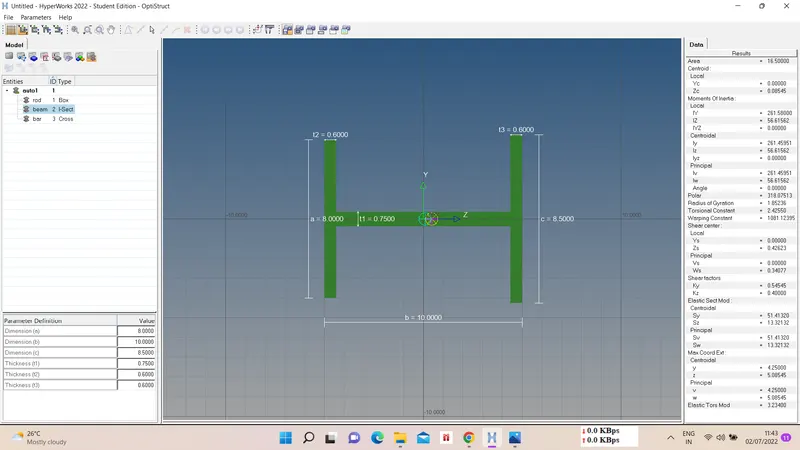
Cross-Section: I Section- Dimension a= 8 mm
Dimension b= 10 mm
Dimension c= 8.5 mm
Thickness t1= 0.75 mm
Thickness t2= .6 mm
Thickness t3= .6 mm
c. Bar element:- Constrain only x and y DOFs With RBE3 link
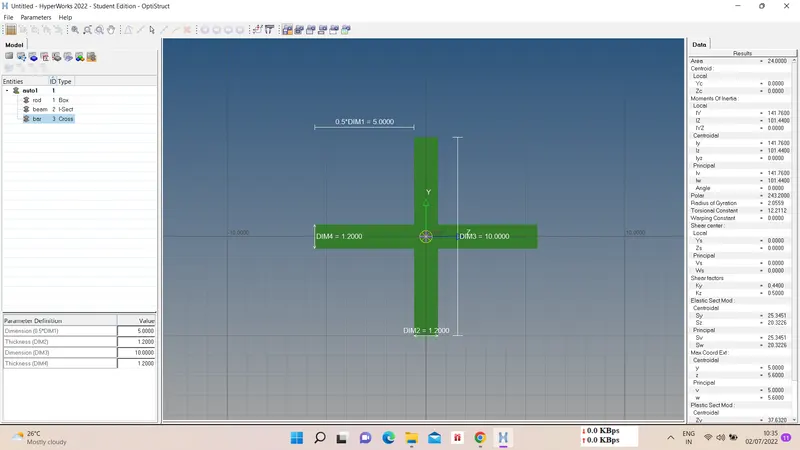
Cross-section: X section- Dimension DIM1= 5 mm
Thickness DIM2= 1.2 mm
Dimension DIM3= 10 mm
Thickness DIM4= 1.2mm
d. & e. Apply the mass of magnitude 10 with the RBE2 link
f. Join the two components with Spring elements
Ans :-
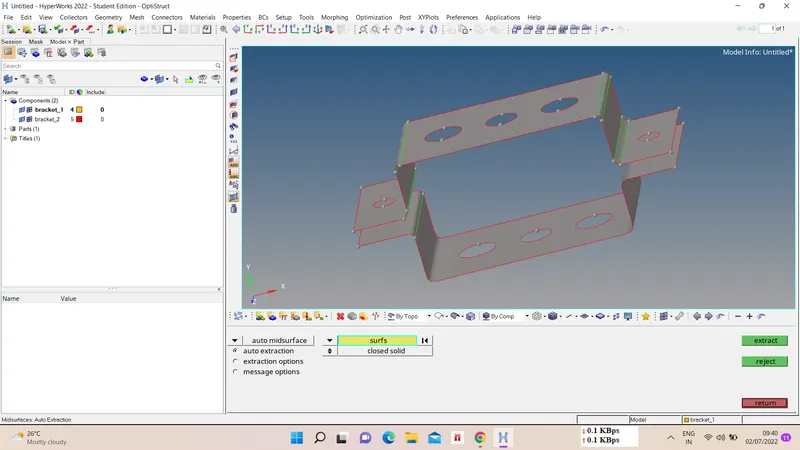
1) Import model and Midsurfacing -
First import the model using import geometry option. Select the component for midsurfacing bracket 1 and bracket 2. For automidsurface - geom - midsurface - automidsurface - surfs - extract.
2) Material,Property assigning and Meshing -
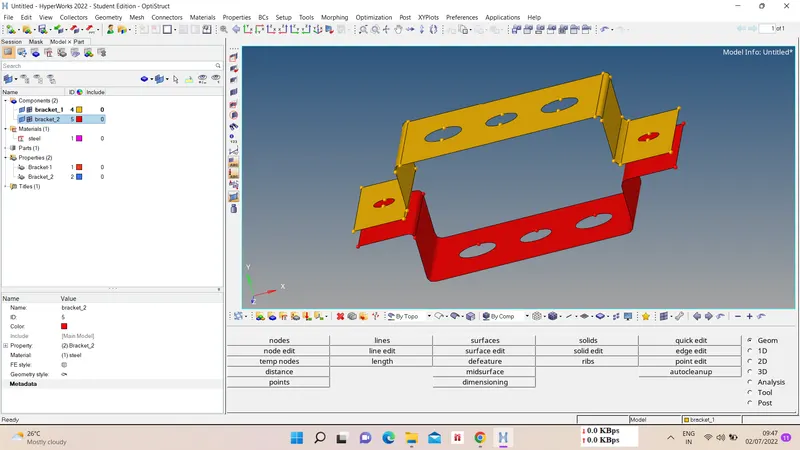
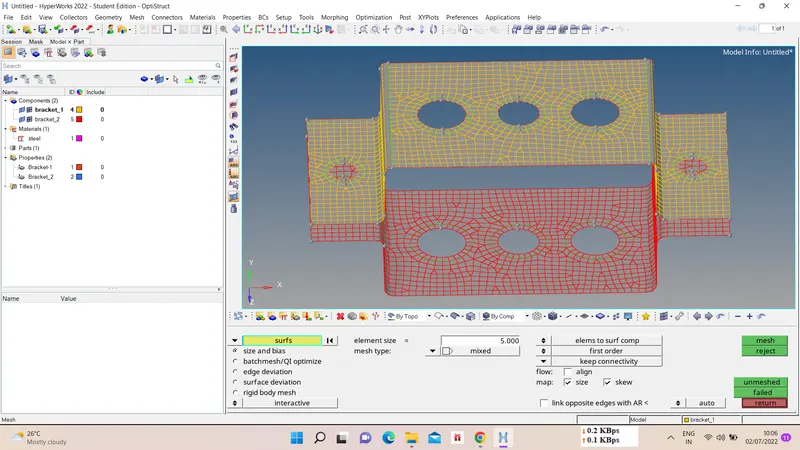
We have to assign material as steel and properties for newly generated midsurface of bracket 1 and bracket 2. Then we will mesh prepartion like making washer split of 5 mm and then do 2D meshing of element length of 5 mm.
For washer split - geom - quick edit - washer split - offset value - ok.
For meshing - 2D - automesh - select surfs - target element length - mesh type - mesh.
3) Connections -
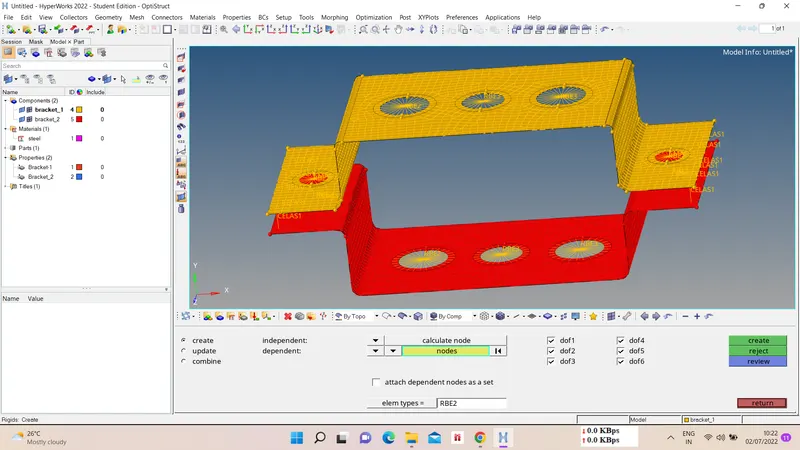
We have to define connection at different areas according to given data, also assigning masses and spring connection.
- RBE2 - 1D - rigids - multiple nodes - calculated nodes - assign Dof - select nodes - ok.
- RBE3 - 1D - rbe3 - multiple nodes - calculated nodes - assign Dof - select nodes - ok.
- Springs - 1D - springs - choose nodes - property - element type - ok.
- Masses - 1D - masses - select node - mass magnitude - property - elem. type- create.
4) 1D cross section creation -
We have to create cross sections for bar,rod, beams to assign them cross section. For that Hyperbeam - standard section - hyperbeam - choose cross sectin type - give dimentions - create.
5) Bar, Rod and Beam generation -
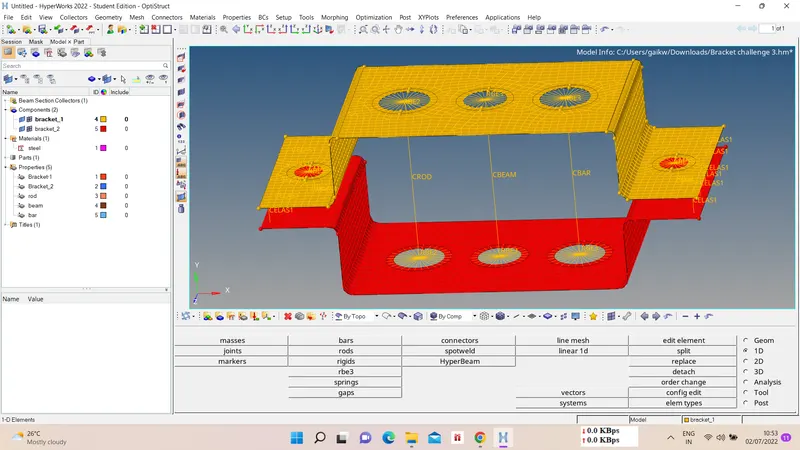
Now we have to create bar, rod and beam section and assign them properties with respect to there given cross section.
Bar/Beam - 1D - bars - choose nodes - N1,N2 for cross section - elem. type - ok.
Rods - 1D - select nodes - elem. type - ok.
After creating bar, rod, beam create properties for each of them and assign cross section to them resp.
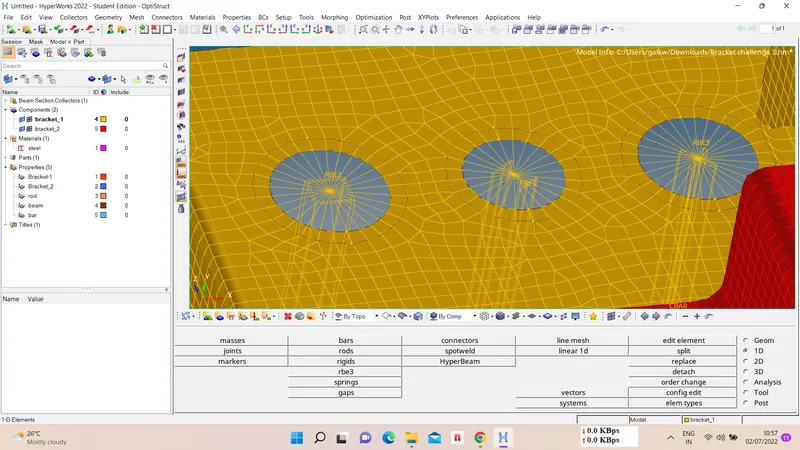
Results :-
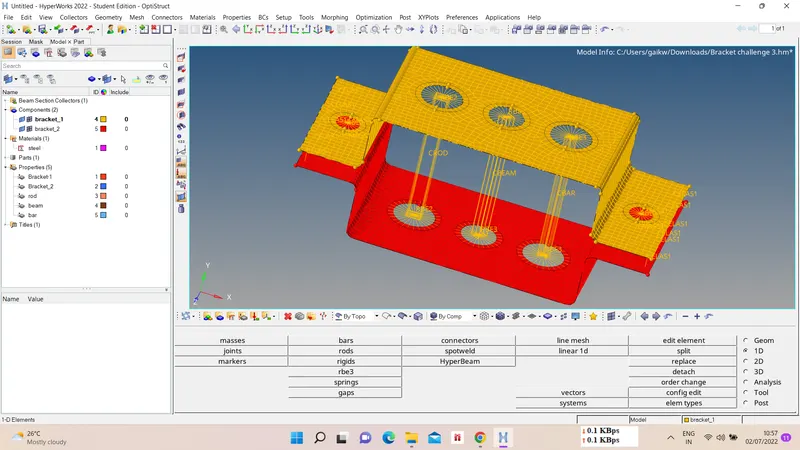
1D view -
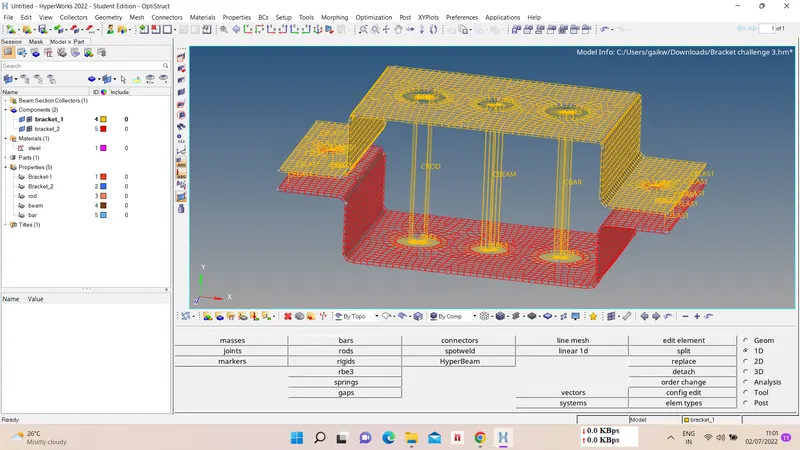
2D view -
G-drive link :-
https://drive.google.com/file/d/1pNwziPhzKPBWRu35ovRvGHP_CoQOJhSj/view?usp=sharing