Week 4-1D Element Creation Challenge
Mesh the Given component with the Size of 5 Units. Create 1D elements on the following component with given cross-section and DOF
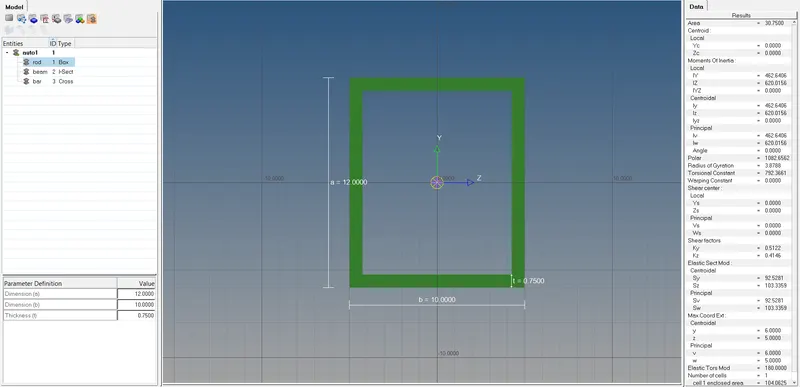
a. Rod element:- Translational DOF should be Constrained with RBE2 link
Cross-Section: BOX- Dimension a= 12 mm
dimension b=10 mm
Thickness t= 0.75 mm
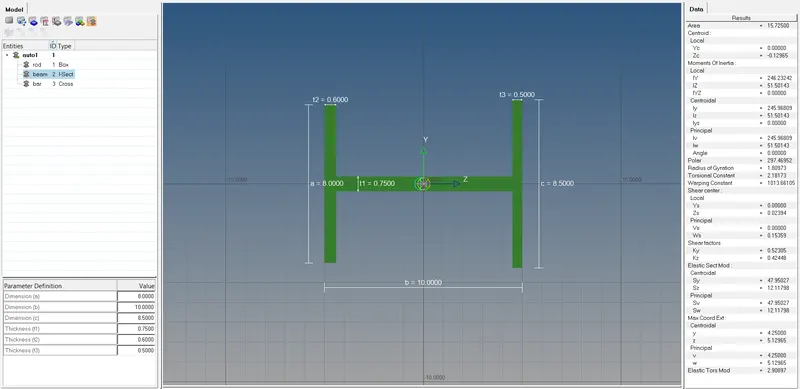
b. Beam element:- All DOF should be constrained with RBE3 link
Cross-Section: I Section- Dimension a= 8 mm
Dimension b= 10 mm
Dimension c= 8.5 mm
Thickness t1= 0.75 mm
Thickness t2= .6 mm
Thickness t3= .6 mm
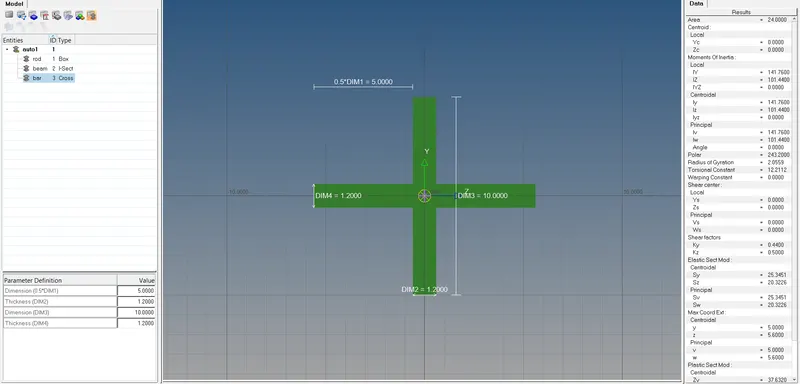
c. Bar element:- Constrain only x and y DOFs With RBE3 link
Cross-section: X section- Dimension DIM1= 5 mm
Thickness DIM2= 1.2 mm
Dimension DIM3= 10 mm
Thickness DIM4= 1.2mm
d. & e. Apply the mass of magnitude 10 with the RBE2 link
f. Join the two components with Spring elements
Note: Attach the Hypermesh model files (.hm) with the challenge
ANSWER -:
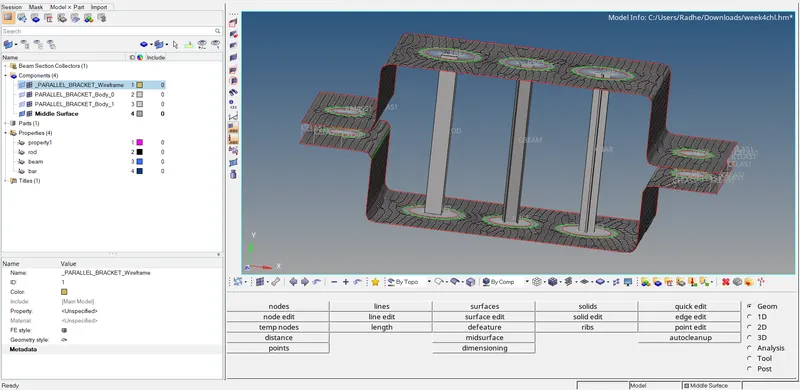
- Download the model then go to the geomatry to create the surfaces and extract the model.
- These are basically elements which will have infinite stiffness. (these elements will never bend and move when load is applied)
- Load transferred through RBE 2 elements will be the same.
- 1D>rigids>create>single node as dependent node and single node as independent node >create the 2 nodes RBE2 elements.
- 1D>rigids>create>change dependent node as multiple nodes and independent node as calculate node> select dependent multiple nodes then create to many nodes RBE2 links.
- RBE 3 elements can be created the same way as RBE 2 elements.
- Go to the hyper beam section then give to the input as per Question then create a Rod, Beam and Bar.
- Applied the mass and Join the two components with spring elements.
MODEL -:
Bar -:
Rod -:
Beam -: