Week 4-1D Element Creation Challenge
1D Element Creation
Aim:
To mesh the given component with the size of 5 Units. Create 1D elements on the following component with given cross-section and DOF.
Procedures:
The give model is shown in the figure below and A, b, c, d, e and f denotes the required no of cross sections.
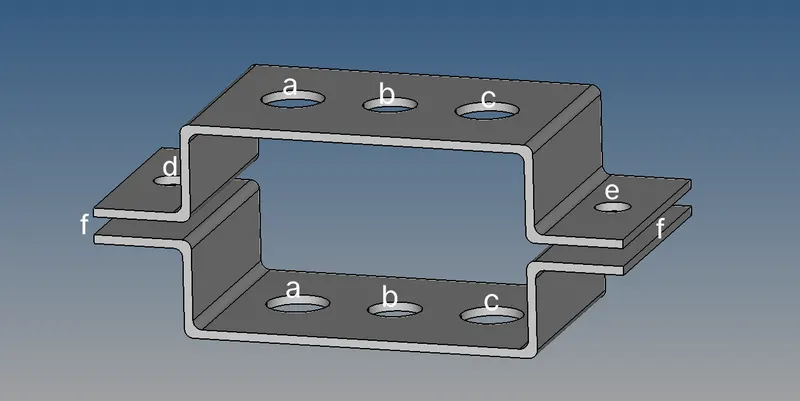
1. Mid Surface
Using the Midsurface command in the Geometry module the mid surface for the model is created as shown below.
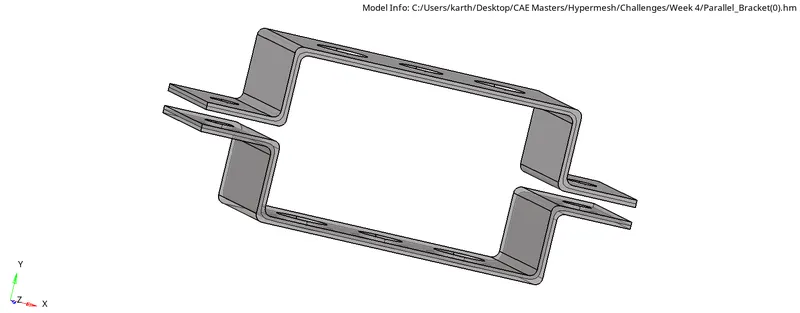
The Command is as follows "Geometry>Midsurface> auto midsurface>extraction options.> offset > Auto extraction> surfs> Displayed>create " thus the mid surface for both the upper and lower bracket is created. The Washer split command is used to assign washer split for sll the 8 holes in the Mid surface.
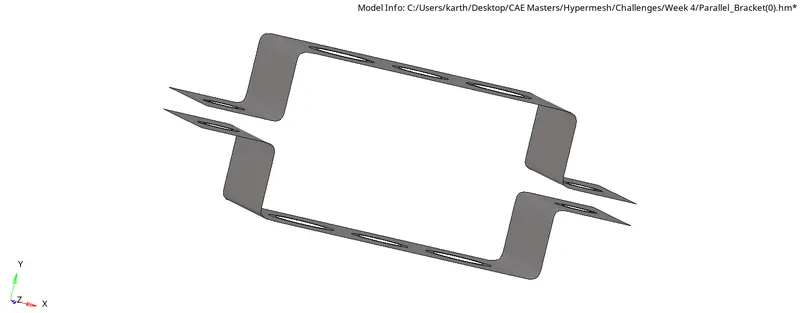
2. 2D Meshing
Aftet mid surfacing the model is meshed using the ‘automesh’ command in 2D module is used to mesh the surfaces with 5mm element size.
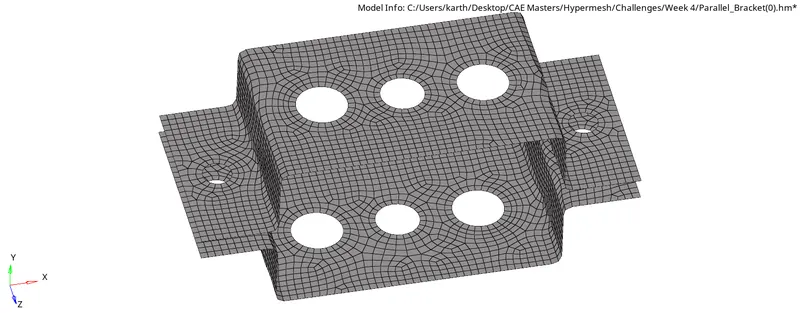
Following that the mesh is rebuit using the 'rebuild mesh' command in the 2D module.
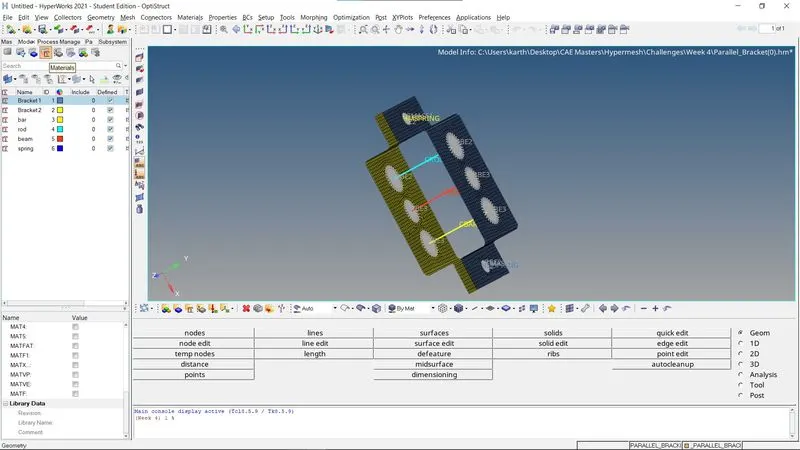
3.Material Assigning
The material is created and assigned for all components and cross-sections as shown in the figure.
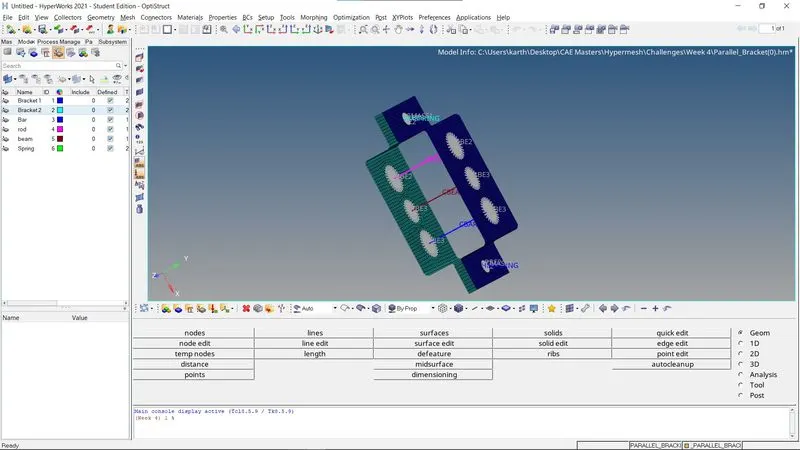
4.Property Assigning
The property is created and assigned for all components and cross-sections as shown in the figure.
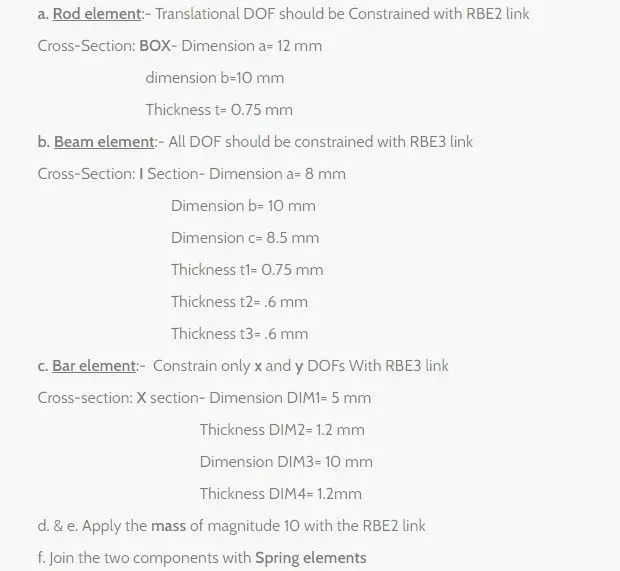
5.Cross Section Creation
The cross-section is created base on the given criteria in the below image in Hyperbeam.
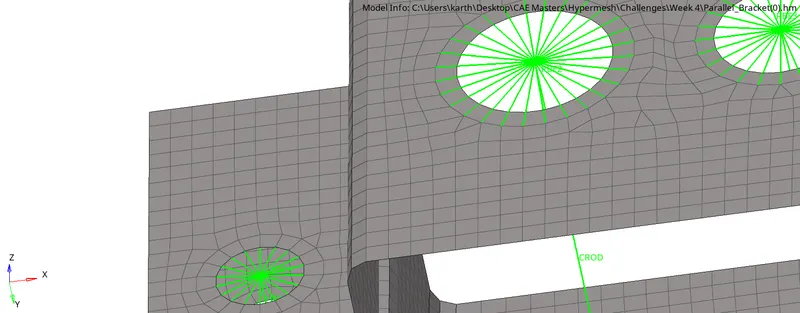
6.RBE2 Elements
By using the 'Rigids' Command in the 1D module the RBE2 connection is created as shown below.
7.RBE3 Elements
By using the 'RBE3' Command in the 1D module the RBE3 connection is created as shown below.
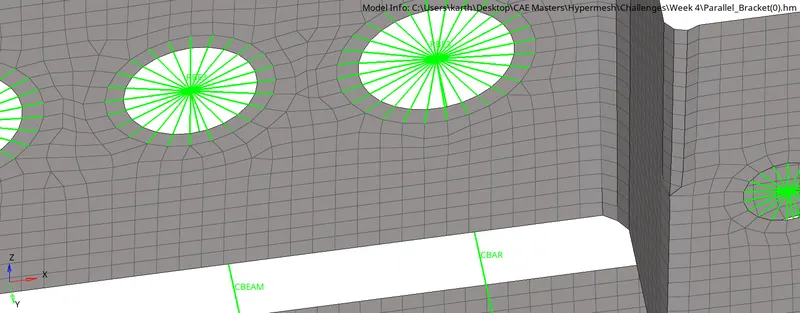
8.Cross-section assigning for Property
The Beam section, Rod section and Bar section is assigned for the property of Beam, Rod and Bar along with PBEAM , PBAR and PROD as the Card Image.
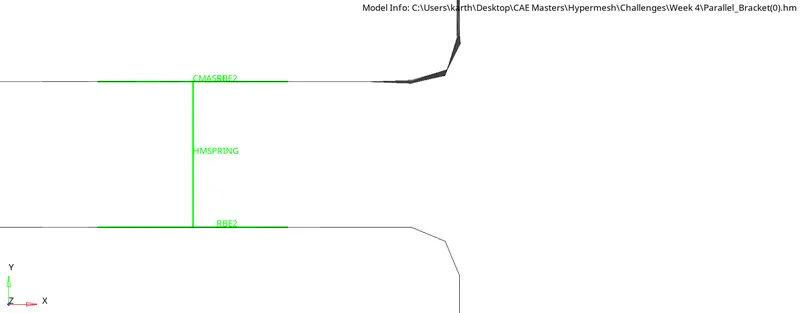
9.Spring Elements
By using the 'Springs' Command in the 1D module the Spring connection is created as shown below.
Learning Outcomes:
In this project I learned Mid surfacing, 2D meshing, Elements creation - RBE2, RBE3, Spring, Rod, Beam and Bar. Property and Materials assigning along with cross-section creation and DOF assigning is also learned in this project.
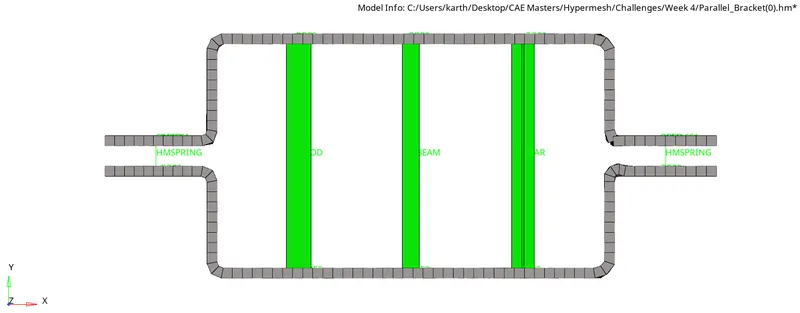
The final model is as shown in the figure below,
Conclusion:
The 1D Element creation is completed by creating an mid surface and Meshing it and then giving is appropriate cross-section with respective DOFs.