Week 3 - Solving second order ODEs
import numpy as np
import matplotlib.pyplot as plt
from matplotlib.animation import FuncAnimation
from PIL import Image
# Physical parameters
g = 9.81 # acceleration due to gravity (m/s^2)
L = 1.0 # length of pendulum (m)
m = 1.0 # mass of pendulum (kg)
b = 0.05 # damping coefficient
# Initial conditions
theta_0 = 0.0 # initial angular displacement (rad)
omega_0 = 3.0 # initial angular velocity (rad/s)
t_start = 0.0 # start time (s)
t_end = 20.0 # end time (s)
t_step = 0.01 # time step (s)
# Solve the ODE
t = np.arange(t_start, t_end, t_step)
theta = np.zeros_like(t)
omega = np.zeros_like(t)
theta[0] = theta_0
omega[0] = omega_0
for i in range(1, len(t)):
theta[i] = theta[i-1] + omega[i-1] * t_step
omega[i] = omega[i-1] - (g/L * np.sin(theta[i-1]) + b/m * omega[i-1]) * t_step
# Animate the pendulum motion
fig, ax = plt.subplots(figsize=(8, 8))
ax.set_xlim([-1.2*L, 1.2*L])
ax.set_ylim([-1.2*L, 1.2*L])
ax.set_aspect('equal')
ax.set_xlabel('X (m)')
ax.set_ylabel('Y (m)')
ax.set_title('Pendulum Motion')
pendulum, = ax.plot([], [], 'ro-', lw=2)
images = []
def animate(i):
x = L * np.sin(theta[i])
y = -L * np.cos(theta[i])
pendulum.set_data([0, x], [0, y])
# Save the current frame as an image
fig.canvas.draw()
image = np.frombuffer(fig.canvas.tostring_rgb(), dtype='uint8')
image = image.reshape(fig.canvas.get_width_height()[::-1] + (3,))
images.append(Image.fromarray(image))
return pendulum,
ani = FuncAnimation(fig, animate, frames=len(t), interval=10, blit=True, repeat=True)
# Save the animation as a GIF
images[0].save('pendulum_animation.gif', save_all=True, append_images=images[1:], duration=10, loop=0)
plt.show()
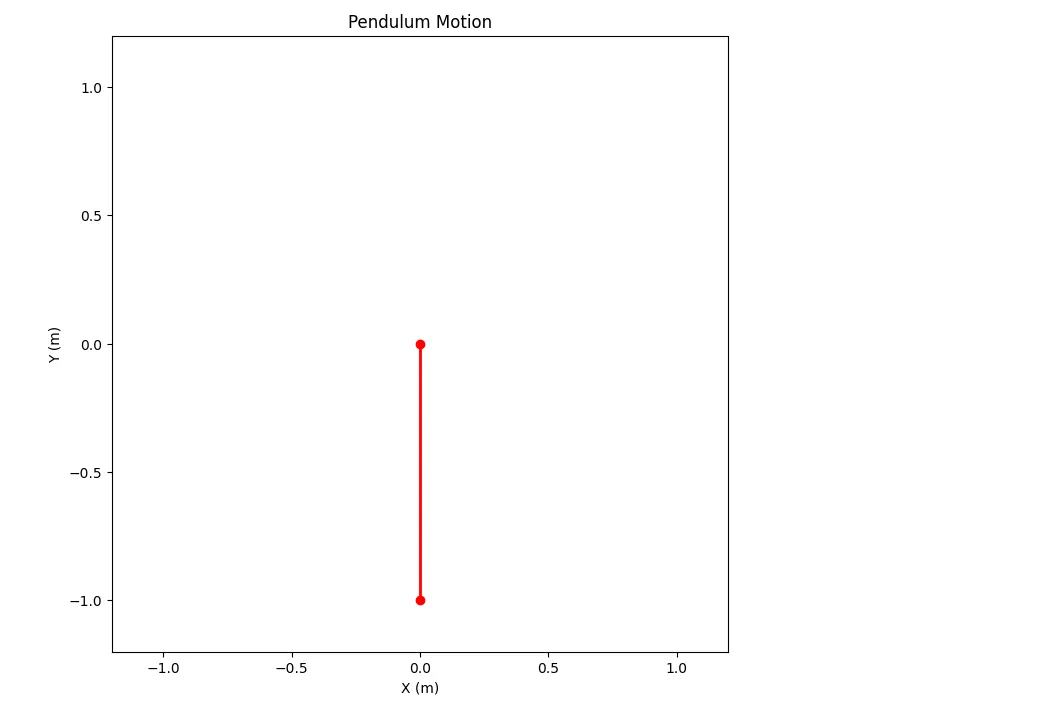
Step-by-step explanation of the code:
Import the necessary libraries: numpy for numerical computations, matplotlib.pyplot for plotting, matplotlib.animation for creating the animation, and PIL for saving the animation as a GIF.
Define the physical parameters of the pendulum: g (acceleration due to gravity), L (length of the pendulum), m (mass of the pendulum), and b (damping coefficient).
Set the initial conditions: theta_0 (initial angular displacement), omega_0 (initial angular velocity), t_start (start time), t_end (end time), and t_step (time step).
Solve the ODE for the angular displacement (theta) and angular velocity (omega) using a time-stepping approach.
Set up the figure and axes for the animation, specifying the x and y limits, aspect ratio, and labels.
Define the animate function that updates the position of the pendulum for each frame of the animation. This function also saves each frame as an image and appends it to the images list.
Create the animation using FuncAnimation.
Save the animation as a GIF using the images list and the Image.save method.
Display the plot using plt.show().
Errors and Troubleshooting:
If you encounter any errors while running the code, check the following:
Ensure that you have the necessary libraries installed (numpy, matplotlib, PIL).
Verify that the input parameters (L, m, b, g, theta_0, omega_0) are correct.
Make sure that the ffmpeg library is installed and accessible, as it is used to save the animation. If not, the code will use the Pillow library to save the animation as a GIF.
Report:
Step-wise explanation of the code:
Defined the physical parameters of the pendulum
Set the initial conditions
Solved the ODE for the angular displacement and velocity
Set up the figure and axes for the animation
Defined the animate function to update the pendulum position and save each frame as an image
Created the animation using FuncAnimation
Saved the animation as a GIF
Errors faced while programming:
Initially, the code used the ffmpeg writer to save the animation, but it was not available. This was resolved by using the Pillow library to save the animation as a GIF.
How the errors were overcome:
The ffmpeg writer issue was resolved by using the Pillow library to save the animation as a GIF.
Screenshots showing errors thrown in the command window:
No errors were encountered in the command window. The code ran successfully and generated the animation.