Week 3 - Solving second order ODEs
In Engineering, ODE is used to describe the transient behavior of a system. A simple example is a pendulum
The way the pendulum moves depends on the Newtons second law. When this law is written down, we get a second order Ordinary Differential Equation that describes the position of the "ball" w.r.t time.
Similarly, there are hundreds of ODEs that describe key phenomena and if you have the ability to solve these equations then you will be able to simulate any of theses systems.
Your objective is to write a program that solves the following ODE. This ODE represents the equation of motion of a simple pendulum with damping
In the above equation,
g = gravity in m/s2,
L = length of the pendulum in m,
m = mass of the ball in kg,
b=damping coefficient.
Write a program in Matlab\Octave that will simulate the pendulum motion, just like the one shown in the start of this challenge.
use,
L=1 metre,
m=1 kg,
b=0.05.
g=9.81 m/s2.
Simulate the motion between 0-20 sec, for angular displacement=0,angular velocity=3 rad/sec at time t=0.
% ODE progeam (code)
clear all % clear the workspace
close all % clear all the figure window
clc % clear the command window
%inputs
% b=0.05; % b= daming coefficient (Ns/m)
% g=9.81; %garvity m/s
% l=1;% length of the pendulum m
% m=1; %mass of the pendulum kg
b=0.05;
g=9.81;
l=1;
m=1;
%theta = angle of the pendulum (rad)
%initial
theta_0=[0,3];
% time span of simulation
t_span = linspace(0,20,300);
% ode45 is a function in matlab to solve the second order diffrentiation
% [t,results]
%ode_function is a filename which is used to save my function code
% ode45 is a inbuilt commond to solve differential equaation
% (@t,theta) - to indicate the ODE is of t and theta
[t,y]=ode45(@(t,theta) ode_functon(t,theta,b,g,l,m),t_span,theta_0);
% for outfut we have defined as below like displacement and velocity
disp=y(:,1)
vel=y(:,2)
%plotting a figure
figure(1)
% Hold on is coomond in matlab to stop the figure while its ploting the second figure
hold on
% for plot commond we use the time vs displacement and time vs velocity
plot(t_span,vel)
plot(t_span,disp)
% to create a animation video
ct=1
% diriving a loop commond using the for loop
for i=1:length(y)
% to ossicilate the starting point of pendulum is fixed so initial foints is zero
x_initial=0
y_initial=0
x_final=l*sin(y(i,1));
y_final=-l*cos(y(i,1));
% by using the above commonds we use to animate in second figure
figure(2)
%commond is to show the pendulum
plot([x_initial x_final],[y_initial y_final],'lineWidth',2,'Color','b');
hold on
% the commond is to show BOB
plot(x_final, y_final,'marker','o','markersize',20)
% we have to fix the axis to get a clear animation
axis([-1 1 -1 1])
% grid on is commond use to get grids on
grid on
% pause helps to get intervals to show the clear animation
pause(0.005)
M(ct) = getframe(gcf);
ct=ct+1;
% hold off is use the commond to stop
hold off
end
% to get a movie combining all the fremes
movie(M)
% cretaing a AVI video file
videofile=VideoWriter('ode_functon.m','Uncompressed AVI')
% to open the video file
open(videofile)
%writing frames from array to the video file
writeVideo(videofile,M)
%closing the video file
close(videofile)
% function code used in ODE program
function [dtheta_dt] = ode_functon(t,theta,b,g,l,m)
theta1 = theta(1); % assigning the theta(1) value to theta1 variable
theta2 = theta(2); % assigning the theta(2) value to theta2 variable
dtheta1=theta2
dtheta2=-(b/m)*theta2-(g/l)*sin(theta(1));
dtheta_dt=[dtheta1 ; dtheta2]
end
Explanation of code
- First clear and close the command window and workspace.
- Inputs we have used such as damping coefficient (b), acceleration due to gravity(g), mass of the pendulum(m) and length of the pendulum(l).
- The initial conditions given is theta[0;3].
- The time is 0-20 sec we used for that we have used linespace command and 300 values between them.
- Ode45 is a inbuilt command and now taking the inputs and outputs, output is defined as y.
- We use plot command is used to draw a graph
- Marker command is used to generate pendulum ball
- Counter is incremented by 1
- Using the individual frames a movie is made using command
- The video file is opened and closed as we have shown in program
Error while writing code
Error 1

By correct use of ( we have over come the error
Error 2
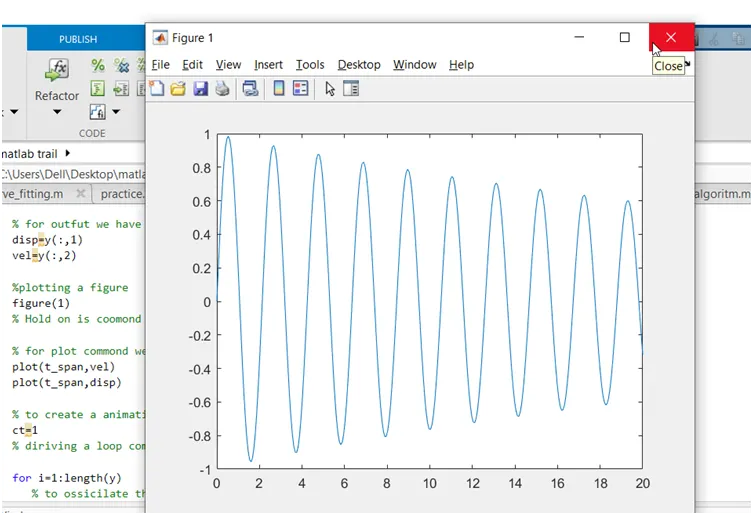
I have missed the hold on command i got wrong graph
Error 3
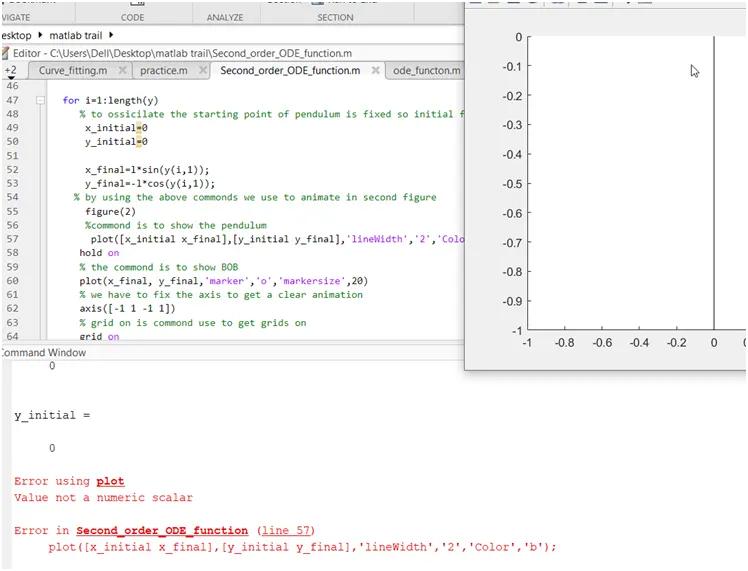
I have used the ‘’for the linewidth size
Error 4
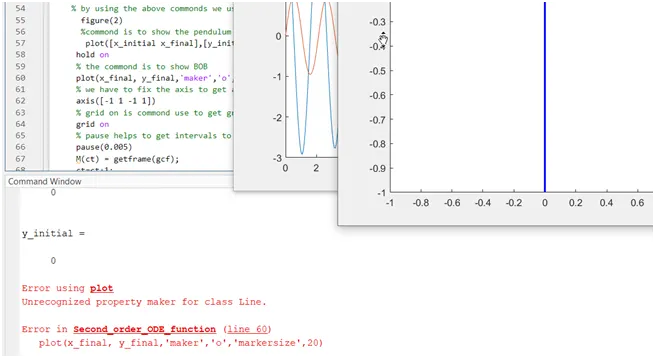
I have written wrong spell
Error 5
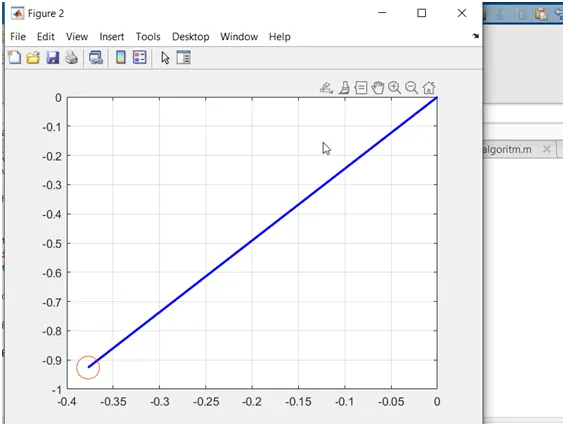
I have not defined the axis so the animation is some error , By fixing the axis axis([-1 1 -1 1]) i got correct animation.
https://drive.google.com/file/d/1Wpfj-hCRPY1wEE7UnE0O-G9oJnFsGe66/view?usp=sharing