Week 3 - Geometry simplification of an Electronic enclosure assembly
Aim:
Simplify a CAD model in Space claim and load it into Icepak to check simplified geometry has been imported correctly.
Simplification Procedure:
- Create a workflow in Ansys workbench by dragging a Geometry, then Icepak and then Results.
- Double click the Geometry cell (2) in the Geometry block to open Space claim module and open the STEP file using file menu.
- Once the step file imported into space claim the simplification process should be followed to make the CAD file in to ICEPAK object.
- Need to start the simplification with individual parts from the structure tree one by one by hiding other parts till then.
- The enclosure parts should be simplified by deleting its rivet nuts and screws by selection filter. Then remove all radius surfaces by Remove Faces command from Prepare menu block.
PrepareàFaces
- The sheet metal enclosure should be further simplified by removing all circular holes and making oblong slots into Rectangular cut outs. The unwanted cut outs in the enclosure parts can be filled by remove faces.
- The PCBA can be simplified by first splitting the components from PCB using Split Body command from Design menu.
DesignàSplit Body
- Few of the capacitors are found to be joined with adjacent capacitors and other components. We must split them using Split body by creating a cutting plane using a Pull command.
DesignàPull
- After splitting the component’s, the unwanted components like connectors, pins and other dispensable components can be deleted.
- Few interface connectors can be replaced with a solid body by pulling one of its body surfaces using Pull command and delete parent body.
- After all these simplification process needs to convert the CAD model in to ICEPAK bodies by clicking Identify Objects under Workbench menu. This command will highlight the bodies which are converted to Icepak bodies directly. With enter commands all those bodies would be converted Icepak bodies.
- Using Show command, we can just open the non-Icepak bodies only and start simplifying them further using Icepak Simplify command in Workbench menu.
- The Icepak simplify command would help to simplify the non-icepak bodies by four levels of simplifications.
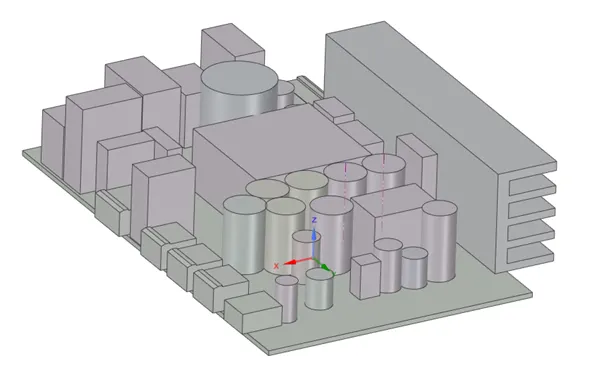
- In this model the enclosure parts were found to be non-icepak bodies, so they were simplified using Level 2(Polygon fit) and converted to Icepak bodies. The below images are the simplified model of the CAD model.
Figure 1:
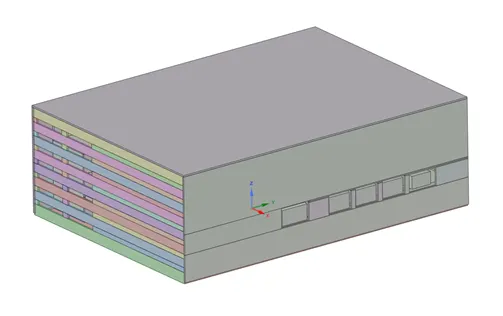
Figure 2:
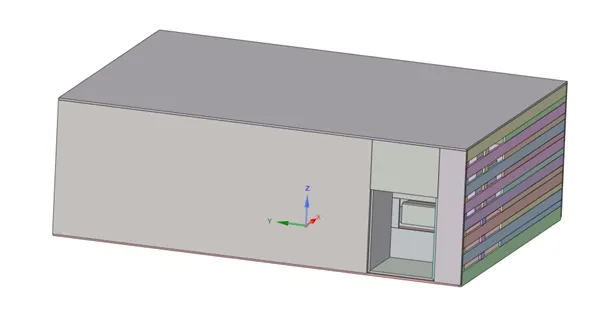
Figure 3:
- The above model was saved as to Icepak Project format using Save as command from File menu.
Checking the model in Icepak:
- In the workflow double click Setup cell to open the model in Icepak.
- When the model is fine it would be opened into Icepak without any issues. Once model was opened, we should check the presence of all the components and confirm no interference by using Check model command in Model Menu. Following are the images of Icepak model of the Electronic Enclosure assembly.
Figure 4:
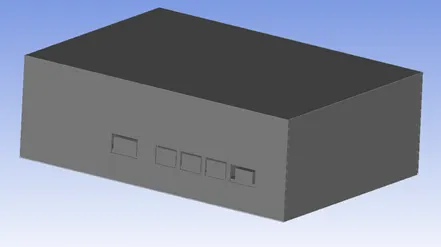
Figure 5:
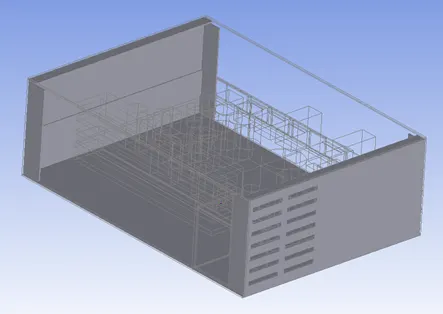
Figure 6:
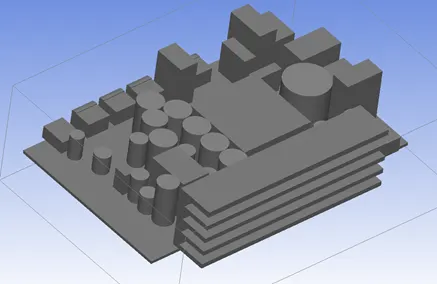
Conclusion:
This challenge helped on understanding about simplification of CAD model and converting it into Icepak model.