Drop test of Mobile Phone Using LS-DYNA
Objective: To perform the drop test of the cell phone using LS-DYNA Solver.
Abstract:
Why the cell phone drop test is conducted?
Drop test simulation plays an important role in investigating impact behaviors and identifying weak points of a cellular phone at the design stage since actual testing is expensive and time-consuming.
Nowadays we come across a lot of news about the drop of cell phones from hands, tables, beds, etc. To avoid this so cell phones are being tested by the manufacturer at the testing facility before it launches into the market.
In this challenge, the user checks the cell phone using the virtual simulation setup using the LS-DYNA solver deck. The aim of this challenge is to get the feel of creating an input deck from scratch.
Procedure of Setup for input Deck:
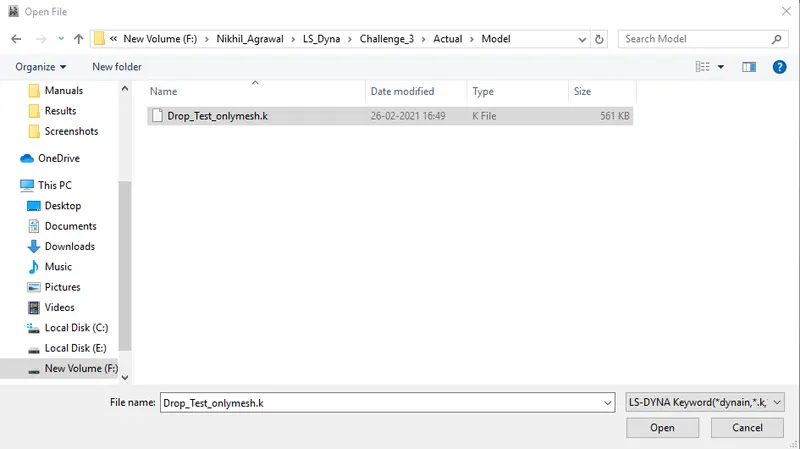
Step I - Importing the .k extension file in the LS PrePost GUI.
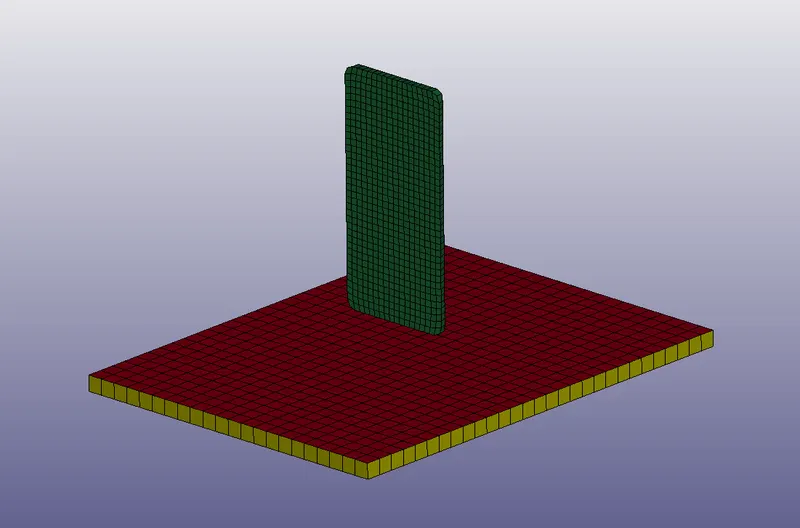
Step II - Check for the available parts and delete the unnecessary part
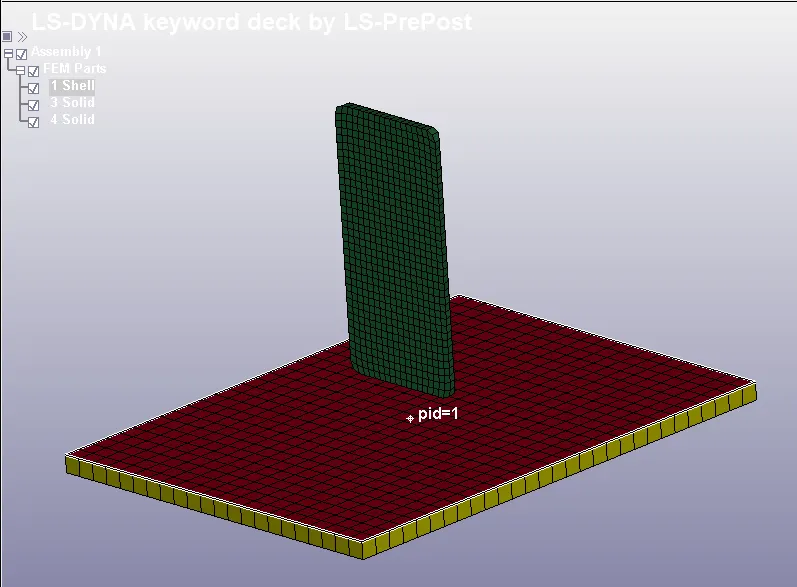
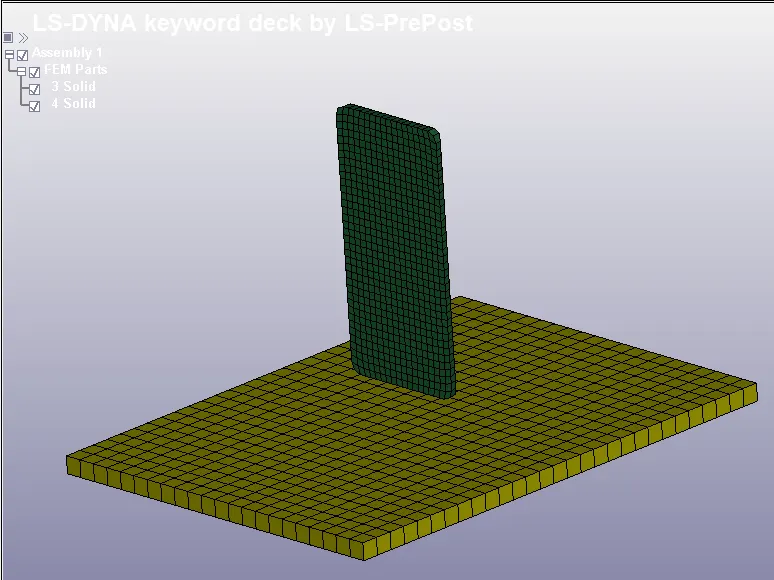
fig (a) - 3 Part ID's fig (b) - 2 Part ID's
In figure (a) the user sees that there are three PIDs in the model among which 1 which is not necessary is deleted from the tree diagram.
Step III - Node Set Assignation
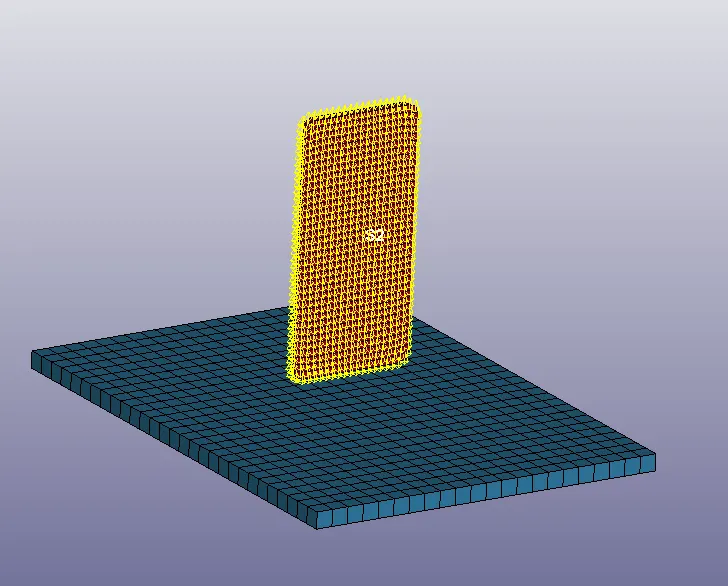
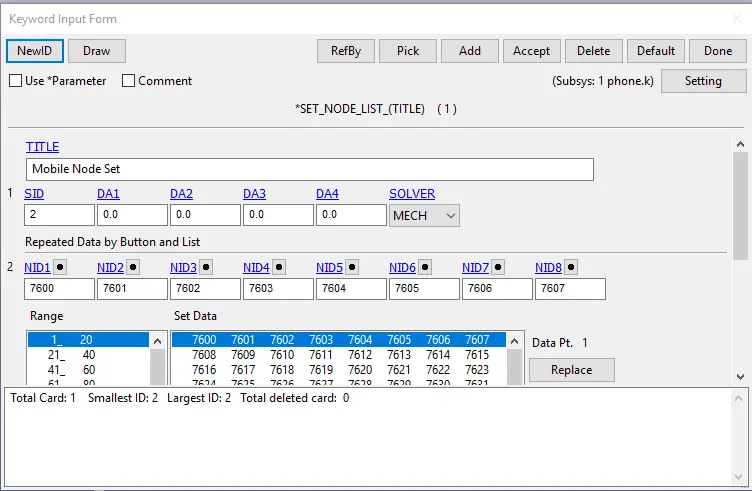
Node Set is assigned to the cell phone part to find out the output result on the nodes of the cell phones.
Step IV - Section Creation
From the tree diagram, the user identifies that the two parts are solid. With reference to this section keyword file is created under the keyword manager.
Path -
Keyword Manager - All - Section - Solid
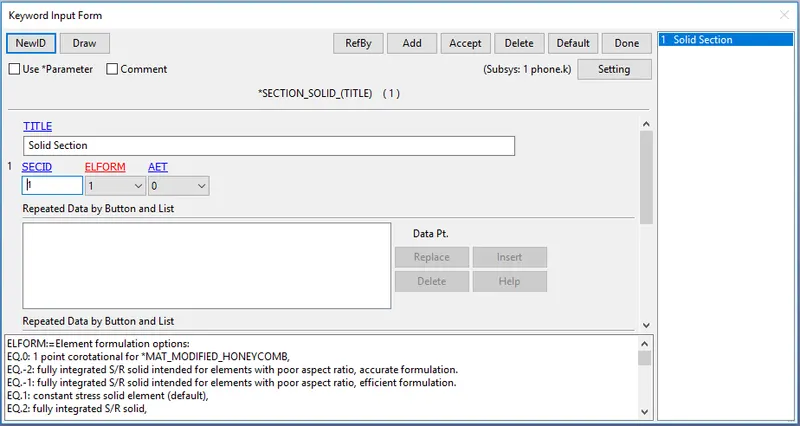
Here only one section is created as both the parts are solid. Title name, Section Id & Element Formulation are important parameters provided by the user to define the section input.
Element formulation EQ 1 is selected as it depicts Constant Stress Solid Element (default) and the input is accepted by clicking the accept button.
Step V - Material Input Creation
Based on the study through various papers it is found that the mobile cell casing is made up of Aluminum Alloy 7075 and the rigid wall on which the cell phone is dropped is considered to be concrete.
The properties of Aluminium and Concrete are researched on the internet with the following results:
Aluminium Alloy 7075 Properties
Density - 2.81e-6 Kg/mm^3
Young's Modulus - 71.7 Gpa = 71.7 Kg/mm. ms^2
Poison's Ratio - 0.33
Concrete Properties
Density - 0.23e-6 Kg/mm^3
Young's Modulus - 20 Gpa = 20 Kg/mm. ms^2
Poison's Ratio - 0.21
The next stage is to define the material using the keyword manager.
Path -
Keyword Manager - All - MAT - MAT24:Piecewise Linear Plasticity (For Aluminium Cell Casing)
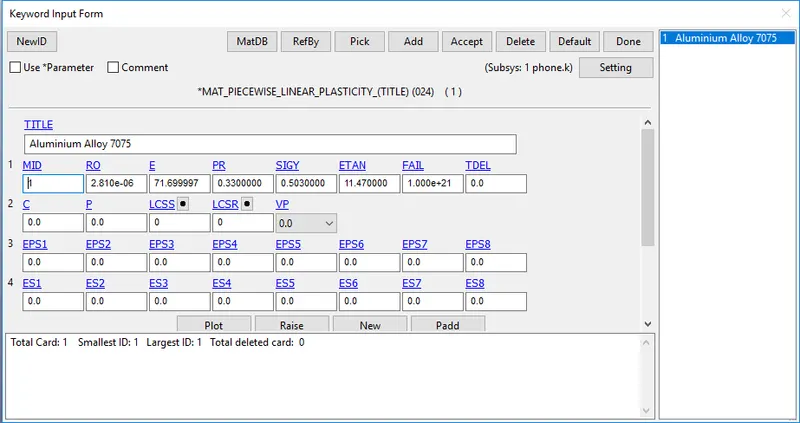
Title, Material Id, Density, Young Modulus, Poisson's Ratio, Yield Stress, and Tangent Modulus is defined.
Tangent Modulus is defined as 16% of the young's modulus of elasticity.
Keyword Manager - All - MAT - MAT20: Rigid (Concrete)
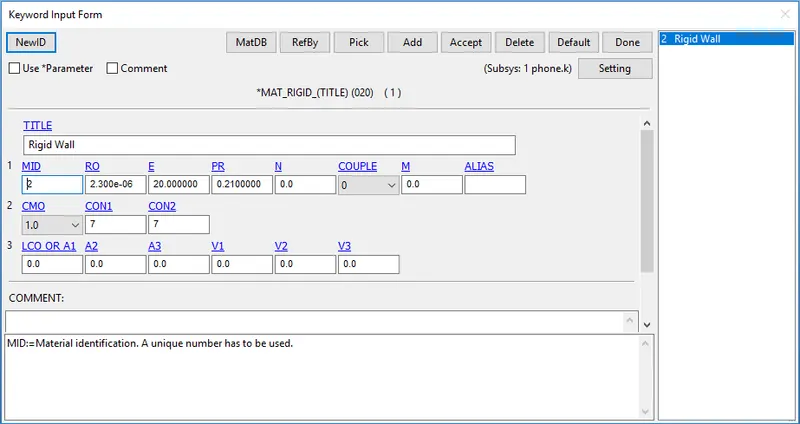
Title, Material Id, Density, Young Modulus, Poisson's Ratio, Yield Stress, and Tangent Modulus is defined.
Tangent Modulus is defined as 16% of the young's modulus of elasticity.
Apart from this Center of Mass, Moment in translation and rotation is constrained using CMO, CNO1 & CON2 parameter.
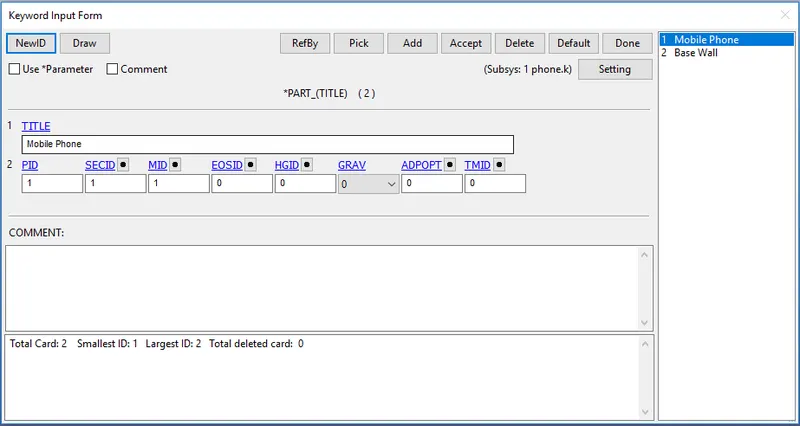
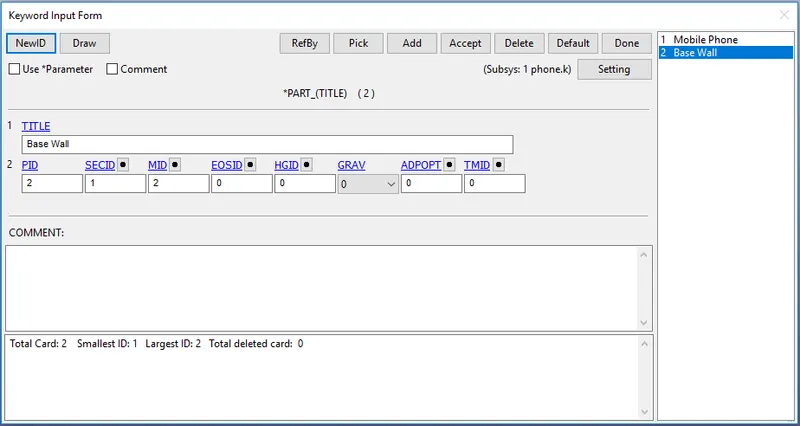
Step VI - Part Definition
Parts are defined in the keyword manager using the Title, Part ID, Section ID & Material ID parameter and accepted to define the keyword.
Step VII - Contact Definition
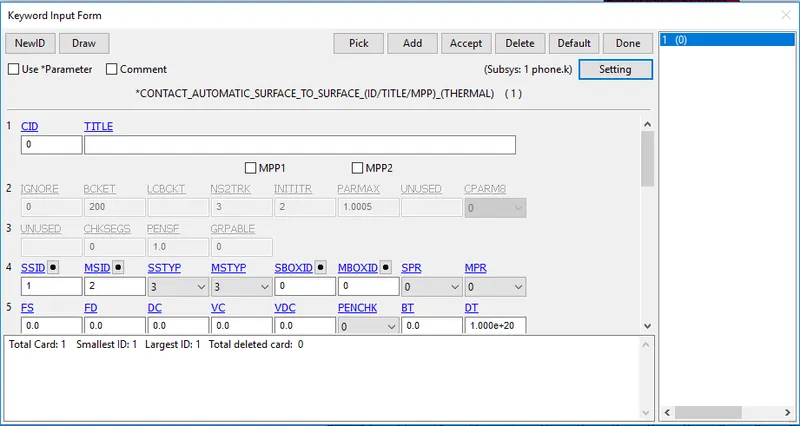
Automatic Surface To Surface contact is defined between the two solid parts. Slave ID is assigned to the Cell Phone part and Master ID is assigned to Rigid Body (Concrete).
Step VIII - Initial Velocity
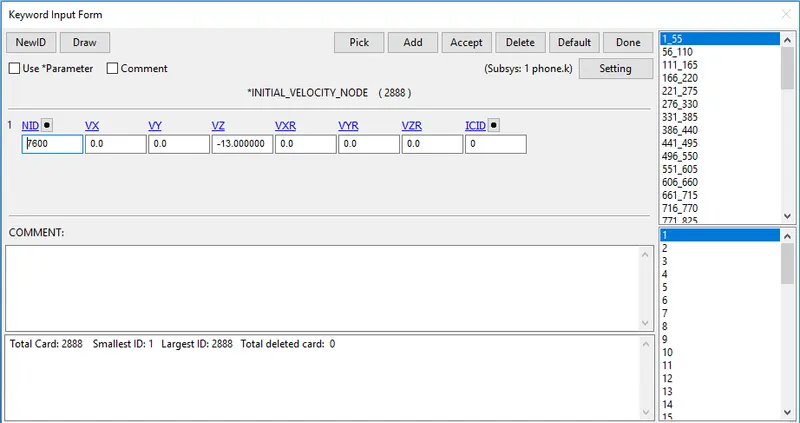
As the distance between the bottom node of the cell phone and the nearest rigid wall is 20 mm user-defined the initial velocity of -13 mm/ms to the node-set (7600) defined in the keyword manager. The negative direction of the velocity is based on the global coordinate axis.
This means that the impact will take place around 1.5 milliseconds.
Step IX - Control Termination
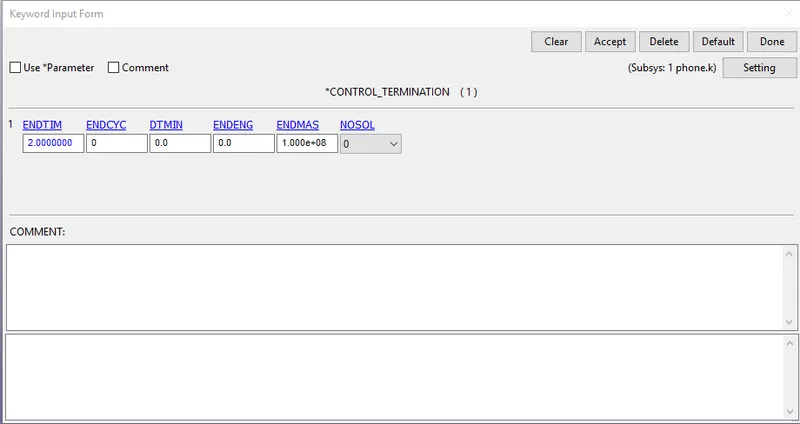
The termination end time is kept as 2 ms which is sufficient to capture the result of the drop test on the cell phone.
Step X - DATABASE FiLE
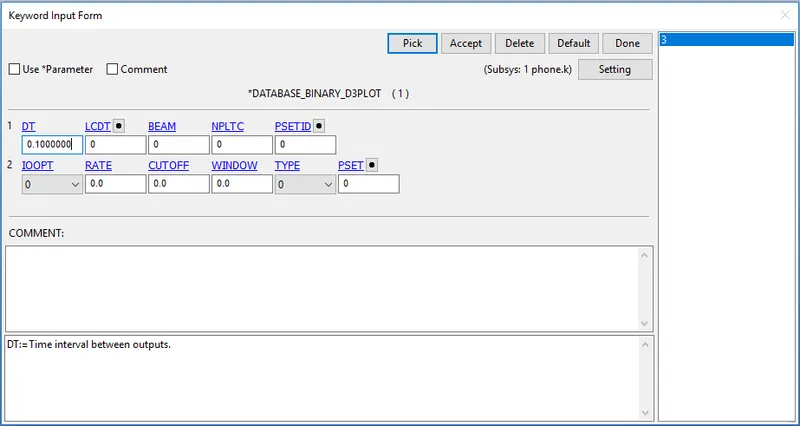
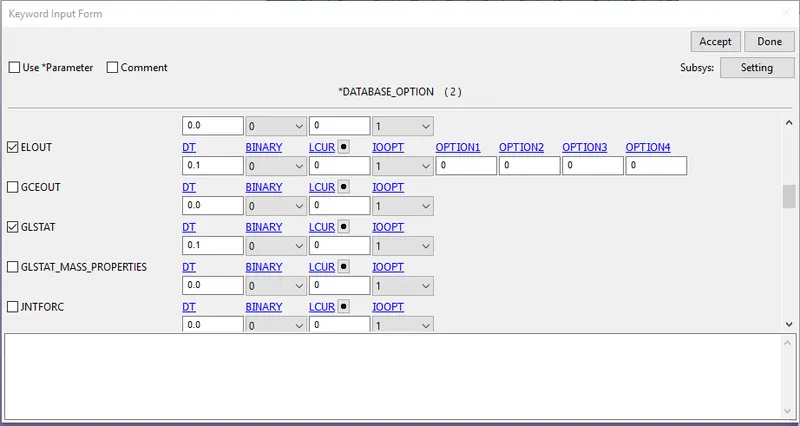
Database keyword is defined to capture the simulation of the drop test to observe the result of the drop test. This is carried out base on the frames required to be capture to visualize the simulation. For user reference, the time of each frame to be capture is taken as dt = 0.1 ms. both in Binary D3plot and ASCII Keyword.
Step XI - Save the keyword file
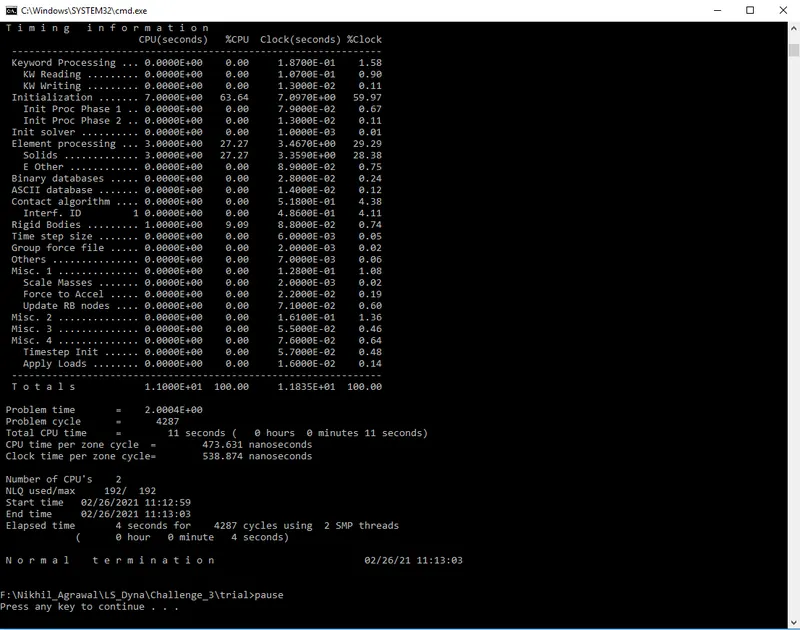
Save the keyword file as save as in the .k extension. The user makes sure that the file is kept in the folder name or path with no space in between to run the termination normally.
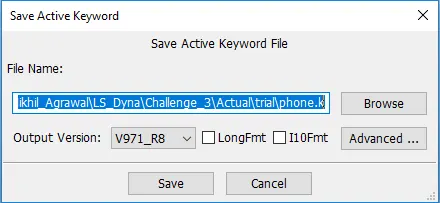
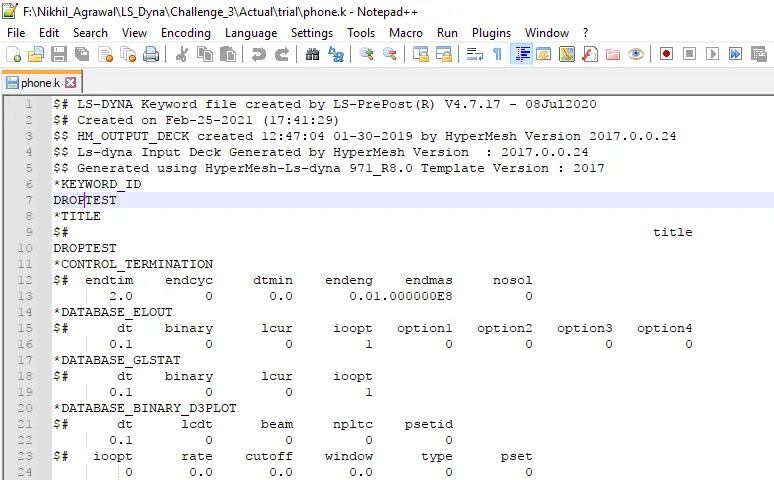
Step XII - Edit the keyword ID & Title
User edit the keyword ID and the Title using notepad++
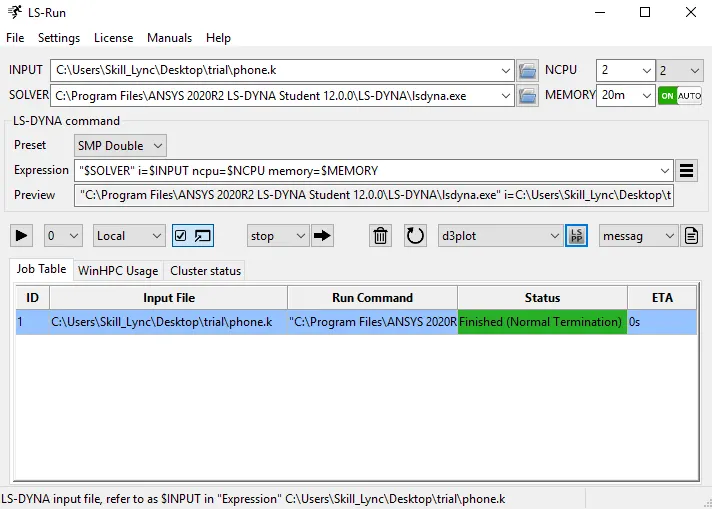
Step XIII - Run the Keyword File
The user then runs the file using LS Run to ensure that the termination end with normal termination.
Results:
Effective Stress at the end of termination -
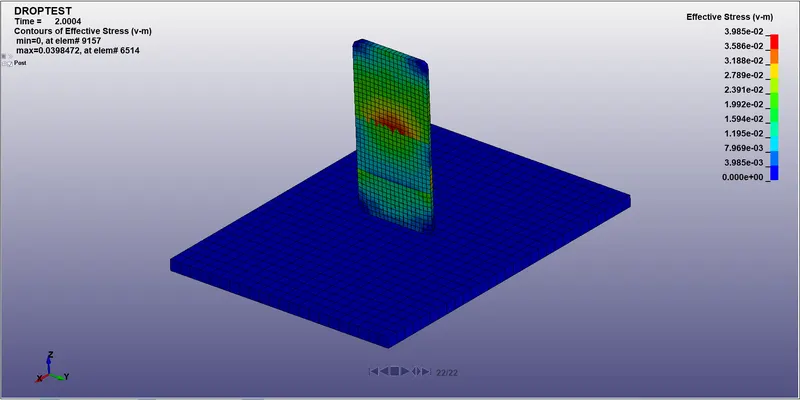
The result obtained was in the magnitude of 3.98e-17 which is very negligible and actual results are captured using the range starting from 0 to 3.98e-02.
Energy Plot -
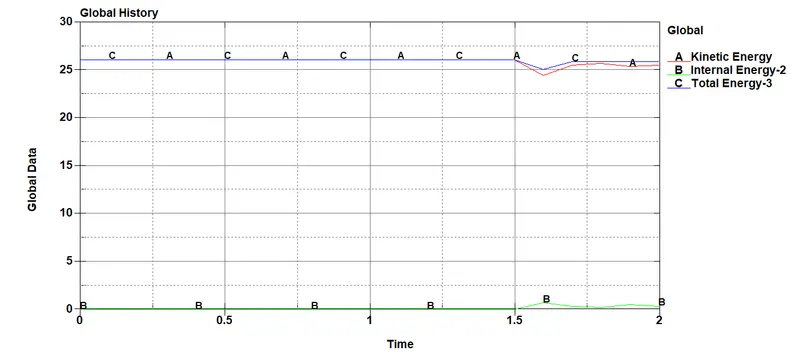
From the above plot, the user can conclude that the kinetic energy of the cell phone is converted into the internal energy gain at 1.5ms and due to this there is a drop in the total energy of the cell phone.
Velocity Plot -
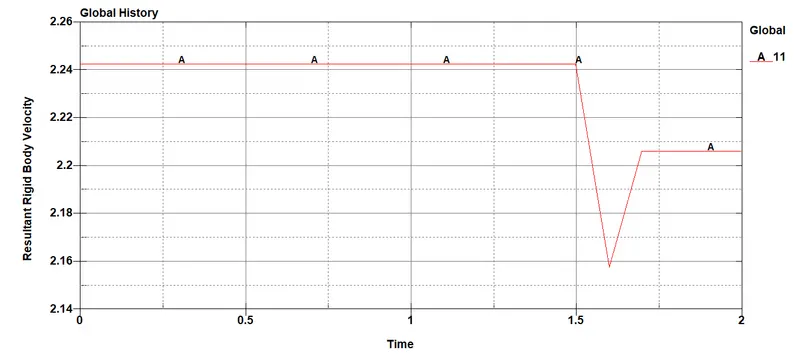
There is a drop in the velocity at 1.5ms due to the impact between the cell phone and the rigid wall.
Drop Test Animation -
Conclusion:
Created the input deck file using LS PrePost and Run the file using the LS Run.