Week - 3 Drop test Challenge
OBJECTIVE
to create a drop test simulation of phone with all necessary keywords in ls dyna.
PROCEDURE
1. open the given drop_test_onlymesh.k file in ls prepost using open-> keyword file.
The first step is to create a mesh and define node points and the given file has these elements but it doesn't has other necessay keywords.
The following steps are required to create the simulation ready-finite element model input file.
The first line of the input file must begin with *KEYWORD. This identifies the file as containing the keyword format instead of the structured format.
go to keyword manager under model and part to find the entities defined.
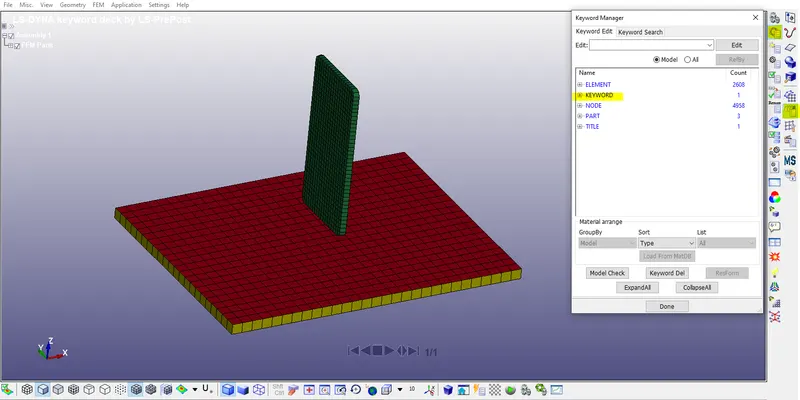
the file contains three parts, 2608 elements,4900 nodes,1 keyword,1 title.
2. since we have both solid and shell bottom plate elements delete the solid plate part using model and part>keyword manager>part.element>select the part>click on delete then click done.
3.Defining material:
properties needed:density,young's modulus,poission ratio,yeild stress.
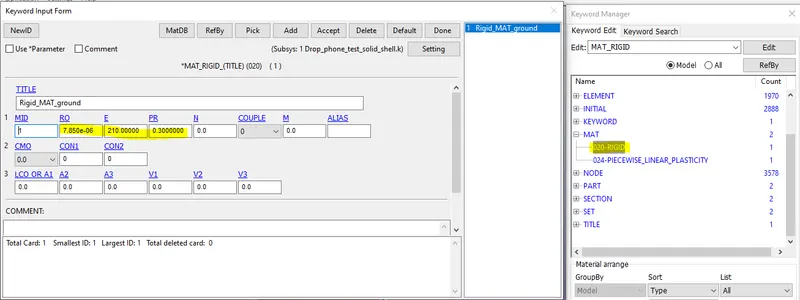
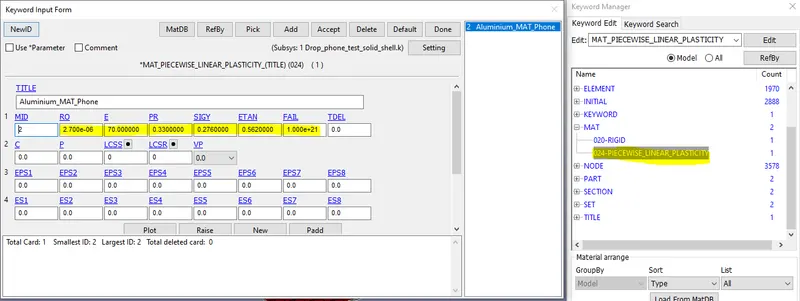
define the material for both bottom plate(020-MAT_RIGID) and phone (024-PIECEWISE_LINEAR_PLASTICITY) using keyowrd manager>mat. and enter the properties as shown below.
bottom plate/ground(020-MAT_RIGID)
phone (024-PIECEWISE_LINEAR_PLASTICITY)
4.CREATE SECTION: section defines the type of elemnt and its formulation properties such as shell,solid, thickness,behaviour.
a.For Phone:create one solid section using keyword manager>SECTION>select the solid option with ELFORM=1
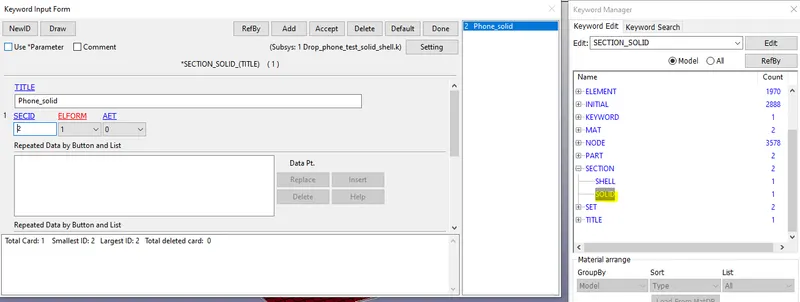
b.For Ground: create one shell section using keyword manager>SECTION>select the solid option with ELFORM=2 and thickness =1 in T1,T2,T3,T4.
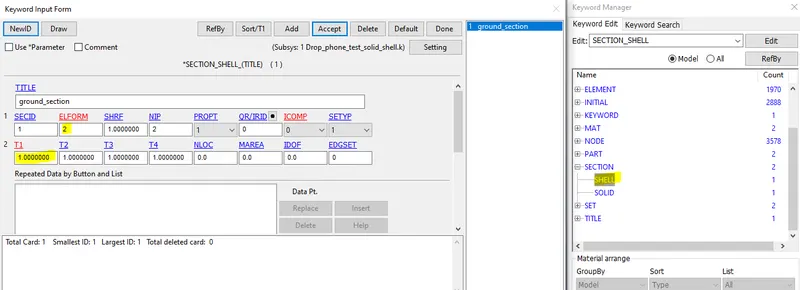
5.Assign material and sectrion to respective parts.
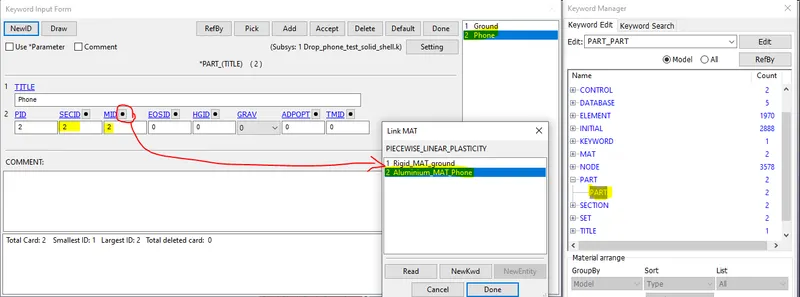
select the setion in SECID and material in MID in *part card under keyword manager
a.Ground: select the button near the SECID to select from list of available sections.
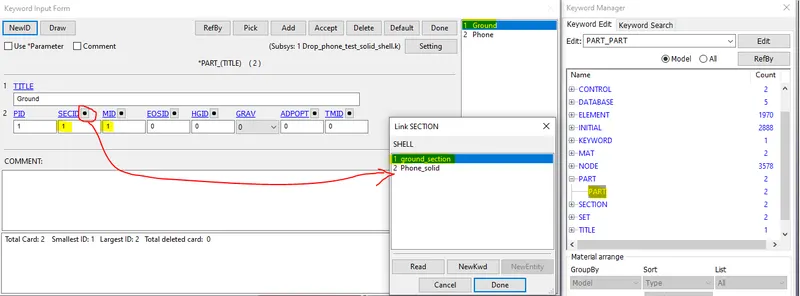
similarly material is selected in MID.
b.Phone:
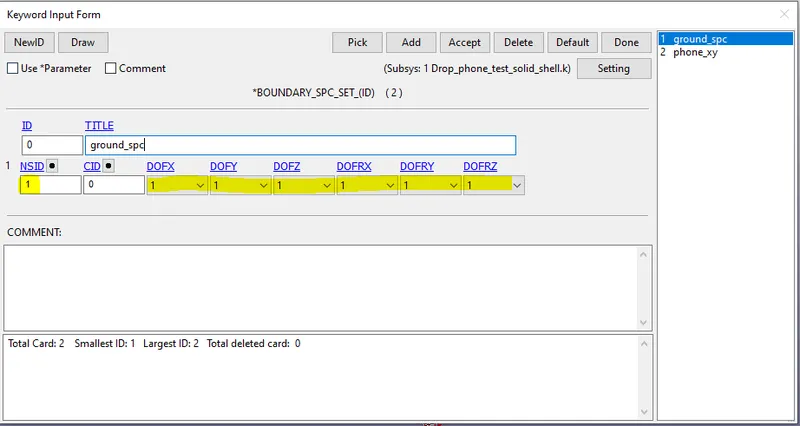
6.Boundary conditions: since the plate(ground) is fixed , create a SPC(single point constraint with all dof arested
use boundary>spc_set in kerword manager
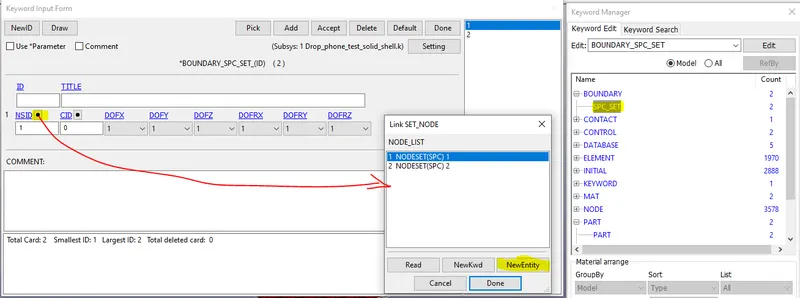
use NewEntity option in selection window, entity creator window will appear noe select the nodes as shown and click apply
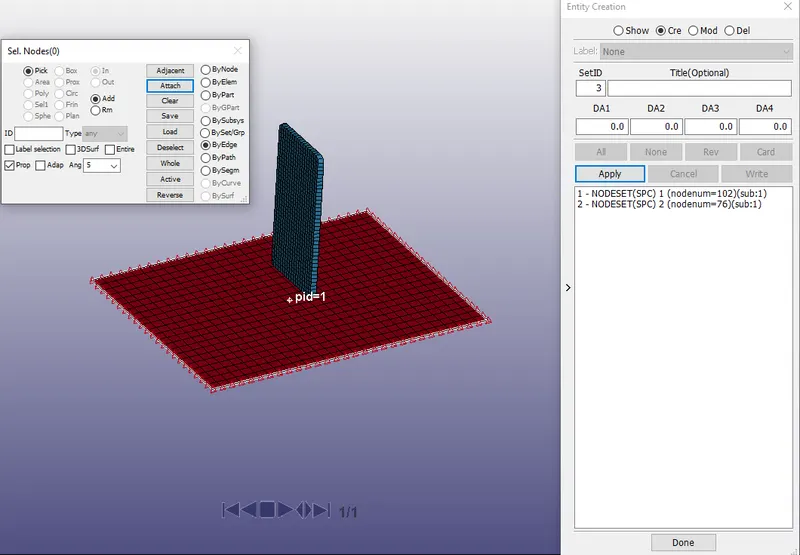
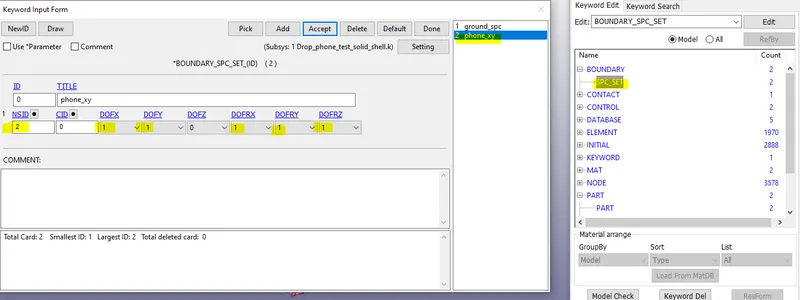
similarly do the same for the phone so tht we can restrict the motion in x,y direction as shown
ground:
phone:
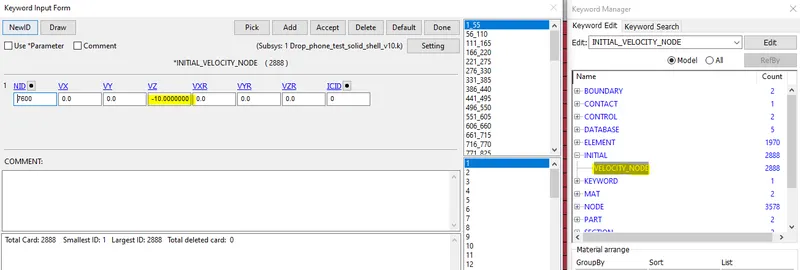
7:Initial Velocity:
velocity of 10 mm/ms is given using INITIAL>Velocity . In entity creator select all nodes in phone and enter -10 for Vz and click apply
8.Creating contact:
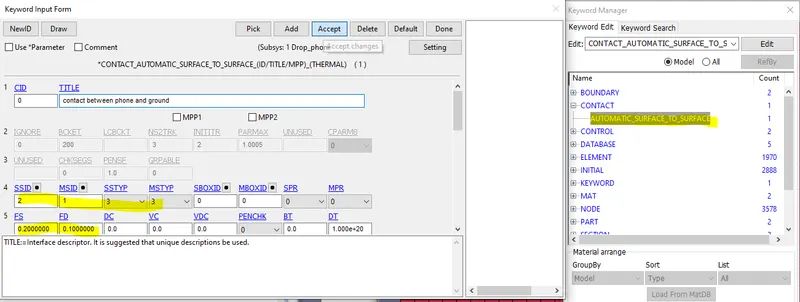
create a simple contact between phone and ground using keyword manager>contact>automatic surface to surface.
change SSTYP to 3 and MSTYP to 3 then select phone as slave and ground as master.
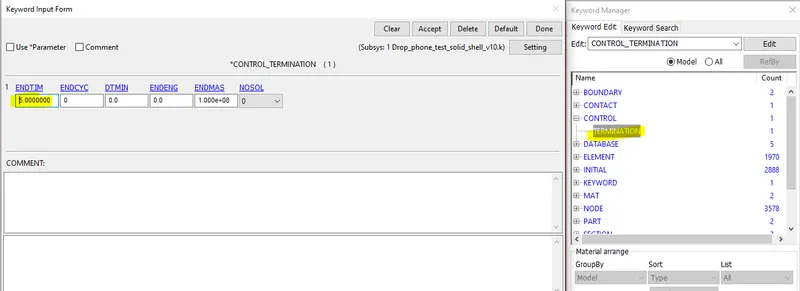
9:CONTROL:
set the termination time to 5 ms using keyword manager>control>termination
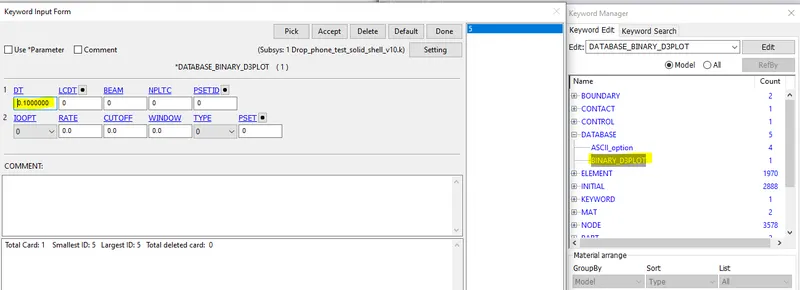
10. Define result output type
use Database card in keyword manger.
Database>binary_d3plot>dt=0.1 ms
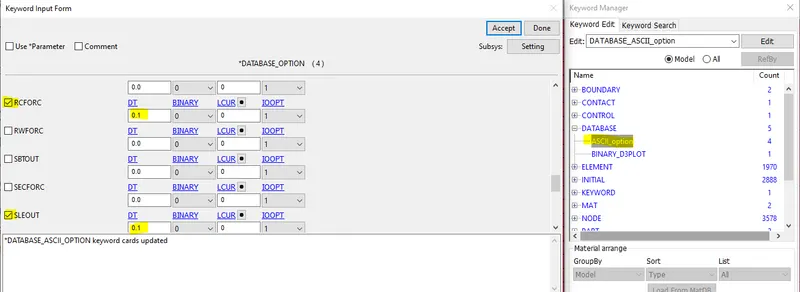
Database>ASCIi option>GLSTATdt=0.1 ms
similarly add, RCOFRC,SLEOUT
11: save the keyword and run it in LS-run as shown.
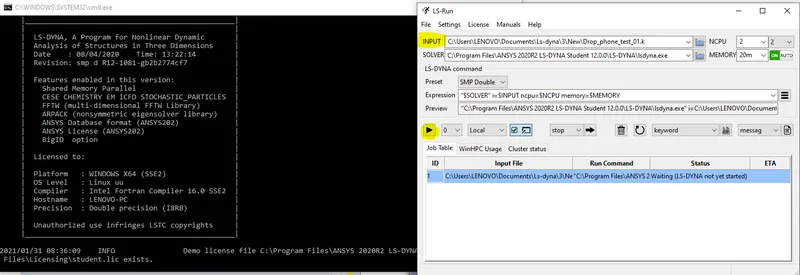
wait for the run to terminate
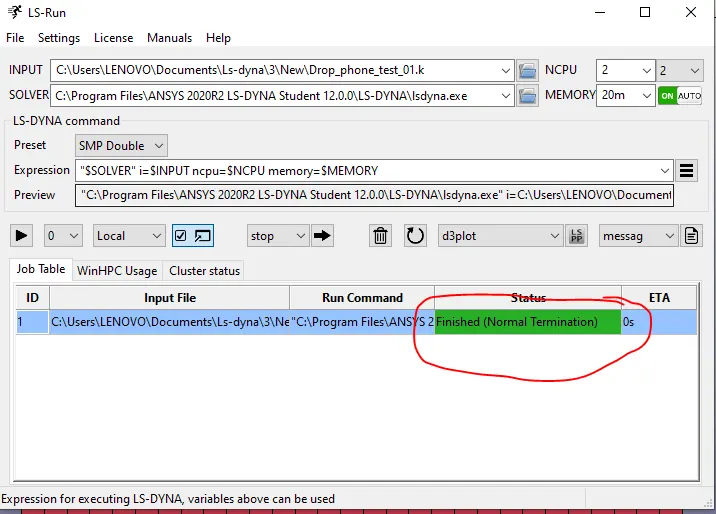
12:Results and Post processing:
open d3plot file in ls-prepost using file>open>binary file
then use post option to plot stress, strain,displacement.
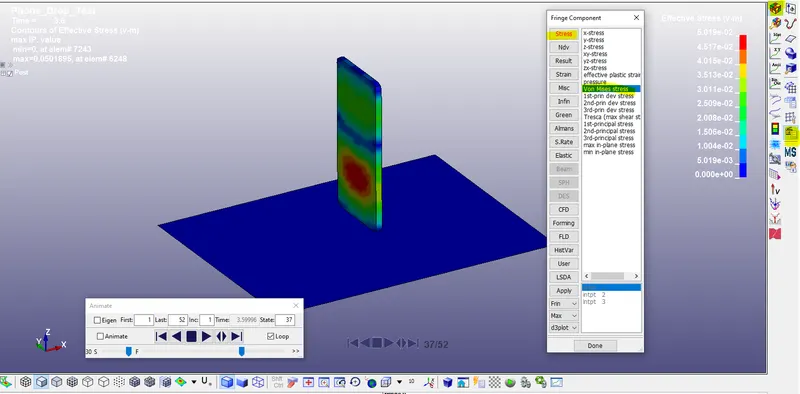
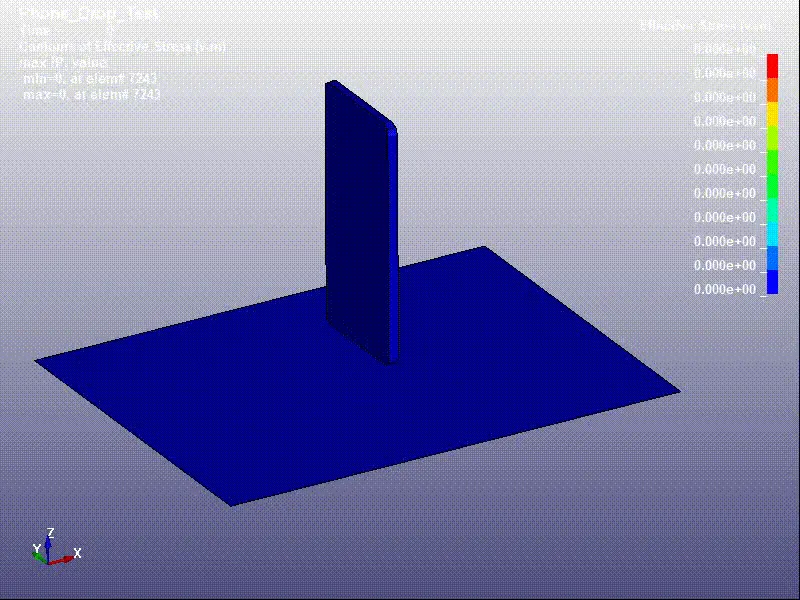
ANIMATED RESULTS:
effective stress
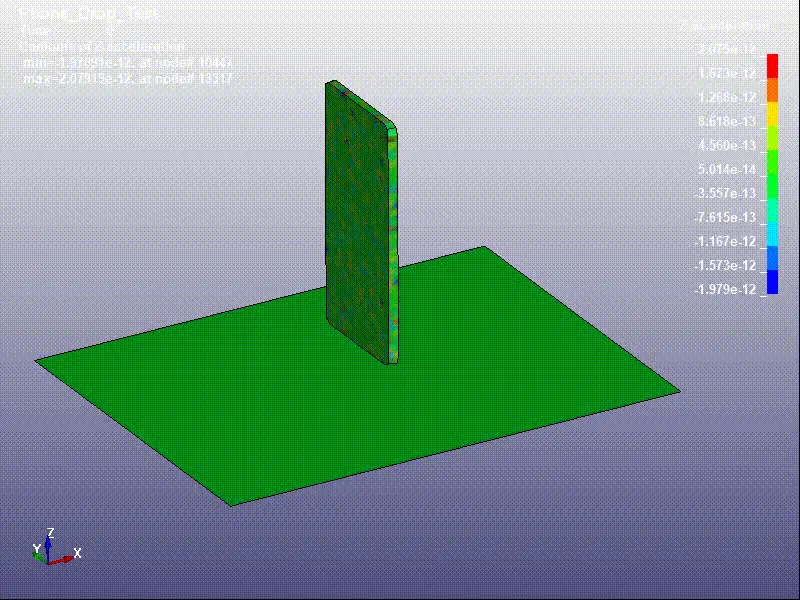
Z-acceleration
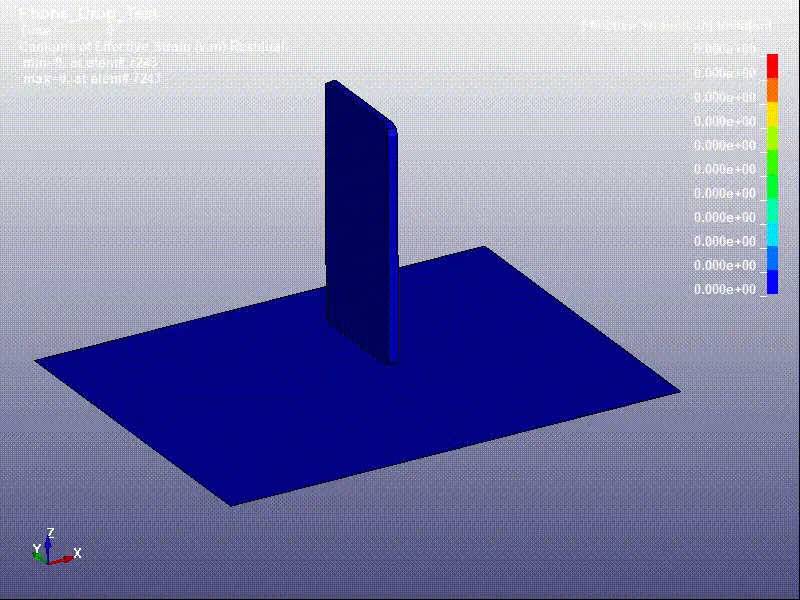
effective strain
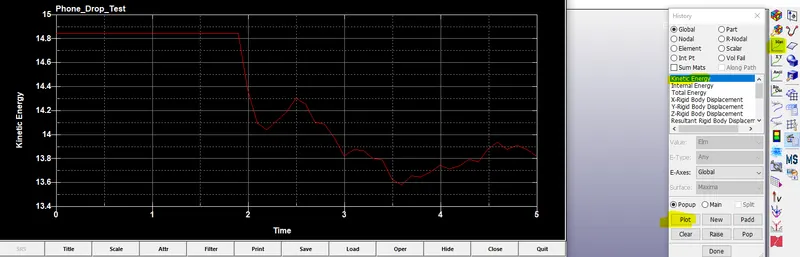
13.plotting energies:
select history under post and plot kinetic energy as shown.
ENERGY Results:
kinetic energy:
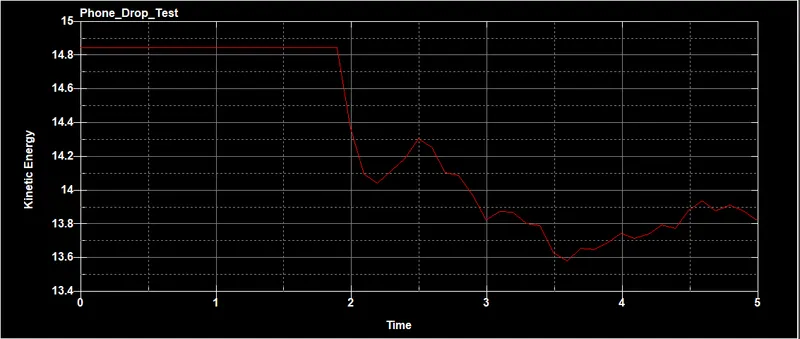
after impact some of the kinetic energy is absorbed but the energy absorbed is very small
Internal energy:
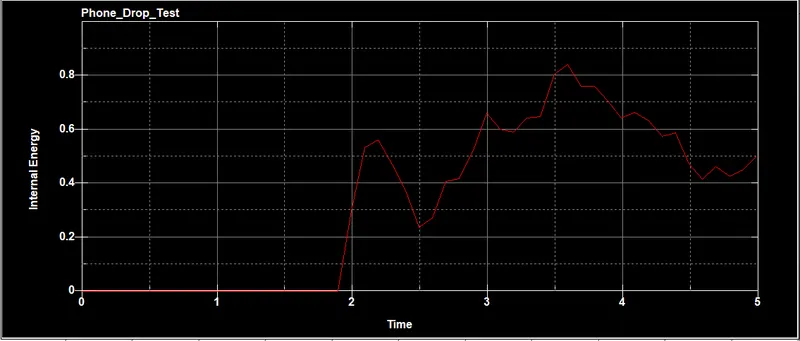
internal energy increases after impact.
plotting element wise results: select type as element then select the elements whose results has to be plotted then select plot.
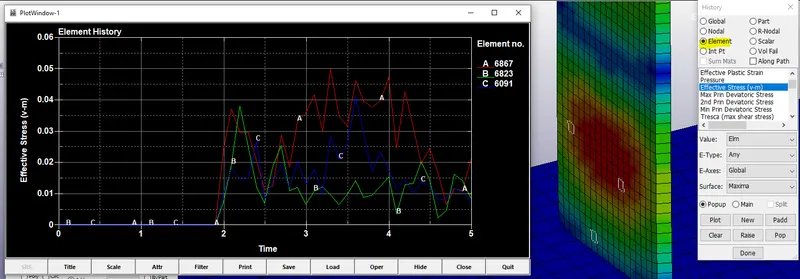
similarly ascii results can be plotted using ascii option under post.
Conclusion:
Drop test simulation is done and various keywords necessary for the simulaiton is studied.results such as effective stresss, strain, acceleration, element wise results are plotted.
SUMMARY OF KEYWORDS USED:
*BOUNDARY_SPC_SET
*CONTACT_AUTOMATIC_SURFACE_TO_SURFACE
*CONTROL_TERMINATION
*DATABASE_BINARY_D3PLOT
*DATABASE_ELOUT
*DATABASE_GLSTAT
*DATABASE_RCFORC
*DATABASE_SLEOUT
*ELEMENT_SHELL
*ELEMENT_SOLID
*END
*INITIAL_VELOCITY_NODE
*KEYWORD
*MAT_RIGID
*MAT_PIECEWISE_LINEAR_PLASTICITY
*NODE
*PART
*SECTION_SHELL
*SECTION_SOLID
*SET_NODE_LIST
*TITLE