Week - 3 Drop test Challenge
Question:
In this assignment, we provide you with a file having just nodes and elements of two parts, a simplified cellphone and a plate mimicking ground.
You need to create a complete simulation file from this to perform a drop test. *INITIAL_VELOCITY card is to be used to give velocity specifications for the cellphone.
We are not interested in how the phone travels from your hand to the plate, but only the period when the impact happens and a few milliseconds after that. Therefore, we will keep the two parts very close and provide an appropriate magnitude of velocity.
The orientation of the cellphone is also important and there are specific guidelines on how to orient the products but for this assignment, we will ignore that.
Based on what you have learned till now, use your judgment, manuals, and the previous simulations that are shown to create a complete input file for a drop test.
The objective of this assignment is not to get a correct simulation but to get a feel of creating an input deck from scratch
Objective:
To create a complete simulation file from scratch to perform a cell phone drop test
Case Setup:
The downloaded file contains the following Keywords
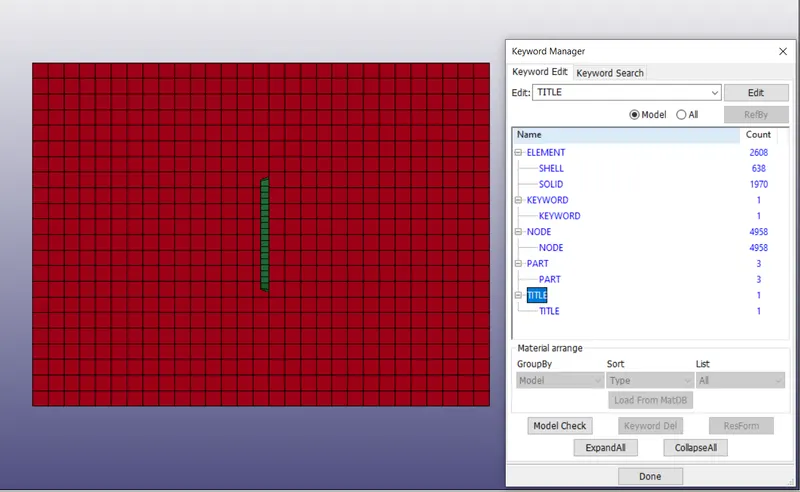
To start with the analysis, we need to create following cards
- Material
- Section
- Hourglass (Optional)
- Initial velocity
- Control Energy (Optional)
- Control termination
- Contact Automatic Surface to Surface
- Database ASCII (Optional: ELEOUT, GLSTAT, MATSUM, SLEOUT)
- Database Binary D3plot
- Set (Optional: Node, Part, Solid)
- History (Optional)
I’m using mm ms g system of units
Material:
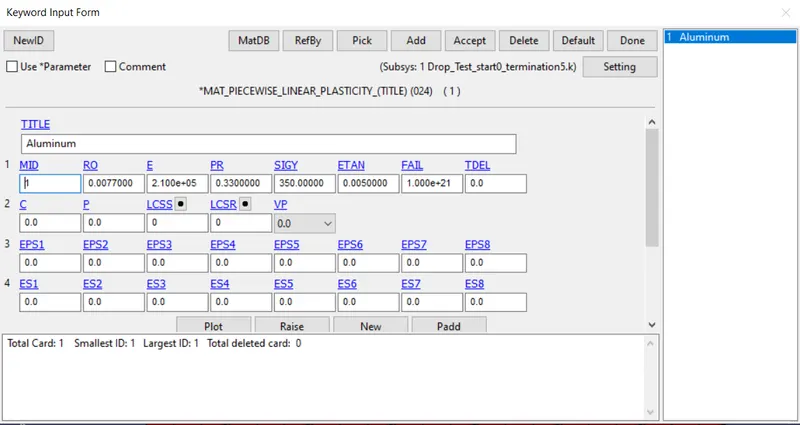
Mat 24 MAT_PIECEWISE_LINEAR_PLASTICITY is used with Aluminum properties for the phone
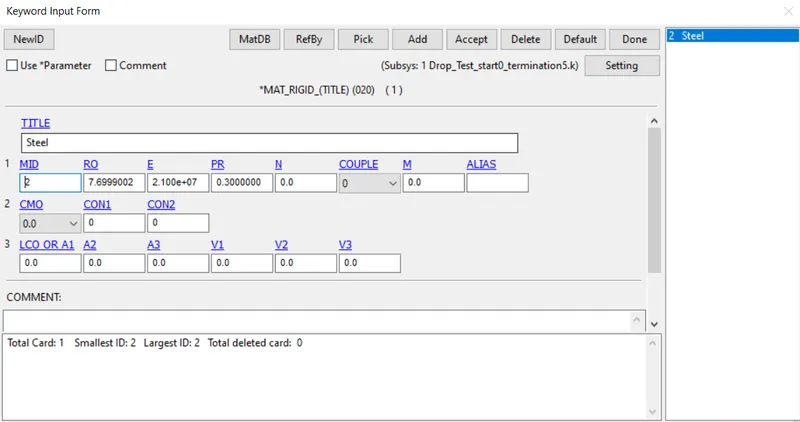
For ground, it is advisable to use rigid material card as we it is not going to deform under any circumstances. Mat 20 MAT_RIGID is used with Steel properties for the ground
Section:
Section_Shell card is used for the ground as it has only 2D mesh with following properties.
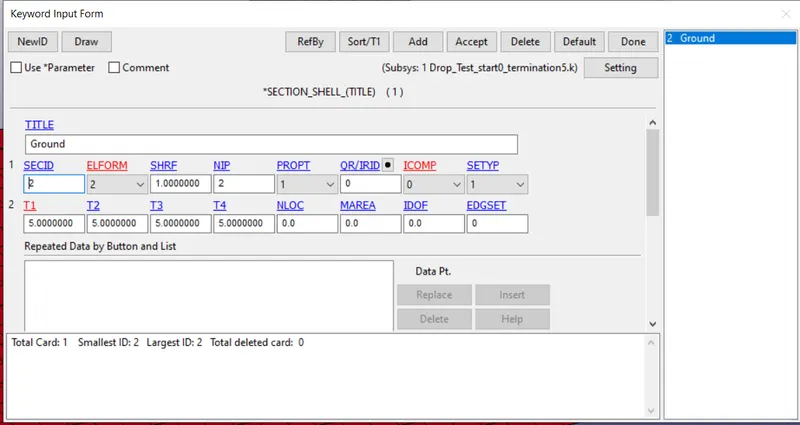
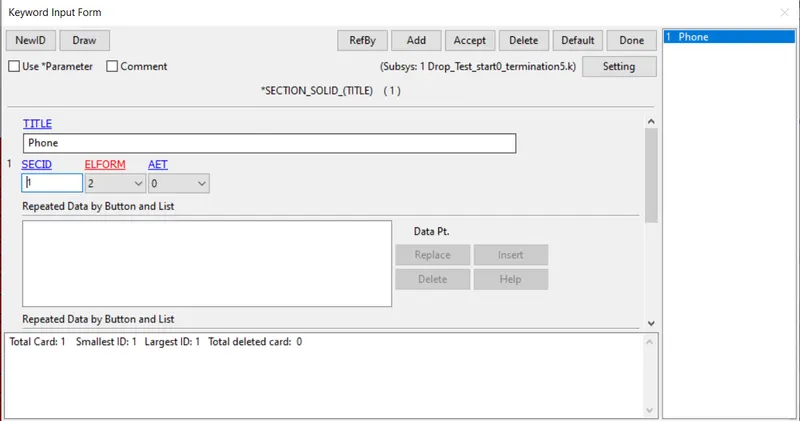
Section_Solid is used for the phone as it has only 3D mesh
Hourglass:
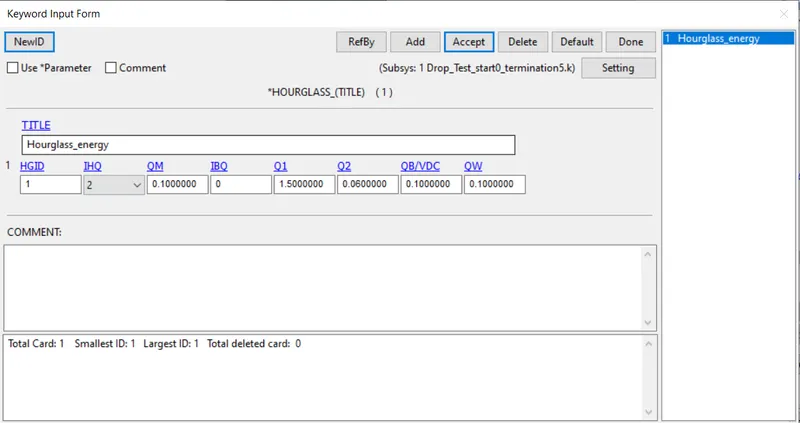
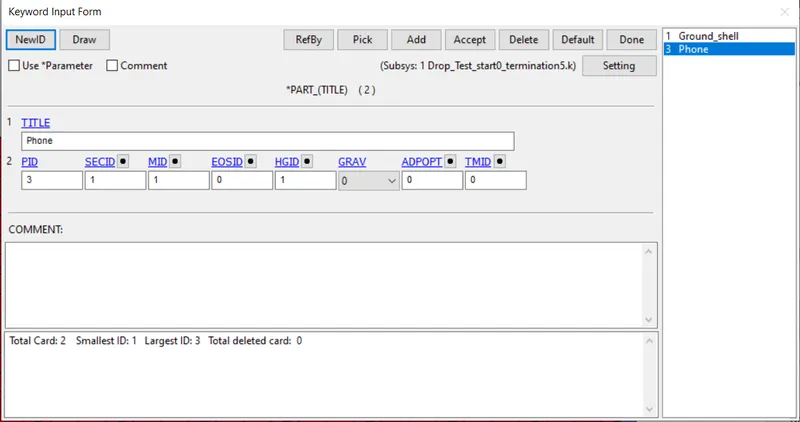
Hourglass card is created with IHQ 2 which uses Flanagan-Belytschko viscous form. This Hourglass setting will be applied as default for all the parts. But to be counted in the energy balance equation, Control Energy is to be used which will be discussed later.
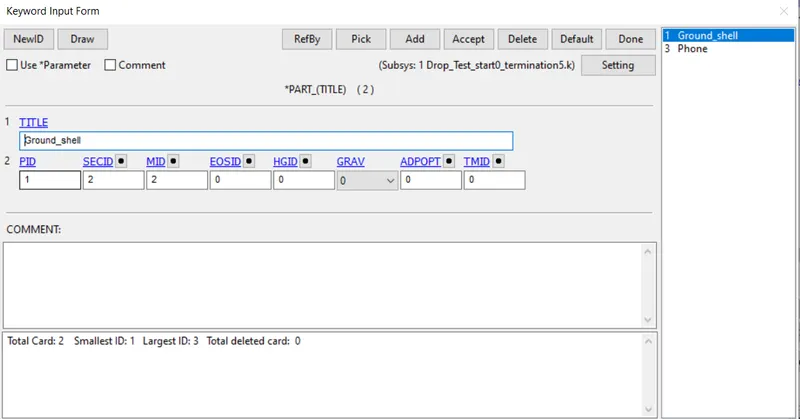
After creating Hourglass card, Part Keyword is opened and assigned corresponding material, section and Hourglass ID.
Initial velocity:
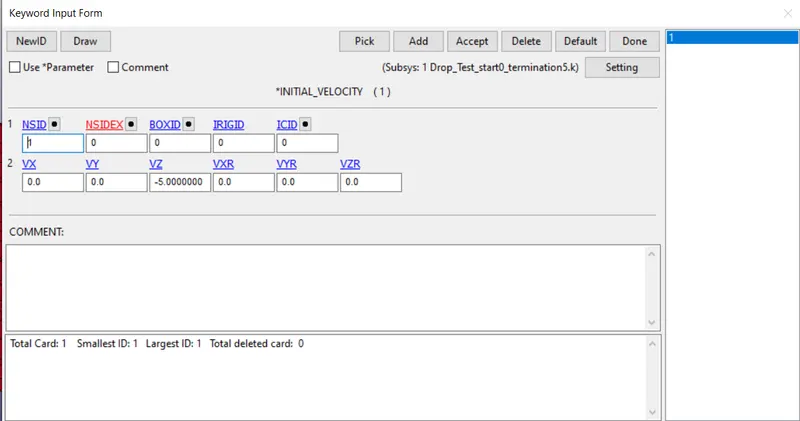
Initial velocity card is created with Vz=-5 and a node set is created with all nodes belonging to phone
Control Energy:
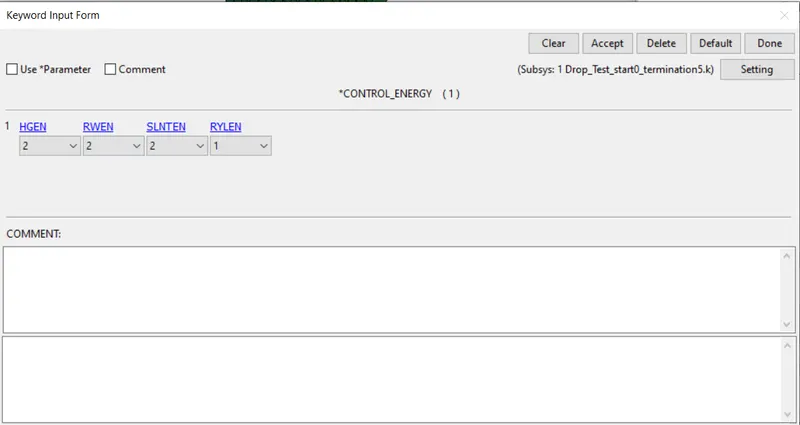
Control Energy card is used with following values. 2 means the energy is computed and taken into account in energy balance equation
Control Termination:
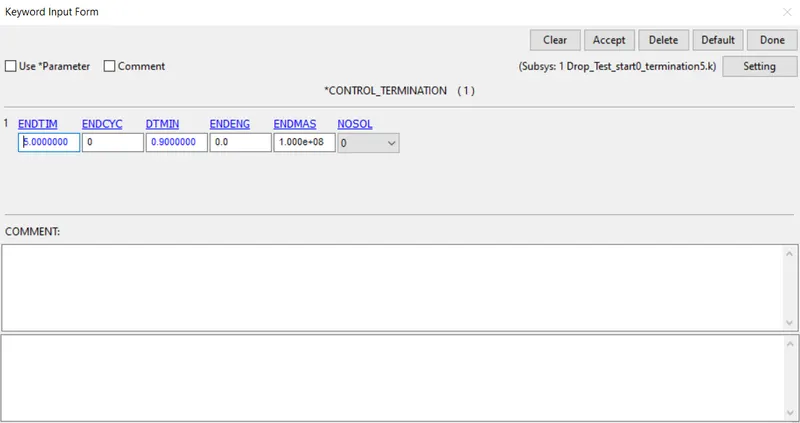
Control Termination tells the solver to stop analysis at a said time (ENDTIM)
Contact Automatic Surface to Surface:
Contact Automatic surface to surface is created with Ground as master and Phone as Slave. SSTYP and MSTYP is changed to 3 which allows to use part as SSID and MSID or 2 which allows part set IDs for which we need to create part sets
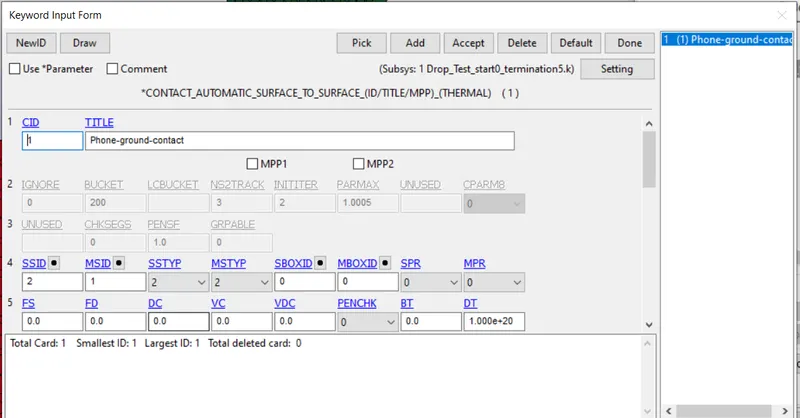
Database ASCII(Optional for this assignment):
Database ASCII is used and following outputs are selected with 0.1 DT
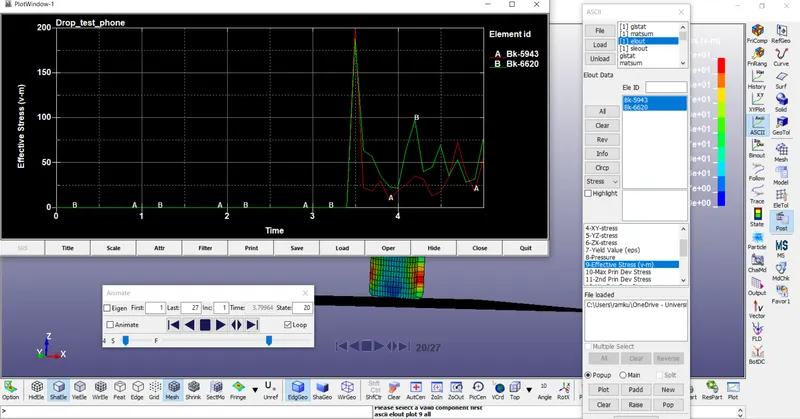
ELOUT: shows information about elements stored in History
SLEOUT: Shows information about Sliding Energy
GLSTAT: Shows information about Global data
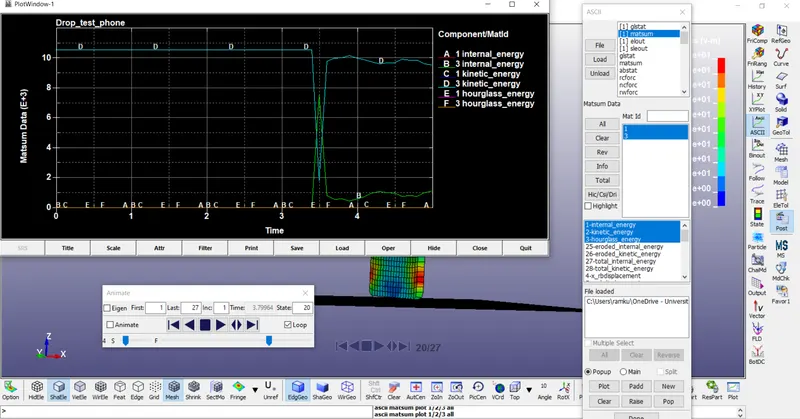
MATSUM: Shows information about material energies
Database Binary D3plot:
It is used to see animation results and also represents data like stress, strain over time. DT is set as 0.2
Set(Optional for this assignment):
Set node is used for initial velocity creation
Set part is used for contact formulation
Set Solid is used for ELOUT history
History(Optional for this assignment):
Database History Solid Set or create entity is used to create a History. In case of Database History Solid Set, Set Solid ID created earlier is invoked here.
Conclusion Post Processing:
Animation:
Fringe component options provides numerous options to see data like stress, strain over time in the animation window
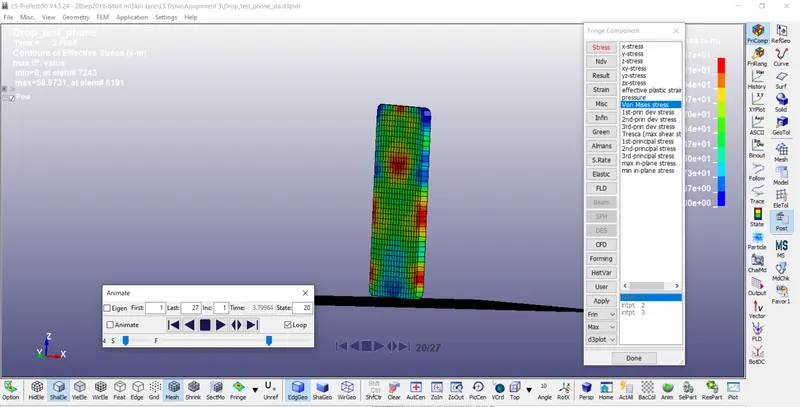
History option provides options to plot Energy, Displacement, Velocity, Acceleration of glabal, part, element, node, etc with DT equal to DT specified in D3Plot
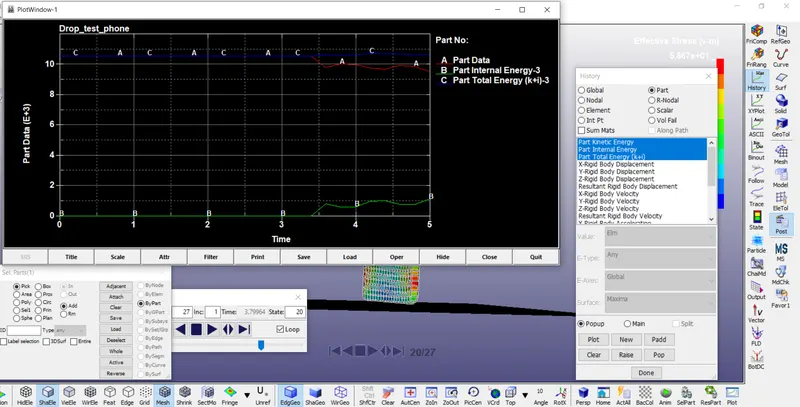
Energies start to deviate from the initial velocity after collision
ASCII provides options to plot data types that we requested in Database ASCII keyword
GLSTAT: Shows information about Global data. Shows the energies from kinetic energy being transferred to Internal Energy
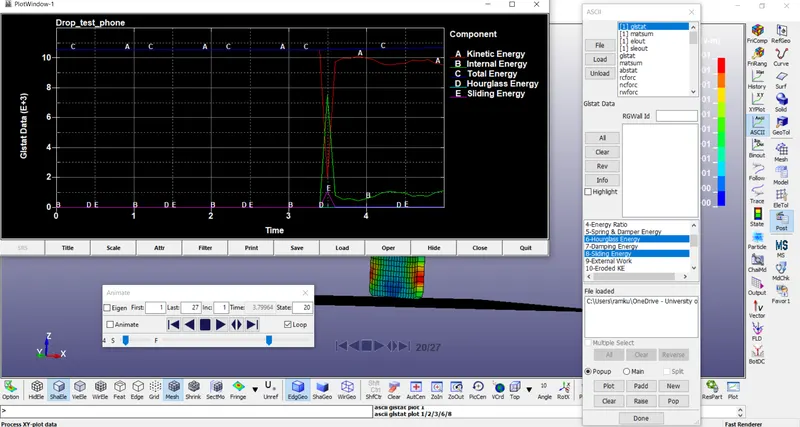
MATSUM: Shows information about material energies.
ELOUT: shows information about elements stored in History
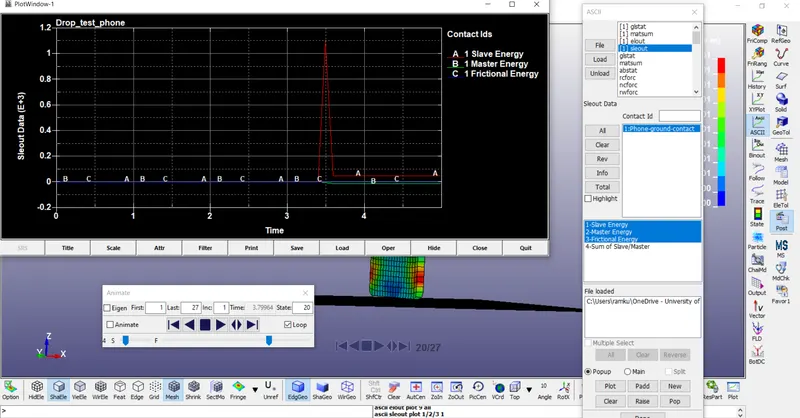
SLEOUT: Shows information about Sliding Energy. Shows sliding energy occurs only at collision