Week - 3 Drop test Challenge
AIM
To setup the mobile phone drop test simulation in ls-dyna
OBJECTIVE
the objectivve of this week challenge is either the phone should should bounce back in the same direction after the impact or bounce back along with rotation after the impact.
PROCDURE
- step-1- importing the model
- step-2-assigning the material
- step-3-assigning the B.C
- step-4-assigning the section
- step-5-assigning velocity
- step-6-contact creation
- step-7-control cards
- step-8-data base creation
- step-9-model check
Importing the model
Import the given model in ls-dyna,which is a .k file to open the model, file-open-file type .k
Assigning the material
Here, assinging the material properties to parts such as phone and flat surface (floor).
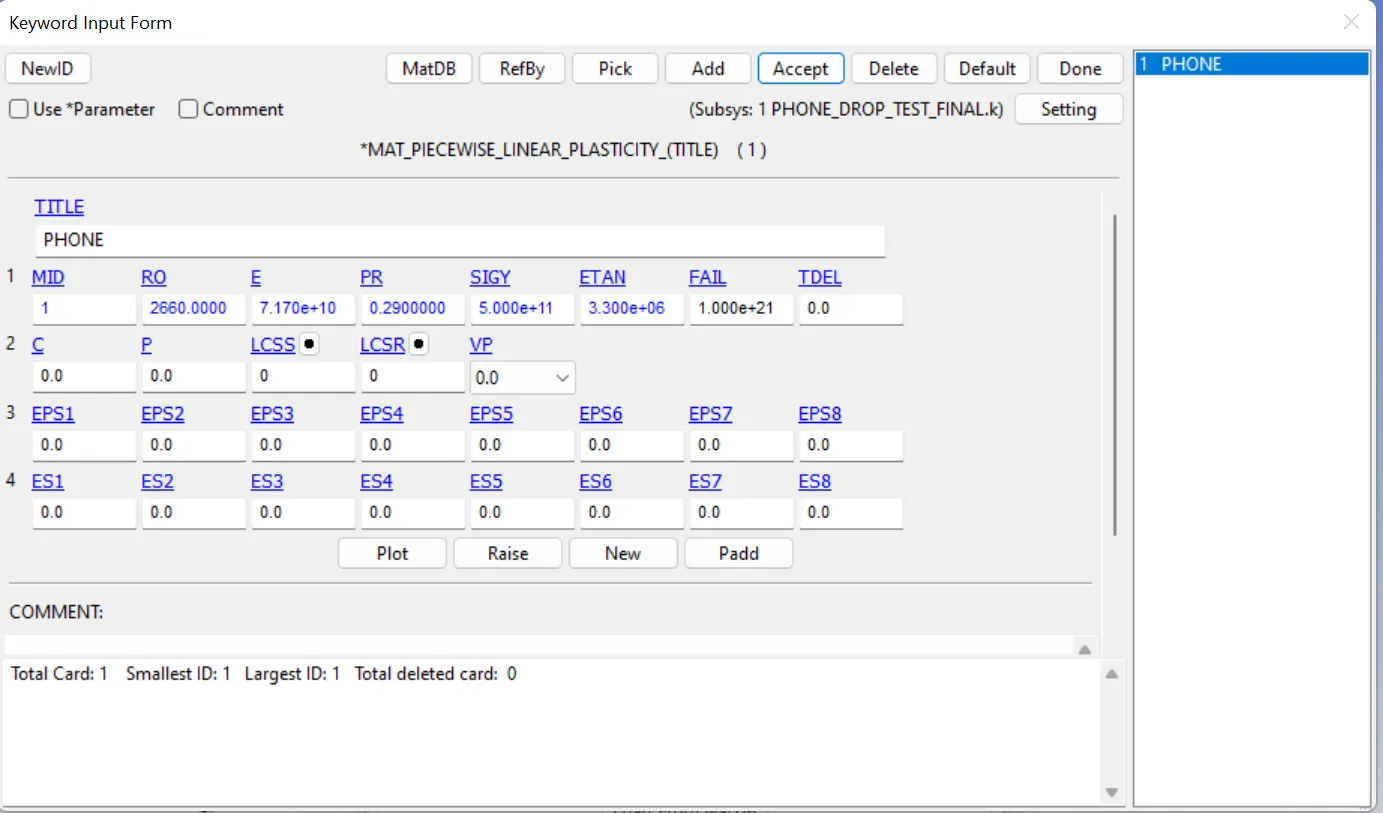
For phone , i used Mat_024 (piecewise_linear_plasticity).This is an elasto plastic material with an arbitrary stress.
because to check the elasto plastic behaviour of this phone in Al material properties.
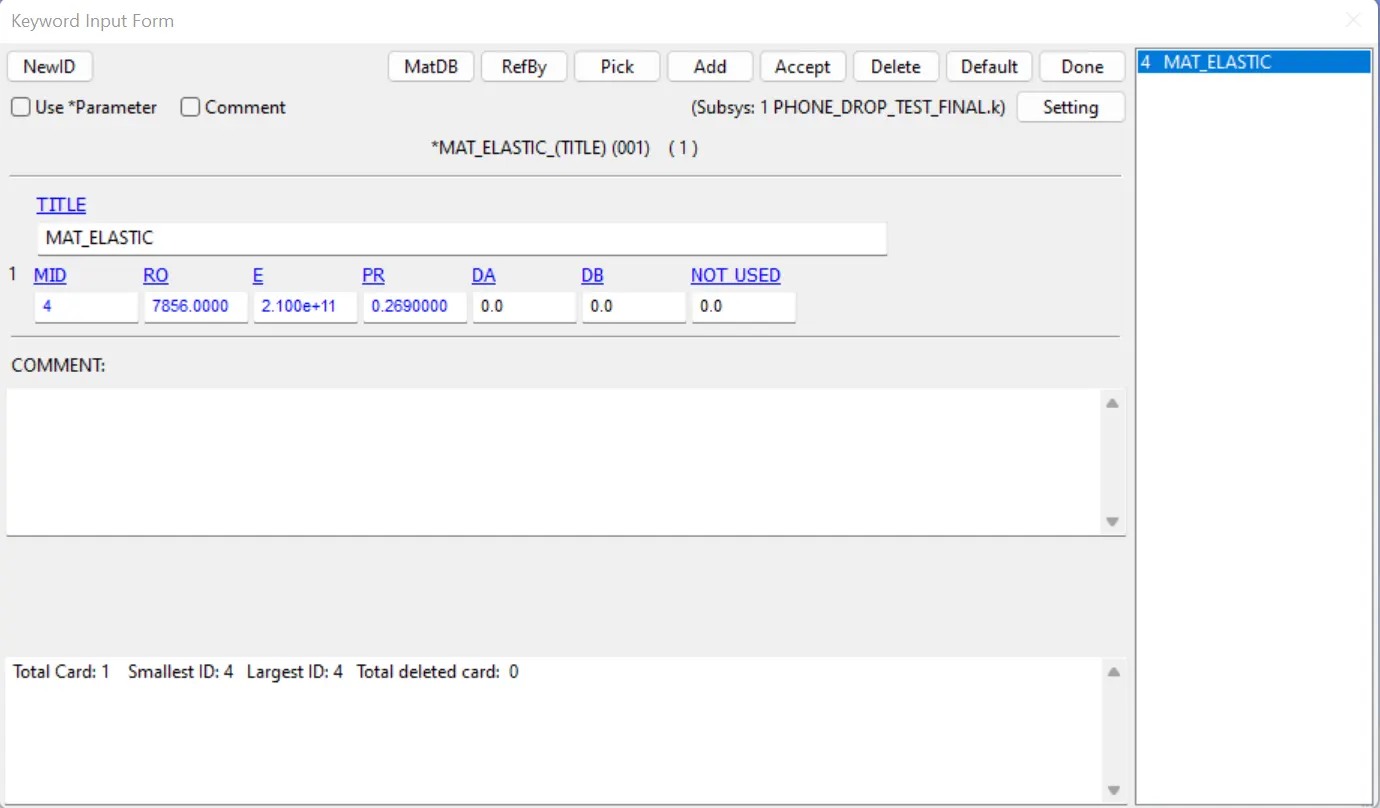
For floor, i used mat_001 (elastic).this is an isotropic hyperelastic material.
In material properties,there are three properties has to be considered while defining the material properties such as (density,poisson's ratio,.young's modulus)
these 3 properties are going to tell us how the material of part will behave under appilied BC
FLOOR
PHONE
Assigning the B.C
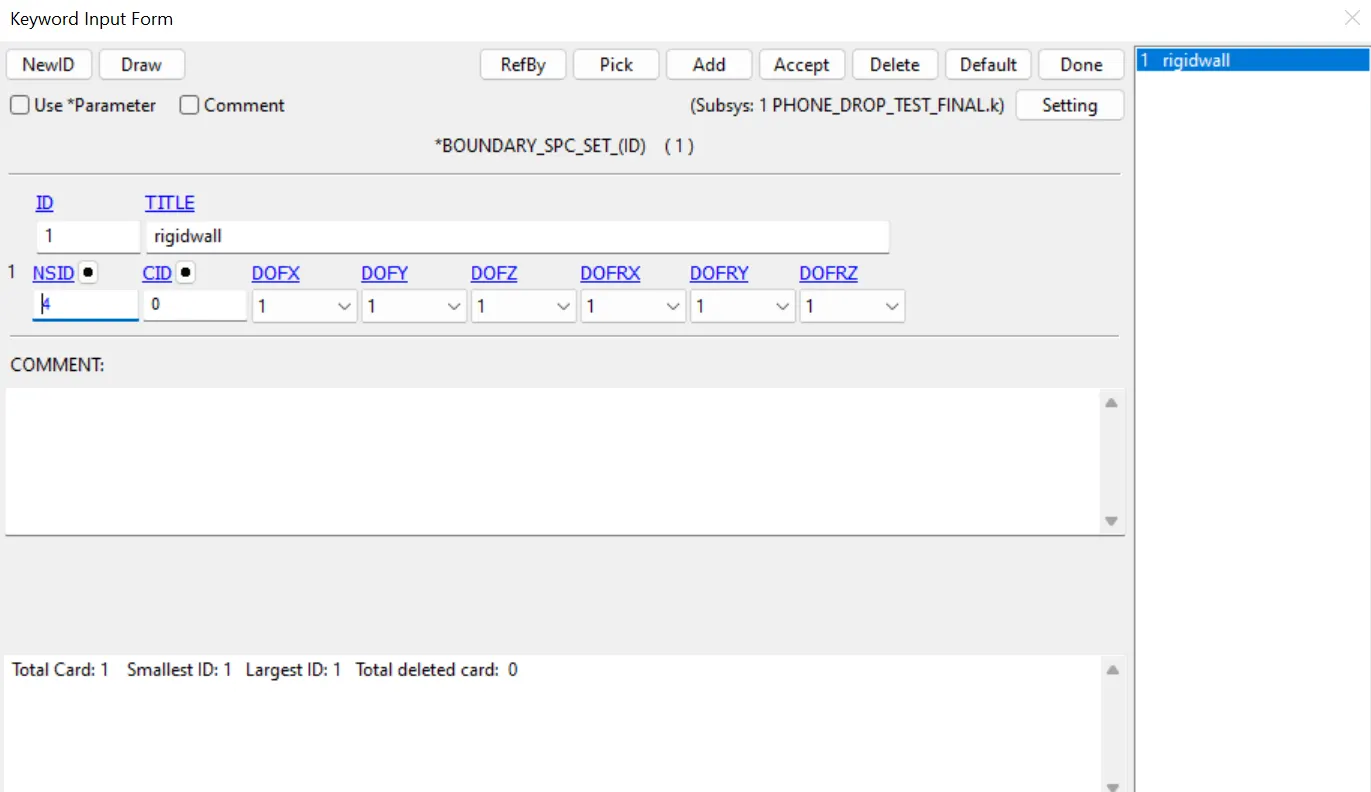
Boundry conditions are constraints, which is used to constraint the model to perform simulation.
In this case, spc is being used to contraint the nodes of shell elements as a rigid because nodes are
constrained at all dof.If we want to create , we need NSID
this image show spc set id
Assigning the section
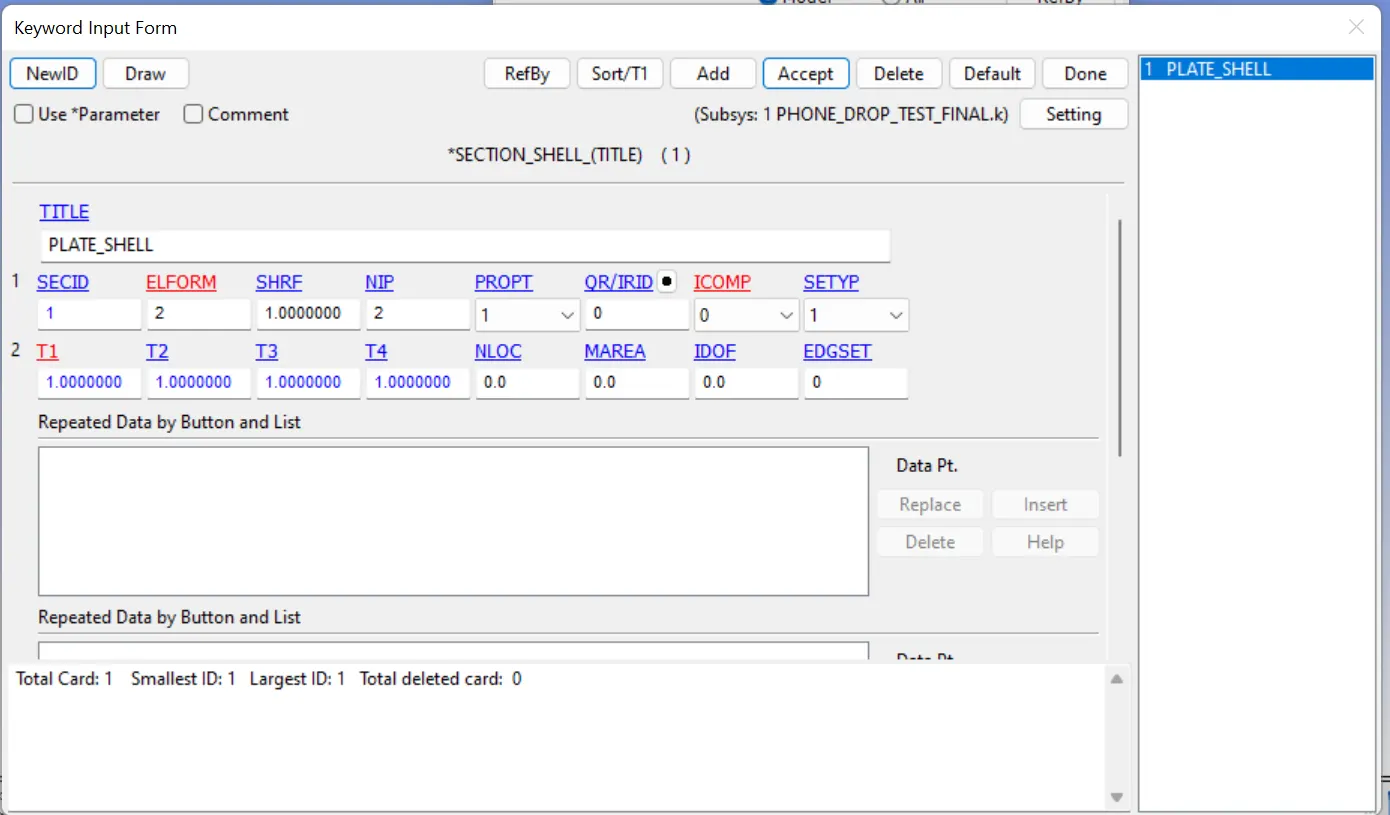
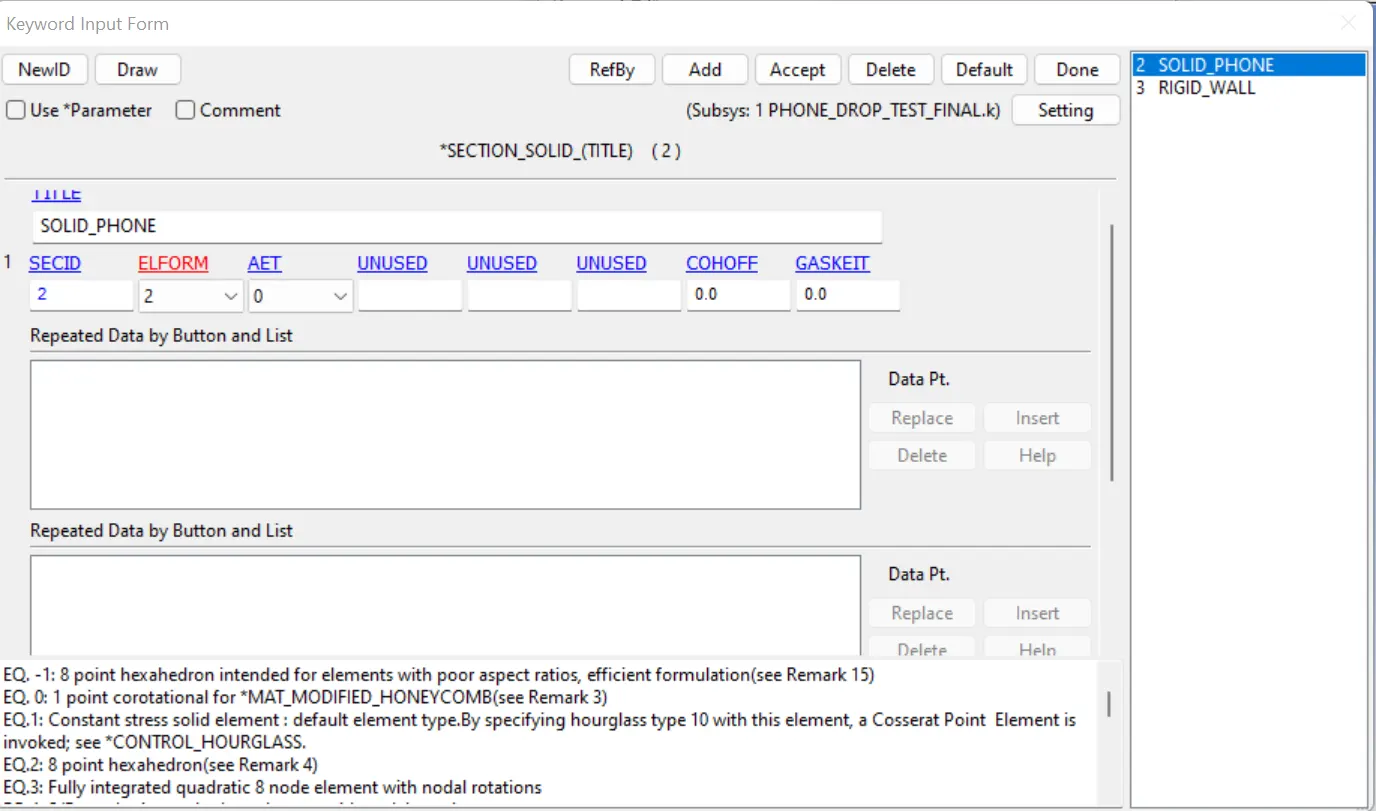
section creation is used to define section properties for elements ,if it is shell elements , we use section shel card to define elform for shell elements
and if it is solid elements ,we use section solid elments to define elform for solid elements
In this case, i used section_shell to define elform
In this case,i used sec_solid to define elform
Assigning velocity
Assigning velocity to phone.here, phone is going to drop onto flat surface.in this case ,the phone will gaining velocity at every sec after droping that.Due to no external force to phone while droping that .
To determine the velocity of the phone.
velocity=acceleration*time
displament=u*t+1/2g*t^2
since, u=0
s=1/2g*t^2
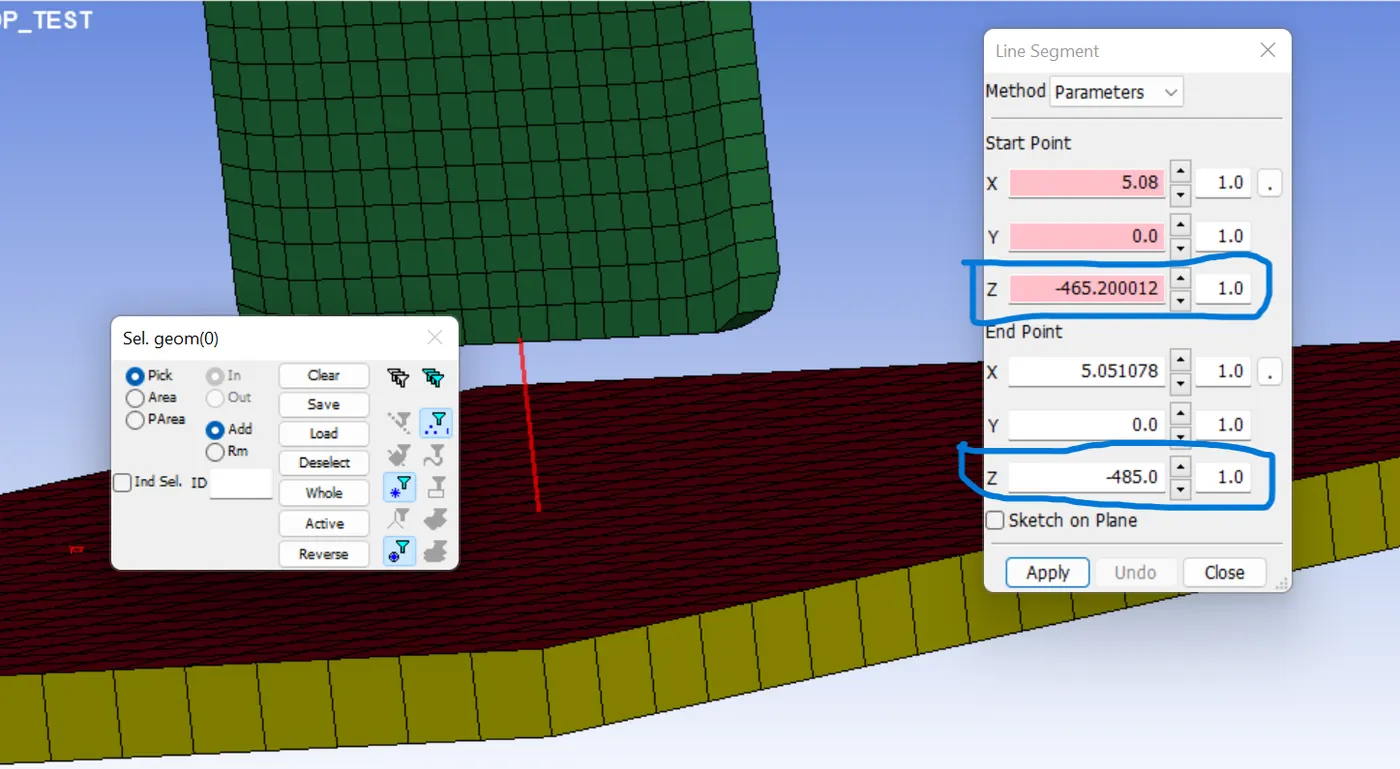
distance b/w phone and floor =20mm
acceleration due to gravity=9.81m/s^2
0.02=1/2*9.81*t^2
t=0.0638 sec
v=9.81*0.0638
v=0.625m/s
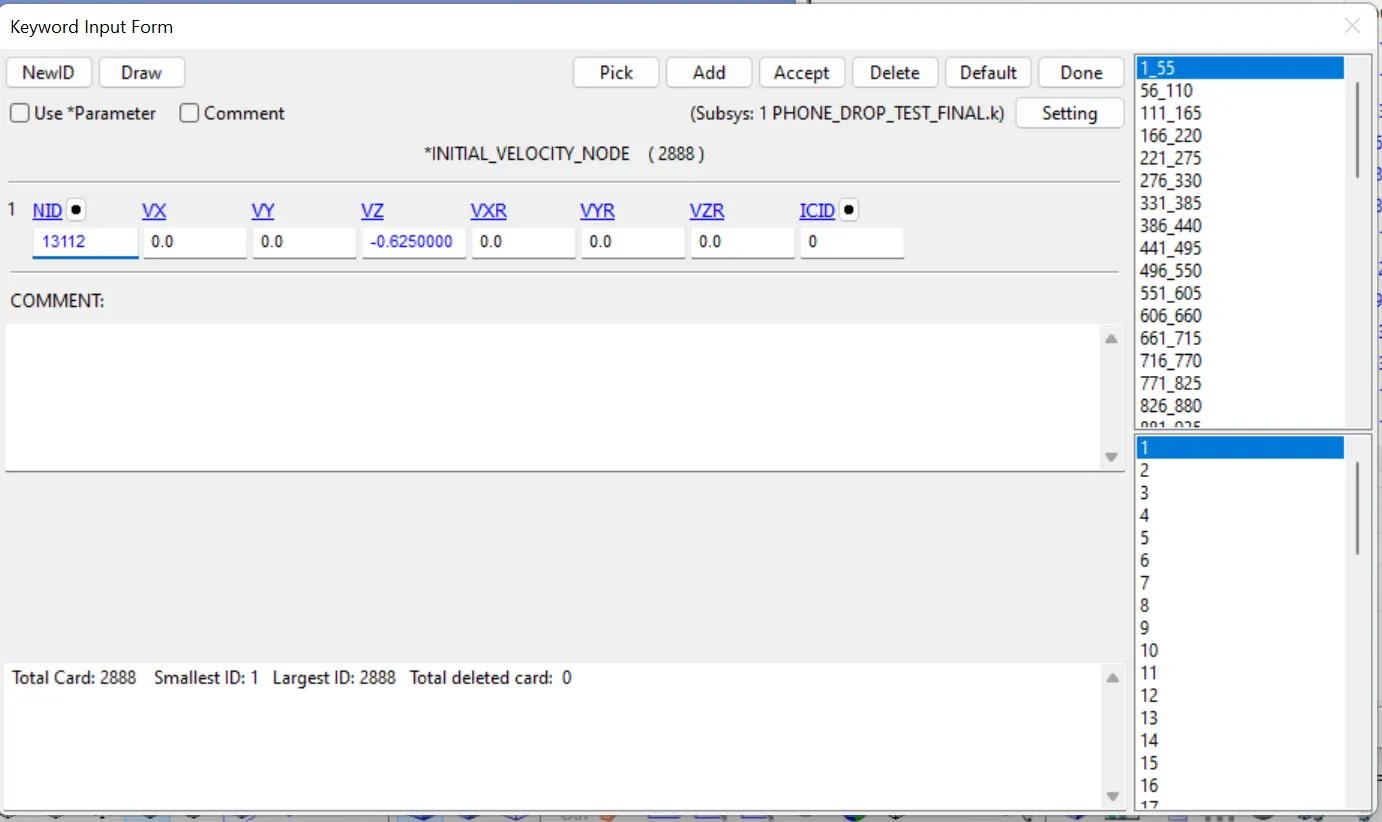
distance b/w phone and floor
Contact creation
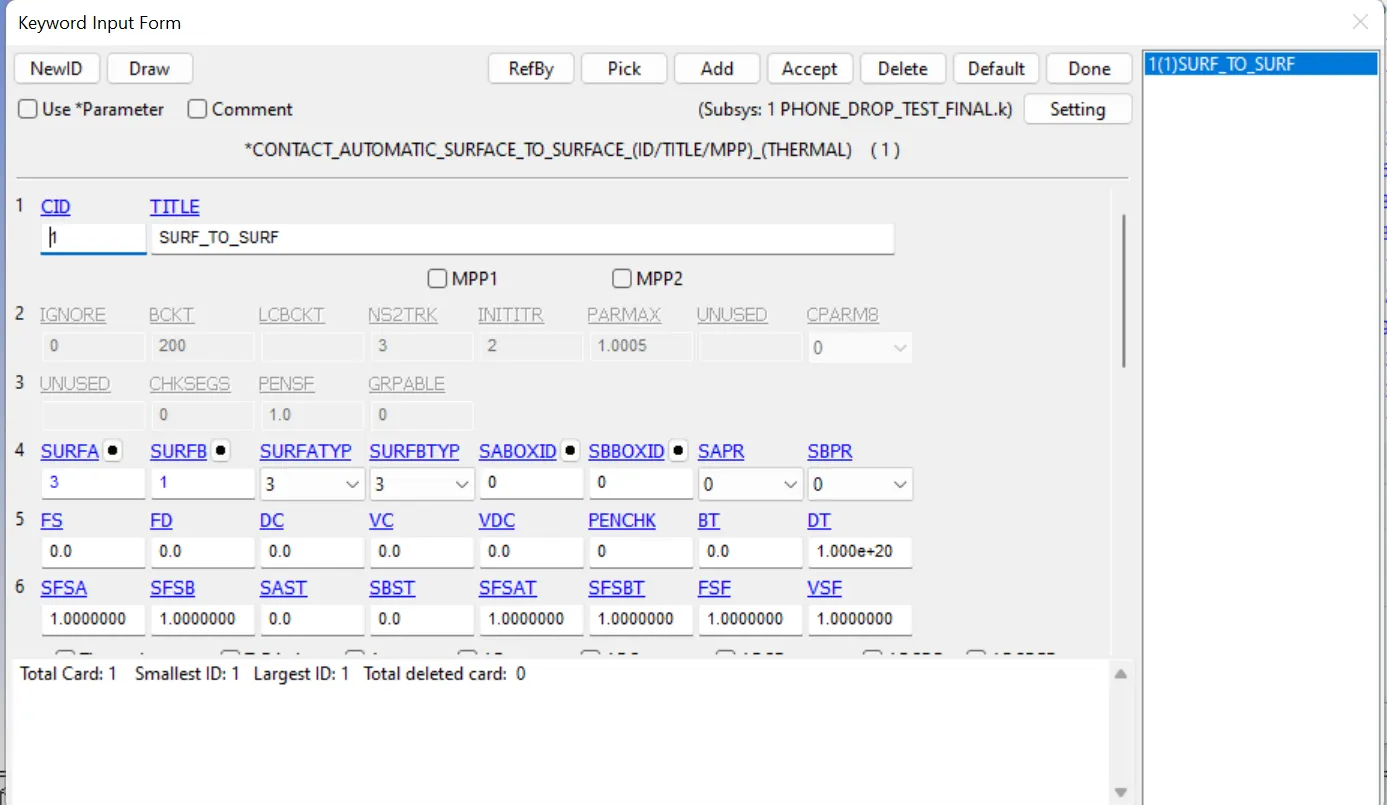
when 2 bodies are going to contact ,there we need to create contant b/w those 2 bodies
in this case, those 2 bodies are going to contact by falling the phonehere we need to create surface to surface contact in contact card
Control cards
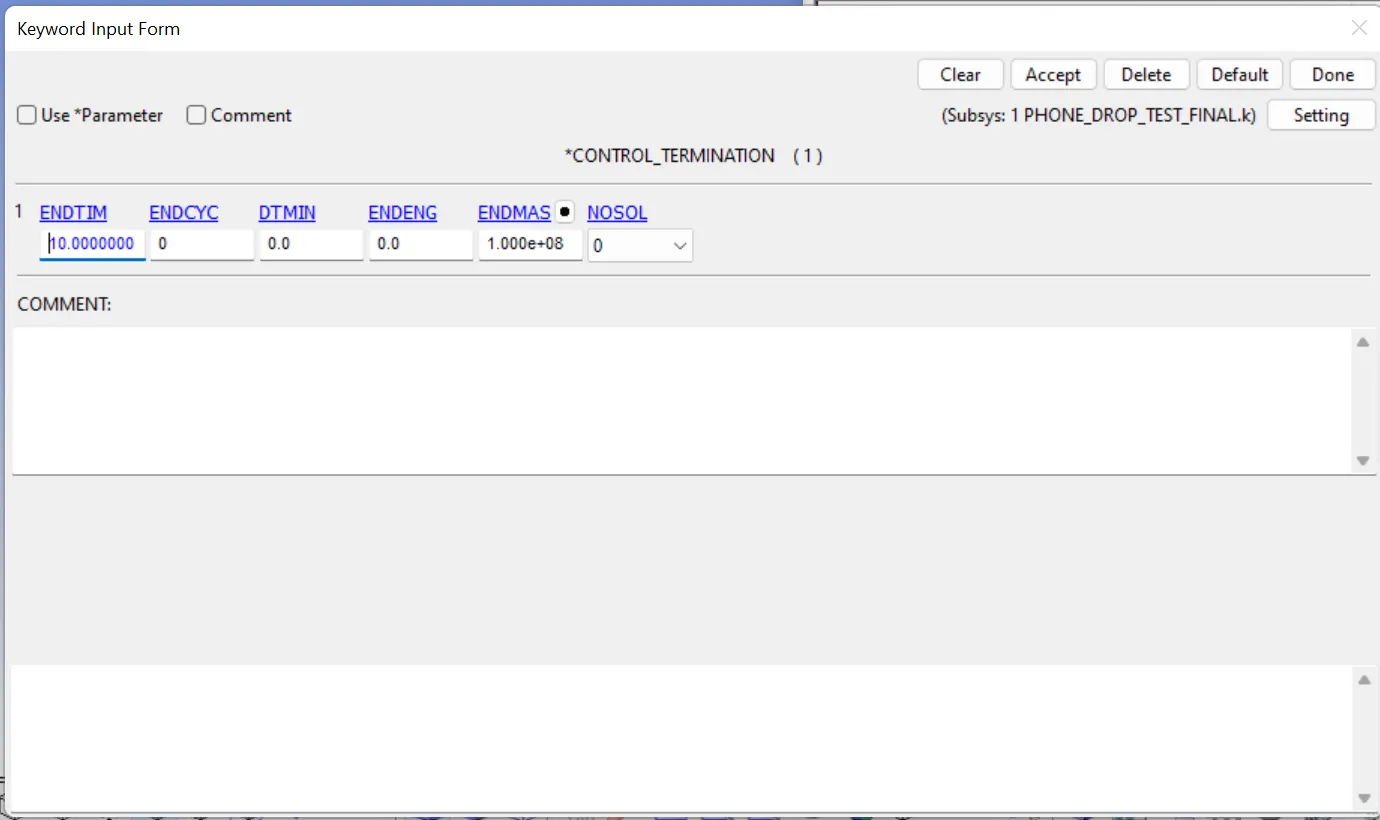
in control card, we need to define termination of simulation
Database
Basically database is a output of simulation.in database we can define d3plot that is animation of simulation and some other outpuuts (ascii..)
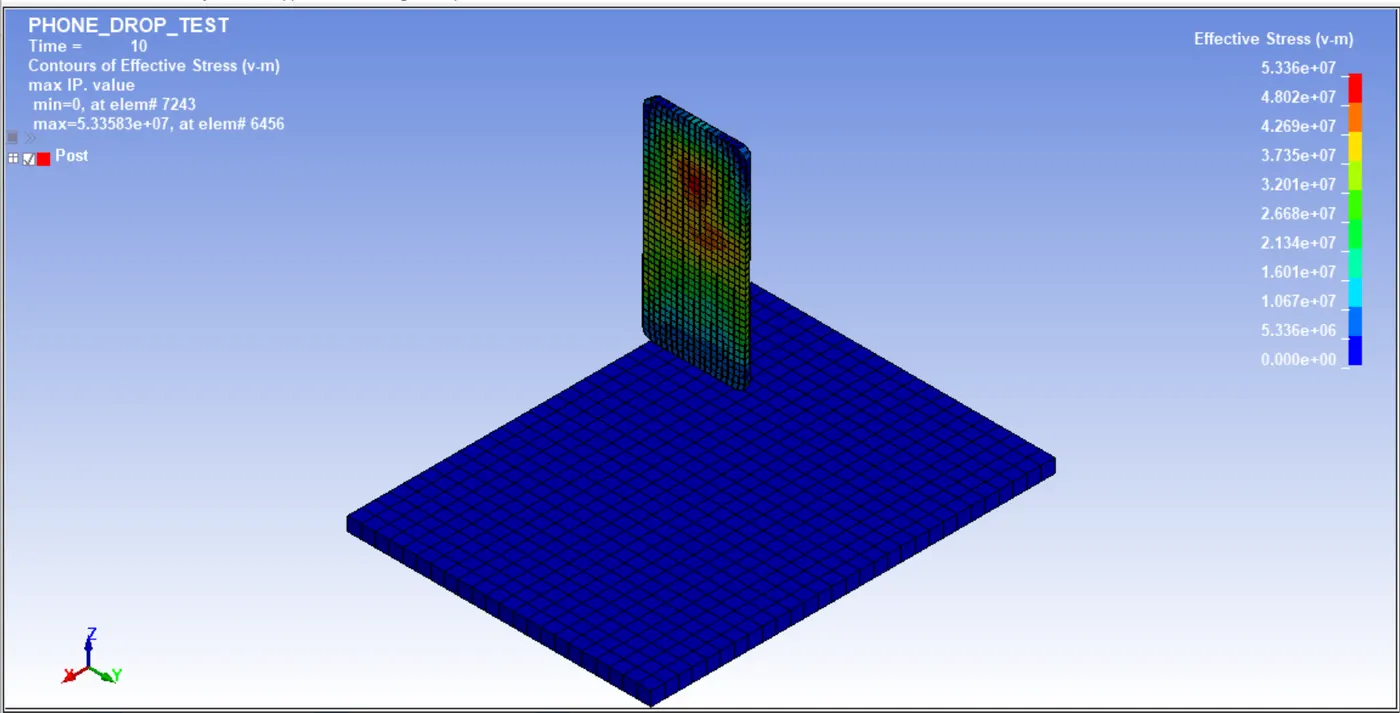
here, my model is completely bounced back
conclusion
In this challenge ,i have learned that how to prepare a model for simulation and also essential keywords that has to be presented in every project.
i learne about contact , material assigning,applying velocityand so on.