Week - 3 Drop test Challenge
Aim: To perform a drop test simulation of a phone dropped on a rigid surface under initial velocity and analyze results.
Objective: Create input deck for given model from starting and perform a drop test to get desired results.
Procedure:
Model Check: We started with first importing the given .k file in any Pre-processor for any any issues like mesh quality, orientation, intersection etc.
Once the model is checked we can proceed with further steps.
We checked for distance between the phone and rigid surface. Which was 198mm or 0.0198m as shown in image below.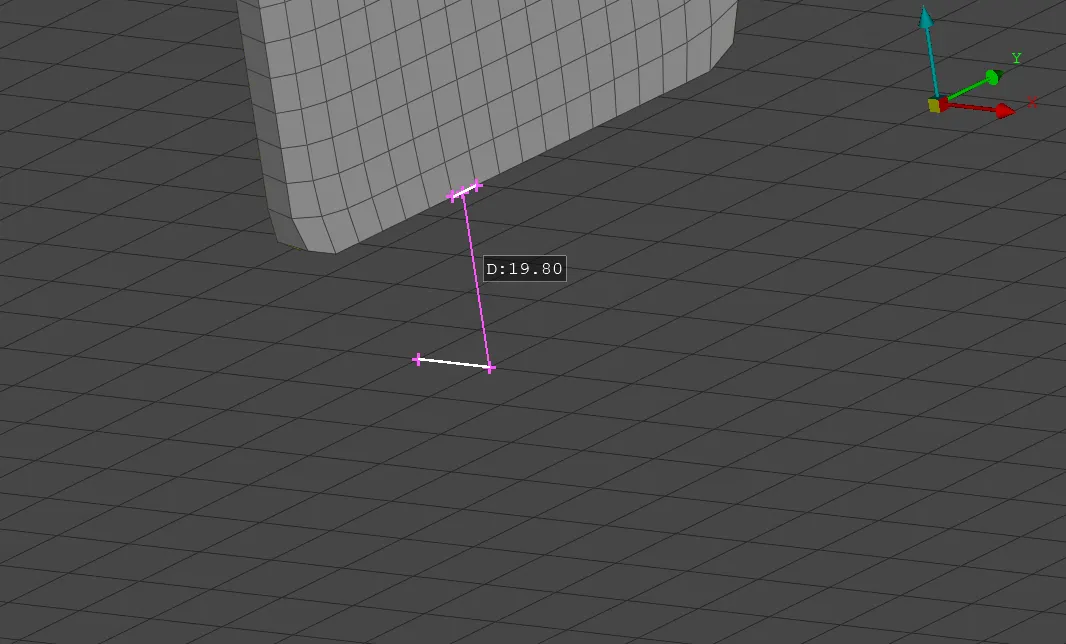
For this project we will be keeping mm ms gm as unit system.
Importing Model: We imported model in LS Pre-Post. The model had three parts, 2 solids and 1 shell part. As we do not need shell parts for this we will delete Shell part. And rename other parts and Phone and Rigid_plate. Here along with titles, we will define the SECID, MID and PID for the part.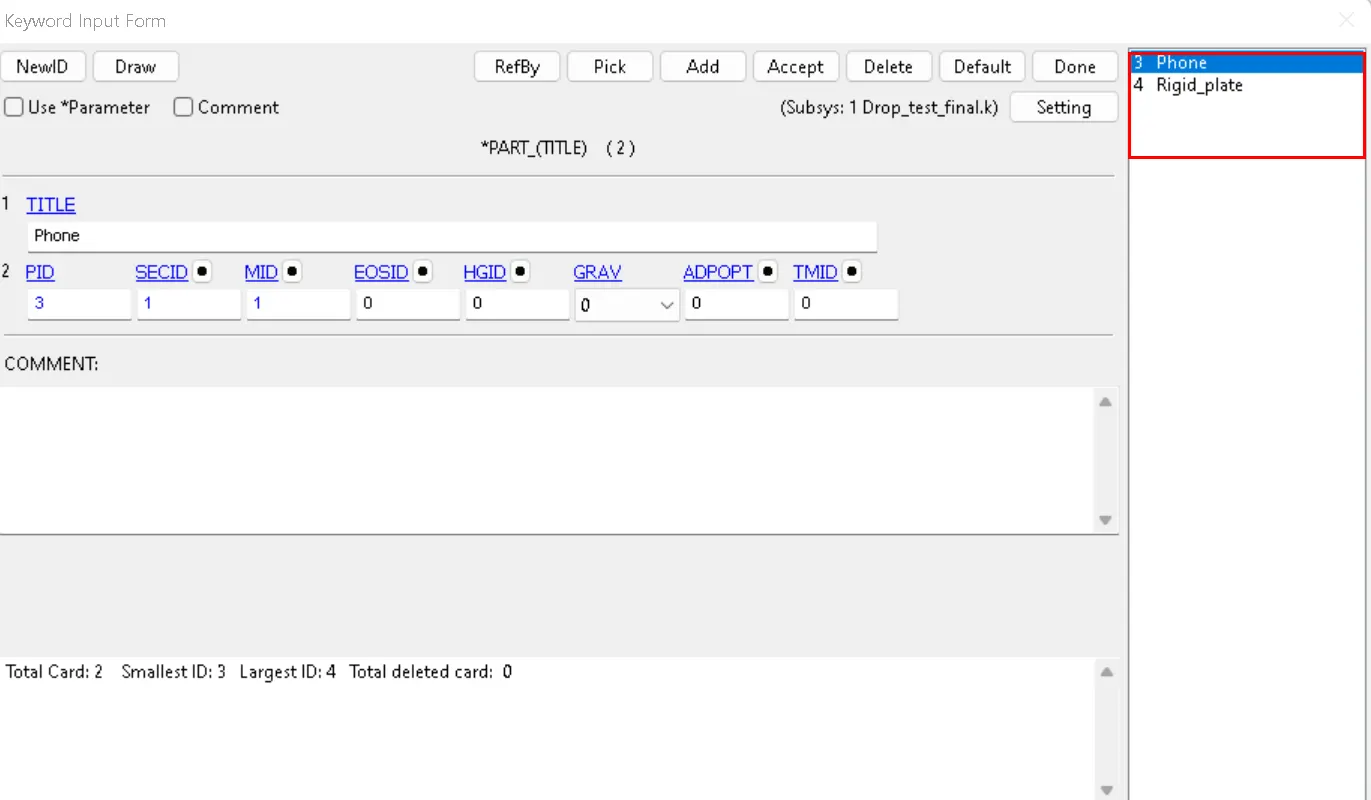
Once the parts are defined we will proceed to define the sections for each parts. Here we can name the Sections and define ElLFORM to be used for the simulation.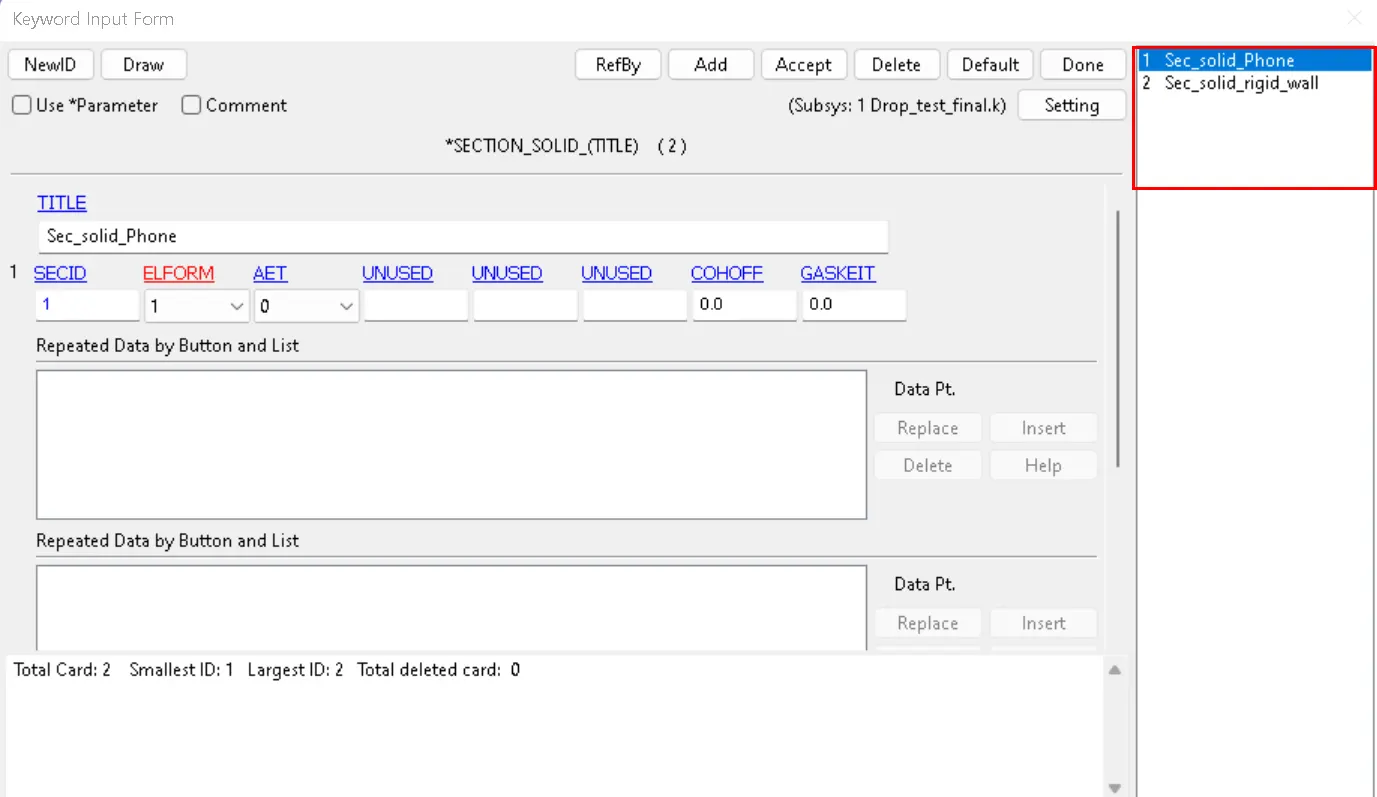
Initial Velocity: Here we have to define the initial velocity of the phone towards the Rigid_plate. In order to define the Intial velocty we have define certain parameters like NSID (node_set_ID), direction of initial velocity(Negative Z in this case).
To Calculate the Initial Velocity we will calculate the free falling object, The Equation for a free falling object can be calculated as we have inital displacement and.
S = 1/2gt⊃2;
Where S Is distance between two parts, S= 0.0198m
0.0198 = 1/2* 9.80665*(t)⊃2;
(t) = 0.063545
V = gt
v = 9.80665* 0.063545
v = 0.06231m/s or 0.06231mm/ms
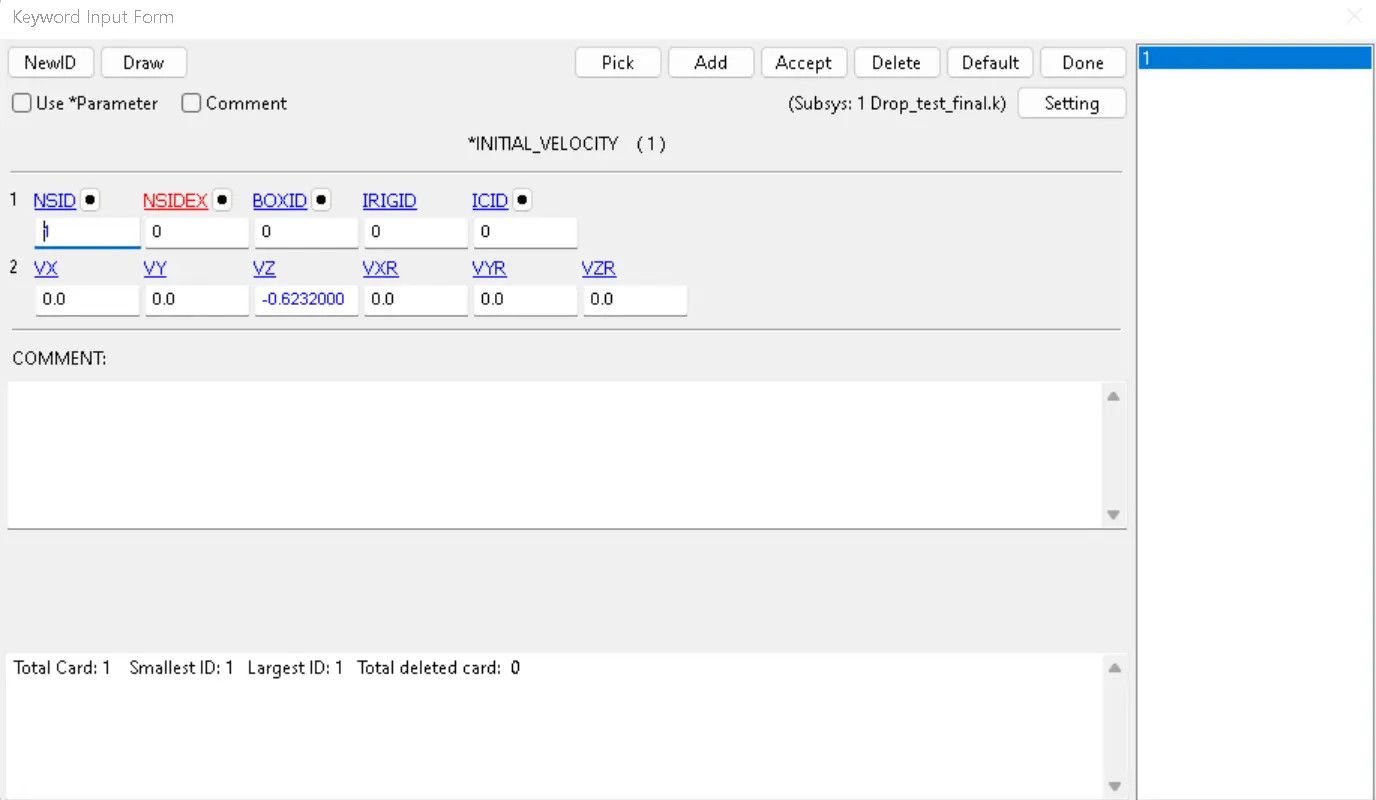
NSID, to define NSID we will go to Create Entity> Set Data>Set_Nodes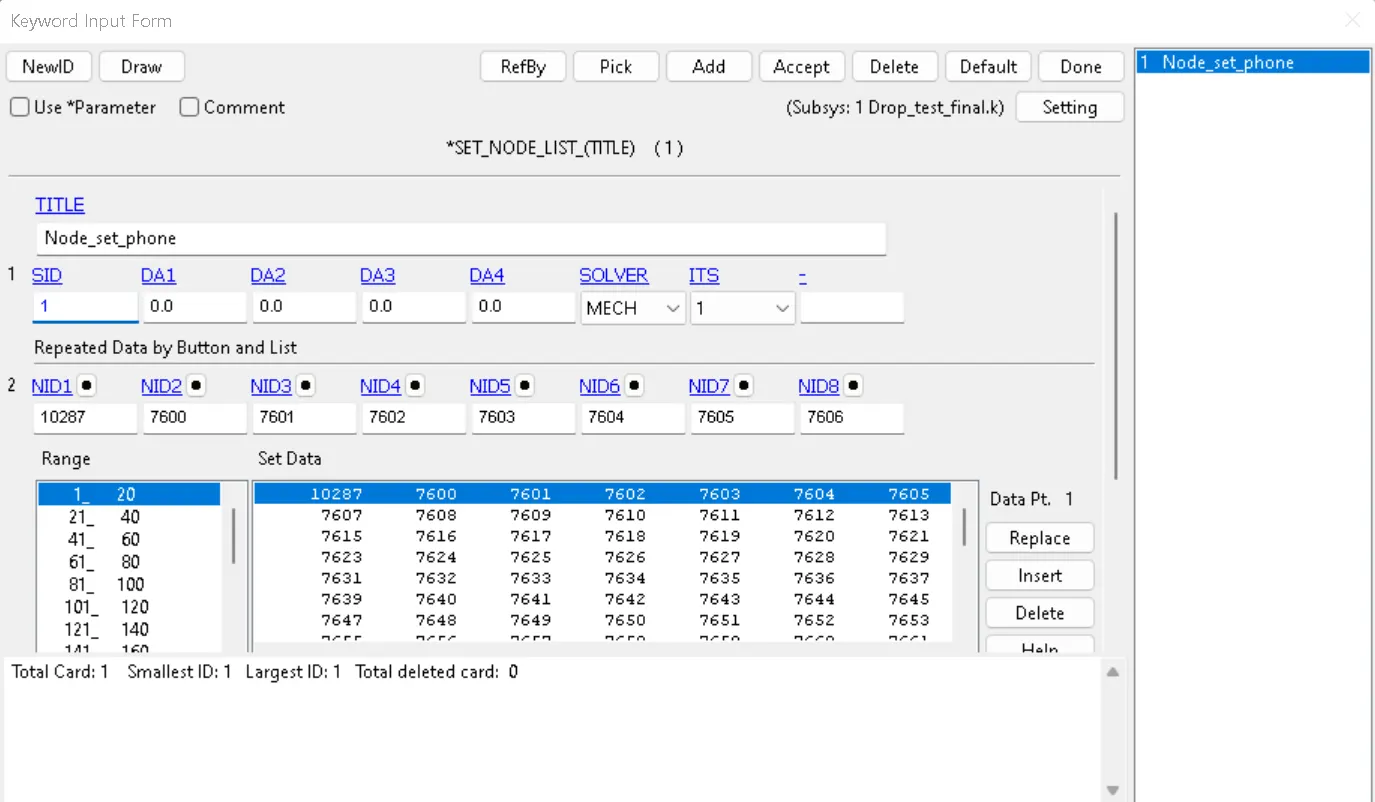
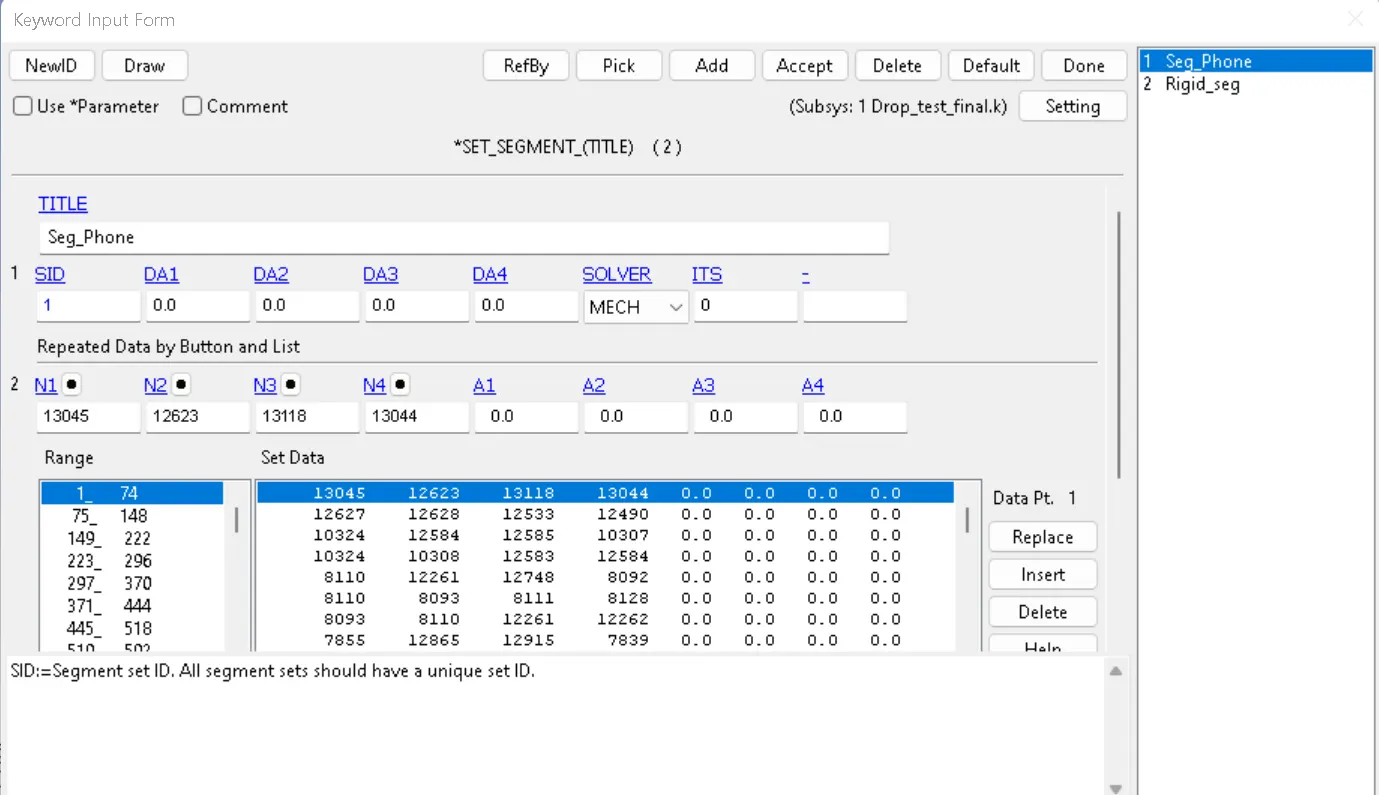
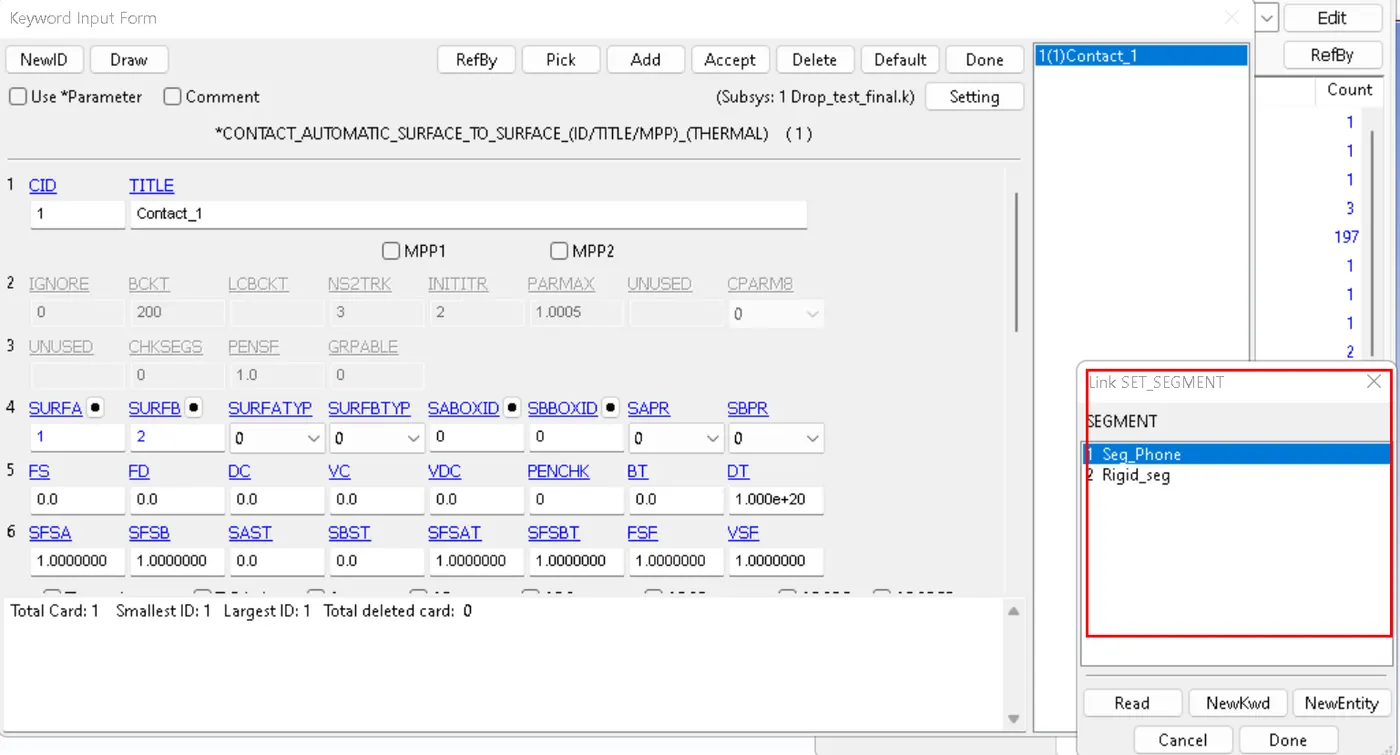
Defining NSID requires Segment ID to be defined which we can see in the image below, it can also be created from Create Entity> Set Data> Set_Segm
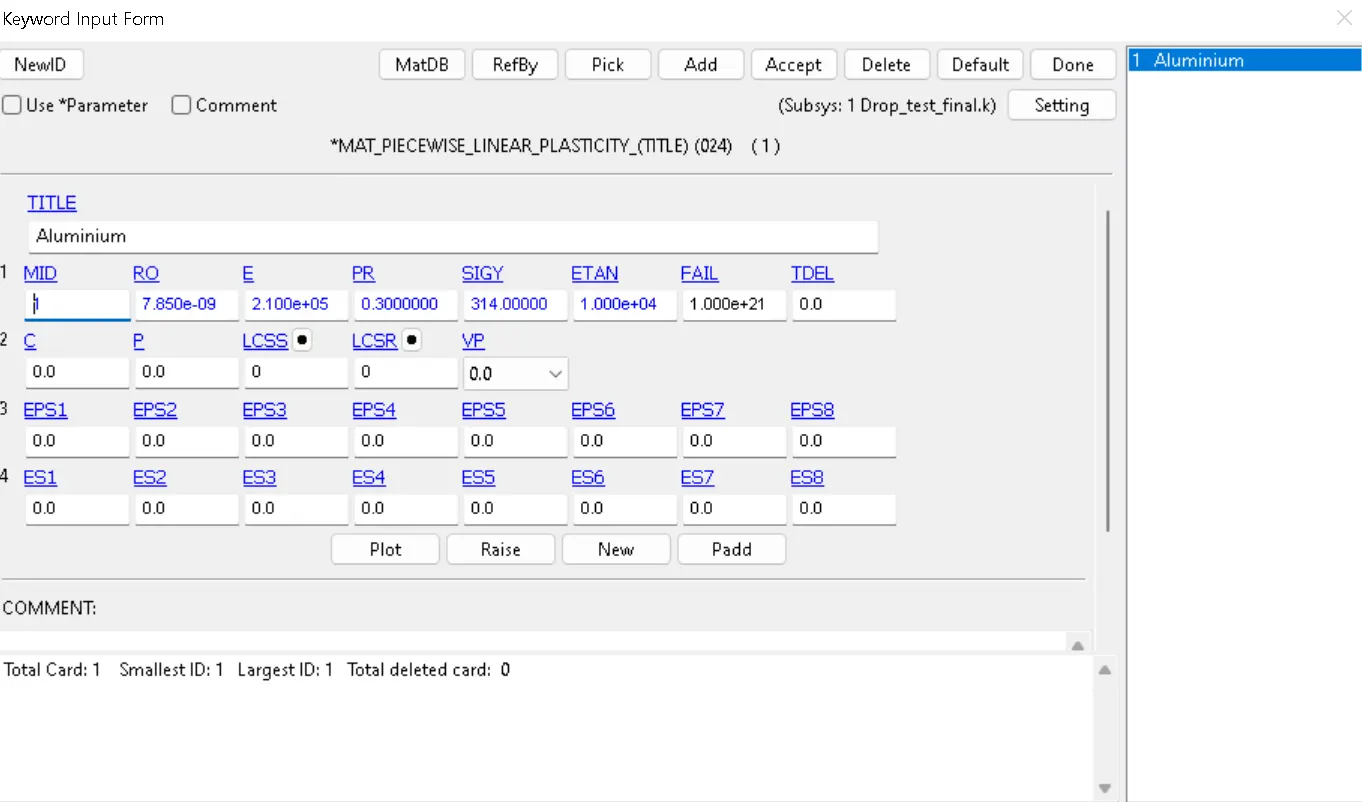
Material: For selecting materials we will go to Define>Mat. We will define two materials for One for Phone and One for Rigid_plate. For phone we will use MAT_PIECEWISE_LINEAR_PLASTICITY.
This is Material Type 24, which is an elasto-plastic material with an arbitrary stress versus strain curve and arbitrary strain rate dependency can be defined. See also Remark below. Also, failure based on a plastic strain or a minimum time step size can be defined.
We will define few parameters for MAT_PIECEWISE_LINEAR_PLASTICITY. which are,
Density: 7.850e-09 gm/mm
Young's Modulus (E): 2.100e5 MPa
Poisson's Ratio: 0.300
Yield Stress: 314.00000MPa
Tangent Modulus: 10% of Young's Modulus
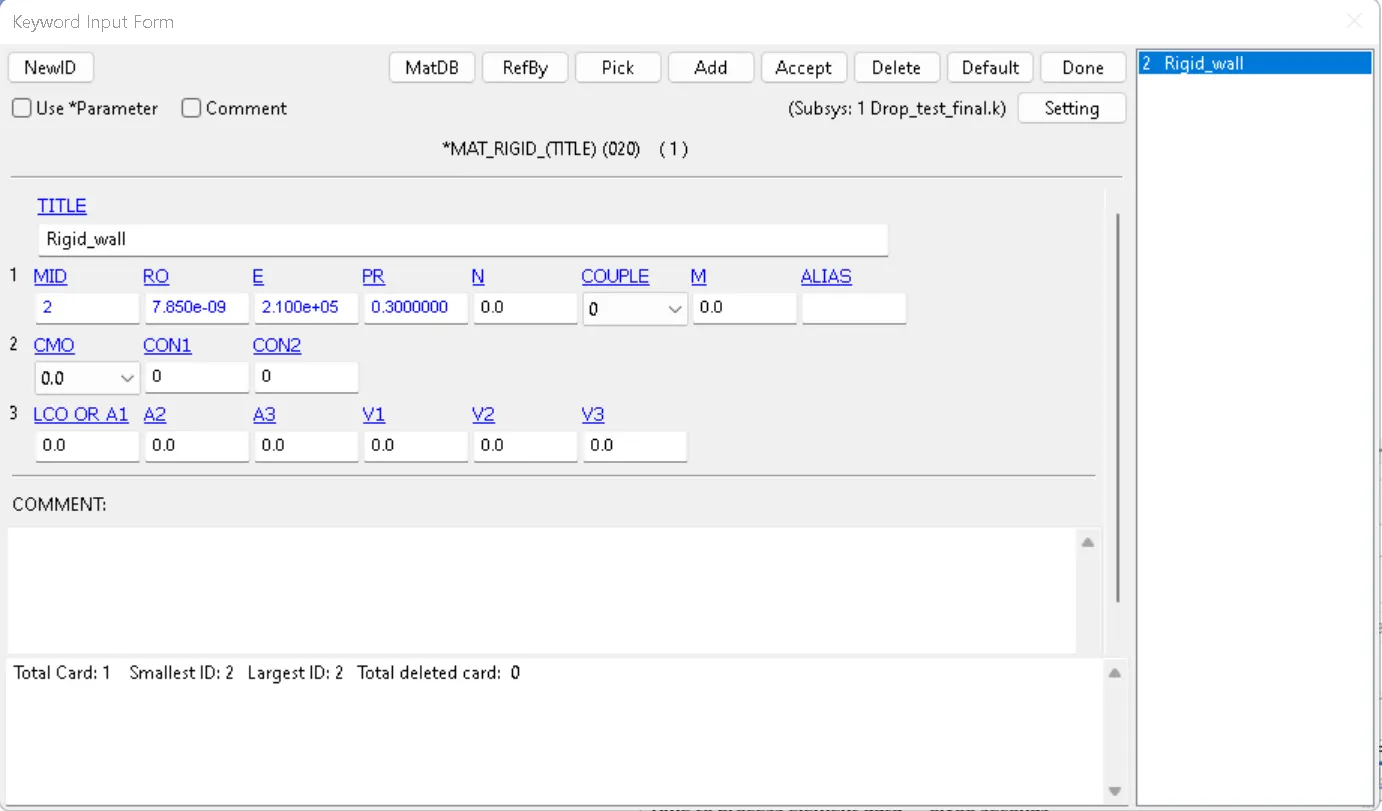
Rigid_mat for the Rigid plate, *MAT_RIGID we will define Parts made from this material are considered to belong to a rigid
body (for each part ID).
Contacts Card: For this we will define Automatic_Surface_to_Surface contact between Phone and Rigid_plate, we will select SURFA as Phone and SURFB as Rigid_plate, we will give a Title to Contact and keep other parameters as default as shown in image.
Control Cards:
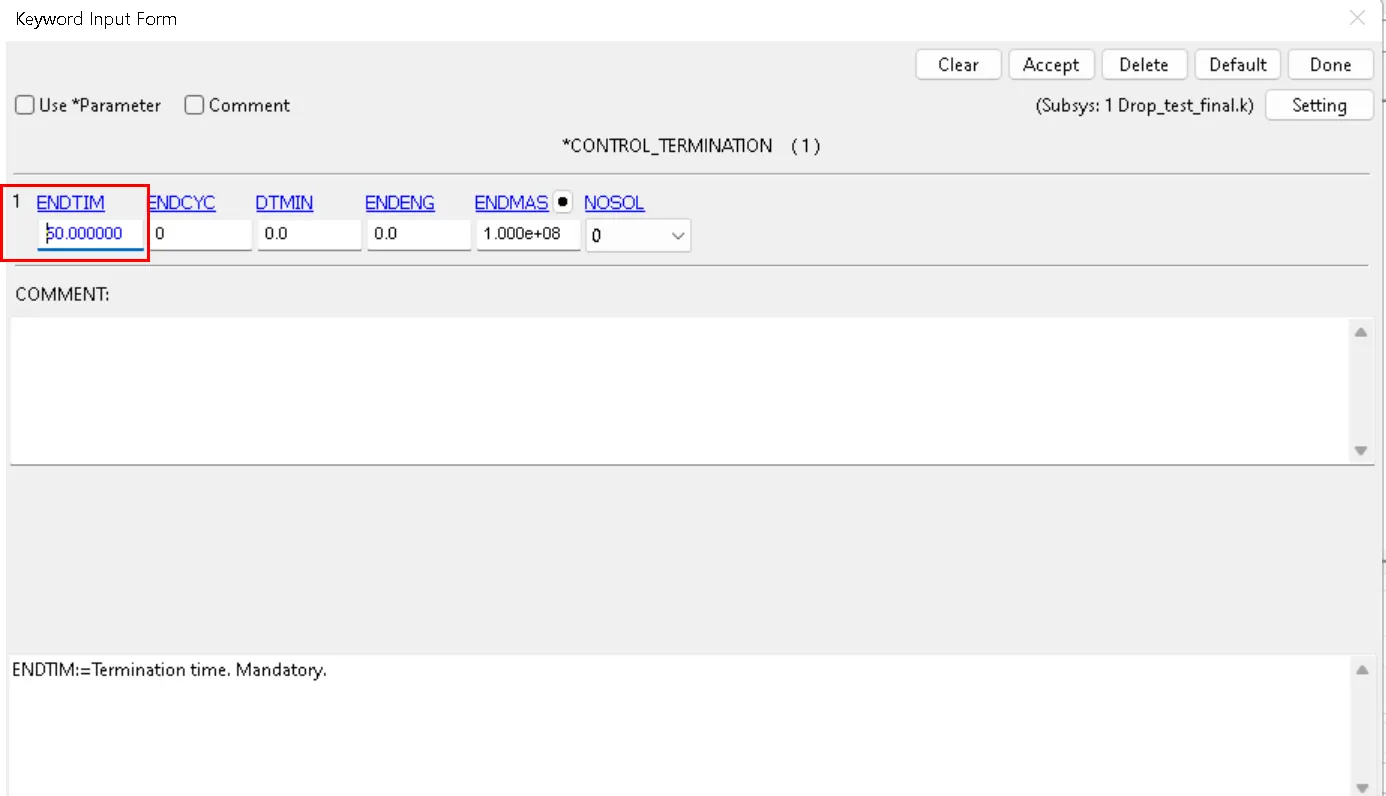
Control_Termination: The control teromination defines how long the simulation will run for. To create we will go to Keywords>All>Control>Termination, for this card we need to define ENDTIM as 50ms
D3Plot: It gives Database for entire model. We can go to Database>Binary_D3Plot.
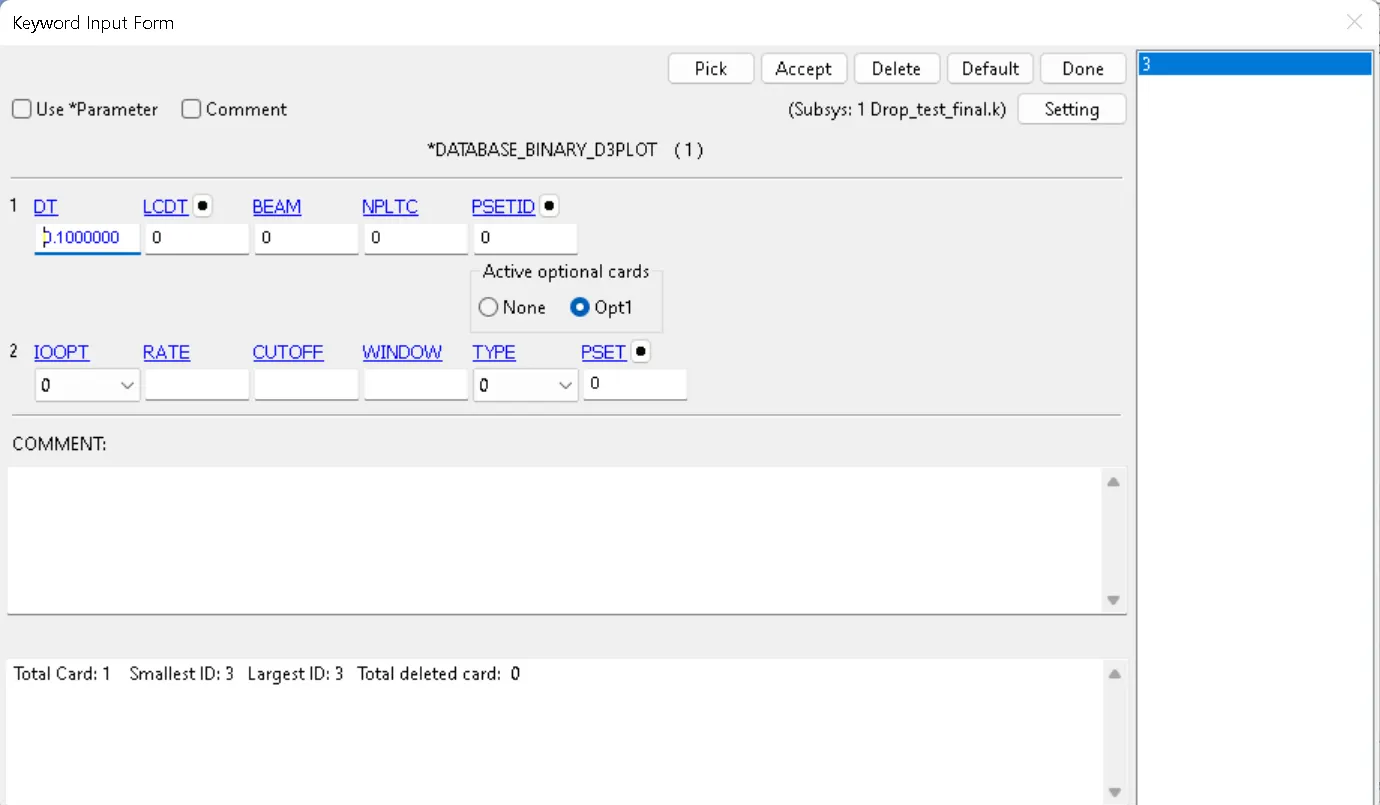
Database or Output: Here we have to define whatever outputs we require from the results and for paramters we have to enter after how many seconds it should give out each output, we have used following outs for this case,
Results:
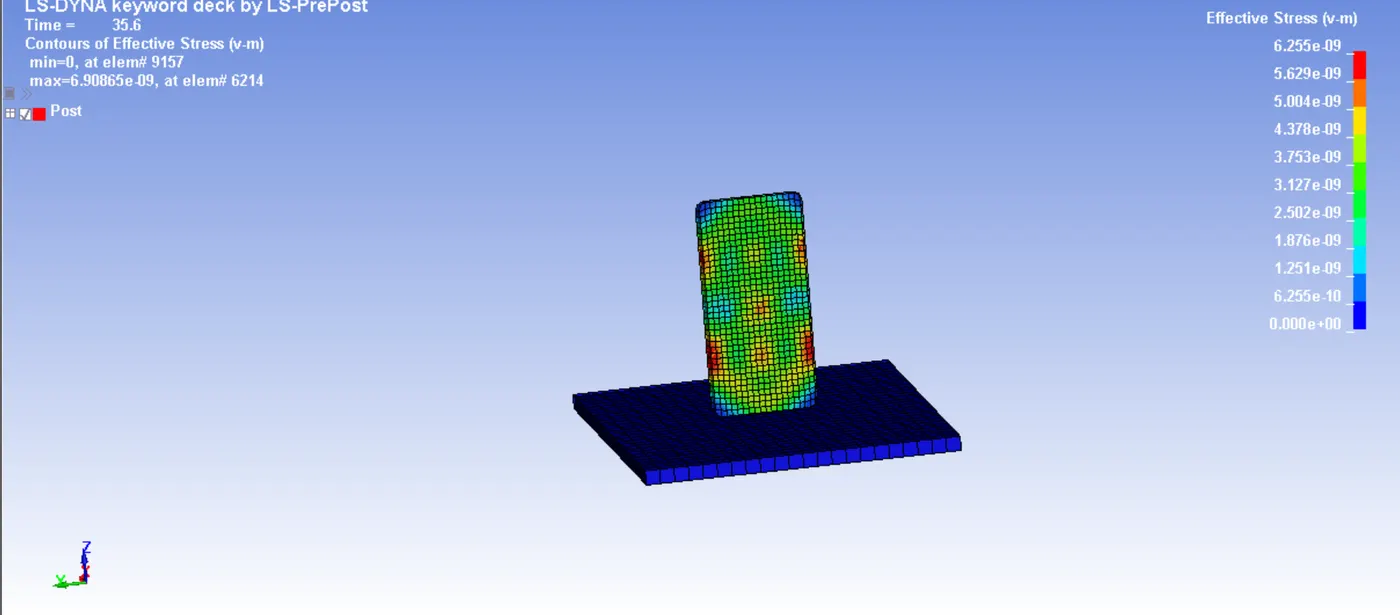
Von-Mises Stress:
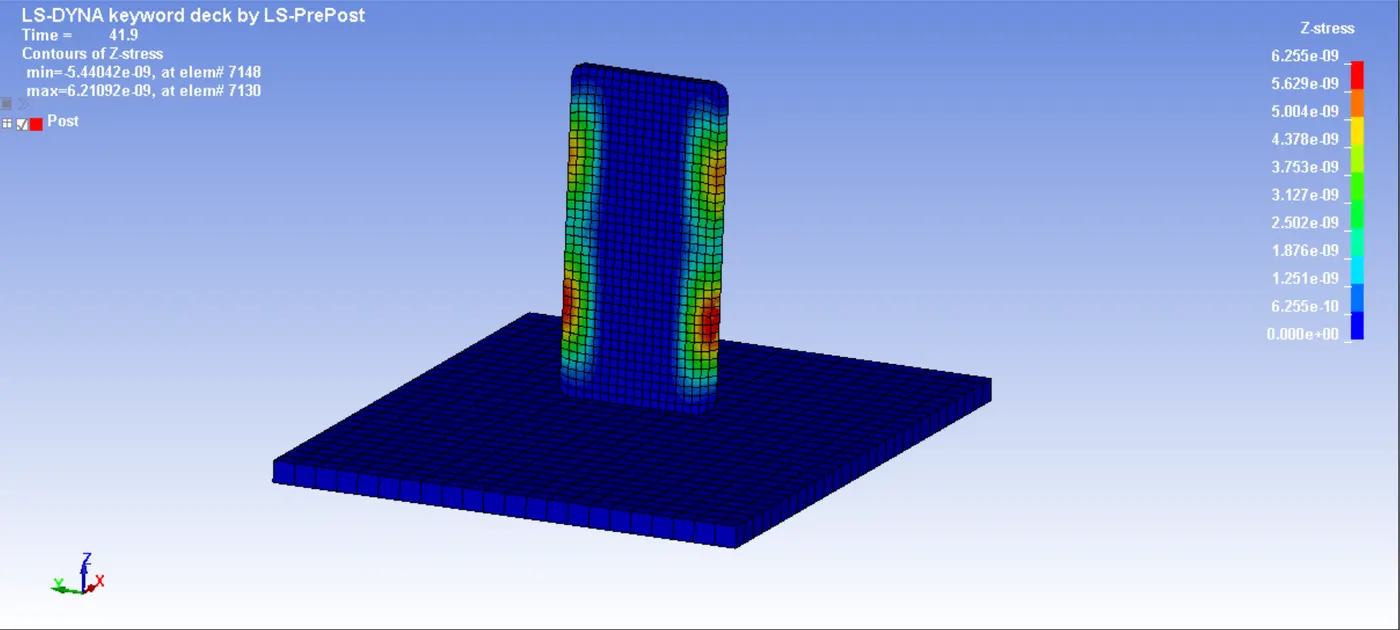
Z-Stress:
Result Plots:
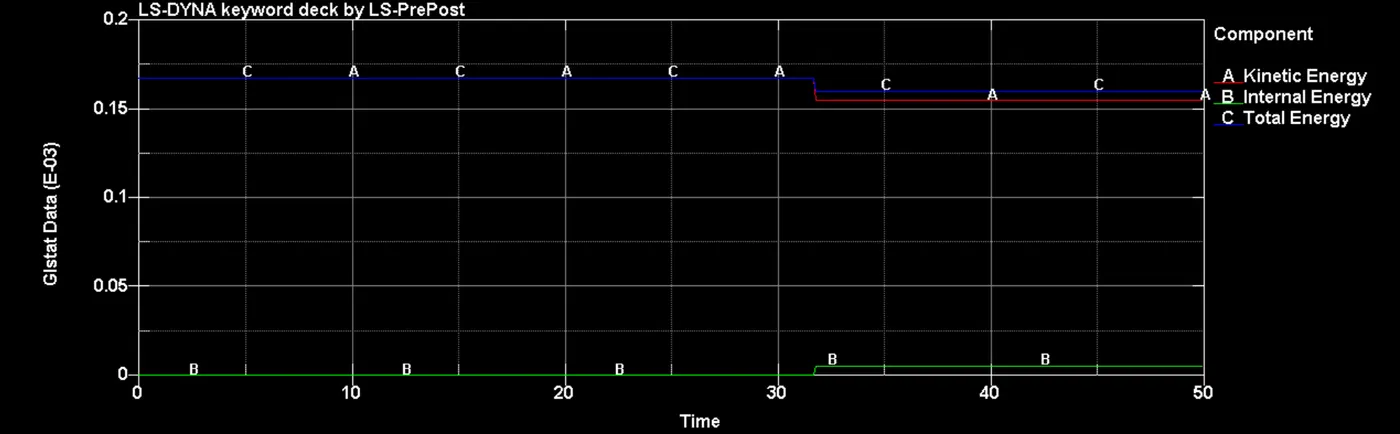
- Internal, Kinetic and Total Energy:
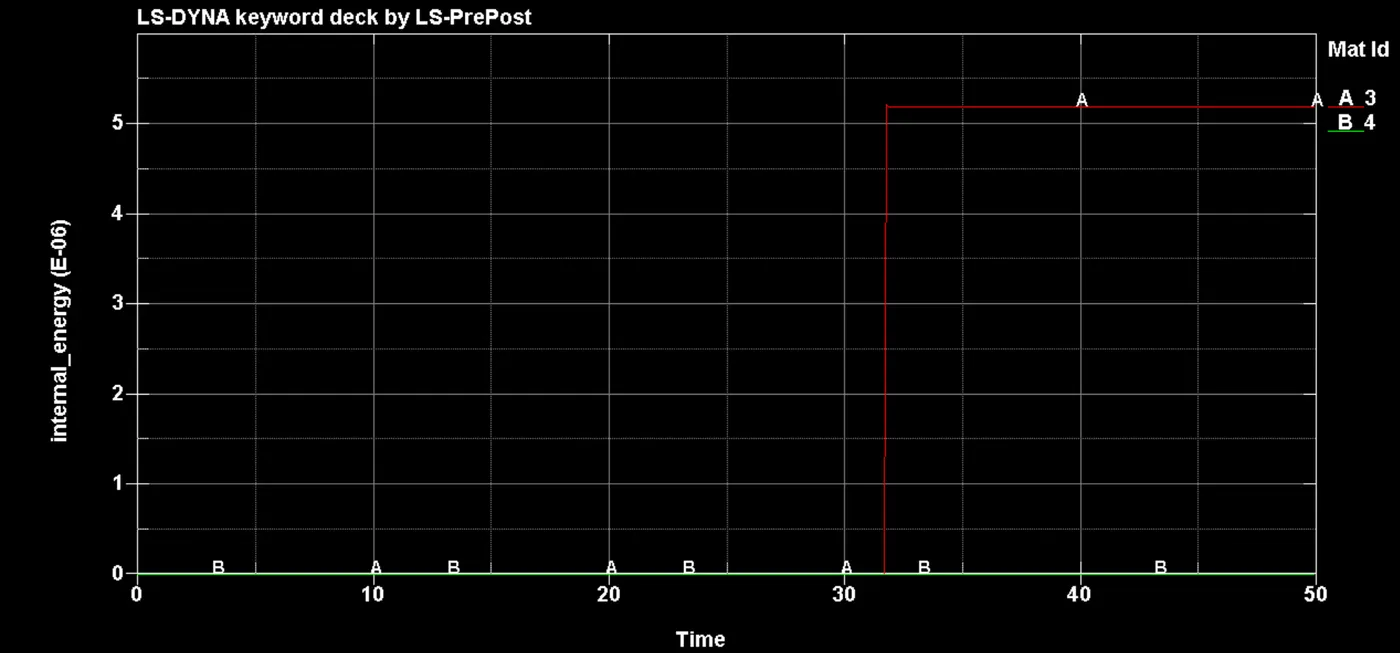
- Internal Energy:
<iframe src="//www.youtube.com/embed/mlh1kJdriUM" allowfullscreen="allowfullscreen"></iframe>
Conclusion: With this the Drop of the Phone on Rigid Surface is completed, from the results we can conclude that there are stress developed at certain sections of the phone, however, there is no majot deformation or crack whichc are developed on Phone, hence we can say that the Phone has provided the results.