Week - 3 Drop test Challenge
AIM: To perfrom a drop test of the cell phone on to the floor.
PROCEDURE:
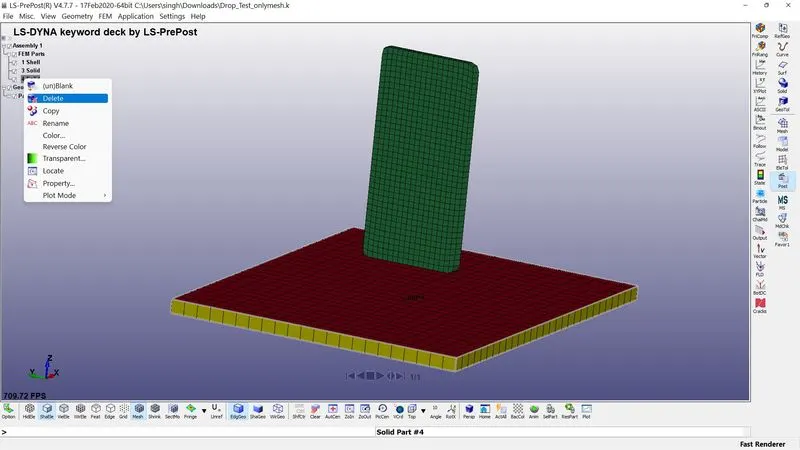
- Open the keyword file and there will be 2 solid component(cell phone and floor) and 1 shell component(floor). As the solid component has more number of nodes the computation time tend to increase, for that we delete the solid and uses the shell floor component.
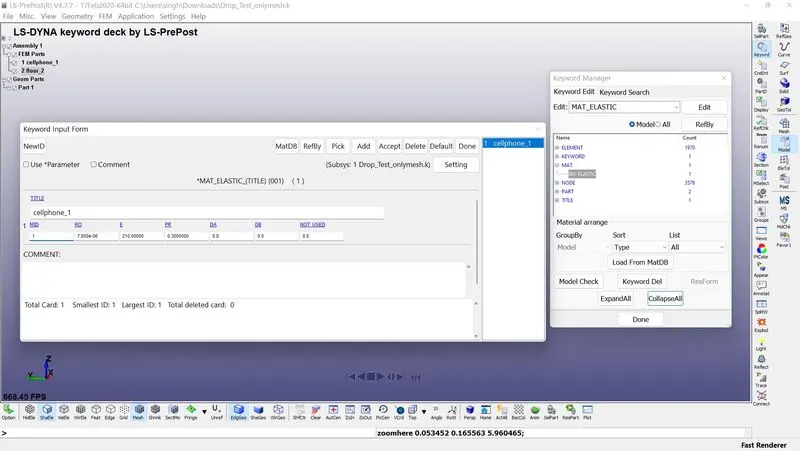
2. MAT: click on Model and part>keyword>All>MAT is the directory to create a material. Cell phone is a deformable body so the property of elastic component is used(001-Elastic). The unit system used is kg/mm/ms. So the Young modulus and density values are calculated as per the kg/mm/ms unit system.
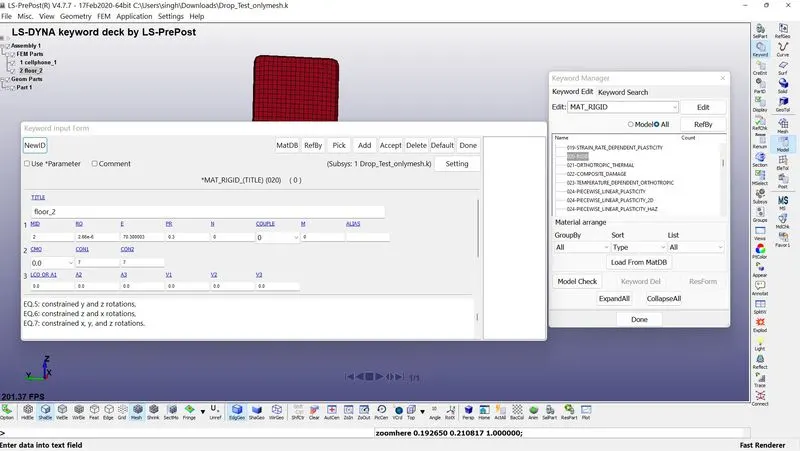
For rigid floor, Aluminium is used and rigid material property is selected(020- RIGID). CMO:=Center of mass constraint option is selected as 1 to apply constrain to center of mass in the global direction so that the body cannot move. CON1 = 7 is used to apply constain in x,y and z translation. CON2= 7 is used to apply constrain in x,y, and z rotation.
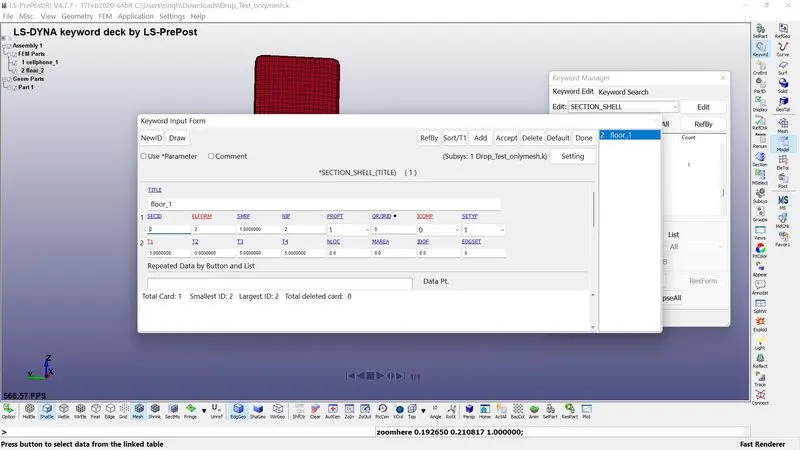
3. SECTION : Under section keyword click on shell as the floor component is shell element. Measure the thickness of the solid floor component to specify thickness for shell component.
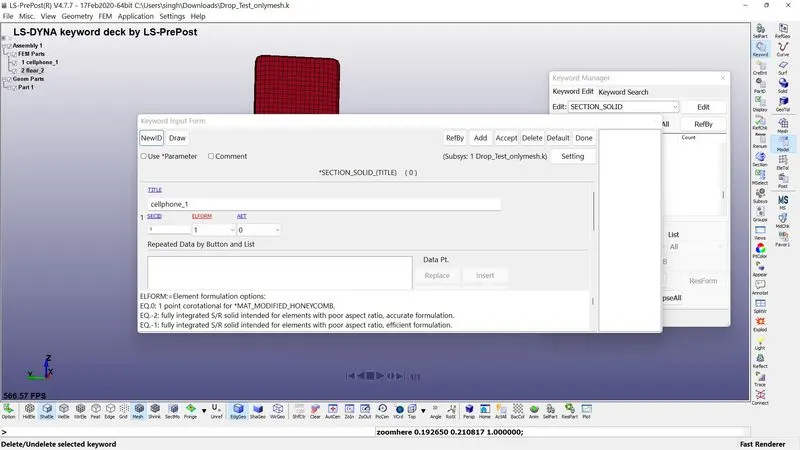
Cell phone has solid elements so select solid under section.
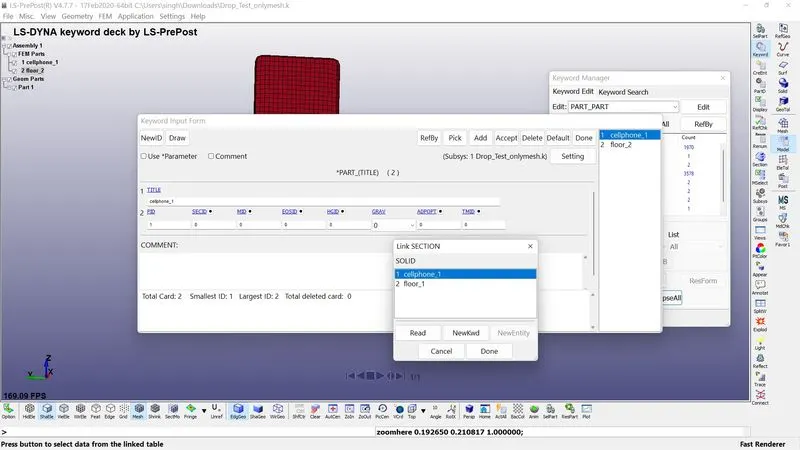
- PART : Go to part keyword to assign the material and section to the respective component.
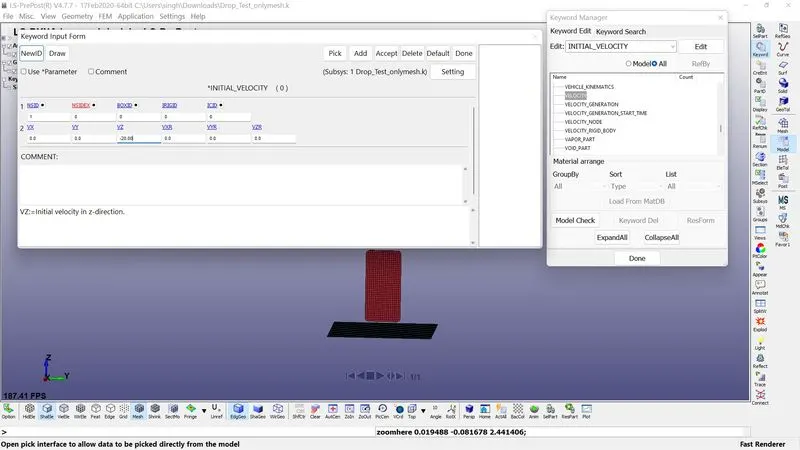
5. INITIAL: The scenario here is the droping cell phone on the floor. So the cell phone have so velocity so that it drop down and hit the floor. So velocity is applied to the celll phone using INITIAL>VELOCITY.
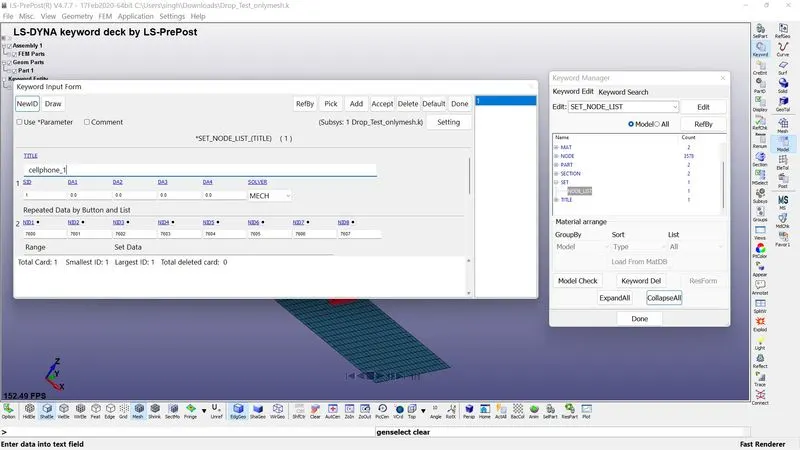
As the cell phone has large number of nodes, it is preferred to create a nodeset for cell phone to apply velocity exactly in all the nodes of the cell phone. For that go to CREATE ENTITY>CREATE>SET DATA>SET NODE, name the node set as velocity. The initial velocity of the cell phone is considered as 20mm/ms in z direction.
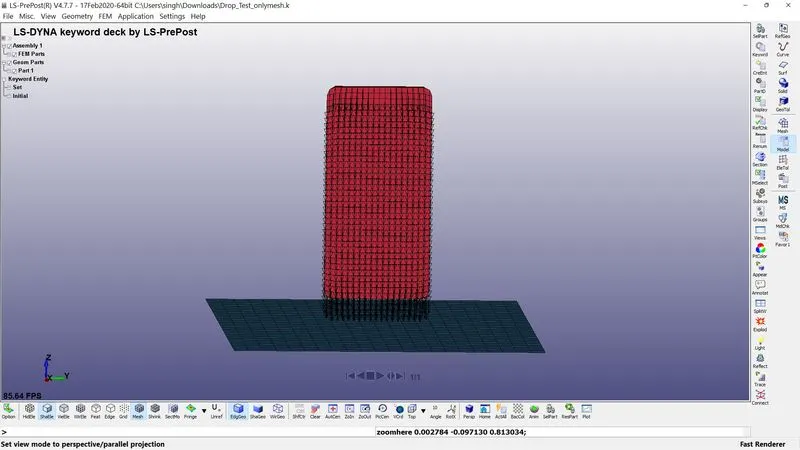
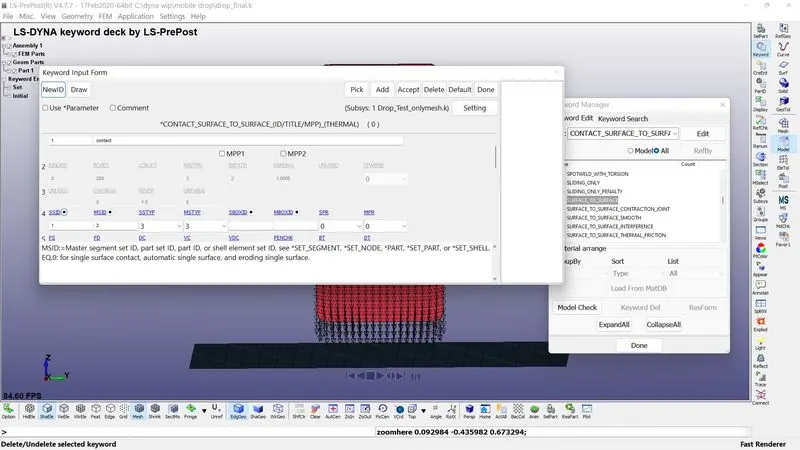
6. CONTACT: Actually cell phone made contact with floor only while hitting the floor so that AUTOMATIC SURFACE TO SURFACE CONTACT is used to define contact between cell phone and floor.
Here the master segment is Floor and the slave segment is cellphone to select using PART ID, MSTYP =3 and SSTYP = 3 is selected.
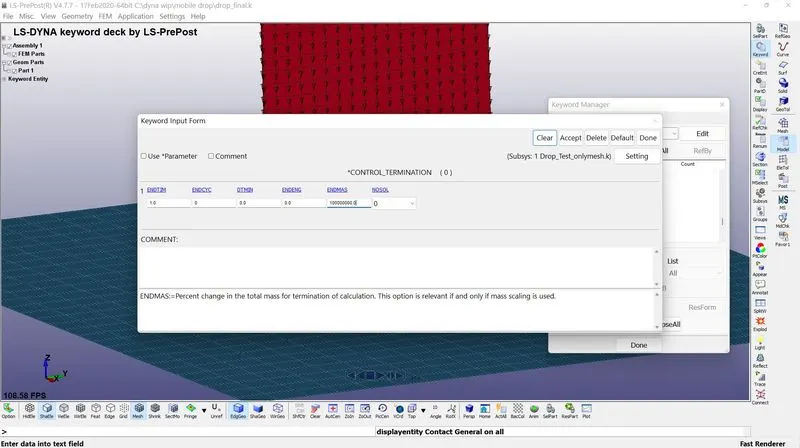
. 7. CONTROL: Control>termination option is used to terminate the process while solving. So we need to calculate the required termination time. The distance between cell phone and floor is 16mm and the velocity of the cell phone is 20 mm/ms. So the cell phone hit the floor in 0.8 ms. The termination time is selected as 1ms.
8. DATABASE:
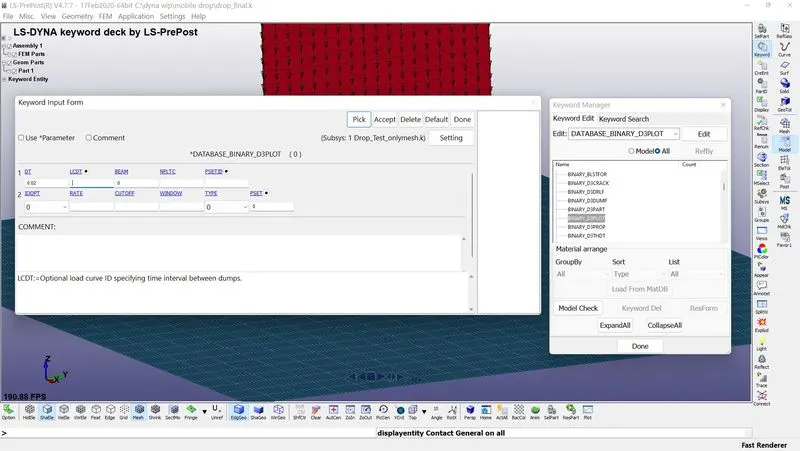
BINARY D3_PLOT is used to get the animated result of the solution. Give the time step as 0.1 so that for each 0.1ms the solver will write the output file.
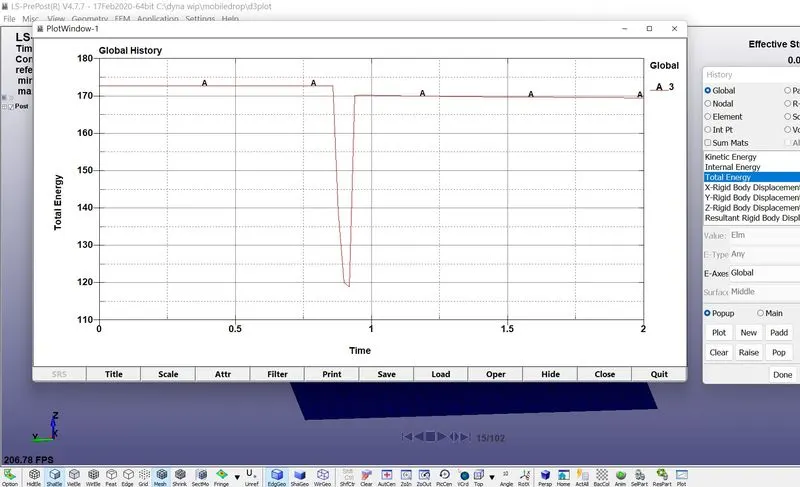
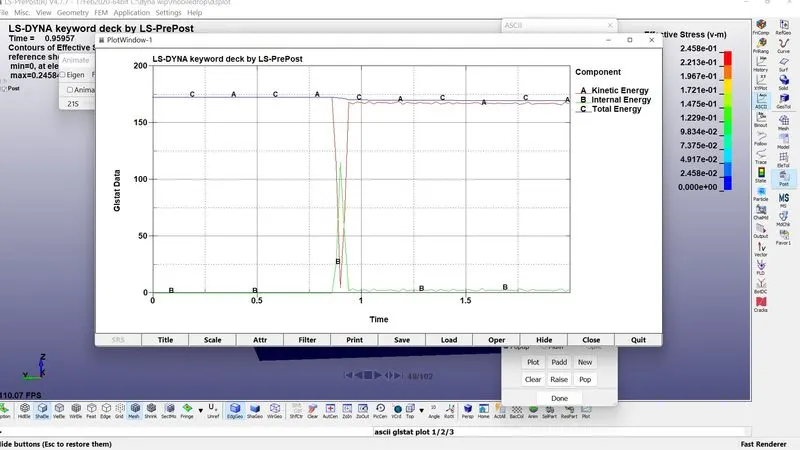
GLSTAT is used to get the values of kinetic energy, internal energy and total energy of the components
ELOUT is used to get the effective stress and strain on the elements
NODOUT is used to get the values of nodal displacement, velocity and accleration.
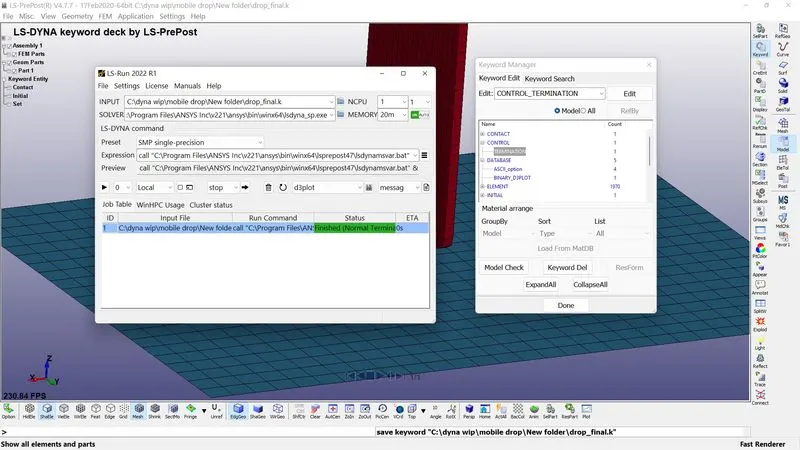
9. Now save the model and run LS Dyna solver to solve the problem. Once the solution is complete you will get a normal termination.
OUTPUT:
1. BINARY D3PLOT:
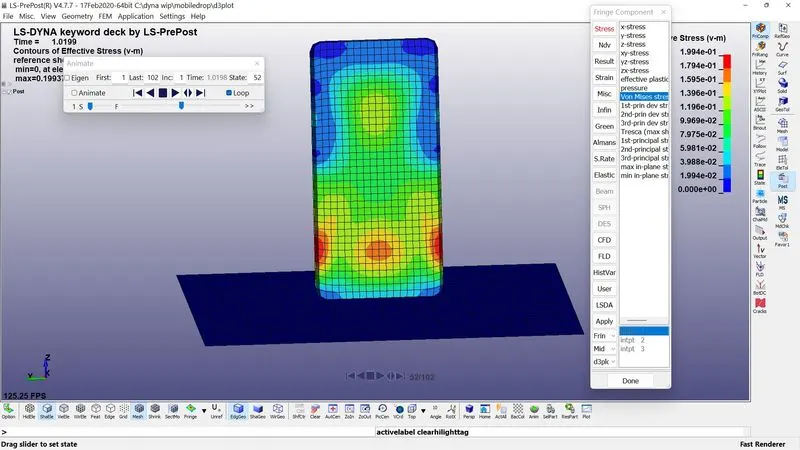
The above animation shows the effective stress induced while the cell phone hitting the floor. As we observe at time of hit the stress travels throughout the cell phone from one end(point of hit) to the other end.
. 2. ASCII OUTPUT: GLSTAT:
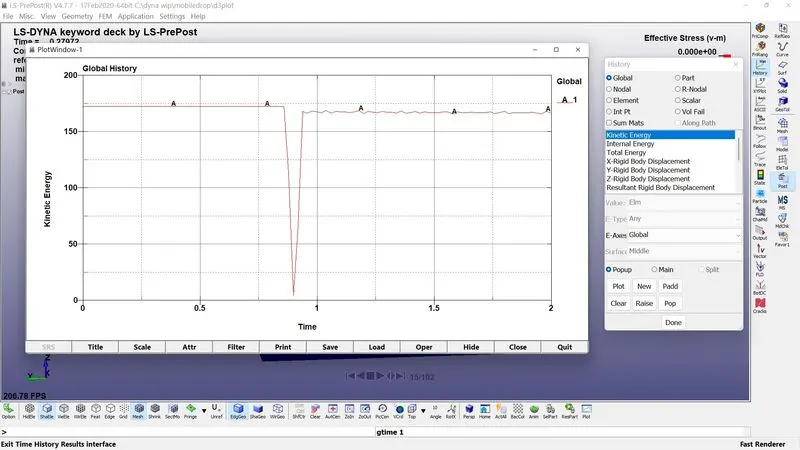
The image below shows the kinetic energy of the cell phone. At time 0.6ms it made an impact with floor at that time kinetic energy suddenly drops and due to the reaction force given by the floor, cell phone get equal kinetic energy.
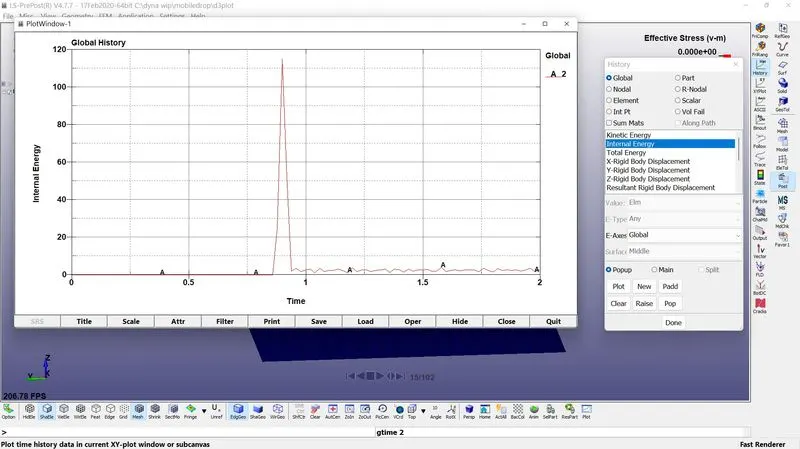
The below image shows the internal energy, after impact kinetic energy have sudden dip and the stress is developed in the cell phone so internal energy has a sudden rise.
Total energy
Result: Thus the drop test is successfully done on cell phone while dropping it on the floor and the desired outputs and results are obtained.