Week - 3 Drop test Challenge
Aim: To perform the drop test by providing the input keywords and make ready for the simulation
Before going to simulation what are the keywords required is
i)Material properties
ii)section properties(shell &solid)
iii)Contacts
iv)Boundary conditions
v)Control setting
vi)Output request
Procedure:
open the K-word file using,file >open >open k.word once its opened the file which contain the elements and nodes information.
i)Material properties:
Here i have used two material properties one is mild steel and another one is Aluminium.MAT_20 and MAT024 being used in this drop test challenge.plate i have used as shell and assigned the milid steel and mobile phone i have used solid and Aluminium ,because its not mentioned so generally mobile phone bodies considered light weight so i ahave used Aluminium.
To create the MAT_20 and MAT_24 from the Model and part >keyword manager >all>MAT> select the MAT_20 RIGID and double click on that it will open the card to feed values as shown below.
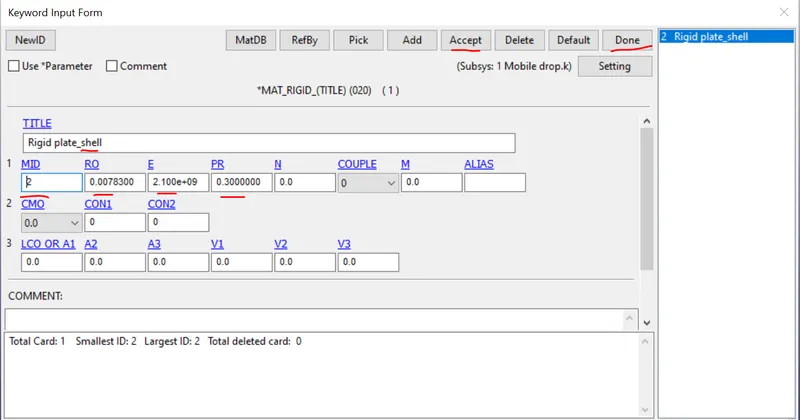
Fig:Properties of milid steel
Here i have used the Kg cm s unit system i have followed.
Mild steel material.
Row=7.85 g/cm^3
=0.00785 kg/cm^3 (1kg =1000g=0.001kg
E =210Gpa
=210xE9pa (1pascal =1kg/ms^2)
=210E7=2.1E9 kg/cms^2
Aluminium Material
Row =2.7 g/cm^3
2.7xE-3 kg/cm^3.
E =69Gpa
=69 x10^9 kg/ms^2
=690000000=6.8E7 kg/cms^2
MAT_024 card shown below
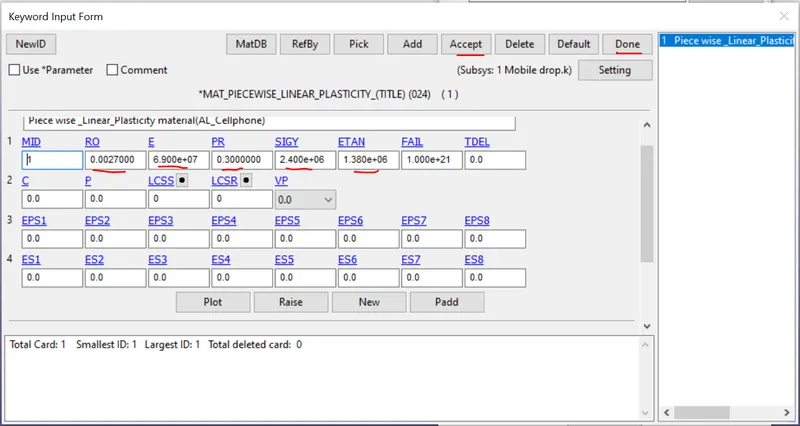
The value of the SIGY is i have used the Initial yield stress value is 240Mpa that is 2400000 kg/cms^2 and ETAN is 2% of the youngsmodulus value is used.
ii)Section Properties:
Here shell and solid sections are used as To create the section model and part >keyword manager >All>select the section,Shell and as shown below.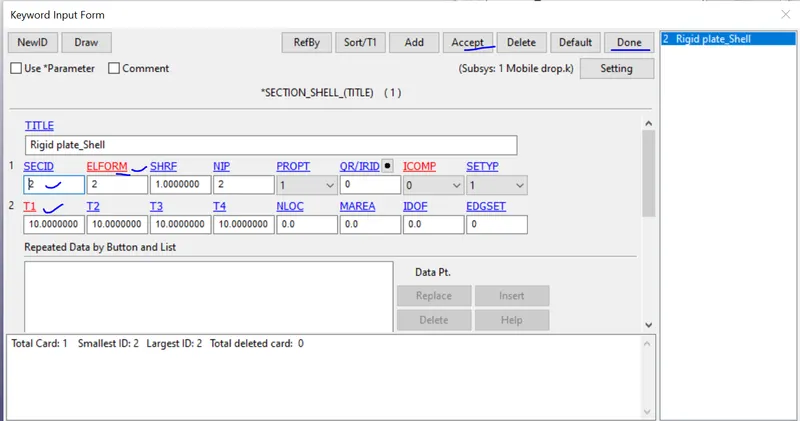
For the solid section as shown below.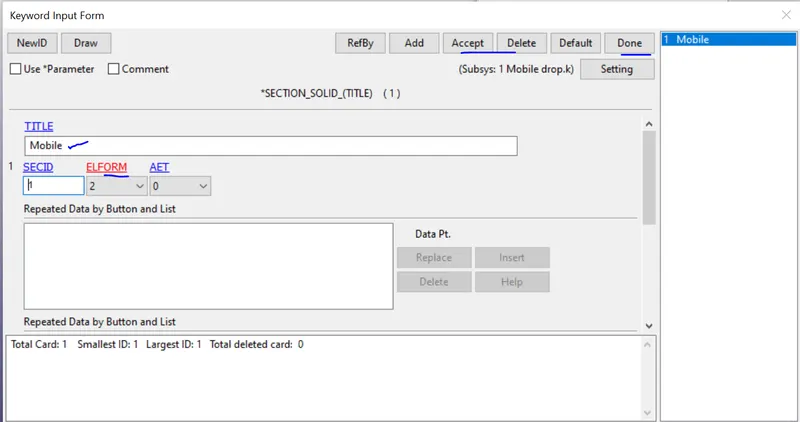
ELFORM _2 is recommended for the Reduced intergration and because of this we can avoid the Hourglass deformation.
iii)Boundary Condition:
In this we have to use the initial velocity as boundary condition to do that model and part >Create entity >Initial ,velocity and the apply velocity in the negative Z- direction so from the kinematic relations
V^2-U^2=2as where intial velocity is U=0. a=-g,s=h(height between phone and plate)
V=-19.6 cm/s as shown below.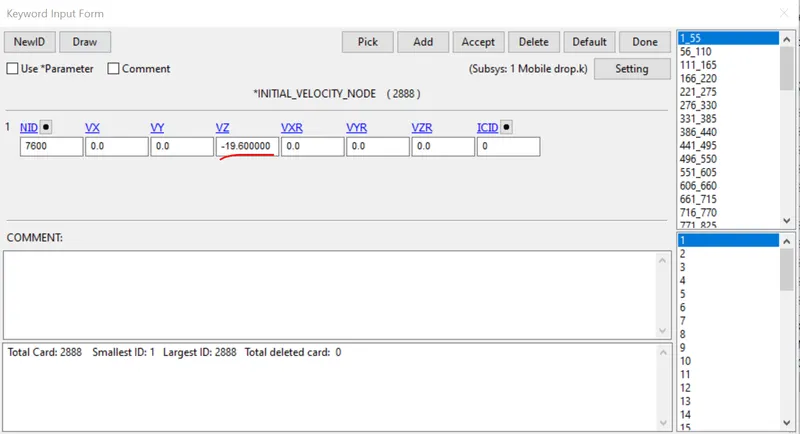
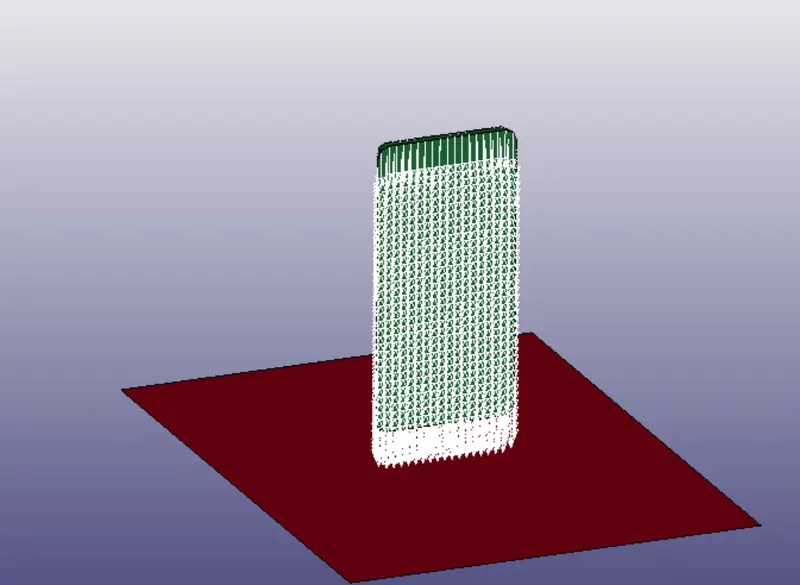
Model and part >creaty entity >boundary >SPC select the nodes of the plate and constraints in all degrees of freedom as shown below because when mobile touching the plate it should not deflect as shown below.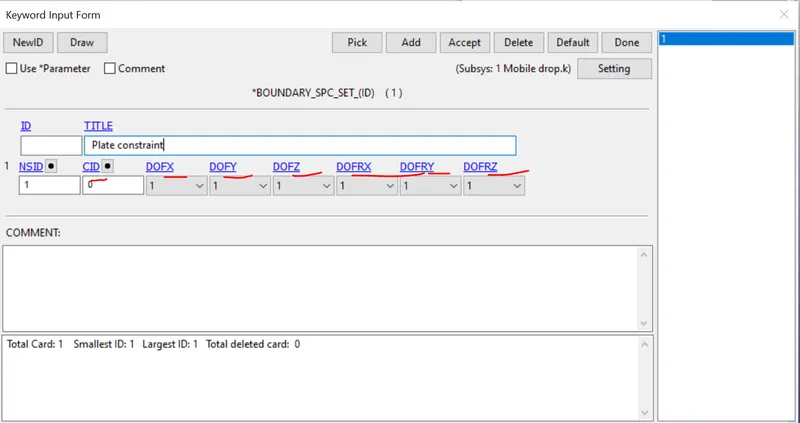
Controls:
Here we have to give Initial time step and termination time. To create this Model and part >Key word manager >All>controls >Termination double click as shown below.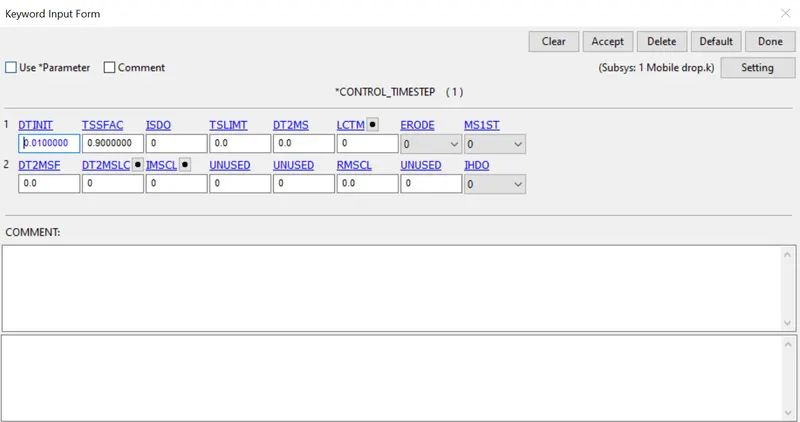
Fig:Initial time step DT mentioned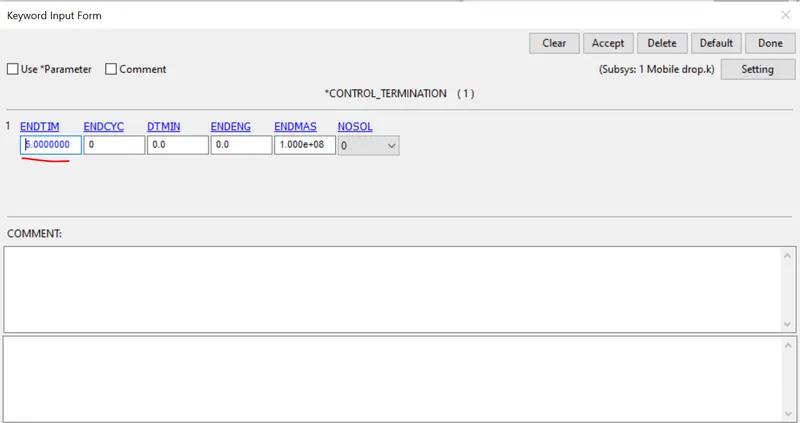
Fig:End time is mentioned
Output request:
To create that Model and part > Keyword manager,All > Database ,D3plot and double click mention DT=0.01 and done. And then ASCII_option select required file output as shown below.which is GLSAT,SLEOUT.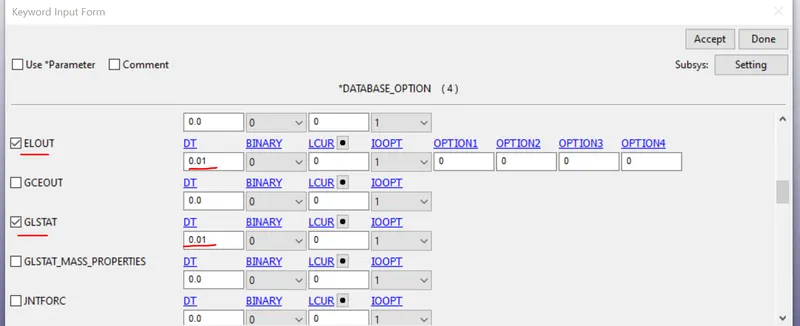
Post-processing: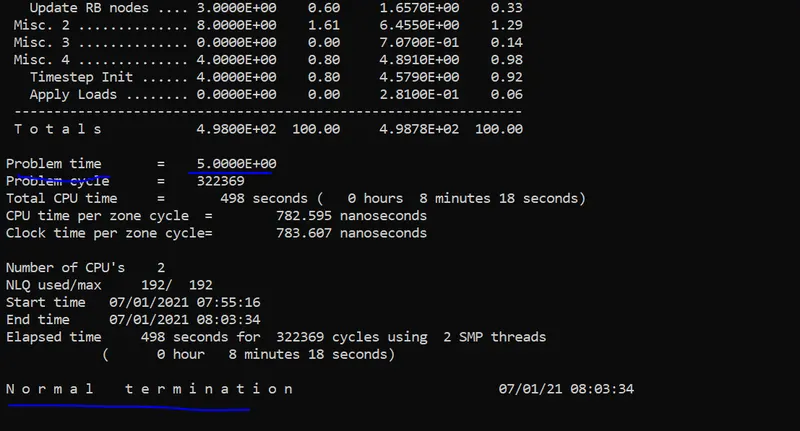
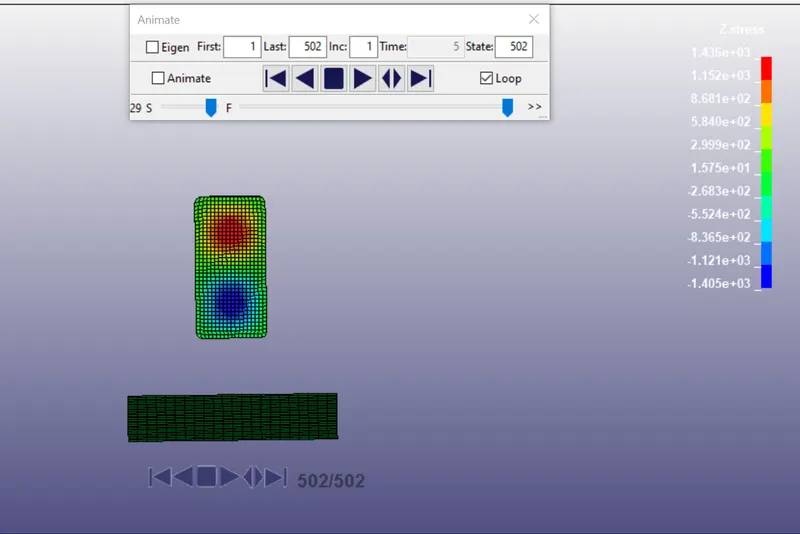
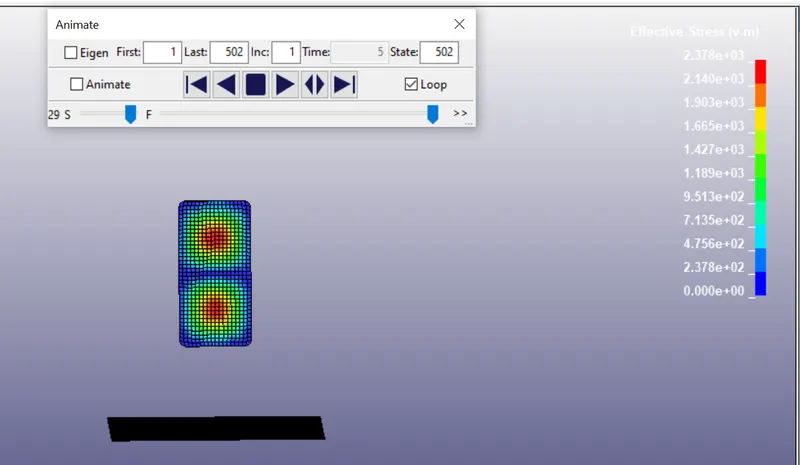
Observations:
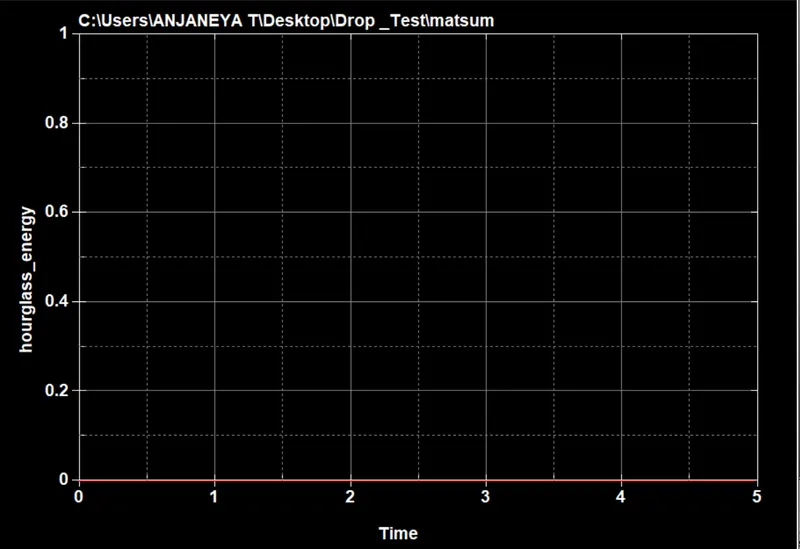
Here the hourglass is shown as zero and the because the ELFORM_2 we have used to avoid the hourglass.
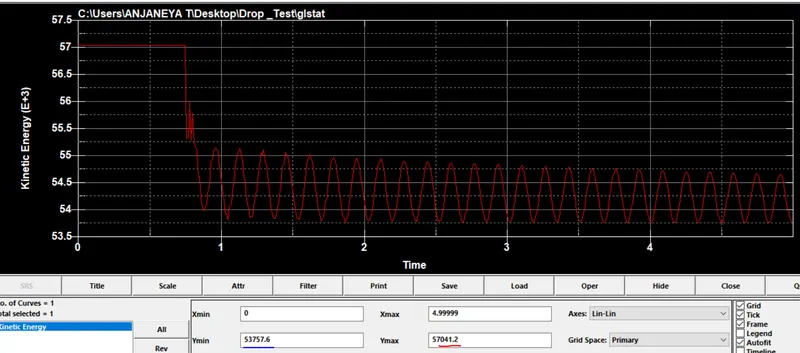
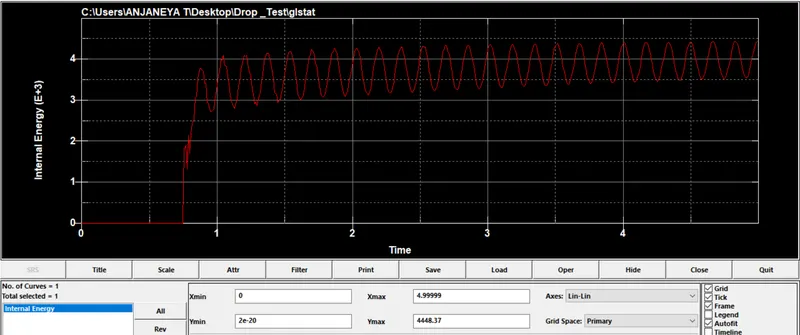
Internal energy is shown zero at the initial and once touches the plate the energy transfer between the elements because of that can see the propagation and the kinetic energy seen max comapre to internal energy.
Kinetic energy and internal energy min and max values mentioned in the images. Internal energy =4448.37J is the max value and Kinetic energy=57041.2
Result:
Drop test has been carried out by providing the essential keywords required and results are plotted above.