Week - 3 Drop test Challenge
OBJECTIVE :
To analysis the smartphone when it hits the ground and to check the stress and total energy of the smartphone using Ls - Dyna.
PROCEDURE :
Step 1:
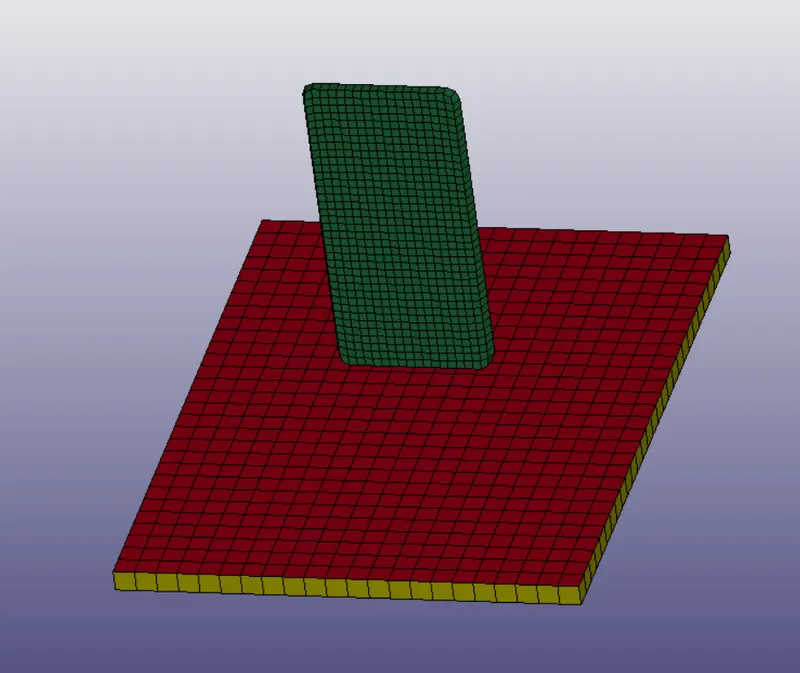
- Open the model which is in .k format into the ls Dyna and we can see the model of drop test where the smartphone is above the ground, to do analysis and to get stress and energy values we need to create a material card, boundary, and connections cards for the model.
Step 2:
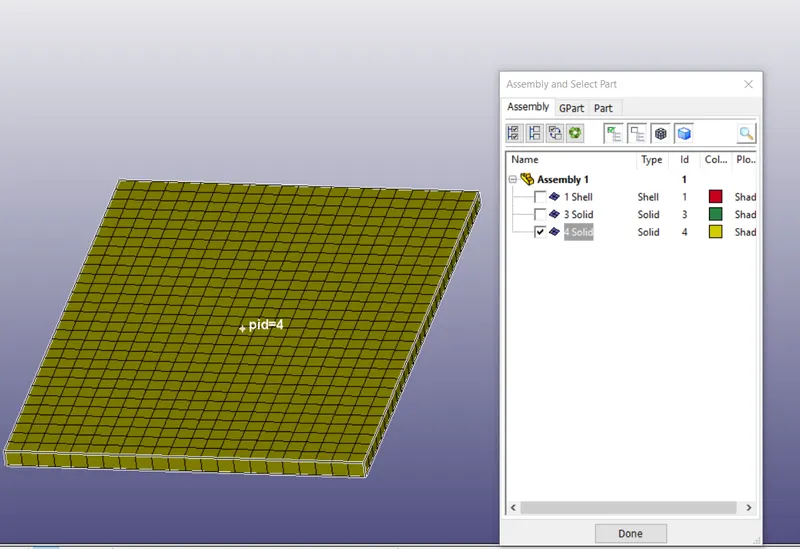
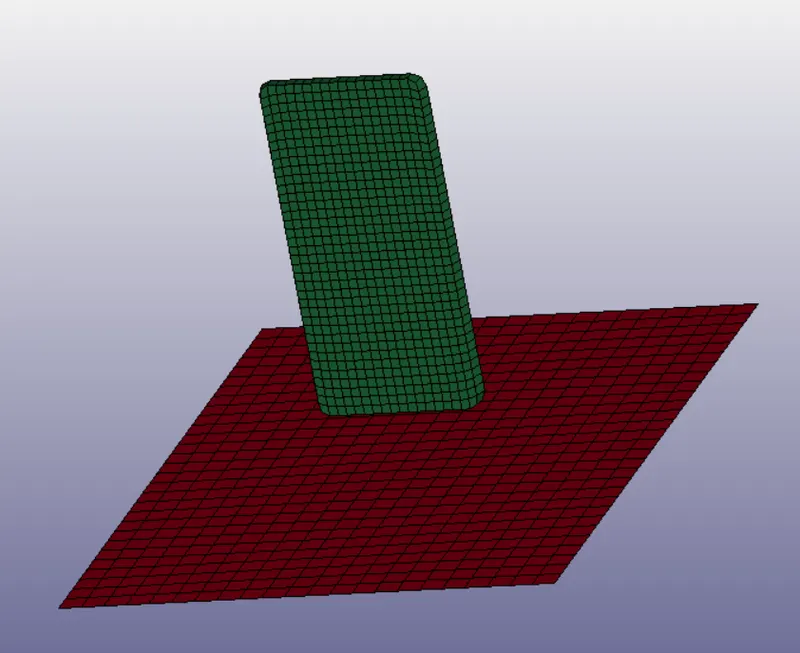
- As we can see they are three parts in the model i.e, smartphone, the ground has two parts i. plate type and the ii. solid ground. Here we want only a ground and phone so we deleting the solid ground part and analyzing the ground and phone parts and create part cards. The reason I took the plate type part is here we have two types of meshing solid mesh and shell mesh so I took both types of mesh parts.
Step 3:
- Now we gave to create material cards for the model for two parts we are taking two different materials i. Aluminum for smartphones and ii. Steel for the ground.
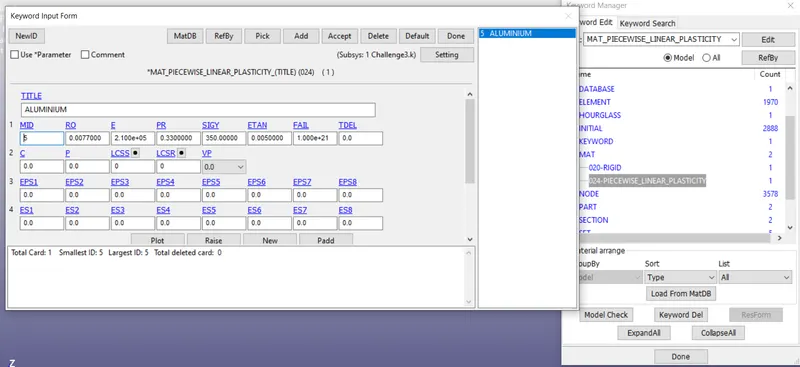
- To create an aluminum material card go to keyword manager > select all > mat > '024 piecewise linear elasticity > give required values as shown in the below figure and create an individual material id.
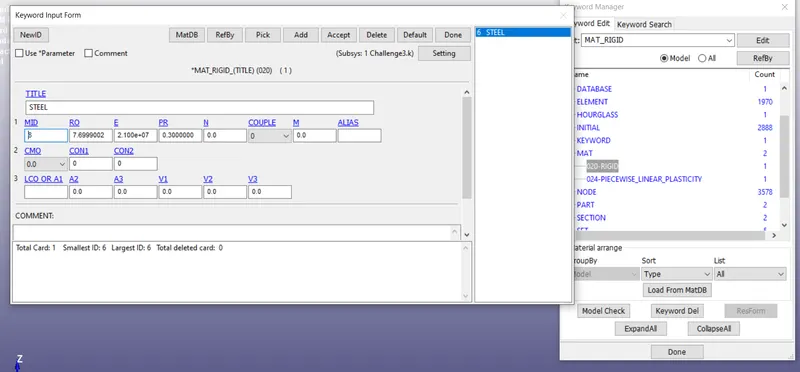
- Same apply to steel material card but take '020 rigid' card. Before giving the values we need to give values as gm mm ms units because the phone is in grams and length is in millimeters and fall from space to the ground will happen in milliseconds.
Step 4:
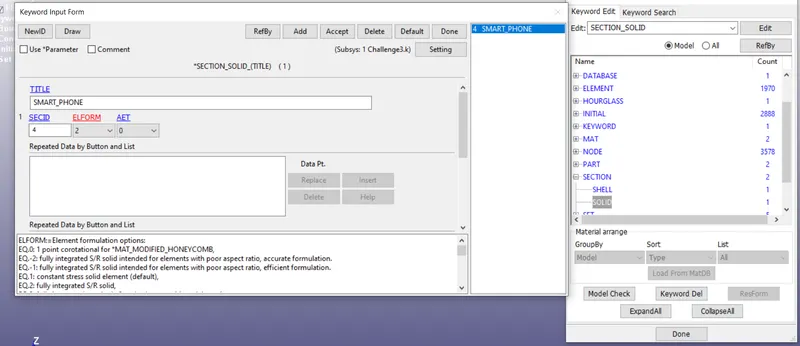
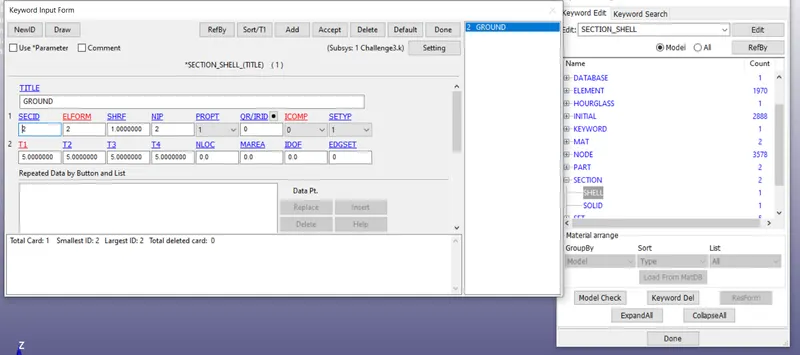
- Now we have to create a section id for two types of mesh smartphone has solid section id card and the ground has shell section id card and ELform as '2'.
Step 5:
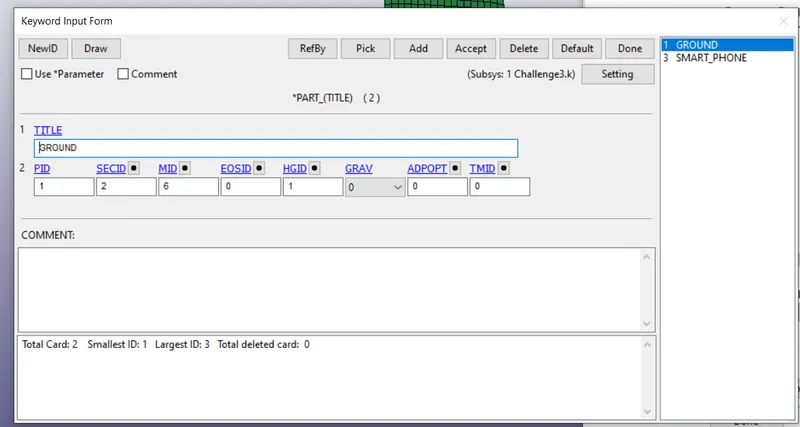
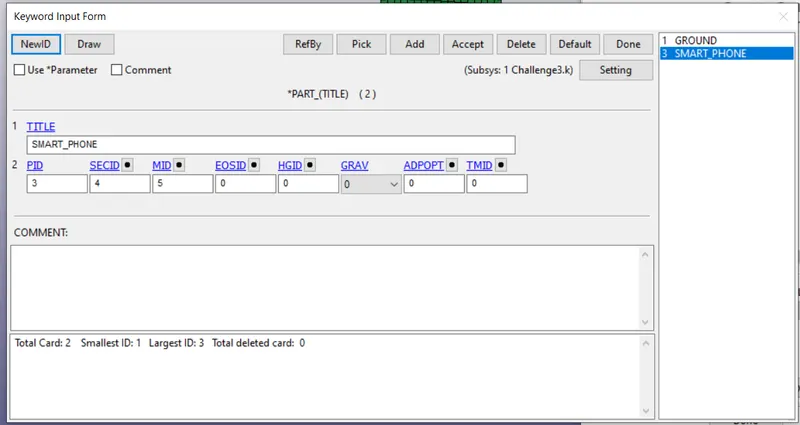
- After creating both material and section id cards go to parts and give section id number and material id number in the part card and accept it. Here we have just defined which part has which material and which mesh, now we need to create boundary conditions for the model.
Step 6:
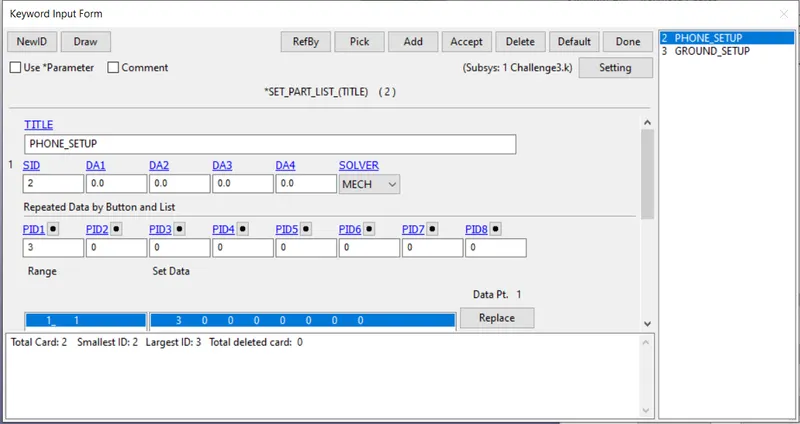
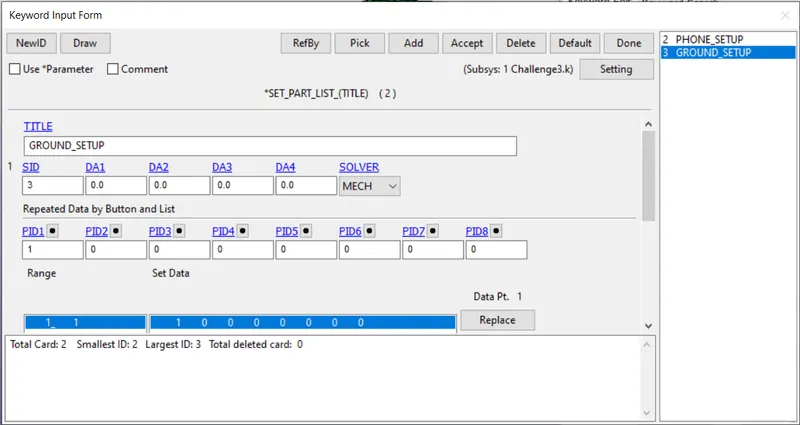
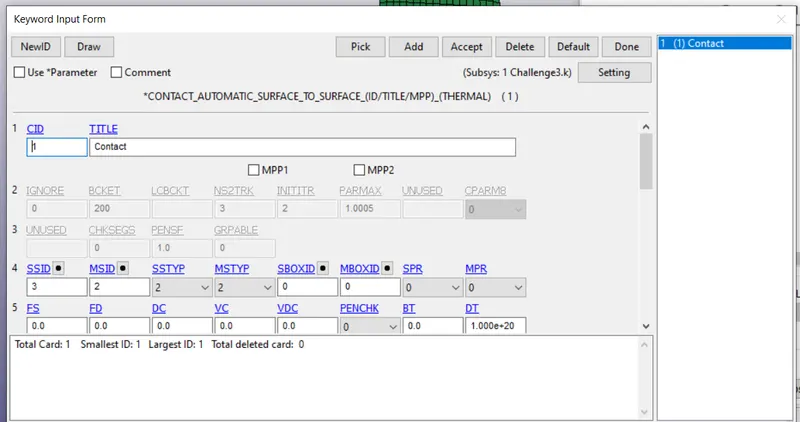
- We need to create a contact boundary this will help to hit the smartphone to the ground. To create this go-to keyword manager > all > contact > select automatic surface to surface > here we need to create a set part id for both phones and ground this also known as slave segment set id and create master segment id. This will help to create a contact boundary for the model.
Step 7:
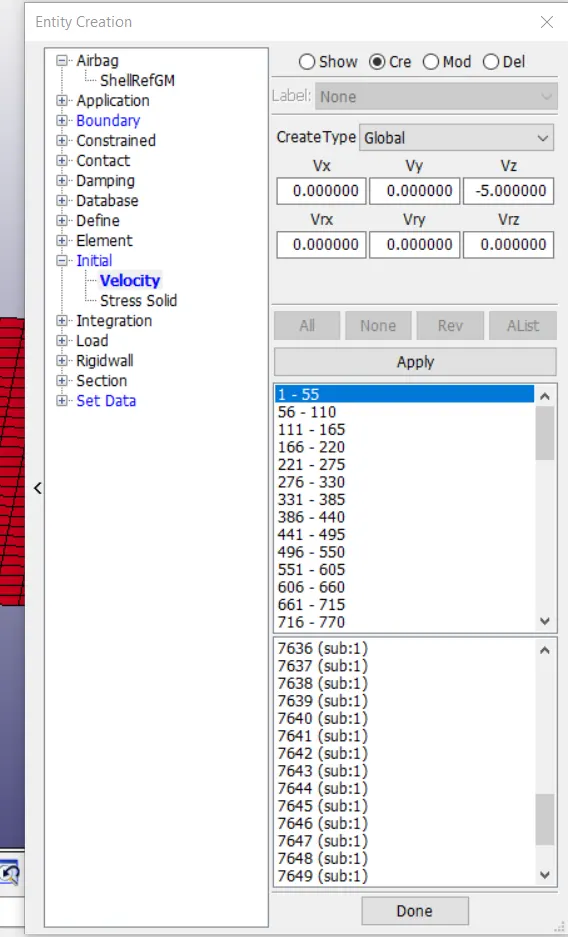
- Now we have to give another condition that is velocity, when the smartphone is falling it has some velocity. To give velocity go to the create entity > initial > velocity > and at 'Vz' give -5 as velocity this is calculated from the formulae `V=(2gh)^(1/2)` which is the form of kinetic energy > select the part > accept.
Step 8:
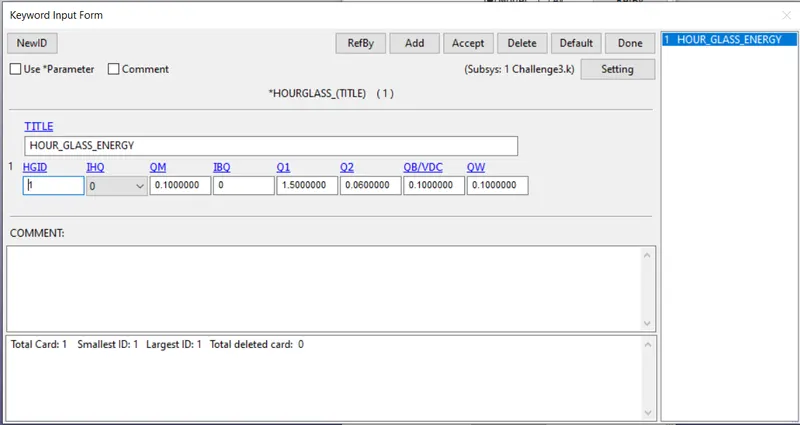
- Now we have to create Hourglass energy this, will help to plot different types of energies when we plot the graphs.
Step 9:
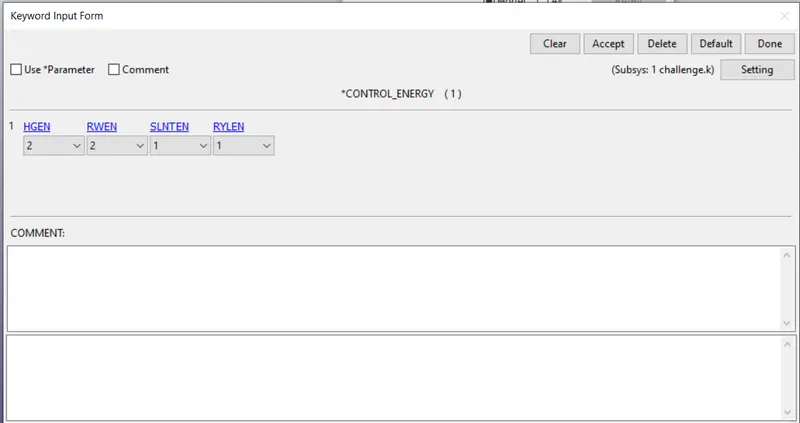
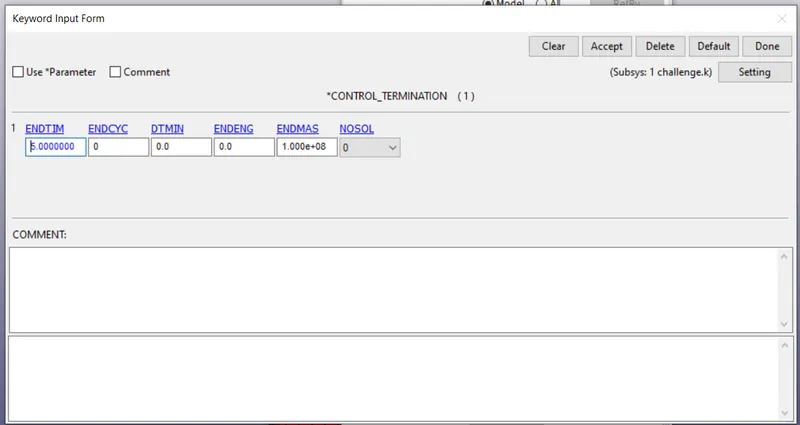
- Now we have to create a control termination card which will help to create the end time of the analysis and also create an energy card and keep Hgen as 2 this will include the hourglass energy in the plots.
Step 10:
- After that create a database cards d3plot and ASCII (glstat,elout,matsum,sleout). d3plot card help to calculate the stress, strain data values, and ascci helps to plot the graphs. With this each every boundary condition is given to the model.
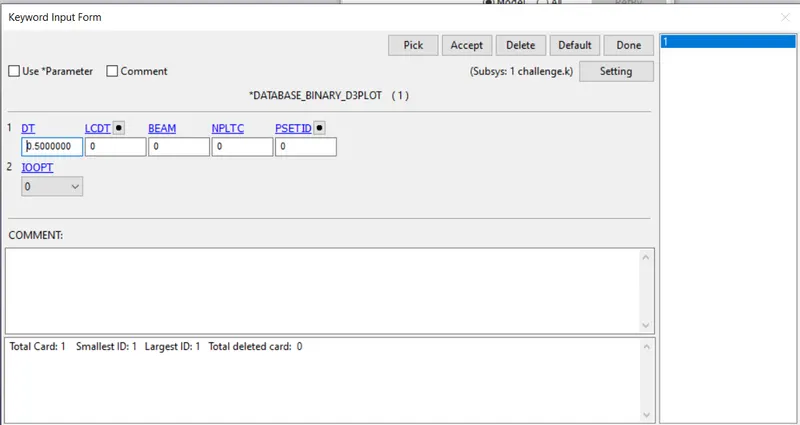
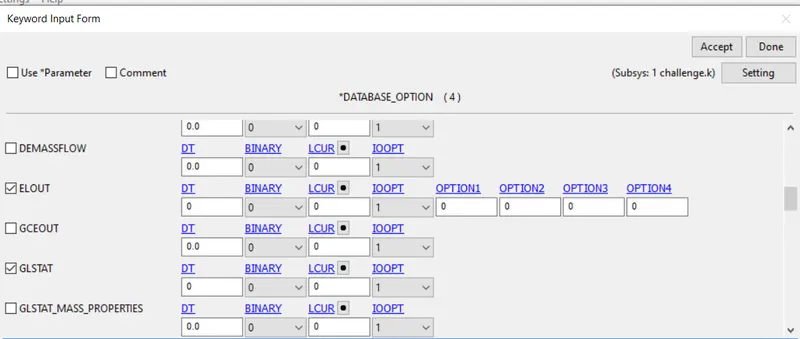
Step 11:
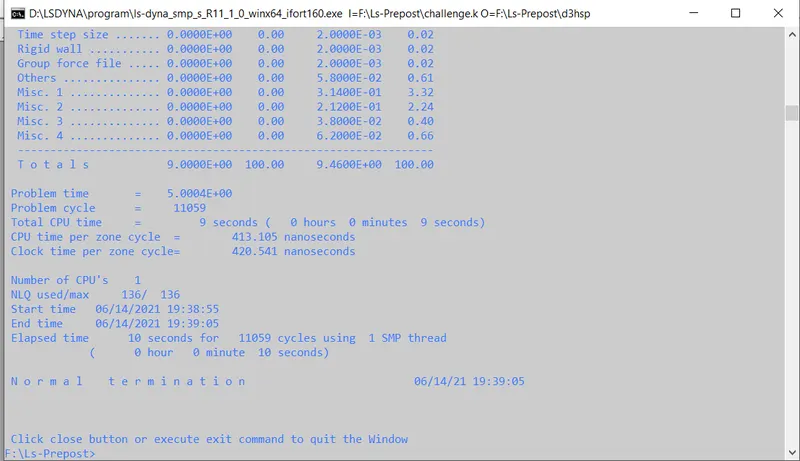
- Now save the file in the format of .k and open this in the ls manager application this will help to solve the problem and gives the data of stress and data of energies. In the end, the solver shows normal termination this means solving is done with no errors. Save the file.
Step 12:
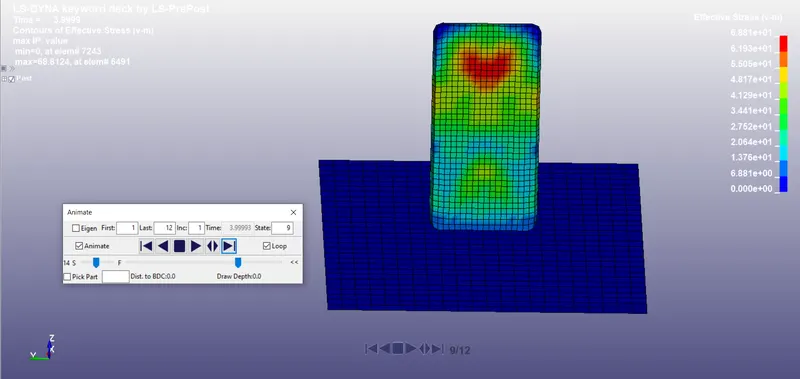
- Now again open another tab of the ls Dyna and select the d3plot file and open it. When we open this file it will automatically open from the post process. Here we need to create stress data so go to the stress tab and select the von misses and accept. This will give the complete stress values of the model when it falls on the ground.
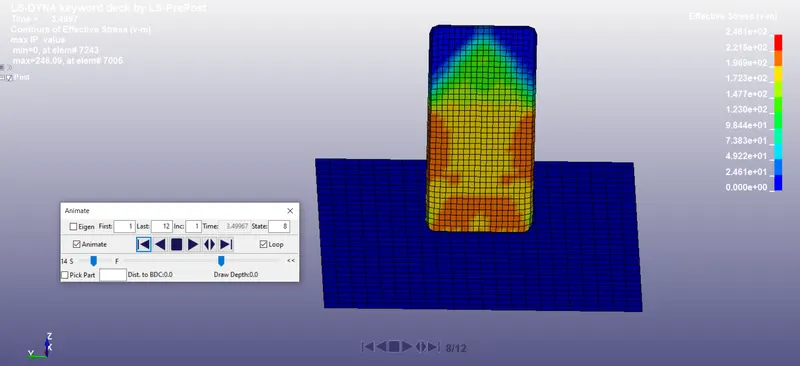
- This is the time when the smartphone hits the ground as we can see that more stress is created near the bottom and stress is distributing through the whole body.
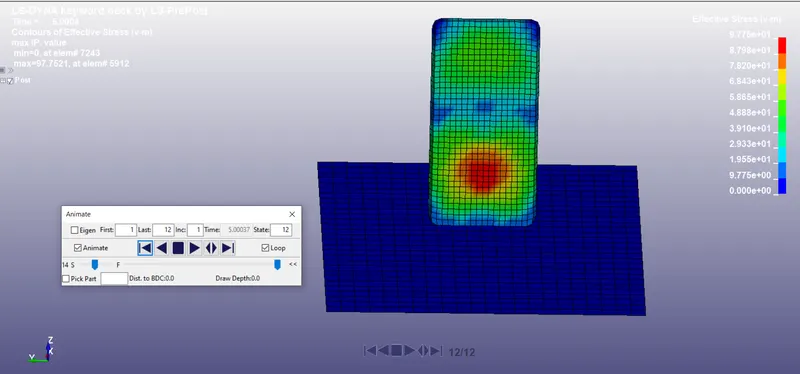
- When the phone starts to rebound from the ground we can see that stress is slowly reducing at the bottom and highly concentrated at the top of the smartphone, this is due to the impact at the ground and it is being absorbed by the smartphone.
- At last, we can see that stress is realized at the top and bottom of the smartphone and only concentrated in the middle. This due to the material behavior where the total energy is absorbed by the smartphone.
Effective strain:
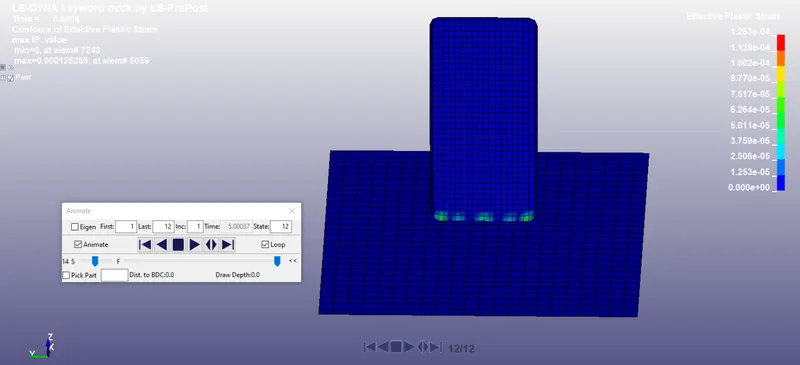
- The stress results are confirmed by the strain distribution with the very negligible value of maximum strain but the results are at the right location. The strain figures show that the impact was not very severe and the stresses generated were well within the elastic limit of the material as zero plastic deformation is observed.
Step 13:
- Now we need to plot the graph for energies to do that go to the ASCII option and select the glstat and select the internal energy, kinetic energy, and hourglass energy and select the plot it will show the graph.
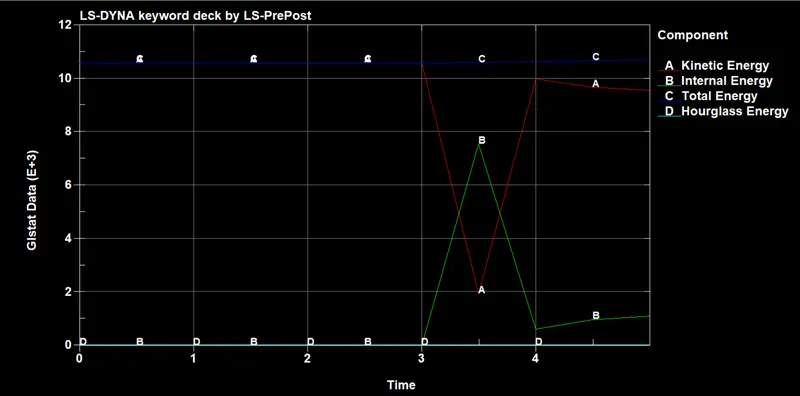
- In the graph, we can see that internal energy, kinetic energy, total energy, and hourglass energy. Here red line represents the kinetic energy and green line represents internal energy and the blue line represents total energy and the light blue line represents hourglass energy.
- From the graph, we can clearly see the law of conservation that the total energy of the model is constant throughout the test whereas kinetic energy is reduced and converted as internal energy when the phone hits the ground and when it rebounds internal energy is reduced and it converted as the kinetic energy. Thus we can see that energies are plotted and shows clear data of the model.
Conclusion: Thus we have performed a drop test for the smartphone using Ls Dyna and collected the data of stress and the energy values and we plotted the graph to understand clearly.