Week 3 Challenge : CFD meshing on Turbocharger
AIM
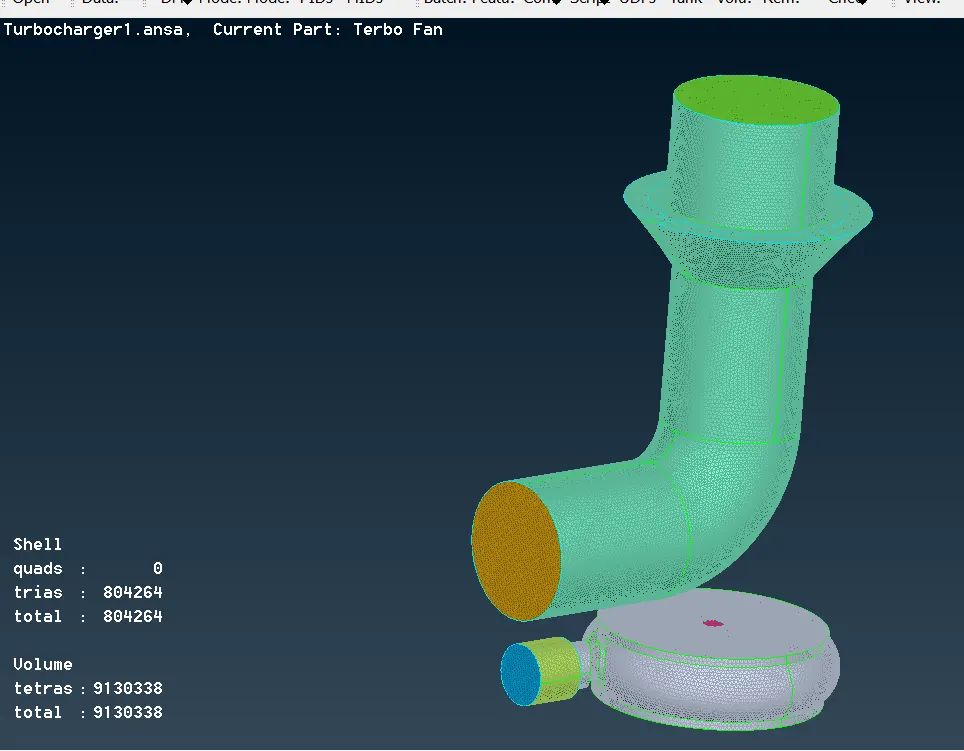
To check for geometrical errors, perform topological cleanup , assign PID's and perform volumetric mesh for a turbocharger.
PROCEDURE
- Open the turbocharger model on ANSA.
- In that model we can see some glitchings , we need to delete those glitchings as these are the overlapped surfaces. The glitchings are deleted by using the delete option and selecting the cross hatches.
- The model have many open surfaces , close every surfaces by creating new faces.
- Solve the single cons on the model .
- Check the relevancy of the triple cons, use "Release and Topo" to covert the triple cons to double cons.
- Make the shaft rotor hollow, use "Project" option from Cons if needed.
- For 2 surfaces that are overlapped we need to have a cut over the surface , to do that use the "project" option from cons.
- Assign PID's for diffrent parts of the model.
- There may be PID's which are'nt needed, the are deleted using the "compress" option.
- Give quality and mesh parameters for each parts of the model .
- Deploy the surface mesh using "Spot mesh".
- There may be an issue in the model while meshing with diffrent target length, sometimes the mesh dissapears so we need to perform spot mesh again on that surface , check whether the macros are varying, if yes close it , confirm the perimeters and perform "Spot mesh".
- After surface mesh , perform volumetric mesh.
- Change to Vol mesh deck.
- Click on "Define" option >work on >whole db> click OK, it will show the whole volume.
- We will mesh only the volume which are not taken by parent geometry thickness.
- Volumetric mesh should be done on the volume or space where the fluid may flow.
- Delete the unnecessarry volume, that is the thickness components of the parent geometry.
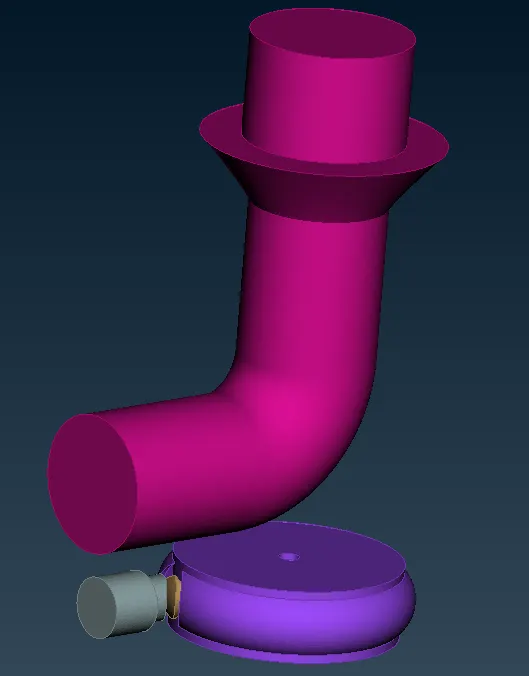
- So in this model there are 4 unmeshed volumes that are required, which are unmeshed.
- Click on the volume in the list and see the preview,
- Start from the smaller volume.
- Right click>remesh>tetraCFD>OK.
- After meshing the model analyze how it look.
- Turn off geometry and FE so we can see volume.
LEARNING OUTCOMES
- Learned about volumetric meshing.
- In this we will mesh only the volume which are not taken by the parent geometry thickess.
- If we find any triple cons and see that there is no other surface perform release and topo, to ensure that there is no triple cons.
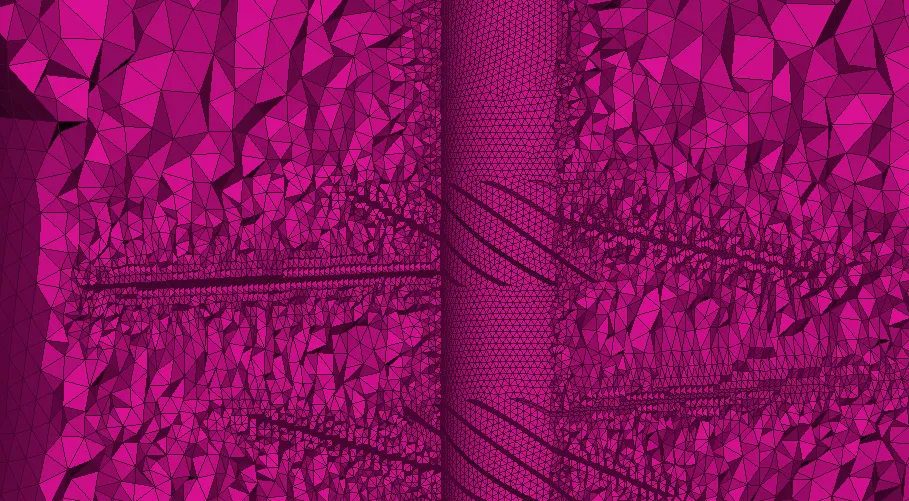
- There is a gradual change in the mesh length of the elements as we move from one part to another part of diffrent target length.
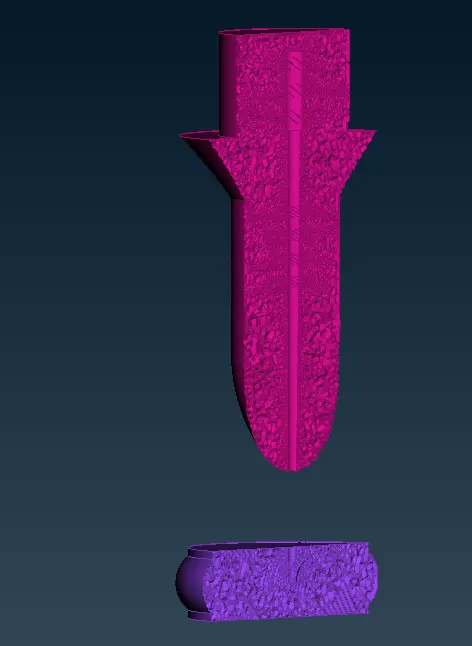
- As we see the cross section of the meshed volume , we can see that the change in the size of elements due to the change in mesh length.
RESULT
The turbocharger model is volumetrically meshed.
CONCLUSION
From the cross section the blades location can be seen and the elements present on the blades location is very smaller as the target length is 1mm and the elemnt size increases as we move further away from it. So it completly depends on the target lenth of the parts of the model.
https://drive.google.com/file/d/1ux2nSK5fQoiFFzcxif9od8OVGe3NEhG1/view?usp=sharing