Week 3 Challenge : CFD meshing on Turbocharger
AIM: To do the CFD meshing of Turbo charger by using tool in ANSA by giving different Target length to different PID and generate Surface and volumetric meshed model.
PROCEDURE:
- Open the given CAD geometry of Turbo charger into the ANSA GUI.
- To starting with, geometry check of the model is needed to get to know about the errors like Single cons, Cracks and unrequired Triple cons present in our CAD model. For that select the Geometry check option and execute the geometry checks which lead to the window where all errors can be seen.
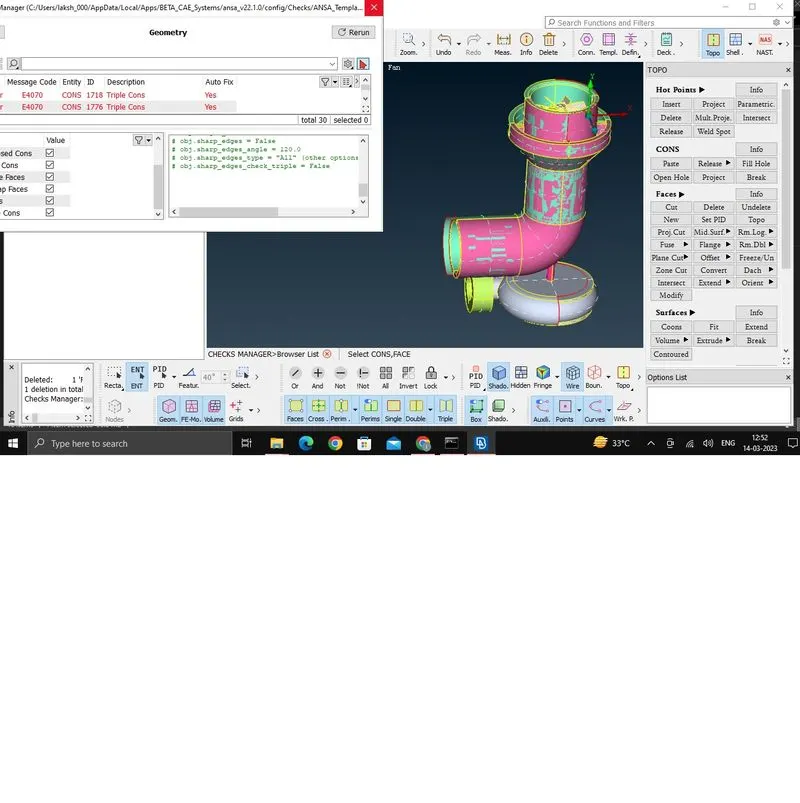
- After geometry check it observed that geometry have some single cons and Triple cons which are need to be attended. By the help of TOPO clean-up tools those errors can be resolved.
- To fill the surface or to patch the surface, new surface must be created but first delete the extra unwanted surface which assign as different PID after that go to the FACES section and select NEW tool. Four types of selection are present in this tool which can use as per their requirement. Another tool is became very useful to patching those surfaces which situated in CONS section named as FILL HOLE , with the help of this tool we can select the hole in one click and then easily create a new surface.
- After creating new required surface in the model now unwanted Triple cons need to be removed and for that delete the extra end surface of a rotor shaft PID and end face of 1st and 2nd Stage of Compressor blade rotor and also end face of a turbo Impeller.
- Again Geometry checks done on the model and no error observed.
- After TOPO clean-up done, need to start meshing the surface. Different parts of this assembly of a turbocharger have different MESH target length, for that assigning of Mesh length done PID vies. The Different Mesh length are as follows
Blade Stage-1 - 1mm
Blade Stage-2 - 1mm
Shaft Rotor - 1mm
Comp. Casing - 5mm
Turbo Casing - 5mm
Turbo Impeller- 2mm
Inlet Casing cover - 1mm
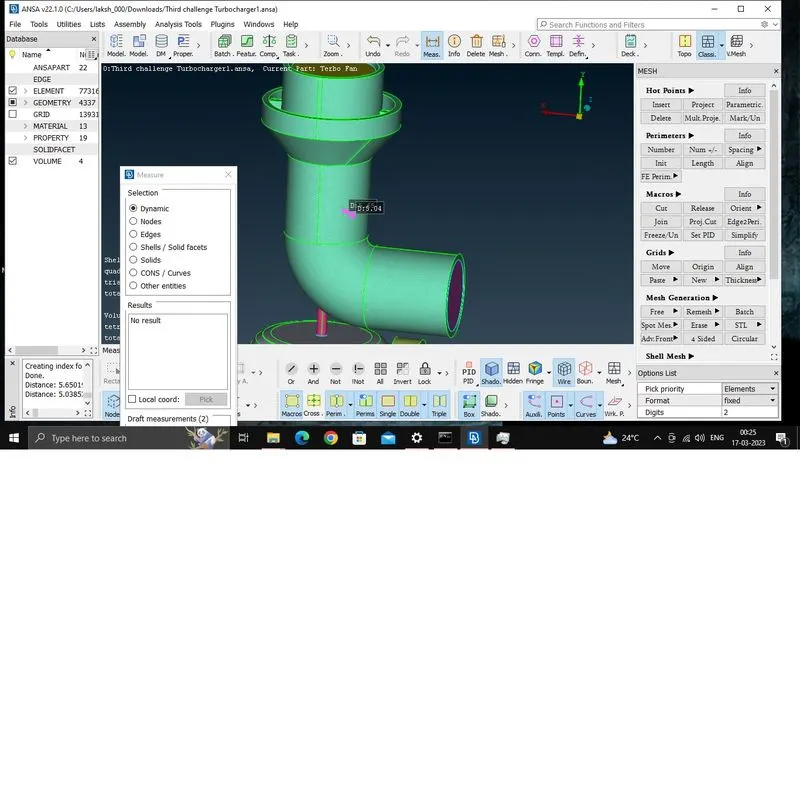
Start with 1mm meshing Target length, for that first assign the MESH PARAMETERS as 1mm and select ELEMENT TYPE as TRIA then go to QUALITY CRITERIA and assign MAX length and MIN length of the mesh and at last go to PERIMETERS section and select LENGTH tool and define Perimeter and Macros length as 1mm by selecting the any length or in this case the whole MODEL.
- Assign other parts same way as above mentioned according to their respective Target mesh length. After completing that a surface meshed model is ready. As shown below:
- For volumetric meshing, all open surface like inlet, outlet etc. of a model should be covered. So create new surface to cover all the open holes and areas and Surface meshing should also be done for the same.
- Go to volumetric meshing deck and select DEFINE tool. This tool can auto detect different volume present in the model. So now delete unrequired volume and work only on those volume which actually carry the fluid of any type, in short the thickness or outer part of comp. casing, Turbo casing and Inlet Casing cover should be deleted.
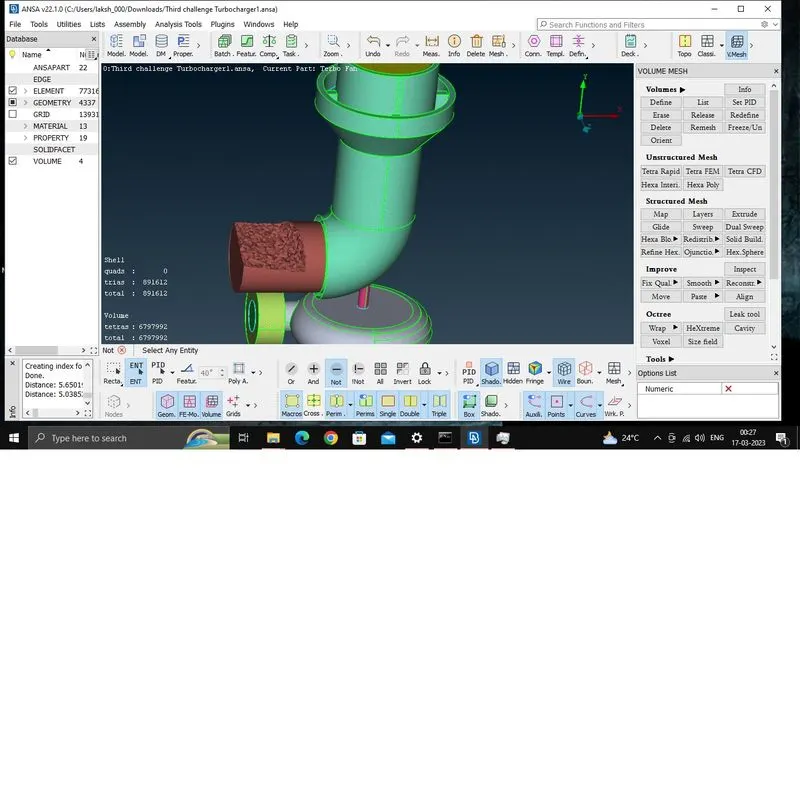
- Finally select the material type as Tetra CFD and Select the particular volume to change the status of the volume from unmeshed to mesh. After completing the whole process with all required volume, the Volumetric meshing done. As shown below:
LEARNING OUTCOME:
This was challenge to get introduce with how volumetric meshing should be done and how we can make ready our geometry to apply volumetric mesh and also learn a new tool name as INTERSECT in which we can create a common point between two object which are intersect but not coincide.
CONCLUSION:
In this particular challenge we need to assign three different target mesh length to different part of Turbo Charger assembly and finally, Volumetric meshing done only for those volume which directly contain or carry fluid throughout.