Week-3 Challenge: ADVISOR Tool
1. EV_defaults_in file, if cargo mass is 500 kg with all other default conditions, can the vehicle travel for 45 km with FTP drive cycle? Conclude your observations.
OPEN TO ADVISOR TOLL EV_defaults_in file
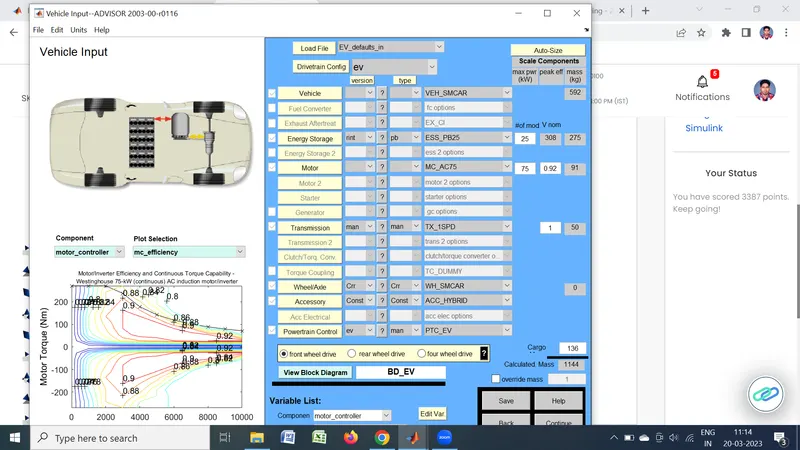
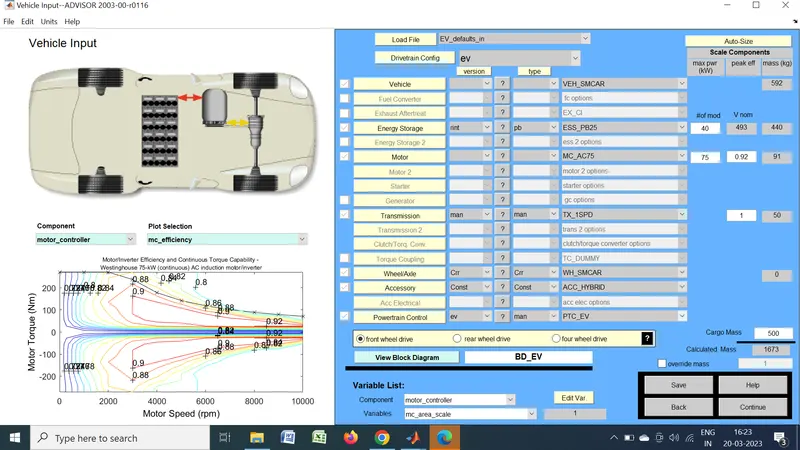
Then the EV_defaults_in file is loaded in the vehicle input window of the advisor tool. The cargo mass of the vehicle is changed to 500kg as show in the below image
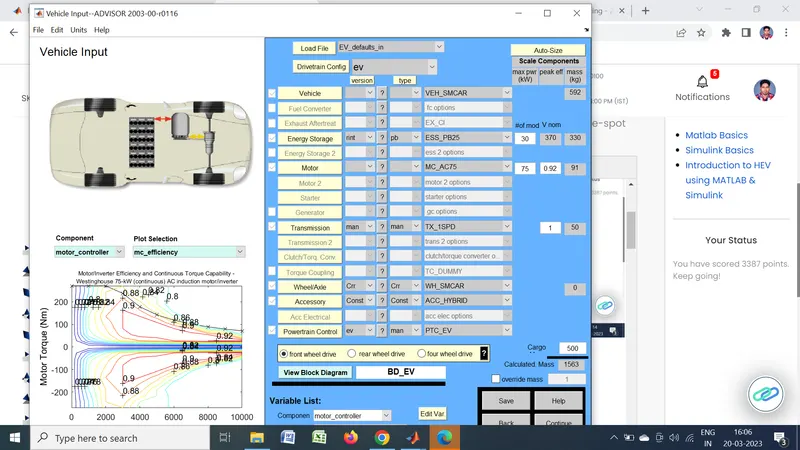
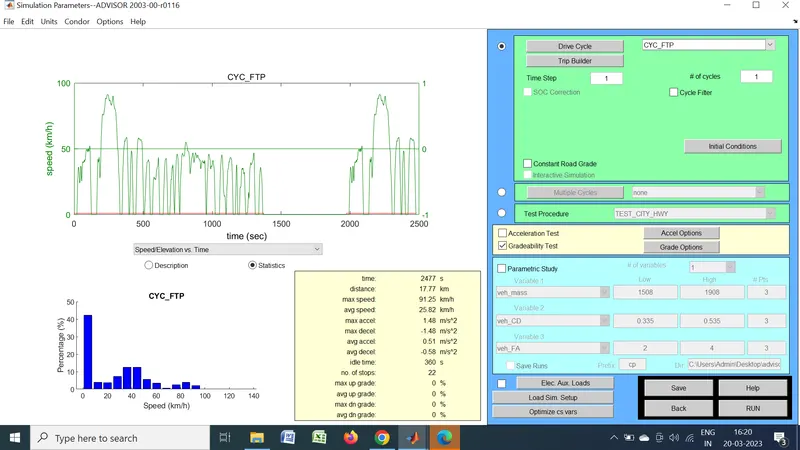
After defining the vehicle input window the simulation parameters window is opened by clicking the continue button on the bottom right corner
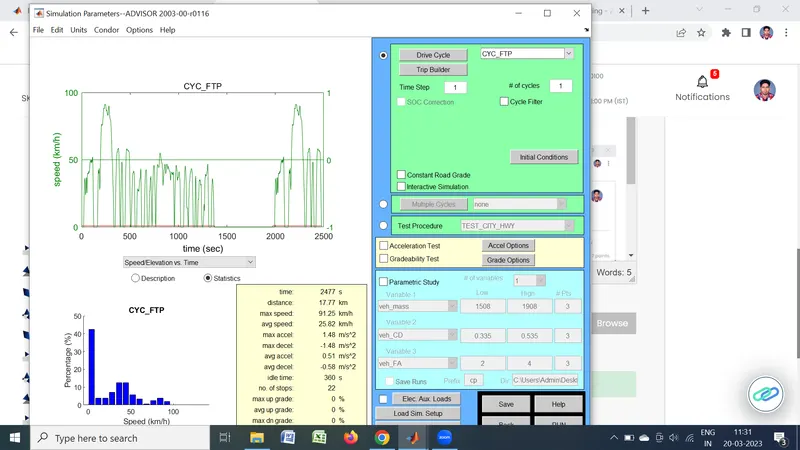
In the simulation parameters window the default drive cycle UDDS is changed to FTP cycle which can simulate a vehicle for 17.77 kms. Since we need to simulate our vehicle atleast for 45kms, the number of cycle is increased to 3 which, in turn insreases the simulation distance to 53.3kms. The simulation parameters window after the changes is show below.
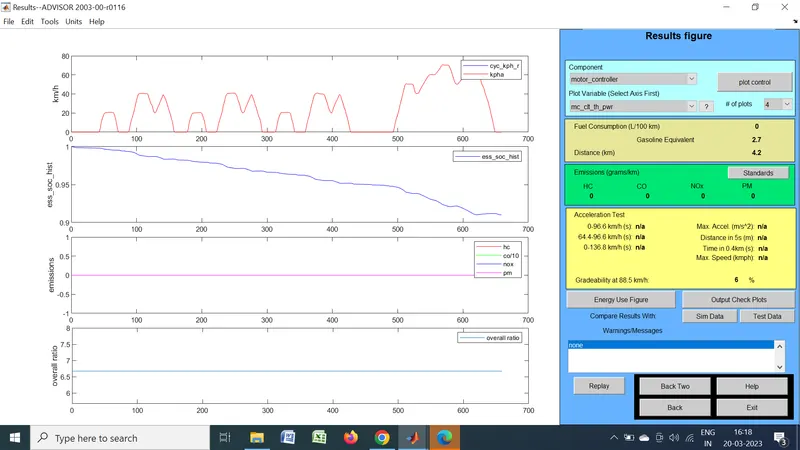
The results of the simulation is given below
2. In the above case, try changing the battery capacity and repeat the simulation
From seeing the result of the simulation it is concluded that, the vehicle cannot cover the distance of the simulation. With the standard battery capacity and cargo as 500kg, the vehicle can cover 41.4kms before the state of charge becomes zero. It is also seen that the warning table shows that 'Required distance exceedes EV range'.
To make the vehicle run for an extended range, the battery capacity is increased in the vehicle input window as show below.
With the simulation parameters as the same the vehicle is simulated. The results of the simulation is show below.
run
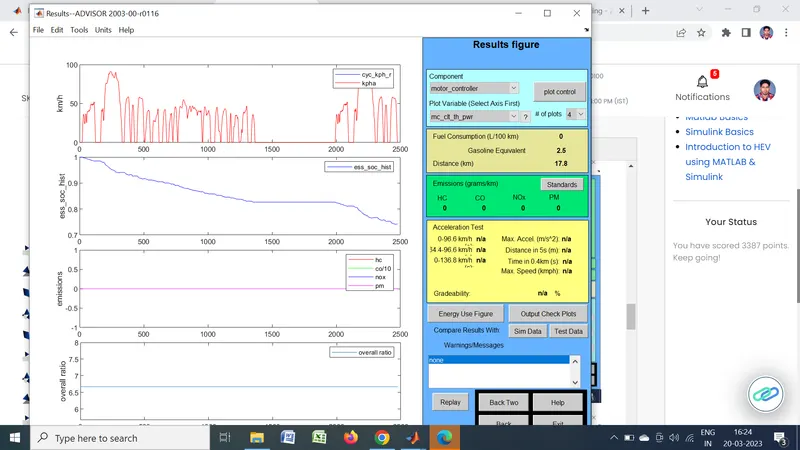
From the results we can see that the state of charge is not fully depleted and the vehicle has run 17.8kms.
3.Perform gradeability test with PRIUS_Jpn_defaults_in file
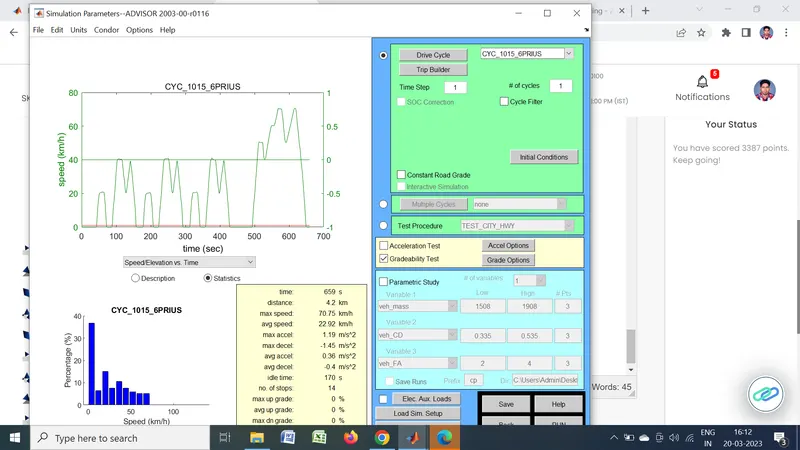
Compare your results in table and conclude. The Prius_Jpn_defaults_in file is selected in the vehicle input window. All the parameters of the vehicle is kept as default.
DRIVE CYCLE IN PIRUS
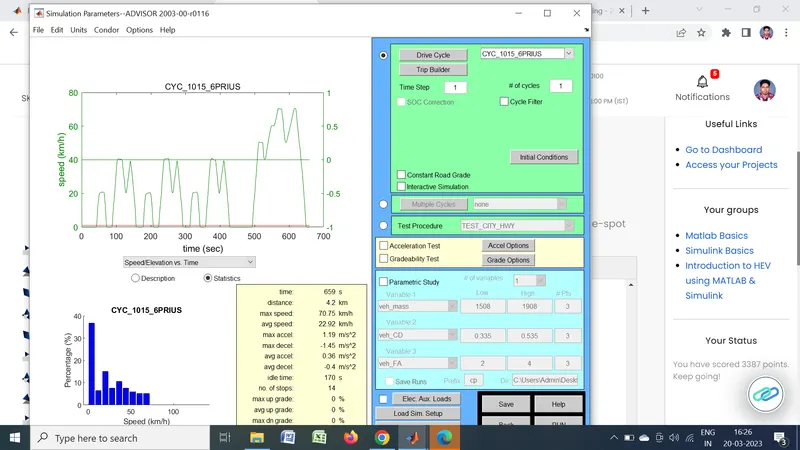
GRADABILITY TEST
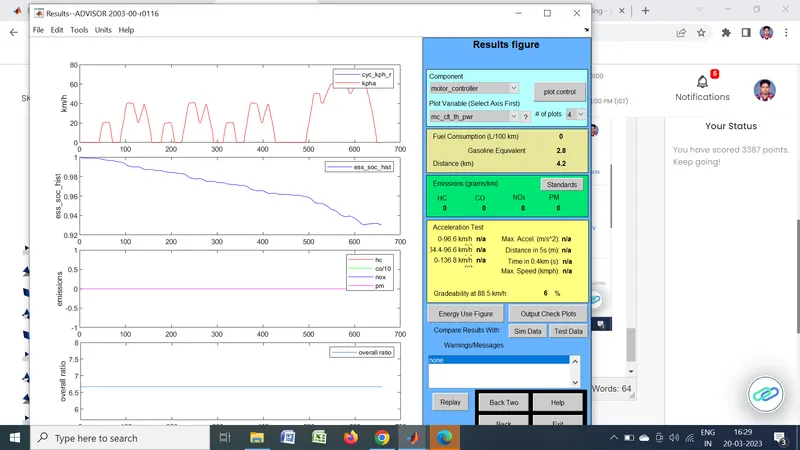
RUN
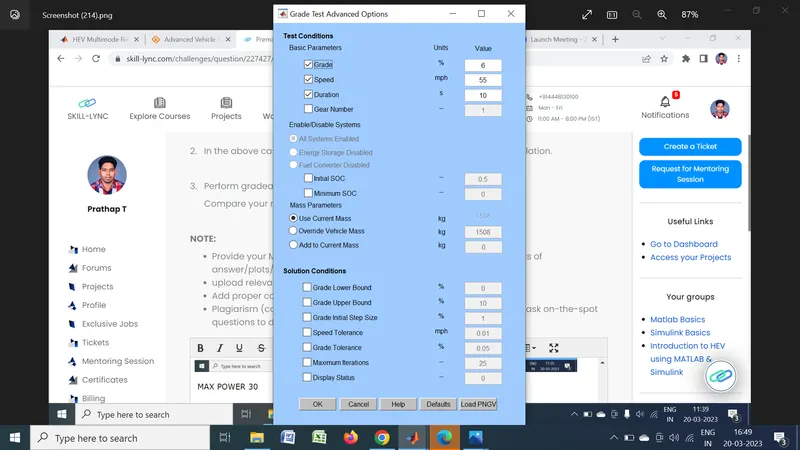
GRADE TEST
results in table and conclude
Simulating the vehicle with 6% grade
The grade option is selected to open the grade test advanced options window by which the values of grade, speed, time and many other parameters can be modified. For the first simulation the grade is set to 6 percent, speed is set to 55mph and the time is set to 10 seconds. All systems of the vehicle is enabled during the grade test simulation.
imulation of vehicle with 7% grade
In the grade option window the parameters are changed as 7% grade and the other parameters as the previous simulation.
The result of simulation with 7% grade
The vehicle has passed the simulation achieving 7% grade at 88.5kmph
| GRADABILITY | PERCENTAGE | SPEED |
| 6 | 6 | 55 |
| 7 | 7 | 88.5 |